warning Hyundai Palisade 2020 Owner's Manual
[x] Cancel search | Manufacturer: HYUNDAI, Model Year: 2020, Model line: Palisade, Model: Hyundai Palisade 2020Pages: 611, PDF Size: 18.86 MB
Page 300 of 611
3-204
Convenient features of your vehicle
Floor Mat Anchor(s)
ALWAYS use the Floor Mat Anchors
to attach the floor mats to the vehi-
cle. The anchors on the front floor
carpet keep the floor mats from slid-
ing forward.
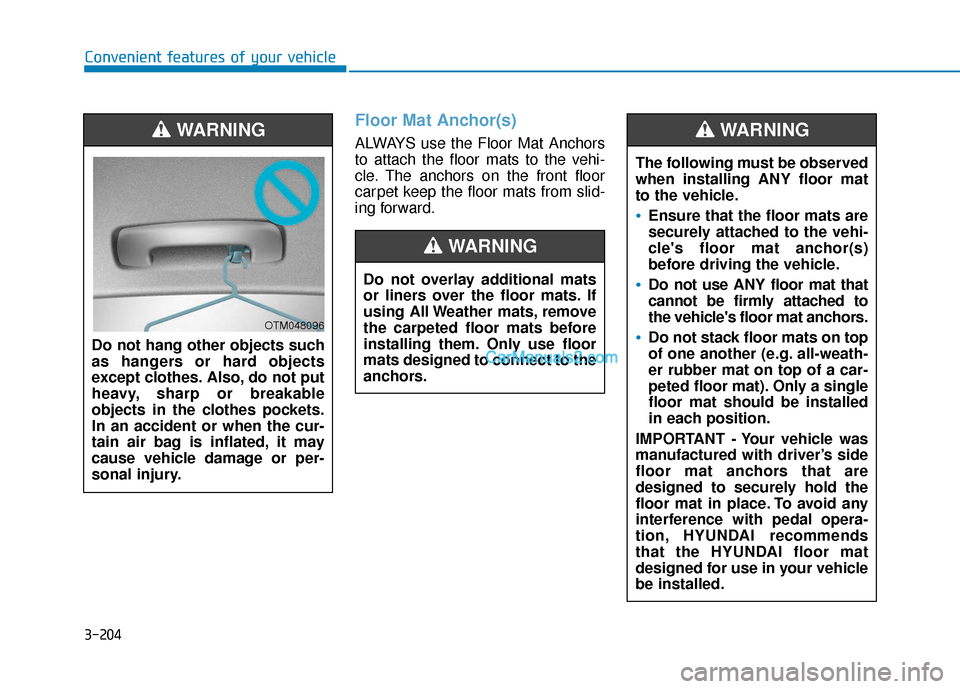
Do not hang other objects such
as hangers or hard objects
except clothes. Also, do not put
heavy, sharp or breakable
objects in the clothes pockets.
In an accident or when the cur-
tain air bag is inflated, it may
cause vehicle damage or per-
sonal injury.WARNING
OTM048096
Do not overlay additional mats
or liners over the floor mats. If
using All Weather mats, remove
the carpeted floor mats before
installing them. Only use floor
mats designed to connect to the
anchors.
WARNING
The following must be observed
when installing ANY floor mat
to the vehicle.
Ensure that the floor mats are
securely attached to the vehi-
cle's floor mat anchor(s)
before driving the vehicle.
Do not use ANY floor mat that
cannot be firmly attached to
the vehicle's floor mat anchors.
Do not stack floor mats on top
of one another (e.g. all-weath-
er rubber mat on top of a car-
peted floor mat). Only a single
floor mat should be installed
in each position.
IMPORTANT - Your vehicle was
manufactured with driver’s side
floor mat anchors that are
designed to securely hold the
floor mat in place. To avoid any
interference with pedal opera-
tion, HYUNDAI recommends
that the HYUNDAI floor mat
designed for use in your vehicle
be installed.
WARNING
Page 301 of 611
3-205
Convenient features of your vehicle
3
Luggage Net Holder
(if equipped)
To keep items from shifting in the lug-
gage compartment, you can use the
4 holders located in the luggage
board to attach the luggage net.
Make sure the luggage net is secure-
ly attached to the holders in the lug-
gage board.
Cargo Security Screen
(if equipped)
Use the cargo security screen to
cover items stored in the cargo area.
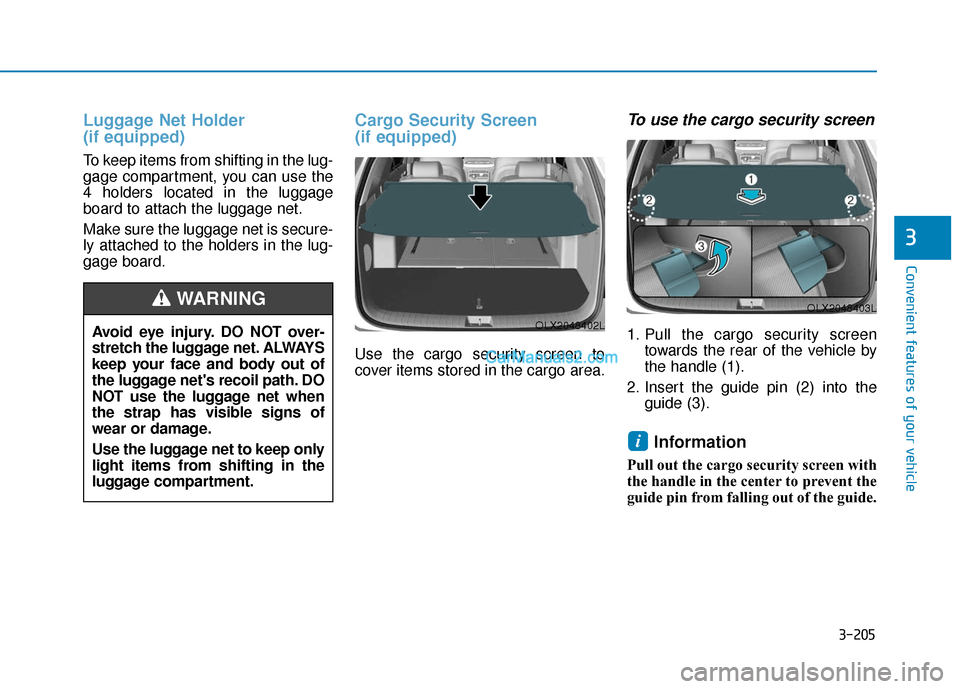
To use the cargo security screen
1. Pull the cargo security screentowards the rear of the vehicle by
the handle (1).
2. Insert the guide pin (2) into the guide (3).
Information
Pull out the cargo security screen with
the handle in the center to prevent the
guide pin from falling out of the guide.
i
OLX2048403L
OLX2048402LAvoid eye injury. DO NOT over-
stretch the luggage net. ALWAYS
keep your face and body out of
the luggage net's recoil path. DO
NOT use the luggage net when
the strap has visible signs of
wear or damage.
Use the luggage net to keep only
light items from shifting in the
luggage compartment.
WARNING
Page 303 of 611
3-207
Convenient features of your vehicle
3
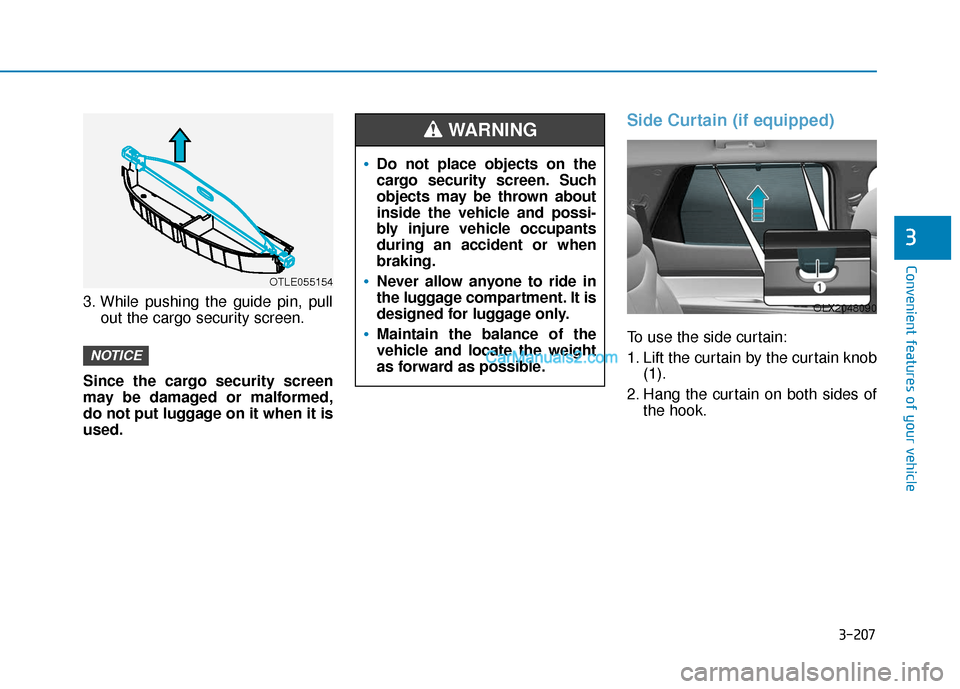
3. While pushing the guide pin, pullout the cargo security screen.
Since the cargo security screen
may be damaged or malformed,
do not put luggage on it when it is
used.
Side Curtain (if equipped)
To use the side curtain:
1. Lift the curtain by the curtain knob (1).
2. Hang the curtain on both sides of the hook.
NOTICE
Do not place objects on the
cargo security screen. Such
objects may be thrown about
inside the vehicle and possi-
bly injure vehicle occupants
during an accident or when
braking.
Never allow anyone to ride in
the luggage compartment. It is
designed for luggage only.
Maintain the balance of the
vehicle and locate the weight
as forward as possible.
WARNING
OLX2048090
OTLE055154
Page 305 of 611
3-209
Convenient features of your vehicle
3
Roof Side Rails (if equipped)
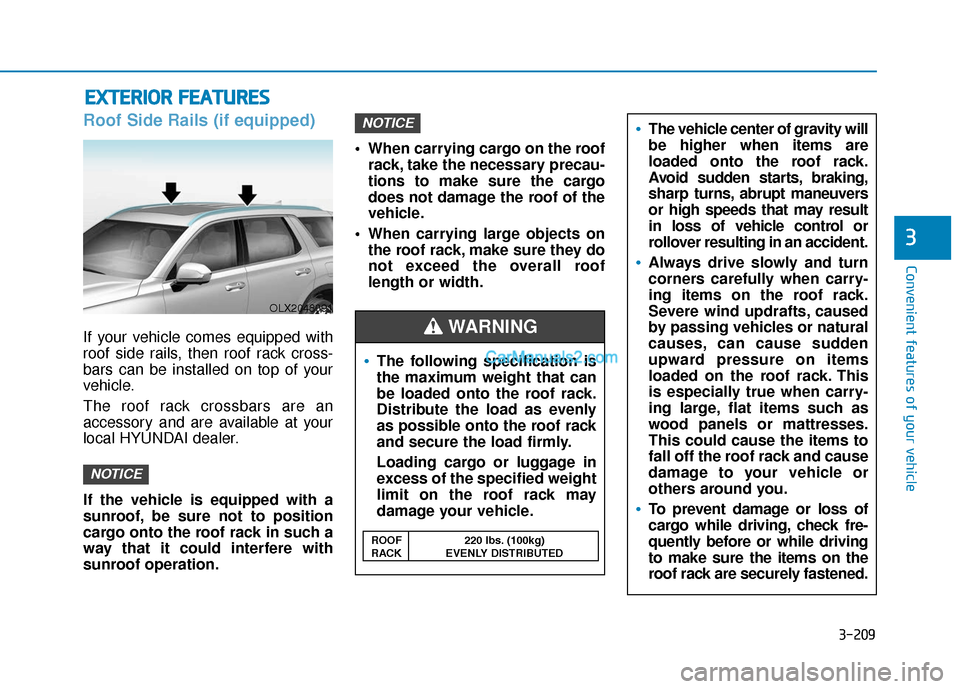
If your vehicle comes equipped with
roof side rails, then roof rack cross-
bars can be installed on top of your
vehicle.
The roof rack crossbars are an
accessory and are available at your
local HYUNDAI dealer.
If the vehicle is equipped with a
sunroof, be sure not to position
cargo onto the roof rack in such a
way that it could interfere with
sunroof operation. When carrying cargo on the roof
rack, take the necessary precau-
tions to make sure the cargo
does not damage the roof of the
vehicle.
When carrying large objects on the roof rack, make sure they do
not exceed the overall roof
length or width.
NOTICE
NOTICE
E EX
X T
TE
ER
R I
IO
O R
R
F
F E
E A
A T
TU
U R
RE
ES
S
The following specification is
the maximum weight that can
be loaded onto the roof rack.
Distribute the load as evenly
as possible onto the roof rack
and secure the load firmly.
Loading cargo or luggage in
excess of the specified weight
limit on the roof rack may
damage your vehicle.
The vehicle center of gravity will
be higher when items are
loaded onto the roof rack.
Avoid sudden starts, braking,
sharp turns, abrupt maneuvers
or high speeds that may result
in loss of vehicle control or
rollover resulting in an accident.
Always drive slowly and turn
corners carefully when carry-
ing items on the roof rack.
Severe wind updrafts, caused
by passing vehicles or natural
causes, can cause sudden
upward pressure on items
loaded on the roof rack. This
is especially true when carry-
ing large, flat items such as
wood panels or mattresses.
This could cause the items to
fall off the roof rack and cause
damage to your vehicle or
others around you.
To prevent damage or loss of
cargo while driving, check fre-
quently before or while driving
to make sure the items on the
roof rack are securely fastened.
WARNING
ROOF 220 lbs. (100kg)
RACK EVENLY DISTRIBUTED
OLX2048091
Page 310 of 611
Driving your vehicle
5
Before Driving ........................................................5-5
Before Entering the Vehicle ...........................................5-5
Before Starting ..................................................................5-5
Ignition Switch ........................................................5-7
Key Ignition Switch ...........................................................5-7
Engine Start/Stop Button .............................................5-10
Automatic Transmission ......................................5-15
Automatic transmission operation ..............................5-15
Parking ........................................................................\
.......5-18
LCD display message ......................................................5-19
Good driving practices ...................................................5-20
Paddle Shifter (Manual Shift Mode) ..........................5-22
Braking system.....................................................5-23
Power Brakes ...................................................................5-23
Disc Brakes Wear Indicator ..........................................5-24
Electronic Parking Brake (EPB)...................................5-24
Auto Hold ........................................................................\
..5-29
Anti-lock Brake System (ABS) ....................................5-33
Electronic Stability Control (ESC)................................5-35
Vehicle Stability Management (VSM).........................5-38
Hill-Start Assist Control (HAC) ....................................5-39
Downhill Brake Control (DBC) ......................................5-39
Trailer Stability Assist (TSA) .........................................5-42
Good Braking Practices .................................................5-42
All Wheel Drive (AWD) ........................................5-43
AWD Operation ................................................................5-44
LCD display message ......................................................5-47
Emergency Precautions.................................................5-48
ISG (Idle Stop and Go) system ...........................5-50
To Activate the ISG System ..........................................5-50
To Deactivate the ISG System......................................5-53
ISG System Malfunction ................................................5-53
Battery Sensor Deactivation ........................................5-54
Drive Mode Integrated Control system
(2WD) .....................................................................5-5\
5
Drive Mode .......................................................................5\
-55
Drive Mode Integrated Control system
(AWD) ....................................................................5-59\
Drive Mode .......................................................................5\
-59
Forward Collision-Avoidance Assist (FCA)
system....................................................................5-63\
System Setting and Operation .....................................5-63
FCA Warning Message and Brake Control ...............5-66
FCA Sensor (Front Radar/Front Camera) .................5-68
System Malfunction .......................................................5-70
Limitations of the System .............................................5-72
Page 311 of 611
5
Blind-Spot Collision Warning/
Blind-Spot Collision-Avoidance Assist .............5-78
System Description .........................................................5-78
System Setting and Operation .....................................5-79
Warning and System Control .......................................5-82
Detecting Sensor (Camera and Radar) ......................5-84
Limitations of the System .............................................5-87
Rear Cross-Traffic Collision Warning (RCCW)/
Rear Cross-Traffic Collision-Avoidance Assist
(RCCA) ...................................................................5-92
System Description .........................................................5-92
System Setting and Operation .....................................5-93
Warning and System Control .......................................5-95
Detecting Sensor .............................................................5-98
Limitations of the System .............................................5-99
Lane Following Assist (LFA) system ...............5-103
LFA Setting and Operation .........................................5-104
Warning Message .........................................................5-105
Limitations of the System...........................................5-107
Lane Keeping Assist (LKA) system .................5-109
LKA System Operation.................................................5-110
Warning Light and Message ......................................5-112
Limitations of the System...........................................5-114
LKA System Function Change ...................................5-116
Driver Attention Warning (DAW) system .......5-117
System Setting and Operation...................................5-117
Resetting the System ...................................................5-118
System Standby.............................................................5-119
System Malfunction .....................................................5-119
Highway Driving Assist (HDA) system ............5-121
System Setting and Operation...................................5-121
Warning Message .........................................................5-124
Smart Cruise Control With Stop &
Go System ...........................................................5-128
Smart Cruise Control Switch ......................................5-129
Adjusting the Sensitivity of Smart Cruise
Control ........................................................................\
.....5-129
To Convert to Cruise Control Mode .........................5-130
Smart Cruise Control Speed .......................................5-131
Smart Cruise Control Vehicle-to-Vehicle
Distance ........................................................................\
...5-135
Sensor to Detect Distance to the
Vehicle Ahead ................................................................5-138
Limitations of the System...........................................5-140
Leading Vehicle Departure Alert .....................5-146
System Setting and Operation...................................5-146
Page 313 of 611
5-4
Driving your vehicleCarbon monoxide (CO) gas is toxic. Breathing CO can cause unconsciousness and death.
Engine exhaust contains carbon monoxide which cannot be seen or smelled.
Do not inhale engine exhaust.
If at any time you smell engine exhaust inside the vehicle, open the windows immediately. Exposure to CO can cause
unconsciousness and death by asphyxiation.
Be sure the exhaust system does not leak.
The exhaust system should be checked whenever the vehicle is raised to change the oil or for any other purpose. If
you hear a change in the sound of the exhaust or if you drive over something that strikes the underneath side of the
vehicle, have the exhaust system checked as soon as possible by an authorized HYUNDAI dealer.
Do not run the engine in an enclosed area.
Letting the engine idle in your garage, even with the garage door open, is a hazardous practice. Run the engine only
long enough to start the engine and to move the vehicle out of the garage.
Avoid idling the engine for prolonged periods with people inside the vehicle.
If it is necessary to idle the engine for a prolonged period with people inside the vehicle, be sure to do so only in an
open area with the air intake set at "Fresh" and fan control set to high so fresh air is drawn into the interior.
Keep the air intakes clear.
To assure proper operation of the ventilation system, keep the ventilation air intakes located in front of the windshield
clear of snow, ice, leaves, or other obstructions.
If you must drive with the liftgate open:
Close all windows.
Open instrument panel air vents.
Set the air intake control at "Fresh", the air flow control at "Floor" or "Face", and the fan control set to high.
WARNING
Page 314 of 611
5-5
Driving your vehicle
5
Before Entering the Vehicle
• Be sure all windows, outside mir-ror(s), and outside lights are clean
and unobstructed.
Remove frost, snow, or ice.
Visually check the tires for uneven wear and damage.
Check under the vehicle for any sign of leaks.
Be sure there are no obstacles behind you if you intend to back up.
Before Starting
Make sure the hood, the liftgate,and the doors are securely closed
and locked.
Adjust the position of the seat and steering wheel.
Adjust the inside and outside rearview mirrors.
Verify all the lights work.
Fasten your seatbelt. Check that all passengers have fastened their
seatbelts.
Check the gauges and indicators in the instrument panel and the mes-
sages on the instrument display
when the ignition switch is in the
ON position.
Check that any items you are car- rying are stored properly or fas-
tened down securely.
CALIFORNIA PROPOSITION 65
WARNING
Engine exhaust and a wide vari-
ety of automobile components
including components found in
the interior furnishings in a
vehicle, contain or emit harmful
chemicals known to the State of
California to cause cancer and
birth defects and reproductive
harm. In addition, certain fluids
contained in vehicles and cer-
tain products of components
contain or emit chemicals
known to the State of California
to cause cancer and birth
defects or other reproductive
harm.
For more information go to
https://www.p65warnings.ca.go
v/passenger-vehicleWARNING
B B
E
EF
FO
O R
RE
E
D
D R
RI
IV
V I
IN
N G
G
Page 315 of 611
5-6
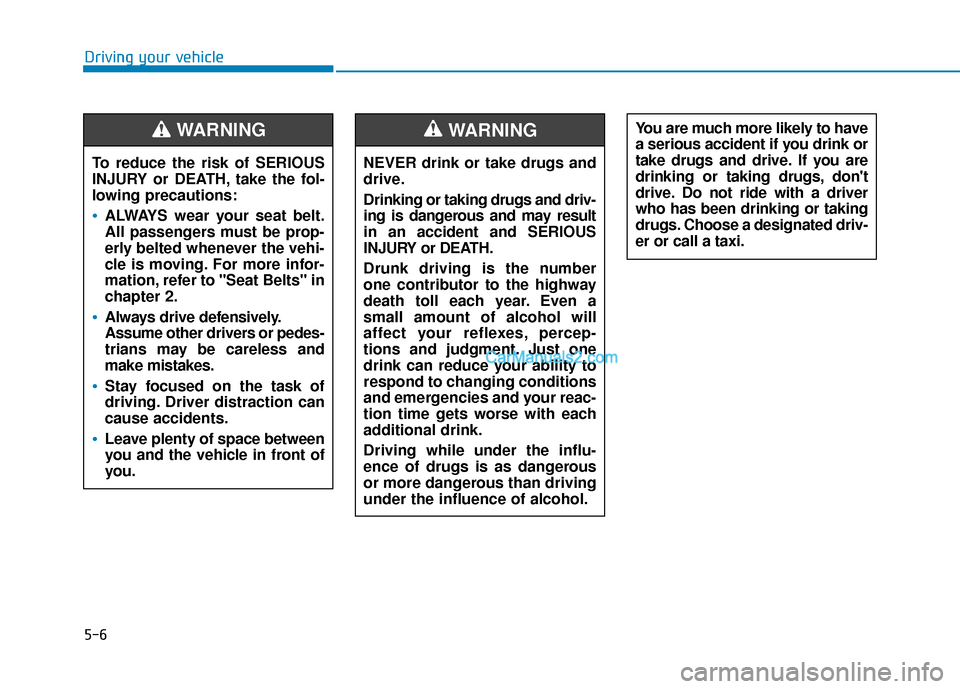
Driving your vehicleNEVER drink or take drugs and
drive.
Drinking or taking drugs and driv-
ing is dangerous and may result
in an accident and SERIOUS
INJURY or DEATH.
Drunk driving is the number
one contributor to the highway
death toll each year. Even a
small amount of alcohol will
affect your reflexes, percep-
tions and judgment. Just one
drink can reduce your ability to
respond to changing conditions
and emergencies and your reac-
tion time gets worse with each
additional drink.
Driving while under the influ-
ence of drugs is as dangerous
or more dangerous than driving
under the influence of alcohol.
WARNING You are much more likely to have
a serious accident if you drink or
take drugs and drive. If you are
drinking or taking drugs, don't
drive. Do not ride with a driver
who has been drinking or taking
drugs. Choose a designated driv-
er or call a taxi.
To reduce the risk of SERIOUS
INJURY or DEATH, take the fol-
lowing precautions:
•ALWAYS wear your seat belt.
All passengers must be prop-
erly belted whenever the vehi-
cle is moving. For more infor-
mation, refer to "Seat Belts" in
chapter 2.
Always drive defensively.
Assume other drivers or pedes-
trians may be careless and
make mistakes.
Stay focused on the task of
driving. Driver distraction can
cause accidents.
Leave plenty of space between
you and the vehicle in front of
you.
WARNING
Page 316 of 611
5-7
Driving your vehicle
5
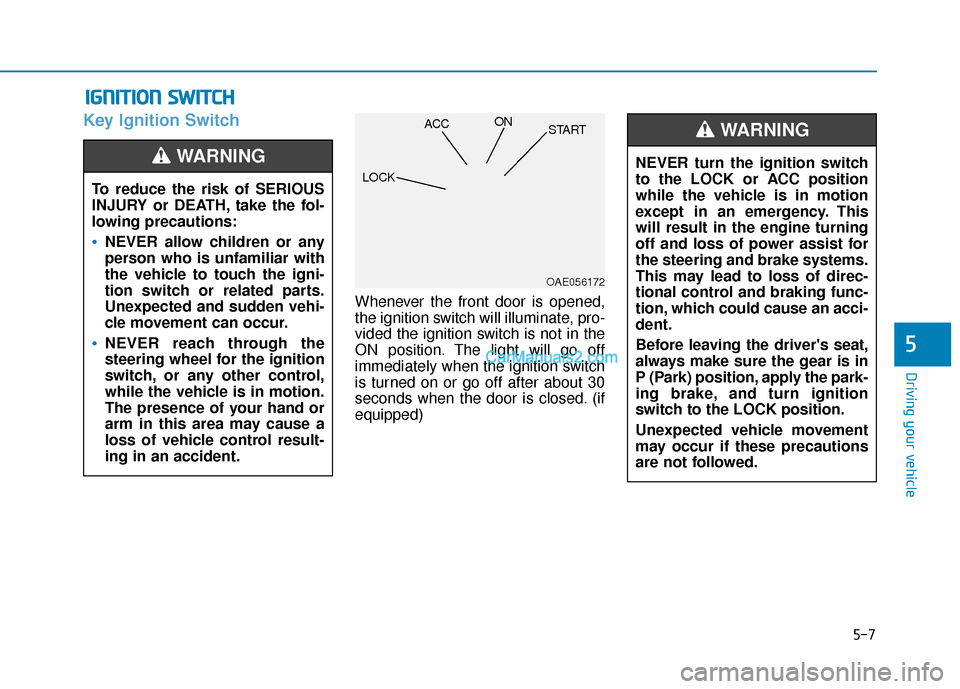
Key Ignition Switch
Whenever the front door is opened,
the ignition switch will illuminate, pro-
vided the ignition switch is not in the
ON position. The light will go off
immediately when the ignition switch
is turned on or go off after about 30
seconds when the door is closed. (if
equipped)
I IG
G N
N I
IT
T I
IO
O N
N
S
S W
W I
IT
T C
CH
H
To reduce the risk of SERIOUS
INJURY or DEATH, take the fol-
lowing precautions:
NEVER allow children or any
person who is unfamiliar with
the vehicle to touch the igni-
tion switch or related parts.
Unexpected and sudden vehi-
cle movement can occur.
NEVER reach through the
steering wheel for the ignition
switch, or any other control,
while the vehicle is in motion.
The presence of your hand or
arm in this area may cause a
loss of vehicle control result-
ing in an accident.
WARNING NEVER turn the ignition switch
to the LOCK or ACC position
while the vehicle is in motion
except in an emergency. This
will result in the engine turning
off and loss of power assist for
the steering and brake systems.
This may lead to loss of direc-
tional control and braking func-
tion, which could cause an acci-
dent.
Before leaving the driver's seat,
always make sure the gear is in
P (Park) position, apply the park-
ing brake, and turn ignition
switch to the LOCK position.
Unexpected vehicle movement
may occur if these precautions
are not followed.
WARNING
OAE056172
LOCK ACC
ON
START