light HYUNDAI PALISADE 2022 Owners Manual
[x] Cancel search | Manufacturer: HYUNDAI, Model Year: 2022, Model line: PALISADE, Model: HYUNDAI PALISADE 2022Pages: 663, PDF Size: 15.74 MB
Page 252 of 663
3-156
Convenience Features
High Beam Assist malfunction
and limitations
Warning light and message
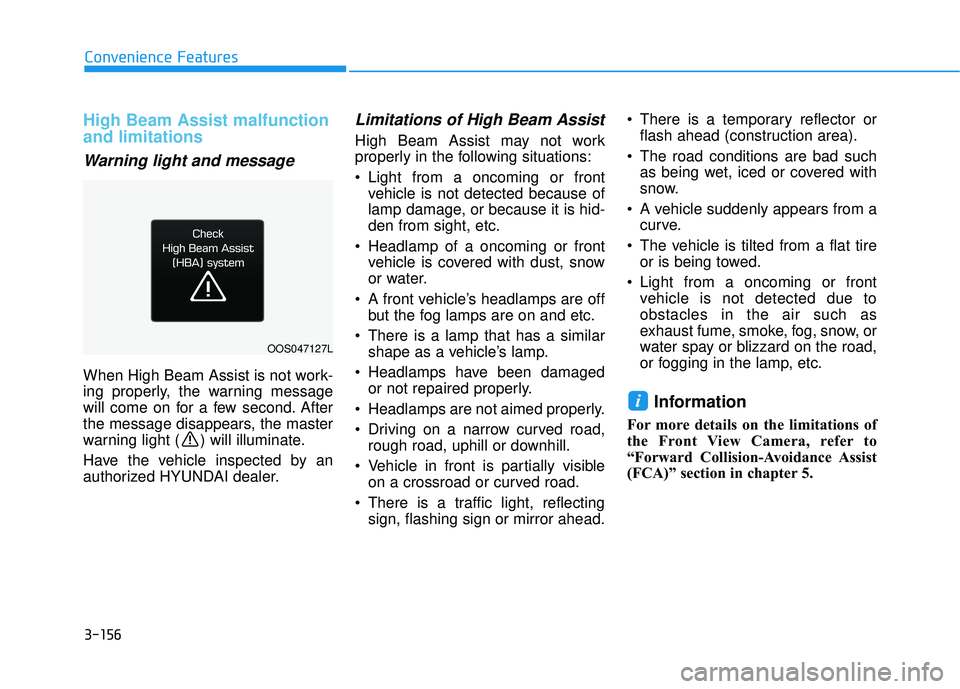
When High Beam Assist is not work-
ing properly, the warning message
will come on for a few second. After
the message disappears, the master
warning light ( ) will illuminate.
Have the vehicle inspected by an
authorized HYUNDAI dealer.
Limitations of High Beam Assist
High Beam Assist may not work
properly in the following situations:
Light from a oncoming or frontvehicle is not detected because of
lamp damage, or because it is hid-
den from sight, etc.
Headlamp of a oncoming or front vehicle is covered with dust, snow
or water.
A front vehicle’s headlamps are off but the fog lamps are on and etc.
There is a lamp that has a similar shape as a vehicle’s lamp.
Headlamps have been damaged or not repaired properly.
Headlamps are not aimed properly.
Driving on a narrow curved road, rough road, uphill or downhill.
Vehicle in front is partially visible on a crossroad or curved road.
There is a traffic light, reflecting sign, flashing sign or mirror ahead. There is a temporary reflector or
flash ahead (construction area).
The road conditions are bad such as being wet, iced or covered with
snow.
A vehicle suddenly appears from a curve.
The vehicle is tilted from a flat tire or is being towed.
Light from a oncoming or front vehicle is not detected due to
obstacles in the air such as
exhaust fume, smoke, fog, snow, or
water spay or blizzard on the road,
or fogging in the lamp, etc.
Information
For more details on the limitations of
the Front View Camera, refer to
“Forward Collision-Avoidance Assist
(FCA)” section in chapter 5.
i
OOS047127L
Page 256 of 663
3-160
Convenience Features
When washing the vehicle, set the wiper switch in the OFF posi-
tion to stop the auto wiper oper-
ation. The wiper may operate
and be damaged if the switch is
set in the AUTO mode while
washing the vehicle.
Do not remove the sensor cover located on the upper end of the
passenger side windshield
glass. Damage to system parts
could occur and may not be cov-
ered by your vehicle warranty.
Because of using a photo sen- sor, temporary malfunction
could occur according to sud-
den ambient light change made
by stone and dust while driving.
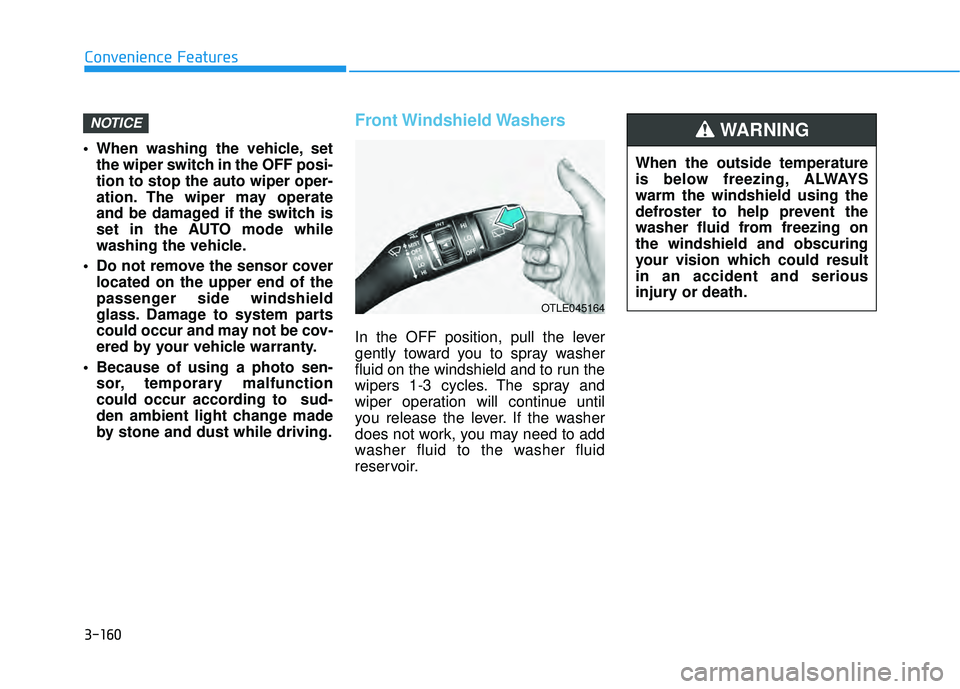
Front Windshield Washers
In the OFF position, pull the lever
gently toward you to spray washer
fluid on the windshield and to run the
wipers 1-3 cycles. The spray and
wiper operation will continue until
you release the lever. If the washer
does not work, you may need to add
washer fluid to the washer fluid
reservoir.
NOTICE
When the outside temperature
is below freezing, ALWAYS
warm the windshield using the
defroster to help prevent the
washer fluid from freezing on
the windshield and obscuring
your vision which could result
in an accident and serious
injury or death.
WARNING
OTLE045164
Page 262 of 663
3-166
Convenience features
Reverse Parking Distance Warning
will help warn the driver if an obsta-
cle is detected within a certain dis-
tance when the vehicle is moving in
reverse at low speeds.
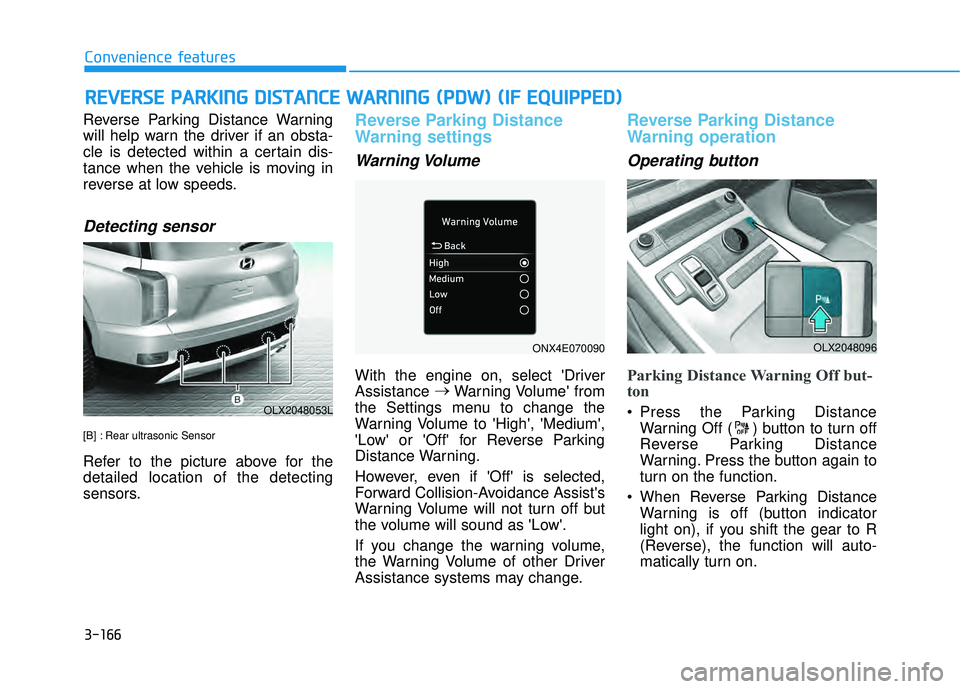
Detecting sensor
[B] : Rear ultrasonic Sensor
Refer to the picture above for the
detailed location of the detecting
sensors.
Reverse Parking Distance
Warning settings
Warning Volume
With the engine on, select 'Driver
Assistance →
Warning Volume' from
the Settings menu to change the
Warning Volume to 'High', 'Medium',
'Low' or 'Off' for Reverse Parking
Distance Warning.
However, even if 'Off' is selected,
Forward Collision-Avoidance Assist's
Warning Volume will not turn off but
the volume will sound as 'Low'.
If you change the warning volume,
the Warning Volume of other Driver
Assistance systems may change.
Reverse Parking Distance
Warning operation
Operating button
Parking Distance Warning Off but-
ton
Press the Parking Distance Warning Off ( ) button to turn off
Reverse Parking Distance
Warning. Press the button again to
turn on the function.
When Reverse Parking Distance Warning is off (button indicator
light on), if you shift the gear to R
(Reverse), the function will auto-
matically turn on.
R RE EV V E ER R S SE E P P A A R RK K I IN N G G D D I IS S T T A A N N C CE E W W A AR RN N I IN N G G ( ( P P D D W W ) ) ( ( I IF F E E Q Q U UI IP P P PE ED D ) )
OLX2048053L
OLX2048096ONX4E070090
Page 267 of 663
3-171
Convenience features
3
Parking Distance Warning AutoOn
To use Parking Distance Warning
Auto On function, select ‘Driver
Assistance →Parking Safety →
Parking Distance Warning Auto On’
from the cluster or infotainment sys-
tem Settings menu.
Forward/Reverse Parking
Distance Warning operation
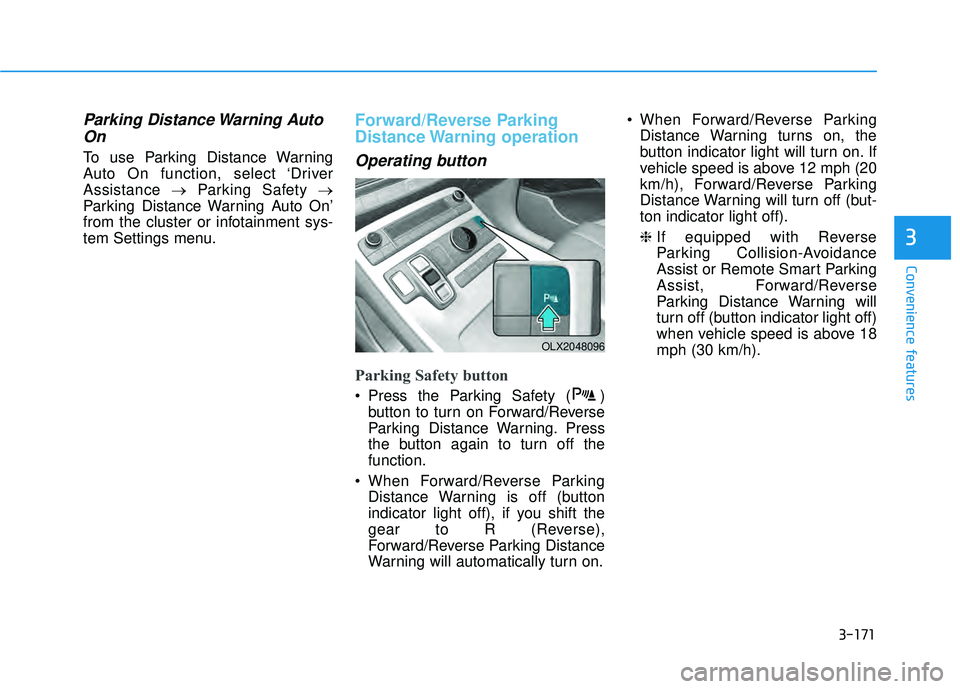
Operating button
Parking Safety button
Press the Parking Safety ( ) button to turn on Forward/Reverse
Parking Distance Warning. Press
the button again to turn off the
function.
When Forward/Reverse Parking Distance Warning is off (button
indicator light off), if you shift the
gear to R (Reverse),
Forward/Reverse Parking Distance
Warning will automatically turn on. When Forward/Reverse Parking
Distance Warning turns on, the
button indicator light will turn on. If
vehicle speed is above 12 mph (20
km/h), Forward/Reverse Parking
Distance Warning will turn off (but-
ton indicator light off).
❈ If equipped with Reverse
Parking Collision-Avoidance
Assist or Remote Smart Parking
Assist, Forward/Reverse
Parking Distance Warning will
turn off (button indicator light off)
when vehicle speed is above 18
mph (30 km/h).
OLX2048096
Page 268 of 663
3-172
Convenience features
Forward Parking DistanceWarning
Forward Parking Distance Warning
will operate when one of the condi-
tion is satisfied.
- The gear is shifted from R(Reverse) to D (Drive) with
Reverse Parking Distance
Warning on
- The gear is in D (Drive) and the Parking Safety button indicator
light is on
- ‘Parking Distance Warning Auto On’ is selected from the Settings
menu and the gear is in D (Drive)
Forward Parking Distance Warning detects a person, animal or object
in front when the vehicle’s forward
speed is below 6 mph (10 km/h).
Forward Parking Distance Warning does not operate when the vehi-
cle's forward speed is above 6 mph
(10 km/h) even when the Parking
Safety button indicator is on.
Forward Parking Distance Warning
will operate again when the vehi-
cle's forward speed decreases
below 6 mph (10 km/h) while the
Parking Safety button indicator is
on. When ‘Parking Distance Warning
Auto On’ is selected, the Parking
Safety button indicator light stays
on.
When ‘Parking Distance Warning Auto On’ is deselected, and the
vehicle’s forward speed is above
12 mph (20 km/h), the Parking
Safety button indicator will turn off.
Although you drive below 6 mph
(10 km/h), Forward Parking
Distance Warning will not turn on.
❈ If equipped with Reverse
Parking Collision-Avoidance
Assist or Remote Smart Parking
Assist, Forward/Reverse
Parking Distance Warning will
turn off when vehicle speed is
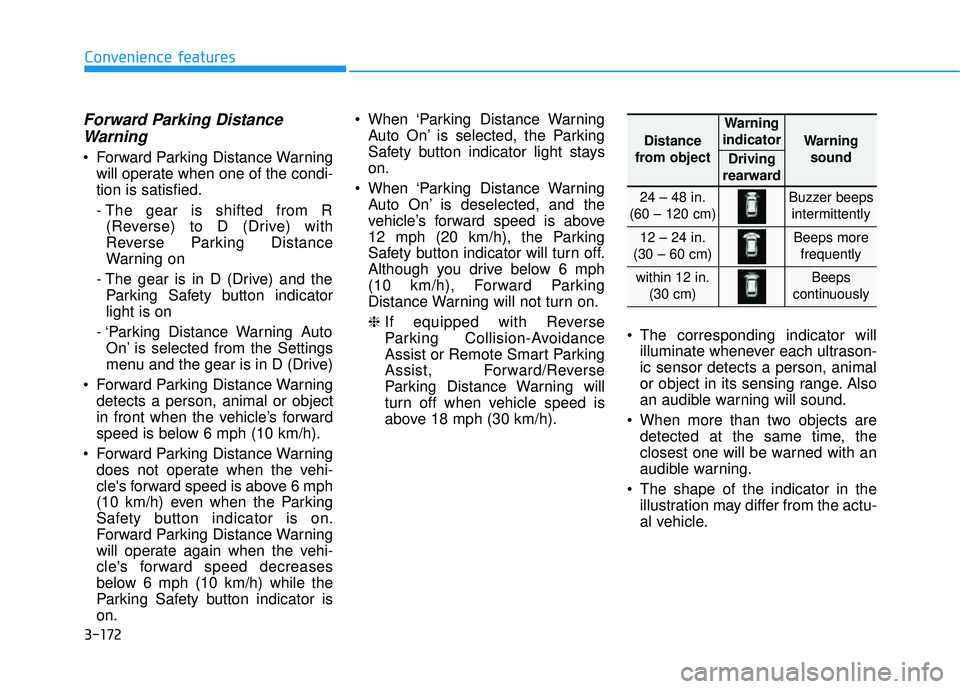
above 18 mph (30 km/h). The corresponding indicator will
illuminate whenever each ultrason-
ic sensor detects a person, animal
or object in its sensing range. Also
an audible warning will sound.
When more than two objects are detected at the same time, the
closest one will be warned with an
audible warning.
The shape of the indicator in the illustration may differ from the actu-
al vehicle.
Distance
from object
Warning
indicator
Warning sound
Driving
rearward
24 – 48 in.
(60 – 120 cm)Buzzer beeps intermittently
12 – 24 in.
(30 – 60 cm)Beeps more frequently
within 12 in. (30 cm)Beeps
continuously
Page 284 of 663
3-188
Convenience Features
Fan speed control (1)
Turn the knob to the right to increase
the fan speed and airflow. Turn the
knob to the left to decrease fan
speed and airflow.
Setting the fan speed control knob to
the "0" position turns off the fan.
Operating the fan speed when the
ignition switch is in the ON posi-
tion could cause the battery to
discharge. Operate the fan speed
when the engine is running.
Air conditioning (3)
Push the A/C button to turn the sys-
tem on (indicator light will illuminate)
and off.
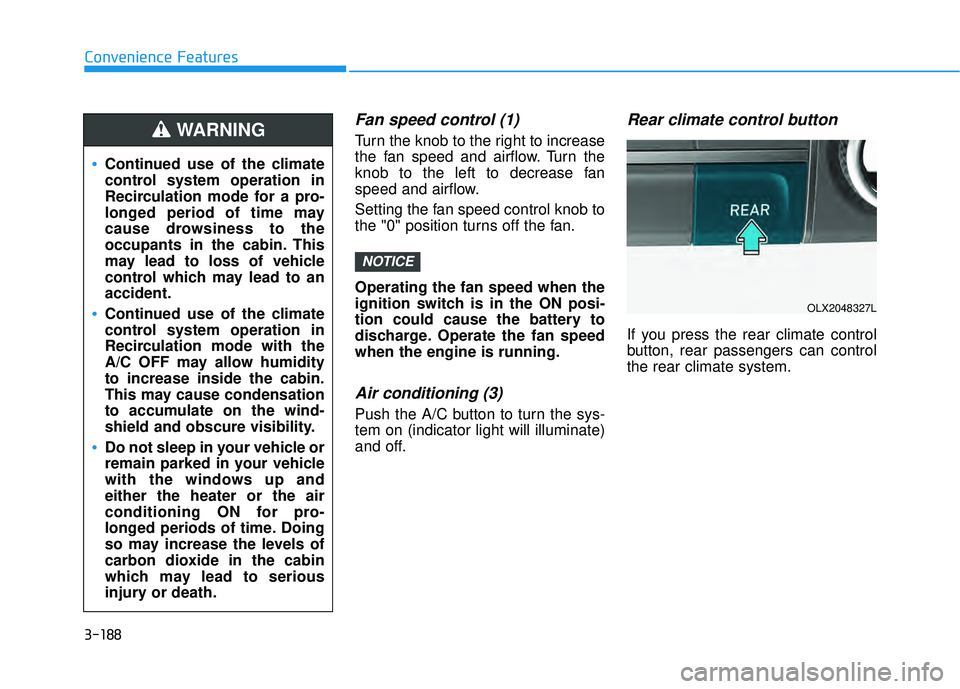
Rear climate control button
If you press the rear climate control
button, rear passengers can control
the rear climate system.
NOTICE
Continued use of the climate
control system operation in
Recirculation mode for a pro-
longed period of time may
cause drowsiness to the
occupants in the cabin. This
may lead to loss of vehicle
control which may lead to an
accident.
Continued use of the climate
control system operation in
Recirculation mode with the
A/C OFF may allow humidity
to increase inside the cabin.
This may cause condensation
to accumulate on the wind-
shield and obscure visibility.
Do not sleep in your vehicle or
remain parked in your vehicle
with the windows up and
either the heater or the air
conditioning ON for pro-
longed periods of time. Doing
so may increase the levels of
carbon dioxide in the cabin
which may lead to serious
injury or death.
WARNING
OLX2048327L
Page 286 of 663
3-190
Convenience Features
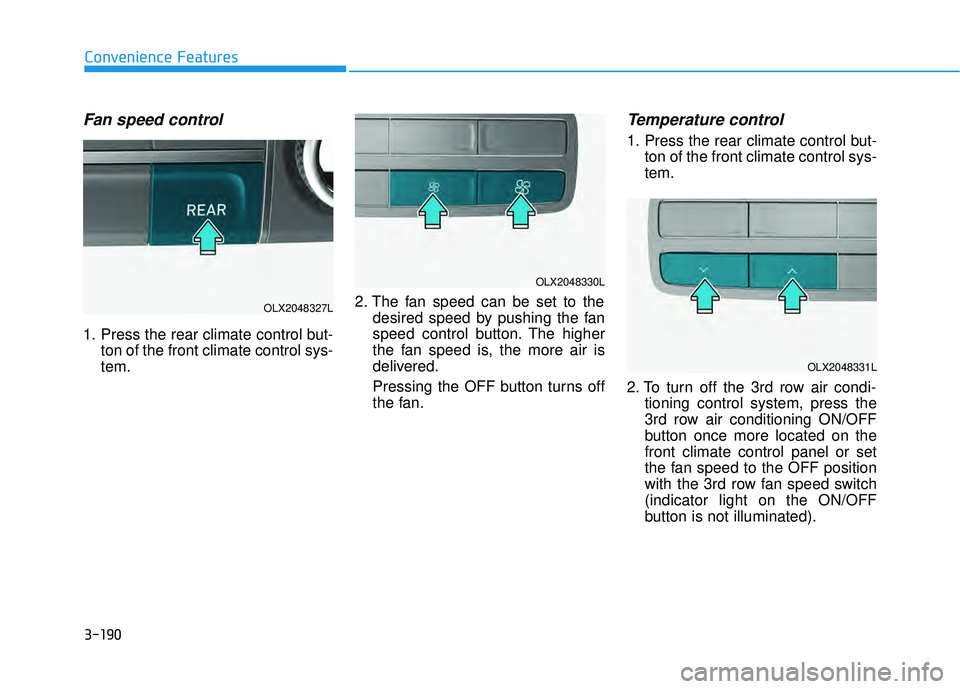
Fan speed control
1. Press the rear climate control but-ton of the front climate control sys-
tem. 2. The fan speed can be set to the
desired speed by pushing the fan
speed control button. The higher
the fan speed is, the more air is
delivered.
Pressing the OFF button turns off
the fan.
Temperature control
1. Press the rear climate control but-ton of the front climate control sys-
tem.
2. To turn off the 3rd row air condi- tioning control system, press the
3rd row air conditioning ON/OFF
button once more located on the
front climate control panel or set
the fan speed to the OFF position
with the 3rd row fan speed switch
(indicator light on the ON/OFF
button is not illuminated).
OLX2048327L
OLX2048330L
OLX2048331L
Page 289 of 663
3-193
Convenience Features
3
Operation Tips
To keep dust or unpleasant fumesfrom entering the vehicle through
the ventilation system, temporarily
set the air intake control to recircu-
lation mode. Return the control to
fresh mode when the unpleasant
air outside has diminished. This will
help keep the driver alert and com-
fortable.
To help prevent the inside of the windshield from fogging, set the air
intake control to fresh mode and
fan speed to the desired position,
turn on the air conditioning system,
and adjust the temperature control
to the desired temperature.
Air conditioning
Your HYUNDAI vehicle air condition-
ing system is filled with R-134a
refrigerant.
1. Start the engine.
2. Press the air conditioning button.
3. Select the Face Level mode. 4. Set the air intake control to
Recirculation mode temporarily to
allow the cabin to cool quickly.
When the desired temperature in
the cabin is reached, change the
air intake control back to Fresh
mode.
5. Adjust the fan speed control and temperature control to maintain
maximum comfort.
When maximum cooling is desired,
set the temperature control to the
MAX A/C position, then set the fan
speed control to the highest setting.
When using the air conditioning
system, monitor the engine tem-
perature gauge closely while driv-
ing up hills or in heavy traffic when
outside temperatures are high. Air
conditioning system operation
when climbing a steep grade or in
high outside ambient tempera-
tures can cause engine overheat-
ing.
Continue to use the fan, but turn
the air conditioning system off if
the engine temperature gauge
indicates engine overheating.
Air conditioning system operation tips
If the vehicle has been parked in direct sunlight during hot weather,
open the windows for a short time
to let the hot air inside the vehicle
escape.
After sufficient cooling has been achieved, switch back from recircu-
lation mode to fresh mode.
To help reduce moisture inside of the windows on rainy or humid
days, decrease the humidity inside
the vehicle by operating the air con-
ditioning system with the windows
and sunroof closed.
Use the air conditioning system every month only for a few minutes
to ensure maximum system per-
formance.
If you operate air conditioner exces- sively, the difference between the
temperature of the outside air and
that of the windshield could cause
the outer surface of the windshield
to fog up, causing loss of visibility.
In this case, set the mode selection
knob or button to the position
and fan speed control to the lower
speed.
NOTICE
Page 294 of 663
3-198
Convenience Features
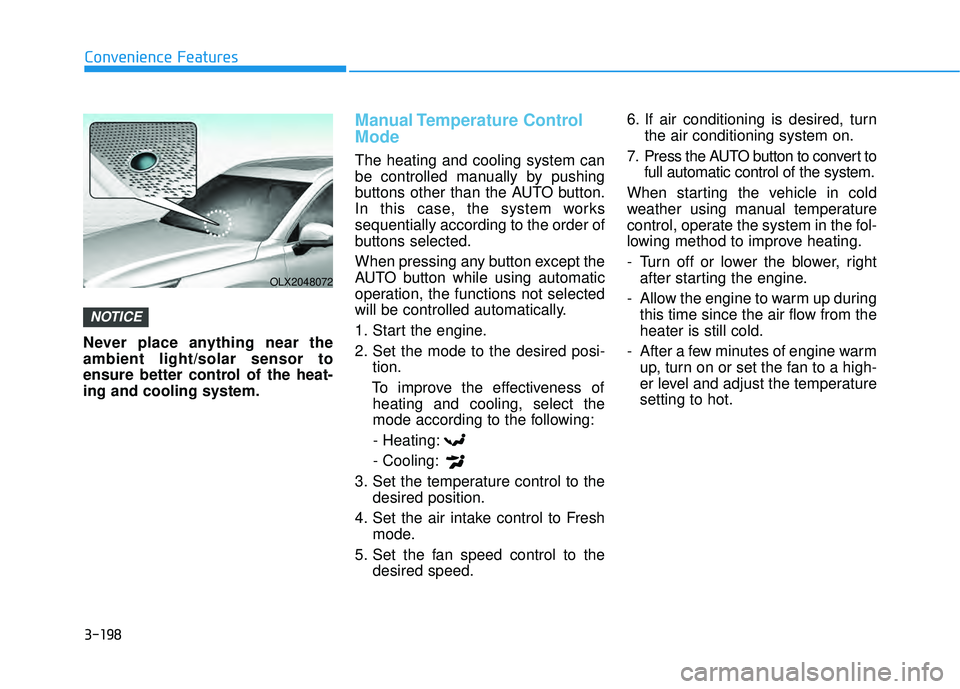
Never place anything near the
ambient light/solar sensor to
ensure better control of the heat-
ing and cooling system.
Manual Temperature Control
Mode
The heating and cooling system can
be controlled manually by pushing
buttons other than the AUTO button.
In this case, the system works
sequentially according to the order of
buttons selected.
When pressing any button except the
AUTO button while using automatic
operation, the functions not selected
will be controlled automatically.
1. Start the engine.
2. Set the mode to the desired posi- tion.
To improve the effectiveness of heating and cooling, select the
mode according to the following:
- Heating:
- Cooling:
3. Set the temperature control to the desired position.
4. Set the air intake control to Fresh mode.
5. Set the fan speed control to the desired speed. 6. If air conditioning is desired, turn
the air conditioning system on.
7. Press the AUTO button to convert to full automatic control of the system.
When starting the vehicle in cold
weather using manual temperature
control, operate the system in the fol-
lowing method to improve heating.
- Turn off or lower the blower, right after starting the engine.
- Allow the engine to warm up during this time since the air flow from the
heater is still cold.
- After a few minutes of engine warm up, turn on or set the fan to a high-
er level and adjust the temperature
setting to hot.
NOTICE
OLX2048072
Page 299 of 663
3-203
Convenience Features
3
Air conditioning (7)
Push the A/C button to manually turn
the system on (indicator light will illu-
minate) and off.
OFF mode (5)
Push the OFF button to turn the cli-
mate control system off. You can still
operate the mode and air intake but-
tons as long as the ignition switch is
in the ON position.
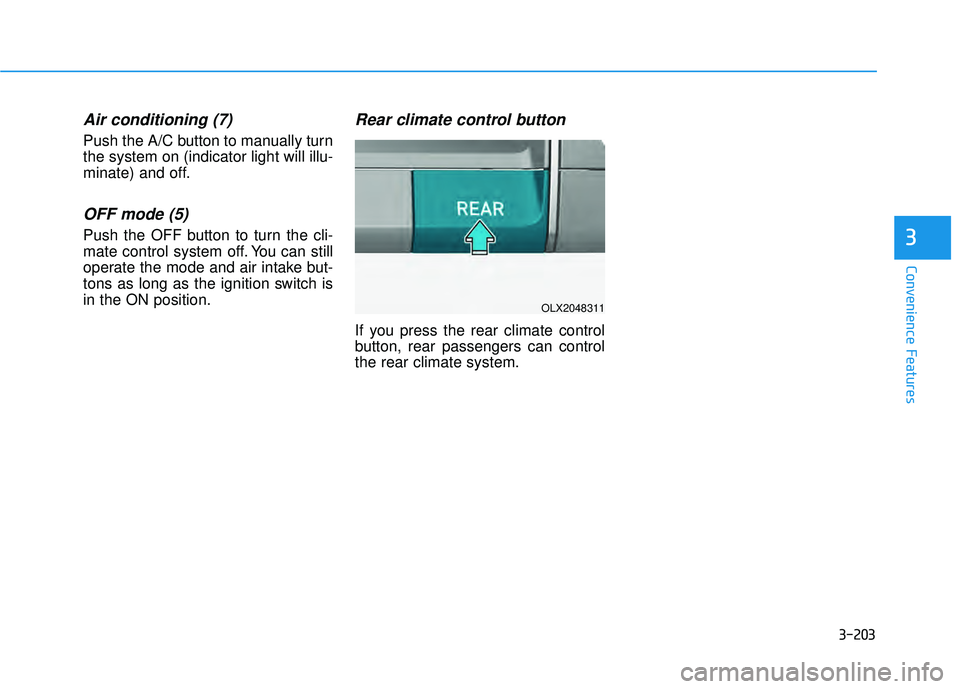
Rear climate control button
If you press the rear climate control
button, rear passengers can control
the rear climate system.
OLX2048311