light HYUNDAI PALISADE 2022 Owners Manual
[x] Cancel search | Manufacturer: HYUNDAI, Model Year: 2022, Model line: PALISADE, Model: HYUNDAI PALISADE 2022Pages: 663, PDF Size: 15.74 MB
Page 392 of 663
5-58
Driving your vehicle
When ECO mode is activated:
The acceleration response may beslightly reduced if the accelerator
pedal is depressed moderately.
The air conditioner performance may be limited.
The shift pattern of the automatic transmission may change.
The engine noise may be louder at some automatic transmission
shifts as down-shift requires press-
ing down more on the accelerator.
The above situations are normal
conditions when ECO mode is acti-
vated to help improve fuel efficiency.
Limitation of ECO mode operation:
If the following conditions occur while
ECO mode is operating, the system
operation is limited even though
there is no change in the ECO indi-
cator. When the coolant temperature is
low:
The system will be limited until
engine performance becomes nor-
mal.
When driving up a hill: The system will be limited to gain
power when driving uphill because
engine torque is restricted.
When driving the vehicle in manual shift mode using the paddle shifter.
The system will be limited accord-
ing to the shift location.
Page 396 of 663
5-62
Driving your vehicle
ECO mode
When the drive mode isset to ECO mode, the
engine and transmission
control logic are changed
to maximize fuel efficien-
cy.
When ECO mode is selected by rotating the DRIVE mode selection
knob, the ECO indicator will illumi-
nate.
The vehicle starts in ECO mode, when the engine was turned OFF
in ECO mode.
Information
Fuel efficiency depends on the driver's
driving habit and road condition.
When ECO mode is activated:
The acceleration response may beslightly reduced if the accelerator
pedal is depressed moderately.
The air conditioner performance may be limited.
The shift pattern of the automatic transmission may change.
The engine noise may be louder at some automatic transmission
shifts as down-shift requires press-
ing down more on the accelerator.
The above situations are normal
conditions when ECO mode is acti-
vated to help improve fuel efficiency.
Limitation of ECO mode operation:
If the following conditions occur while
ECO mode is operating, the system
operation is limited even though
there is no change in the ECO indi-
cator. When the coolant temperature is
low:
The system will be limited until
engine performance becomes nor-
mal.
When driving up a hill: The system will be limited to gain
power when driving uphill because
engine torque is restricted.
When driving the vehicle in manual shift mode using the paddle shifter.
The system will be limited accord-
ing to the shift location.
i
ECO
Page 398 of 663
5-64
Driving your vehicle
Forward Collision-Avoidance
Assist settings
Setting features
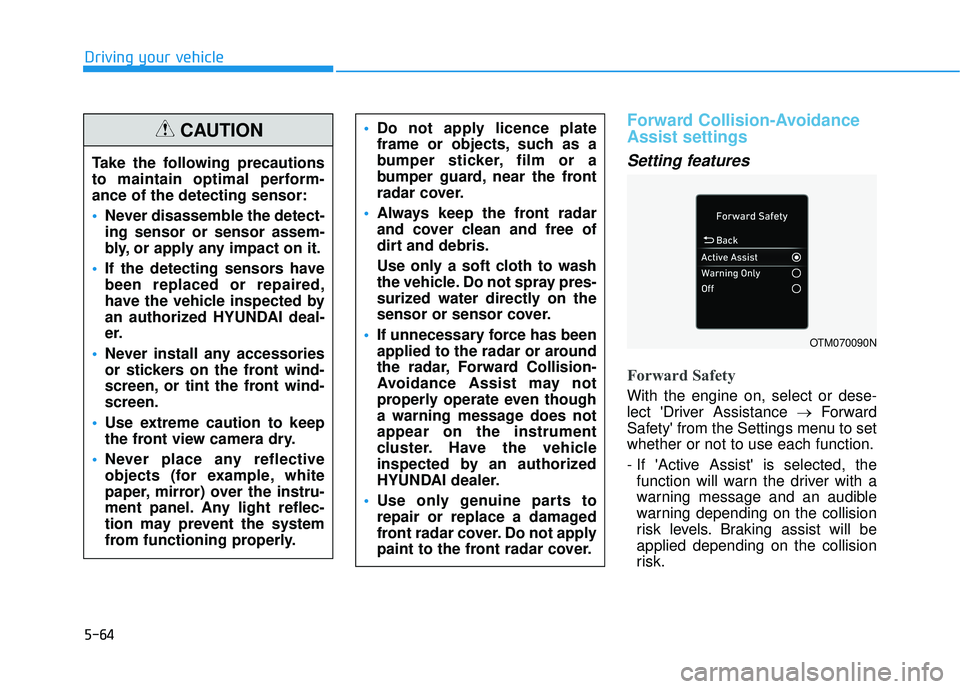
Forward Safety
With the engine on, select or dese-
lect 'Driver Assistance →Forward
Safety' from the Settings menu to set
whether or not to use each function.
- If 'Active Assist' is selected, the function will warn the driver with a
warning message and an audible
warning depending on the collision
risk levels. Braking assist will be
applied depending on the collision
risk.
Do not apply licence plate
frame or objects, such as a
bumper sticker, film or a
bumper guard, near the front
radar cover.
Always keep the front radar
and cover clean and free of
dirt and debris.
Use only a soft cloth to wash
the vehicle. Do not spray pres-
surized water directly on the
sensor or sensor cover.
If unnecessary force has been
applied to the radar or around
the radar, Forward Collision-
Avoidance Assist may not
properly operate even though
a warning message does not
appear on the instrument
cluster. Have the vehicle
inspected by an authorized
HYUNDAI dealer.
Use only genuine parts to
repair or replace a damaged
front radar cover. Do not apply
paint to the front radar cover.
OTM070090N
Take the following precautions
to maintain optimal perform-
ance of the detecting sensor:
Never disassemble the detect-
ing sensor or sensor assem-
bly, or apply any impact on it.
If the detecting sensors have
been replaced or repaired,
have the vehicle inspected by
an authorized HYUNDAI deal-
er.
Never install any accessories
or stickers on the front wind-
screen, or tint the front wind-
screen.
Use extreme caution to keep
the front view camera dry.
Never place any reflective
objects (for example, white
paper, mirror) over the instru-
ment panel. Any light reflec-
tion may prevent the system
from functioning properly.
CAUTION
Page 399 of 663
5-65
Driving your vehicle
5
- If 'Warning Only' is selected, thefunction will warn the driver with a
warning message and an audible
warning depending on the collision
risk levels. Braking will not be
assisted.
- If 'Off' is selected, the function will turn off. The warning light will
illuminate on the cluster.
The driver can monitor Forward
Collision-Avoidance Assist ON/OFF
status from the Settings menu. If the warning light remains ON when
the function is ON, have the vehicle
inspected by an authorized
HYUNDAI dealer.
Information
Forward Collision-Avoidance Assist
will turn off when ESC is turned off
by pressing and holding the ESC OFF
button. The warning light will
illuminate on the instrument cluster.
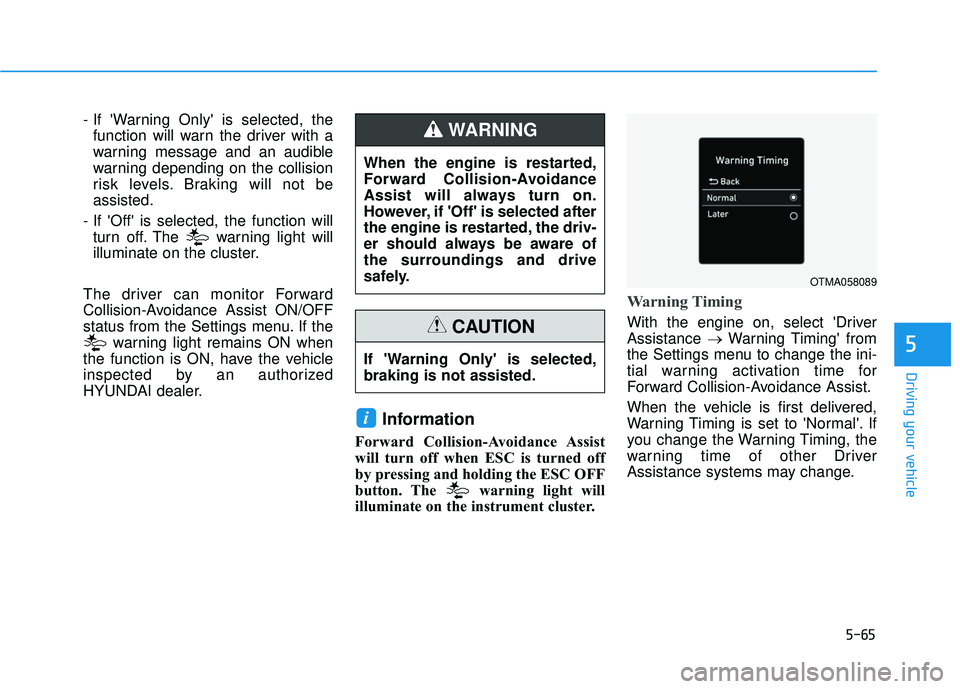
Warning Timing
With the engine on, select 'Driver
Assistance →Warning Timing' from
the Settings menu to change the ini-
tial warning activation time for
Forward Collision-Avoidance Assist.
When the vehicle is first delivered,
Warning Timing is set to 'Normal'. If
you change the Warning Timing, the
warning time of other Driver
Assistance systems may change.
i
When the engine is restarted,
Forward Collision-Avoidance
Assist will always turn on.
However, if 'Off' is selected after
the engine is restarted, the driv-
er should always be aware of
the surroundings and drive
safely.
WARNING
If 'Warning Only' is selected,
braking is not assisted.
CAUTION
OTMA058089
Page 400 of 663
5-66
Driving your vehicle
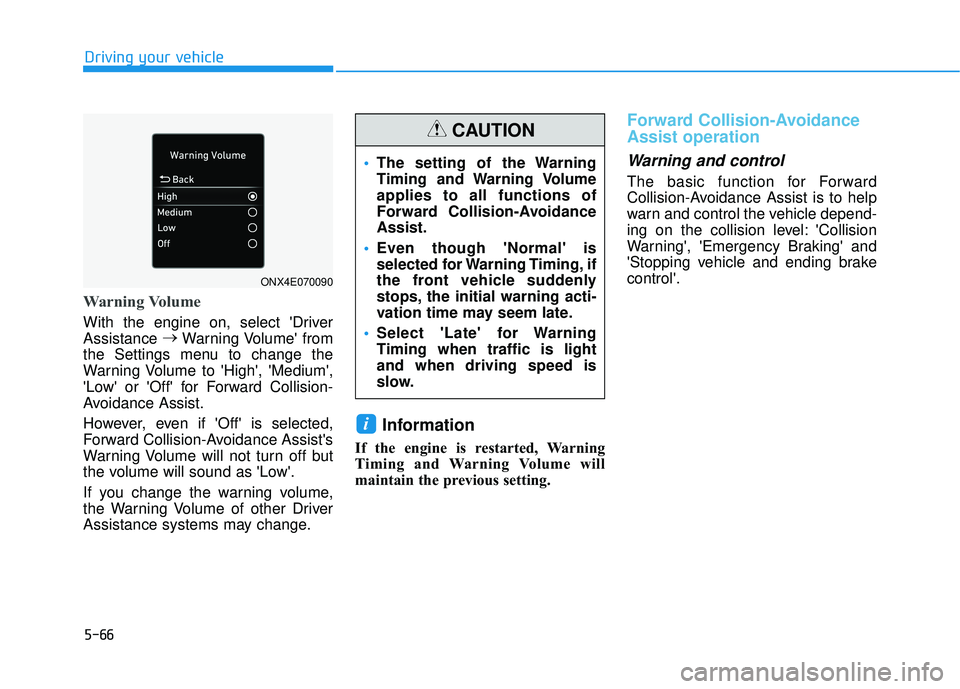
Warning Volume
With the engine on, select 'Driver
Assistance →
Warning Volume' from
the Settings menu to change the
Warning Volume to 'High', 'Medium',
'Low' or 'Off' for Forward Collision-
Avoidance Assist.
However, even if 'Off' is selected,
Forward Collision-Avoidance Assist's
Warning Volume will not turn off but
the volume will sound as 'Low'.
If you change the warning volume,
the Warning Volume of other Driver
Assistance systems may change.
Information
If the engine is restarted, Warning
Timing and Warning Volume will
maintain the previous setting.
Forward Collision-Avoidance
Assist operation
Warning and control
The basic function for Forward
Collision-Avoidance Assist is to help
warn and control the vehicle depend-
ing on the collision level: 'Collision
Warning', 'Emergency Braking' and
'Stopping vehicle and ending brake
control'.
i
ONX4E070090
The setting of the Warning
Timing and Warning Volume
applies to all functions of
Forward Collision-Avoidance
Assist.
Even though 'Normal' is
selected for Warning Timing, if
the front vehicle suddenly
stops, the initial warning acti-
vation time may seem late.
Select 'Late' for Warning
Timing when traffic is light
and when driving speed is
slow.
CAUTION
Page 402 of 663
5-68
Driving your vehicle
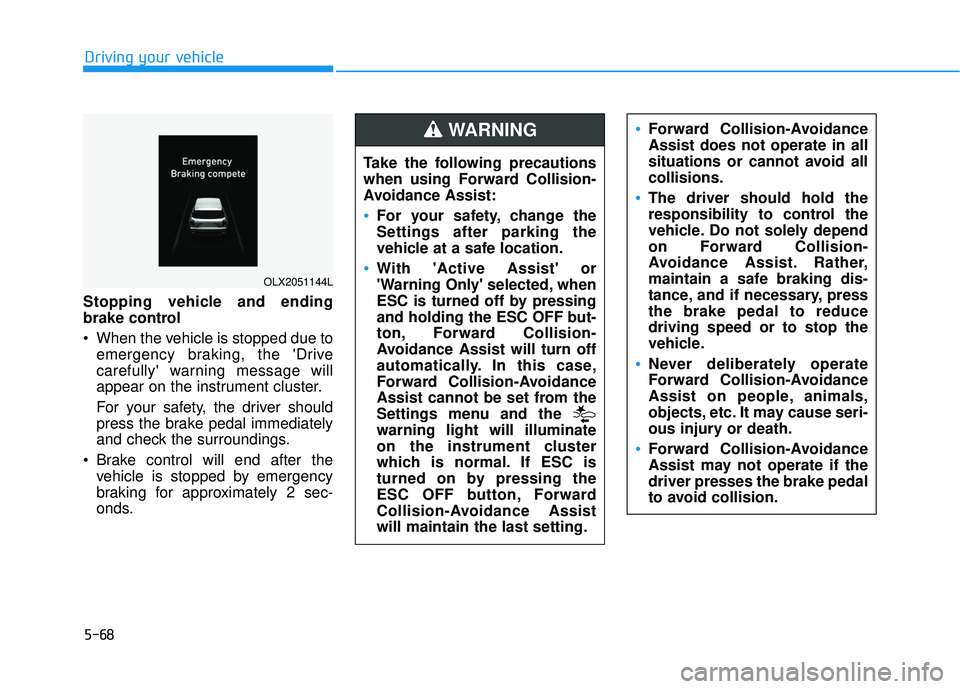
Stopping vehicle and ending
brake control
When the vehicle is stopped due to emergency braking, the 'Drive
carefully' warning message will
appear on the instrument cluster.
For your safety, the driver should
press the brake pedal immediately
and check the surroundings.
Brake control will end after the vehicle is stopped by emergency
braking for approximately 2 sec-
onds.
OLX2051144L
Take the following precautions
when using Forward Collision-
Avoidance Assist:
For your safety, change the
Settings after parking the
vehicle at a safe location.
With 'Active Assist' or
'Warning Only' selected, when
ESC is turned off by pressing
and holding the ESC OFF but-
ton, Forward Collision-
Avoidance Assist will turn off
automatically. In this case,
Forward Collision-Avoidance
Assist cannot be set from the
Settings menu and the
warning light will illuminate
on the instrument cluster
which is normal. If ESC is
turned on by pressing the
ESC OFF button, Forward
Collision-Avoidance Assist
will maintain the last setting.
Forward Collision-Avoidance
Assist does not operate in all
situations or cannot avoid all
collisions.
The driver should hold the
responsibility to control the
vehicle. Do not solely depend
on Forward Collision-
Avoidance Assist. Rather,
maintain a safe braking dis-
tance, and if necessary, press
the brake pedal to reduce
driving speed or to stop the
vehicle.
Never deliberately operate
Forward Collision-Avoidance
Assist on people, animals,
objects, etc. It may cause seri-
ous injury or death.
Forward Collision-Avoidance
Assist may not operate if the
driver presses the brake pedal
to avoid collision.
WARNING
Page 404 of 663
5-70
Driving your vehicle
Forward Collision-Avoidance
Assist malfunction and limita-
tions
Forward Collision-AvoidanceAssist malfunction
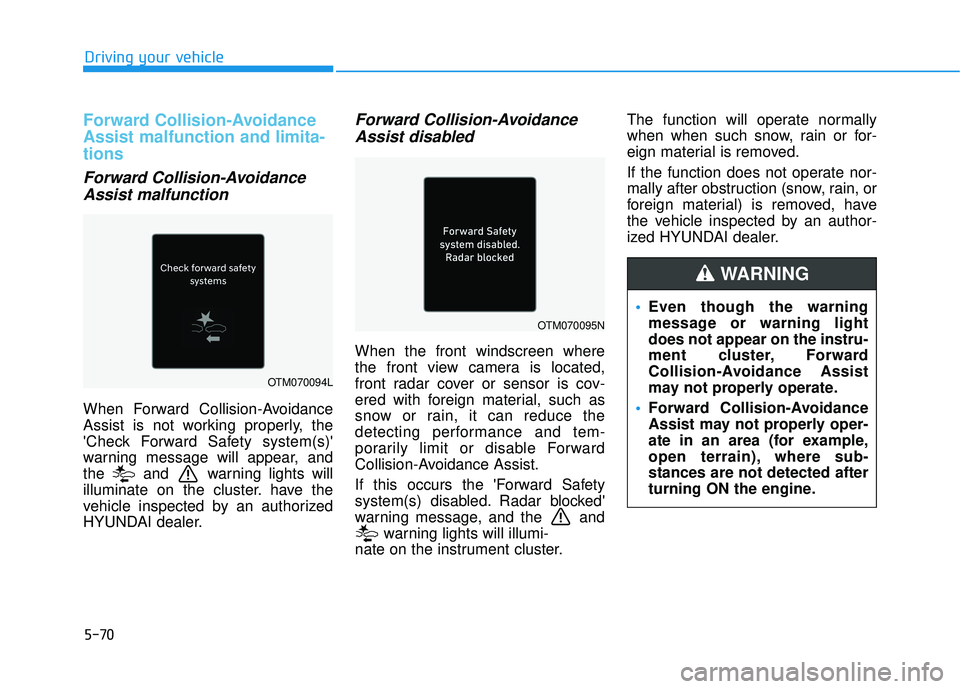
When Forward Collision-Avoidance
Assist is not working properly, the
'Check Forward Safety system(s)'
warning message will appear, and
the and warning lights will
illuminate on the cluster. have the
vehicle inspected by an authorized
HYUNDAI dealer.
Forward Collision-AvoidanceAssist disabled
When the front windscreen where
the front view camera is located,
front radar cover or sensor is cov-
ered with foreign material, such as
snow or rain, it can reduce the
detecting performance and tem-
porarily limit or disable Forward
Collision-Avoidance Assist.
If this occurs the 'Forward Safety
system(s) disabled. Radar blocked'
warning message, and the and
warning lights will illumi-
nate on the instrument cluster. The function will operate normally
when when such snow, rain or for-
eign material is removed.
If the function does not operate nor-
mally after obstruction (snow, rain, or
foreign material) is removed, have
the vehicle inspected by an author-
ized HYUNDAI dealer.
OTM070094L
OTM070095N
Even though the warning
message or warning light
does not appear on the instru-
ment cluster, Forward
Collision-Avoidance Assist
may not properly operate.
Forward Collision-Avoidance
Assist may not properly oper-
ate in an area (for example,
open terrain), where sub-
stances are not detected after
turning ON the engine.
WARNING
Page 405 of 663
5-71
Driving your vehicle
5
Limitations of the ForwardCollision-Avoidance Assist
Forward Collision-Avoidance Assist
may not operate normally, or the
function may operate unexpectedly
under the following circumstances:
The detecting sensor or the sur-
roundings are contaminated or
damaged
The temperature around the front view camera is high or low
The camera lens is contaminated due to tinted, filmed or coated
windscreen, damaged glass, or
stuck of foreign material (sticker,
bug, etc.) on the glass
Moisture is not removed or frozen on the windscreen
Washer fluid is continuously sprayed, or the wiper is on
Driving in heavy rain or snow, or thick fog
The field of view of the front view camera is obstructed by sun glare Street light or light from an oncom-
ing vehicle is reflected on the wet
road surface, such as a puddle on
the road
An object is placed on the instru- ment panel
Your vehicle is being towed
The surroundings are very bright
The surroundings are very dark, such as in a tunnel, etc.
The brightness changes suddenly, for example when entering or exit-
ing a tunnel
The brightness outside is low, and the headlamps are not on or are
not bright
Driving through steam, smoke or shadow
Only part of the vehicle, pedestrian or cyclist is detected
The vehicle in front is a bus, heavy truck, truck with a unusually
shaped luggage, trailer, etc. The vehicle in front has no tail
lights, tail lights are located unusu-
ally, etc.
The brightness outside is low, and the tail lamps are not on or are not
bright
The rear of the front vehicle is small or the vehicle does not look
normal, such as when the vehicle
is tilted, overturned, or the side of
the vehicle is visible, etc.
The front vehicle's ground clear- ance is low or high
A vehicle, pedestrian or cyclist suddenly cuts in front
The bumper around the front radar is impacted, damaged or the front
radar is out of position
The temperature around the front radar is high or low
Driving through a tunnel or iron bridge
Driving in large areas where there are few vehicles or structures (for
example, desert, meadow, suburb,
etc.)
Page 407 of 663
5-73
Driving your vehicle
5
The pedestrian or cyclist is wear-ing clothing that easily blends into
the background, making it difficult
to detect
The pedestrian or cyclist is difficult to distinguish from the similar
shaped structure in the surround-
ings
You are driving by a pedestrian, cyclist, traffic sign, structure, etc.,
near the intersection
Driving in a parking lot
Driving through a tollgate, con- struction area, unpaved road, par-
tial paved road, uneven road,
speed bumps, etc.
Driving on an incline road, curved road, etc.
Driving on a roadside with trees or streetlights
The adverse road conditions cause excessive vehicle vibrations while
driving
Your vehicle height is low or high due to heavy loads, abnormal tyre
pressure, etc. Driving on a narrow road where
trees or grass are overgrown
There is interference from electro- magnetic waves, such as driving in
an area with strong radio waves or
electrical noise
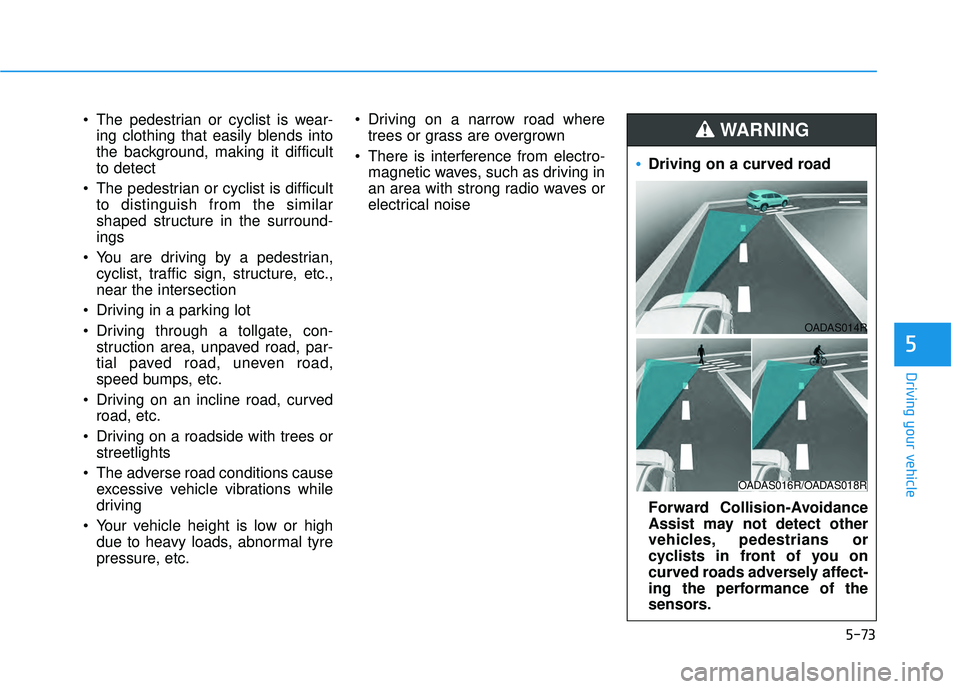
Driving on a curved road
Forward Collision-Avoidance
Assist may not detect other
vehicles, pedestrians or
cyclists in front of you on
curved roads adversely affect-
ing the performance of the
sensors.
WARNING
OADAS016R/OADAS018R
OADAS014R
Page 413 of 663
5-79
Driving your vehicle
5
- If ‘Assist’ is selected, Lane KeepingAssist will automatically assist the
driver’s steering when lane depar-
ture is detected to help prevent the
vehicle from moving out of its lane.
- If 'Warning Only' is selected, Lane Keeping Assist will warn the driver
with an audible warning and steer-
ing wheel vibration when lane
departure is detected. The driver
must steer the vehicle.
- If ‘Off’ is selected, Lane Keeping Assist will turn off. The indica-
tor light will turn off on the cluster.
Turning Lane Keeping Assist
On/Off
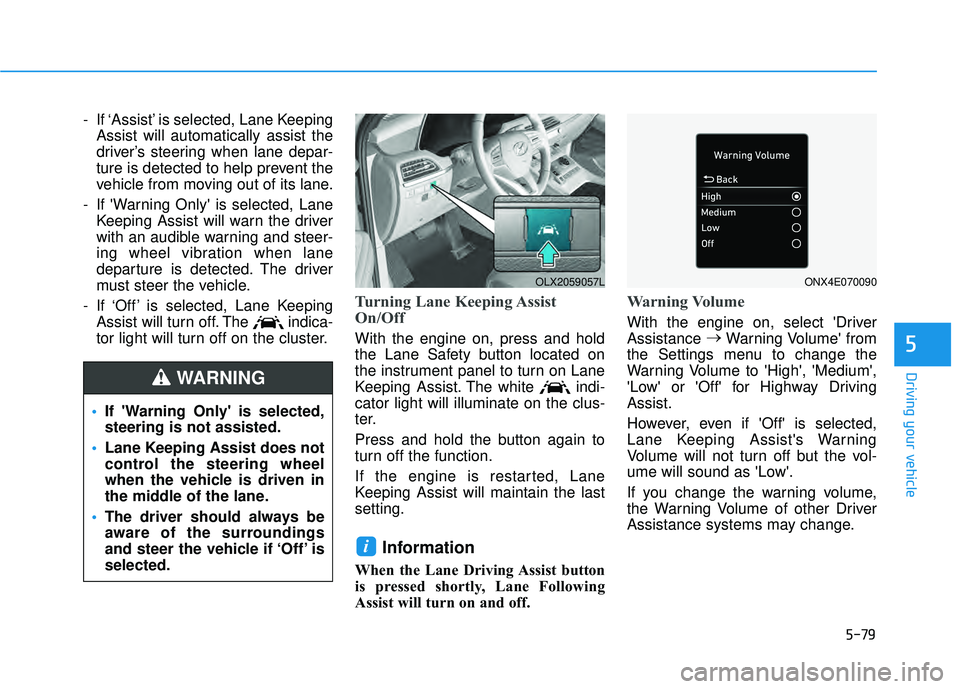
With the engine on, press and hold
the Lane Safety button located on
the instrument panel to turn on Lane
Keeping Assist. The white indi-
cator light will illuminate on the clus-
ter.
Press and hold the button again to
turn off the function.
If the engine is restarted, Lane
Keeping Assist will maintain the last
setting.
Information
When the Lane Driving Assist button
is pressed shortly, Lane Following
Assist will turn on and off.
Warning Volume
With the engine on, select 'Driver
Assistance →
Warning Volume' from
the Settings menu to change the
Warning Volume to 'High', 'Medium',
'Low' or 'Off' for Highway Driving
Assist.
However, even if 'Off' is selected,
Lane Keeping Assist's Warning
Volume will not turn off but the vol-
ume will sound as 'Low'.
If you change the warning volume,
the Warning Volume of other Driver
Assistance systems may change.
i
If 'Warning Only' is selected,
steering is not assisted.
Lane Keeping Assist does not
control the steering wheel
when the vehicle is driven in
the middle of the lane.
The driver should always be
aware of the surroundings
and steer the vehicle if ‘Off’ is
selected.
WARNING
OLX2059057LONX4E070090