warning light HYUNDAI PALISADE 2022 Owners Manual
[x] Cancel search | Manufacturer: HYUNDAI, Model Year: 2022, Model line: PALISADE, Model: HYUNDAI PALISADE 2022Pages: 663, PDF Size: 15.74 MB
Page 466 of 663
5-132
Driving your vehicle
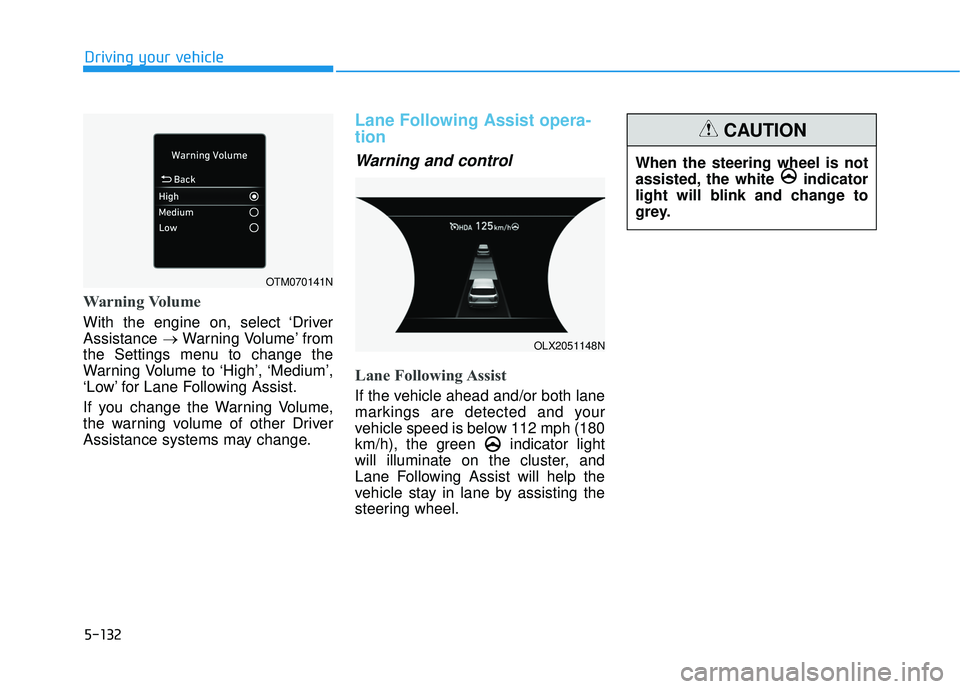
Warning Volume
With the engine on, select ‘Driver
Assistance →Warning Volume’ from
the Settings menu to change the
Warning Volume to ‘High’, ‘Medium’,
‘Low’ for Lane Following Assist.
If you change the Warning Volume,
the warning volume of other Driver
Assistance systems may change.
Lane Following Assist opera-
tion
Warning and control
Lane Following Assist
If the vehicle ahead and/or both lane
markings are detected and your
vehicle speed is below 112 mph (180
km/h), the green indicator light
will illuminate on the cluster, and
Lane Following Assist will help the
vehicle stay in lane by assisting the
steering wheel.
When the steering wheel is not
assisted, the white indicator
light will blink and change to
grey.
CAUTION
OTM070141N
OLX2051148N
Page 467 of 663
5-133
Driving your vehicle
5
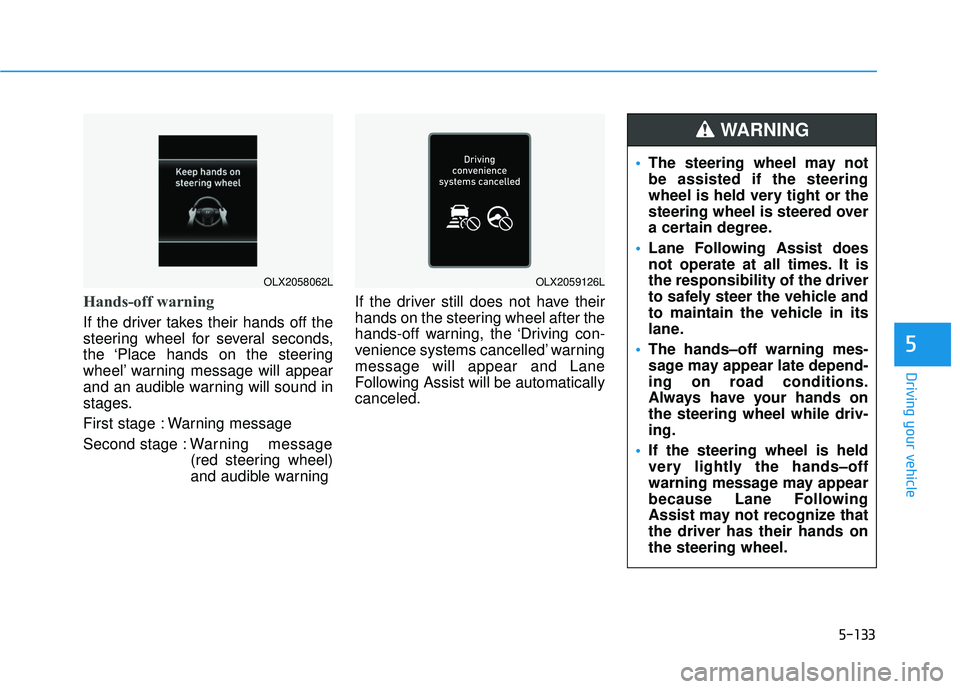
Hands-off warning
If the driver takes their hands off the
steering wheel for several seconds,
the ‘Place hands on the steering
wheel’ warning message will appear
and an audible warning will sound in
stages.
First stage : Warning message
Second stage : Warning message
(red steering wheel)
and audible warning If the driver still does not have their
hands on the steering wheel after the
hands-off warning, the ‘Driving con-
venience systems cancelled’ warning
message will appear and Lane
Following Assist will be automatically
canceled.
OLX2058062LOLX2059126L
The steering wheel may not
be assisted if the steering
wheel is held very tight or the
steering wheel is steered over
a certain degree.
Lane Following Assist does
not operate at all times. It is
the responsibility of the driver
to safely steer the vehicle and
to maintain the vehicle in its
lane.
The hands–off warning mes-
sage may appear late depend-
ing on road conditions.
Always have your hands on
the steering wheel while driv-
ing.
If the steering wheel is held
very lightly the hands–off
warning message may appear
because Lane Following
Assist may not recognize that
the driver has their hands on
the steering wheel.
WARNING
Page 468 of 663
5-134
Driving your vehicle
Information
• You may change settings from theinstrument cluster (User Settings)
or infotainment system (Vehicle
Settings), whichever option that is
provided with your vehicle. For
more details, see "User Settings"
section in chapter 4, or "Vehicle
Settings" section in supplied
Infotainment Manual.
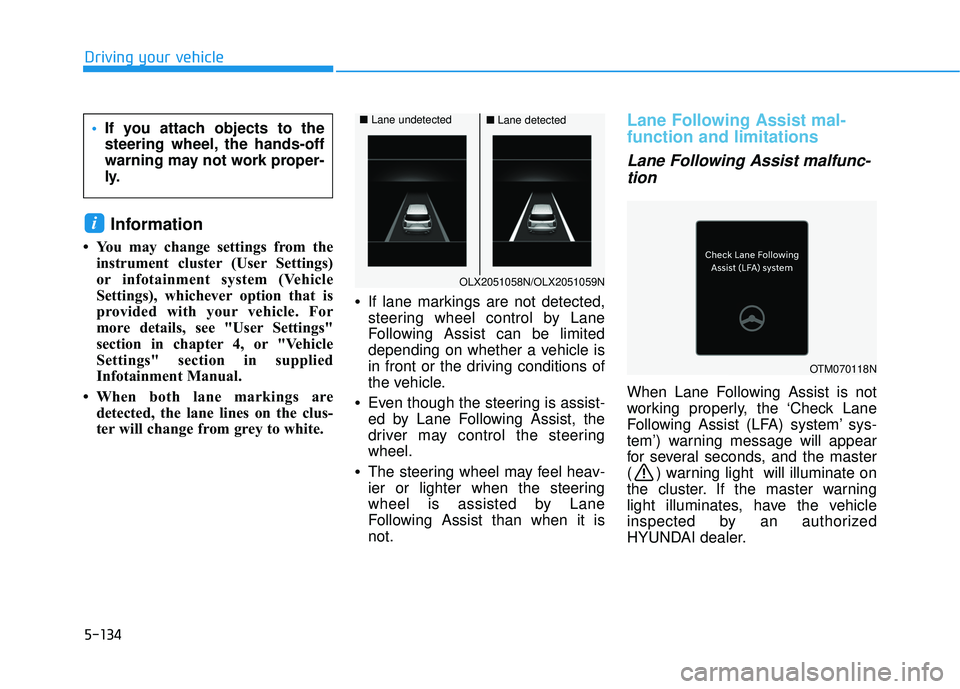
• When both lane markings are detected, the lane lines on the clus-
ter will change from grey to white. •
If lane markings are not detected,
steering wheel control by Lane
Following Assist can be limited
depending on whether a vehicle is
in front or the driving conditions of
the vehicle.
• Even though the steering is assist-
ed by Lane Following Assist, the
driver may control the steering
wheel.
• The steering wheel may feel heav-
ier or lighter when the steering
wheel is assisted by Lane
Following Assist than when it is
not.
Lane Following Assist mal-
function and limitations
Lane Following Assist malfunc-
tion
When Lane Following Assist is not
working properly, the ‘Check Lane
Following Assist (LFA) system’ sys-
tem’) warning message will appear
for several seconds, and the master
( ) warning light will illuminate on
the cluster. If the master warning
light illuminates, have the vehicle
inspected by an authorized
HYUNDAI dealer.
i
If you attach objects to the
steering wheel, the hands-off
warning may not work proper-
ly.
OLX2051058N/OLX2051059N
■ Lane undetected■Lane detected
OTM070118N
Page 482 of 663
5-148
Highway Driving Assist
Malfunction and Limitations
Highway Driving Assist mal-function
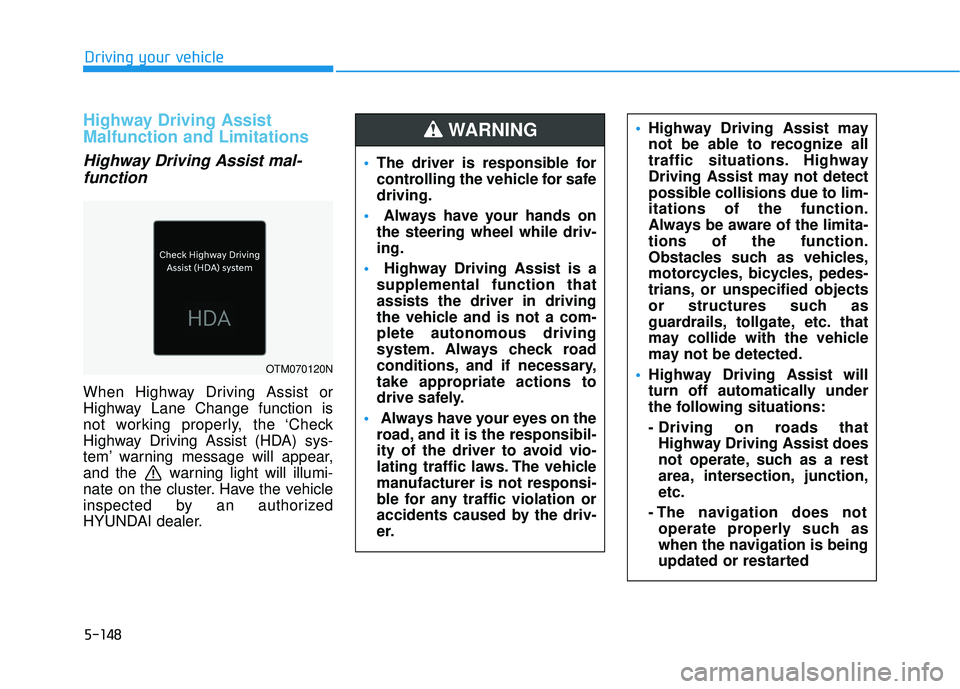
When Highway Driving Assist or
Highway Lane Change function is
not working properly, the ‘Check
Highway Driving Assist (HDA) sys-
tem’ warning message will appear,
and the warning light will illumi-
nate on the cluster. Have the vehicle
inspected by an authorized
HYUNDAI dealer.
Driving your vehicle
OTM070120N
The driver is responsible for
controlling the vehicle for safe
driving.
Always have your hands on
the steering wheel while driv-
ing.
Highway Driving Assist is a
supplemental function that
assists the driver in driving
the vehicle and is not a com-
plete autonomous driving
system. Always check road
conditions, and if necessary,
take appropriate actions to
drive safely.
Always have your eyes on the
road, and it is the responsibil-
ity of the driver to avoid vio-
lating traffic laws. The vehicle
manufacturer is not responsi-
ble for any traffic violation or
accidents caused by the driv-
er.
Highway Driving Assist may
not be able to recognize all
traffic situations. Highway
Driving Assist may not detect
possible collisions due to lim-
itations of the function.
Always be aware of the limita-
tions of the function.
Obstacles such as vehicles,
motorcycles, bicycles, pedes-
trians, or unspecified objects
or structures such as
guardrails, tollgate, etc. that
may collide with the vehicle
may not be detected.
Highway Driving Assist will
turn off automatically under
the following situations:
- Driving on roads that
Highway Driving Assist does
not operate, such as a rest
area, intersection, junction,
etc.
- The navigation does not operate properly such as
when the navigation is being
updated or restarted WARNING
Page 497 of 663
5-163
Driving your vehicle
5
Information
• Smart Cruise Control may not oper-ate for a certain time after the vehi-
cle is started or the front view cam-
era or front radar is initialized.
• You may hear a sound when the brake is controlled by Smart Cruise
Control.
Smart Cruise Control malfunc-
tion and limitations
Smart Cruise Control malfunc-tion
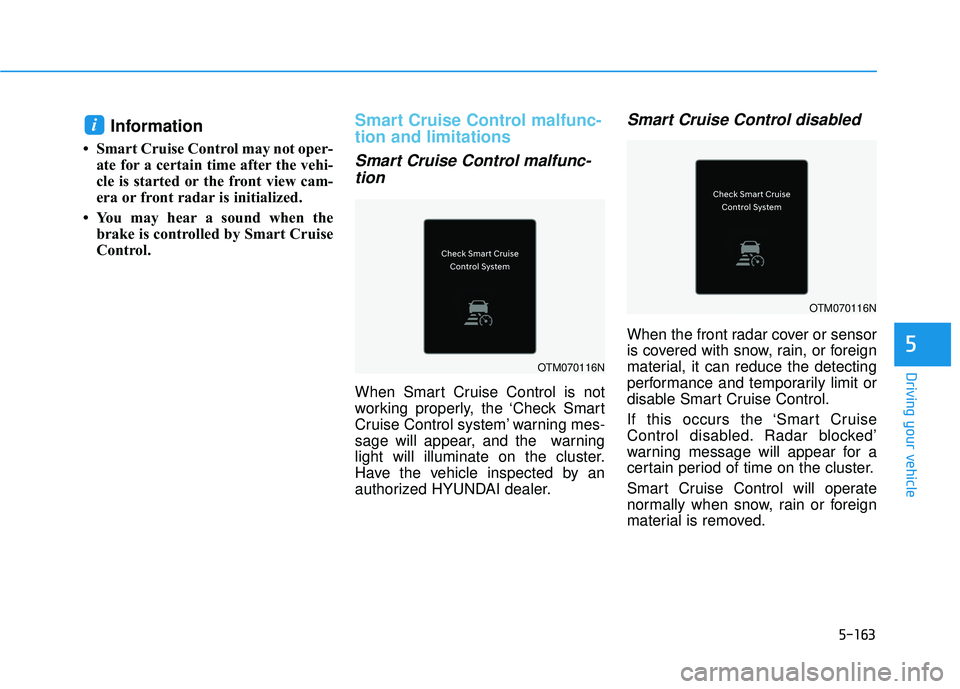
When Smart Cruise Control is not
working properly, the ‘Check Smart
Cruise Control system’ warning mes-
sage will appear, and the warning
light will illuminate on the cluster.
Have the vehicle inspected by an
authorized HYUNDAI dealer.
Smart Cruise Control disabled
When the front radar cover or sensor
is covered with snow, rain, or foreign
material, it can reduce the detecting
performance and temporarily limit or
disable Smart Cruise Control.
If this occurs the ‘Smart Cruise
Control disabled. Radar blocked’
warning message will appear for a
certain period of time on the cluster.
Smart Cruise Control will operate
normally when snow, rain or foreign
material is removed.
i
OTM070116N
OTM070116N
Page 498 of 663
5-164
Driving your vehicle
Limitations of Smart CruiseControl
Smart Cruise Control may not oper-
ate normally, or it may operate unex-
pectedly under the following circum-
stances:
The detecting sensor or the sur-
roundings are contaminated or
damaged
fluid is continuously sprayed, or the wiper is on
The camera lens is contaminated due to tinted, filmed or coated
windshield, damaged glass, or
sticky foreign material (sticker, bug,
etc.) on the glass
Moisture is not removed or frozen on the windshield
The field of view of the front view camera is obstructed by sun glare
Street light or light from an oncom- ing vehicle is reflected on the wet
road surface, such as a puddle on
the road
The temperature around the front view camera is high or low An object is placed on the dash-
board
The surrounding is very bright
The surrounding is very dark, such as in a tunnel, etc.
The brightness changes suddenly, for example when entering or exit-
ing a tunnel
The brightness outside is low, and the headlamps are not on or are
not bright
Driving in heavy rain or snow, or thick fog
Driving through steam, smoke or shadow
Only part of the vehicle is detected
The vehicle in front has no tail lights, tail lights are located unusu-
ally, etc.
The brightness outside is low, and the tail lamps are not on or are not
bright
The rear of the front vehicle is small or does not look normal (for
example, tilted, overturned, etc.)
The front vehicle’s ground clear- ance is low or high
Even though the warning mes-
sage does not appear on the
cluster, Smart Cruise Control
may not properly operate.
WARNING
Smart Cruise Control may not
properly operate in an area (for
example, open terrain), where
there is nothing to detect after
turning ON the engine.
CAUTION
Page 512 of 663
5-178
Driving your vehicle
Hazardous Driving Conditions
When hazardous driving elements
are encountered such as water,
snow, ice, mud and sand, take the
below suggestions:
Drive cautiously and keep a longerbraking distance.
Avoid abrupt braking or steering.
When your vehicle is stuck in snow, mud, or sand, use second gear.
Accelerate slowly to avoid unnec-
essary wheel spin.
Put sand, rock salt, tire chains or other non-slip materials under the
wheels to provide additional trac-
tion while the vehicle becomes
stuck in ice, snow, or mud.
Rocking the Vehicle
If it is necessary to rock the vehicle
to free it from snow, sand, or mud,
first turn the steering wheel right and
left to clear the area around your
front wheels. Then, shift back and
forth between R (Reverse) and a for-
ward gear.
Try to avoid spinning the wheels, and
do not race the engine.
To prevent transmission wear, wait
until the wheels stop spinning before
shifting gears. Release the accelera-
tor pedal while shifting, and press
lightly on the accelerator pedal while
the transmission is in gear. Slowly
spinning the wheels in forward and
reverse directions causes a rocking
motion that may free the vehicle.
S SP P E EC CI IA A L L D D R RI IV V I IN N G G C C O O N ND DI IT T I IO O N NS S
Downshifting with an automatic
transmission while driving on
slippery surfaces can cause an
accident. The sudden change in
tire speed could cause the tires
to skid. Be careful when down-
shifting on slippery surfaces.
WARNING
If the vehicle is stuck and
excessive wheel spin occurs,
the temperature in the tires can
increase very quickly. If the tires
become damaged, a tire blow
out or tire explosion can occur.
This condition is dangerous -
you and others may be injured.
Do not attempt this procedure if
people or objects are anywhere
near the vehicle.
If you attempt to free the vehicle,
the vehicle can overheat quickly,
possibly causing an engine
compartment fire or other dam-
age. Try to avoid spinning the
wheels as much as possible to
prevent overheating of either the
tires or the engine. DO NOT
allow the vehicle to spin the
wheels above 35 mph (56 km/h).
WARNING
Page 516 of 663
5-182
Driving your vehicle
W WI IN N T TE ER R D D R RI IV V I IN N G G
The severe weather conditions of
winter quickly wear out tires and
cause other problems. To minimize
winter driving problems, you should
take the following suggestions:
Snow or Icy Conditions
You need to keep sufficient distance
between your vehicle and the vehicle
in front of you.
Apply the brakes gently. Speeding,
rapid acceleration, sudden brake
applications, and sharp turns are
potentially very hazardous practices.
During deceleration, use engine
braking to the fullest extent. Sudden
brake applications on snowy or icy
roads may cause the vehicle to skid.
To drive your vehicle in deep snow, it
may be necessary to use snow tires
or to install tire chains on your tires.
Always carry emergency equipment.
Some of the items you may want to
carry include tire chains, tow straps
or chains, a flashlight, emergency
flares, sand, a shovel, jumper cables,
a window scraper, gloves, ground
cloth, coveralls, a blanket, etc.
Snow tires
If you mount snow tires on your vehi-
cle, make sure to use radial tires of
the same size and load range as the
original tires. Mount snow tires on all
four wheels to balance your vehicle’s
handling in all weather conditions.
The traction provided by snow tires
on dry roads may not be as high as
your vehicle's original equipment
tires. Check with the tire dealer for
maximum speed recommendations.
Information
Do not install studded tires without
first checking local, state and munici-
pal regulations for possible restric-
tions against their use.
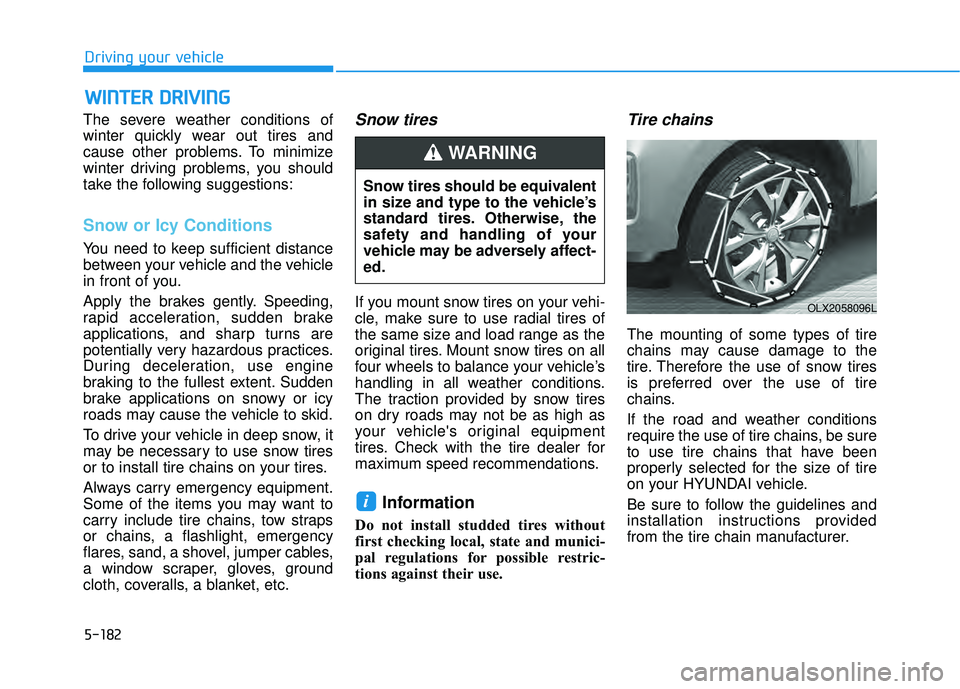
Tire chains
The mounting of some types of tire
chains may cause damage to the
tire. Therefore the use of snow tires
is preferred over the use of tire
chains.
If the road and weather conditions
require the use of tire chains, be sure
to use tire chains that have been
properly selected for the size of tire
on your HYUNDAI vehicle.
Be sure to follow the guidelines and
installation instructions provided
from the tire chain manufacturer.
i
Snow tires should be equivalent
in size and type to the vehicle’s
standard tires. Otherwise, the
safety and handling of your
vehicle may be adversely affect-
ed.
WARNING
OLX2058096L
Page 523 of 663
5-189
Driving your vehicle
5
Safety chains
You should always attach chains
between your vehicle and your trail-
er. Cross the safety chains under the
tongue of the trailer so that the
tongue will not drop to the road if it
becomes separated from the hitch.
Instructions about safety chains may
be provided by the hitch manufactur-
er or trailer manufacturer. Follow the
manufacturer's recommendation for
attaching safety chains. Always leave
just enough slack so you can turn
with your trailer. And, never allow
safety chains to drag on the ground.
Trailer brakes
If your trailer is equipped with a brak-
ing system, make sure it conforms to
federal and/or local regulations and
that it is properly installed and oper-
ating correctly.
If your trailer weighs more than the
maximum trailer weight without trail-
er brakes loaded, then it needs its
own brakes and they must be ade-
quate. Be sure to read and follow the
instructions for the trailer brakes so
you’ll be able to install, adjust and
maintain them properly. Do not tap
into your vehicle's brake system.
Trailer brakes must be applied sepa-
rately from your vehicle's brake sys-
tem.
Driving with a trailer
Towing a trailer requires a certain
amount of experience. Before setting
out for the open road, you must get
to know your trailer. Acquaint your-
self with the feel of handling and
braking with the added weight of the
trailer. And always keep in mind that
the vehicle you are driving is now
longer and not nearly as responsive
as your vehicle is by itself.
Before you start, check the trailer
hitch and platform, safety chains,
electrical connector(s), lights, tires
and brakes.
During your trip, occasionally check
to be sure that the load is secure,
and that the lights and trailer brakes
are still working.
Do not use a trailer with its own
brakes unless you are absolute-
ly certain that you have properly
set up the brake system. Use an
experienced, competent trailer
shop for this work.
WARNING
Page 524 of 663
5-190
Driving your vehicle
Distance
Stay at least twice as far behind the
vehicle ahead as you would when
driving your vehicle without a trailer.
This can help you avoid situations
that require heavy braking and sud-
den turns.
Passing
You will need more passing distance
up ahead when you’re towing a trail-
er. And, because of the increased
vehicle length, you’ll need to go
much farther beyond the passed
vehicle before you can return to your
lane.
Backing up
Hold the bottom of the steering
wheel with one hand. Then, to move
the trailer to the left, move your hand
to the left. To move the trailer to the
right, move your hand to the right.
Always back up slowly and, if possi-
ble, have someone guide you.
Making turns
When you're turning with a trailer,
make wider turns than normal. Do
this so your trailer won't strike soft
shoulders, curbs, road signs, trees, or
other objects. Avoid jerky or sudden
maneuvers. Signal well in advance.
Turn signals
When you tow a trailer, your vehicle
has to have a different turn signal
flasher and extra wiring. The green
arrows on your instrument panel will
flash whenever you signal a turn or
lane change. Properly connected,
the trailer lights will also flash to alert
other drivers you're about to turn,
change lanes, or stop.
When towing a trailer, the green
arrows on your instrument panel will
flash for turns even if the bulbs on the
trailer are burned out. Thus, you may
think drivers behind you are seeing
your signals when, in fact, they are
not. It's important to check periodical-
ly to be sure the trailer bulbs are still
working. You must also check the
lights every time you disconnect and
then reconnect the wires.Do not connect a trailer lighting
system directly to your vehi-
cle's lighting system. Use an
approved trailer wiring harness.
Failure to do so could result in
damage to the vehicle electrical
system and/or personal injury.
Consult an authorized HYUNDAI
dealer for assistance.
WARNING