warning light HYUNDAI PALISADE 2022 Owners Manual
[x] Cancel search | Manufacturer: HYUNDAI, Model Year: 2022, Model line: PALISADE, Model: HYUNDAI PALISADE 2022Pages: 663, PDF Size: 15.74 MB
Page 375 of 663
5-41
Driving your vehicle
5
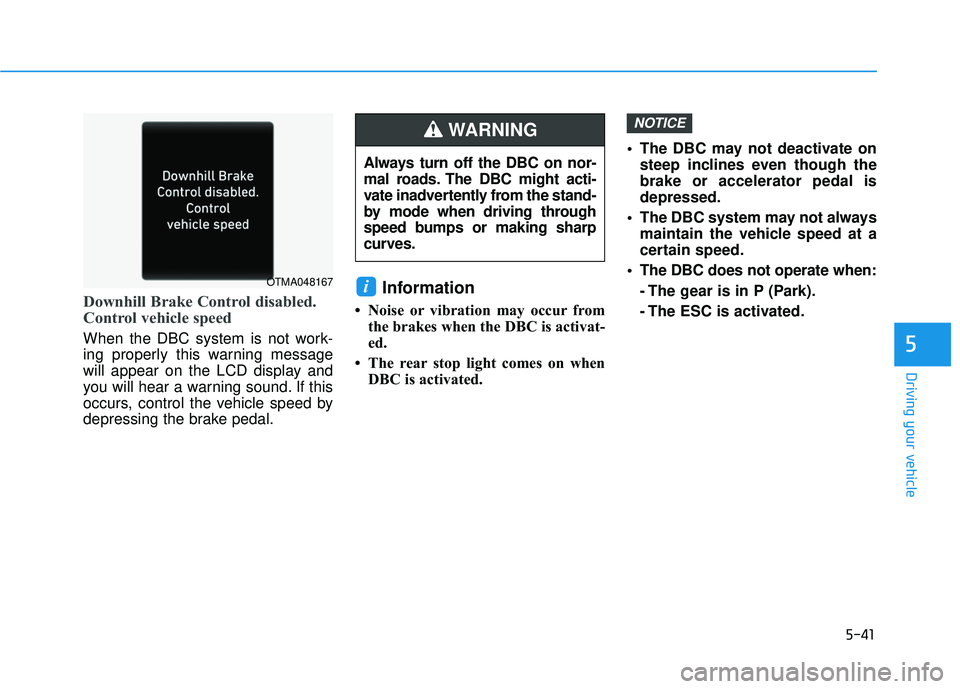
Downhill Brake Control disabled.
Control vehicle speed
When the DBC system is not work-
ing properly this warning message
will appear on the LCD display and
you will hear a warning sound. If this
occurs, control the vehicle speed by
depressing the brake pedal.
Information
• Noise or vibration may occur fromthe brakes when the DBC is activat-
ed.
• The rear stop light comes on when DBC is activated. The DBC may not deactivate on
steep inclines even though the
brake or accelerator pedal is
depressed.
The DBC system may not always maintain the vehicle speed at a
certain speed.
The DBC does not operate when: - The gear is in P (Park).
- The ESC is activated.
NOTICE
i
Always turn off the DBC on nor-
mal roads. The DBC might acti-
vate inadvertently from the stand-
by mode when driving through
speed bumps or making sharp
curves.
WARNING
OTMA048167
Page 376 of 663
5-42
Driving your vehicle
Trailer Stability Assist (TSA)
Trailer Stability Assist system helps
stabilize the vehicle and trailer when
the trailer sways or oscillates. There
are various reasons making the vehi-
cle sway and oscillate.
Factors of swaying are such as:
- High speed
- Strong crosswinds
- Improper overloading
- Sudden controlling of steeringwheel
- Uneven road
Trailer Stability Assist system contin-
uously analyzes the vehicle and trail-
er instability. When the Trailer
Stability Assist system detects some
sway, the brakes are applied auto-
matically to stabilize the vehicle on
the front wheel. However, if it is not
enough to stabilize, the brakes are
applied on all wheels automatically
and engine power is properly
reduced. When the vehicle is stable
from swaying, trailer stability assist
system does not operate.
Good Braking Practices
Wet brakes can be dangerous! The
brakes may get wet if the vehicle is
driven through standing water or if it
is washed. Your vehicle will not stop
as quickly if the brakes are wet. Wet
brakes may cause the vehicle to pull
to one side. To dry the brakes, apply the brakes
lightly until the braking action returns
to normal, taking care to keep the
vehicle under control at all times. If
the braking action does not return to
normal, stop as soon as it is safe to
do so and call an authorized
HYUNDAI dealer for assistance.
DO NOT drive with your foot resting
on the brake pedal. Even light, but
constant pedal pressure can result in
the brakes overheating, brake wear,
and possibly even brake failure.
If a tire goes flat while you are driv-
ing, apply the brakes gently and
keep the vehicle pointed straight
ahead while you slow down. When
you are moving slowly enough for it
to be safe to do so, pull off the road
and stop in a safe location.
Keep your foot firmly on the brake
pedal when the vehicle is stopped to
prevent the vehicle from rolling for-
ward.
Whenever leaving the vehicle or
parking, always come to a com-
plete stop and continue to
depress the brake pedal. Shift
the gear to P (Park), then apply
the parking brake, and place the
ignition switch in the LOCK/OFF
position.
Vehicles parked with the park-
ing brake not applied or not
fully engaged may roll inadver-
tently and may cause injury to
the driver and others. ALWAYS
apply the parking brake before
exiting the vehicle.
WARNING
Page 380 of 663
5-46
Driving your vehicle
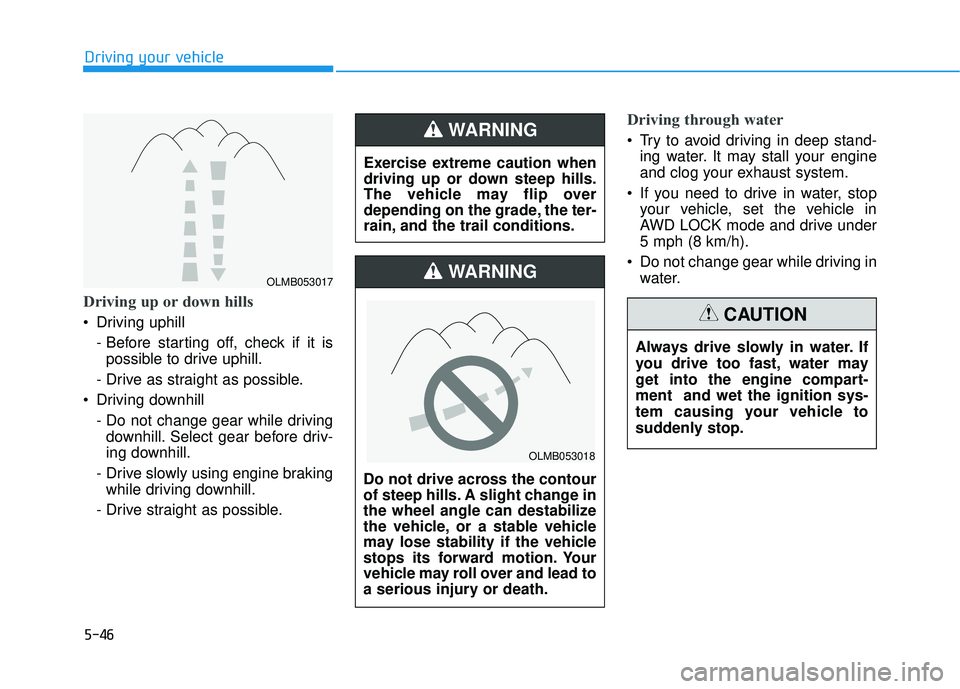
Driving up or down hills
Driving uphill - Before starting off, check if it ispossible to drive uphill.
- Drive as straight as possible.
Driving downhill - Do not change gear while drivingdownhill. Select gear before driv-
ing downhill.
- Drive slowly using engine braking while driving downhill.
- Drive straight as possible.
Driving through water
Try to avoid driving in deep stand- ing water. It may stall your engine
and clog your exhaust system.
If you need to drive in water, stop your vehicle, set the vehicle in
AWD LOCK mode and drive under
5 mph (8 km/h).
Do not change gear while driving in water.
Exercise extreme caution when
driving up or down steep hills.
The vehicle may flip over
depending on the grade, the ter-
rain, and the trail conditions.WARNING
Do not drive across the contour
of steep hills. A slight change in
the wheel angle can destabilize
the vehicle, or a stable vehicle
may lose stability if the vehicle
stops its forward motion. Your
vehicle may roll over and lead to
a serious injury or death.
WARNING
Always drive slowly in water. If
you drive too fast, water may
get into the engine compart-
ment and wet the ignition sys-
tem causing your vehicle to
suddenly stop.
CAUTION
OLMB053018
OLMB053017
Page 384 of 663
5-50
Driving your vehicle
The Idle Stop and Go (ISG) system
automatically and temporarily shuts
down the engine when the vehicle is
stopped and idling to improve fuel
efficiency and reduce exhaust gas
emissions. (i.e. red stop light, stop
sign, and traffic jam).
The engine is automatically started
upon satisfying the starting condi-
tions.
The ISG system is always active,
when the engine is running.
Information
When the engine is automatically
started by the ISG system, some warn-
ing lights (i.e. ABS, ESC, ESC OFF,
EPS, and parking brake warning
light) may illuminate for a few sec-
onds due to the low battery voltage.
However, it does not indicate a mal-
function with the ISG system.
To Activate the ISG System
Prerequisite for activation
The ISG system operates in the fol-
lowing situations.
The driver's seatbelt is fastened
The driver's door and hood are closed
The brake vacuum pressure is adequate
The battery sensor is activated and the battery is sufficiently charged
Outside temperature is not too low or too high
The vehicle is driven over a con- stant speed and stops
The climate control system satis- fies the conditions
The vehicle is sufficiently warmed up
The incline is gradual
The steering wheel is turned less than 180 degrees and then the
vehicle stops
Information
The ISG system is
not activated, when
the prerequisites to
activate the ISG sys-
tem are unsatisfied.
In this case, the ISG
OFF button indicator illuminates,
and the auto stop indicator ( )
illuminates in yellow on the instru-
ment cluster.
• When the above indicator remains illuminated on the instrument clus-
ter, we recommend that you have
the IGS system checked by an
authorized HYUNDAI dealer.
i
i
I IS S G G ( ( I ID D L LE E S S T T O O P P A A N N D D G G O O ) ) S S Y Y S ST T E EM M ( ( I IF F E E Q Q U UI IP P P PE ED D ) )
•
Page 387 of 663
5-53
Driving your vehicle
5
To Deactivate the ISG System
Press the ISG OFF button to deac-tivate the ISG system. Then, the
ISG OFF button indicator illumi-
nates.
Press the ISG OFF button again to reactivate the ISG system. Then,
the ISG OFF button indicator turns
OFF.
ISG System Malfunction
The ISG system may not operate:
When there is a malfunction with the
ISG sensors or the ISG system.
The followings occur, when there is
a malfunction with the ISG system:
The auto stop indicator ( ) willblink in yellow on the instrument
cluster.
The light on the ISG OFF button will illuminate.
Information
• When you cannot turn OFF the ISGOFF button indicator by pressing the
ISG OFF button, or when the mal-
function with the ISG system per-
sists, contact an authorized
HYUNDAI dealer.
• You can turn off the ISG OFF but- ton indicator by driving over 50
mph (80 km/h) for up to 2 hours
with the fan speed below the 2nd
position. If the ISG OFF button
indicator remains ON, contact an
authorized HYUNDAI dealer.
i
When the engine is in auto stop
mode, the engine may restart.
Before leaving the vehicle or
checking the engine compart-
ment, stop the engine placing
the ignition switch to the
LOCK/OFF position or remove
the ignition key.
WARNING
Page 398 of 663
5-64
Driving your vehicle
Forward Collision-Avoidance
Assist settings
Setting features
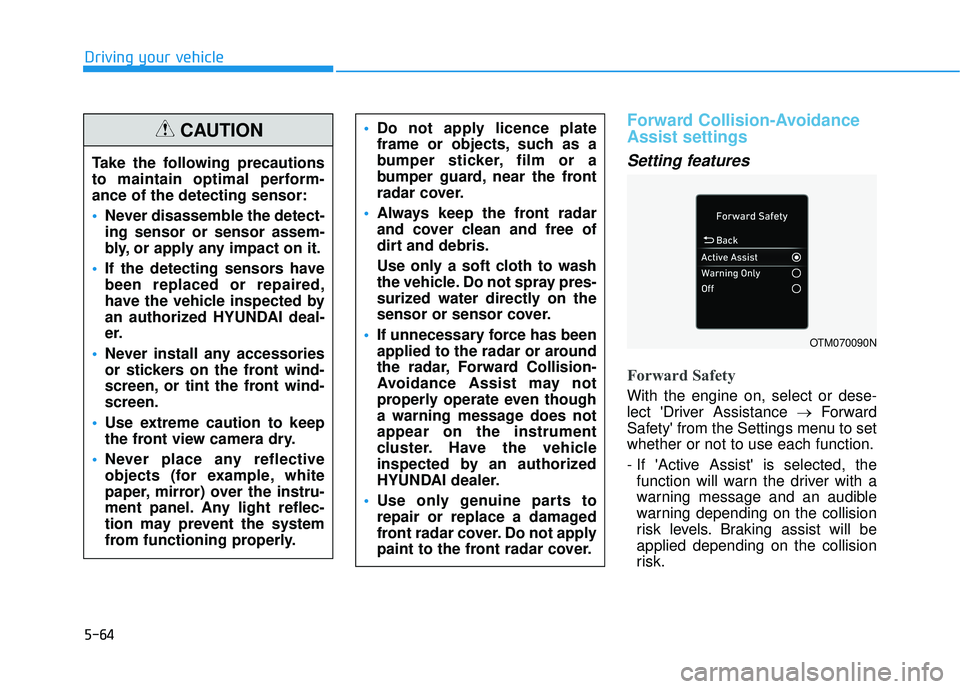
Forward Safety
With the engine on, select or dese-
lect 'Driver Assistance →Forward
Safety' from the Settings menu to set
whether or not to use each function.
- If 'Active Assist' is selected, the function will warn the driver with a
warning message and an audible
warning depending on the collision
risk levels. Braking assist will be
applied depending on the collision
risk.
Do not apply licence plate
frame or objects, such as a
bumper sticker, film or a
bumper guard, near the front
radar cover.
Always keep the front radar
and cover clean and free of
dirt and debris.
Use only a soft cloth to wash
the vehicle. Do not spray pres-
surized water directly on the
sensor or sensor cover.
If unnecessary force has been
applied to the radar or around
the radar, Forward Collision-
Avoidance Assist may not
properly operate even though
a warning message does not
appear on the instrument
cluster. Have the vehicle
inspected by an authorized
HYUNDAI dealer.
Use only genuine parts to
repair or replace a damaged
front radar cover. Do not apply
paint to the front radar cover.
OTM070090N
Take the following precautions
to maintain optimal perform-
ance of the detecting sensor:
Never disassemble the detect-
ing sensor or sensor assem-
bly, or apply any impact on it.
If the detecting sensors have
been replaced or repaired,
have the vehicle inspected by
an authorized HYUNDAI deal-
er.
Never install any accessories
or stickers on the front wind-
screen, or tint the front wind-
screen.
Use extreme caution to keep
the front view camera dry.
Never place any reflective
objects (for example, white
paper, mirror) over the instru-
ment panel. Any light reflec-
tion may prevent the system
from functioning properly.
CAUTION
Page 399 of 663
5-65
Driving your vehicle
5
- If 'Warning Only' is selected, thefunction will warn the driver with a
warning message and an audible
warning depending on the collision
risk levels. Braking will not be
assisted.
- If 'Off' is selected, the function will turn off. The warning light will
illuminate on the cluster.
The driver can monitor Forward
Collision-Avoidance Assist ON/OFF
status from the Settings menu. If the warning light remains ON when
the function is ON, have the vehicle
inspected by an authorized
HYUNDAI dealer.
Information
Forward Collision-Avoidance Assist
will turn off when ESC is turned off
by pressing and holding the ESC OFF
button. The warning light will
illuminate on the instrument cluster.
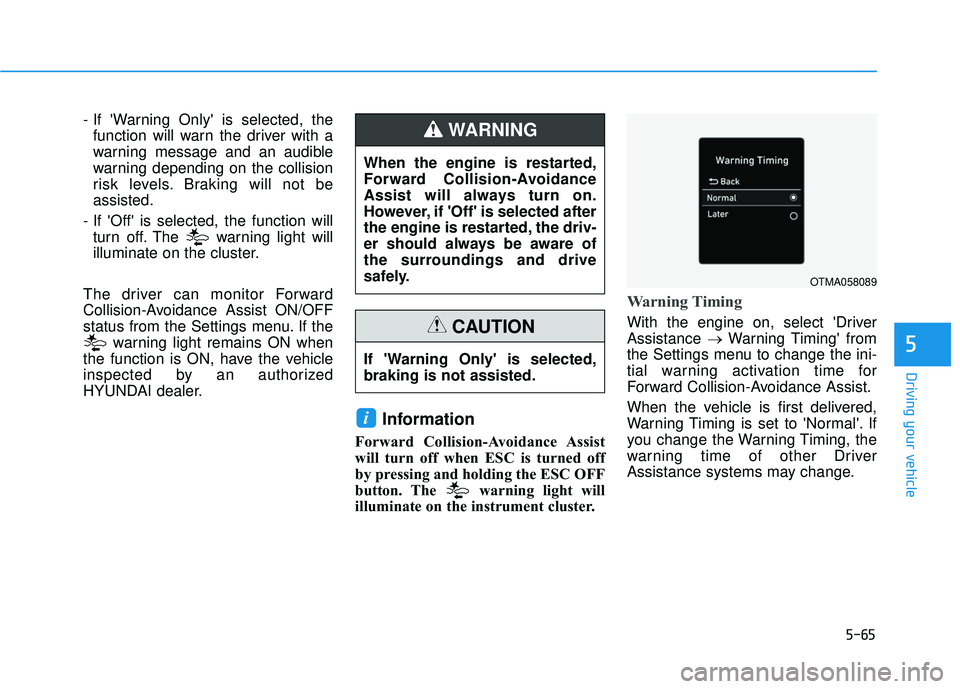
Warning Timing
With the engine on, select 'Driver
Assistance →Warning Timing' from
the Settings menu to change the ini-
tial warning activation time for
Forward Collision-Avoidance Assist.
When the vehicle is first delivered,
Warning Timing is set to 'Normal'. If
you change the Warning Timing, the
warning time of other Driver
Assistance systems may change.
i
When the engine is restarted,
Forward Collision-Avoidance
Assist will always turn on.
However, if 'Off' is selected after
the engine is restarted, the driv-
er should always be aware of
the surroundings and drive
safely.
WARNING
If 'Warning Only' is selected,
braking is not assisted.
CAUTION
OTMA058089
Page 400 of 663
5-66
Driving your vehicle
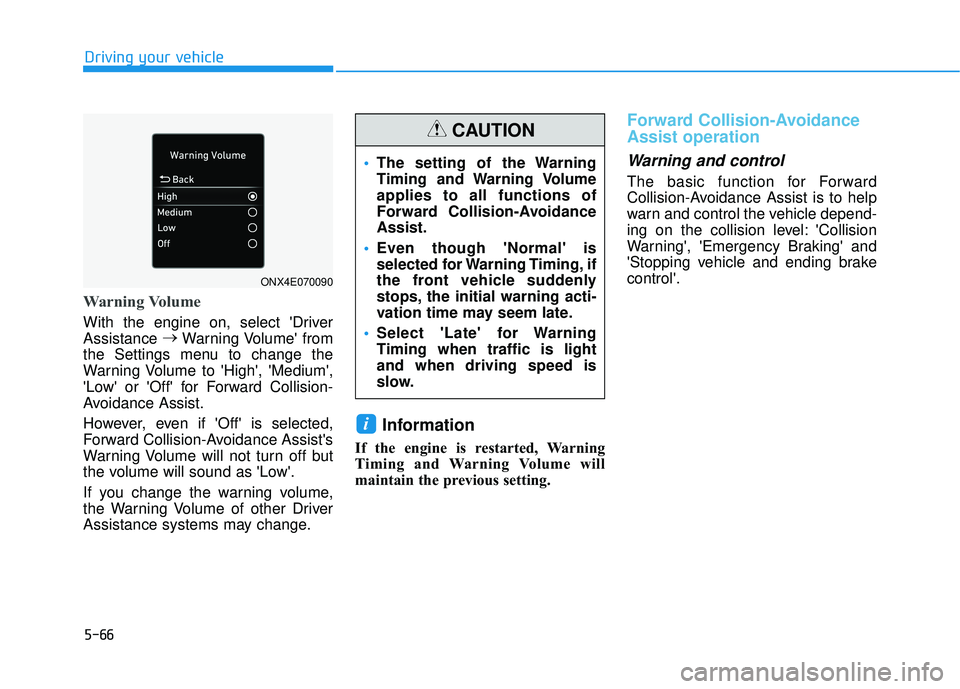
Warning Volume
With the engine on, select 'Driver
Assistance →
Warning Volume' from
the Settings menu to change the
Warning Volume to 'High', 'Medium',
'Low' or 'Off' for Forward Collision-
Avoidance Assist.
However, even if 'Off' is selected,
Forward Collision-Avoidance Assist's
Warning Volume will not turn off but
the volume will sound as 'Low'.
If you change the warning volume,
the Warning Volume of other Driver
Assistance systems may change.
Information
If the engine is restarted, Warning
Timing and Warning Volume will
maintain the previous setting.
Forward Collision-Avoidance
Assist operation
Warning and control
The basic function for Forward
Collision-Avoidance Assist is to help
warn and control the vehicle depend-
ing on the collision level: 'Collision
Warning', 'Emergency Braking' and
'Stopping vehicle and ending brake
control'.
i
ONX4E070090
The setting of the Warning
Timing and Warning Volume
applies to all functions of
Forward Collision-Avoidance
Assist.
Even though 'Normal' is
selected for Warning Timing, if
the front vehicle suddenly
stops, the initial warning acti-
vation time may seem late.
Select 'Late' for Warning
Timing when traffic is light
and when driving speed is
slow.
CAUTION
Page 402 of 663
5-68
Driving your vehicle
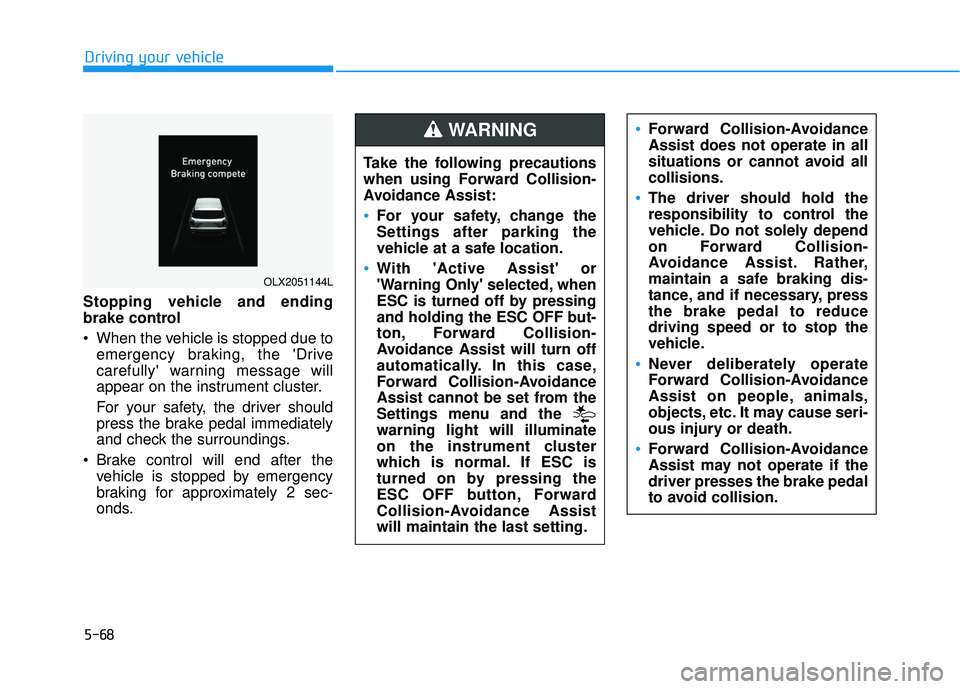
Stopping vehicle and ending
brake control
When the vehicle is stopped due to emergency braking, the 'Drive
carefully' warning message will
appear on the instrument cluster.
For your safety, the driver should
press the brake pedal immediately
and check the surroundings.
Brake control will end after the vehicle is stopped by emergency
braking for approximately 2 sec-
onds.
OLX2051144L
Take the following precautions
when using Forward Collision-
Avoidance Assist:
For your safety, change the
Settings after parking the
vehicle at a safe location.
With 'Active Assist' or
'Warning Only' selected, when
ESC is turned off by pressing
and holding the ESC OFF but-
ton, Forward Collision-
Avoidance Assist will turn off
automatically. In this case,
Forward Collision-Avoidance
Assist cannot be set from the
Settings menu and the
warning light will illuminate
on the instrument cluster
which is normal. If ESC is
turned on by pressing the
ESC OFF button, Forward
Collision-Avoidance Assist
will maintain the last setting.
Forward Collision-Avoidance
Assist does not operate in all
situations or cannot avoid all
collisions.
The driver should hold the
responsibility to control the
vehicle. Do not solely depend
on Forward Collision-
Avoidance Assist. Rather,
maintain a safe braking dis-
tance, and if necessary, press
the brake pedal to reduce
driving speed or to stop the
vehicle.
Never deliberately operate
Forward Collision-Avoidance
Assist on people, animals,
objects, etc. It may cause seri-
ous injury or death.
Forward Collision-Avoidance
Assist may not operate if the
driver presses the brake pedal
to avoid collision.
WARNING
Page 404 of 663
5-70
Driving your vehicle
Forward Collision-Avoidance
Assist malfunction and limita-
tions
Forward Collision-AvoidanceAssist malfunction
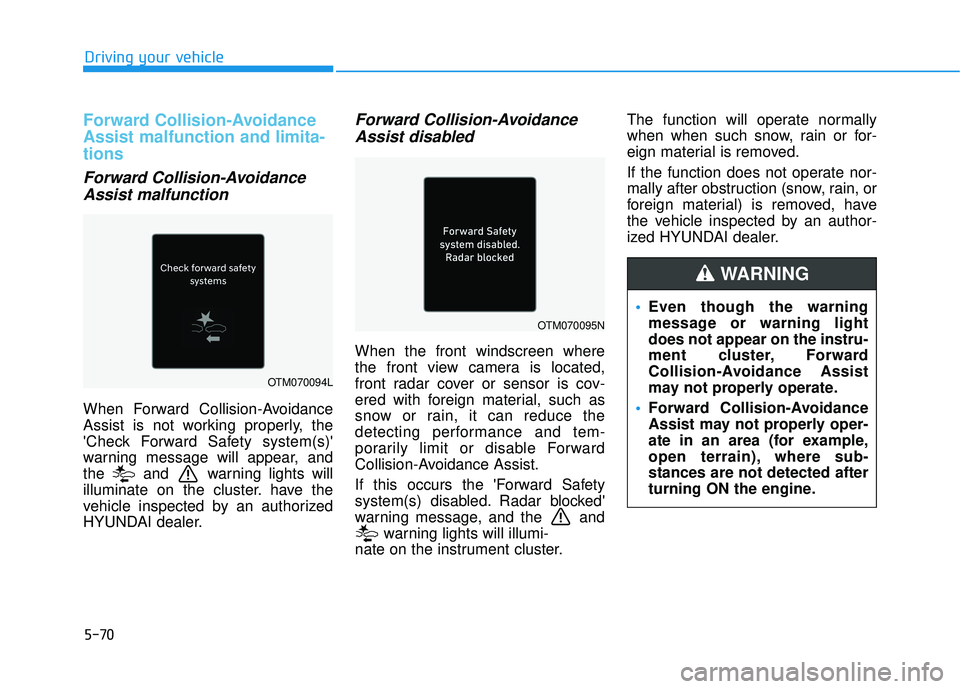
When Forward Collision-Avoidance
Assist is not working properly, the
'Check Forward Safety system(s)'
warning message will appear, and
the and warning lights will
illuminate on the cluster. have the
vehicle inspected by an authorized
HYUNDAI dealer.
Forward Collision-AvoidanceAssist disabled
When the front windscreen where
the front view camera is located,
front radar cover or sensor is cov-
ered with foreign material, such as
snow or rain, it can reduce the
detecting performance and tem-
porarily limit or disable Forward
Collision-Avoidance Assist.
If this occurs the 'Forward Safety
system(s) disabled. Radar blocked'
warning message, and the and
warning lights will illumi-
nate on the instrument cluster. The function will operate normally
when when such snow, rain or for-
eign material is removed.
If the function does not operate nor-
mally after obstruction (snow, rain, or
foreign material) is removed, have
the vehicle inspected by an author-
ized HYUNDAI dealer.
OTM070094L
OTM070095N
Even though the warning
message or warning light
does not appear on the instru-
ment cluster, Forward
Collision-Avoidance Assist
may not properly operate.
Forward Collision-Avoidance
Assist may not properly oper-
ate in an area (for example,
open terrain), where sub-
stances are not detected after
turning ON the engine.
WARNING