check engine HYUNDAI PALISADE 2022 User Guide
[x] Cancel search | Manufacturer: HYUNDAI, Model Year: 2022, Model line: PALISADE, Model: HYUNDAI PALISADE 2022Pages: 663, PDF Size: 15.74 MB
Page 186 of 663
3-90
Convenience Features
Air Bag Warning Light
This warning light illuminates:
When you set the ignition switch orthe Engine Start/Stop button to the
ON position.
- The air bag warning light illumi-nates for about 6 seconds and
then turns off when all checks
have been performed
The air bag warning light will remain illuminated if there is a mal-
function with the Safety Restraint
System (SRS) air bag operation.
If this occurs, have the vehicle
inspected by an authorized
HYUNDAI dealer.
Parking Brake & BrakeFluid Warning Light
This warning light illuminates:
When you set the ignition switch or
the Engine Start/Stop button to the
ON position.
- The parking brake light illumi-nates for about 3 seconds and
will then turn off once the parking
brake is released.
Whenever the parking brake is applied.
Whenever the brake fluid level in the reservoir is low.
- If the warning light illuminateswith the parking brake released, it
indicates the brake fluid level in
the reservoir is low.
If the brake fluid level in the reser-
voir is low:
1. Drive carefully to the nearest safe location and stop your vehicle.
2. With the engine stopped, check the brake fluid level immediately and
add fluid as required (For more
details, refer to "Brake Fluid" in
chapter 7). After adding brake
fluid, check all brake components
for fluid leaks. If a brake fluid leak is
found, or if the warning light
remains on, or if the brakes do not
operate properly, do not drive the
vehicle. Have the vehicle inspected
by an authorized HYUNDAI dealer.
Dual-diagonal braking system
Your vehicle is equipped with dual-
diagonal braking system. This means
you still have braking on two wheels
even if one of the dual systems
should fail.
With only one of the dual systems
working, more than normal pedal
travel and greater pedal pressure is
required to stop the vehicle.
Page 190 of 663
3-94
Convenience Features
Charging SystemWarning Light
When this warning light illuminates
while the engine is running, the bat-
tery is not being charged. Immediately
turn OFF all electrical accessories.
Try not to use electrically operated
controls, such as the power windows.
Keep the engine running.
Have the vehicle inspected by an
authorized HYUNDAI dealer as soon
as possible.
Engine Oil PressureWarning Light
This warning light illuminates:
When the engine oil pressure is low.
If the engine oil pressure is low:
1. Drive carefully to the nearest safe
location and stop your vehicle.
2. Turn the engine off and check the engine oil level (For more details,
refer to "Engine Oil" in chapter 7) .
If the level is low, add oil as required.
If the warning light remains on
after adding oil or if oil is not avail-
able, have the vehicle inspected
by an authorized HYUNDAI dealer
as soon as possible. If the oil pressure lowers due to
insufficient engine oil, etc., the
engine oil pressure warning
light turns on.
If this warning light turns on while driving, drive carefully to
the side of the road and stop the
vehicle, check the engine oil
level, and add if insufficient.
If the engine oil isn't insufficient, or if the warning light does not
turn off even after adding, we
recommend to inspect the vehi-
cle by an authorized HYUNDAI
dealer as soon as possible.
Driving with the warning light on may cause engine failure.
* When oil pressure is restored to an optimal level, the oil pressure
warning light will turn off. Even
if the oil pressure returns to nor-
mal, check the engine once
again in a safe place.
NOTICE
Page 200 of 663
3-104
Convenience Features
Press START button with key(for smart key system)
This warning message is displayed if
you press the Engine Start/Stop but-
ton while the warning message "Key
not detected" is displayed.
At this time, the immobilizer indicator
light blinks.
Check BRAKE SWITCH fuse (for smart key system)
This warning message is displayed if
the brake switch fuse is disconnected.
You need to replace the fuse with a
new one before starting the engine.
If that is not possible, you can start
the engine by pressing the Engine
Start/Stop button for 10 seconds in
the ACC position.
Battery discharging due toexternal electrical devices
This message is displayed if the bat-
tery voltage is weak due to any non-
factory electrical accessories (ex.
dashboard camera) while parking.
Be careful that the battery is not dis-
charged.
If the warning message appears
after removing the non-factory elec-
trical accessories, have the vehicle
inspected by an authorized
HYUNDAI dealer.
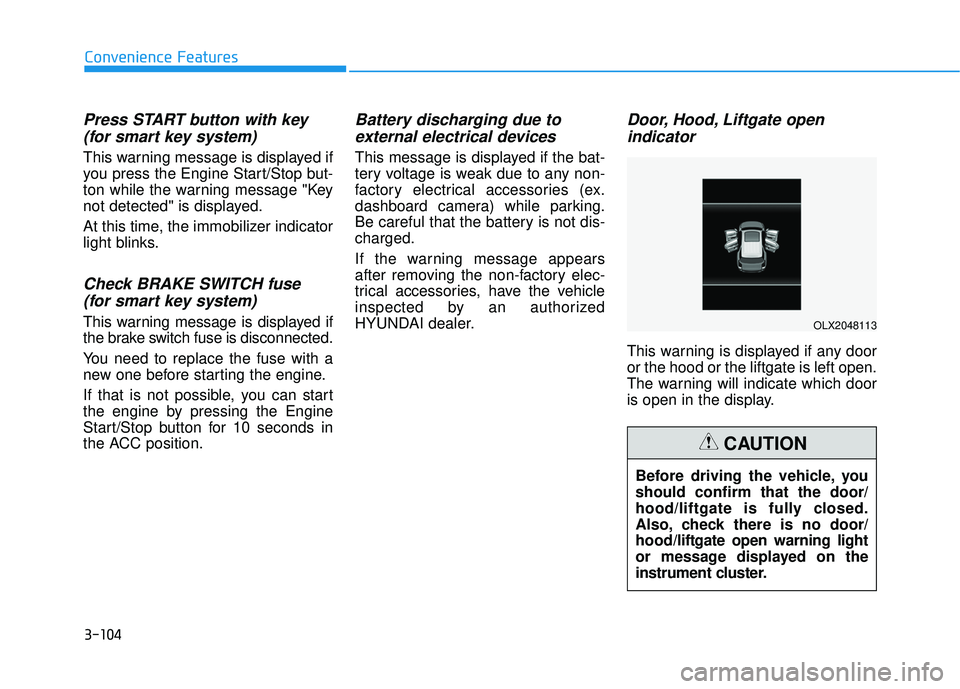
Door, Hood, Liftgate open indicator
This warning is displayed if any door
or the hood or the liftgate is left open.
The warning will indicate which door
is open in the display.
Before driving the vehicle, you
should confirm that the door/
hood/liftgate is fully closed.
Also, check there is no door/
hood/liftgate open warning light
or message displayed on the
instrument cluster.
CAUTION
OLX2048113
Page 255 of 663
3-159
Convenience Features
3
LO : The wiper runs at a lower speed.
HI : The wiper runs at a higher speed.
Information
If there is heavy accumulation of snow
or ice on the windshield, defrost the
windshield for about 10 minutes, or
until the snow and/or ice is removed
before using the windshield wipers to
ensure proper operation.
If you do not remove the snow and/or
ice before using the wiper and washer,
it may damage the wiper and washer
system.
AUTO (Automatic) control (if equipped)
The rain sensor located on the upper
end of the windshield glass senses
the amount of rainfall and controls
the wiping cycle for the proper inter-
val.
The wiper operation time will be
automatically controlled depends on
rainfall.
When the rain stops, the wiper stops.
To vary the sensitivity setting, turn
the sensitivity control knob (1).
If the wiper switch is set in AUTO
mode when the ignition switch is in
the ON position, the wiper will oper-
ate once to perform a self-check of
the system. Set the wiper to OFF
position when the wiper is not in use.
i
To avoid personal injury from
the windshield wipers, when the
engine is running and the wind-
shield wiper switch is placed in
the AUTO mode:
Do not touch the upper end of
the windshield glass facing
the rain sensor.
Do not wipe the upper end of
the windshield glass with a
damp or wet cloth.
Do not put pressure on the
windshield glass.
WARNING
Page 263 of 663
3-167
Convenience features
3
Reverse Parking DistanceWarning
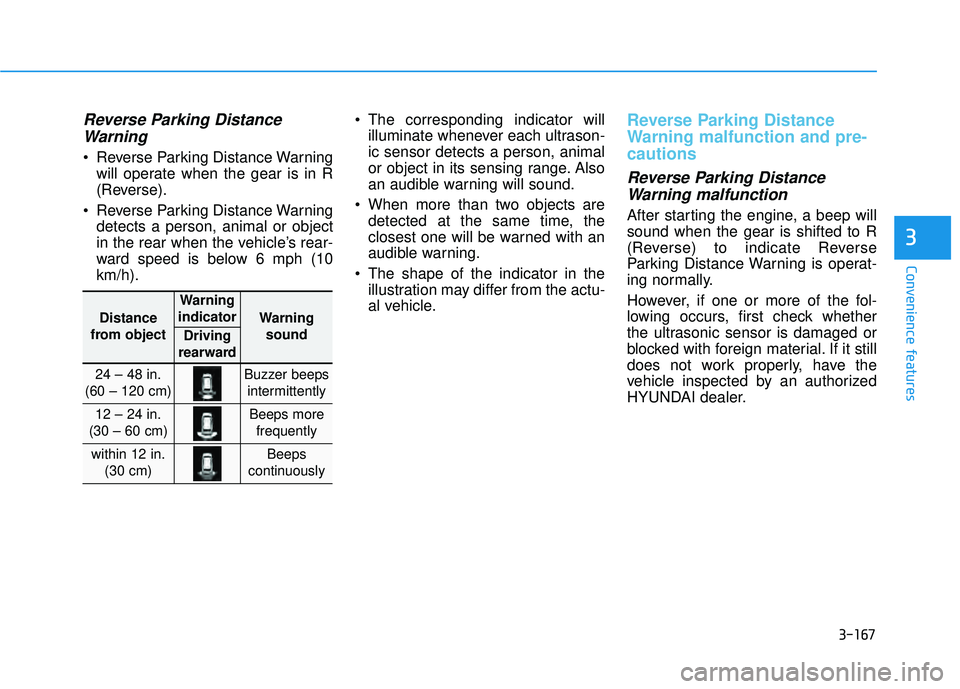
Reverse Parking Distance Warning
will operate when the gear is in R
(Reverse).
Reverse Parking Distance Warning detects a person, animal or object
in the rear when the vehicle’s rear-
ward speed is below 6 mph (10
km/h). The corresponding indicator will
illuminate whenever each ultrason-
ic sensor detects a person, animal
or object in its sensing range. Also
an audible warning will sound.
When more than two objects are detected at the same time, the
closest one will be warned with an
audible warning.
The shape of the indicator in the illustration may differ from the actu-
al vehicle.
Reverse Parking Distance
Warning malfunction and pre-
cautions
Reverse Parking DistanceWarning malfunction
After starting the engine, a beep will
sound when the gear is shifted to R
(Reverse) to indicate Reverse
Parking Distance Warning is operat-
ing normally.
However, if one or more of the fol-
lowing occurs, first check whether
the ultrasonic sensor is damaged or
blocked with foreign material. If it still
does not work properly, have the
vehicle inspected by an authorized
HYUNDAI dealer.
Distance
from object
Warning
indicator
Warning sound
Driving
rearward
24 – 48 in.
(60 – 120 cm)Buzzer beeps intermittently
12 – 24 in.
(30 – 60 cm)Beeps more frequently
within 12 in. (30 cm)Beeps
continuously
Page 269 of 663
3-173
Convenience features
3
Reverse Parking DistanceWarning
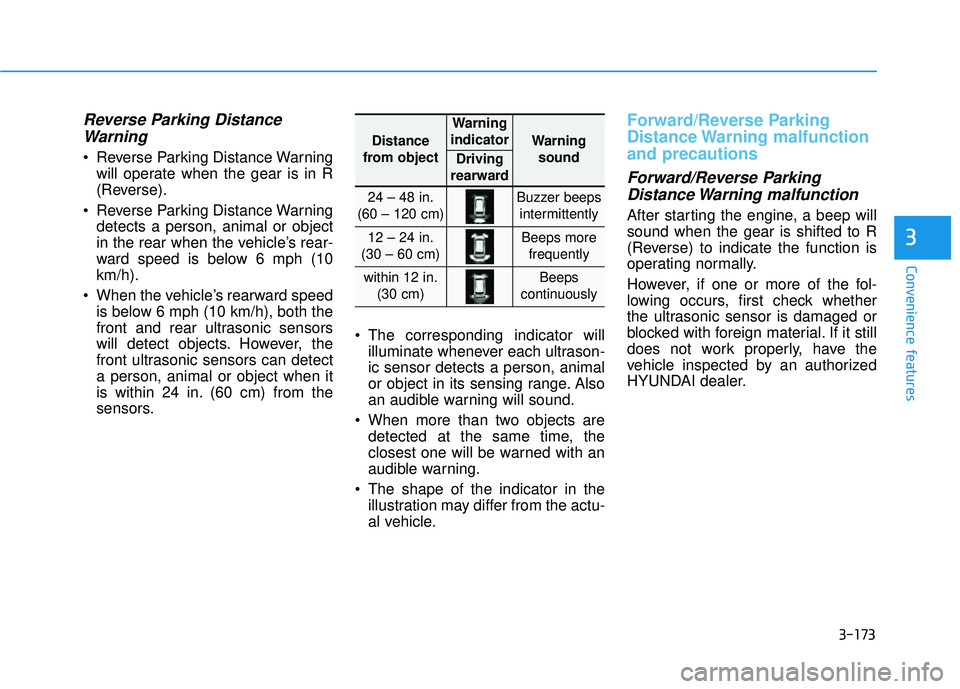
Reverse Parking Distance Warning
will operate when the gear is in R
(Reverse).
Reverse Parking Distance Warning detects a person, animal or object
in the rear when the vehicle’s rear-
ward speed is below 6 mph (10
km/h).
When the vehicle’s rearward speed is below 6 mph (10 km/h), both the
front and rear ultrasonic sensors
will detect objects. However, the
front ultrasonic sensors can detect
a person, animal or object when it
is within 24 in. (60 cm) from the
sensors. The corresponding indicator will
illuminate whenever each ultrason-
ic sensor detects a person, animal
or object in its sensing range. Also
an audible warning will sound.
When more than two objects are detected at the same time, the
closest one will be warned with an
audible warning.
The shape of the indicator in the illustration may differ from the actu-
al vehicle.
Forward/Reverse Parking
Distance Warning malfunction
and precautions
Forward/Reverse ParkingDistance Warning malfunction
After starting the engine, a beep will
sound when the gear is shifted to R
(Reverse) to indicate the function is
operating normally.
However, if one or more of the fol-
lowing occurs, first check whether
the ultrasonic sensor is damaged or
blocked with foreign material. If it still
does not work properly, have the
vehicle inspected by an authorized
HYUNDAI dealer.
Distance
from object
Warning
indicator
Warning sound
Driving
rearward
24 – 48 in.
(60 – 120 cm)Buzzer beeps intermittently
12 – 24 in.
(30 – 60 cm)Beeps more frequently
within 12 in. (30 cm)Beeps
continuously
Page 276 of 663
3-180
Convenience features
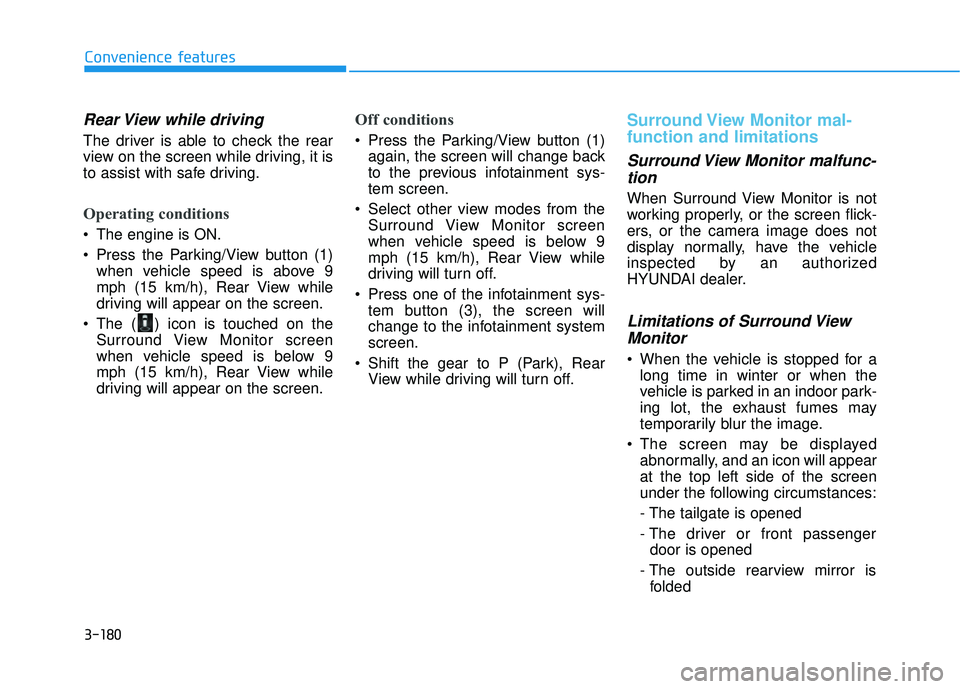
Rear View while driving
The driver is able to check the rear
view on the screen while driving, it is
to assist with safe driving.
Operating conditions
The engine is ON.
Press the Parking/View button (1)when vehicle speed is above 9
mph (15 km/h), Rear View while
driving will appear on the screen.
The ( ) icon is touched on the Surround View Monitor screen
when vehicle speed is below 9
mph (15 km/h), Rear View while
driving will appear on the screen.
Off conditions
Press the Parking/View button (1)again, the screen will change back
to the previous infotainment sys-
tem screen.
Select other view modes from the Surround View Monitor screen
when vehicle speed is below 9
mph (15 km/h), Rear View while
driving will turn off.
Press one of the infotainment sys- tem button (3), the screen will
change to the infotainment system
screen.
Shift the gear to P (Park), Rear View while driving will turn off.
Surround View Monitor mal-
function and limitations
Surround View Monitor malfunc-tion
When Surround View Monitor is not
working properly, or the screen flick-
ers, or the camera image does not
display normally, have the vehicle
inspected by an authorized
HYUNDAI dealer.
Limitations of Surround ViewMonitor
When the vehicle is stopped for a
long time in winter or when the
vehicle is parked in an indoor park-
ing lot, the exhaust fumes may
temporarily blur the image.
The screen may be displayed abnormally, and an icon will appear
at the top left side of the screen
under the following circumstances:
- The tailgate is opened
- The driver or front passengerdoor is opened
- The outside rearview mirror is folded
Page 307 of 663
3-211
Convenience Features
3
For maximum defrost perform-ance, set the temperature control
knob to the highest temperature
setting (rotated all the way to the
right) and the fan speed control to
the highest setting.
If warm air to the floor is desired while defrosting or defogging, set the
mode to the floor-defrost position.
Before driving, clear all snow and ice from the windshield, rear win-
dow, side view mirrors, and all side
windows.
Clear all snow and ice from the hood and air inlet in the cowl grill to
improve heater and defroster effi-
ciency and to reduce the probability
of fogging up the inside of the wind-
shield.
If the engine temperature is still
cold after starting, then a brief
engine warm up period may be
required for the vented air flow to
become warm or hot.Manual Climate Control System
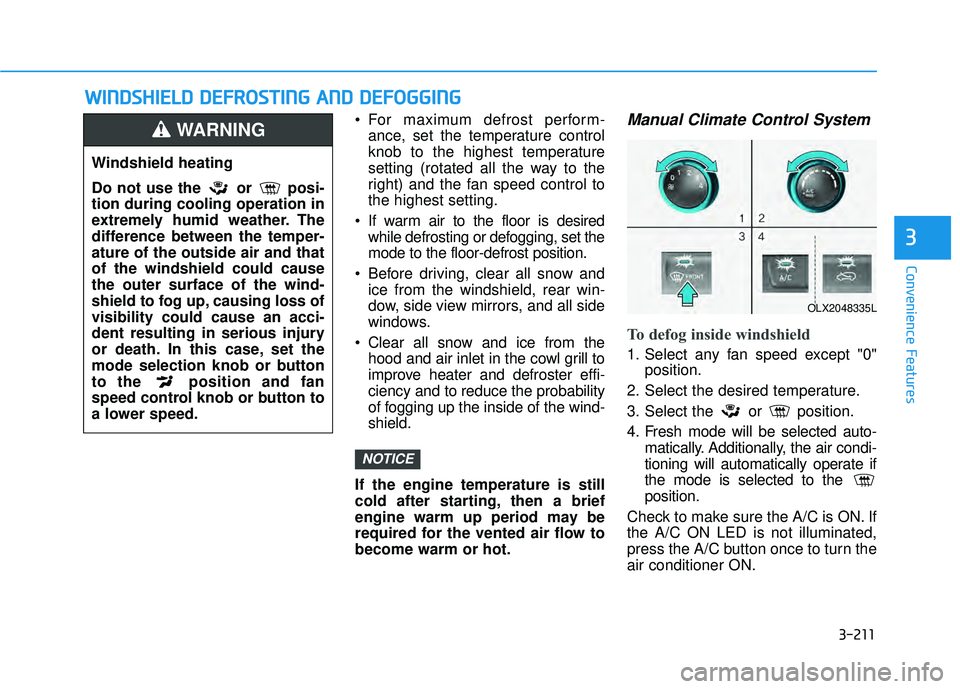
To defog inside windshield
1. Select any fan speed except "0" position.
2. Select the desired temperature.
3. Select the or position.
4. Fresh mode will be selected auto- matically. Additionally, the air condi-
tioning will automatically operate if
the mode is selected to the
position.
Check to make sure the A/C is ON. If
the A/C ON LED is not illuminated,
press the A/C button once to turn the
air conditioner ON.
NOTICE
W W I IN N D DS SH H I IE E L LD D D D E EF FR R O O S ST T I IN N G G A A N N D D D D E EF FO O G GG GI IN N G G
Windshield heating
Do not use the or posi-
tion during cooling operation in
extremely humid weather. The
difference between the temper-
ature of the outside air and that
of the windshield could cause
the outer surface of the wind-
shield to fog up, causing loss of
visibility could cause an acci-
dent resulting in serious injury
or death. In this case, set the
mode selection knob or button
to the position and fan
speed control knob or button to
a lower speed.
WARNING
OLX2048335L
Page 338 of 663
5-4
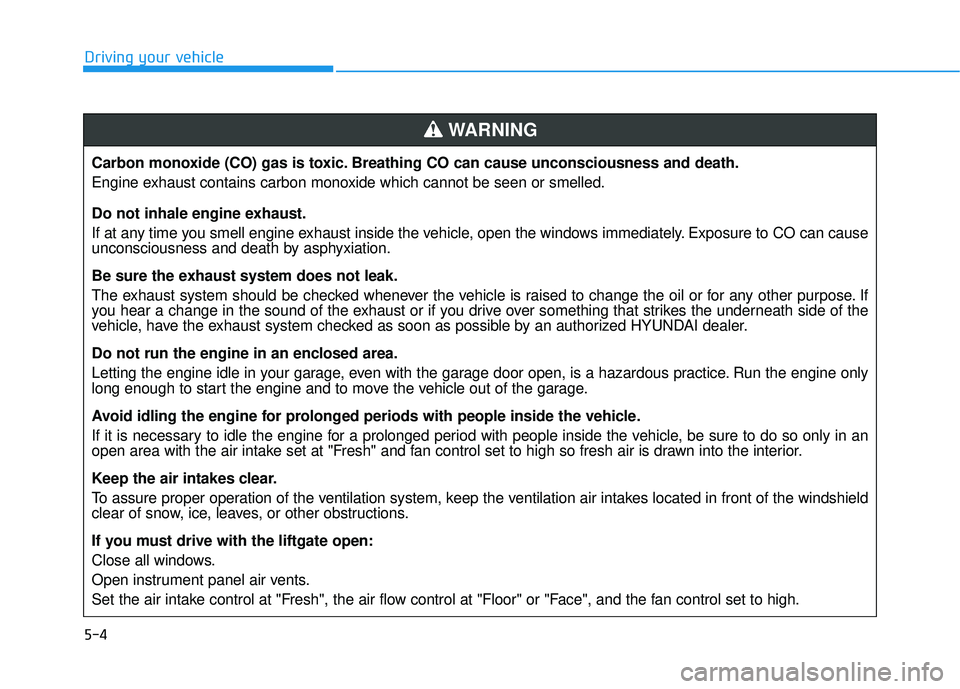
Driving your vehicleCarbon monoxide (CO) gas is toxic. Breathing CO can cause unconsciousness and death.
Engine exhaust contains carbon monoxide which cannot be seen or smelled.
Do not inhale engine exhaust.
If at any time you smell engine exhaust inside the vehicle, open the windows immediately. Exposure to CO can cause
unconsciousness and death by asphyxiation.
Be sure the exhaust system does not leak.
The exhaust system should be checked whenever the vehicle is raised to change the oil or for any other purpose. If
you hear a change in the sound of the exhaust or if you drive over something that strikes the underneath side of the
vehicle, have the exhaust system checked as soon as possible by an authorized HYUNDAI dealer.
Do not run the engine in an enclosed area.
Letting the engine idle in your garage, even with the garage door open, is a hazardous practice. Run the engine only
long enough to start the engine and to move the vehicle out of the garage.
Avoid idling the engine for prolonged periods with people inside the vehicle.
If it is necessary to idle the engine for a prolonged period with people inside the vehicle, be sure to do so only in an
open area with the air intake set at "Fresh" and fan control set to high so fresh air is drawn into the interior.
Keep the air intakes clear.
To assure proper operation of the ventilation system, keep the ventilation air intakes located in front of the windshield
clear of snow, ice, leaves, or other obstructions.
If you must drive with the liftgate open:
Close all windows.
Open instrument panel air vents.
Set the air intake control at "Fresh", the air flow control at "Floor" or "Face", and the fan control set to high.
WARNING
Page 339 of 663
5-5
Driving your vehicle
5
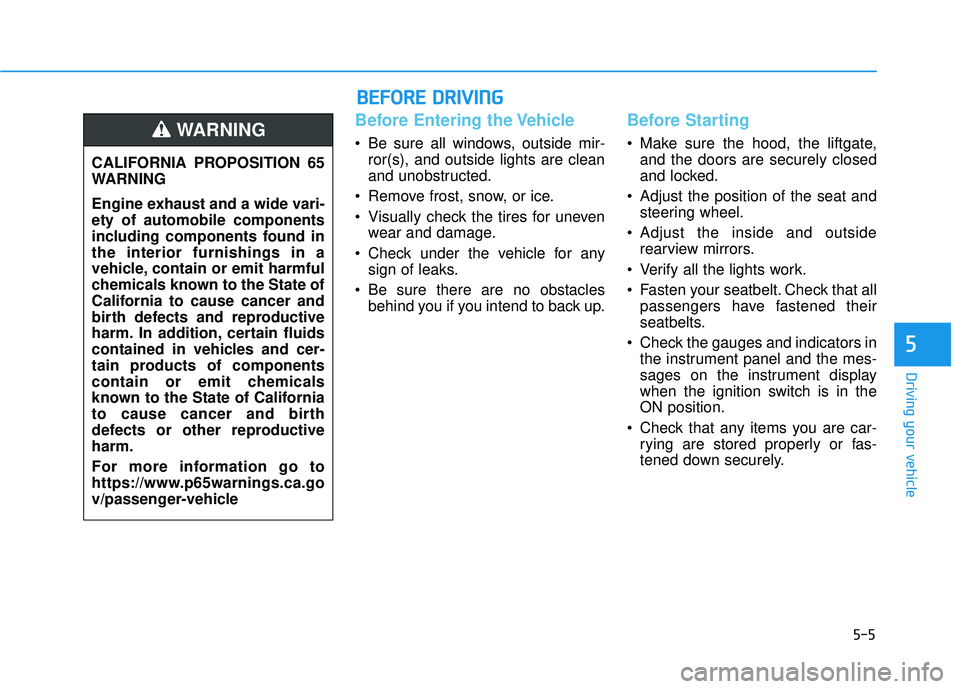
Before Entering the Vehicle
• Be sure all windows, outside mir-ror(s), and outside lights are clean
and unobstructed.
Remove frost, snow, or ice.
Visually check the tires for uneven wear and damage.
Check under the vehicle for any sign of leaks.
Be sure there are no obstacles behind you if you intend to back up.
Before Starting
Make sure the hood, the liftgate,and the doors are securely closed
and locked.
Adjust the position of the seat and steering wheel.
Adjust the inside and outside rearview mirrors.
Verify all the lights work.
Fasten your seatbelt. Check that all passengers have fastened their
seatbelts.
Check the gauges and indicators in the instrument panel and the mes-
sages on the instrument display
when the ignition switch is in the
ON position.
Check that any items you are car- rying are stored properly or fas-
tened down securely.
CALIFORNIA PROPOSITION 65
WARNING
Engine exhaust and a wide vari-
ety of automobile components
including components found in
the interior furnishings in a
vehicle, contain or emit harmful
chemicals known to the State of
California to cause cancer and
birth defects and reproductive
harm. In addition, certain fluids
contained in vehicles and cer-
tain products of components
contain or emit chemicals
known to the State of California
to cause cancer and birth
defects or other reproductive
harm.
For more information go to
https://www.p65warnings.ca.go
v/passenger-vehicleWARNING
B B
E EF FO O R RE E D D R RI IV V I IN N G G