navigation HYUNDAI PALISADE 2022 User Guide
[x] Cancel search | Manufacturer: HYUNDAI, Model Year: 2022, Model line: PALISADE, Model: HYUNDAI PALISADE 2022Pages: 663, PDF Size: 15.74 MB
Page 337 of 663
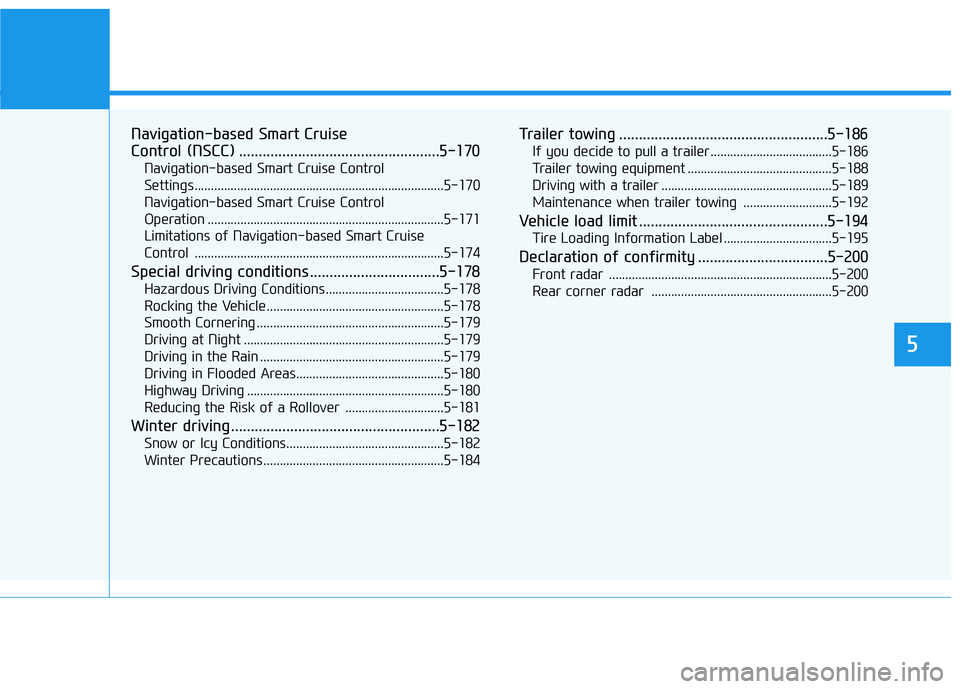
Navigation-based Smart Cruise
Control (NSCC) ...................................................5-170
Navigation-based Smart Cruise Control
Settings........................................................................\
....5-170
Navigation-based Smart Cruise Control
Operation ........................................................................\
5-171
Limitations of Navigation-based Smart Cruise
Control .....................................................................\
.......5-174
Special driving conditions .................................5-178
Hazardous Driving Conditions....................................5-178
Rocking the Vehicle ......................................................5-178
Smooth Cornering .........................................................5-179
Driving at Night .............................................................5-179
Driving in the Rain ........................................................5-179
Driving in Flooded Areas.............................................5-180
Highway Driving ............................................................5-180
Reducing the Risk of a Rollover ..............................5-181
Winter driving .....................................................5-182
Snow or Icy Conditions................................................5-182
Winter Precautions .......................................................5-184
Trailer towing .....................................................5-186
If you decide to pull a trailer .....................................5-186
Trailer towing equipment ............................................5-188
Driving with a trailer ....................................................5-189
Maintenance when trailer towing ...........................5-192
Vehicle load limit ................................................5-194
Tire Loading Information Label .................................5-195
Declaration of confirmity .................................5-200
Front radar ....................................................................5-20\
0
Rear corner radar .......................................................5-200
5
Page 388 of 663
5-54
Driving your vehicle
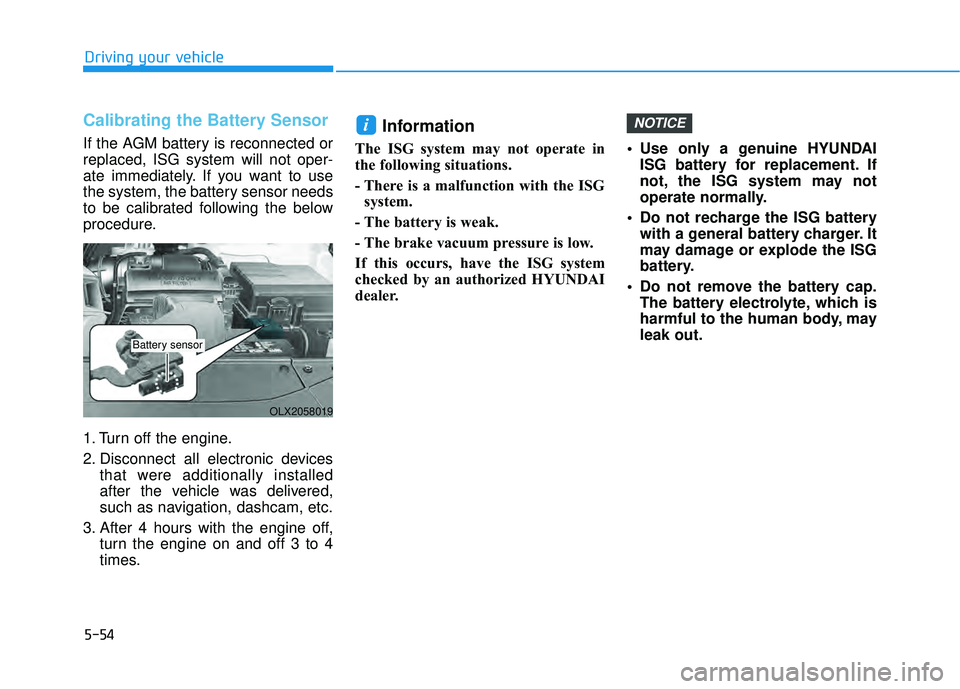
Calibrating the Battery Sensor
If the AGM battery is reconnected or
replaced, ISG system will not oper-
ate immediately. If you want to use
the system, the battery sensor needs
to be calibrated following the below
procedure.
1. Turn off the engine.
2. Disconnect all electronic devicesthat were additionally installed
after the vehicle was delivered,
such as navigation, dashcam, etc.
3. After 4 hours with the engine off, turn the engine on and off 3 to 4
times.
Information
The ISG system may not operate in
the following situations.
- There is a malfunction with the ISGsystem.
- The battery is weak.
- The brake vacuum pressure is low.
If this occurs, have the ISG system
checked by an authorized HYUNDAI
dealer. Use only a genuine HYUNDAI
ISG battery for replacement. If
not, the ISG system may not
operate normally.
Do not recharge the ISG battery with a general battery charger. It
may damage or explode the ISG
battery.
Do not remove the battery cap. The battery electrolyte, which is
harmful to the human body, may
leak out.
NOTICEi
OLX2058019
Battery sensor
Page 477 of 663
5-143
Driving your vehicle
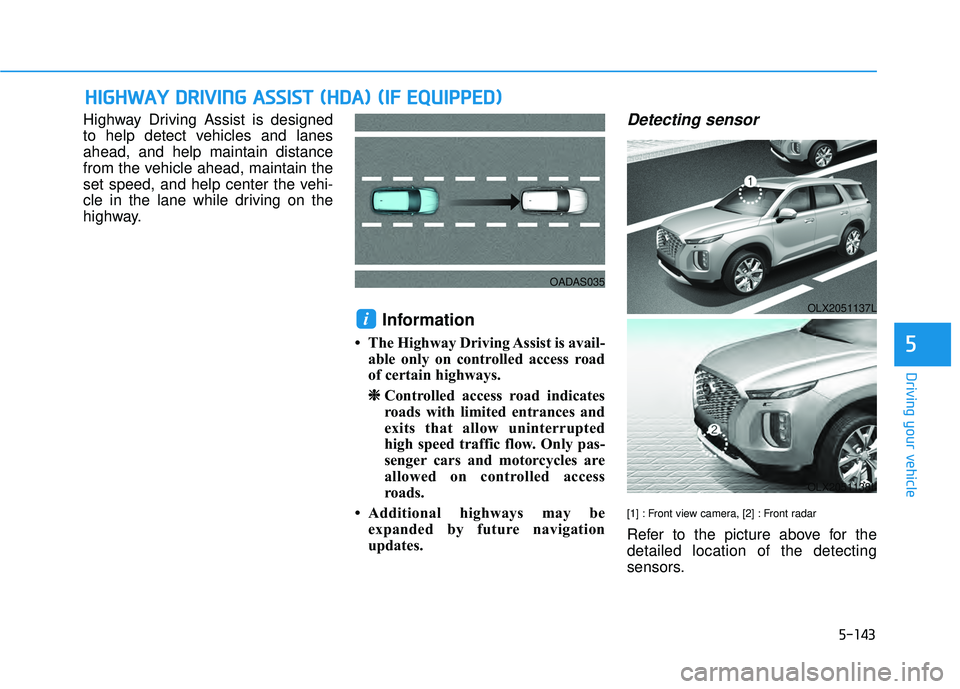
Highway Driving Assist is designed
to help detect vehicles and lanes
ahead, and help maintain distance
from the vehicle ahead, maintain the
set speed, and help center the vehi-
cle in the lane while driving on the
highway.
Information
• The Highway Driving Assist is avail-able only on controlled access road
of certain highways.
❈ ❈ Controlled access road indicates
roads with limited entrances and
exits that allow uninterrupted
high speed traffic flow. Only pas-
senger cars and motorcycles are
allowed on controlled access
roads.
• Additional highways may be expanded by future navigation
updates.
Detecting sensor
[1] : Front view camera, [2] : Front radar
Refer to the picture above for the
detailed location of the detecting
sensors.
i
H HI IG G H H W W A AY Y D D R RI IV V I IN N G G A A S SS SI IS S T T ( ( H H D DA A ) ) ( ( I IF F E E Q Q U UI IP P P PE ED D ) )
5
OADAS035
OLX2051137L
OLX2051138L
Page 482 of 663
5-148
Highway Driving Assist
Malfunction and Limitations
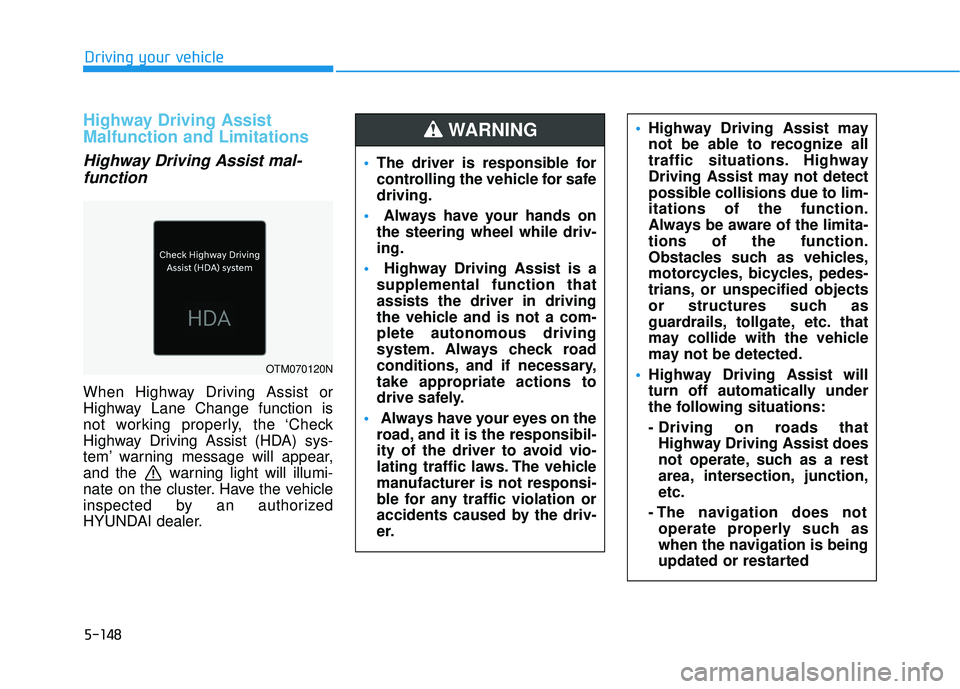
Highway Driving Assist mal-function
When Highway Driving Assist or
Highway Lane Change function is
not working properly, the ‘Check
Highway Driving Assist (HDA) sys-
tem’ warning message will appear,
and the warning light will illumi-
nate on the cluster. Have the vehicle
inspected by an authorized
HYUNDAI dealer.
Driving your vehicle
OTM070120N
The driver is responsible for
controlling the vehicle for safe
driving.
Always have your hands on
the steering wheel while driv-
ing.
Highway Driving Assist is a
supplemental function that
assists the driver in driving
the vehicle and is not a com-
plete autonomous driving
system. Always check road
conditions, and if necessary,
take appropriate actions to
drive safely.
Always have your eyes on the
road, and it is the responsibil-
ity of the driver to avoid vio-
lating traffic laws. The vehicle
manufacturer is not responsi-
ble for any traffic violation or
accidents caused by the driv-
er.
Highway Driving Assist may
not be able to recognize all
traffic situations. Highway
Driving Assist may not detect
possible collisions due to lim-
itations of the function.
Always be aware of the limita-
tions of the function.
Obstacles such as vehicles,
motorcycles, bicycles, pedes-
trians, or unspecified objects
or structures such as
guardrails, tollgate, etc. that
may collide with the vehicle
may not be detected.
Highway Driving Assist will
turn off automatically under
the following situations:
- Driving on roads that
Highway Driving Assist does
not operate, such as a rest
area, intersection, junction,
etc.
- The navigation does not operate properly such as
when the navigation is being
updated or restarted WARNING
Page 483 of 663
5-149
Driving your vehicle
Limitations of Highway DrivingAssist
Highway Driving Assist may not
operate normally, or may not operate
under the following circumstances:
The map information and the actu-
al road is different because the
navigation is not updated
The map information and the actu- al road is different because of real-
time GPS data or map information
error
The infotainment system is over- loaded by simultaneously perform-
ing functions such as route search,
video playback, voice recognition,
etc.
GPS signals are blocked in areas such as a tunnel
The driver goes off course or the route to the destination is changed
or canceled by resetting the navi-
gation
The vehicle enters a service sta- tion or rest area
Android Auto or Car Play is operat- ing
5
Highway Driving Assist may
inadvertently operate or turn
off depending on road condi-
tions (navigation information)
and surroundings.
Lane Following Assist func-
tion may be temporarily dis-
abled when the front view
camera cannot detect lanes
properly or the hands-off
warning is on.
You may not hear the warning
sound of Highway Driving
Assist if the surrounding is
noisy.
If the vehicle is driven at high
speed above a certain speed
at a curve, your vehicle may
drive to one side or may
depart from the driving lane.
When you are towing a trailer
or another vehicle, we recom-
mend that Highway Driving
Assist is turned off due to
safety reasons.The hands–off warning mes-
sage may appear early or late
depending on how the steer-
ing wheel is held or road con-
ditions. Always have your
hands on the steering wheel
while driving.
For your safety, please read
the owner's manual before
using the Highway Driving
Assist.
Highway Driving Assist will
not operate when the engine
is started, or when the detect-
ing sensors or navigation is
being initialized.
Page 484 of 663
5-150
The navigation cannot detect thecurrent vehicle position (ex: elevat-
ed roads including overpass adja-
cent to general roads or nearby
roads exist in a parallel way)
Information
For more details on the limitations of
the front view camera, front radar,
front corner radar and rear corner
radar, refer to “Forward Collision-
Avoidance Assist (FCA)” section in
chapter 5.
Information
This device complies with Part 15 of
the FCC rules.
Operation is subject to the following
three conditions:
1. This device may not cause harmful interference, and
2. This device must accept any inter- ference received, including interfer-
ence that may cause undesired
operation.
3. Changes or modifications not expressly approved by the party
responsible for compliance could
void the user's authority to operate
the device.
Information
Radio frequency radiation exposure
information:
This equipment complies with FCC
radiation exposure limits set forth for
an uncontrolled environment.
This equipment should be installed
and operated with minimum distance
of 8 in. (20 cm) between the radiator
(antenna) and your body.
This transmitter must not be co-locat-
ed or operating in conjunction with
any other antenna or transmitter.
ii
i
Driving your vehicle
Page 504 of 663
5-170
Navigation-based Smart Cruise
Control will help drive at a certain
speed according to the road condi-
tions when driving on highways (or
motorways) by using road informa-
tion from the navigation system while
Smart Cruise Control is operating.
Information
• Navigation-based Smart CruiseControl is available only on con-
trolled access road of certain high-
ways.
❈ ❈ Controlled access road indicates
roads with limited entrances and
exits that allow uninterrupted high
speed traffic flow. Only passenger
cars and motorcycles are allowed
on controlled access roads.
• Additional highways may be expand- ed by future navigation updates.
Information
Navigation-based Smart Cruise
Control operates on main roads of
highways (or motorways), and does
not operate on interchanges or junc-
tions. Highway Curve Zone Auto
Slowdown
If vehicle speed is high, Highway
Curve Zone Auto Slowdown function
will temporarily decelerate your vehi-
cle or limit acceleration to help you
drive safely on a curve based on the
curve information from the naviga-
tion.
Navigation-based Smart
Cruise Control Settings
Setting features
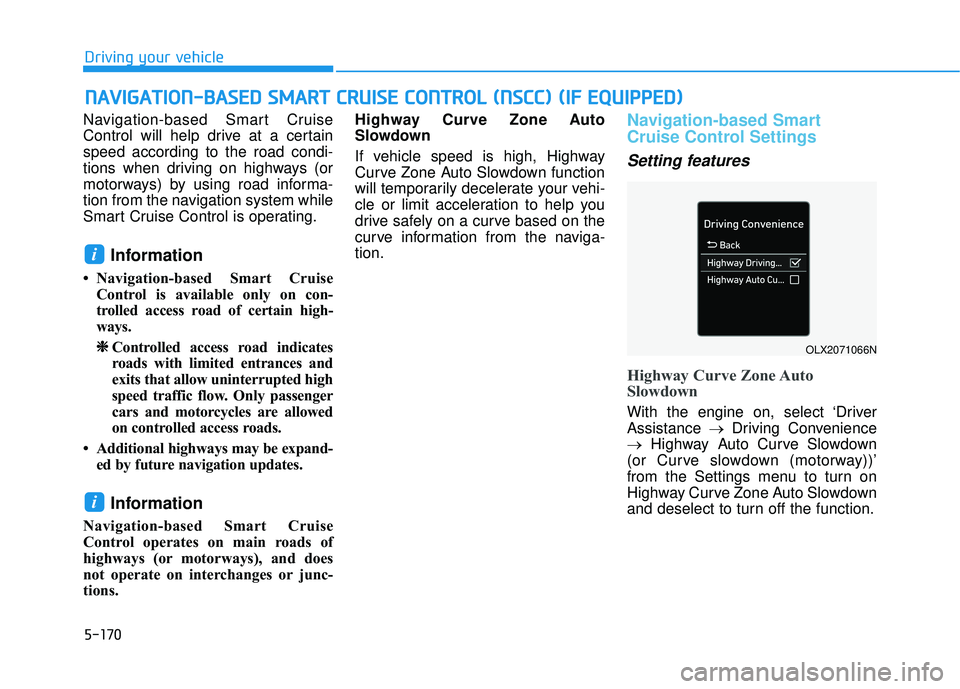
Highway Curve Zone Auto
Slowdown
With the engine on, select ‘Driver
Assistance
→Driving Convenience
→ Highway Auto Curve Slowdown
(or Curve slowdown (motorway))’
from the Settings menu to turn on
Highway Curve Zone Auto Slowdown
and deselect to turn off the function.
i
i
N N A AV VI IG G A AT TI IO O N N- -B B A A S SE E D D S S M M A AR RT T C C R R U U I IS S E E C C O O N NT TR R O O L L ( ( N N S SC C C C) ) ( ( I IF F E E Q Q U UI IP P P PE ED D ) )
Driving your vehicle
OLX2071066N
Page 505 of 663
5-171
Driving your vehicle
Information
When there is a problem with
Navigation-based Smart Cruise
Control, the function cannot be set
from the Settings menu.
Navigation-based Smart
Cruise Control Operation
Operating conditions
Navigation-based Smart Cruise
Control is ready to operate if all of
the following conditions are satisfied:
Smart Cruise Control is operating
Driving on main roads of highways(or motorways)
Information
For more details on how to operate
Smart Cruise Control, refer to “Smart
Cruise Control (SCC)” section in this
chapter.
Navigation-based Smart CruiseControl display and control
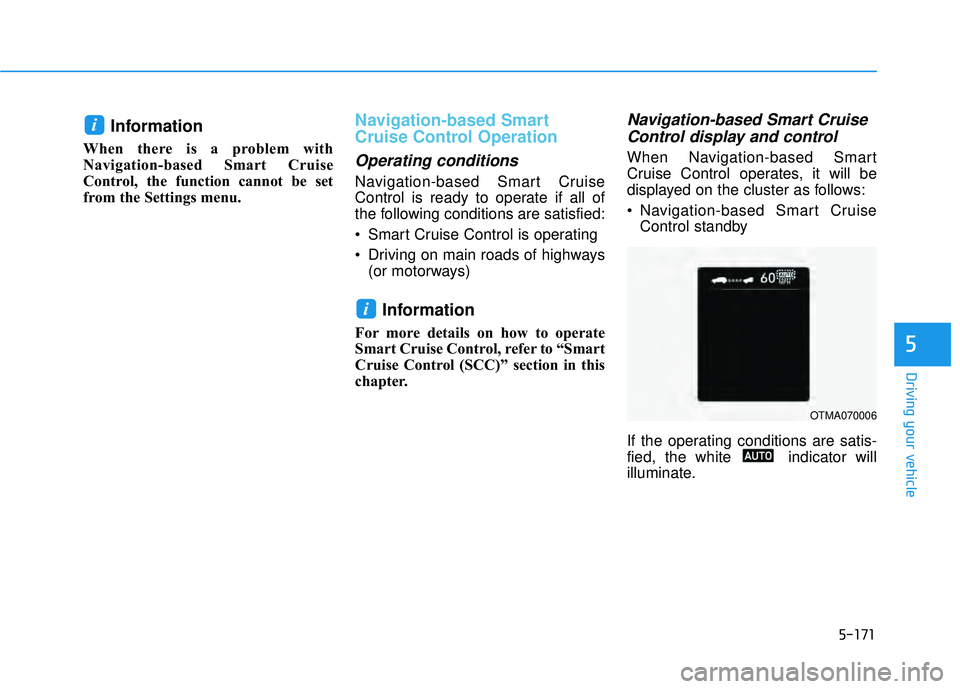
When Navigation-based Smart
Cruise Control operates, it will be
displayed on the cluster as follows:
Navigation-based Smart Cruise
Control standby
If the operating conditions are satis-
fied, the white indicator will
illuminate.
i
i
5
OTMA070006
Page 506 of 663
5-172
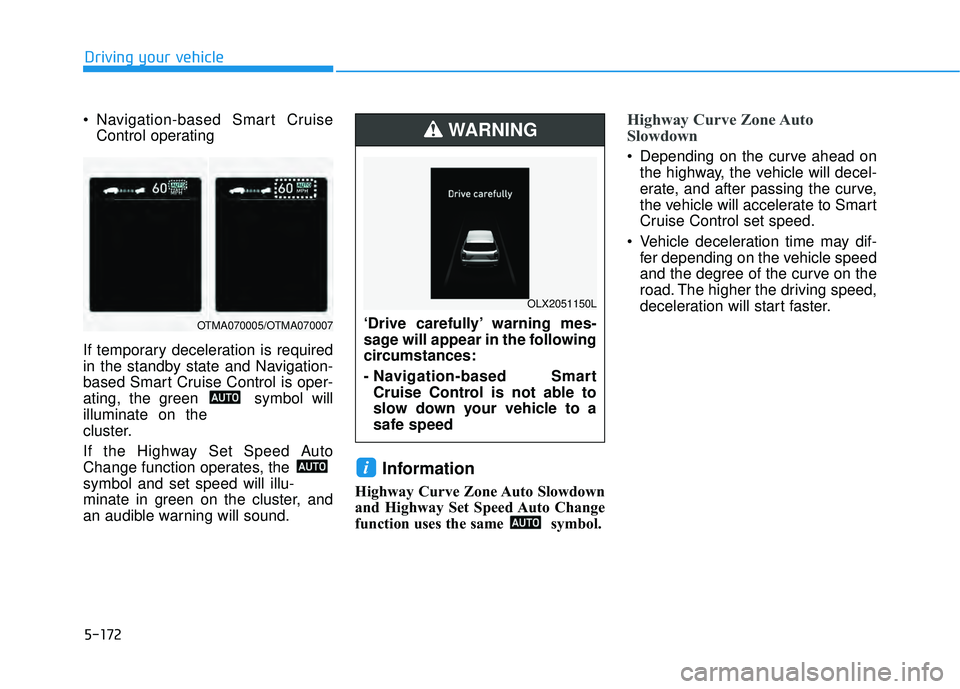
Navigation-based Smart CruiseControl operating
If temporary deceleration is required
in the standby state and Navigation-
based Smart Cruise Control is oper-
ating, the green symbol will
illuminate on the
cluster.
If the Highway Set Speed Auto
Change function operates, the
symbol and set speed will illu-
minate in green on the cluster, and
an audible warning will sound.
Information
Highway Curve Zone Auto Slowdown
and Highway Set Speed Auto Change
function uses the same symbol.
Highway Curve Zone Auto
Slowdown
Depending on the curve ahead on the highway, the vehicle will decel-
erate, and after passing the curve,
the vehicle will accelerate to Smart
Cruise Control set speed.
Vehicle deceleration time may dif- fer depending on the vehicle speed
and the degree of the curve on the
road. The higher the driving speed,
deceleration will start faster.
i
Driving your vehicle
OTMA070005/OTMA070007‘Drive carefully’ warning mes-
sage will appear in the following
circumstances:
- Navigation-based SmartCruise Control is not able to
slow down your vehicle to a
safe speed
WARNING
OLX2051150L
Page 507 of 663
5-173
Driving your vehicle
Highway Set Speed Auto Change
Highway Set Speed Auto Changefunction will operate when Smart
Cruise Control set speed and the
highway (or motorway) speed limit
is matched.
While Highway Set Speed Auto Change function is operating,
when the highway (or motorway)
speed limit changes, Smart Cruise
Control set speed automatically
changes to the changed speed
limit.
If Smart Cruise Control set speed is adjusted different from the speed
limit, Highway Set Speed Auto
Change function will be in the
standby state.
If Highway Set Speed Auto Change function has changed to
the standby state by driving on a
road other than the highway (or
motorway) main road, Highway Set
Speed Auto Change function will
operate again when you drive on
the main road again without setting
the set speed. If Highway Set Speed Auto
Change function has changed to
the standby state by depressing
the brake pedal or pressing the switch on the steering wheel,
press the switch to restart the
function.
Highway Set Speed Auto Change function does not operate on high-
way interchanges or junctions.Information
• Highway Set Speed Auto Changefunction only operates based on the
speed limits of the highway (or
motorway), it does not work with
speed cameras.
• When Highway Set Speed Auto Change function is operating, the
vehicle automatically accelerates or
decelerates when the highway (or
motorway) speed limit changes.
• The maximum set speed for Highway Set Speed Auto Change
function is 86 mph (140 km/h).
• If the speed limit of a new road is not updated in the navigation,
Highway Set Speed Auto Change
function may not operate properly.
• If the speed unit is set to a unit other than the speed unit used in your
country, Highway Set Speed Auto
Change function may not operate
properly.
i
5