trailer HYUNDAI PALISADE 2022 Owners Manual
[x] Cancel search | Manufacturer: HYUNDAI, Model Year: 2022, Model line: PALISADE, Model: HYUNDAI PALISADE 2022Pages: 663, PDF Size: 15.74 MB
Page 9 of 663
F9
Introduction
For customers who do not use TOP
Tier Detergent Gasoline regularly,
and have problems starting or the
engine does not run smoothly, deter-
gent-based fuel additives that you
can purchase separately may be
added to the gasoline. If TOP TIER
Detergent Gasoline is not available,
one bottle of additive added to the
fuel tank according to the mainte-
nance schedule is recommended
(refer to the Maintenance Schedule
in chapter 7).
Additives are available from your
authorized HYUNDAI dealer along
with information on how to use them.
Do not mix other additives.
Operation in foreign countries
If you are going to drive your vehicle
in another country, be sure to:
• Observe all regulations regarding registration and insurance.
Determine that acceptable fuel is available. This vehicle should not be modi-
fied. Modification of your vehicle
could affect its performance, safety
or durability and may even violate
governmental safety and emis-
sions regulations.
In addition, damage or perform-
ance problems resulting from any
modification may not be covered
under warranty.
If you use unauthorized electronic devices, it may cause the vehicle to
operate abnormally, wire damage,
battery discharge and fire. For your
safety, do not use unauthorized
electronic devices. By following a few simple precautions
for the first 600 miles (1,000 km) you
may add to the performance, econo-
my and life of your vehicle.
Do not race the engine.
While driving, keep your engine
speed (rpm, or revolutions per
minute) between 2,000 rpm and
4,000 rpm.
Do not maintain a single speed for long periods of time, either fast or
slow. Varying engine speed is need-
ed to properly break-in the engine.
Avoid hard stops, except in emer- gencies, to allow the brakes to seat
properly. Do not tow a trailer during
the first 1,200 miles (2,000 km) of
operation.
Do not tow a trailer during the first 1,200 miles (2,000 km) of opera-
tion.
Fuel economy and engine perform- ance, engine oil consumption may
vary depending on vehicle break-in
process and be stabilized after
driving about 4,000 miles. New
engines may consume more oil
during the vehicle break-in period.
V VE EH H I IC C L LE E B B R RE EA A K K- -I IN N P P R R O O C CE E S SS S
V V E EH H I IC C L LE E M M O OD DI IF F I IC C A A T TI IO O N NS S
Page 124 of 663
3-28
Safe Exit Assist disabled
When the rear bumper around the
rear corner radar or sensor is cov-
ered with foreign material, such as
snow or rain, or installing a trailer or
carrier, it can reduce the detecting
performance and temporarily limit or
disable Safe Exit Assist.
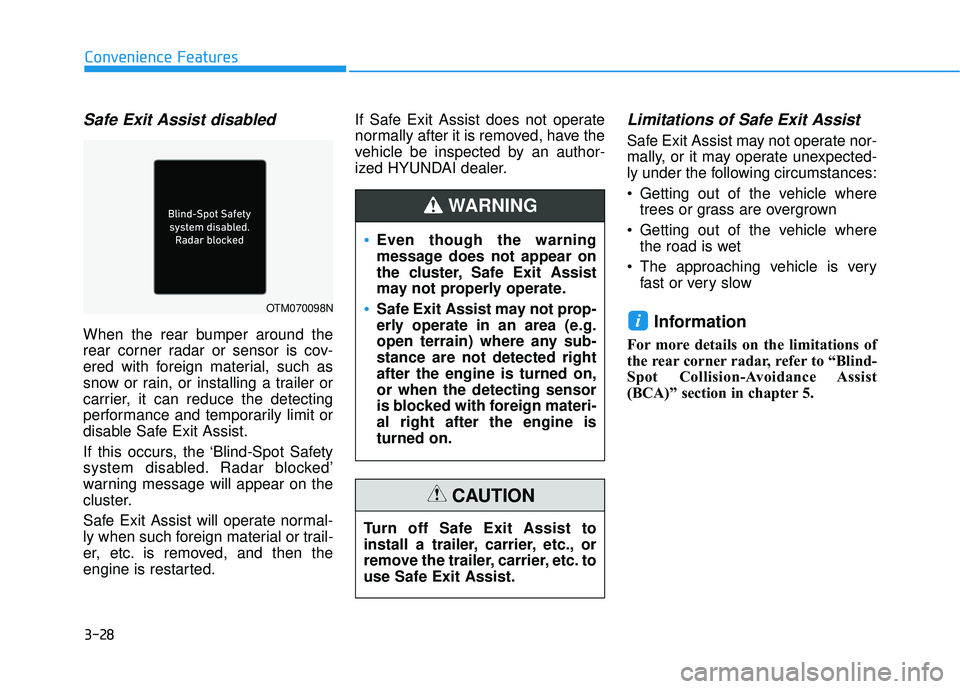
If this occurs, the ‘Blind-Spot Safety
system disabled. Radar blocked’
warning message will appear on the
cluster.
Safe Exit Assist will operate normal-
ly when such foreign material or trail-
er, etc. is removed, and then the
engine is restarted.If Safe Exit Assist does not operate
normally after it is removed, have the
vehicle be inspected by an author-
ized HYUNDAI dealer.
Limitations of Safe Exit Assist
Safe Exit Assist may not operate nor-
mally, or it may operate unexpected-
ly under the following circumstances:
Getting out of the vehicle where
trees or grass are overgrown
Getting out of the vehicle where the road is wet
The approaching vehicle is very fast or very slow
Information
For more details on the limitations of
the rear corner radar, refer to “Blind-
Spot Collision-Avoidance Assist
(BCA)” section in chapter 5.
i
Convenience Features
OTM070098N
Even though the warning
message does not appear on
the cluster, Safe Exit Assist
may not properly operate.
Safe Exit Assist may not prop-
erly operate in an area (e.g.
open terrain) where any sub-
stance are not detected right
after the engine is turned on,
or when the detecting sensor
is blocked with foreign materi-
al right after the engine is
turned on.
WARNING
Turn off Safe Exit Assist to
install a trailer, carrier, etc., or
remove the trailer, carrier, etc. to
use Safe Exit Assist.
CAUTION
Page 335 of 663
Driving your vehicle
5
Before driving.........................................................5-5
Before Entering the Vehicle ...........................................5-5
Before Starting ..................................................................5-5
Ignition switch ........................................................5-7
Key Ignition Switch ...........................................................5-7
Engine Start/Stop Button .............................................5-10
Automatic transmission .......................................5-15
Automatic transmission operation .............................5-15
Parking ........................................................................\
.......5-18
LCD display message ......................................................5-19
Good driving practices ..................................................5-20
Paddle Shifter (Manual Shift Mode) ..........................5-22
Braking system ...................................................5-23
Power Brakes ...................................................................5-23
Disc Brakes Wear Indicator ..........................................5-24
Electronic Parking Brake (EPB)...................................5-24
Auto Hold ........................................................................\
..5-29
Anti-lock Brake System (ABS) ....................................5-33
Electronic Stability Control (ESC)................................5-35
Vehicle Stability Management (VSM).........................5-38
Hill-Start Assist Control (HAC) ....................................5-39
Downhill Brake Control (DBC) .....................................5-39
Trailer Stability Assist (TSA) .........................................5-42
Good Braking Practices ................................................5-42
All Wheel Drive (AWD) ........................................5-43
AWD Operation ................................................................5-44
LCD display message ......................................................5-47
Emergency Precautions.................................................5-48
ISG (Idle Stop and Go) system ...........................5-50
To Activate the ISG System ..........................................5-50
To Deactivate the ISG System ....................................5-53
ISG System Malfunction ................................................5-53
Calibrating the Battery Sensor ....................................5-54
Drive Mode Integrated Control
System (2WD) .......................................................5-55
Drive Mode .......................................................................5\
-55
Drive mode integrated control system (AWD) ..5-59
Drive Mode .......................................................................5\
-59
Forward collision-avoidance assist (FCA)
(Sensor Fusion) ....................................................5-63
Forward Collision-Avoidance Assist settings ...........5-64
Forward Collision-Avoidance Assist operation ......5-66
Forward Collision-Avoidance Assist malfunction
and limitations ..................................................................5-70
Lane Keeping Assist (LKA) ................................5-78
Lane Keeping Assist settings ......................................5-78
Lane Keeping Assist operation ....................................5-80
Lane Keeping Assist malfunction and limitations ...5-82
Page 337 of 663
Navigation-based Smart Cruise
Control (NSCC) ...................................................5-170
Navigation-based Smart Cruise Control
Settings........................................................................\
....5-170
Navigation-based Smart Cruise Control
Operation ........................................................................\
5-171
Limitations of Navigation-based Smart Cruise
Control .....................................................................\
.......5-174
Special driving conditions .................................5-178
Hazardous Driving Conditions....................................5-178
Rocking the Vehicle ......................................................5-178
Smooth Cornering .........................................................5-179
Driving at Night .............................................................5-179
Driving in the Rain ........................................................5-179
Driving in Flooded Areas.............................................5-180
Highway Driving ............................................................5-180
Reducing the Risk of a Rollover ..............................5-181
Winter driving .....................................................5-182
Snow or Icy Conditions................................................5-182
Winter Precautions .......................................................5-184
Trailer towing .....................................................5-186
If you decide to pull a trailer .....................................5-186
Trailer towing equipment ............................................5-188
Driving with a trailer ....................................................5-189
Maintenance when trailer towing ...........................5-192
Vehicle load limit ................................................5-194
Tire Loading Information Label .................................5-195
Declaration of confirmity .................................5-200
Front radar ....................................................................5-20\
0
Rear corner radar .......................................................5-200
5
Page 376 of 663
5-42
Driving your vehicle
Trailer Stability Assist (TSA)
Trailer Stability Assist system helps
stabilize the vehicle and trailer when
the trailer sways or oscillates. There
are various reasons making the vehi-
cle sway and oscillate.
Factors of swaying are such as:
- High speed
- Strong crosswinds
- Improper overloading
- Sudden controlling of steeringwheel
- Uneven road
Trailer Stability Assist system contin-
uously analyzes the vehicle and trail-
er instability. When the Trailer
Stability Assist system detects some
sway, the brakes are applied auto-
matically to stabilize the vehicle on
the front wheel. However, if it is not
enough to stabilize, the brakes are
applied on all wheels automatically
and engine power is properly
reduced. When the vehicle is stable
from swaying, trailer stability assist
system does not operate.
Good Braking Practices
Wet brakes can be dangerous! The
brakes may get wet if the vehicle is
driven through standing water or if it
is washed. Your vehicle will not stop
as quickly if the brakes are wet. Wet
brakes may cause the vehicle to pull
to one side. To dry the brakes, apply the brakes
lightly until the braking action returns
to normal, taking care to keep the
vehicle under control at all times. If
the braking action does not return to
normal, stop as soon as it is safe to
do so and call an authorized
HYUNDAI dealer for assistance.
DO NOT drive with your foot resting
on the brake pedal. Even light, but
constant pedal pressure can result in
the brakes overheating, brake wear,
and possibly even brake failure.
If a tire goes flat while you are driv-
ing, apply the brakes gently and
keep the vehicle pointed straight
ahead while you slow down. When
you are moving slowly enough for it
to be safe to do so, pull off the road
and stop in a safe location.
Keep your foot firmly on the brake
pedal when the vehicle is stopped to
prevent the vehicle from rolling for-
ward.
Whenever leaving the vehicle or
parking, always come to a com-
plete stop and continue to
depress the brake pedal. Shift
the gear to P (Park), then apply
the parking brake, and place the
ignition switch in the LOCK/OFF
position.
Vehicles parked with the park-
ing brake not applied or not
fully engaged may roll inadver-
tently and may cause injury to
the driver and others. ALWAYS
apply the parking brake before
exiting the vehicle.
WARNING
Page 405 of 663
5-71
Driving your vehicle
5
Limitations of the ForwardCollision-Avoidance Assist
Forward Collision-Avoidance Assist
may not operate normally, or the
function may operate unexpectedly
under the following circumstances:
The detecting sensor or the sur-
roundings are contaminated or
damaged
The temperature around the front view camera is high or low
The camera lens is contaminated due to tinted, filmed or coated
windscreen, damaged glass, or
stuck of foreign material (sticker,
bug, etc.) on the glass
Moisture is not removed or frozen on the windscreen
Washer fluid is continuously sprayed, or the wiper is on
Driving in heavy rain or snow, or thick fog
The field of view of the front view camera is obstructed by sun glare Street light or light from an oncom-
ing vehicle is reflected on the wet
road surface, such as a puddle on
the road
An object is placed on the instru- ment panel
Your vehicle is being towed
The surroundings are very bright
The surroundings are very dark, such as in a tunnel, etc.
The brightness changes suddenly, for example when entering or exit-
ing a tunnel
The brightness outside is low, and the headlamps are not on or are
not bright
Driving through steam, smoke or shadow
Only part of the vehicle, pedestrian or cyclist is detected
The vehicle in front is a bus, heavy truck, truck with a unusually
shaped luggage, trailer, etc. The vehicle in front has no tail
lights, tail lights are located unusu-
ally, etc.
The brightness outside is low, and the tail lamps are not on or are not
bright
The rear of the front vehicle is small or the vehicle does not look
normal, such as when the vehicle
is tilted, overturned, or the side of
the vehicle is visible, etc.
The front vehicle's ground clear- ance is low or high
A vehicle, pedestrian or cyclist suddenly cuts in front
The bumper around the front radar is impacted, damaged or the front
radar is out of position
The temperature around the front radar is high or low
Driving through a tunnel or iron bridge
Driving in large areas where there are few vehicles or structures (for
example, desert, meadow, suburb,
etc.)
Page 411 of 663
5-77
Driving your vehicle
Information
This device complies with Part 15 of
the FCC rules.
Operation is subject to the following
three conditions:
1. This device may not cause harmfulinterference, and
2. This device must accept any inter- ference received, including interfer-
ence that may cause undesired
operation.
3. Changes or modifications not expressly approved by the party
responsible for compliance could
void the user's authority to operate
the device.
Information
Radio frequency radiation exposure
information:
This equipment complies with FCC
radiation exposure limits set forth for
an uncontrolled environment.
This equipment should be installed
and operated with minimum distance
of 8 in. (20 cm) between the radiator
(antenna) and your body.
This transmitter must not be co-locat-
ed or operating in conjunction with
any other antenna or transmitter.
ii
5
When you are towing a trailer
or another vehicle, we recom-
mend that Forward Collision-
Avoidance Assist is turned off
for safety reasons.
Forward Collision-Avoidance
Assist may operate if objects
that are similar in shape or
characteristics to vehicles,
pedestrians and cyclists are
detected.
Forward Collision-Avoidance
Assist does not operate for
bicycles, motorcycles, or
smaller wheeled objects, such
as luggage bags, shopping
carts, or strollers.
Forward Collision-Avoidance
Assist may not operate nor-
mally if interfered by strong
electromagnetic waves.
Forward Collision-Avoidance
Assist may not operate for 15
seconds after the vehicle is
started, or the front view cam-
era is initialized.
WARNING
Page 417 of 663
5-83
Driving your vehicle
5
The lane number increases ordecreases, or the lane markings
(or road edges) are crossing
There are more than two lane markings (or road edges) on the
road
The lane markings (or road edges) are complicated or a structure sub-
stitutes for the lines, such as a con-
struction area
There are road markings, such as zigzag lanes, crosswalk markings
and road signs
The lane suddenly disappears, such as at the intersection
The lane (or road width) is very wide or narrow
There is a road edge without a lane
There is a boundary structure in the roadway, such as a tollgate,
sidewalk, curb, etc.
The distance to the front vehicle is extremely short or the vehicle in
front is covering the lane marking
(or road edge)Information
For more details on the limitations of
the front view camera, refer to
“Forward Collision-Avoidance Assist
(FCA)” section in this chapter.
i
Take the following precautions
when using Lane Keeping
Assist:
The driver should hold the
responsibility to safely drive
and control the vehicle. Do
not solely rely on Lane
Keeping Assist and drive dan-
gerously.
The operation of Lane
Keeping Assist can be can-
celled or not work properly
depending on road conditions
and surroundings. Always be
cautious while driving.
Refer to “Limitations of Lane
Keeping Assist” if the lane is
not detected properly.
WARNING
When you are towing a trailer
or another vehicle, we recom-
mend that Lane Keeping
Assist is turned off due to
safety reasons.
If the vehicle is driven at high
speed, the steering wheel will
not be controlled. The driver
must always follow the speed
limit when using Lane
Keeping Assist.
If any other system’s warning
message is displayed or audi-
ble warning is generated,
Lane Keeping Assist warning
message may not be dis-
played and audible warning
may not be generated.
You may not hear the warning
sound of Lane Keeping Assist
if the surrounding is noisy.
If you attach objects to the
steering wheel, steering may
not be assisted properly.
Page 420 of 663
5-86
Driving your vehicle
Blind-Spot Collision Warning
settings settings
Setting features
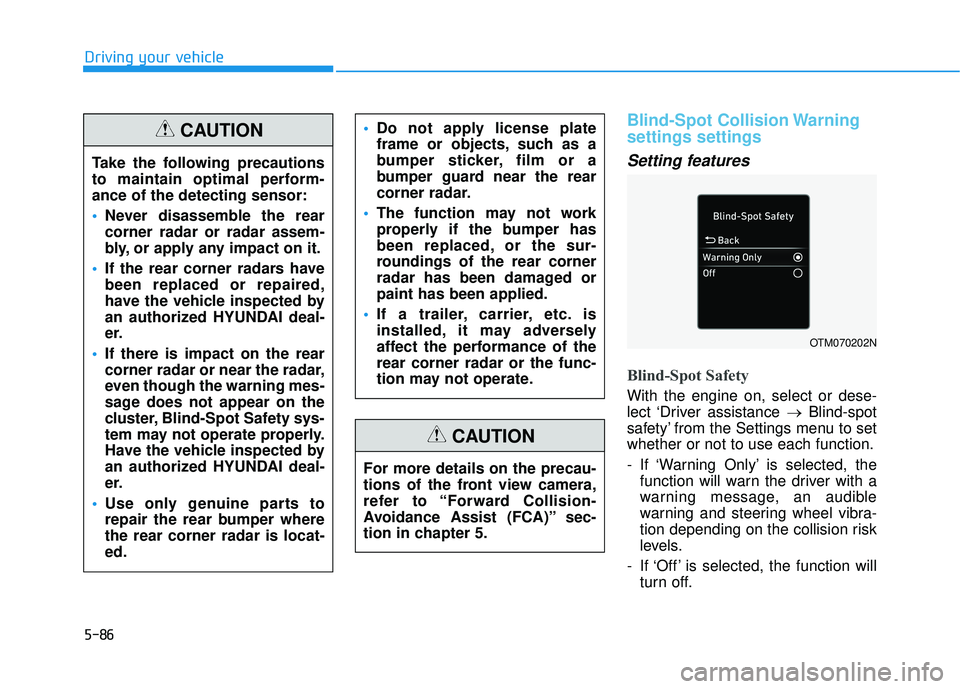
Blind-Spot Safety
With the engine on, select or dese-
lect ‘Driver assistance →Blind-spot
safety’ from the Settings menu to set
whether or not to use each function.
- If ‘Warning Only’ is selected, the function will warn the driver with a
warning message, an audible
warning and steering wheel vibra-
tion depending on the collision risk
levels.
- If ‘Off’ is selected, the function will turn off.
OTM070202N
Take the following precautions
to maintain optimal perform-
ance of the detecting sensor:
Never disassemble the rear
corner radar or radar assem-
bly, or apply any impact on it.
If the rear corner radars have
been replaced or repaired,
have the vehicle inspected by
an authorized HYUNDAI deal-
er.
If there is impact on the rear
corner radar or near the radar,
even though the warning mes-
sage does not appear on the
cluster, Blind-Spot Safety sys-
tem may not operate properly.
Have the vehicle inspected by
an authorized HYUNDAI deal-
er.
Use only genuine parts to
repair the rear bumper where
the rear corner radar is locat-
ed.
Do not apply license plate
frame or objects, such as a
bumper sticker, film or a
bumper guard near the rear
corner radar.
The function may not work
properly if the bumper has
been replaced, or the sur-
roundings of the rear corner
radar has been damaged or
paint has been applied.
If a trailer, carrier, etc. is
installed, it may adversely
affect the performance of the
rear corner radar or the func-
tion may not operate.CAUTION
For more details on the precau-
tions of the front view camera,
refer to “Forward Collision-
Avoidance Assist (FCA)” sec-
tion in chapter 5.
CAUTION
Page 425 of 663
5-91
Driving your vehicle
5
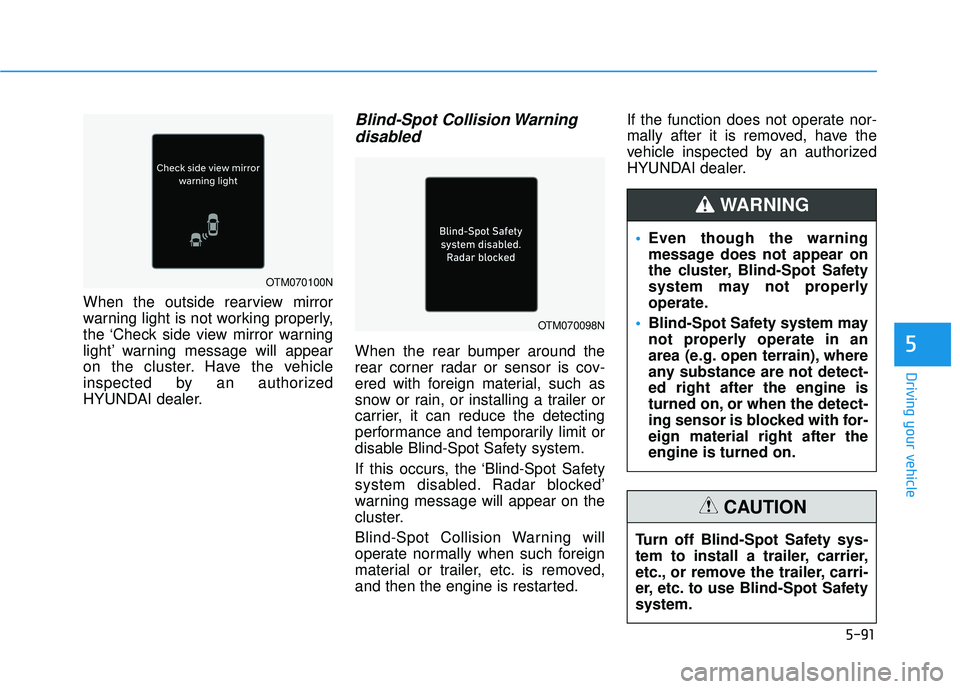
When the outside rearview mirror
warning light is not working properly,
the ‘Check side view mirror warning
light’ warning message will appear
on the cluster. Have the vehicle
inspected by an authorized
HYUNDAI dealer.
Blind-Spot Collision Warningdisabled
When the rear bumper around the
rear corner radar or sensor is cov-
ered with foreign material, such as
snow or rain, or installing a trailer or
carrier, it can reduce the detecting
performance and temporarily limit or
disable Blind-Spot Safety system.
If this occurs, the ‘Blind-Spot Safety
system disabled. Radar blocked’
warning message will appear on the
cluster.
Blind-Spot Collision Warning will
operate normally when such foreign
material or trailer, etc. is removed,
and then the engine is restarted. If the function does not operate nor-
mally after it is removed, have the
vehicle inspected by an authorized
HYUNDAI dealer.
OTM070098N
OTM070100N
Even though the warning
message does not appear on
the cluster, Blind-Spot Safety
system may not properly
operate.
Blind-Spot Safety system may
not properly operate in an
area (e.g. open terrain), where
any substance are not detect-
ed right after the engine is
turned on, or when the detect-
ing sensor is blocked with for-
eign material right after the
engine is turned on.
WARNING
Turn off Blind-Spot Safety sys-
tem to install a trailer, carrier,
etc., or remove the trailer, carri-
er, etc. to use Blind-Spot Safety
system.
CAUTION