power Hyundai Santa Fe 2003 Owner's Manual
[x] Cancel search | Manufacturer: HYUNDAI, Model Year: 2003, Model line: Santa Fe, Model: Hyundai Santa Fe 2003Pages: 221, PDF Size: 15.98 MB
Page 4 of 221
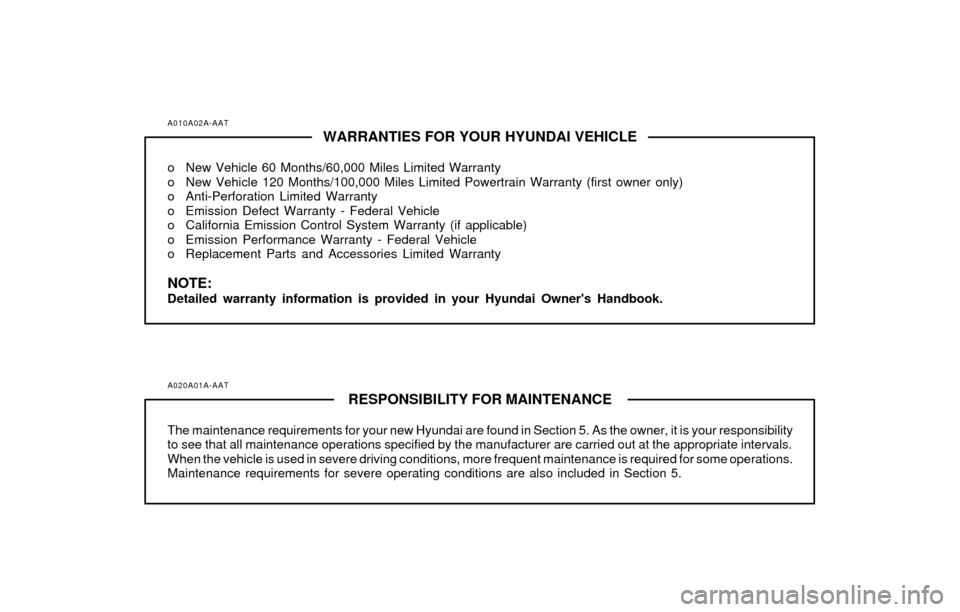
A010A02A-AATWARRANTIES FOR YOUR HYUNDAI VEHICLE
o New Vehicle 60 Months/60,000 Miles Limited Warranty
o New Vehicle 120 Months/100,000 Miles Limited Powertrain Warranty (first owner only)
o Anti-Perforation Limited Warranty
o Emission Defect Warranty - Federal Vehicle
o California Emission Control System Warranty (if applicable)
o Emission Performance Warranty - Federal Vehicle
o Replacement Parts and Accessories Limited Warranty
NOTE:Detailed warranty information is provided in your Hyundai Owner's Handbook.
A020A01A-AAT
RESPONSIBILITY FOR MAINTENANCE
The maintenance requirements for your new Hyundai are found in Section 5. As the owner, it is your responsibility
to see that all maintenance operations specified by the manufacturer are carried out at the appropriate intervals.
When the vehicle is used in severe driving conditions, more frequent maintenance is required for some operations.
Maintenance requirements for severe operating conditions are also included in Section 5.
Page 11 of 221
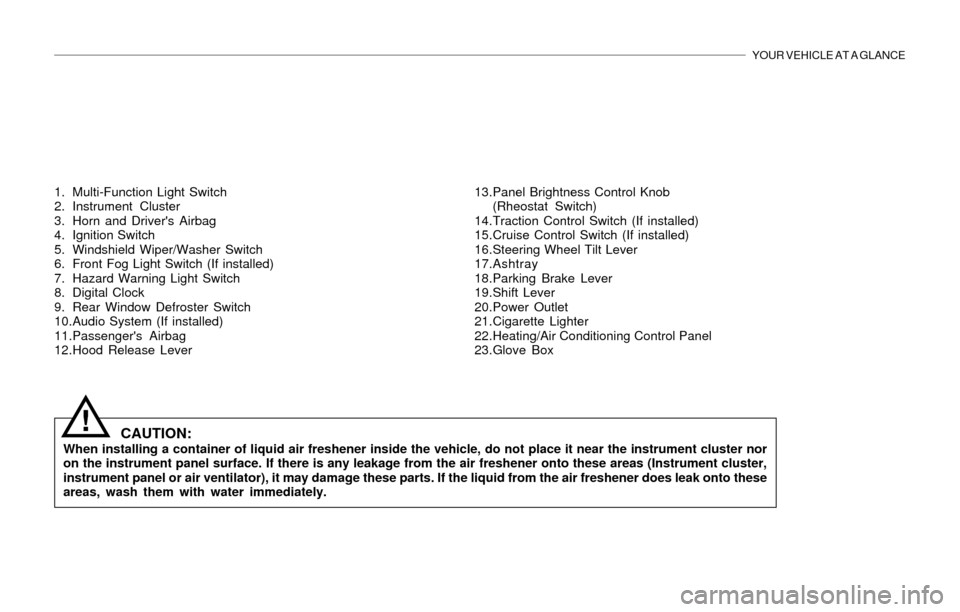
YOUR VEHICLE AT A GLANCE
1. Multi-Function Light Switch
2. Instrument Cluster
3. Horn and Driver's Airbag
4. Ignition Switch
5. Windshield Wiper/Washer Switch
6. Front Fog Light Switch (If installed)
7. Hazard Warning Light Switch
8. Digital Clock
9. Rear Window Defroster Switch
10.Audio System (If installed)
11.Passenger's Airbag
12.Hood Release Lever13.Panel Brightness Control Knob
(Rheostat Switch)
14.Traction Control Switch (If installed)
15.Cruise Control Switch (If installed)
16.Steering Wheel Tilt Lever
17.Ashtray
18.Parking Brake Lever
19.Shift Lever
20.Power Outlet
21.Cigarette Lighter
22.Heating/Air Conditioning Control Panel
23.Glove Box
CAUTION:When installing a container of liquid air freshener inside the vehicle, do not place it near the instrument cluster nor
on the instrument panel surface. If there is any leakage from the air freshener onto these areas (Instrument cluster,
instrument panel or air ventilator), it may damage these parts. If the liquid from the air freshener does leak onto these
areas, wash them with water immediately.
!
Page 13 of 221
1. FEATURES OF YOUR HYUNDAI
Fuel Recommendations ................................................................... 1-2
Breaking in Your New Hyundai ........................................................ 1-3
Key ................................................................................................... 1-3
Door Locks (Theft-Alarm System) ................................................... 1-4
Power Windows ............................................................................. 1-10
Seat ................................................................................................ 1-10
Seat Belt ......................................................................................... 1-17
Child Restraint System .................................................................. 1-23
Supplemental Restraint (AIRBAG) system .................................... 1-29
Instrument Cluster and Indicator Lights ......................................... 1-36
Warning Light and Indicator Lights ................................................. 1-37
Multi-Function Light Switch ............................................................ 1-43
Windshield Wiper/Washer Switch .................................................. 1-44
Sunroof ........................................................................................... 1-50
Homelink Mirror .............................................................................. 1-56
Hood Release ................................................................................ 1-63
Cruise Control ................................................................................ 1-66
Heating and Cooling Control .......................................................... 1-69
Stereo Sound System .................................................................... 1-84
Audio System ................................................................................. 1-86
Antenna ........................................................................................ 1-1111
Page 22 of 221
1- 10 FEATURES OF YOUR HYUNDAI
!
!
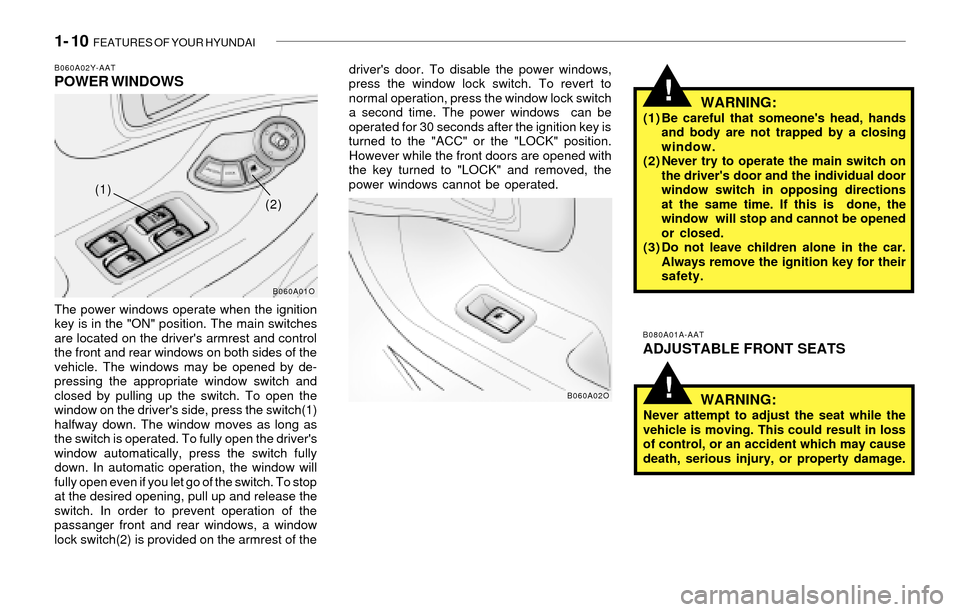
B060A02Y-AATPOWER WINDOWS
The power windows operate when the ignition
key is in the "ON" position. The main switches
are located on the driver's armrest and control
the front and rear windows on both sides of the
vehicle. The windows may be opened by de-
pressing the appropriate window switch and
closed by pulling up the switch. To open the
window on the driver's side, press the switch(1)
halfway down. The window moves as long as
the switch is operated. To fully open the driver's
window automatically, press the switch fully
down. In automatic operation, the window will
fully open even if you let go of the switch. To stop
at the desired opening, pull up and release the
switch. In order to prevent operation of the
passanger front and rear windows, a window
lock switch(2) is provided on the armrest of thedriver's door. To disable the power windows,
press the window lock switch. To revert to
normal operation, press the window lock switch
a second time. The power windows can be
operated for 30 seconds after the ignition key is
turned to the "ACC" or the "LOCK" position.
However while the front doors are opened with
the key turned to "LOCK" and removed, the
power windows cannot be operated.
WARNING:(1) Be careful that someone's head, hands
and body are not trapped by a closing
window.
(2) Never try to operate the main switch on
the driver's door and the individual door
window switch in opposing directions
at the same time. If this is done, the
window will stop and cannot be opened
or closed.
(3) Do not leave children alone in the car.
Always remove the ignition key for their
safety.
B080A01A-AAT
ADJUSTABLE FRONT SEATS
WARNING:
Never attempt to adjust the seat while the
vehicle is moving. This could result in loss
of control, or an accident which may cause
death, serious injury, or property damage.
B060A01O
B060A02O
(1)
(2)
Page 25 of 221
FEATURES OF YOUR HYUNDAI 1- 13
!
!
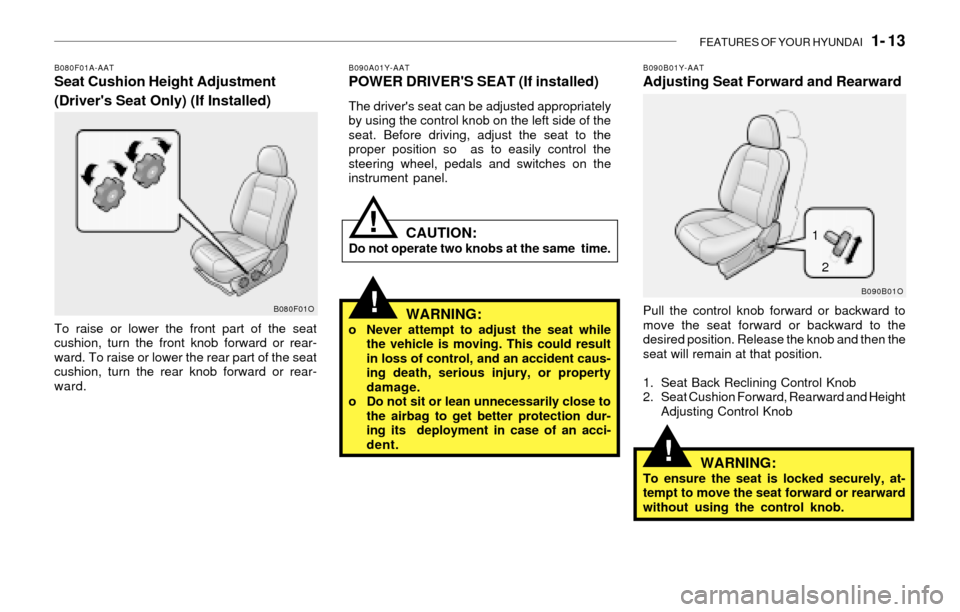
B080F01A-AATSeat Cushion Height Adjustment
(Driver's Seat Only) (If Installed)
To raise or lower the front part of the seat
cushion, turn the front knob forward or rear-
ward. To raise or lower the rear part of the seat
cushion, turn the rear knob forward or rear-
ward.
B080F01O
B090A01Y-AATPOWER DRIVER'S SEAT (If installed)
The driver's seat can be adjusted appropriately
by using the control knob on the left side of the
seat. Before driving, adjust the seat to the
proper position so as to easily control the
steering wheel, pedals and switches on the
instrument panel.
CAUTION:Do not operate two knobs at the same time.
WARNING:o Never attempt to adjust the seat while
the vehicle is moving. This could result
in loss of control, and an accident caus-
ing death, serious injury, or property
damage.
o Do not sit or lean unnecessarily close to
the airbag to get better protection dur-
ing its deployment in case of an acci-
dent.
B090B01Y-AATAdjusting Seat Forward and Rearward
Pull the control knob forward or backward to
move the seat forward or backward to the
desired position. Release the knob and then the
seat will remain at that position.
1. Seat Back Reclining Control Knob
2. Seat Cushion Forward, Rearward and Height
Adjusting Control Knob
WARNING:To ensure the seat is locked securely, at-
tempt to move the seat forward or rearward
without using the control knob.
B090B01O
!1
2
Page 60 of 221
1- 48 FEATURES OF YOUR HYUNDAI
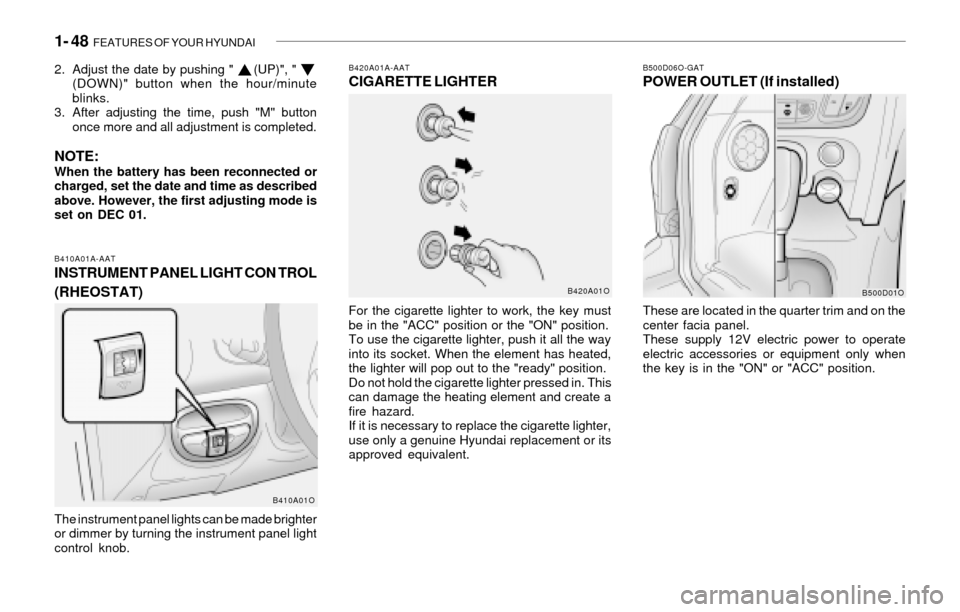
B420A01A-AATCIGARETTE LIGHTER
For the cigarette lighter to work, the key must
be in the "ACC" position or the "ON" position.
To use the cigarette lighter, push it all the way
into its socket. When the element has heated,
the lighter will pop out to the "ready" position.
Do not hold the cigarette lighter pressed in. This
can damage the heating element and create a
fire hazard.
If it is necessary to replace the cigarette lighter,
use only a genuine Hyundai replacement or its
approved equivalent.
B500D06O-GATPOWER OUTLET (If installed)
These are located in the quarter trim and on the
center facia panel.
These supply 12V electric power to operate
electric accessories or equipment only when
the key is in the "ON" or "ACC" position.
B420A01OB500D01O
2. Adjust the date by pushing " (UP)", "
(DOWN)" button when the hour/minute
blinks.
3. After adjusting the time, push "M" button
once more and all adjustment is completed.
NOTE:When the battery has been reconnected or
charged, set the date and time as described
above. However, the first adjusting mode is
set on DEC 01.
B410A01A-AATINSTRUMENT PANEL LIGHT CON TROL
(RHEOSTAT)
The instrument panel lights can be made brighter
or dimmer by turning the instrument panel light
control knob.
B410A01O
Page 97 of 221
FEATURES OF YOUR HYUNDAI 1- 85
!
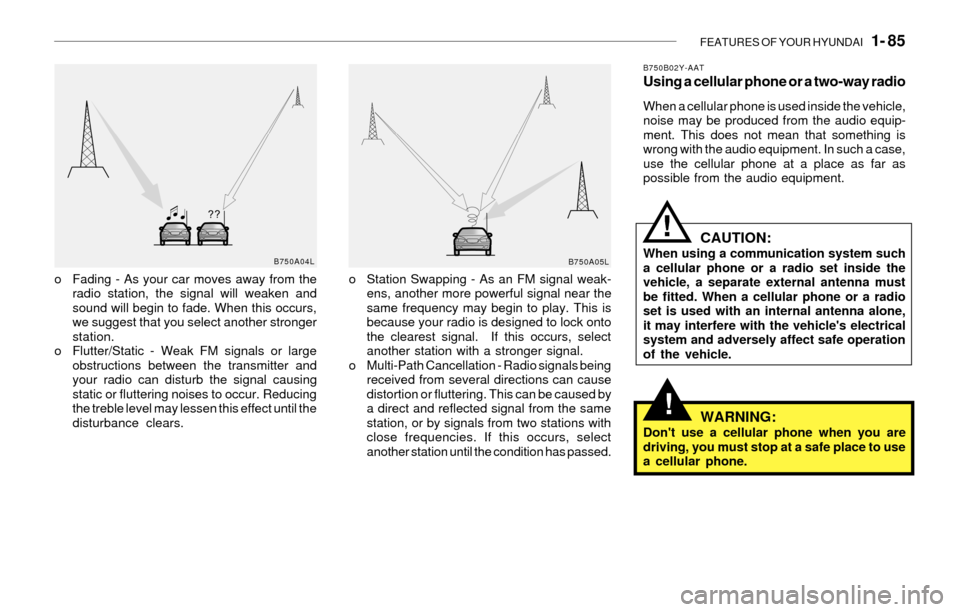
o Fading - As your car moves away from the
radio station, the signal will weaken and
sound will begin to fade. When this occurs,
we suggest that you select another stronger
station.
o Flutter/Static - Weak FM signals or large
obstructions between the transmitter and
your radio can disturb the signal causing
static or fluttering noises to occur. Reducing
the treble level may lessen this effect until the
disturbance clears.o Station Swapping - As an FM signal weak-
ens, another more powerful signal near the
same frequency may begin to play. This is
because your radio is designed to lock onto
the clearest signal. If this occurs, select
another station with a stronger signal.
o Multi-Path Cancellation - Radio signals being
received from several directions can cause
distortion or fluttering. This can be caused by
a direct and reflected signal from the same
station, or by signals from two stations with
close frequencies. If this occurs, select
another station until the condition has passed.
B750B02Y-AATUsing a cellular phone or a two-way radio
When a cellular phone is used inside the vehicle,
noise may be produced from the audio equip-
ment. This does not mean that something is
wrong with the audio equipment. In such a case,
use the cellular phone at a place as far as
possible from the audio equipment.
CAUTION:When using a communication system such
a cellular phone or a radio set inside the
vehicle, a separate external antenna must
be fitted. When a cellular phone or a radio
set is used with an internal antenna alone,
it may interfere with the vehicle's electrical
system and adversely affect safe operation
of the vehicle.
WARNING:Don't use a cellular phone when you are
driving, you must stop at a safe place to use
a cellular phone.
B750A04L
B750A05L
!
Page 98 of 221
1- 86 FEATURES OF YOUR HYUNDAI
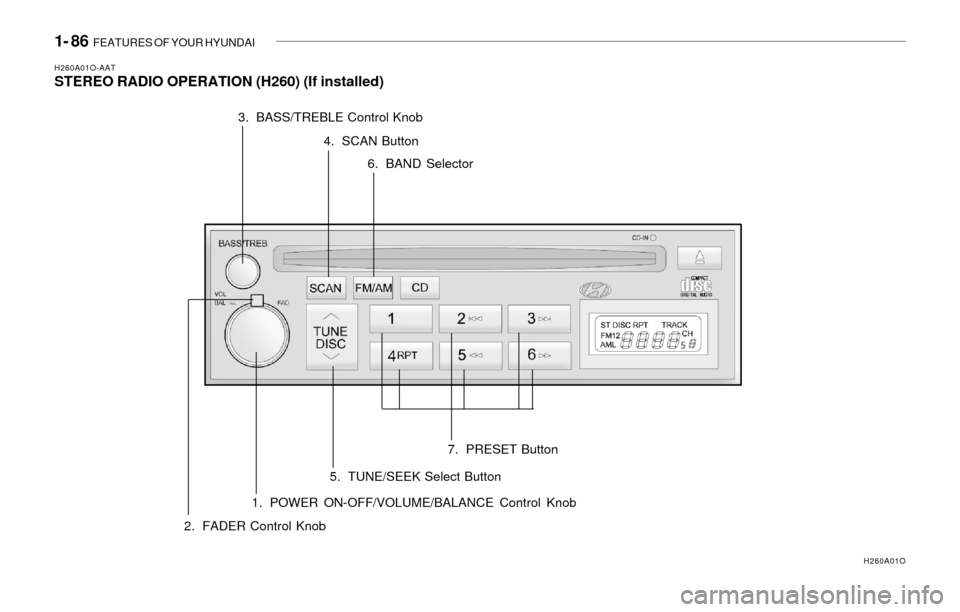
H260A01O-AATSTEREO RADIO OPERATION (H260) (If installed)
1. POWER ON-OFF/VOLUME/BALANCE Control Knob
H260A01O
2. FADER Control Knob3. BASS/TREBLE Control Knob
4. SCAN Button
5. TUNE/SEEK Select Button6. BAND Selector
7. PRESET Button
Page 99 of 221
FEATURES OF YOUR HYUNDAI 1- 87
H260B03O-AAT1. POWER ON-OFF Control Knob
The radio unit may be operated when the ignition
key is in the "ACC" or "ON" position. Press the
knob to switch the power on. The LCD shows
the radio frequency in the radio mode or the CD
track indicator in the CD mode. To switch the
power off, press the knob again.
VOLUME Control
Rotate the knob clockwise to increase the
volume and turn the knob counterclockwise to
reduce the volume.
BALANCE Control
Pull and turn the control knob clockwise to
emphasize right speaker sound. (Left speaker
sound will be attenuated.) When the control
knob is turned counterclockwise, left speaker
sound will be emphasized. (Right speaker sound
will be attenuated.)
2. FAD (Fader Control) Knob
Turn the control knob counterclockwise to
emphasize front speaker sound. (Rear speaker
sound will be attenuated.) When the control
knob is turned clockwise, rear speaker sound
will be emphasized. (Front speaker sound will
be attenuated.)
3. BASS Control Knob
Press to pop the knob out and turn to the left or
right for the desired bass tone.
TREB (Treble Control) Knob
Pull the bass control knob further out.
Turn to the left or right for the desired treble tone.
4. SCAN Button
When the scan button is pressed, the frequency
will increase and the receivable stations will be
tuned in one after another, receiving each sta-
tion for 5 seconds. To stop scanning, press the
scan button again.
5. TUNE (Manual) Select Button
Press the ( ) side or ( ) side to increase or to
decrease the frequency. Press either button
and hold down to continuously scroll.
Release button once the desired station is
reached.
SEEK Operation
(Automatic Channel Selection)
Press the TUNE select button for 0.5 sec or
more. Releasing it will automatically tune to the
next available station with a beep sound.
When the ( ) side is pressed longer than 0.5
second, releasing will automatically tune to the
next higher frequency and when the ( ) side is
pressed longer than 0.5 second, releasing will
automatically tune to the next lower frequency.
6. BAND Selector
Pressing the button changes the AM, FM1
and FM2 bands. The mode selected is dis-
played on LCD.
7. PRESET STATION SELECT Button
Six (6) stations for AM, FM or FM2 respectively
can be preset in the electronic memory circuit
on this unit.
FM/AM
Page 104 of 221
1- 92 FEATURES OF YOUR HYUNDAI
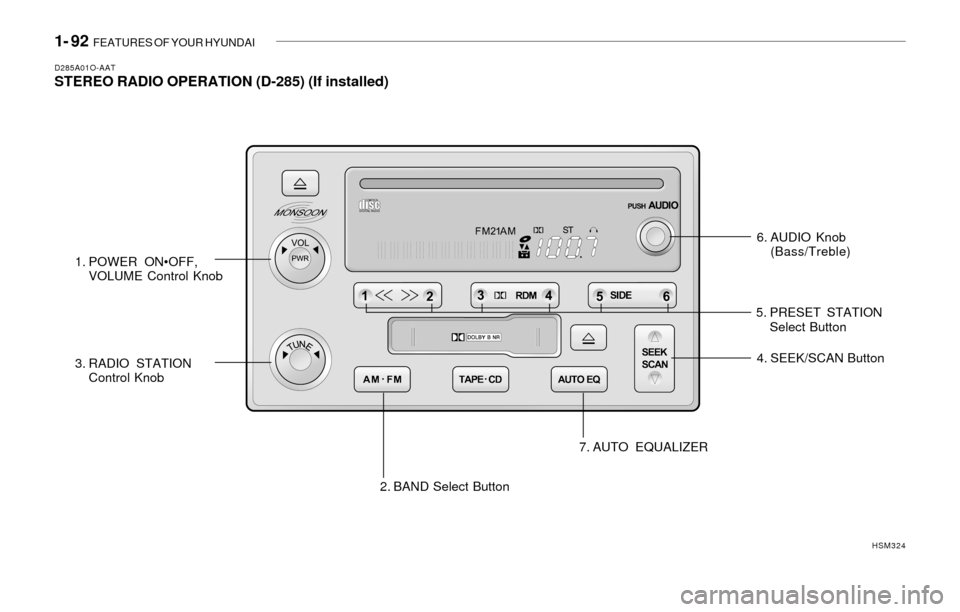
D285A01O-AATSTEREO RADIO OPERATION (D-285) (If installed)
6. AUDIO Knob
(Bass/Treble)
1. POWER ON•OFF,
VOLUME Control Knob
2. BAND Select Button 3. RADIO STATION
Control Knob4. SEEK/SCAN Button
7. AUTO EQUALIZER
HSM324
5. PRESET STATION
Select Button