mirror Hyundai Santa Fe 2004 Owner's Manual
[x] Cancel search | Manufacturer: HYUNDAI, Model Year: 2004, Model line: Santa Fe, Model: Hyundai Santa Fe 2004Pages: 253, PDF Size: 22.41 MB
Page 14 of 253
1
Fuel Recommendations ................................................ 1-2
Breaking in Your New Hyundai ..................................... 1-3
Keys.............................................................................. 1-3
Door.............................................................................. 1-4
Power Windows..........................................................1-10
Seats...........................................................................1-11
Seat Belts....................................................................1-18
Child Restraint System...............................................1-24
Supplemental Restraint (AIRBAG) system .................1-31
Instrument Cluster and Indicator Lights ...................... 1-38
Warning and Indicator Lights ......................................1-42
Multi-Function Light Switch.........................................1-48
Windshield Wiper/Washer Switch...............................1-50
Sunroof.......................................................................1-56
Mirror...........................................................................1-61
Hood Release.............................................................1-72
Cruise Control.............................................................1-75
Heating and Cooling Control .......................................1-78
Stereo Sound System.................................................1-94
Audio System..............................................................1-96
Antenna.....................................................................1-1231
FEATURES OF YOUR HYUNDAI
Page 65 of 253
1FEATURES OF YOUR HYUNDAI
52HAZARD WARNING SYSTEMFRONT FOG LIGHT SWITCH
B370A01A-AAT
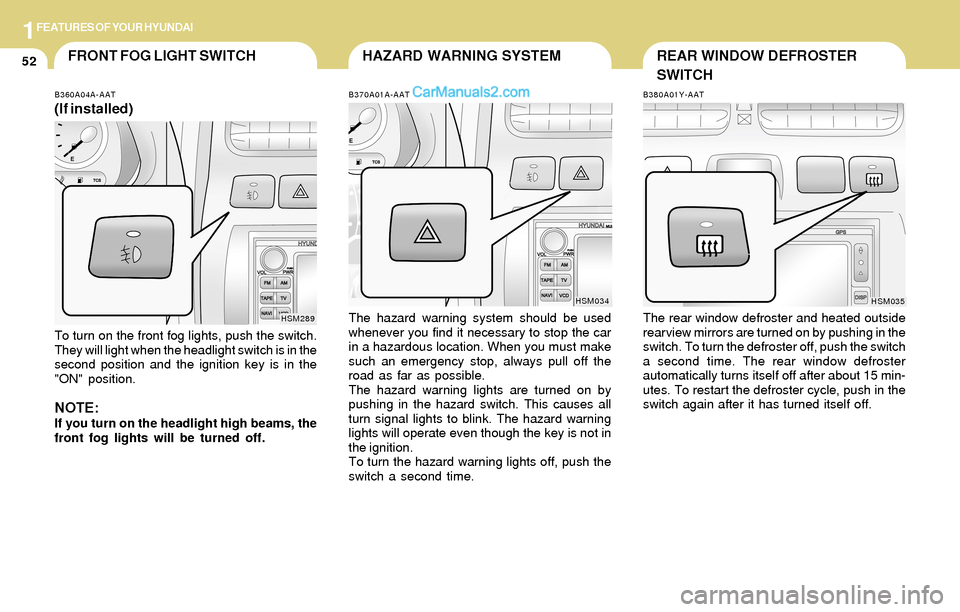
The hazard warning system should be used
whenever you find it necessary to stop the car
in a hazardous location. When you must make
such an emergency stop, always pull off the
road as far as possible.
The hazard warning lights are turned on by
pushing in the hazard switch. This causes all
turn signal lights to blink. The hazard warning
lights will operate even though the key is not in
the ignition.
To turn the hazard warning lights off, push the
switch a second time.
HSM034
B360A04A-AAT
(If installed)
To turn on the front fog lights, push the switch.
They will light when the headlight switch is in the
second position and the ignition key is in the
"ON" position.
NOTE:If you turn on the headlight high beams, the
front fog lights will be turned off.
HSM289
B380A01Y-AAT
The rear window defroster and heated outside
rearview mirrors are turned on by pushing in the
switch. To turn the defroster off, push the switch
a second time. The rear window defroster
automatically turns itself off after about 15 min-
utes. To restart the defroster cycle, push in the
switch again after it has turned itself off.
HSM035
REAR WINDOW DEFROSTER
SWITCH
Page 74 of 253
1FEATURES OF YOUR HYUNDAI
61
B510A01A-AAT
Manual Type
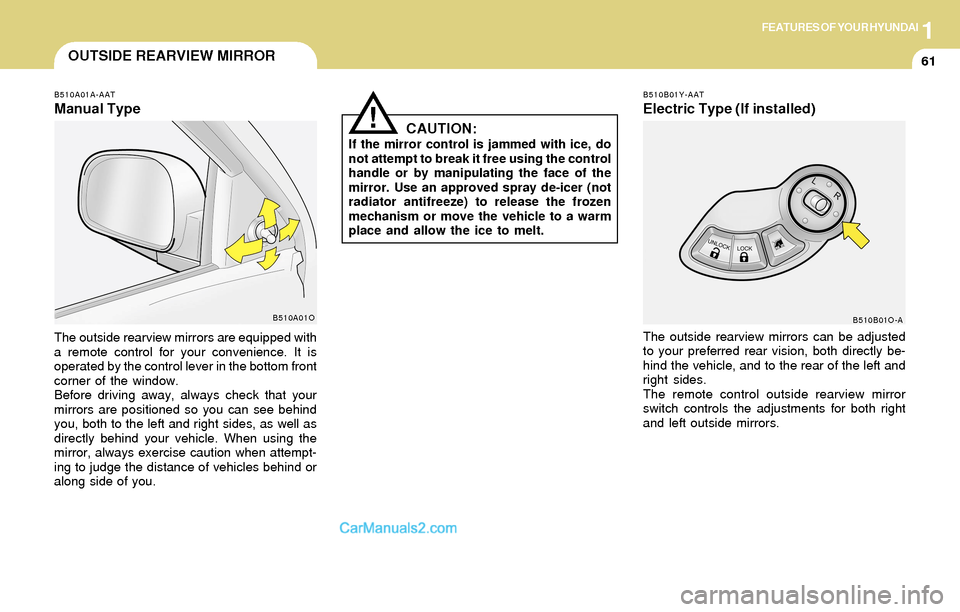
The outside rearview mirrors are equipped with
a remote control for your convenience. It is
operated by the control lever in the bottom front
corner of the window.
Before driving away, always check that your
mirrors are positioned so you can see behind
you, both to the left and right sides, as well as
directly behind your vehicle. When using the
mirror, always exercise caution when attempt-
ing to judge the distance of vehicles behind or
along side of you.
B510A01O
OUTSIDE REARVIEW MIRROR
CAUTION:
If the mirror control is jammed with ice, do
not attempt to break it free using the control
handle or by manipulating the face of the
mirror. Use an approved spray de-icer (not
radiator antifreeze) to release the frozen
mechanism or move the vehicle to a warm
place and allow the ice to melt.
!
The outside rearview mirrors can be adjusted
to your preferred rear vision, both directly be-
hind the vehicle, and to the rear of the left and
right sides.
The remote control outside rearview mirror
switch controls the adjustments for both right
and left outside mirrors.
B510B01Y-AAT
Electric Type (If installed)
B510B01O-A
Page 75 of 253
1FEATURES OF YOUR HYUNDAI
62
B510D01Y-AAT
OUTSIDE REARVIEW MIRROR HEATER
(If installed)
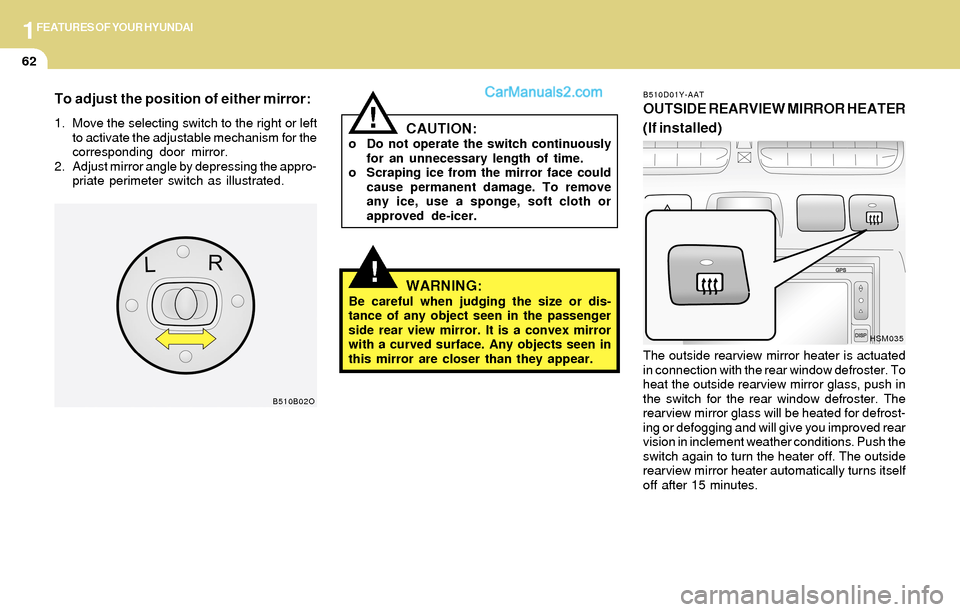
The outside rearview mirror heater is actuated
in connection with the rear window defroster. To
heat the outside rearview mirror glass, push in
the switch for the rear window defroster. The
rearview mirror glass will be heated for defrost-
ing or defogging and will give you improved rear
vision in inclement weather conditions. Push the
switch again to turn the heater off. The outside
rearview mirror heater automatically turns itself
off after 15 minutes.
HSM035
!WARNING:Be careful when judging the size or dis-
tance of any object seen in the passenger
side rear view mirror. It is a convex mirror
with a curved surface. Any objects seen in
this mirror are closer than they appear.
CAUTION:o Do not operate the switch continuously
for an unnecessary length of time.
o Scraping ice from the mirror face could
cause permanent damage. To remove
any ice, use a sponge, soft cloth or
approved de-icer.
!
B510B02O
To adjust the position of either mirror:
1. Move the selecting switch to the right or left
to activate the adjustable mechanism for the
corresponding door mirror.
2. Adjust mirror angle by depressing the appro-
priate perimeter switch as illustrated.
Page 76 of 253
1FEATURES OF YOUR HYUNDAI
63DAY/NIGHT INSIDE REARVIEW
MIRROR
!
B510C01A-AAT
FOLDING THE OUTSIDE REARVIEW
MIRRORS
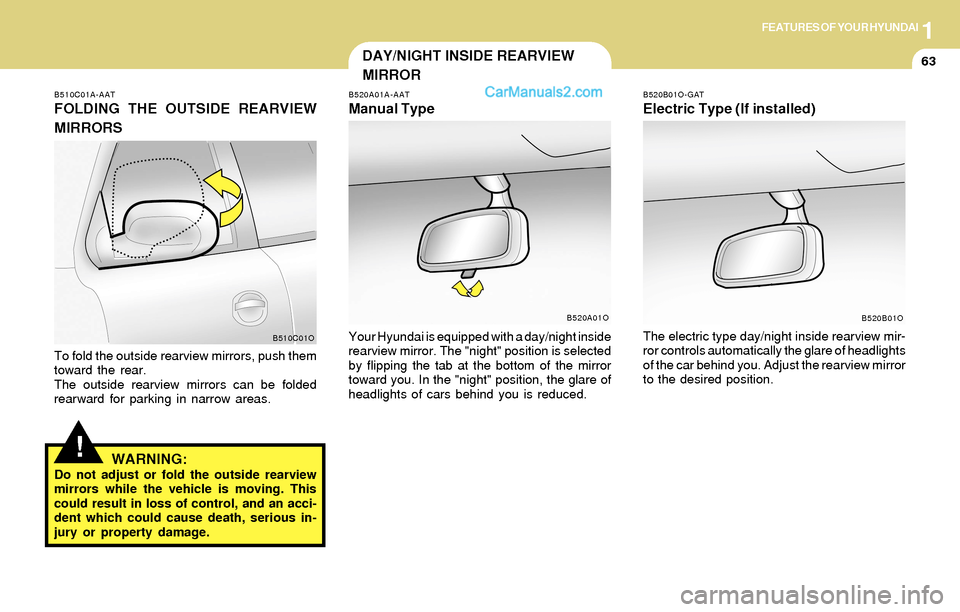
To fold the outside rearview mirrors, push them
toward the rear.
The outside rearview mirrors can be folded
rearward for parking in narrow areas.
WARNING:Do not adjust or fold the outside rearview
mirrors while the vehicle is moving. This
could result in loss of control, and an acci-
dent which could cause death, serious in-
jury or property damage.
B520A01A-AAT
Manual Type
Your Hyundai is equipped with a day/night inside
rearview mirror. The "night" position is selected
by flipping the tab at the bottom of the mirror
toward you. In the "night" position, the glare of
headlights of cars behind you is reduced.B510C01OB520A01O
B520B01O-GAT
Electric Type (If installed)
The electric type day/night inside rearview mir-
ror controls automatically the glare of headlights
of the car behind you. Adjust the rearview mirror
to the desired position.
B520B01O
Page 77 of 253
1FEATURES OF YOUR HYUNDAI
64
!
!
HOMELINK PROGRAMMING
CAUTION:
o Make sure people and/or objects are out
of the way of any garage doors or gates
you may be operating during the pro-
gramming procedures.
o Keep original transmitters for potential
future programming needs, or in case
you sell the vehicle.
o In the event you do sell your vehicle, it's
recommended you erase your pro-
grammed HomeLink mirror buttons.
WARNING:Do not use HomeLink with any garage door
opener that lacks the safety stop and re-
verse feature as required by federal safety
standards (includes garage doors manu-
factured before April 1, 1982), as these
doors can increase the risk of serious injury
or death. Call 1-800-355-3515 or visit
www.homelink.com for more information.
HOMELINK MIRROR
Indicator Light
B520C01L-GAT
(If installed)
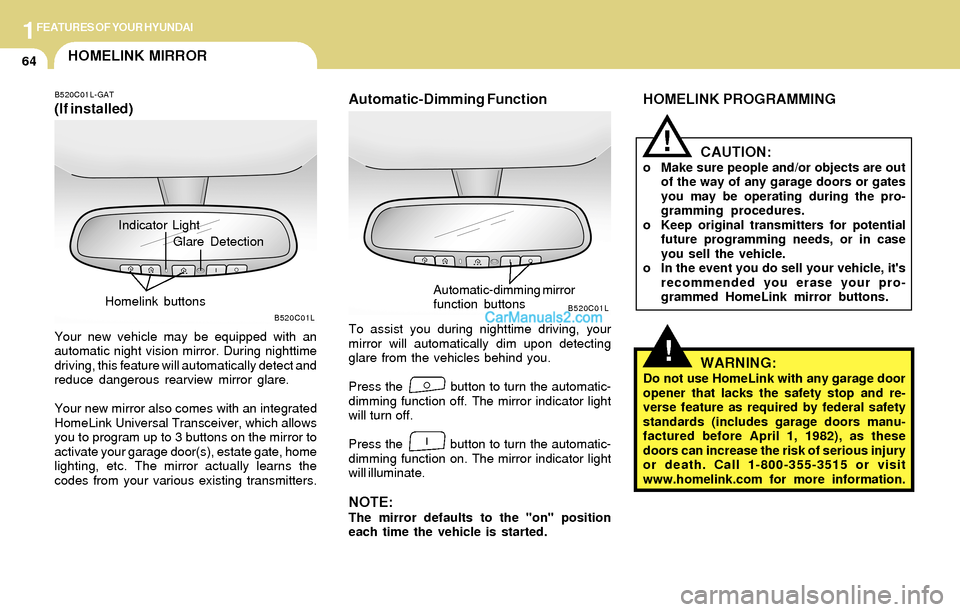
Your new vehicle may be equipped with an
automatic night vision mirror. During nighttime
driving, this feature will automatically detect and
reduce dangerous rearview mirror glare.
Your new mirror also comes with an integrated
HomeLink Universal Transceiver, which allows
you to program up to 3 buttons on the mirror to
activate your garage door(s), estate gate, home
lighting, etc. The mirror actually learns the
codes from your various existing transmitters.
Automatic-Dimming Function
To assist you during nighttime driving, your
mirror will automatically dim upon detecting
glare from the vehicles behind you.
Press the button to turn the automatic-
dimming function off. The mirror indicator light
will turn off.
Press the button to turn the automatic-
dimming function on. The mirror indicator light
will illuminate.
NOTE:The mirror defaults to the "on" position
each time the vehicle is started.
B520C01LB520C01L
Glare Detection
Homelink buttons
Automatic-dimming mirror
function buttons
Page 78 of 253
1FEATURES OF YOUR HYUNDAI
65
NOTE:If programming a garage door opener or
gate, it is advised to unplug the device
during the "cycling" process to prevent
possible motor burnout.
Programming
Ensure the ignition switch is turned to the "ACC"
position to program and/or operate HomeLink
system. It is also recommended that a new
battery be placed in the handheld transmitter of
the device being programmed to HomeLink for
quicker programming and accurate transmis-
sion of the radio-frequency.
Follow these steps to program your HomeLink
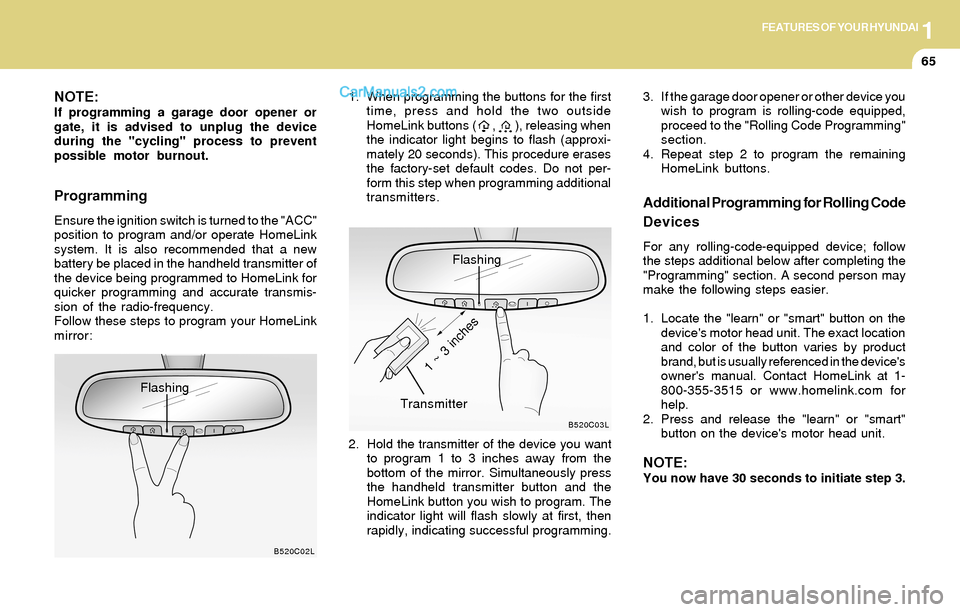
mirror:1. When programming the buttons for the first
time, press and hold the two outside
HomeLink buttons ( , ), releasing when
the indicator light begins to flash (approxi-
mately 20 seconds). This procedure erases
the factory-set default codes. Do not per-
form this step when programming additional
transmitters.
B520C02L
Flashing
Flashing
2. Hold the transmitter of the device you want
to program 1 to 3 inches away from the
bottom of the mirror. Simultaneously press
the handheld transmitter button and the
HomeLink button you wish to program. The
indicator light will flash slowly at first, then
rapidly, indicating successful programming.
B520C03L
Transmitter
1 ~ 3 inches
Additional Programming for Rolling Code
Devices
For any rolling-code-equipped device; follow
the steps additional below after completing the
"Programming" section. A second person may
make the following steps easier.
1. Locate the "learn" or "smart" button on the
device's motor head unit. The exact location
and color of the button varies by product
brand, but is usually referenced in the device's
owner's manual. Contact HomeLink at 1-
800-355-3515 or www.homelink.com for
help.
2. Press and release the "learn" or "smart"
button on the device's motor head unit.
NOTE:You now have 30 seconds to initiate step 3. 3. If the garage door opener or other device you
wish to program is rolling-code equipped,
proceed to the "Rolling Code Programming"
section.
4. Repeat step 2 to program the remaining
HomeLink buttons.
Page 79 of 253
1FEATURES OF YOUR HYUNDAI
66
Reprogramming a Single HomeLink
Button
To program a device to HomeLink using a
HomeLink button previously trained, follow these
steps:
1. Press and hold the desired HomeLink but-
ton. Do not release until step 4 has been
completed.
2. When the indicator light begins to flash slowly
(after 20 seconds), hold the handheld trans-
mitter 1 to 3 inches away from the bottom of
the mirror.
3. Press and hold the transmitter button (or, if
necessary, press and "cycle," as described
in the '"Gate Operator & Canadian Program-
ming" portion of this text).
4. The HomeLink indicator light will flash slowly
at first, then rapidly, indicating successful
programming. Release both buttons.
Operating HomeLink
Simply press the appropriate HomeLink button
to activate the trained product (garage door,
security system, entry door lock, estate gate,
lighting, etc.). The original handheld transmit-
ters may also be used at any time.
Erasing Programmed Buttons
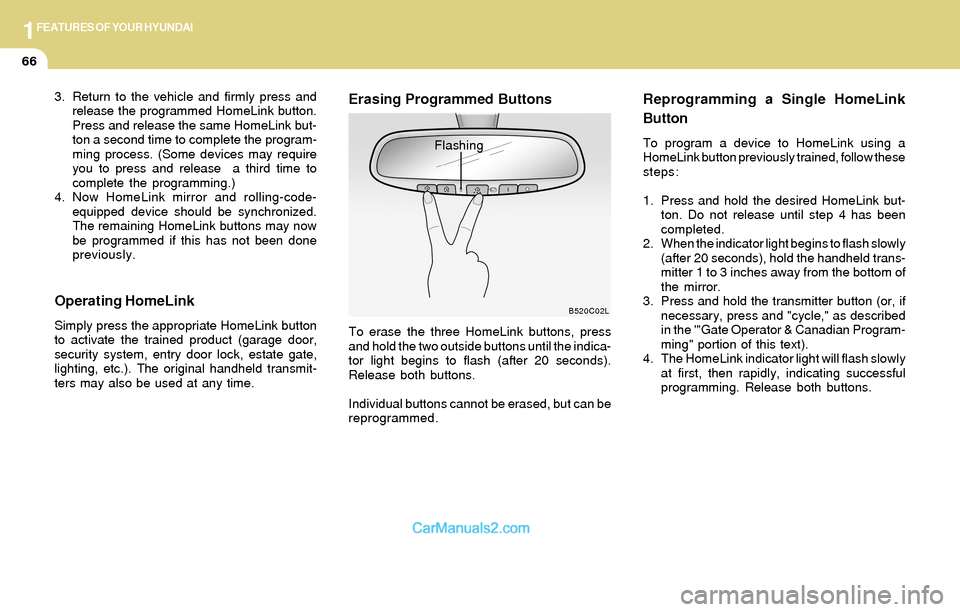
To erase the three HomeLink buttons, press
and hold the two outside buttons until the indica-
tor light begins to flash (after 20 seconds).
Release both buttons.
Individual buttons cannot be erased, but can be
reprogrammed.
B520C02L
Flashing 3. Return to the vehicle and firmly press and
release the programmed HomeLink button.
Press and release the same HomeLink but-
ton a second time to complete the program-
ming process. (Some devices may require
you to press and release a third time to
complete the programming.)
4. Now HomeLink mirror and rolling-code-
equipped device should be synchronized.
The remaining HomeLink buttons may now
be programmed if this has not been done
previously.
Page 86 of 253
1FEATURES OF YOUR HYUNDAI
73SUN VISORFLOOR MAT ANCHOR
!WARNING:o Always double check to be sure that the
hood is firmly latched before driving
away. If it is not latched, the hood could
open while the vehicle is being driven,
causing a total loss of visibility, which
might result in an accident.
o Do not move the vehicle with the hood
in the raised position, as vision is ob-
structed and the hood could fall or be
damaged. 2. Push the secondary latch lever up and lift the
hood.
3. Raise the hood by hand.
When closing the hood, slowly close the hood
and make sure it locks into place.
B580A01L-AAT
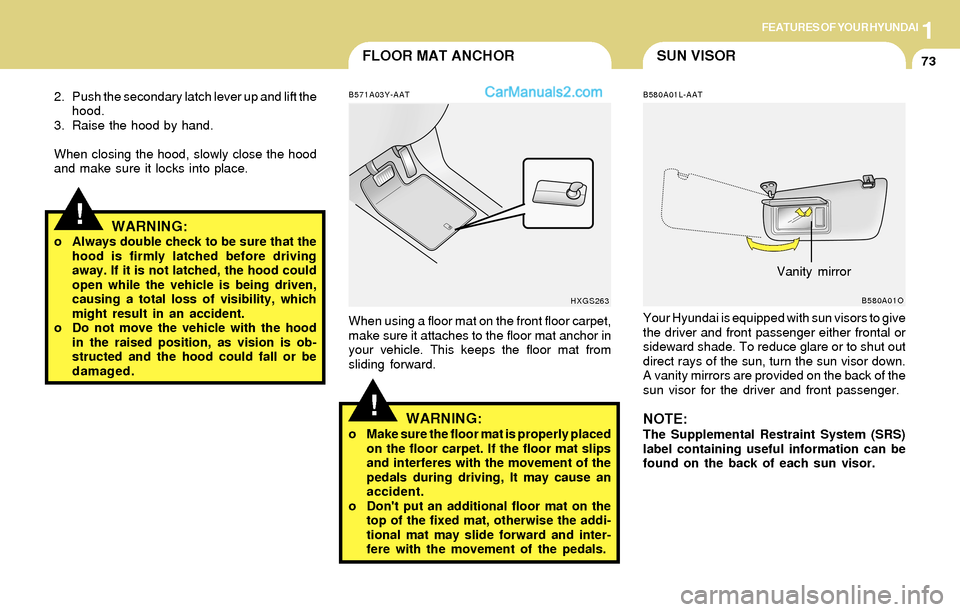
Your Hyundai is equipped with sun visors to give
the driver and front passenger either frontal or
sideward shade. To reduce glare or to shut out
direct rays of the sun, turn the sun visor down.
A vanity mirrors are provided on the back of the
sun visor for the driver and front passenger.
NOTE:The Supplemental Restraint System (SRS)
label containing useful information can be
found on the back of each sun visor.
B580A01O
Vanity mirror
!
B571A03Y-AAT
When using a floor mat on the front floor carpet,
make sure it attaches to the floor mat anchor in
your vehicle. This keeps the floor mat from
sliding forward.
WARNING:o Make sure the floor mat is properly placed
on the floor carpet. If the floor mat slips
and interferes with the movement of the
pedals during driving, It may cause an
accident.
o Don't put an additional floor mat on the
top of the fixed mat, otherwise the addi-
tional mat may slide forward and inter-
fere with the movement of the pedals.
HXGS263
Page 87 of 253
1FEATURES OF YOUR HYUNDAI
74FRONT DOOR EDGE WARNING
LIGHTSTEERING WHEEL TILT LEVER
!
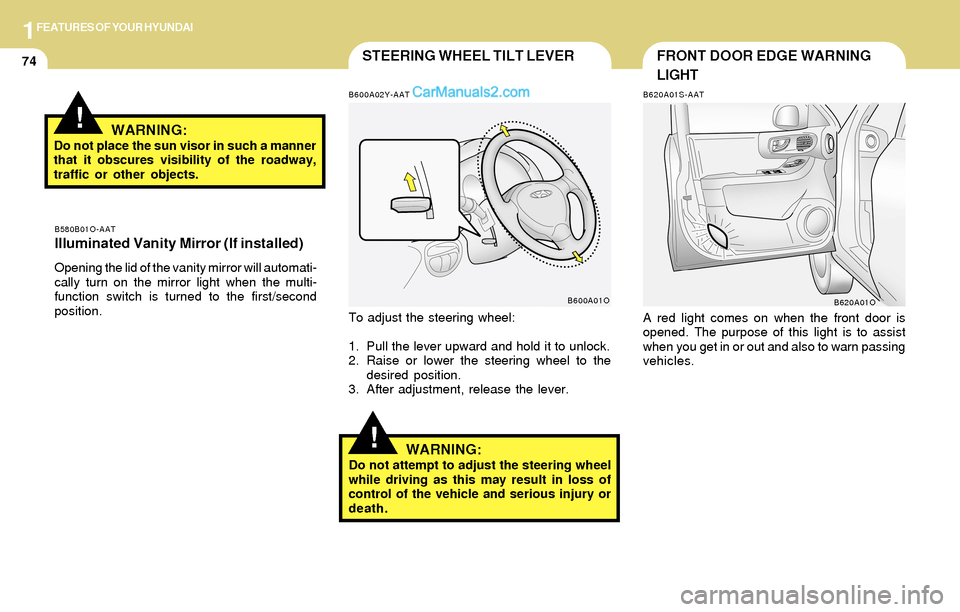
To adjust the steering wheel:
1. Pull the lever upward and hold it to unlock.
2. Raise or lower the steering wheel to the
desired position.
3. After adjustment, release the lever.
WARNING:Do not attempt to adjust the steering wheel
while driving as this may result in loss of
control of the vehicle and serious injury or
death.
B620A01S-AAT
A red light comes on when the front door is
opened. The purpose of this light is to assist
when you get in or out and also to warn passing
vehicles.
B620A01O B580B01O-AAT
Illuminated Vanity Mirror (If installed)
Opening the lid of the vanity mirror will automati-
cally turn on the mirror light when the multi-
function switch is turned to the first/second
position.
B600A02Y-AAT
B600A01O
!WARNING:Do not place the sun visor in such a manner
that it obscures visibility of the roadway,
traffic or other objects.