ignition switch Hyundai Santa Fe 2007 Owner's Guide
[x] Cancel search | Manufacturer: HYUNDAI, Model Year: 2007, Model line: Santa Fe, Model: Hyundai Santa Fe 2007Pages: 355, PDF Size: 13.03 MB
Page 191 of 355
1
FEATURES OF YOUR HYUNDAI
179
FEATURES OF YOUR HYUNDAI
179179179179
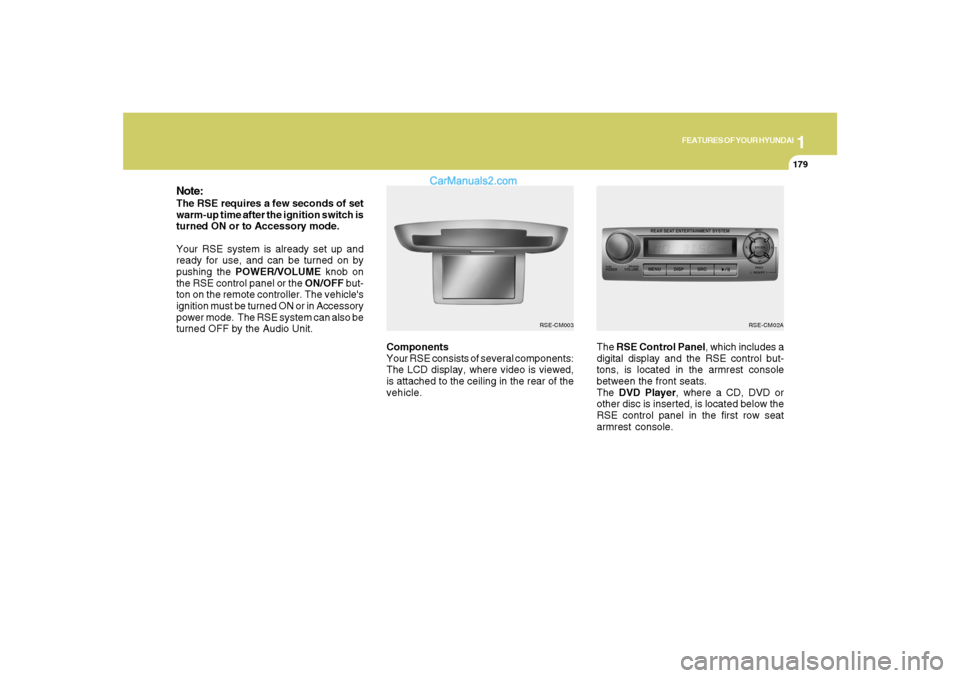
Components
Your RSE consists of several components:
The LCD display, where video is viewed,
is attached to the ceiling in the rear of the
vehicle.The RSE Control Panel, which includes a
digital display and the RSE control but-
tons, is located in the armrest console
between the front seats.
The DVD Player, where a CD, DVD or
other disc is inserted, is located below the
RSE control panel in the first row seat
armrest console.
Note:The RSE requires a few seconds of set
warm-up time after the ignition switch is
turned ON or to Accessory mode.
Your RSE system is already set up and
ready for use, and can be turned on by
pushing the POWER/VOLUME knob on
the RSE control panel or the ON/OFF but-
ton on the remote controller. The vehicle's
ignition must be turned ON or in Accessory
power mode. The RSE system can also be
turned OFF by the Audio Unit.
RSE-CM02A
RSE-CM003
Page 196 of 355
1FEATURES OF YOUR HYUNDAI
184
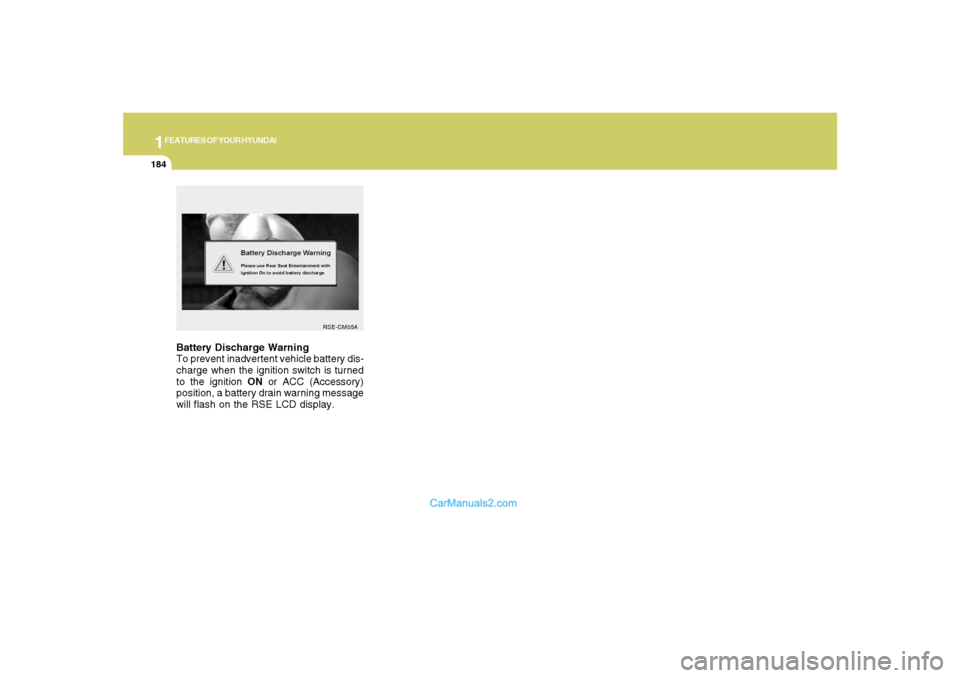
Battery Discharge Warning
To prevent inadvertent vehicle battery dis-
charge when the ignition switch is turned
to the ignition ON or ACC (Accessory)
position, a battery drain warning message
will flash on the RSE LCD display.
RSE-CM05A
Page 199 of 355
1
FEATURES OF YOUR HYUNDAI
187
FEATURES OF YOUR HYUNDAI
187187187187
5. SRC(Source) Button
After inserting a disc in the RSE, it will
automatically use that as the source and
begin playing that disc. The RSE control
panel will display "DISC IN" when there is
disc loaded in the player.
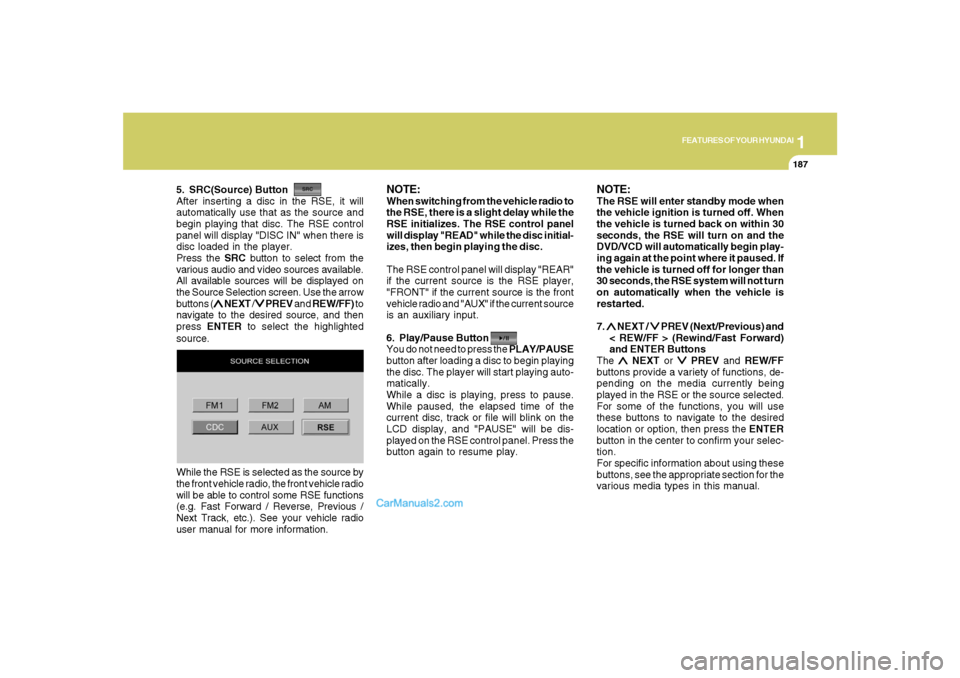
Press the SRC button to select from the
various audio and video sources available.
All available sources will be displayed on
the Source Selection screen. Use the arrow
buttons (
∧ ∧∧ ∧
∧ NEXT /
∨ ∨∨ ∨
∨ PREV and REW/FF) to
navigate to the desired source, and then
press ENTER to select the highlighted
source.
NOTE:When switching from the vehicle radio to
the RSE, there is a slight delay while the
RSE initializes. The RSE control panel
will display "READ" while the disc initial-
izes, then begin playing the disc.
The RSE control panel will display "REAR"
if the current source is the RSE player,
"FRONT" if the current source is the front
vehicle radio and "AUX" if the current source
is an auxiliary input.
6. Play/Pause Button
You do not need to press the PLAY/PAUSE
button after loading a disc to begin playing
the disc. The player will start playing auto-
matically.
While a disc is playing, press to pause.
While paused, the elapsed time of the
current disc, track or file will blink on the
LCD display, and "PAUSE" will be dis-
played on the RSE control panel. Press the
button again to resume play.
NOTE:The RSE will enter standby mode when
the vehicle ignition is turned off. When
the vehicle is turned back on within 30
seconds, the RSE will turn on and the
DVD/VCD will automatically begin play-
ing again at the point where it paused. If
the vehicle is turned off for longer than
30 seconds, the RSE system will not turn
on automatically when the vehicle is
restarted.
7. ∧ ∧∧ ∧
∧ NEXT /
∨ ∨∨ ∨
∨ PREV (Next/Previous) and
< REW/FF > (Rewind/Fast Forward)
and ENTER Buttons
The
∧ ∧∧ ∧
∧ NEXT or
∨ ∨∨ ∨
∨ PREV and REW/FF
buttons provide a variety of functions, de-
pending on the media currently being
played in the RSE or the source selected.
For some of the functions, you will use
these buttons to navigate to the desired
location or option, then press the ENTER
button in the center to confirm your selec-
tion.
For specific information about using these
buttons, see the appropriate section for the
various media types in this manual. While the RSE is selected as the source by
the front vehicle radio, the front vehicle radio
will be able to control some RSE functions
(e.g. Fast Forward / Reverse, Previous /
Next Track, etc.). See your vehicle radio
user manual for more information.
Page 215 of 355
2
DRIVING YOUR HYUNDAI
4
!
BEFORE STARTING THE
ENGINEC020A03A-AATBefore you start the engine, you should
always:
1. Look around the vehicle to be sure
there are no flat tires, puddles of oil,
water or other indications of possible
trouble.
2. After entering the car, check to be sure
the parking brake is engaged.
3. Check that all windows, and lights are
clean.
4. Check that the interior and exterior mir-
rors are clean and in position.
5. Check your seat, seatback and head-
rest to be sure they are in their proper
positions.
6. Lock all the doors.
7. Fasten your seat belt and be sure that all
other occupants have fastened theirs.
8. Turn off all lights and accessories that
are not needed.
9. When you turn the ignition switch to
"ON", check that all appropriate warn-
ing lights are operating and that you
have sufficient fuel.
10. Check the operation of warning lights
and all bulbs when key is in the "ON"
position.
!
WARNING:
Your vehicle is equipped with tires de-
signed to provide for safe ride and han-
dling capability.
Do not use a size and type of tire and
wheel that is different from the one that
is originally installed on your vehicle. It
can affect the safety and performance
of your vehicle, which could lead to han-
dling failure or rollover and serious in-
jury.
When replacing the tires, be sure to equip
all four tires with the tire and wheel of the
same size, type, tread, brand and load-
carrying capacity.
WARNING:
o All passengers must be properly
belted whenever the vehicle is mov-
ing. Refer to pages: 1-27 through 1-
33 for more information on their proper
use.
o Always check the surrounding areas
near your vehicle for people, espe-
cially children, before putting a car
into 'drive.'
o Always wear appropriate shoes when
operating your vehicle. Unsuitable
shoes (high heels, ski boots, etc.) may
interfere with your ability to use the
brake and accelerator pedal, and the
clutch (if installed).
Page 216 of 355
2
DRIVING YOUR HYUNDAI
5
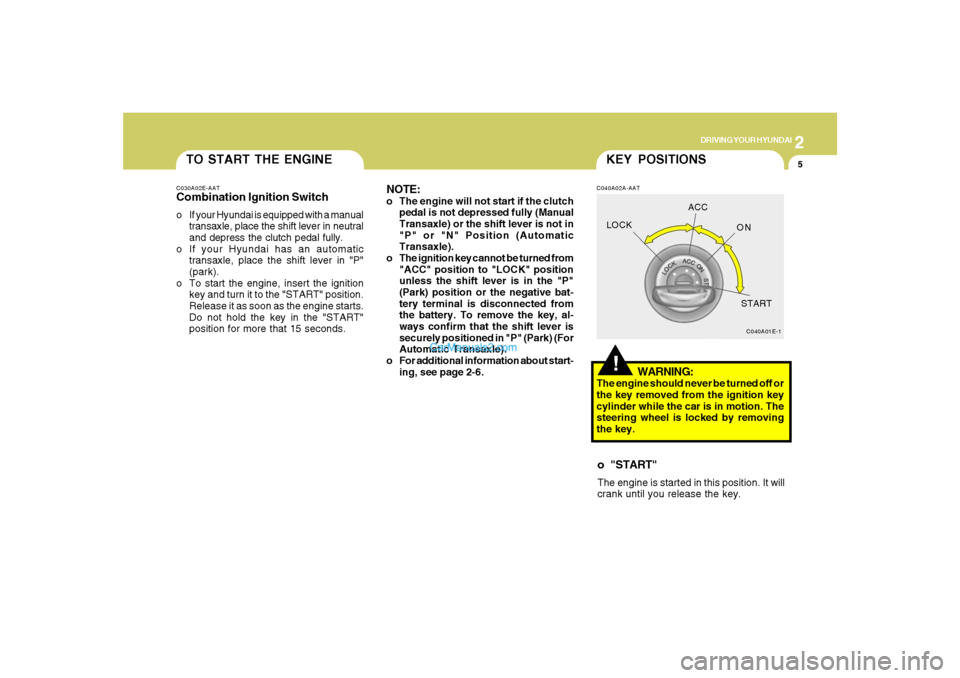
TO START THE ENGINEC030A02E-AATCombination Ignition Switcho If your Hyundai is equipped with a manual
transaxle, place the shift lever in neutral
and depress the clutch pedal fully.
o If your Hyundai has an automatic
transaxle, place the shift lever in "P"
(park).
o To start the engine, insert the ignition
key and turn it to the "START" position.
Release it as soon as the engine starts.
Do not hold the key in the "START"
position for more that 15 seconds.
NOTE:o The engine will not start if the clutch
pedal is not depressed fully (Manual
Transaxle) or the shift lever is not in
"P" or "N" Position (Automatic
Transaxle).
o The ignition key cannot be turned from
"ACC" position to "LOCK" position
unless the shift lever is in the "P"
(Park) position or the negative bat-
tery terminal is disconnected from
the battery. To remove the key, al-
ways confirm that the shift lever is
securely positioned in "P" (Park) (For
Automatic Transaxle).
o For additional information about start-
ing, see page 2-6.
!KEY POSITIONSC040A02A-AAT
WARNING:
The engine should never be turned off or
the key removed from the ignition key
cylinder while the car is in motion. The
steering wheel is locked by removing
the key.o "START"The engine is started in this position. It will
crank until you release the key.
C040A01E-1
LOCKACC
ON
START
Page 221 of 355
2
DRIVING YOUR HYUNDAI
10
CAUTION:
Never shift into "R" or "P" position while
the vehicle is moving.
!
The indicator lights in the instrument clus-
ter indicate the selector lever position when
the ignition is switched "ON". During sports
mode operation, the gear currently in use
displays in the numeral indicator.
AUTOMATIC TRANSAXLE
(4 SPEED A/T, 5 SPEED A/T)C090A01NF-GAT(If Installed)The highly efficient Hyundai automatic
transaxle has four/five forward speeds and
one reverse speed. The individual speeds
are selected automatically, depending on
the position of the speed selector lever.
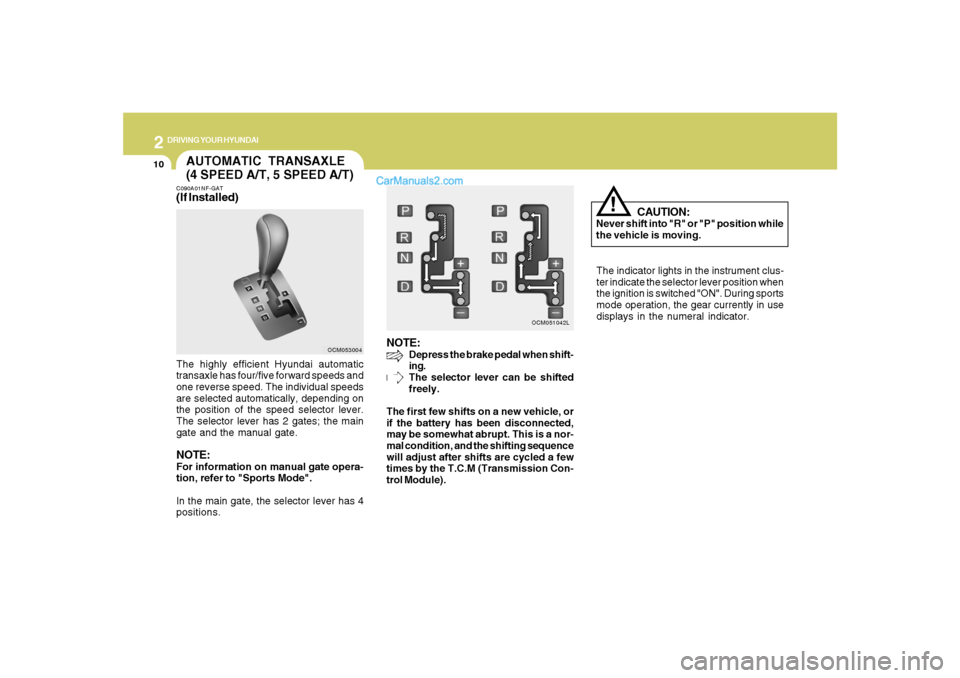
The selector lever has 2 gates; the main
gate and the manual gate.NOTE:For information on manual gate opera-
tion, refer to "Sports Mode".
In the main gate, the selector lever has 4
positions.
NOTE:
Depress the brake pedal when shift-
ing.
The selector lever can be shifted
freely.
The first few shifts on a new vehicle, or
if the battery has been disconnected,
may be somewhat abrupt. This is a nor-
mal condition, and the shifting sequence
will adjust after shifts are cycled a few
times by the T.C.M (Transmission Con-
trol Module).
OCM053004OCM051042L
Page 230 of 355
2
DRIVING YOUR HYUNDAI
19
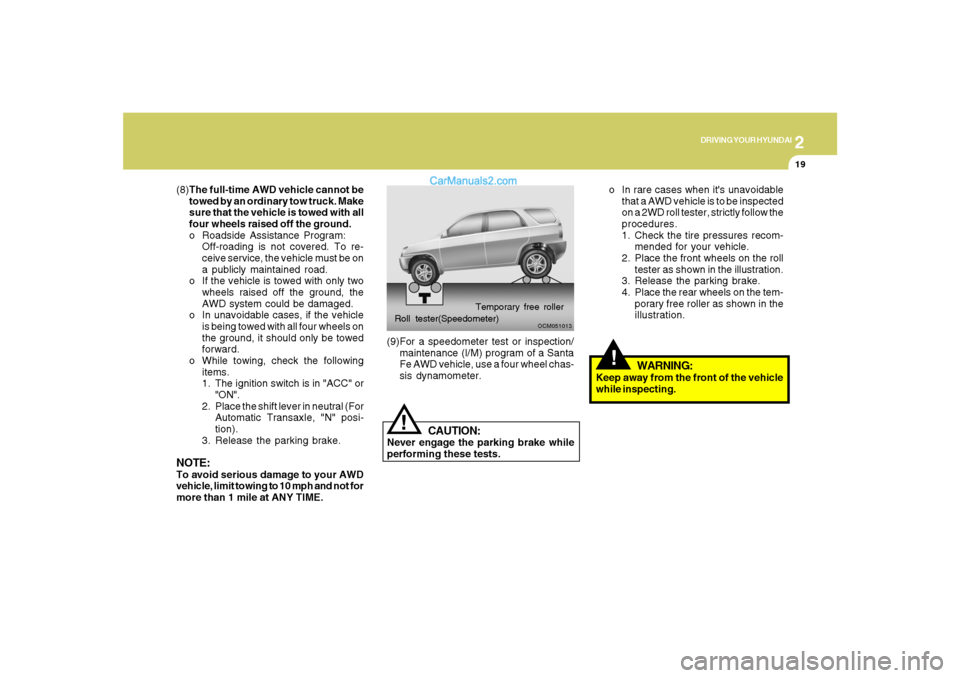
o In rare cases when it's unavoidable
that a AWD vehicle is to be inspected
on a 2WD roll tester, strictly follow the
procedures.
1. Check the tire pressures recom-
mended for your vehicle.
2. Place the front wheels on the roll
tester as shown in the illustration.
3. Release the parking brake.
4. Place the rear wheels on the tem-
porary free roller as shown in the
illustration.!
WARNING:
Keep away from the front of the vehicle
while inspecting.
OCM051013
Roll tester(Speedometer)Temporary free roller(9)For a speedometer test or inspection/
maintenance (I/M) program of a Santa
Fe AWD vehicle, use a four wheel chas-
sis dynamometer.
!
CAUTION:
Never engage the parking brake while
performing these tests. (8)The full-time AWD vehicle cannot be
towed by an ordinary tow truck. Make
sure that the vehicle is towed with all
four wheels raised off the ground.
o Roadside Assistance Program:
Off-roading is not covered. To re-
ceive service, the vehicle must be on
a publicly maintained road.
o If the vehicle is towed with only two
wheels raised off the ground, the
AWD system could be damaged.
o In unavoidable cases, if the vehicle
is being towed with all four wheels on
the ground, it should only be towed
forward.
o While towing, check the following
items.
1. The ignition switch is in "ACC" or
"ON".
2. Place the shift lever in neutral (For
Automatic Transaxle, "N" posi-
tion).
3. Release the parking brake.
NOTE:To avoid serious damage to your AWD
vehicle, limit towing to 10 mph and not for
more than 1 mile at ANY TIME.
Page 304 of 355
6
DO-IT-YOURSELF MAINTENANCE
18
!
CAUTION:
When replacing a fusible link, never use
anything but a new fusible link with the
same or lower amperage rating. Never
use a piece of wire or a higher-rated
fusible link. This could result in serious
damage and create a fire hazard.
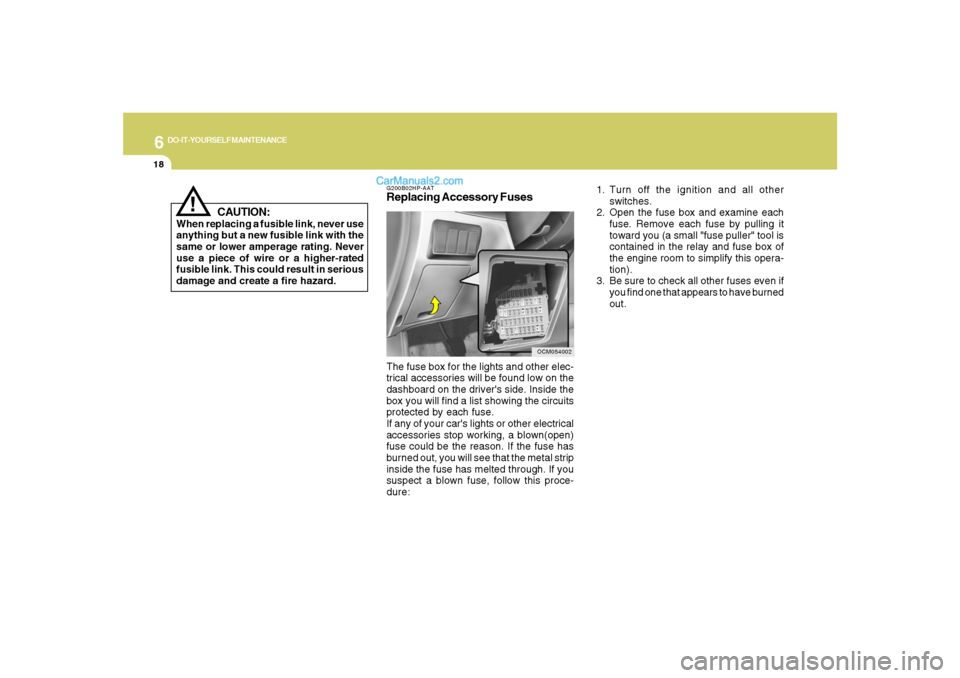
G200B02HP-AATReplacing Accessory Fuses
OCM054002
The fuse box for the lights and other elec-
trical accessories will be found low on the
dashboard on the driver's side. Inside the
box you will find a list showing the circuits
protected by each fuse.
If any of your car's lights or other electrical
accessories stop working, a blown(open)
fuse could be the reason. If the fuse has
burned out, you will see that the metal strip
inside the fuse has melted through. If you
suspect a blown fuse, follow this proce-
dure:1. Turn off the ignition and all other
switches.
2. Open the fuse box and examine each
fuse. Remove each fuse by pulling it
toward you (a small "fuse puller" tool is
contained in the relay and fuse box of
the engine room to simplify this opera-
tion).
3. Be sure to check all other fuses even if
you find one that appears to have burned
out.
Page 308 of 355
6
DO-IT-YOURSELF MAINTENANCE
22
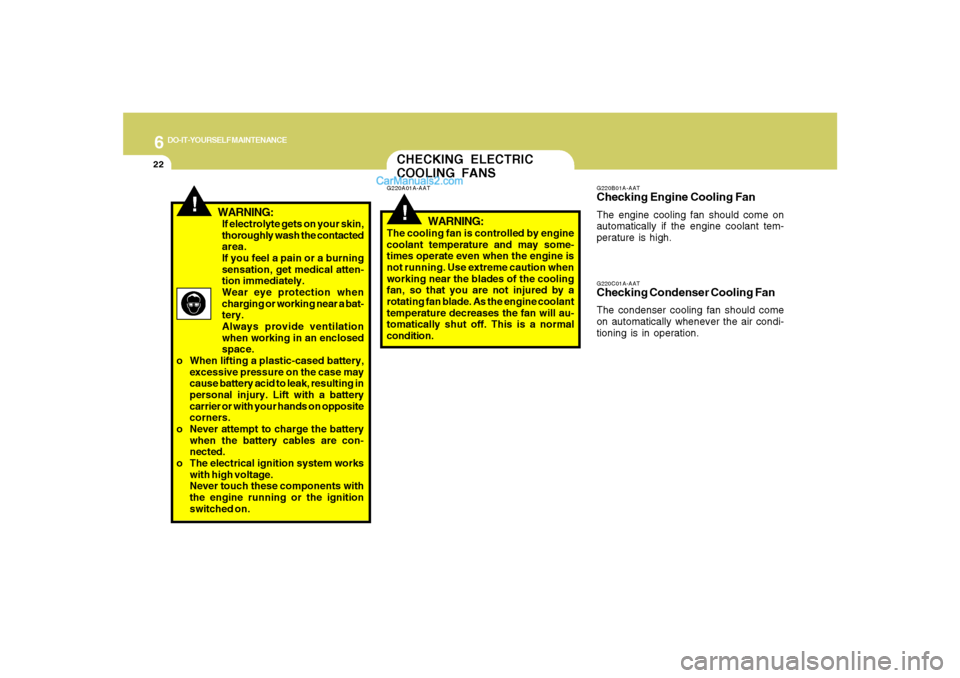
If electrolyte gets on your skin,
thoroughly wash the contacted
area.
If you feel a pain or a burning
sensation, get medical atten-
tion immediately.
Wear eye protection when
charging or working near a bat-
tery.
Always provide ventilation
when working in an enclosed
space.
o When lifting a plastic-cased battery,
excessive pressure on the case may
cause battery acid to leak, resulting in
personal injury. Lift with a battery
carrier or with your hands on opposite
corners.
o Never attempt to charge the battery
when the battery cables are con-
nected.
o The electrical ignition system works
with high voltage.
Never touch these components with
the engine running or the ignition
switched on.
!
WARNING:
CHECKING ELECTRIC
COOLING FANS!
G220A01A-AAT
WARNING:
The cooling fan is controlled by engine
coolant temperature and may some-
times operate even when the engine is
not running. Use extreme caution when
working near the blades of the cooling
fan, so that you are not injured by a
rotating fan blade. As the engine coolant
temperature decreases the fan will au-
tomatically shut off. This is a normal
condition.
G220C01A-AATChecking Condenser Cooling FanThe condenser cooling fan should come
on automatically whenever the air condi-
tioning is in operation.G220B01A-AATChecking Engine Cooling FanThe engine cooling fan should come on
automatically if the engine coolant tem-
perature is high.
Page 319 of 355
6
DO-IT-YOURSELF MAINTENANCE
33
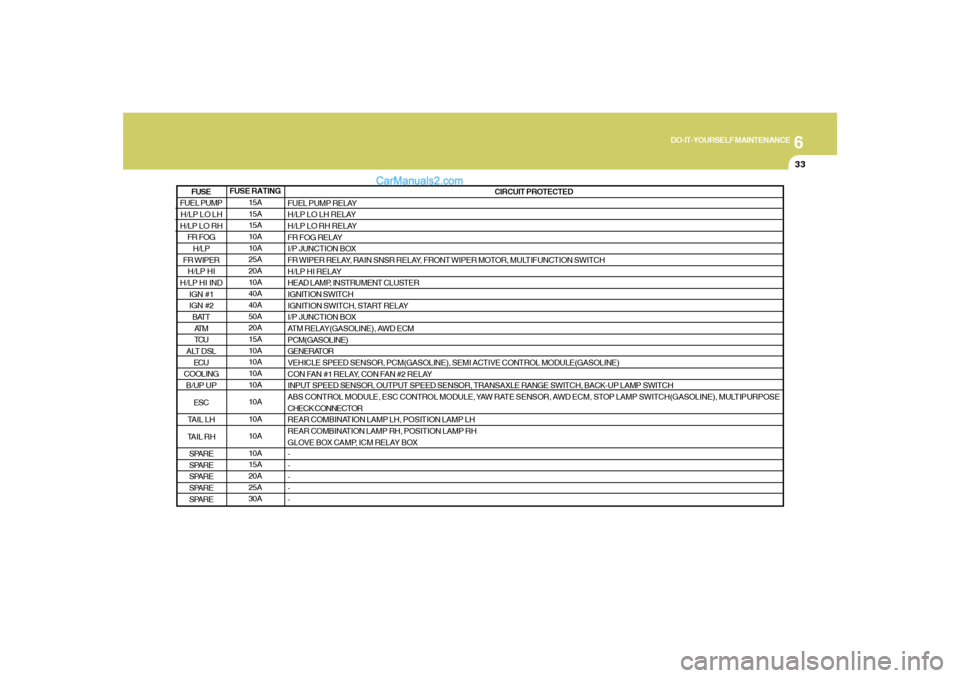
FUSE RATING
15A
15A
15A
10A
10A
25A
20A
10A
40A
40A
50A
20A
15A
10A
10A
10A
10A
10A
10A
10A
10A
15A
20A
25A
30ACIRCUIT PROTECTED
FUEL PUMP RELAY
H/LP LO LH RELAY
H/LP LO RH RELAY
FR FOG RELAY
I/P JUNCTION BOX
FR WIPER RELAY, RAIN SNSR RELAY, FRONT WIPER MOTOR, MULTIFUNCTION SWITCH
H/LP HI RELAY
HEAD LAMP, INSTRUMENT CLUSTER
IGNITION SWITCH
IGNITION SWITCH, START RELAY
I/P JUNCTION BOX
ATM RELAY(GASOLINE), AWD ECM
PCM(GASOLINE)
GENERATOR
VEHICLE SPEED SENSOR, PCM(GASOLINE), SEMI ACTIVE CONTROL MODULE(GASOLINE)
CON FAN #1 RELAY, CON FAN #2 RELAY
INPUT SPEED SENSOR, OUTPUT SPEED SENSOR, TRANSAXLE RANGE SWITCH, BACK-UP LAMP SWITCH
ABS CONTROL MODULE, ESC CONTROL MODULE, YAW RATE SENSOR, AWD ECM, STOP LAMP SWITCH(GASOLINE), MULTIPURPOSE
CHECK CONNECTOR
REAR COMBINATION LAMP LH, POSITION LAMP LH
REAR COMBINATION LAMP RH, POSITION LAMP RH
GLOVE BOX CAMP, ICM RELAY BOX
-
-
-
-
-
FUEL PUMP
H/LP LO LH
H/LP LO RH
FR FOG
H/LP
FR WIPER
H/LP HI
H/LP HI IND
IGN #1
IGN #2
BATT
AT M
TCU
ALT DSL
ECU
COOLING
B/UP UP
ESC
TAIL LH
TAIL RH
SPARE
SPARE
SPARE
SPARE
SPAREFUSE