lock Hyundai Santa Fe 2007 Repair Manual
[x] Cancel search | Manufacturer: HYUNDAI, Model Year: 2007, Model line: Santa Fe, Model: Hyundai Santa Fe 2007Pages: 355, PDF Size: 13.03 MB
Page 193 of 355
1
FEATURES OF YOUR HYUNDAI
181
FEATURES OF YOUR HYUNDAI
181181181181
Adjusting the LCD Display
Press the DISP button on the RSE control
panel to adjust the LCD display. To adjust
the brightness, select Brightness, then,
press the < REW (dimmer) or FWD >
(brighter) buttons. The next time the RSE
is turned on, the LCD display will return to
the brightness level it was adjusted to
when last used. Brightness can be ad-
justed regardless of whether the RSE is
playing an audio or video source.
While the RSE is playing a video signal,
press DISP and then press the
∧ ∧∧ ∧
∧ NEXT or
∨ ∨∨ ∨
∨ PREV buttons to cycle through other
LCD display adjustments including
SCREEN SIZE, CONTRAST, CHROMA
and HUE. With any of these settings dis-
played, press the < REW or FF > buttons to
adjust the settings.
To close the LCD display, pull the bottom
edge towards you and push it up until it
clicks and locks into the stow-away posi-
tion.
Cleaning the LCD Display
If the LCD display becomes dusty or dirty,
clean it by wiping gently with a soft, dry,
clean cloth. Do not use chemical cleanser
to clean the screen.Loading a Disc
To load a disc in the player, insert it part
way into the loading slot. The player will
automatically grip the disc and pull it the
rest of the way in.
Disc Protection
The player has an Auto-Reload Disc Pro-
tection feature to protect discs from acci-
dental damage. If a disc is not removed
within 12 seconds after being ejected, it
will be pulled back into the player. The disc
will not begin playing.
Audio via Vehicle Speakers
To hear the audio from the RSE through
the vehicle's speakers, the RSE must be
selected by the radio CD/AUX button in the
front of the vehicle. Regardless of whether
RSE audio is selected for the vehicle
speakers or not, when the RSE audio is
playing it can be heard in the headphones.Volume Control
You can adjust the volume of the audio
heard in the vehicle speakers from the
RSE control panel or the remote controller.
From the RSE control panel, rotate the
POWER/VOLUME knob. From the remote
controller, press "VOL +" to increase the
volume and "VOL -" to decrease the vol-
ume.
Adjusting the volume in this way will not
affect the wireless headphone volume. To
adjust the headphones, turn the VOL con-
trol wheel on the headphones.
Page 195 of 355
1
FEATURES OF YOUR HYUNDAI
183
FEATURES OF YOUR HYUNDAI
183183183183
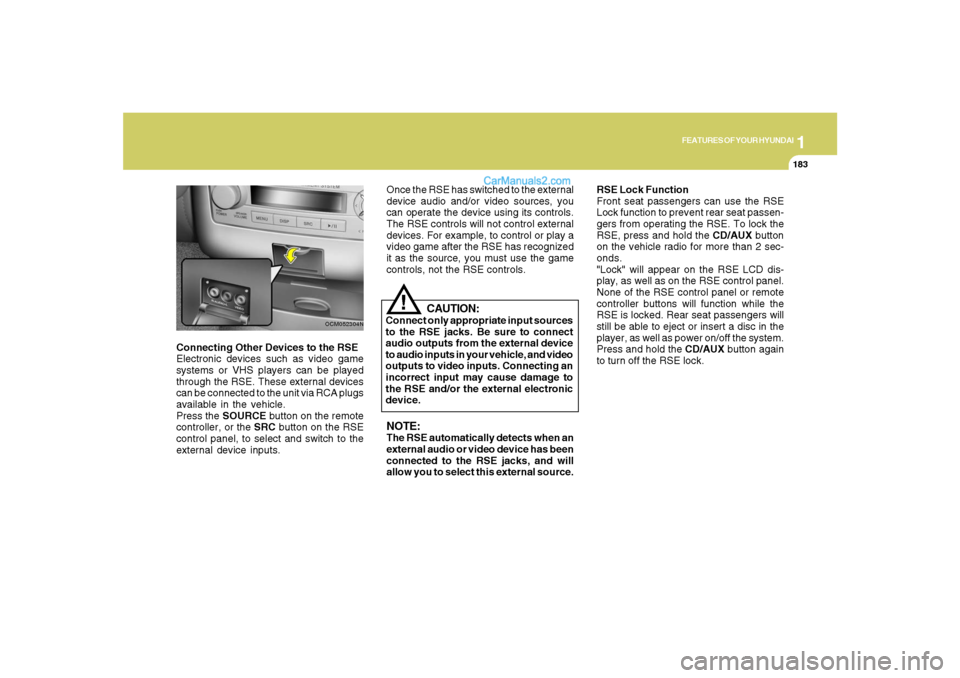
Connecting Other Devices to the RSE
Electronic devices such as video game
systems or VHS players can be played
through the RSE. These external devices
can be connected to the unit via RCA plugs
available in the vehicle.
Press the SOURCE button on the remote
controller, or the SRC button on the RSE
control panel, to select and switch to the
external device inputs.
OCM052304N
Once the RSE has switched to the external
device audio and/or video sources, you
can operate the device using its controls.
The RSE controls will not control external
devices. For example, to control or play a
video game after the RSE has recognized
it as the source, you must use the game
controls, not the RSE controls.NOTE:The RSE automatically detects when an
external audio or video device has been
connected to the RSE jacks, and will
allow you to select this external source.RSE Lock Function
Front seat passengers can use the RSE
Lock function to prevent rear seat passen-
gers from operating the RSE. To lock the
RSE, press and hold the CD/AUX button
on the vehicle radio for more than 2 sec-
onds.
"Lock" will appear on the RSE LCD dis-
play, as well as on the RSE control panel.
None of the RSE control panel or remote
controller buttons will function while the
RSE is locked. Rear seat passengers will
still be able to eject or insert a disc in the
player, as well as power on/off the system.
Press and hold the CD/AUX button again
to turn off the RSE lock.
CAUTION:
Connect only appropriate input sources
to the RSE jacks. Be sure to connect
audio outputs from the external device
to audio inputs in your vehicle, and video
outputs to video inputs. Connecting an
incorrect input may cause damage to
the RSE and/or the external electronic
device.
!
Page 211 of 355
1
FEATURES OF YOUR HYUNDAI
199
FEATURES OF YOUR HYUNDAI
199199199199
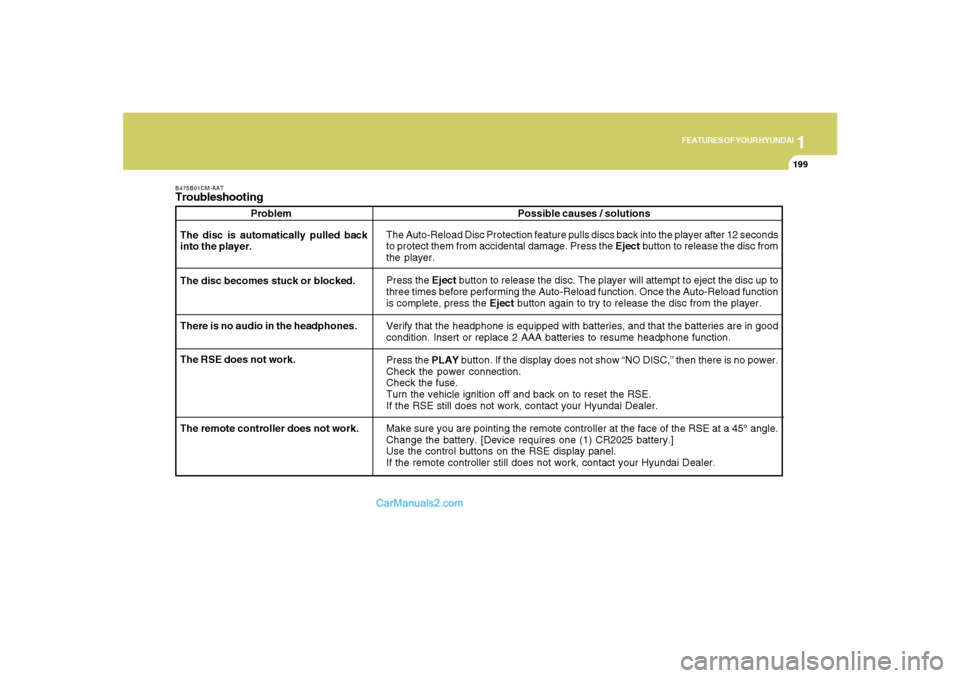
B475B01CM-AATTroubleshooting
Problem
The Auto-Reload Disc Protection feature pulls discs back into the player after 12 seconds
to protect them from accidental damage. Press the Eject button to release the disc from
the player.
Press the Eject button to release the disc. The player will attempt to eject the disc up to
three times before performing the Auto-Reload function. Once the Auto-Reload function
is complete, press the Eject button again to try to release the disc from the player.
Verify that the headphone is equipped with batteries, and that the batteries are in good
condition. Insert or replace 2 AAA batteries to resume headphone function.
Press the PLAY button. If the display does not show “NO DISC,” then there is no power.
Check the power connection.
Check the fuse.
Turn the vehicle ignition off and back on to reset the RSE.
If the RSE still does not work, contact your Hyundai Dealer.
Make sure you are pointing the remote controller at the face of the RSE at a 45° angle.
Change the battery. [Device requires one (1) CR2025 battery.]
Use the control buttons on the RSE display panel.
If the remote controller still does not work, contact your Hyundai Dealer. The disc is automatically pulled back
into the player.
The disc becomes stuck or blocked.
There is no audio in the headphones.
The RSE does not work.Possible causes / solutions
The remote controller does not work.
Page 212 of 355
DRIVING YOUR HYUNDAI
2
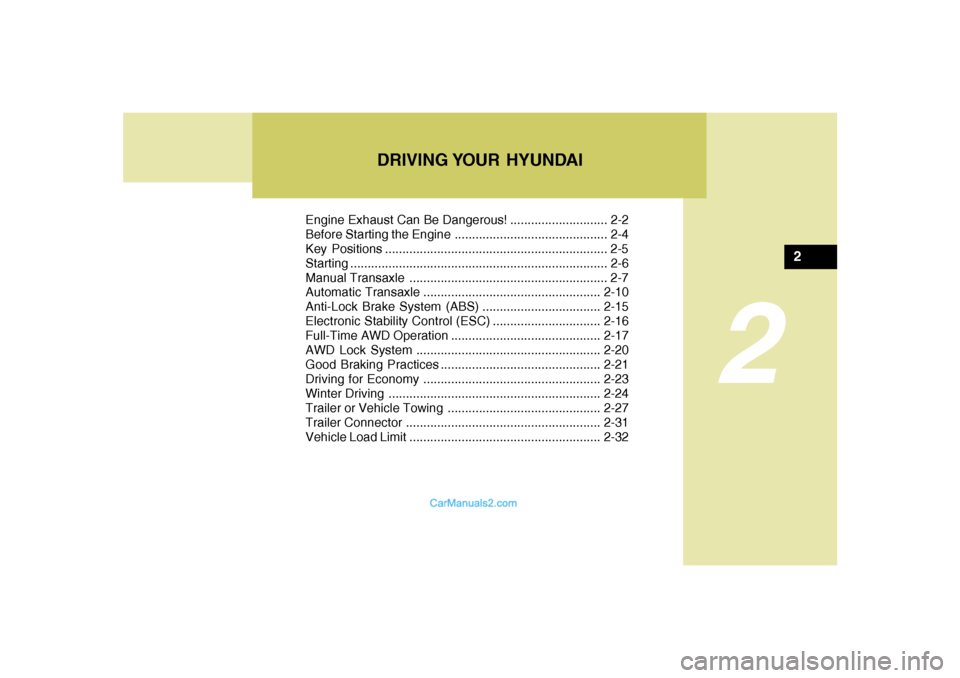
Engine Exhaust Can Be Dangerous! ............................ 2-2
Before Starting the Engine ............................................ 2-4
Key Positions ................................................................ 2-5
Starting ..........................................................................2-6
Manual Transaxle ......................................................... 2-7
Automatic Transaxle...................................................2-10
Anti-Lock Brake System (ABS) ..................................2-15
Electronic Stability Control (ESC)...............................2-16
Full-Time AWD Operation ...........................................2-17
AWD Lock System.....................................................2-20
Good Braking Practices..............................................2-21
Driving for Economy...................................................2-23
Winter Driving.............................................................2-24
Trailer or Vehicle Towing ............................................2-27
Trailer Connector........................................................2-31
Vehicle Load Limit.......................................................2-32
2
Page 215 of 355
2
DRIVING YOUR HYUNDAI
4
!
BEFORE STARTING THE
ENGINEC020A03A-AATBefore you start the engine, you should
always:
1. Look around the vehicle to be sure
there are no flat tires, puddles of oil,
water or other indications of possible
trouble.
2. After entering the car, check to be sure
the parking brake is engaged.
3. Check that all windows, and lights are
clean.
4. Check that the interior and exterior mir-
rors are clean and in position.
5. Check your seat, seatback and head-
rest to be sure they are in their proper
positions.
6. Lock all the doors.
7. Fasten your seat belt and be sure that all
other occupants have fastened theirs.
8. Turn off all lights and accessories that
are not needed.
9. When you turn the ignition switch to
"ON", check that all appropriate warn-
ing lights are operating and that you
have sufficient fuel.
10. Check the operation of warning lights
and all bulbs when key is in the "ON"
position.
!
WARNING:
Your vehicle is equipped with tires de-
signed to provide for safe ride and han-
dling capability.
Do not use a size and type of tire and
wheel that is different from the one that
is originally installed on your vehicle. It
can affect the safety and performance
of your vehicle, which could lead to han-
dling failure or rollover and serious in-
jury.
When replacing the tires, be sure to equip
all four tires with the tire and wheel of the
same size, type, tread, brand and load-
carrying capacity.
WARNING:
o All passengers must be properly
belted whenever the vehicle is mov-
ing. Refer to pages: 1-27 through 1-
33 for more information on their proper
use.
o Always check the surrounding areas
near your vehicle for people, espe-
cially children, before putting a car
into 'drive.'
o Always wear appropriate shoes when
operating your vehicle. Unsuitable
shoes (high heels, ski boots, etc.) may
interfere with your ability to use the
brake and accelerator pedal, and the
clutch (if installed).
Page 216 of 355
2
DRIVING YOUR HYUNDAI
5
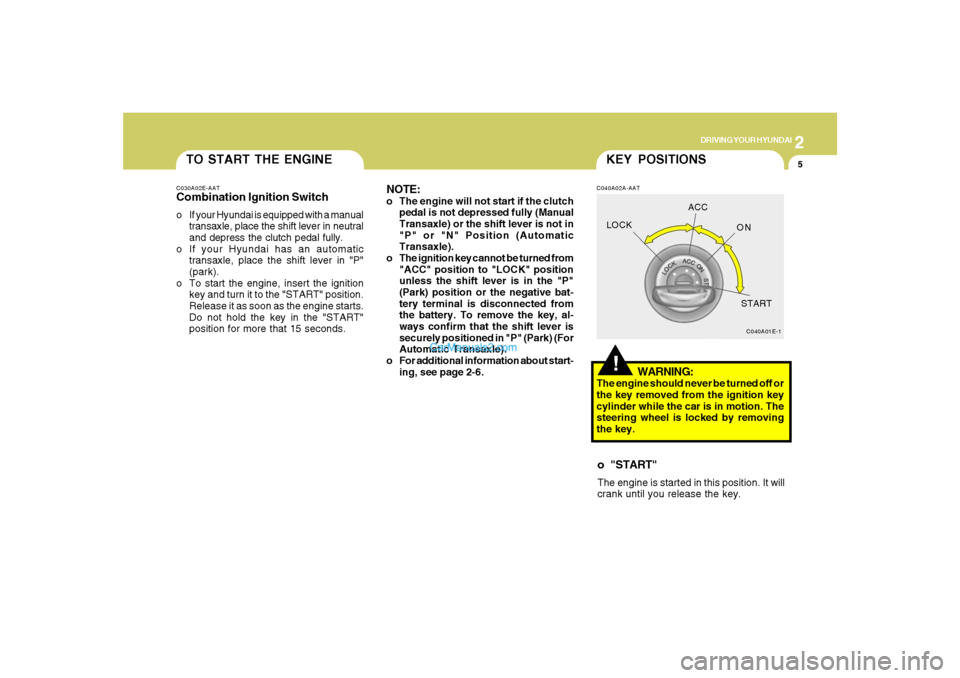
TO START THE ENGINEC030A02E-AATCombination Ignition Switcho If your Hyundai is equipped with a manual
transaxle, place the shift lever in neutral
and depress the clutch pedal fully.
o If your Hyundai has an automatic
transaxle, place the shift lever in "P"
(park).
o To start the engine, insert the ignition
key and turn it to the "START" position.
Release it as soon as the engine starts.
Do not hold the key in the "START"
position for more that 15 seconds.
NOTE:o The engine will not start if the clutch
pedal is not depressed fully (Manual
Transaxle) or the shift lever is not in
"P" or "N" Position (Automatic
Transaxle).
o The ignition key cannot be turned from
"ACC" position to "LOCK" position
unless the shift lever is in the "P"
(Park) position or the negative bat-
tery terminal is disconnected from
the battery. To remove the key, al-
ways confirm that the shift lever is
securely positioned in "P" (Park) (For
Automatic Transaxle).
o For additional information about start-
ing, see page 2-6.
!KEY POSITIONSC040A02A-AAT
WARNING:
The engine should never be turned off or
the key removed from the ignition key
cylinder while the car is in motion. The
steering wheel is locked by removing
the key.o "START"The engine is started in this position. It will
crank until you release the key.
C040A01E-1
LOCKACC
ON
START
Page 217 of 355
2
DRIVING YOUR HYUNDAI
6
C070C01E-1
LOCKACC
ON
START
C050A01E-1
STARTING!
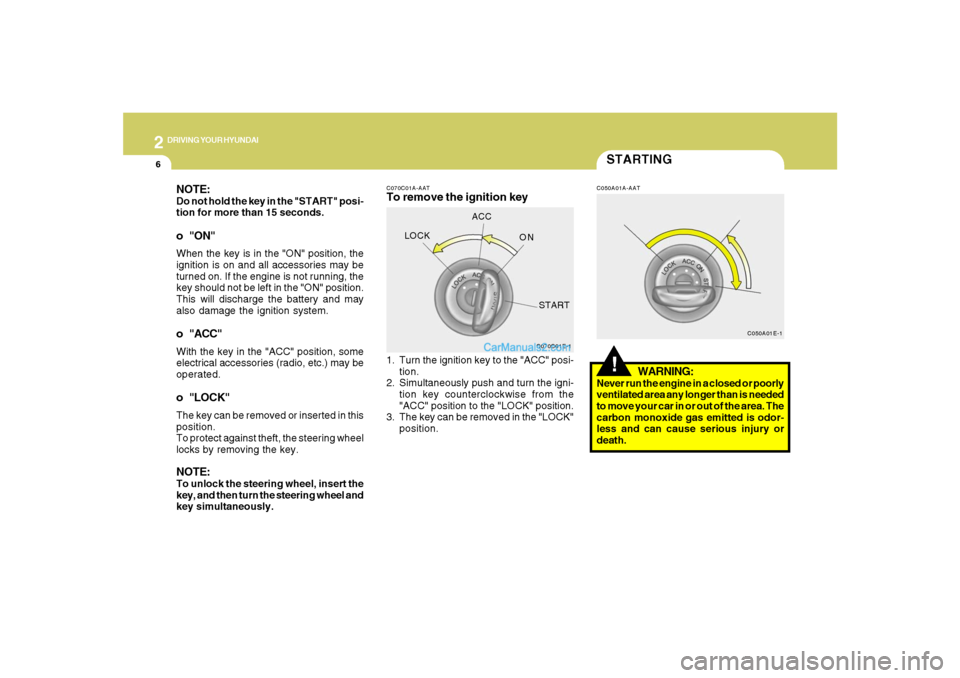
C070C01A-AATTo remove the ignition key
C050A01A-AAT
1. Turn the ignition key to the "ACC" posi-
tion.
2. Simultaneously push and turn the igni-
tion key counterclockwise from the
"ACC" position to the "LOCK" position.
3. The key can be removed in the "LOCK"
position.
WARNING:
Never run the engine in a closed or poorly
ventilated area any longer than is needed
to move your car in or out of the area. The
carbon monoxide gas emitted is odor-
less and can cause serious injury or
death.
NOTE:Do not hold the key in the "START" posi-
tion for more than 15 seconds.o "ON"When the key is in the "ON" position, the
ignition is on and all accessories may be
turned on. If the engine is not running, the
key should not be left in the "ON" position.
This will discharge the battery and may
also damage the ignition system.o "ACC"With the key in the "ACC" position, some
electrical accessories (radio, etc.) may be
operated.o "LOCK"The key can be removed or inserted in this
position.
To protect against theft, the steering wheel
locks by removing the key.NOTE:To unlock the steering wheel, insert the
key, and then turn the steering wheel and
key simultaneously.
Page 224 of 355
2
DRIVING YOUR HYUNDAI
13
C090I04L-GAT
CAUTION:
o Shift into "R" and "P" position only
when the vehicle has completely
stopped.
o Do not accelerate the engine in re-
verse or any of the forward positions
with the brakes applied.
o Always apply the footbrake when
shifting from "P" or "N", to "R" or
"D"position.
o Do not use the "P" (Park) position in
place of the parking brake. Always
set the parking brake, shift the
transaxle into "P" (Park) position and
turn off the ignition when you leave the
vehicle, even momentarily. Never
leave the vehicle unattended while
the engine is running.
o Check the automatic transaxle fluid
level regularly, and add fluid as nec-
essary.
o See the maintenance schedule for
the proper fluid recommendation.
!
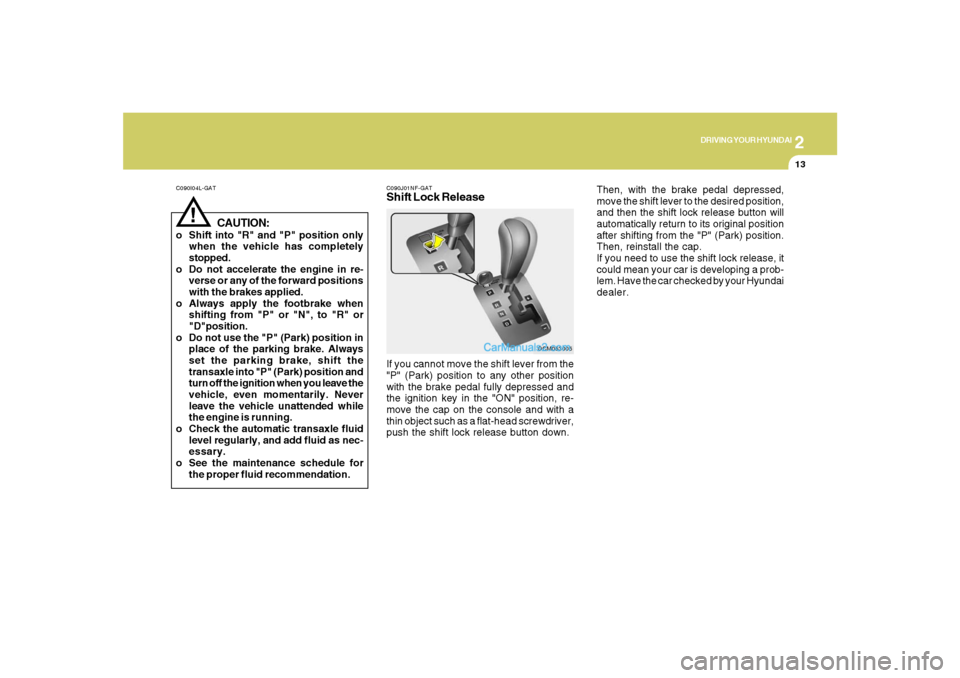
C090J01NF-GATShift Lock ReleaseIf you cannot move the shift lever from the
"P" (Park) position to any other position
with the brake pedal fully depressed and
the ignition key in the "ON" position, re-
move the cap on the console and with a
thin object such as a flat-head screwdriver,
push the shift lock release button down.
OCM053005
Then, with the brake pedal depressed,
move the shift lever to the desired position,
and then the shift lock release button will
automatically return to its original position
after shifting from the "P" (Park) position.
Then, reinstall the cap.
If you need to use the shift lock release, it
could mean your car is developing a prob-
lem. Have the car checked by your Hyundai
dealer.
Page 226 of 355
2
DRIVING YOUR HYUNDAI
15
!
WARNING:
ABS (ESC) will not prevent accidents
due to improper or dangerous driving
maneuvers. Even though vehicle con-
trol is improved during emergency brak-
ing, always maintain a safe distance
between you and objects ahead. Vehicle
speeds should always be reduced dur-
ing extreme road conditions.
The braking distance for cars equipped
with an anti-lock braking system (Elec-
tronic Stability Control System) may be
longer than for those without it in the
following road conditions.
During these conditions the vehicle
should be driven at reduced speeds:
o Rough, gravel or snow-covered
roads.
o With tire chains installed.
o On roads where the road surface is
pitted or has different surface height.
The safety features of an ABS (ESC)
equipped vehicle should not be tested by
high speed driving or cornering. This
could endanger the safety of yourself or
others.
ANTI-LOCK BRAKE
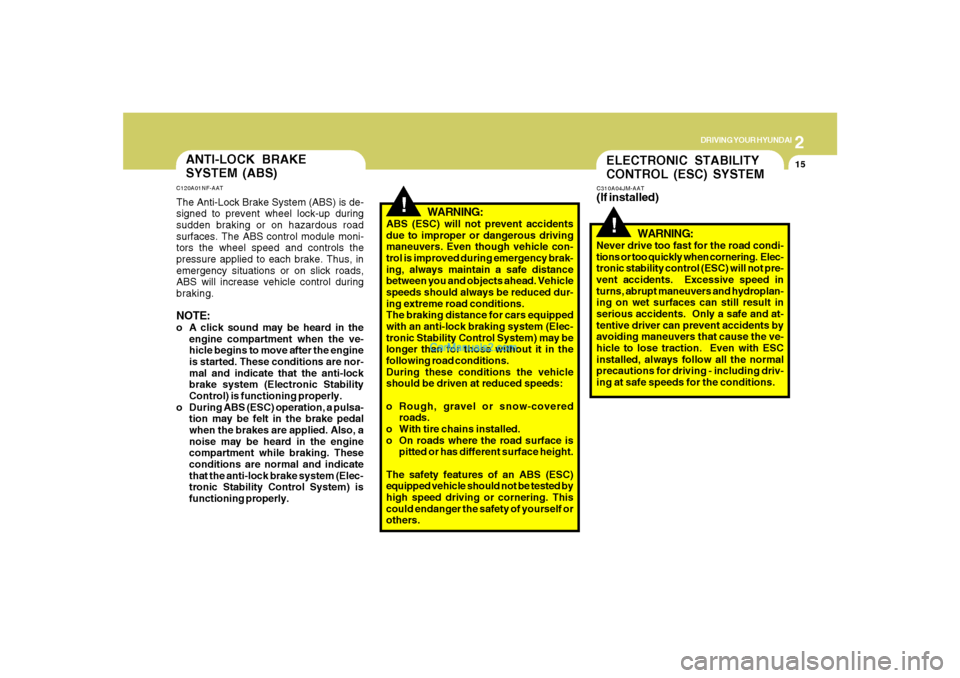
SYSTEM (ABS)C120A01NF-AATThe Anti-Lock Brake System (ABS) is de-
signed to prevent wheel lock-up during
sudden braking or on hazardous road
surfaces. The ABS control module moni-
tors the wheel speed and controls the
pressure applied to each brake. Thus, in
emergency situations or on slick roads,
ABS will increase vehicle control during
braking.NOTE:o A click sound may be heard in the
engine compartment when the ve-
hicle begins to move after the engine
is started. These conditions are nor-
mal and indicate that the anti-lock
brake system (Electronic Stability
Control) is functioning properly.
o During ABS (ESC) operation, a pulsa-
tion may be felt in the brake pedal
when the brakes are applied. Also, a
noise may be heard in the engine
compartment while braking. These
conditions are normal and indicate
that the anti-lock brake system (Elec-
tronic Stability Control System) is
functioning properly.
ELECTRONIC STABILITY
CONTROL (ESC) SYSTEMC310A04JM-AAT(If installed)
!
WARNING:
Never drive too fast for the road condi-
tions or too quickly when cornering. Elec-
tronic stability control (ESC) will not pre-
vent accidents. Excessive speed in
turns, abrupt maneuvers and hydroplan-
ing on wet surfaces can still result in
serious accidents. Only a safe and at-
tentive driver can prevent accidents by
avoiding maneuvers that cause the ve-
hicle to lose traction. Even with ESC
installed, always follow all the normal
precautions for driving - including driv-
ing at safe speeds for the conditions.
Page 231 of 355
2
DRIVING YOUR HYUNDAI
20
!
CAUTION:
If one of the front or rear wheels begins
to spin in mud, snow, etc., the vehicle can
sometimes be driven out by depressing
the accelerator pedal further; however,
avoid running the engine continuously at
high rpm because doing so could dam-
age the AWD system. (10)When using tire chains, always at-
tach them to the four wheels. In some
unavoidable circumstances, install
them on only the front wheels, not the
rear wheels.
(11) If the front or rear wheels get stuck in
the mud, do not spin them recklessly.
The AWD system could be damaged.
!
WARNING:
o Avoid high cornering speeds.
o Do not make quick steering wheel
movements, such as sharp lane
charges or fast, sharp turns.
o The risk of rollover is greatly in-
creased if you lose control of your
vehicle at highway speeds.
o While the full-time AWD vehicle is
being raised on a jack, never start the
engine or cause the tires to rotate.
There is danger that rotating tires
touching the ground could cause the
vehicle to go off the jack and to jump
forward.
o In a collision, an unbelted person is
signicantly more likely to be seriously
injured or killed than a person wearing
a seat belt.
o Loss of control may occurs if two or
more wheels drop off the roadway
and the driver oversteers to reenter
the roadway.
o In the event your vehicle leaves the
roadway, do not steer sharply. Instead,
slow down before pulling back into the
travel lanes.
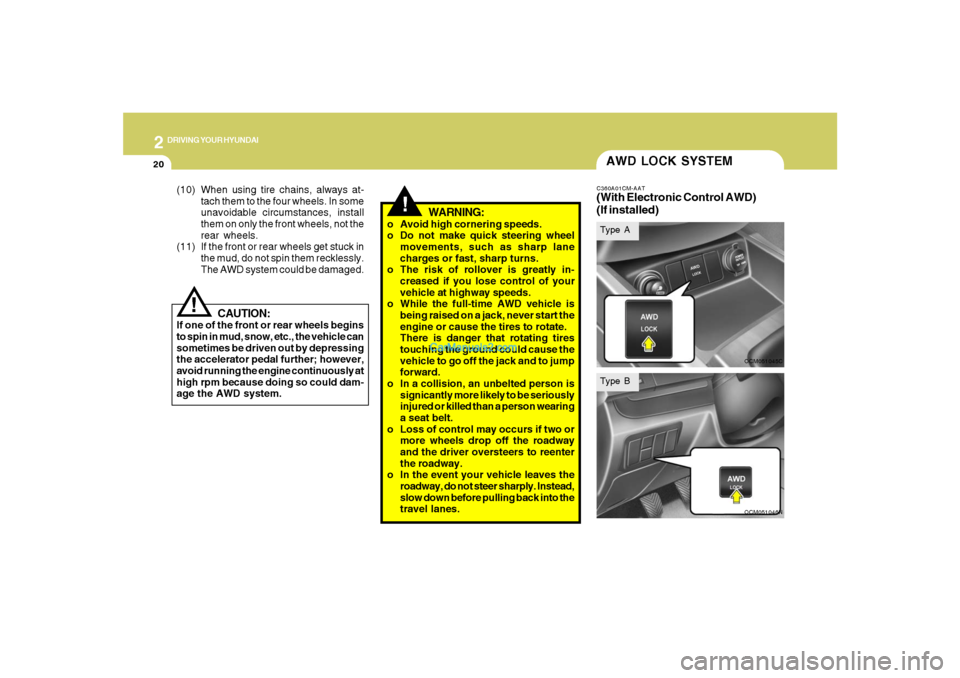
AWD LOCK SYSTEMC360A01CM-AAT(With Electronic Control AWD)
(If installed)
OCM051045COCM051046N
Type AType B