Power Seat Hyundai Santa Fe 2007 Owner's Manual
[x] Cancel search | Manufacturer: HYUNDAI, Model Year: 2007, Model line: Santa Fe, Model: Hyundai Santa Fe 2007Pages: 355, PDF Size: 13.03 MB
Page 13 of 355
1
Fuel Recommendations ................................................ 1-2
Breaking in Your New Hyundai ..................................... 1-3
Keys.............................................................................. 1-3
Door .............................................................................. 1-7
Power Windows..........................................................1-14
Seats...........................................................................1-16
Seat Belts....................................................................1-27
Child Restraint System ...............................................1-33
Supplemental Restraint (AIR BAG) system ................1-44
Instrument Cluster and Indicator Lights...................... 1-62
Warning and Indicator Lights......................................1-64
Multi-Function Light Switch .........................................1-76
Windshield Wiper/Washer Switch...............................1-79
Sunroof.......................................................................1-89
Mirror...........................................................................1-97
Luggage Compartment ..............................................1-109
Hood Release ...........................................................1-115
Cruise Control...........................................................1-120
Heating and Cooling Control .....................................1-125
Antenna.....................................................................1-143
Stereo Sound System...............................................1-144
Audio System............................................................1-147
1
FEATURES OF YOUR HYUNDAI
Page 32 of 355
1FEATURES OF YOUR HYUNDAI20
!
B090A02TG-AATFront Power SeatsThe front seats can be adjusted appropri-
ately by using the control knob on the seat.
Before driving, adjust the seat to the proper
position so as to easily control the steering
wheel, pedals and switches on the instru-
ment panel.
CAUTION:
Do not operate two knobs at the same
time.
WARNING:
o Never adjust a driver’s seat while the
vehicle is moving. Any sudden or
unexpected movement of the seat
could cause you to lose control of the
vehicle resulting in an accident. Only
adjust the driver’s seat when the ve-
hicle is stationary.
o Do not sit or lean unnecessarily close
to the air bag. Position the seat so that
you can sit as far back as possible
from the air bag and still comfortably
reach all controls.
!
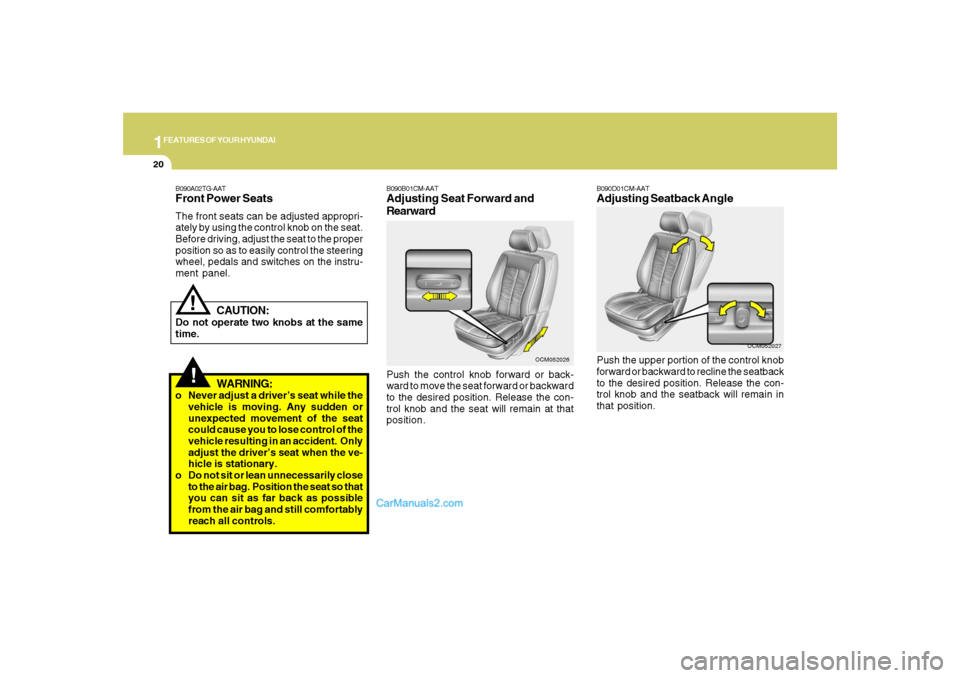
B090B01CM-AATAdjusting Seat Forward and
RearwardPush the control knob forward or back-
ward to move the seat forward or backward
to the desired position. Release the con-
trol knob and the seat will remain at that
position.
OCM052026
B090D01CM-AATAdjusting Seatback AnglePush the upper portion of the control knob
forward or backward to recline the seatback
to the desired position. Release the con-
trol knob and the seatback will remain in
that position.
OCM052027
Page 78 of 355
1FEATURES OF YOUR HYUNDAI66
B260V01CM-GAT
AWD (All Wheel Drive) Lock
Indicator Light (If installed)
The AWD (All Wheel Drive) lock indicator
light in the instrument cluster is illuminated
when the AWD lock switch is pushed.
The purpose of this switch is to increase
the drive power when driving on wet pave-
ment, snow-covered roads and/or off-road.
The AWD lock indicator light is turned off by
pushing the switch again.NOTE:Do not use AWD LOCK on normal dry
pavement conditions.
B260M02A-AAT
Low Fuel Level Warning
Light
OCM052208
The low fuel level warning light illuminates
when the fuel tank is approaching empty.
When it illuminates, you should add fuel as
soon as possible. Driving with the fuel
level warning light on or with the fuel level
below "E" can cause the engine to misfire
and damage the catalytic converter.The driver's seat belt warning light and
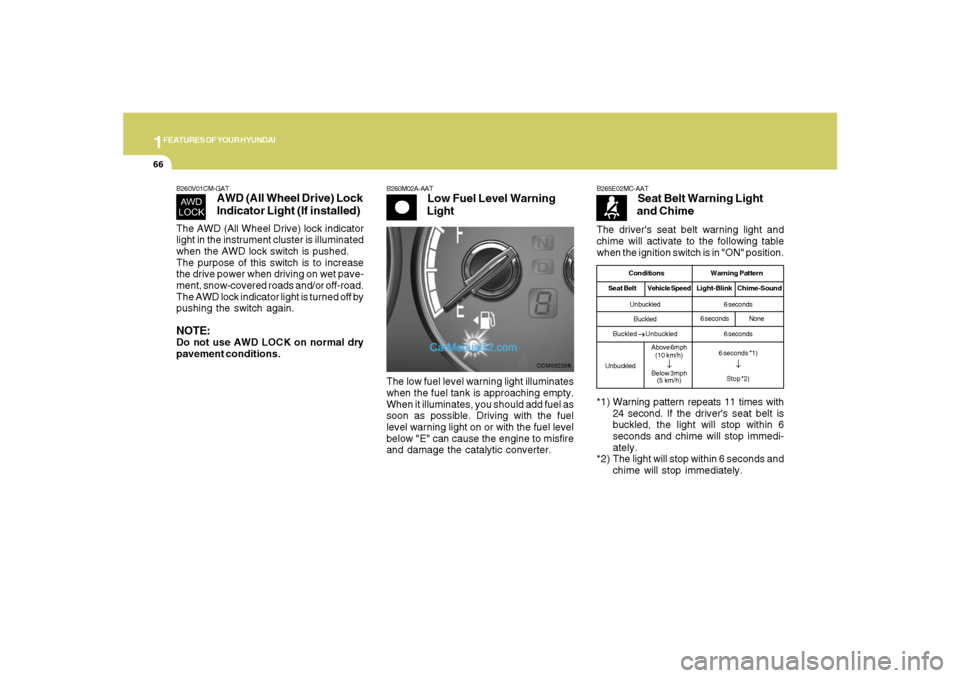
chime will activate to the following table
when the ignition switch is in "ON" position.
B265E02MC-AAT
Seat Belt Warning Light
and Chime
*1) Warning pattern repeats 11 times with
24 second. If the driver's seat belt is
buckled, the light will stop within 6
seconds and chime will stop immedi-
ately.
*2) The light will stop within 6 seconds and
chime will stop immediately.
Conditions Warning Pattern
Seat BeltVehicle SpeedLight-Blink Chime-SoundUnbuckled
Buckled
Buckled
→ →→ →
→ Unbuckled
UnbuckledAbove 6mph
(10 km/h)
↓
Below 3mph
(5 km/h)6 seconds
6 seconds
6 seconds *1)
↓Stop *2)
6 secondsNone
Page 160 of 355
1FEATURES OF YOUR HYUNDAI
148
B445B02CM-AATCONTROLLING HOW YOUR
AUDIO SYSTEM SOUNDSOperating your Audio system
Your audio system comprises a factory-
installed amplifier, an AM/FM digital tuner
(radio) and a CD player (single disc or 6-
disc changer). Use the CD player to play
discs encoded in the CD Audio, MP3, and
WMA formats. This audio system also
comes with an external Satellite Digital
Audio Receiver (SDAR) in providing the
XM service.
If your audio system is the D465S or D466S
model and it is connected to a factory-
installed Rear Seat Entertainment (RSE)
system*, you can control some playback
functions of the RSE system using the
audio system’s front panel controls (for
example, CD player controls).Your audio system has 5 different types of
controls. These controls are used either
independently or in combination with your
audio system’s radio, CD player, SDAR or
optional RSE system*.
NOTE:Your audio system’s factory-installed
amplifier is pre-configured for optimum
performance. You will not be able to
make any adjustments. If there is a prob-
lem with the audio system’s amplifier,
please consult a professional audio en-
gineer or the dealer where you purchased
your vehicle.1. General Controls:
These controls are used to operate the
entire audio system. (e.g. Power ON-OFF
control knob)
Use these controls independently or in
combination to control how the audio sys-
tem sounds. (e.g. Volume control, Bass
and Treble controls)
The sound settings you make are appli-
cable to all audio reproduction sources
(radio, CD, SDAR or auxiliary RSE* de-
vices).
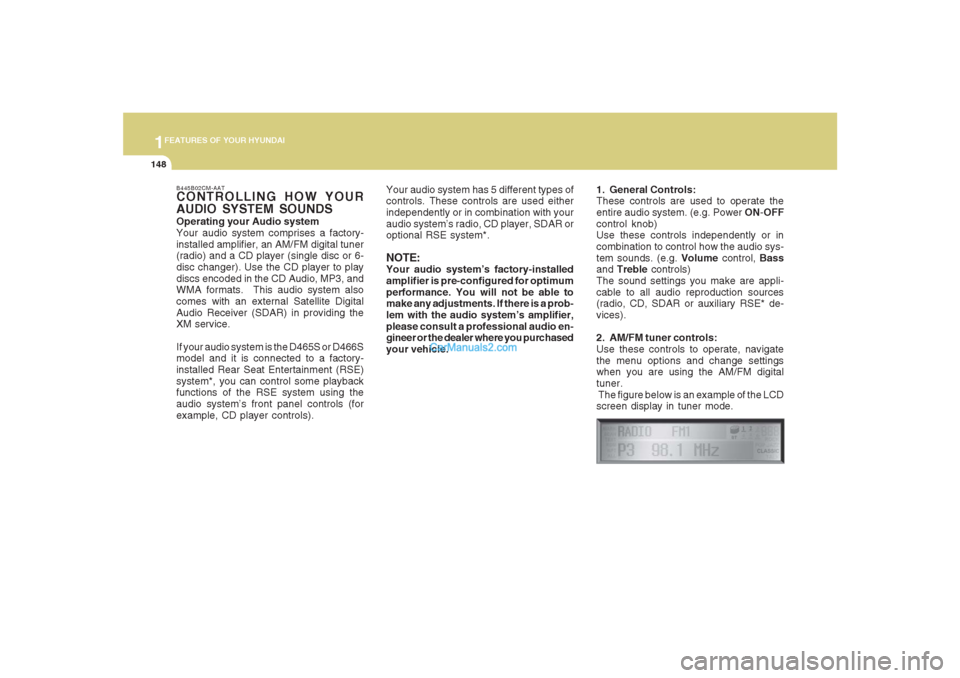
2. AM/FM tuner controls:
Use these controls to operate, navigate
the menu options and change settings
when you are using the AM/FM digital
tuner.
The figure below is an example of the LCD
screen display in tuner mode.
Page 184 of 355
1FEATURES OF YOUR HYUNDAI
172
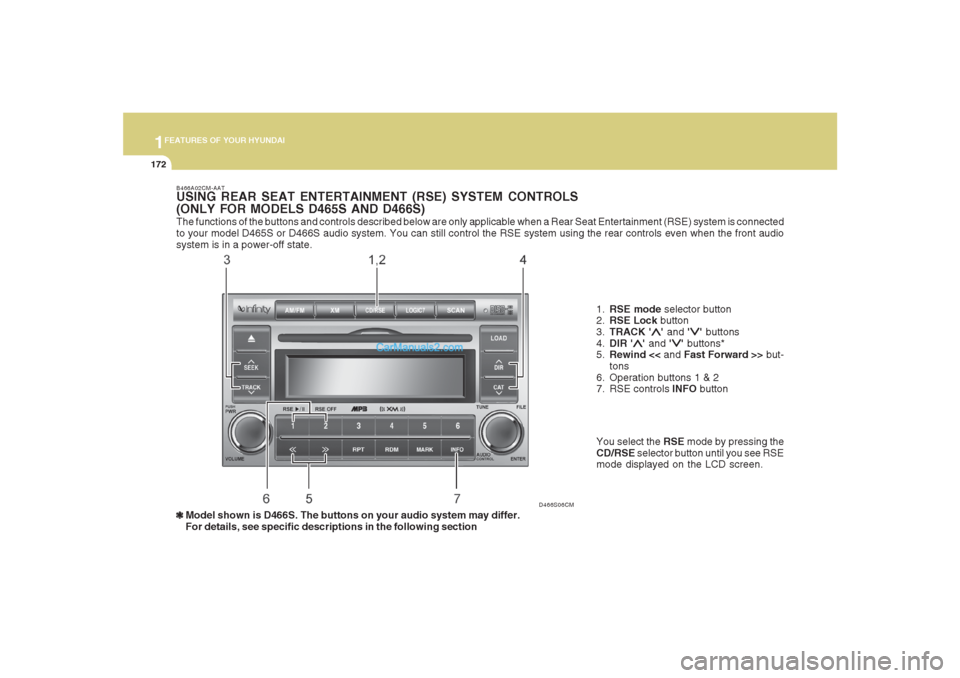
The functions of the buttons and controls described below are only applicable when a Rear Seat Entertainment (RSE) system is connected
to your model D465S or D466S audio system. You can still control the RSE system using the rear controls even when the front audio
system is in a power-off state.
D466S06CM B466A02CM-AAT
USING REAR SEAT ENTERTAINMENT (RSE) SYSTEM CONTROLS
(ONLY FOR MODELS D465S AND D466S)
1.RSE mode selector button
2.RSE Lock button
3.TRACK '
∧ ∧∧ ∧
∧' and '
∨ ∨∨ ∨
∨' buttons
4.DIR '
∧ ∧∧ ∧
∧' and '
∨ ∨∨ ∨
∨' buttons*
5.Rewind << and Fast Forward >> but-
tons
6. Operation buttons 1 & 2
7. RSE controls INFO button
❃ ❃❃ ❃
❃Model shown is D466S. The buttons on your audio system may differ.
For details, see specific descriptions in the following sectionYou select the RSE mode by pressing the
CD/RSE selector button until you see RSE
mode displayed on the LCD screen.
Page 185 of 355
1173173173173173173
FEATURES OF YOUR HYUNDAI
B466B02CM-AAT1. CD/RSE button (Switching to RSE
mode)Switch between RSE mode and CD mode
by pressing the CD/RSE selector button
until you see RSE mode displayed in the
LCD screen. In RSE mode, you can control
the RSE system from the controls on the
front panel of the audio system.NOTE:o If you are in Radio mode, press the
CD/RSE selector button once to switch
to CD mode and then press the CD/
RSE selector button again to switch to
RSE mode.
o If the CD changer does not contain
any CDs, you must press the CD/RSE
selector button a second time within
5 seconds of the first. Otherwise, the
audio system will automatically switch
back to radio mode.
2. RSE Lock buttonIn any mode, press and hold the CD/RSE
selector button for more than 2 seconds to
lock or release the RSE from the LOCK
mode. The LCD screen displays LOCK to
indicate that the system is in LOCK mode.
When the LOCK mode is engaged, only
the POWER ON/OFF button and the EJECT
button on the RSE system will be func-
tional.
This function is useful if you do not want
rear-seat passengers (e.g. children) to play
with the controls or otherwise interrupt disc
playback.
3. Track '
∧ ∧∧ ∧
∧' and '
∨ ∨∨ ∨
∨' buttons
If the RSE system is playing a disc and the
audio system is in RSE mode, press the
TRACK '
∧ ∧∧ ∧
∧' and '
∨ ∨∨ ∨
∨' buttons to select and
play the next or previous track on the disc
being played in the RSE.
The LCD screen displays the track status
as you press the buttons. You can press
the button several times to select the track
you want.
Page 190 of 355
1FEATURES OF YOUR HYUNDAI
178
B470A02CM-AATIMPORTANT SAFETY INFORMATIONIt is always important to operate your ve-
hicle in a safe manner and to avoid distrac-
tion while driving. This manual provides
information that will help you safely oper-
ate your Rear Seat Entertainment System
(RSE). Please read it completely before
using the system.
This device complies with part 15 of the
FCC rules. Operation is subject to the
following two conditions: (1) This device
may not cause harmful interference, and
(2) this device must accept any interfer-
ence received, including interference that
may cause undesired operation.
WELCOMESYSTEM OVERVIEWThe Rear Seat Entertainment System is a
compact, built-in, easy-to-use entertain-
ment system designed to provide family
fun while you are on the road. Enjoy great
quality sound from the vehicle speakers,
or private, quiet listening with the wireless
headphones.
The overhead LCD display unit is mounted
to the ceiling in the rear passenger area of
the vehicle, allowing rear-seat passen-
gers to play DVD movies, video CDs or
music CDs. Users may also plug a game
platform or VHS player into an auxiliary
input to show the programs through the
RSE LCD display. The RSE can also ac-
cess the vehicle's front radio programs.Connections / Setup
Your Rear Seat Entertainment system will
play DVD movies, video CDs, music CDs
or music MP3 discs, and is designed to
make your time on the road more enjoy-
able. Please follow these instructions care-
fully to get the most out of your RSE.
CAUTION:
!
o Avoid having food or drinks near, in or
on the RSE, the wireless headphones
or the remote controller.
o Direct sunlight may interfere with the
headphone's RSE LCD display's op-
eration and performance.
o Normal RSE operation cannot be guar-
anteed with unofficially duplicated
discs.
o Use of the rear seat entertainment
system without the engine running
will rapidly reduce vehicle battery
power.
o The RSE system is programmed to
the assigned DVD format for US re-
gion (#1). Please note that your RSE
will not read or play DVDs from a
different region.
REAR SEAT ENTERTAINMENT (RSE) SYSTEM (IF INSTALLED)
Page 191 of 355
1
FEATURES OF YOUR HYUNDAI
179
FEATURES OF YOUR HYUNDAI
179179179179
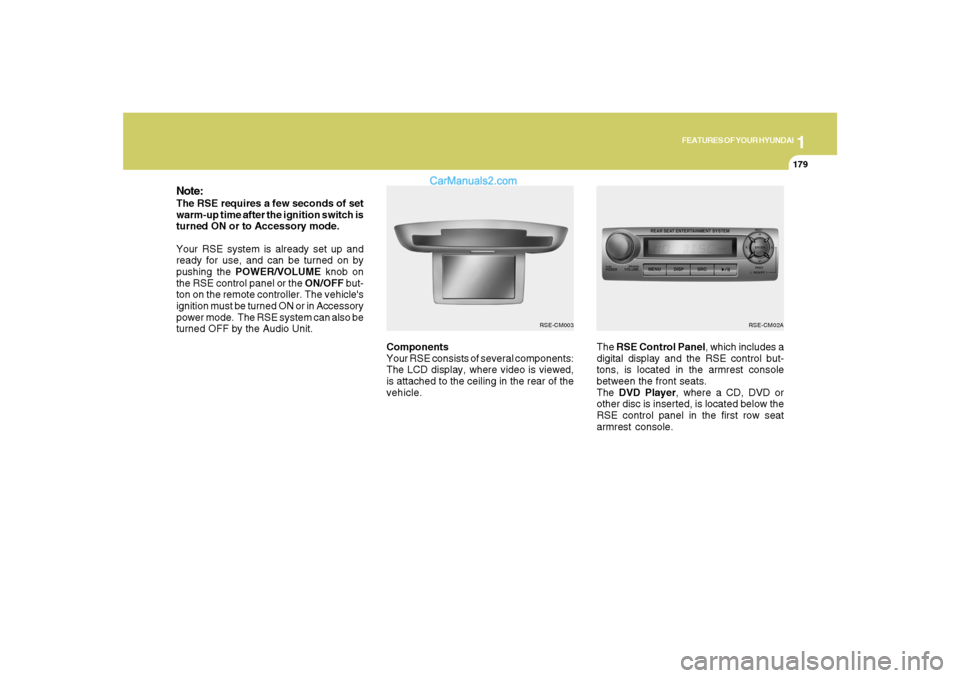
Components
Your RSE consists of several components:
The LCD display, where video is viewed,
is attached to the ceiling in the rear of the
vehicle.The RSE Control Panel, which includes a
digital display and the RSE control but-
tons, is located in the armrest console
between the front seats.
The DVD Player, where a CD, DVD or
other disc is inserted, is located below the
RSE control panel in the first row seat
armrest console.
Note:The RSE requires a few seconds of set
warm-up time after the ignition switch is
turned ON or to Accessory mode.
Your RSE system is already set up and
ready for use, and can be turned on by
pushing the POWER/VOLUME knob on
the RSE control panel or the ON/OFF but-
ton on the remote controller. The vehicle's
ignition must be turned ON or in Accessory
power mode. The RSE system can also be
turned OFF by the Audio Unit.
RSE-CM02A
RSE-CM003
Page 195 of 355
1
FEATURES OF YOUR HYUNDAI
183
FEATURES OF YOUR HYUNDAI
183183183183
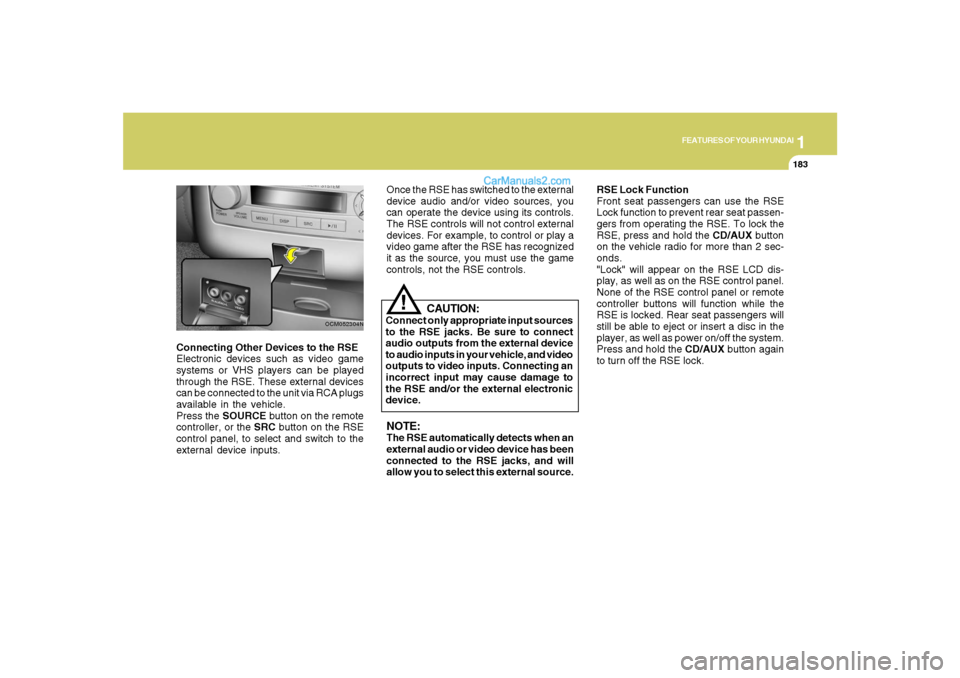
Connecting Other Devices to the RSE
Electronic devices such as video game
systems or VHS players can be played
through the RSE. These external devices
can be connected to the unit via RCA plugs
available in the vehicle.
Press the SOURCE button on the remote
controller, or the SRC button on the RSE
control panel, to select and switch to the
external device inputs.
OCM052304N
Once the RSE has switched to the external
device audio and/or video sources, you
can operate the device using its controls.
The RSE controls will not control external
devices. For example, to control or play a
video game after the RSE has recognized
it as the source, you must use the game
controls, not the RSE controls.NOTE:The RSE automatically detects when an
external audio or video device has been
connected to the RSE jacks, and will
allow you to select this external source.RSE Lock Function
Front seat passengers can use the RSE
Lock function to prevent rear seat passen-
gers from operating the RSE. To lock the
RSE, press and hold the CD/AUX button
on the vehicle radio for more than 2 sec-
onds.
"Lock" will appear on the RSE LCD dis-
play, as well as on the RSE control panel.
None of the RSE control panel or remote
controller buttons will function while the
RSE is locked. Rear seat passengers will
still be able to eject or insert a disc in the
player, as well as power on/off the system.
Press and hold the CD/AUX button again
to turn off the RSE lock.
CAUTION:
Connect only appropriate input sources
to the RSE jacks. Be sure to connect
audio outputs from the external device
to audio inputs in your vehicle, and video
outputs to video inputs. Connecting an
incorrect input may cause damage to
the RSE and/or the external electronic
device.
!
Page 232 of 355
2
DRIVING YOUR HYUNDAI
21
GOOD BRAKING PRACTICESC130A02A-AAT
WARNING:
o Whenever leaving vehicle or parking,
always set the parking brake as far as
possible and fully engage the vehicle's
transaxle into the park position. Ve-
hicles not fully engaged in park with
the parking brake set are at risk for
moving inadvertently and injuring
yourself or others.
o All vehicles should always have the
parking brake fully engaged when
parking to avoid inadvertent move-
ment of the car which can injure occu-
pants or pedestrians.
o Nothing should be carried on top of
the shelf panel behind the rear seat. If
there were an accident or a sudden
stop, such objects could move for-
ward and cause damage to the ve-
hicle or injure the occupants.
!
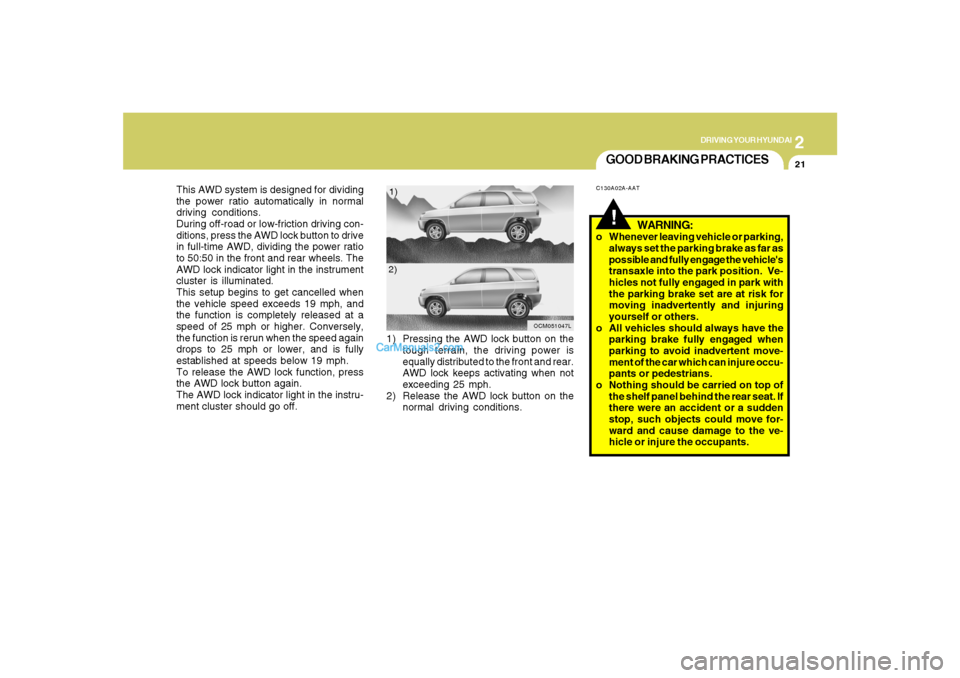
This AWD system is designed for dividing
the power ratio automatically in normal
driving conditions.
During off-road or low-friction driving con-
ditions, press the AWD lock button to drive
in full-time AWD, dividing the power ratio
to 50:50 in the front and rear wheels. The
AWD lock indicator light in the instrument
cluster is illuminated.
This setup begins to get cancelled when
the vehicle speed exceeds 19 mph, and
the function is completely released at a
speed of 25 mph or higher. Conversely,
the function is rerun when the speed again
drops to 25 mph or lower, and is fully
established at speeds below 19 mph.
To release the AWD lock function, press
the AWD lock button again.
The AWD lock indicator light in the instru-
ment cluster should go off.1) Pressing the AWD lock button on the
tough terrain, the driving power is
equally distributed to the front and rear.
AWD lock keeps activating when not
exceeding 25 mph.
2) Release the AWD lock button on the
normal driving conditions.
OCM051047L
1)
2)