reset Hyundai Santa Fe 2008 Owner's Guide
[x] Cancel search | Manufacturer: HYUNDAI, Model Year: 2008, Model line: Santa Fe, Model: Hyundai Santa Fe 2008Pages: 355, PDF Size: 12.36 MB
Page 206 of 355
1FEATURES OF YOUR HYUNDAI
194
Also you can select the CATEGORY or
CHANNEL function by using FF> and
ing the
∧ ∧∧ ∧
∧ NEXT or
∨ ∨∨ ∨
∨ PREV button will
activate the category up or down, channel
up or down function. When the focus on the
CATEGORY, if you press the ENTER but-
ton and move the focus on the CHANNEL
icon, you can select the channel up or
down function in the current category by
pressing the
∧ ∧∧ ∧
∧ NEXT or
∨ ∨∨ ∨
∨ PREV buttons.
Move the focus on the SCAN icon, you can
activate the scan function by pressing the
ENTER button. If meantime, the CAT-
EGORY icon been highlighted, above
operation will activate the scan function in
the current category.
LISTENING TO THE VEHICLE RADIOPress the SRC button to select from the
various audio and video sources avail-
able. All available sources will be dis-
played on the Mode Selection screen. Use
the arrow buttons (
∧ ∧∧ ∧
∧ NEXT/
∨ ∨∨ ∨
∨ PREV and
REW/FF) to navigate to the desired source,
and then press ENTER to select the high-
lighted source.
To control the vehicle radio from the RSE
control panel or remote controller, press
the SOURCE button on the remote control-
ler or the SRC button on the RSE control
panel, then all available sources will be
displayed on the Source Selection screen.
Use the arrow buttons (
∧ ∧∧ ∧
∧ NEXT/
∨ ∨∨ ∨
∨ PREV
and REW/FF) to navigate to the desired
source, and then press ENTER to select
the highlighted source.
The RSE LCD display and the RSE control
panel will indicate the selected source.Tuning a Station
While the vehicle radio is the current source,
press the
∧ ∧∧ ∧
∧ NEXT or
∨ ∨∨ ∨
∨ PREV button on
the RSE control panel or remote controller
once to search up or down for the next
available station. When the tuner finds a
station it will stop at the station and start to
play.
Press the
∧ ∧∧ ∧
∧ NEXT or
∨ ∨∨ ∨
∨ PREV button to
seek up or down through all radio stations.
When the radio finds a station, it will stop
and play that station.
Press the FF > or < REW button to manually
tune up or down one channel. Press and
hold the FF > or < REW button to continue
tuning up or down.
Pressing a number on the remote control-
ler keypad will tune to the corresponding
preset station. For example, if 89.7 has
been stored as preset 1 (CH1), then press-
ing the “1” button on the keypad will tune
to that station.
B470H01CM-AAT
Page 209 of 355
1
FEATURES OF YOUR HYUNDAI
197
FEATURES OF YOUR HYUNDAI
197197197197
1. ON/OFF
Press the RSE control panel POWER but-
ton or the ON/OFF
button on the
remote controller to turn the RSE On or Off.
If a disc is loaded and playing when the
RSE is turned off, when the RSE is turned
back on the disc will automatically resume
playback at the point where it was stopped.
2. Mute
Press the MUTE button to mute the audio
in the vehicle speakers. The MUTE button
has no effect on the wireless headphones.
While muted, the RSE control panel, ve-
hicle radio and RSE LCD display will dis-
play "MUTE." Press the button again, or
adjust the volume at RSE control panel or
vehicle radio, to un-mute the audio.3. Number Buttons ~
The number buttons (0 through 9) can be
used to directly enter information such as
chapters in a DVD, track or file numbers for
audio CDs, and radio station presets.
To select a DVD or VCD chapter, while a
DVD/VCD is playing, press the number
button(s) that correspond to the desired
chapter and press ENTER.
To select a CD track, while a CD is playing
press the number button(s) that correspond
to the track and press ENTER.
To select an MP3 file, while an MP3 disc is
playing, press the number button(s) that
correspond to the desired file and press
ENTER.
To select a radio station preset, while the
desired band (AM, FM1 or FM2) is se-
lected, press the numbered button that
corresponds to the preset on the vehicle
radio. There is no need to press ENTER.4. Source
Press the SOURCE button to select from
the various audio and video sources avail-
able. Use the arrow buttons (
∧ ∧∧ ∧
∧ NEXT /
∨ ∨∨ ∨
∨
PREV and REW/FF) to navigate to the
desired source, then press ENTER to se-
lect the highlighted source.
The RSE control panel will display "REAR"
if the current source is the RSE player, and
will display "FRONT" if the current source
is the vehicle radio.
5. DISP (Display) Button
Pressing DISP enables you to adjust the
parameters of the LCD display. For more
information on how to make these adjust-
ments, see the "Adjusting the LCD Dis-
play" section of this manual.
Page 211 of 355
1
FEATURES OF YOUR HYUNDAI
199
FEATURES OF YOUR HYUNDAI
199199199199
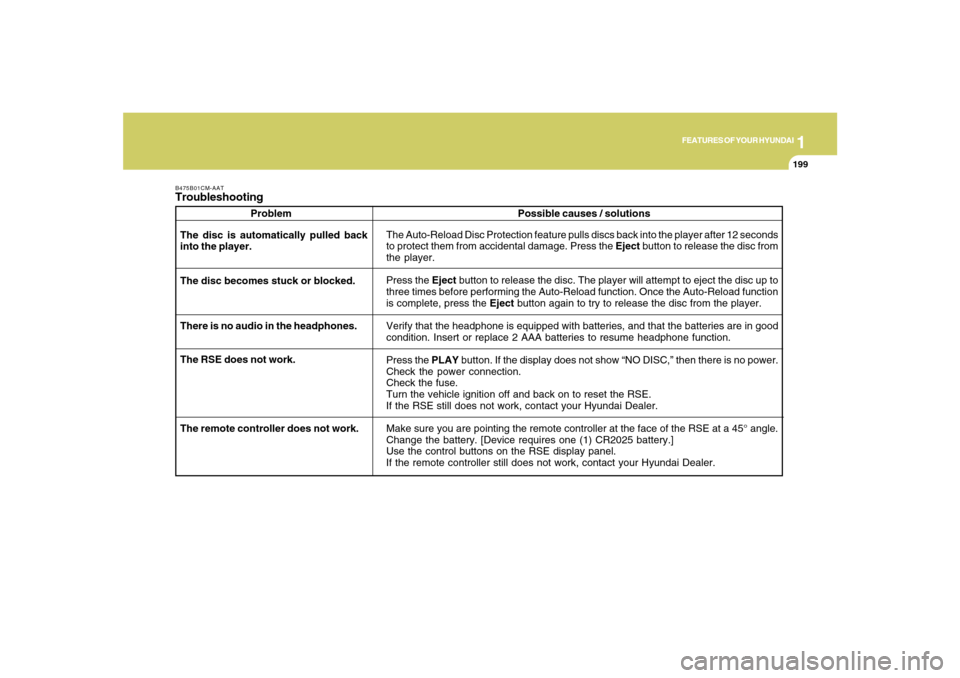
B475B01CM-AATTroubleshooting
Problem
The Auto-Reload Disc Protection feature pulls discs back into the player after 12 seconds
to protect them from accidental damage. Press the Eject button to release the disc from
the player.
Press the Eject button to release the disc. The player will attempt to eject the disc up to
three times before performing the Auto-Reload function. Once the Auto-Reload function
is complete, press the Eject button again to try to release the disc from the player.
Verify that the headphone is equipped with batteries, and that the batteries are in good
condition. Insert or replace 2 AAA batteries to resume headphone function.
Press the PLAY button. If the display does not show “NO DISC,” then there is no power.
Check the power connection.
Check the fuse.
Turn the vehicle ignition off and back on to reset the RSE.
If the RSE still does not work, contact your Hyundai Dealer.
Make sure you are pointing the remote controller at the face of the RSE at a 45° angle.
Change the battery. [Device requires one (1) CR2025 battery.]
Use the control buttons on the RSE display panel.
If the remote controller still does not work, contact your Hyundai Dealer. The disc is automatically pulled back
into the player.
The disc becomes stuck or blocked.
There is no audio in the headphones.
The RSE does not work.Possible causes / solutions
The remote controller does not work.
Page 306 of 355
6
DO-IT-YOURSELF MAINTENANCE
20
G200C01CM-GATPower connectorNOTE:
o If the power connector is pulled out of
the fuse panel, the warning chime,
audio, clock and interior lamps, etc.,
will not operate. The following items
must be reset after replacement.
- Digital Clock
- Trip computer
- Automatic heating and cooling con-
trol system
- Audio
o Even though the power connector is
pulled out, the battery can still be
discharged by operation of the head-
lights or other electrical devices.
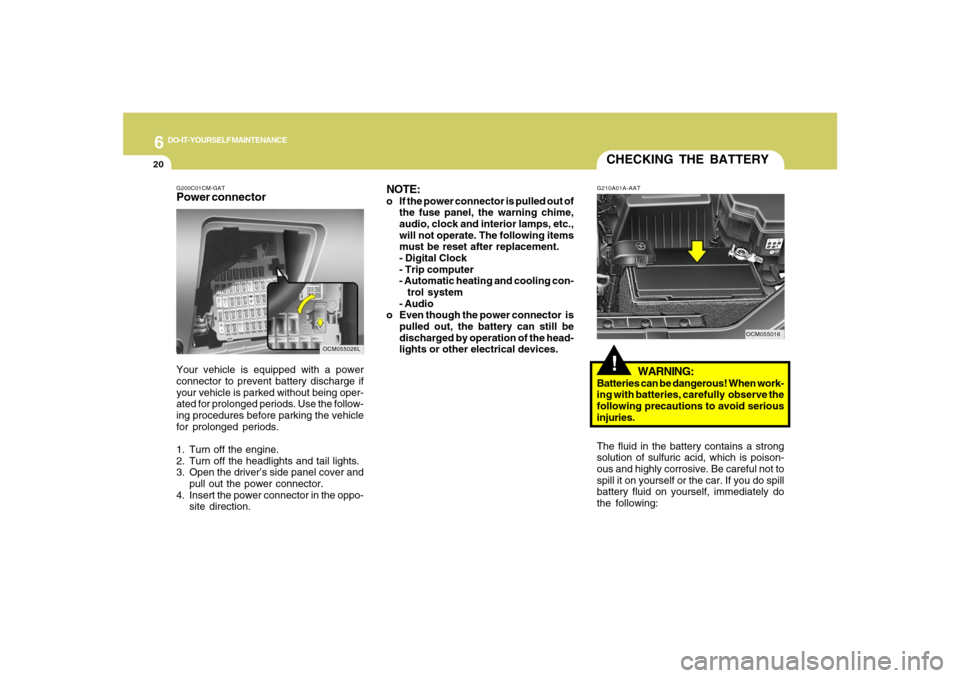
Your vehicle is equipped with a power
connector to prevent battery discharge if
your vehicle is parked without being oper-
ated for prolonged periods. Use the follow-
ing procedures before parking the vehicle
for prolonged periods.
1. Turn off the engine.
2. Turn off the headlights and tail lights.
3. Open the driver’s side panel cover and
pull out the power connector.
4. Insert the power connector in the oppo-
site direction.
OCM055026L
CHECKING THE BATTERY!
G210A01A-AAT
WARNING:
Batteries can be dangerous! When work-
ing with batteries, carefully observe the
following precautions to avoid serious
injuries.
The fluid in the battery contains a strong
solution of sulfuric acid, which is poison-
ous and highly corrosive. Be careful not to
spill it on yourself or the car. If you do spill
battery fluid on yourself, immediately do
the following:
OCM055016