light Hyundai Santa Fe 2008 Workshop Manual
[x] Cancel search | Manufacturer: HYUNDAI, Model Year: 2008, Model line: Santa Fe, Model: Hyundai Santa Fe 2008Pages: 355, PDF Size: 12.36 MB
Page 132 of 355
1FEATURES OF YOUR HYUNDAI
120
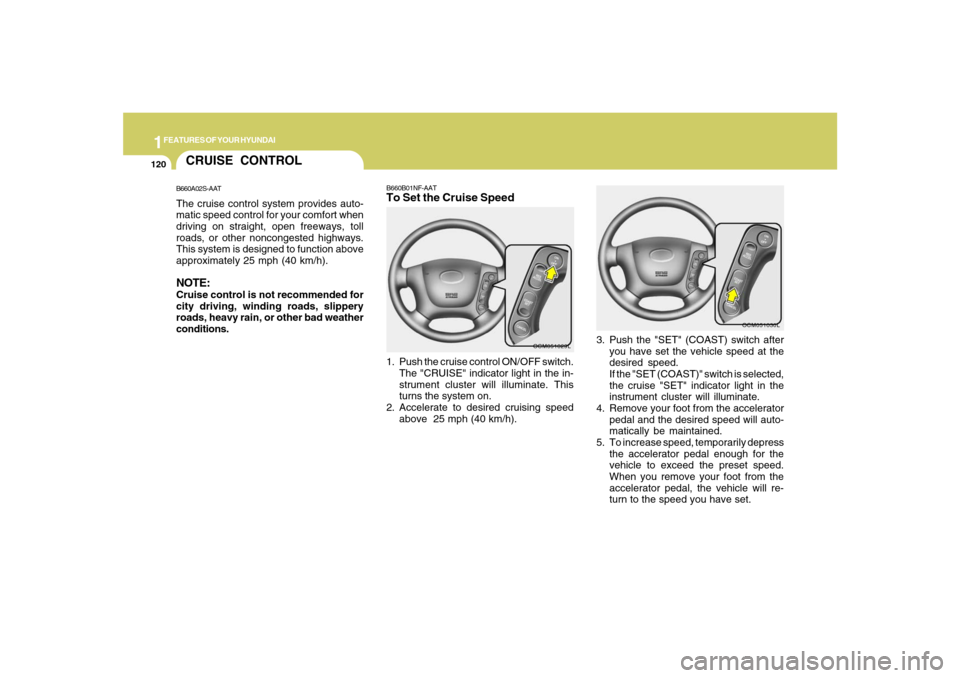
B660B01NF-AATTo Set the Cruise Speed1. Push the cruise control ON/OFF switch.
The "CRUISE" indicator light in the in-
strument cluster will illuminate. This
turns the system on.
2. Accelerate to desired cruising speed
above 25 mph (40 km/h).
OCM051029L
OCM051030L
3. Push the "SET" (COAST) switch after
you have set the vehicle speed at the
desired speed.
If the "SET (COAST)" switch is selected,
the cruise "SET" indicator light in the
instrument cluster will illuminate.
4. Remove your foot from the accelerator
pedal and the desired speed will auto-
matically be maintained.
5. To increase speed, temporarily depress
the accelerator pedal enough for the
vehicle to exceed the preset speed.
When you remove your foot from the
accelerator pedal, the vehicle will re-
turn to the speed you have set.
CRUISE CONTROLB660A02S-AATThe cruise control system provides auto-
matic speed control for your comfort when
driving on straight, open freeways, toll
roads, or other noncongested highways.
This system is designed to function above
approximately 25 mph (40 km/h).NOTE:Cruise control is not recommended for
city driving, winding roads, slippery
roads, heavy rain, or other bad weather
conditions.
Page 134 of 355
1FEATURES OF YOUR HYUNDAI
122
!
WARNING:
o Keep the cruise control ON/OFF switch
off when not using the cruise control
to avoid inadvertently setting a speed.
o Use the cruise control system only
when traveling on open highways in
good weather.
o Do not use the cruise control when it
may not be safe to keep the car at a
constant speed, for instance, driving
in heavy or varying traffic, or on slip-
pery (rainy, icy or snow-covered) or
winding roads or over 6% up-hill or
down-hill roads.
o Pay particular attention to the driving
conditions whenever using the cruise
control system.
o During cruise-speed driving of a
manual transaxle vehicle, do not shift
into neutral without depressing the
clutch pedal, since the engine will be
overrevved. If this happens, depress
the clutch pedal or release the cruise
control ON/OFF switch.
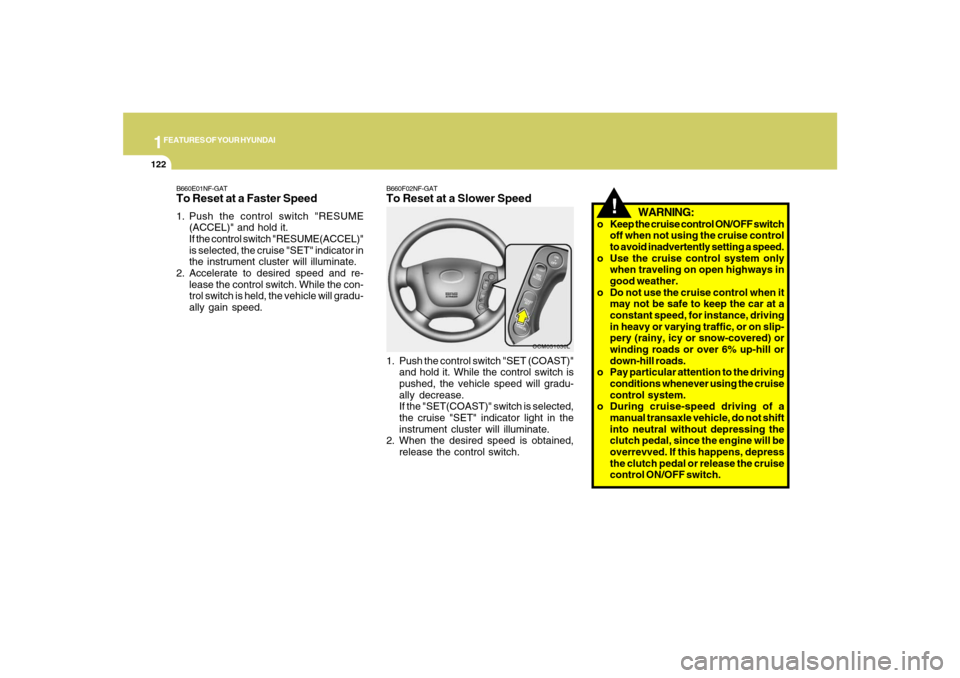
B660F02NF-GATTo Reset at a Slower Speed1. Push the control switch "SET (COAST)"
and hold it. While the control switch is
pushed, the vehicle speed will gradu-
ally decrease.
If the "SET(COAST)" switch is selected,
the cruise "SET" indicator light in the
instrument cluster will illuminate.
2. When the desired speed is obtained,
release the control switch.
OCM051030L
B660E01NF-GATTo Reset at a Faster Speed1. Push the control switch "RESUME
(ACCEL)" and hold it.
If the control switch "RESUME(ACCEL)"
is selected, the cruise "SET" indicator in
the instrument cluster will illuminate.
2. Accelerate to desired speed and re-
lease the control switch. While the con-
trol switch is held, the vehicle will gradu-
ally gain speed.
Page 138 of 355
1FEATURES OF YOUR HYUNDAI
126
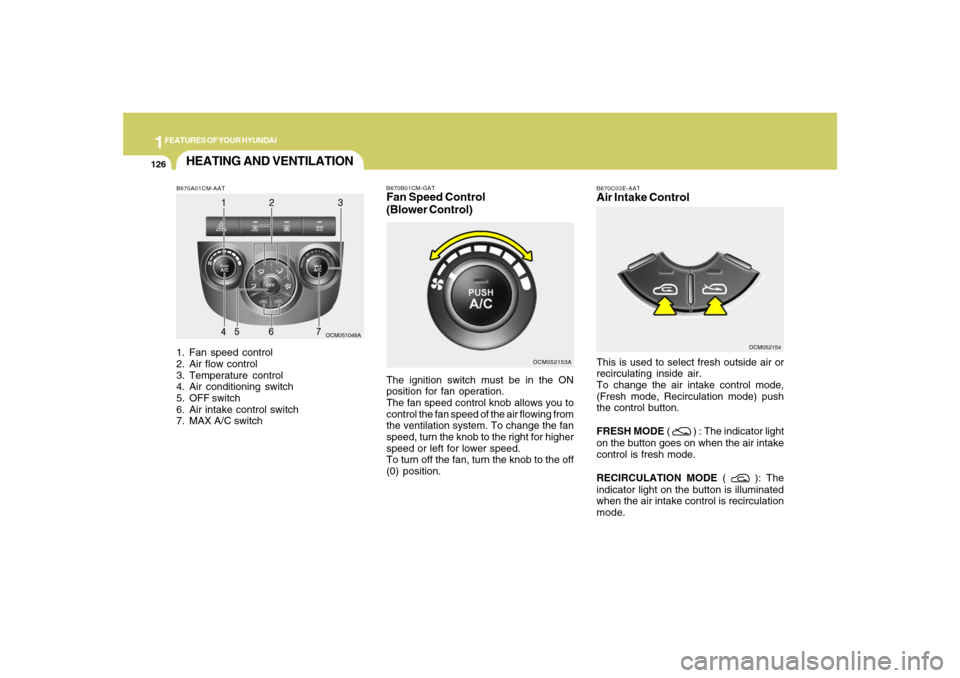
B670A01CM-AAT1. Fan speed control
2. Air flow control
3. Temperature control
4. Air conditioning switch
5. OFF switch
6. Air intake control switch
7. MAX A/C switch
OCM051048A
HEATING AND VENTILATION
B670C03E-AATAir Intake ControlThis is used to select fresh outside air or
recirculating inside air.
To change the air intake control mode,
(Fresh mode, Recirculation mode) push
the control button.
FRESH MODE (
) : The indicator light
on the button goes on when the air intake
control is fresh mode.
RECIRCULATION MODE (
): The
indicator light on the button is illuminated
when the air intake control is recirculation
mode.OCM052154
OCM052153A B670B01CM-GAT
Fan Speed Control
(Blower Control)The ignition switch must be in the ON
position for fan operation.
The fan speed control knob allows you to
control the fan speed of the air flowing from
the ventilation system. To change the fan
speed, turn the knob to the right for higher
speed or left for lower speed.
To turn off the fan, turn the knob to the off
(0) position.
Page 144 of 355
1FEATURES OF YOUR HYUNDAI
132
B740C01S-AATDehumidified HeatingFor dehumidified heating:
o Turn on the fan control switch.
o Turn on the air conditioning switch. The
air conditioning indicator light should
come on at the same time.
o Set the air intake control to the "Fresh"
mode (
).
o Set the air flow control to the "Face" (
).
o Adjust the fan control to the desired
speed.
o For more rapid action, set the fan at one
of the higher speeds.
o Adjust the temperature control to pro-
vide the desired amount of warmth.
AIR CONDITIONING SYSTEMB740A01A-AATAir Conditioning Switch
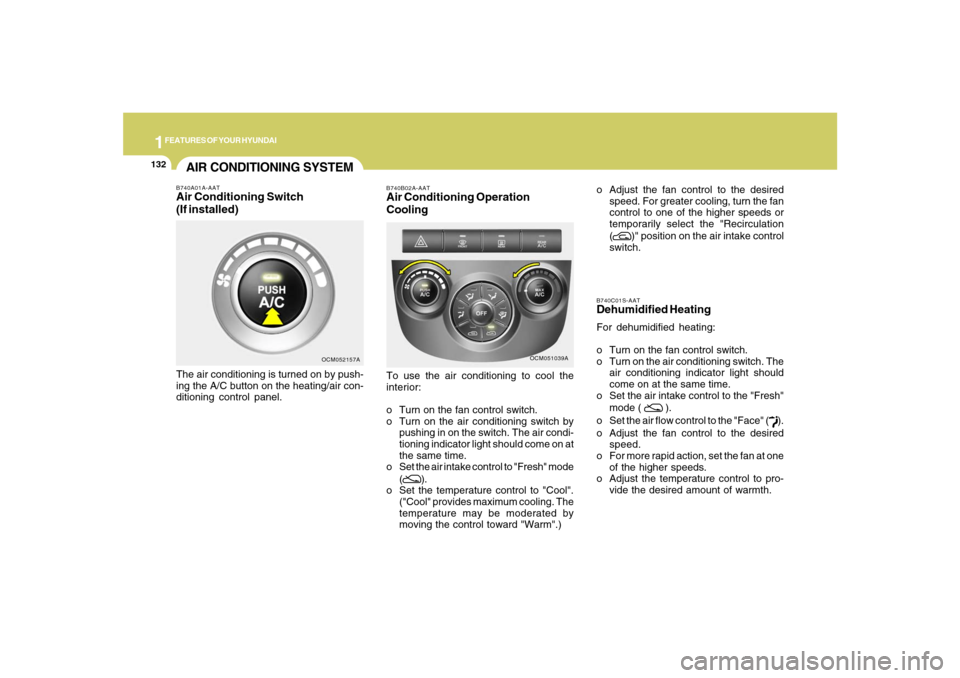
(If installed)The air conditioning is turned on by push-
ing the A/C button on the heating/air con-
ditioning control panel.
OCM052157A
OCM051039A B740B02A-AAT
Air Conditioning Operation
CoolingTo use the air conditioning to cool the
interior:
o Turn on the fan control switch.
o Turn on the air conditioning switch by
pushing in on the switch. The air condi-
tioning indicator light should come on at
the same time.
o Set the air intake control to "Fresh" mode
(
).
o Set the temperature control to "Cool".
("Cool" provides maximum cooling. The
temperature may be moderated by
moving the control toward "Warm".)o Adjust the fan control to the desired
speed. For greater cooling, turn the fan
control to one of the higher speeds or
temporarily select the "Recirculation
(
)" position on the air intake control
switch.
Page 149 of 355
1
FEATURES OF YOUR HYUNDAI
137
FEATURES OF YOUR HYUNDAI
137137137137
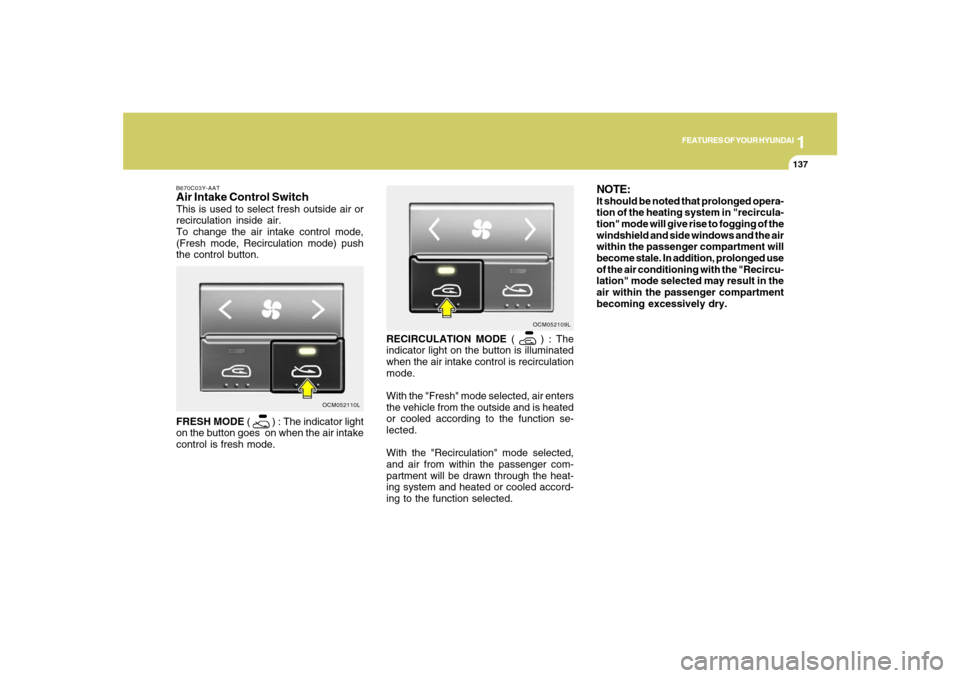
RECIRCULATION MODE (
) : The
indicator light on the button is illuminated
when the air intake control is recirculation
mode.
With the "Fresh" mode selected, air enters
the vehicle from the outside and is heated
or cooled according to the function se-
lected.
With the "Recirculation" mode selected,
and air from within the passenger com-
partment will be drawn through the heat-
ing system and heated or cooled accord-
ing to the function selected.OCM052109L
NOTE:It should be noted that prolonged opera-
tion of the heating system in "recircula-
tion" mode will give rise to fogging of the
windshield and side windows and the air
within the passenger compartment will
become stale. In addition, prolonged use
of the air conditioning with the "Recircu-
lation" mode selected may result in the
air within the passenger compartment
becoming excessively dry.
B670C03Y-AATAir Intake Control SwitchThis is used to select fresh outside air or
recirculation inside air.
To change the air intake control mode,
(Fresh mode, Recirculation mode) push
the control button.
FRESH MODE (
) : The indicator light
on the button goes on when the air intake
control is fresh mode.
OCM052110L
Page 150 of 355
1FEATURES OF YOUR HYUNDAI
138
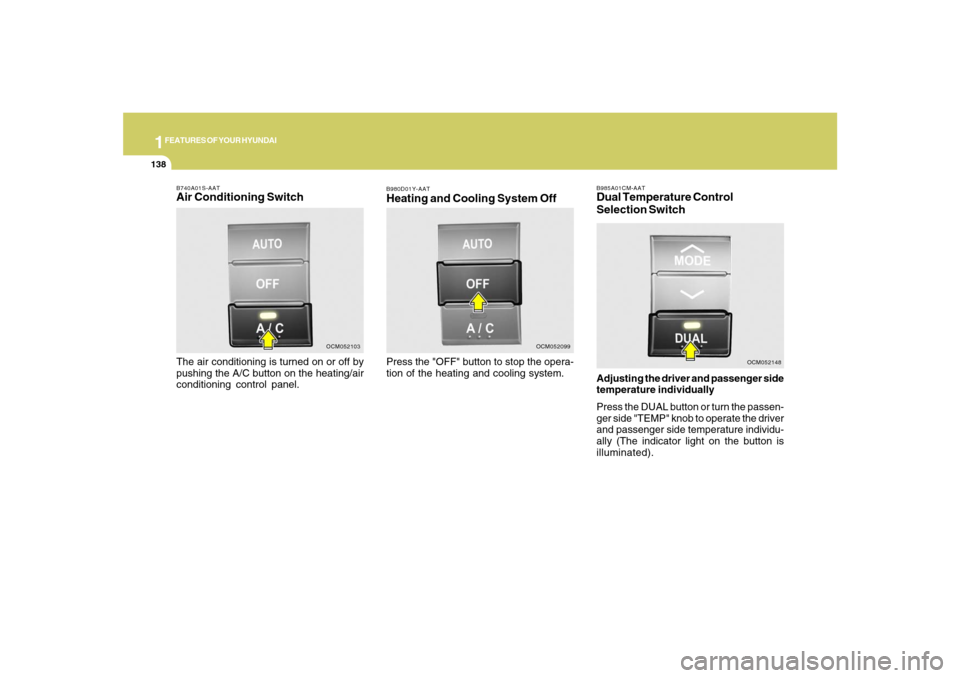
B980D01Y-AATHeating and Cooling System OffPress the "OFF" button to stop the opera-
tion of the heating and cooling system.
OCM052099
B985A01CM-AATDual Temperature Control
Selection SwitchAdjusting the driver and passenger side
temperature individually
Press the DUAL button or turn the passen-
ger side "TEMP" knob to operate the driver
and passenger side temperature individu-
ally (The indicator light on the button is
illuminated).
OCM052148
B740A01S-AATAir Conditioning SwitchThe air conditioning is turned on or off by
pushing the A/C button on the heating/air
conditioning control panel.
OCM052103
Page 151 of 355
1
FEATURES OF YOUR HYUNDAI
139
FEATURES OF YOUR HYUNDAI
139139139139
Adjusting the driver and passenger side
temperature equally
Press the DUAL button again or turn the
driver side "TEMP" knob to the Lo position
or HI position to deactivate DUAL mode
(The indicator light on the button goes off).
The passenger side temperature will be
set to the same as the driver side tempera-
ture.
OCM052105N
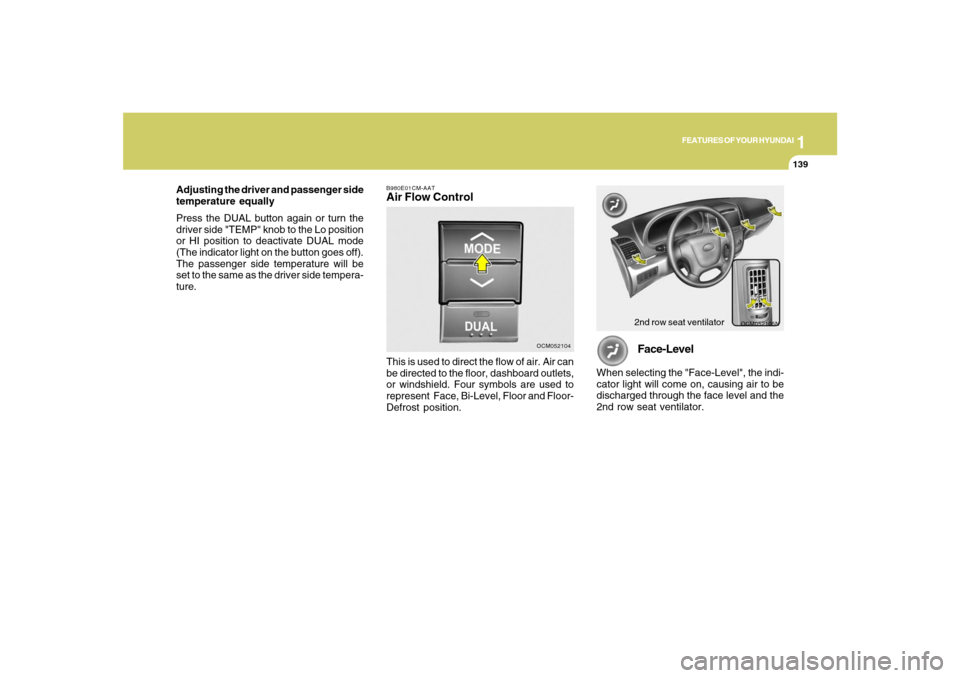
Face-Level
When selecting the "Face-Level", the indi-
cator light will come on, causing air to be
discharged through the face level and the
2nd row seat ventilator.
B980E01CM-AATAir Flow Control
OCM052104
This is used to direct the flow of air. Air can
be directed to the floor, dashboard outlets,
or windshield. Four symbols are used to
represent Face, Bi-Level, Floor and Floor-
Defrost position.
2nd row seat ventilator
Page 152 of 355
1FEATURES OF YOUR HYUNDAI
140
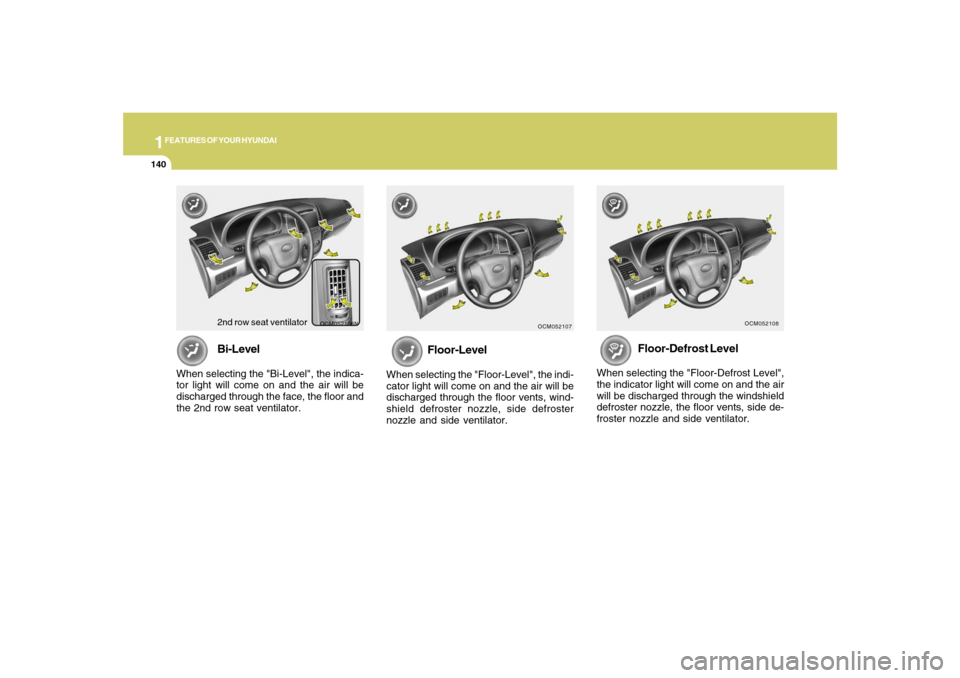
Floor-Defrost Level
When selecting the "Floor-Defrost Level",
the indicator light will come on and the air
will be discharged through the windshield
defroster nozzle, the floor vents, side de-
froster nozzle and side ventilator.
OCM052108
Floor-Level
When selecting the "Floor-Level", the indi-
cator light will come on and the air will be
discharged through the floor vents, wind-
shield defroster nozzle, side defroster
nozzle and side ventilator.
OCM052107
OCM052106N
Bi-Level
When selecting the "Bi-Level", the indica-
tor light will come on and the air will be
discharged through the face, the floor and
the 2nd row seat ventilator.
2nd row seat ventilator
Page 153 of 355
1
FEATURES OF YOUR HYUNDAI
141
FEATURES OF YOUR HYUNDAI
141141141141
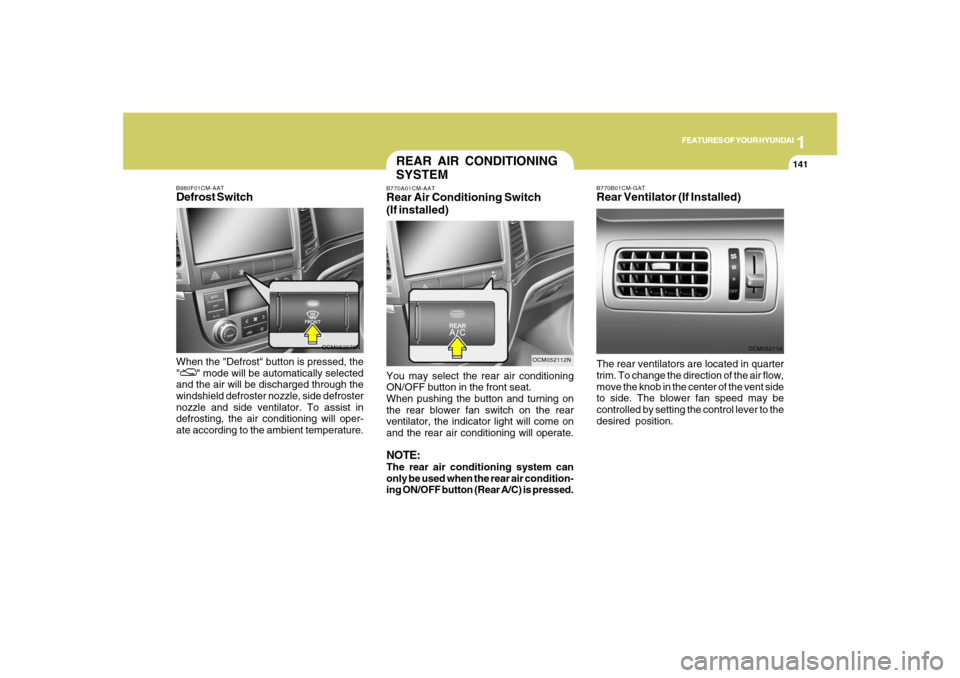
OCM052076N B980F01CM-AAT
Defrost SwitchWhen the "Defrost" button is pressed, the
"
" mode will be automatically selected
and the air will be discharged through the
windshield defroster nozzle, side defroster
nozzle and side ventilator. To assist in
defrosting, the air conditioning will oper-
ate according to the ambient temperature.
B770B01CM-GATRear Ventilator (If Installed)
OCM052114
The rear ventilators are located in quarter
trim. To change the direction of the air flow,
move the knob in the center of the vent side
to side. The blower fan speed may be
controlled by setting the control lever to the
desired position.
REAR AIR CONDITIONING
SYSTEMB770A01CM-AATRear Air Conditioning Switch
(If installed)
OCM052112N
You may select the rear air conditioning
ON/OFF button in the front seat.
When pushing the button and turning on
the rear blower fan switch on the rear
ventilator, the indicator light will come on
and the rear air conditioning will operate.NOTE:The rear air conditioning system can
only be used when the rear air condition-
ing ON/OFF button (Rear A/C) is pressed.
Page 191 of 355
1
FEATURES OF YOUR HYUNDAI
179
FEATURES OF YOUR HYUNDAI
179179179179
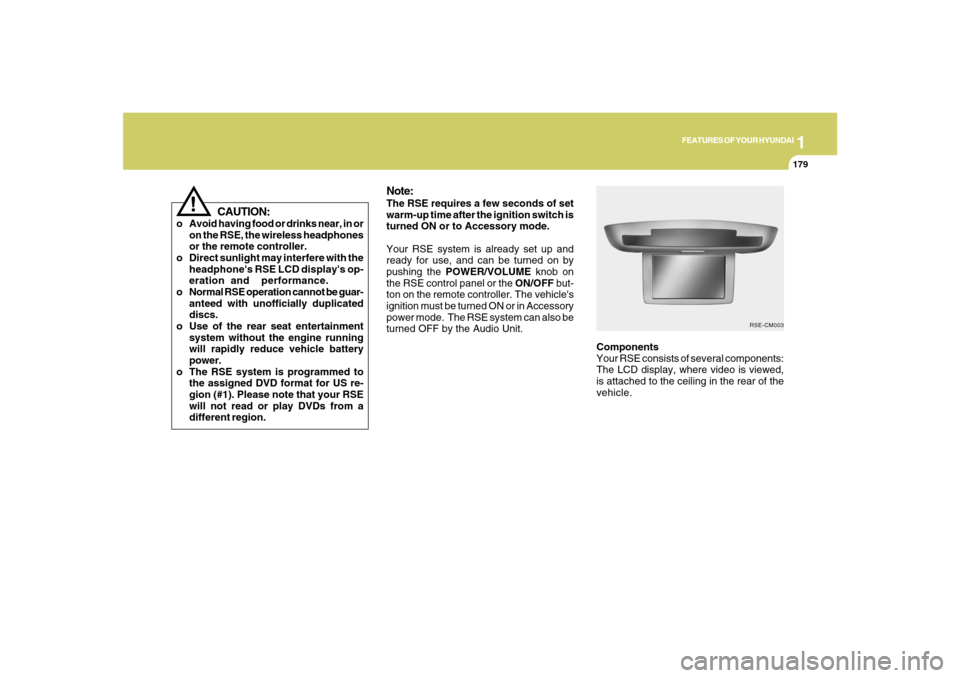
Components
Your RSE consists of several components:
The LCD display, where video is viewed,
is attached to the ceiling in the rear of the
vehicle.
Note:The RSE requires a few seconds of set
warm-up time after the ignition switch is
turned ON or to Accessory mode.
Your RSE system is already set up and
ready for use, and can be turned on by
pushing the POWER/VOLUME knob on
the RSE control panel or the ON/OFF but-
ton on the remote controller. The vehicle's
ignition must be turned ON or in Accessory
power mode. The RSE system can also be
turned OFF by the Audio Unit.
RSE-CM003
!
CAUTION:
o Avoid having food or drinks near, in or
on the RSE, the wireless headphones
or the remote controller.
o Direct sunlight may interfere with the
headphone's RSE LCD display's op-
eration and performance.
o Normal RSE operation cannot be guar-
anteed with unofficially duplicated
discs.
o Use of the rear seat entertainment
system without the engine running
will rapidly reduce vehicle battery
power.
o The RSE system is programmed to
the assigned DVD format for US re-
gion (#1). Please note that your RSE
will not read or play DVDs from a
different region.