light Hyundai Santa Fe 2008 Repair Manual
[x] Cancel search | Manufacturer: HYUNDAI, Model Year: 2008, Model line: Santa Fe, Model: Hyundai Santa Fe 2008Pages: 355, PDF Size: 12.36 MB
Page 199 of 355
1
FEATURES OF YOUR HYUNDAI
187
FEATURES OF YOUR HYUNDAI
187187187187
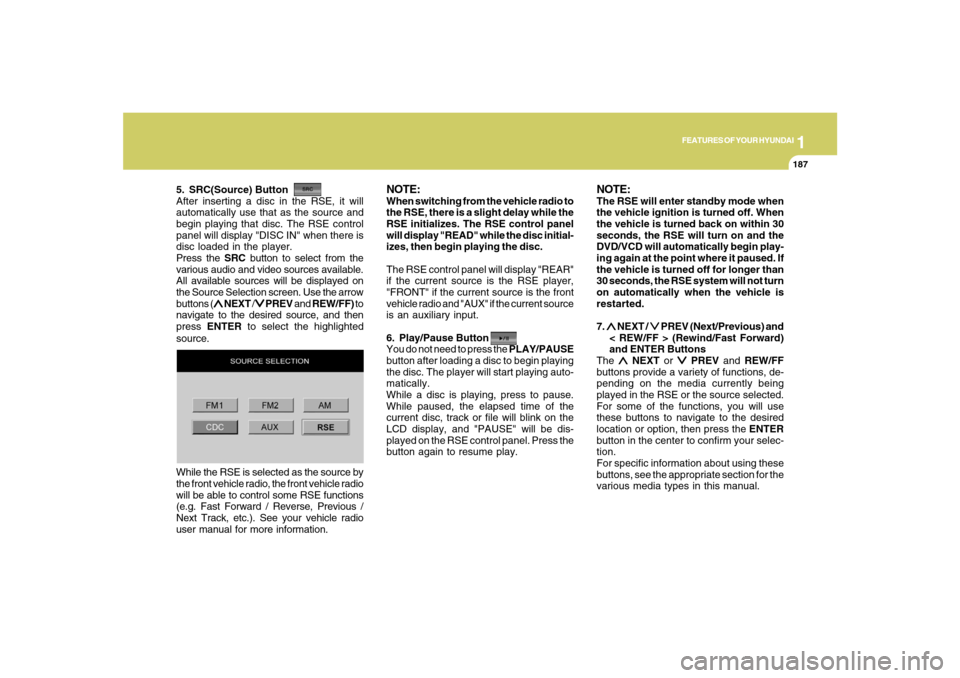
5. SRC(Source) Button
After inserting a disc in the RSE, it will
automatically use that as the source and
begin playing that disc. The RSE control
panel will display "DISC IN" when there is
disc loaded in the player.
Press the SRC button to select from the
various audio and video sources available.
All available sources will be displayed on
the Source Selection screen. Use the arrow
buttons (
∧ ∧∧ ∧
∧ NEXT /
∨ ∨∨ ∨
∨ PREV and REW/FF) to
navigate to the desired source, and then
press ENTER to select the highlighted
source.
NOTE:When switching from the vehicle radio to
the RSE, there is a slight delay while the
RSE initializes. The RSE control panel
will display "READ" while the disc initial-
izes, then begin playing the disc.
The RSE control panel will display "REAR"
if the current source is the RSE player,
"FRONT" if the current source is the front
vehicle radio and "AUX" if the current source
is an auxiliary input.
6. Play/Pause Button
You do not need to press the PLAY/PAUSE
button after loading a disc to begin playing
the disc. The player will start playing auto-
matically.
While a disc is playing, press to pause.
While paused, the elapsed time of the
current disc, track or file will blink on the
LCD display, and "PAUSE" will be dis-
played on the RSE control panel. Press the
button again to resume play.
NOTE:The RSE will enter standby mode when
the vehicle ignition is turned off. When
the vehicle is turned back on within 30
seconds, the RSE will turn on and the
DVD/VCD will automatically begin play-
ing again at the point where it paused. If
the vehicle is turned off for longer than
30 seconds, the RSE system will not turn
on automatically when the vehicle is
restarted.
7. ∧ ∧∧ ∧
∧ NEXT /
∨ ∨∨ ∨
∨ PREV (Next/Previous) and
< REW/FF > (Rewind/Fast Forward)
and ENTER Buttons
The
∧ ∧∧ ∧
∧ NEXT or
∨ ∨∨ ∨
∨ PREV and REW/FF
buttons provide a variety of functions, de-
pending on the media currently being
played in the RSE or the source selected.
For some of the functions, you will use
these buttons to navigate to the desired
location or option, then press the ENTER
button in the center to confirm your selec-
tion.
For specific information about using these
buttons, see the appropriate section for the
various media types in this manual. While the RSE is selected as the source by
the front vehicle radio, the front vehicle radio
will be able to control some RSE functions
(e.g. Fast Forward / Reverse, Previous /
Next Track, etc.). See your vehicle radio
user manual for more information.
Page 204 of 355
1FEATURES OF YOUR HYUNDAI
192
USING THE MP3 PLAYER
Most RSE functions work the same for
audio CDs and MP3 discs. The major
difference is that audio CDs are organized
by "tracks," while MP3 discs are organized
using folders and files. Therefore, the navi-
gation functions are somewhat different
for MP3 discs.NOTE:While the player will accept DVD ROM or
CD ROM disc, the RSE cannot play disc
in this format will eject the disc.
1. Pause/Play
When an MP3 disc is inserted, the RSE will
automatically begin playing the first file in
the first folder. Press the PLAY/PAUSE
button to pause the CD. Press the button
again to resume play. While paused, the
elapsed time in the Status Display at the
top of the LCD display will blink. The RSE
control panel will display "PAUSE."
At the end of the disc, the player will auto-
matically return to the first track and con-
tinue playing.2. Fast Forward/Reverse
Press and hold the FF > or < REW button
and the player will fast forward or reverse
at 10 times the normal speed. Release the
button to return to normal speed play.
The audio is muted while the player fast
forwards or fast reverses.
Song List: Navigating Folders and Files
MP3 discs are organized by named or
numbered folders, with each folder con-
taining a collection of named or numbered
music files. You can quickly navigate
through the folders and files using the
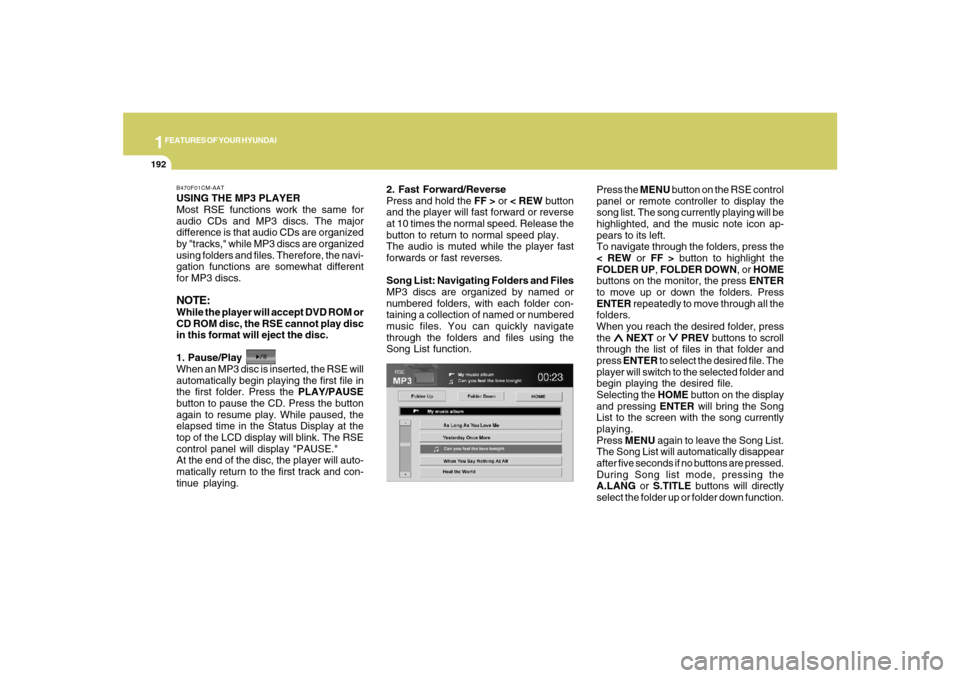
Song List function.Press the MENU button on the RSE control
panel or remote controller to display the
song list. The song currently playing will be
highlighted, and the music note icon ap-
pears to its left.
To navigate through the folders, press the
< REW or FF > button to highlight the
FOLDER UP, FOLDER DOWN, or HOME
buttons on the monitor, the press ENTER
to move up or down the folders. Press
ENTER repeatedly to move through all the
folders.
When you reach the desired folder, press
the
∧ ∧∧ ∧
∧ NEXT or
∨ ∨∨ ∨
∨ PREV buttons to scroll
through the list of files in that folder and
press ENTER to select the desired file. The
player will switch to the selected folder and
begin playing the desired file.
Selecting the HOME button on the display
and pressing ENTER will bring the Song
List to the screen with the song currently
playing.
Press MENU again to leave the Song List.
The Song List will automatically disappear
after five seconds if no buttons are pressed.
During Song list mode, pressing the
A.LANG or S.TITLE buttons will directly
select the folder up or folder down function.
B470F01CM-AAT
Page 206 of 355
1FEATURES OF YOUR HYUNDAI
194
Also you can select the CATEGORY or
CHANNEL function by using FF> and
ing the
∧ ∧∧ ∧
∧ NEXT or
∨ ∨∨ ∨
∨ PREV button will
activate the category up or down, channel
up or down function. When the focus on the
CATEGORY, if you press the ENTER but-
ton and move the focus on the CHANNEL
icon, you can select the channel up or
down function in the current category by
pressing the
∧ ∧∧ ∧
∧ NEXT or
∨ ∨∨ ∨
∨ PREV buttons.
Move the focus on the SCAN icon, you can
activate the scan function by pressing the
ENTER button. If meantime, the CAT-
EGORY icon been highlighted, above
operation will activate the scan function in
the current category.
LISTENING TO THE VEHICLE RADIOPress the SRC button to select from the
various audio and video sources avail-
able. All available sources will be dis-
played on the Mode Selection screen. Use
the arrow buttons (
∧ ∧∧ ∧
∧ NEXT/
∨ ∨∨ ∨
∨ PREV and
REW/FF) to navigate to the desired source,
and then press ENTER to select the high-
lighted source.
To control the vehicle radio from the RSE
control panel or remote controller, press
the SOURCE button on the remote control-
ler or the SRC button on the RSE control
panel, then all available sources will be
displayed on the Source Selection screen.
Use the arrow buttons (
∧ ∧∧ ∧
∧ NEXT/
∨ ∨∨ ∨
∨ PREV
and REW/FF) to navigate to the desired
source, and then press ENTER to select
the highlighted source.
The RSE LCD display and the RSE control
panel will indicate the selected source.Tuning a Station
While the vehicle radio is the current source,
press the
∧ ∧∧ ∧
∧ NEXT or
∨ ∨∨ ∨
∨ PREV button on
the RSE control panel or remote controller
once to search up or down for the next
available station. When the tuner finds a
station it will stop at the station and start to
play.
Press the
∧ ∧∧ ∧
∧ NEXT or
∨ ∨∨ ∨
∨ PREV button to
seek up or down through all radio stations.
When the radio finds a station, it will stop
and play that station.
Press the FF > or < REW button to manually
tune up or down one channel. Press and
hold the FF > or < REW button to continue
tuning up or down.
Pressing a number on the remote control-
ler keypad will tune to the corresponding
preset station. For example, if 89.7 has
been stored as preset 1 (CH1), then press-
ing the “1” button on the keypad will tune
to that station.
B470H01CM-AAT
Page 207 of 355
1
FEATURES OF YOUR HYUNDAI
195
FEATURES OF YOUR HYUNDAI
195195195195
AM, FM1 and FM2 Selection
When you press the SOURCE button, the
Source Selection UI will come out, along
with the current available mode. You can
select the Radio mode by the remote con-
troller. After pressing the ENTER button,
both RSE and front Radio will play your
selection station at the same time.
All of the RSE control panel and remote
controller navigation functions can be used
to control the front radio when the vehicle
front radio is also playing the same radio
mode.
VIEWING FRONT CD, MP3The RSE can be used to control discs that
are loaded and playing in the vehicle ra-
dio. To control these discs, you must first
select the vehicle radio as the source.
Press the SOURCE button on the remote
controller, or the SRC button on the RSE
control panel, to display the available
sources on the LCD display. Use the arrow
buttons (
∧ ∧∧ ∧
∧ NEXT /
∨ ∨∨ ∨
∨ PREV and REW/FF)
to navigate to the desired source, then
press ENTER to select the highlighted
source.
CD/CD-MP3 Control
While the vehicle radio is playing a CD or
MP3 audio disc, all of the RSE control
panel and remote controller navigation
functions can be used to control the ve-
hicle radio. This includes:
o Pause/Play
o Fast Forward/Reverse
o Previous/Next Track (CD) and Previ-
ous/Next File (MP3)
See these sections of the Users Manual for
information on using these functions.
All of the RSE control panel and remote
controller navigation functions can be used
to control the front radio when the vehicle
front radio is also playing the CD or CD-
MP3 mode.AUX AUDIO AND VIDEO INPUT CON-
TROLS
External media sources, such as VCRs
and video games, can be connected to the
RSE. This allows you to display the video
output on the RSE LCD display, and listen
to the audio through the wireless headsets
and the vehicle speakers.
For information and warnings about con-
necting external sources to the RSE, see
"Connecting Other Devices to the RSE."
To switch to an external auxiliary device,
press SOURCE on the remote controller or
SRC on the RSE control panel until "AUX"
appears on the LCD display and the RSE
control panel display.
NOTE:When using a portable audio device con-
nected to the power outlet, noise may
occur during playback. If this happens,
use the power source of the portable
audio device.
B470I01CM-AAT B470J02CM-AAT
Page 209 of 355
1
FEATURES OF YOUR HYUNDAI
197
FEATURES OF YOUR HYUNDAI
197197197197
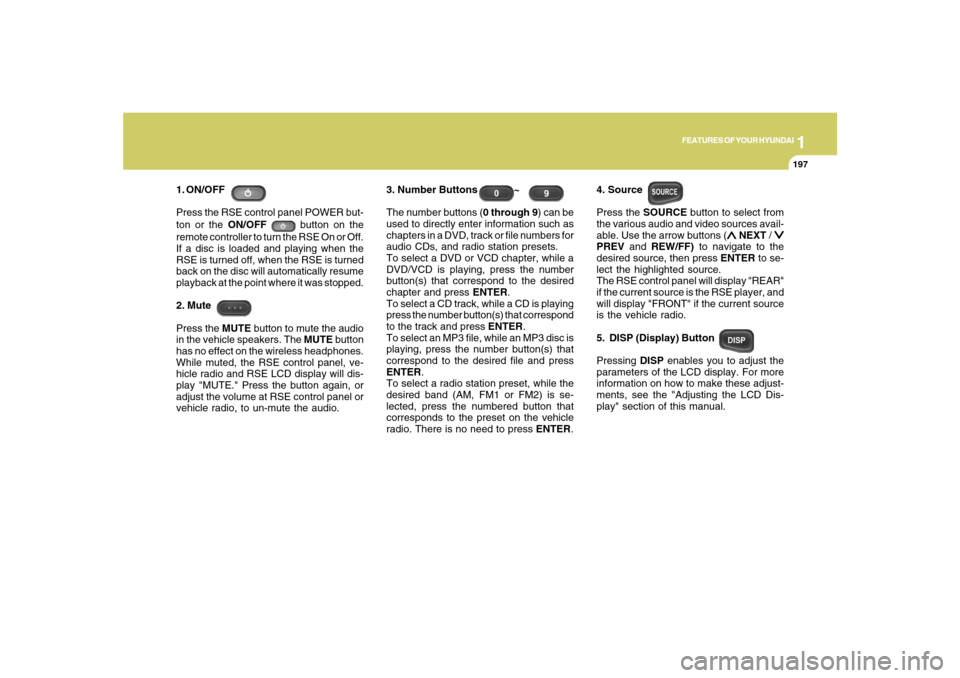
1. ON/OFF
Press the RSE control panel POWER but-
ton or the ON/OFF
button on the
remote controller to turn the RSE On or Off.
If a disc is loaded and playing when the
RSE is turned off, when the RSE is turned
back on the disc will automatically resume
playback at the point where it was stopped.
2. Mute
Press the MUTE button to mute the audio
in the vehicle speakers. The MUTE button
has no effect on the wireless headphones.
While muted, the RSE control panel, ve-
hicle radio and RSE LCD display will dis-
play "MUTE." Press the button again, or
adjust the volume at RSE control panel or
vehicle radio, to un-mute the audio.3. Number Buttons ~
The number buttons (0 through 9) can be
used to directly enter information such as
chapters in a DVD, track or file numbers for
audio CDs, and radio station presets.
To select a DVD or VCD chapter, while a
DVD/VCD is playing, press the number
button(s) that correspond to the desired
chapter and press ENTER.
To select a CD track, while a CD is playing
press the number button(s) that correspond
to the track and press ENTER.
To select an MP3 file, while an MP3 disc is
playing, press the number button(s) that
correspond to the desired file and press
ENTER.
To select a radio station preset, while the
desired band (AM, FM1 or FM2) is se-
lected, press the numbered button that
corresponds to the preset on the vehicle
radio. There is no need to press ENTER.4. Source
Press the SOURCE button to select from
the various audio and video sources avail-
able. Use the arrow buttons (
∧ ∧∧ ∧
∧ NEXT /
∨ ∨∨ ∨
∨
PREV and REW/FF) to navigate to the
desired source, then press ENTER to se-
lect the highlighted source.
The RSE control panel will display "REAR"
if the current source is the RSE player, and
will display "FRONT" if the current source
is the vehicle radio.
5. DISP (Display) Button
Pressing DISP enables you to adjust the
parameters of the LCD display. For more
information on how to make these adjust-
ments, see the "Adjusting the LCD Dis-
play" section of this manual.
Page 210 of 355
1FEATURES OF YOUR HYUNDAI
198
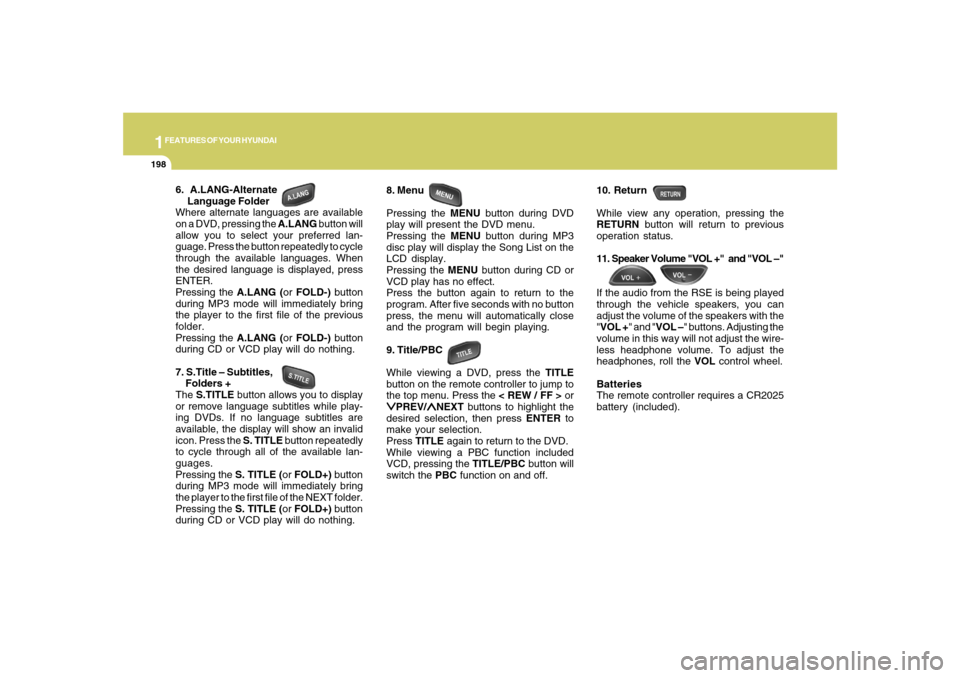
6. A.LANG-Alternate
Language Folder
Where alternate languages are available
on a DVD, pressing the A.LANG button will
allow you to select your preferred lan-
guage. Press the button repeatedly to cycle
through the available languages. When
the desired language is displayed, press
ENTER.
Pressing the A.LANG (or FOLD-) button
during MP3 mode will immediately bring
the player to the first file of the previous
folder.
Pressing the A.LANG (or FOLD-) button
during CD or VCD play will do nothing.
7. S.Title – Subtitles,
Folders +
The S.TITLE button allows you to display
or remove language subtitles while play-
ing DVDs. If no language subtitles are
available, the display will show an invalid
icon. Press the S. TITLE button repeatedly
to cycle through all of the available lan-
guages.
Pressing the S. TITLE (or FOLD+) button
during MP3 mode will immediately bring
the player to the first file of the NEXT folder.
Pressing the S. TITLE (or FOLD+) button
during CD or VCD play will do nothing.8. Menu
Pressing the MENU button during DVD
play will present the DVD menu.
Pressing the MENU button during MP3
disc play will display the Song List on the
LCD display.
Pressing the MENU button during CD or
VCD play has no effect.
Press the button again to return to the
program. After five seconds with no button
press, the menu will automatically close
and the program will begin playing.
9. Title/PBC
While viewing a DVD, press the TITLE
button on the remote controller to jump to
the top menu. Press the < REW / FF > or
∨ ∨∨ ∨
∨PREV/
∧ ∧∧ ∧
∧NEXT buttons to highlight the
desired selection, then press ENTER to
make your selection.
Press TITLE again to return to the DVD.
While viewing a PBC function included
VCD, pressing the TITLE/PBC button will
switch the PBC function on and off.10. Return
While view any operation, pressing the
RETURN button will return to previous
operation status.
11. Speaker Volume "VOL +" and "VOL –"
If the audio from the RSE is being played
through the vehicle speakers, you can
adjust the volume of the speakers with the
"VOL +" and "VOL –" buttons. Adjusting the
volume in this way will not adjust the wire-
less headphone volume. To adjust the
headphones, roll the VOL control wheel.
Batteries
The remote controller requires a CR2025
battery (included).
Page 215 of 355
2
DRIVING YOUR HYUNDAI
4
!
BEFORE STARTING THE
ENGINEC020A01CM-AATBefore you start the engine, you should
always:
1. Look around the vehicle to be sure
there are no flat tires, puddles of oil,
water or other indications of possible
trouble.
2. After entering the car, check to be sure
the parking brake is engaged.
3. Check that all windows, and lights are
clean.
4. Check that the interior and exterior mir-
rors are clean and in position.
5. Check your seat, seatback and head-
rest to be sure they are in their proper
positions.
6. Lock all the doors.
7. Fasten your seat belt and be sure that all
other occupants have fastened theirs.
8. Turn off all lights and accessories that
are not needed.
9. When you turn the ignition switch to
"ON", check that all appropriate warn-
ing lights are operating and that you
have sufficient fuel.
10. Check the operation of warning lights
and all bulbs when key is in the "ON"
position.
!
WARNING:
Your vehicle is equipped with tires de-
signed to provide for safe ride and han-
dling capability.
Do not use a size and type of tire and
wheel that is different from the one that
is originally installed on your vehicle. It
can affect the safety and performance
of your vehicle, which could lead to han-
dling failure or rollover and serious in-
jury.
When replacing the tires, be sure to equip
all four tires with the tire and wheel of the
same size, type, tread, brand and load-
carrying capacity.
WARNING:
o All passengers must be properly
belted whenever the vehicle is mov-
ing. Refer to pages: 1-27 through 1-
33 for more information on their proper
use.
o Always check the surrounding areas
near your vehicle for people, espe-
cially children, before putting a car
into 'drive.'
o Always wear appropriate shoes when
operating your vehicle. Unsuitable
shoes (high heels, ski boots, etc.) may
interfere with your ability to use the
brake and accelerator pedal, and the
clutch (if installed).
!
WARNING:
When you intend to park or stop the
vehicle with the engine on, be careful not
to depress the accelerator pedal for a
long period of time. It may overheat the
engine or exhaust system and cause
fire.
Page 218 of 355
2
DRIVING YOUR HYUNDAI
7
C050B01A-AATNormal Conditions:The Starting Procedure:
1. Insert key, and fasten the seat belt.
2. Depress the clutch pedal fully and place
the gearshift lever (manual transaxle)
in neutral or the selector lever (auto-
matic transaxle) in "P" (park) position.
3. After turning the ignition key to the "ON"
position, make certain all warning lights
and gauges are functioning properly
before starting the engine.
WARNING:
Be sure that the clutch is fully depressed
when starting a manual transaxle ve-
hicle. Your manual transaxle equipped
vehicle will not start unless the clutch
pedal is fully depressed. On a manual
transaxle equipped vehicle that can be
started without depressing the clutch,
there is the potential to cause damage to
the vehicle or injury to someone inside
or outside the vehicle as a result of the
forward or backward movement of the
vehicle that will occur if the clutch is not
depressed when the vehicle is started.
!
4. Turn the ignition key to the "START"
position and release it when the engine
starts.
After the engine has started, allow the
engine to run for 10 to 20 seconds prior
to placing the vehicle in gear.
The starter should not be operated for
more than 15 seconds at a time. Wait
15-30 seconds between starting at-
tempts to protect the starter from over-
heating.
OPERATING THE MANUAL
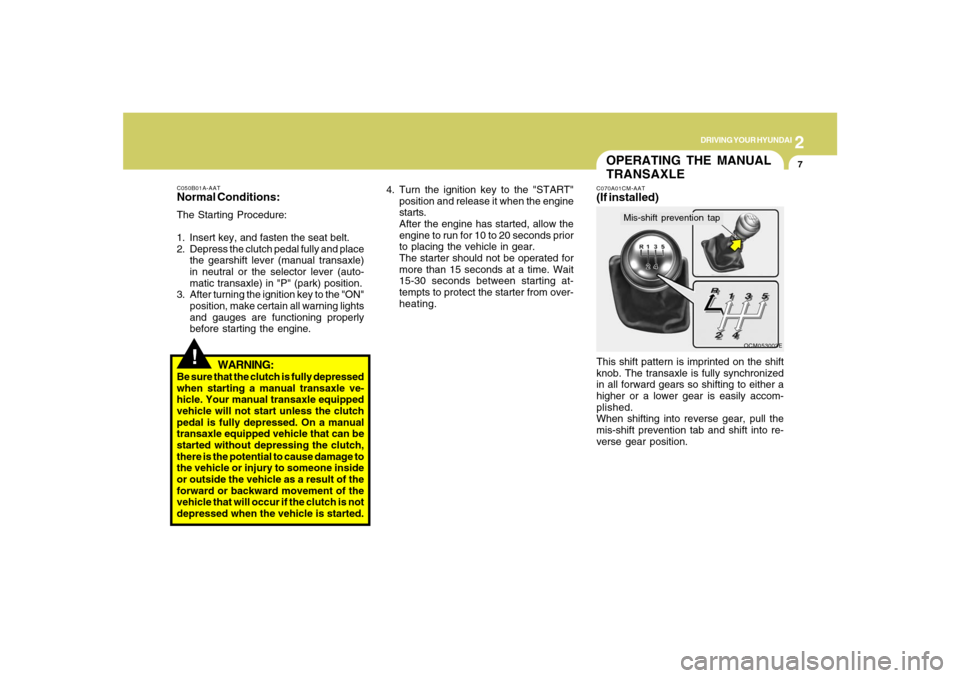
TRANSAXLEC070A01CM-AAT(If installed)This shift pattern is imprinted on the shift
knob. The transaxle is fully synchronized
in all forward gears so shifting to either a
higher or a lower gear is easily accom-
plished.
When shifting into reverse gear, pull the
mis-shift prevention tab and shift into re-
verse gear position.
OCM053003E
Mis-shift prevention tap
Page 221 of 355
2
DRIVING YOUR HYUNDAI
10
CAUTION:
Never shift into "R" or "P" position while
the vehicle is moving.
!
The indicator lights in the instrument clus-
ter indicate the selector lever position when
the ignition is switched "ON". During sports
mode operation, the gear currently in use
displays in the numeral indicator.
AUTOMATIC TRANSAXLE
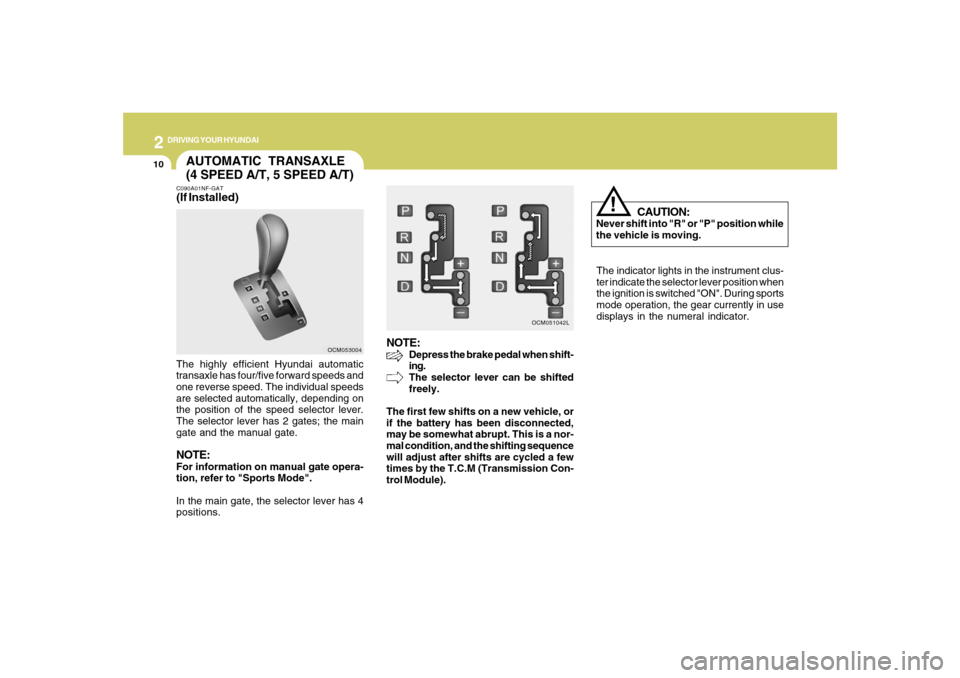
(4 SPEED A/T, 5 SPEED A/T)C090A01NF-GAT(If Installed)The highly efficient Hyundai automatic
transaxle has four/five forward speeds and
one reverse speed. The individual speeds
are selected automatically, depending on
the position of the speed selector lever.
The selector lever has 2 gates; the main
gate and the manual gate.NOTE:For information on manual gate opera-
tion, refer to "Sports Mode".
In the main gate, the selector lever has 4
positions.
NOTE:
Depress the brake pedal when shift-
ing.
The selector lever can be shifted
freely.
The first few shifts on a new vehicle, or
if the battery has been disconnected,
may be somewhat abrupt. This is a nor-
mal condition, and the shifting sequence
will adjust after shifts are cycled a few
times by the T.C.M (Transmission Con-
trol Module).
OCM053004OCM051042L
Page 232 of 355
2
DRIVING YOUR HYUNDAI
21
GOOD BRAKING PRACTICESC130A02A-AAT
WARNING:
o Whenever leaving vehicle or parking,
always set the parking brake as far as
possible and fully engage the vehicle's
transaxle into the park position. Ve-
hicles not fully engaged in park with
the parking brake set are at risk for
moving inadvertently and injuring
yourself or others.
o All vehicles should always have the
parking brake fully engaged when
parking to avoid inadvertent move-
ment of the car which can injure occu-
pants or pedestrians.
o Nothing should be carried on top of
the shelf panel behind the rear seat. If
there were an accident or a sudden
stop, such objects could move for-
ward and cause damage to the ve-
hicle or injure the occupants.
!
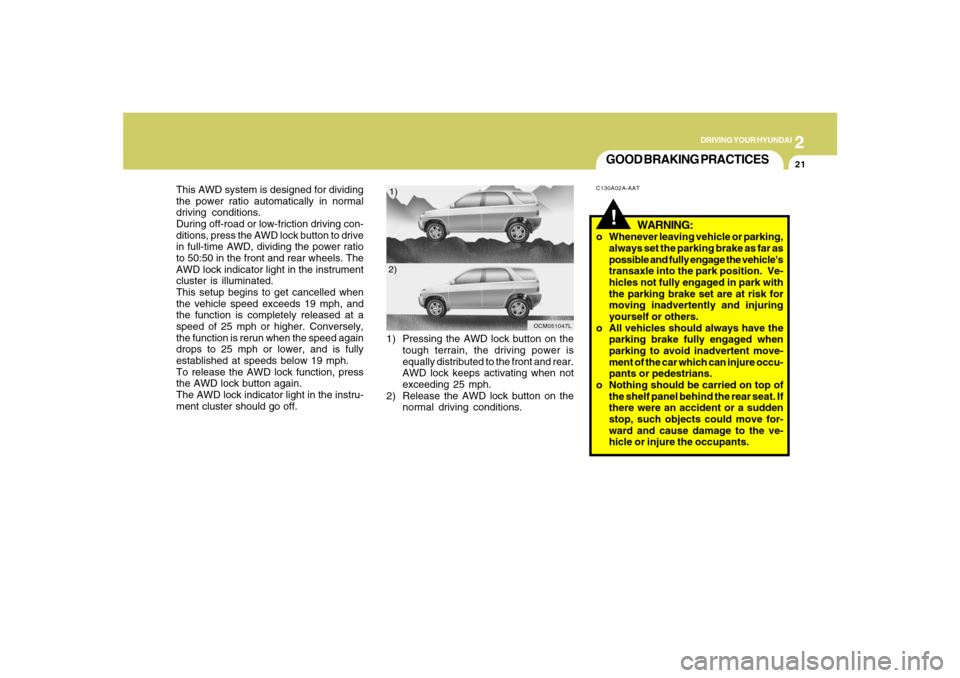
This AWD system is designed for dividing
the power ratio automatically in normal
driving conditions.
During off-road or low-friction driving con-
ditions, press the AWD lock button to drive
in full-time AWD, dividing the power ratio
to 50:50 in the front and rear wheels. The
AWD lock indicator light in the instrument
cluster is illuminated.
This setup begins to get cancelled when
the vehicle speed exceeds 19 mph, and
the function is completely released at a
speed of 25 mph or higher. Conversely,
the function is rerun when the speed again
drops to 25 mph or lower, and is fully
established at speeds below 19 mph.
To release the AWD lock function, press
the AWD lock button again.
The AWD lock indicator light in the instru-
ment cluster should go off.1) Pressing the AWD lock button on the
tough terrain, the driving power is
equally distributed to the front and rear.
AWD lock keeps activating when not
exceeding 25 mph.
2) Release the AWD lock button on the
normal driving conditions.
OCM051047L
1)
2)