Remote Hyundai Santa Fe 2009 Owner's Guide
[x] Cancel search | Manufacturer: HYUNDAI, Model Year: 2009, Model line: Santa Fe, Model: Hyundai Santa Fe 2009Pages: 353, PDF Size: 10.86 MB
Page 207 of 353
1FEATURES OF YOUR HYUNDAI
196
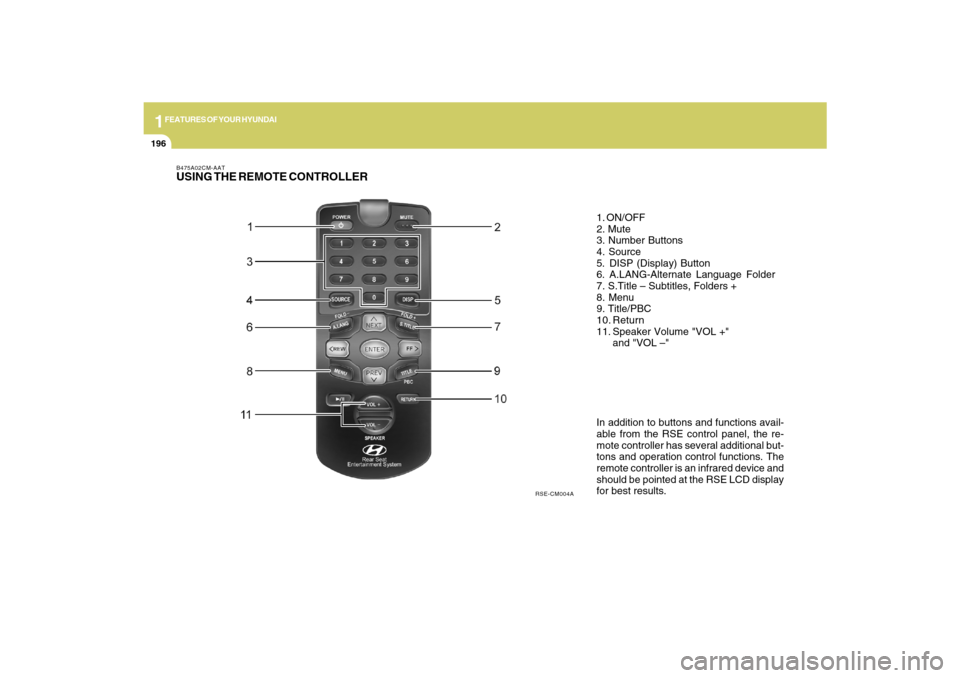
B475A02CM-AATUSING THE REMOTE CONTROLLER
In addition to buttons and functions avail-
able from the RSE control panel, the re-
mote controller has several additional but-
tons and operation control functions. The
remote controller is an infrared device and
should be pointed at the RSE LCD display
for best results. 1. ON/OFF
2. Mute
3. Number Buttons
4. Source
5. DISP (Display) Button
6. A.LANG-Alternate Language Folder
7. S.Title – Subtitles, Folders +
8. Menu
9. Title/PBC
10. Return
11. Speaker Volume "VOL +"
and "VOL –"
RSE-CM004A
Page 208 of 353
1
FEATURES OF YOUR HYUNDAI
197
FEATURES OF YOUR HYUNDAI
197197197197
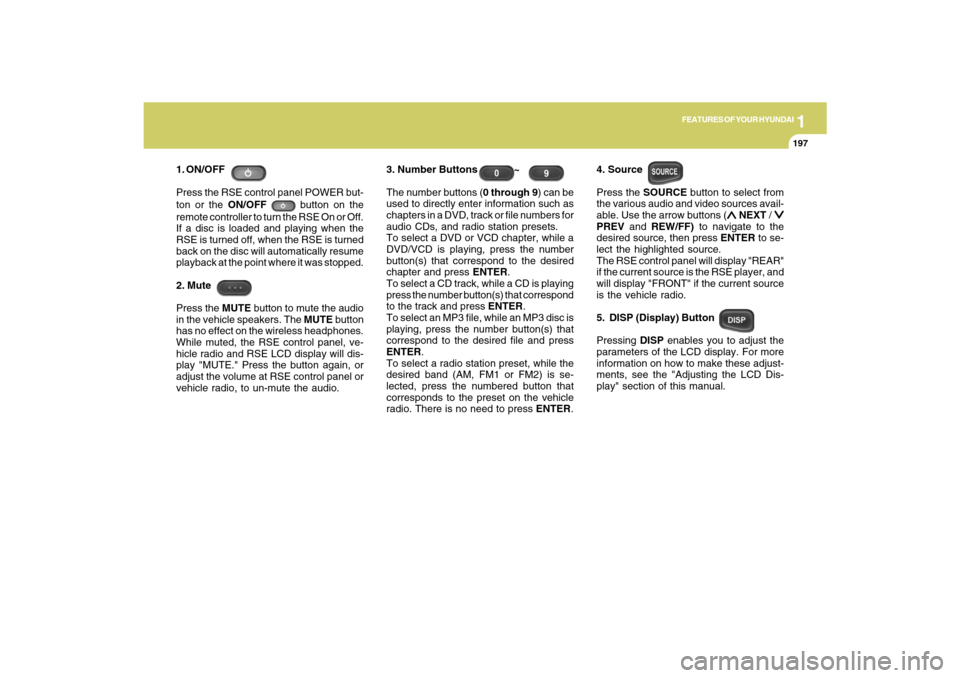
1. ON/OFF
Press the RSE control panel POWER but-
ton or the ON/OFF
button on the
remote controller to turn the RSE On or Off.
If a disc is loaded and playing when the
RSE is turned off, when the RSE is turned
back on the disc will automatically resume
playback at the point where it was stopped.
2. Mute
Press the MUTE button to mute the audio
in the vehicle speakers. The MUTE button
has no effect on the wireless headphones.
While muted, the RSE control panel, ve-
hicle radio and RSE LCD display will dis-
play "MUTE." Press the button again, or
adjust the volume at RSE control panel or
vehicle radio, to un-mute the audio.3. Number Buttons ~
The number buttons (0 through 9) can be
used to directly enter information such as
chapters in a DVD, track or file numbers for
audio CDs, and radio station presets.
To select a DVD or VCD chapter, while a
DVD/VCD is playing, press the number
button(s) that correspond to the desired
chapter and press ENTER.
To select a CD track, while a CD is playing
press the number button(s) that correspond
to the track and press ENTER.
To select an MP3 file, while an MP3 disc is
playing, press the number button(s) that
correspond to the desired file and press
ENTER.
To select a radio station preset, while the
desired band (AM, FM1 or FM2) is se-
lected, press the numbered button that
corresponds to the preset on the vehicle
radio. There is no need to press ENTER.4. Source
Press the SOURCE button to select from
the various audio and video sources avail-
able. Use the arrow buttons (
∧ ∧∧ ∧
∧ NEXT /
∨ ∨∨ ∨
∨
PREV and REW/FF) to navigate to the
desired source, then press ENTER to se-
lect the highlighted source.
The RSE control panel will display "REAR"
if the current source is the RSE player, and
will display "FRONT" if the current source
is the vehicle radio.
5. DISP (Display) Button
Pressing DISP enables you to adjust the
parameters of the LCD display. For more
information on how to make these adjust-
ments, see the "Adjusting the LCD Dis-
play" section of this manual.
Page 209 of 353
1FEATURES OF YOUR HYUNDAI
198
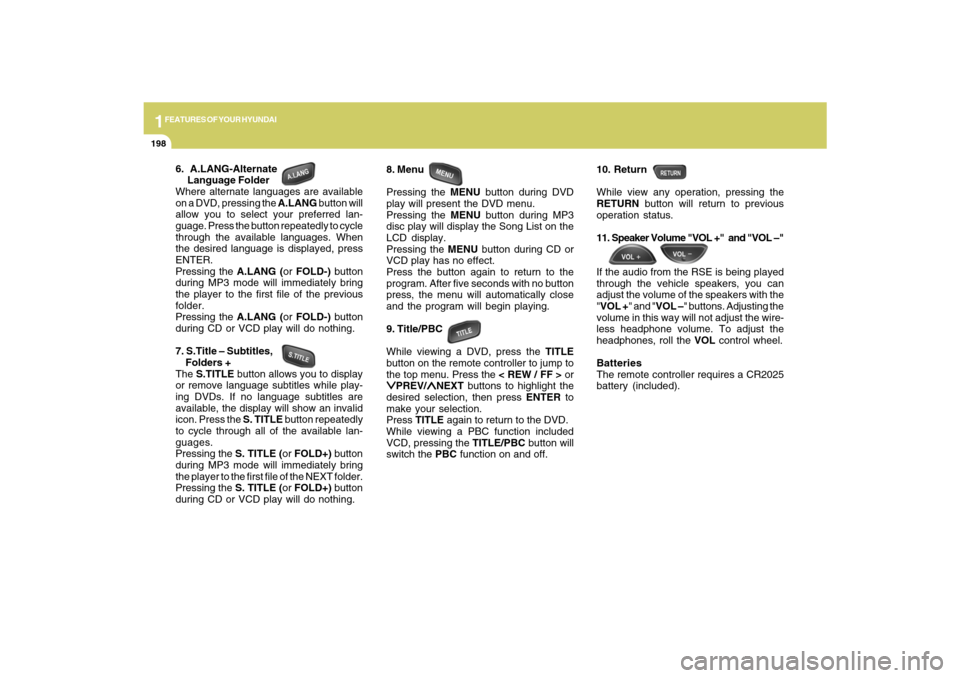
6. A.LANG-Alternate
Language Folder
Where alternate languages are available
on a DVD, pressing the A.LANG button will
allow you to select your preferred lan-
guage. Press the button repeatedly to cycle
through the available languages. When
the desired language is displayed, press
ENTER.
Pressing the A.LANG (or FOLD-) button
during MP3 mode will immediately bring
the player to the first file of the previous
folder.
Pressing the A.LANG (or FOLD-) button
during CD or VCD play will do nothing.
7. S.Title – Subtitles,
Folders +
The S.TITLE button allows you to display
or remove language subtitles while play-
ing DVDs. If no language subtitles are
available, the display will show an invalid
icon. Press the S. TITLE button repeatedly
to cycle through all of the available lan-
guages.
Pressing the S. TITLE (or FOLD+) button
during MP3 mode will immediately bring
the player to the first file of the NEXT folder.
Pressing the S. TITLE (or FOLD+) button
during CD or VCD play will do nothing.8. Menu
Pressing the MENU button during DVD
play will present the DVD menu.
Pressing the MENU button during MP3
disc play will display the Song List on the
LCD display.
Pressing the MENU button during CD or
VCD play has no effect.
Press the button again to return to the
program. After five seconds with no button
press, the menu will automatically close
and the program will begin playing.
9. Title/PBC
While viewing a DVD, press the TITLE
button on the remote controller to jump to
the top menu. Press the < REW / FF > or
∨ ∨∨ ∨
∨PREV/
∧ ∧∧ ∧
∧NEXT buttons to highlight the
desired selection, then press ENTER to
make your selection.
Press TITLE again to return to the DVD.
While viewing a PBC function included
VCD, pressing the TITLE/PBC button will
switch the PBC function on and off.10. Return
While view any operation, pressing the
RETURN button will return to previous
operation status.
11. Speaker Volume "VOL +" and "VOL –"
If the audio from the RSE is being played
through the vehicle speakers, you can
adjust the volume of the speakers with the
"VOL +" and "VOL –" buttons. Adjusting the
volume in this way will not adjust the wire-
less headphone volume. To adjust the
headphones, roll the VOL control wheel.
Batteries
The remote controller requires a CR2025
battery (included).
Page 210 of 353
1
FEATURES OF YOUR HYUNDAI
199
FEATURES OF YOUR HYUNDAI
199199199199
B475B01CM-AATTroubleshooting
Problem
The Auto-Reload Disc Protection feature pulls discs back into the player after 12 seconds
to protect them from accidental damage. Press the Eject button to release the disc from
the player.
Press the Eject button to release the disc. The player will attempt to eject the disc up to
three times before performing the Auto-Reload function. Once the Auto-Reload function
is complete, press the Eject button again to try to release the disc from the player.
Verify that the headphone is equipped with batteries, and that the batteries are in good
condition. Insert or replace 2 AAA batteries to resume headphone function.
Press the PLAY button. If the display does not show “NO DISC,” then there is no power.
Check the power connection.
Check the fuse.
Turn the vehicle ignition off and back on to reset the RSE.
If the RSE still does not work, contact your Hyundai Dealer.
Make sure you are pointing the remote controller at the face of the RSE at a 45° angle.
Change the battery. [Device requires one (1) CR2025 battery.]
Use the control buttons on the RSE display panel.
If the remote controller still does not work, contact your Hyundai Dealer. The disc is automatically pulled back
into the player.
The disc becomes stuck or blocked.
There is no audio in the headphones.
The RSE does not work.Possible causes / solutions
The remote controller does not work.
Page 285 of 353
5
VEHICLE MAINTENANCE REQUIREMENTS
10
F070Q01A-AATo Air Conditioning RefrigerantCheck the air conditioning lines and con-
nections for leakage and damage. Check
air conditioning performance according to
the relevant shop manual if necessary.F070P01A-AATo Driveshafts and BootsCheck the drive shafts, boots and clamps
for cracks, deterioration, or damage. Re-
place any damaged parts and, if neces-
sary, repack the grease.F070N01A-AATo Power Steering Pump, Belt and
HosesCheck the power steering pump and hoses
for leakage and damage. Replace any
damaged or leaking parts immediately.
Inspect the power steering belt for evi-
dence of cuts, cracks, excessive wear,
oiliness and proper tension. Replace or
adjust it if necessary.
CALIFORNIA PERCHLORATE NOTICEF080A01NF-AATPerchlorate Material-special handling
may apply, See
www.dtsc.ca.gov/
hazardouswaste/perchlorate.Notice to California Vehicle Dismantlers:
Perchlorate containing materials, such
as airbag inflators, seatbelt
pretensioners and keyless remote en-
try batteries, must be disposed of ac-
cording to Title 22 California Code of
Regulations Section 67384.10 (a).
Page 348 of 353

10
INDEX
2
A
AC Inverter........................................................................................1-87
Air bag ...............................................................................................1-43
Air Cleaner Filter ...............................................................................6-16
Air Conditioning
Care..............................................................................................6-15
Operation.......................................................................... 1-132, 6-15
Switch........................................................................................1-132
Antenna..........................................................................................1-142
Ashtray..............................................................................................1-85
Audio System
Identifying your audio system ...................................................1-147
Controlling how your audio system sounds.............................1-148
Using general controls..............................................................1-151
Using FM/AM tuner controls .....................................................1-156
Using CD Player controls.........................................................1-159
Playing CDS, MP3 and WMA discs..........................................1-162
Using XM controls .....................................................................1-168
Using external controls.............................................................1-175
Using Rear Seat Entertainment(RSE) system controls..........1-172
Rear Seat Entertainment(RSE) system ...................................1-178
RSE control panel operation.....................................................1-185
Using the satellite radio .............................................................1-193
Using the remote controller ......................................................1-196
AWD Lock System ............................................................................2-20
B
Battery...............................................................................................6-20
Binding Arbitration.............................................................................8-18Brake
Anti-lock brake system ................................................................2-15
Electronic stability control (ESC) system...................................2-15
Checking the brakes ....................................................................6-14
Fluid ..............................................................................................6-14
Practices......................................................................................2-21
Breaking-In your New Hyundai .......................................................... 1-3
Bulb Replacement.............................................................................6-24
C
California Perchlorate Notice ............................................................5-10
Care of Disc ...................................................................................1-146
Catalytic Converter............................................................................. 7-3
Child-Protector Rear Door Lock ......................................................... 1-9
Child Restraint System.....................................................................1-33
Installing a Child Restraint Seat with the
"Tether Anchorage" System .....................................................1-35
Securing the Child Restraint Seat with the "LATCH" System ....1-37
Cigarette Lighter................................................................................1-85
Clock.................................................................................................1-84
Combination Light
Auto light.......................................................................................1-77
Headlight flasher..........................................................................1-77
Headlight switch...........................................................................1-76
High-beam switch........................................................................1-76
Lane change signal ......................................................................1-75
Parking light auto off .....................................................................1-76
Turn signal operation...................................................................1-75
Consumer Information......................................................................8-15
Conversation mirror..........................................................................1-95
Cooling Fans.....................................................................................6-22
Page 349 of 353

10
INDEX
3
Corrosion protection
Cleaning the interior....................................................................... 4-6
Protecting your Hyundai from corrosion....................................... 4-2
Washing and waxing...................................................................... 4-4
Cruise Control................................................................................1-120
D
Defrosting / Defogging ...................................................................1-133
Door
Central door lock............................................................................ 1-9
Door locks...................................................................................... 1-7
Front door edge warning light ...................................................1-119
Drink Holder ......................................................................................1-88
Driving
Driving for economy .....................................................................2-23
Smooth cornering.........................................................................2-24
Winter driving...............................................................................2-24
E
Emission Control System ................................................................... 7-2
Engine
Before starting the engine .............................................................. 2-4
Compartment................................................................................. 6-2
Coolant........................................................................................... 6-7
Coolant temperature gauge .........................................................1-70
If the engine overheats .................................................................. 3-4
Number........................................................................................... 8-2
Oil ................................................................................................... 6-5
Starting........................................................................................... 2-6
Engine Exhaust Can Be Dangerous .................................................. 2-2F
Fan Speed Control.........................................................................1-126
Floor Mat Anchor ...........................................................................1-116
Fog Light
Front.............................................................................................1-83
Front Seats
Adjustable front seats ..................................................................1-16
Adjustable headrests...................................................................1-18
Adjusting seat forward and rearward ..........................................1-16
Adjusting seatback angle .............................................................1-17
Fuel
Capacity......................................................................................... 9-2
Gauge...........................................................................................1-70
Recommendations......................................................................... 1-2
Fuel Filler Lid
Remote release.........................................................................1-113
Full-time AWD Operation..................................................................2-17
Fuses ................................................................................................6-17
Fuse panel description......................................................................6-32
G
General Checks.................................................................................. 6-4
Glove Box..........................................................................................1-95
H
Hazard Warning System ..................................................................1-83
Heating and Cooling Control..........................................................1-125
Heating and Ventilation
Air flow control...........................................................................1-127