remote control Hyundai Santa Fe 2014 User Guide
[x] Cancel search | Manufacturer: HYUNDAI, Model Year: 2014, Model line: Santa Fe, Model: Hyundai Santa Fe 2014Pages: 711, PDF Size: 14.72 MB
Page 363 of 711
Features of your vehicle
262 4
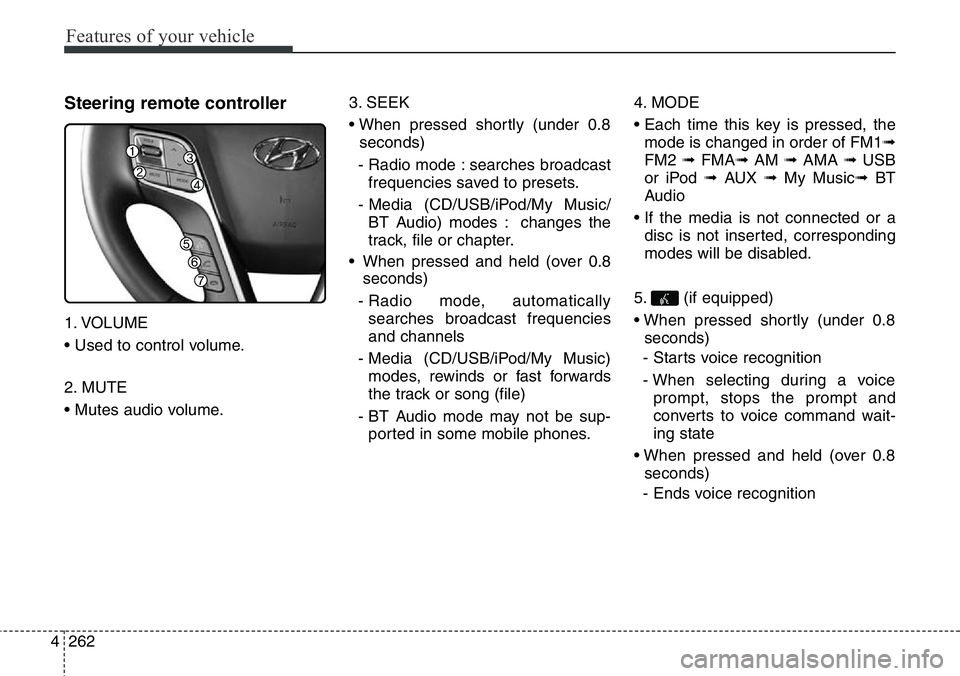
Steering remote controller
1. VOLUME
• Used to control volume.
2. MUTE
• Mutes audio volume.3. SEEK
• When pressed shortly (under 0.8
seconds)
- Radio mode : searches broadcast
frequencies saved to presets.
- Media (CD/USB/iPod/My Music/
BT Audio) modes : changes the
track, file or chapter.
• When pressed and held (over 0.8
seconds)
- Radio mode, automatically
searches broadcast frequencies
and channels
- Media (CD/USB/iPod/My Music)
modes, rewinds or fast forwards
the track or song (file)
- BT Audio mode may not be sup-
ported in some mobile phones.4. MODE
• Each time this key is pressed, the
mode is changed in order of FM1➟
FM2 ➟ FMA➟AM ➟ AMA ➟ USB
or iPod ➟ AUX ➟ My Music➟ BT
Audio
• If the media is not connected or a
disc is not inserted, corresponding
modes will be disabled.
5. (if equipped)
• When pressed shortly (under 0.8
seconds)
- Starts voice recognition
- When selecting during a voice
prompt, stops the prompt and
converts to voice command wait-
ing state
• When pressed and held (over 0.8
seconds)
- Ends voice recognition
Page 406 of 711
4305
Features of your vehicle
Pairing a Bluetooth®Wireless
Technology Device
What is
Bluetooth®Wireless
Technology Pairing?
Pairing refers to the process of syn-
chronizing your
Bluetooth®Wireless
Technology phone or device with the
car audio system for connection.
Pairing is necessary to connect and
use the
Bluetooth®Wireless
Technology feature.
Pairing Key / Key
on the Steering Remote
Controller
When No Devices have been
Paired
1. Press the key or the
key on the steering remote con-
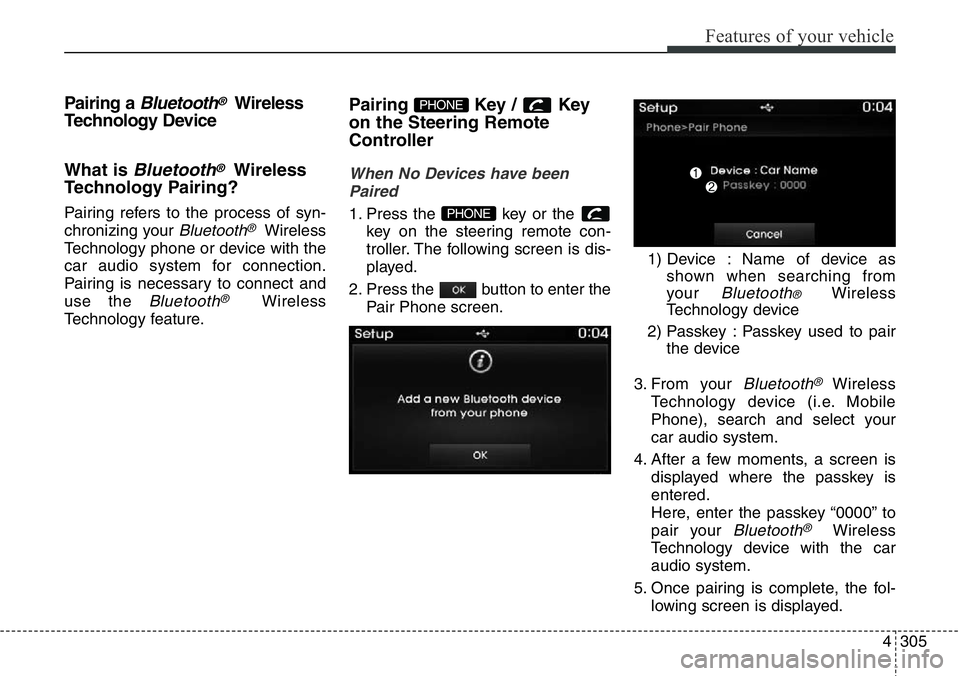
troller. The following screen is dis-
played.
2. Press the button to enter the
Pair Phone screen.1) Device : Name of device as
shown when searching from
your
Bluetooth® Wireless
Technology device
2) Passkey : Passkey used to pair
the device
3. From your
Bluetooth®Wireless
Technology device (i.e. Mobile
Phone), search and select your
car audio system.
4. After a few moments, a screen is
displayed where the passkey is
entered.
Here, enter the passkey “0000” to
pair your
Bluetooth®Wireless
Technology device with the car
audio system.
5. Once pairing is complete, the fol-
lowing screen is displayed.
PHONE
PHONE
Page 407 of 711
Features of your vehicle
306 4
✽NOTICE
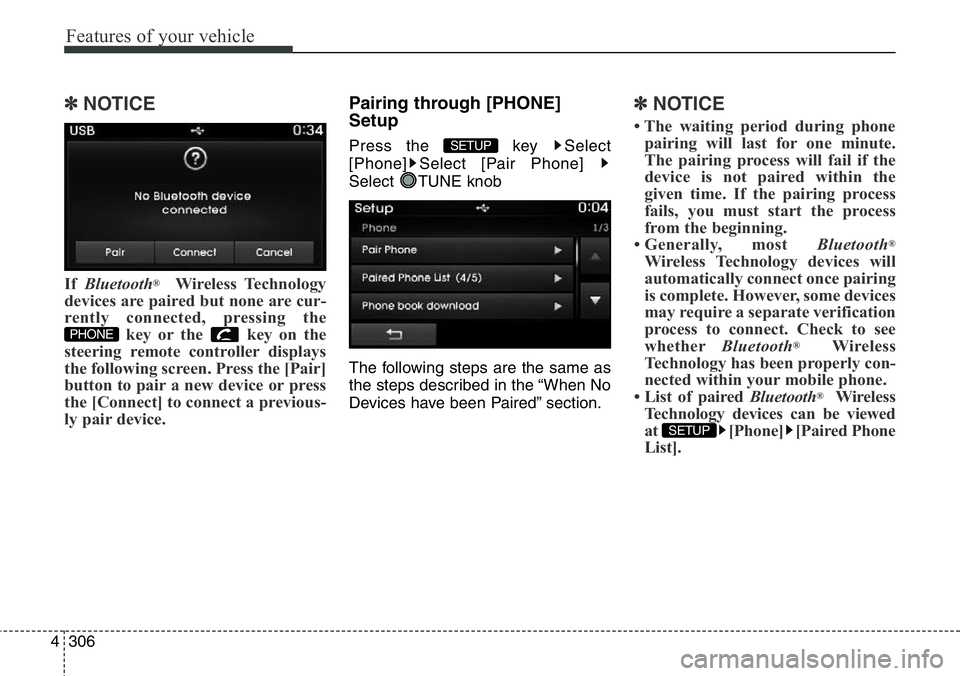
If Bluetooth®Wireless Technology
devices are paired but none are cur-
rently connected, pressing the
key or the key on the
steering remote controller displays
the following screen. Press the [Pair]
button to pair a new device or press
the [Connect] to connect a previous-
ly pair device.
Pairing through [PHONE]
Setup
Press the key Select
[Phone] Select [Pair Phone]
Select TUNE knob
The following steps are the same as
the steps described in the “When No
Devices have been Paired” section.
✽NOTICE
• The waiting period during phone
pairing will last for one minute.
The pairing process will fail if the
device is not paired within the
given time. If the pairing process
fails, you must start the process
from the beginning.
• Generally, most Bluetooth
®
Wireless Technology devices will
automatically connect once pairing
is complete. However, some devices
may require a separate verification
process to connect. Check to see
whetherBluetooth
®Wireless
Technology has been properly con-
nected within your mobile phone.
• List of paired Bluetooth
®Wireless
Technology devices can be viewed
at [Phone] [Paired Phone
List].
SETUP
SETUP
PHONE
Page 414 of 711
4313
Features of your vehicle
Bluetooth® Wireless Technology
(for Bluetooth®Wireless
Technologyequipped model)
Pairing a
Bluetooth®Wireless
Technology wireless technolo-
gy Device
What is
Bluetooth®Wireless
Technology Pairing?
Pairing refers to the process of syn-
chronizing your
Bluetooth®Wireless
Technology phone or device with the
car audio system for connection.
Pairing is necessary to connect and
use the
Bluetooth®Wireless
Technology feature.
Pairing Key / Key
on the Steering Remote
Controller
When No Devices have been
Paired
1. Press the key or the
key on the steering remote con-
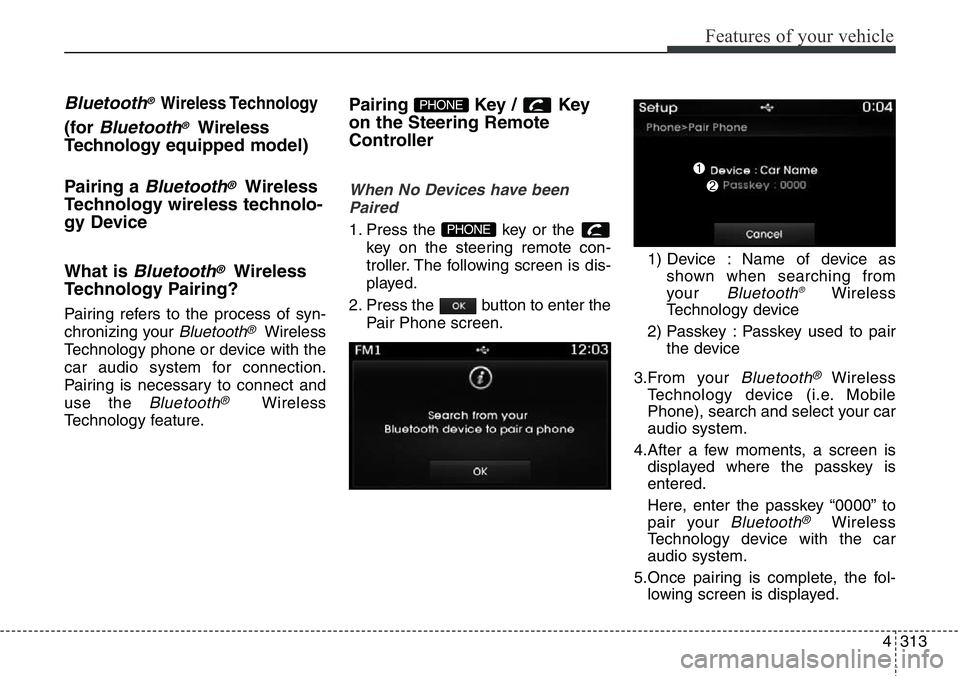
troller. The following screen is dis-
played.
2. Press the button to enter the
Pair Phone screen.1) Device : Name of device as
shown when searching from
your
Bluetooth®Wireless
Technology device
2) Passkey : Passkey used to pair
the device
3.From your
Bluetooth®Wireless
Technology device (i.e. Mobile
Phone), search and select your car
audio system.
4.After a few moments, a screen is
displayed where the passkey is
entered.
Here, enter the passkey “0000” to
pair your
Bluetooth®Wireless
Technology device with the car
audio system.
5.Once pairing is complete, the fol-
lowing screen is displayed.
PHONE
PHONE
Page 415 of 711
Features of your vehicle
314 4
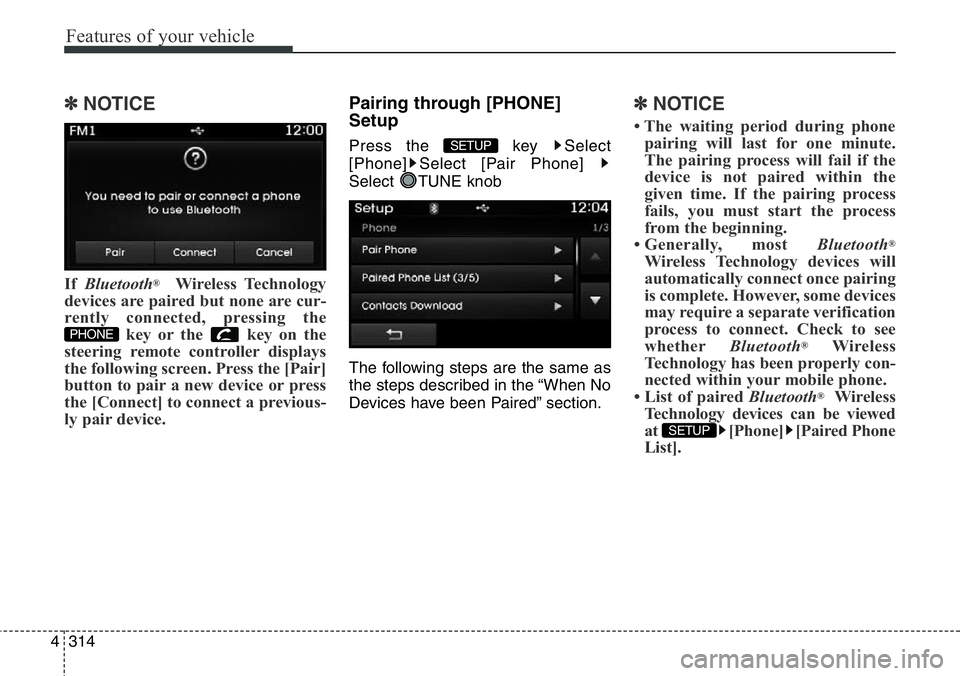
✽NOTICE
If Bluetooth®Wireless Technology
devices are paired but none are cur-
rently connected, pressing the
key or the key on the
steering remote controller displays
the following screen. Press the [Pair]
button to pair a new device or press
the [Connect] to connect a previous-
ly pair device.
Pairing through [PHONE]
Setup
Press the key Select
[Phone] Select [Pair Phone]
Select TUNE knob
The following steps are the same as
the steps described in the “When No
Devices have been Paired” section.
✽NOTICE
• The waiting period during phone
pairing will last for one minute.
The pairing process will fail if the
device is not paired within the
given time. If the pairing process
fails, you must start the process
from the beginning.
• Generally, most Bluetooth
®
Wireless Technology devices will
automatically connect once pairing
is complete. However, some devices
may require a separate verification
process to connect. Check to see
whetherBluetooth
®Wireless
Technology has been properly con-
nected within your mobile phone.
• List of paired Bluetooth
®Wireless
Technology devices can be viewed
at [Phone] [Paired Phone
List].
SETUP
SETUP
PHONE
Page 423 of 711
Features of your vehicle
322 4
VOICE RECOGNITION
(if equipped)
Using Voice Recognition
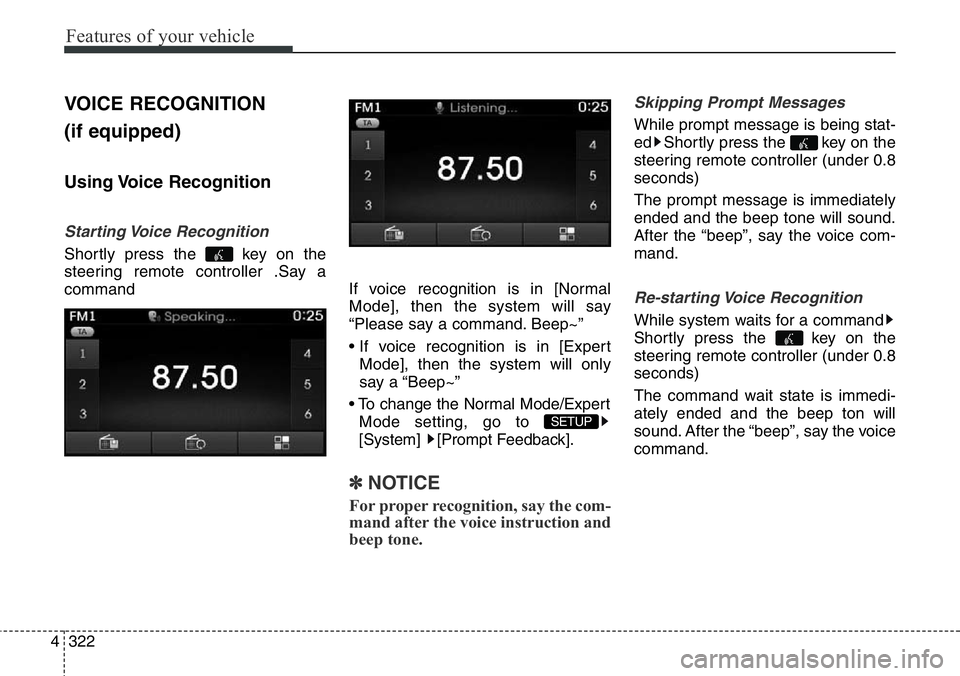
Starting Voice Recognition
Shortly press the key on the
steering remote controller .Say a
commandIf voice recognition is in [Normal
Mode], then the system will say
“Please say a command. Beep~”
• If voice recognition is in [Expert
Mode], then the system will only
say a “Beep~”
• To change the Normal Mode/Expert
Mode setting, go to
[System] [Prompt Feedback].
✽NOTICE
For proper recognition, say the com-
mand after the voice instruction and
beep tone.
Skipping Prompt Messages
While prompt message is being stat-
ed Shortly press the key on the
steering remote controller (under 0.8
seconds)
The prompt message is immediately
ended and the beep tone will sound.
After the “beep”, say the voice com-
mand.
Re-starting Voice Recognition
While system waits for a command
Shortly press the key on the
steering remote controller (under 0.8
seconds)
The command wait state is immedi-
ately ended and the beep ton will
sound. After the “beep”, say the voice
command.
SETUP
Page 424 of 711
4323
Features of your vehicle
ENDING VOICE
RECOGNITION
While Voice Recognition is operating
Press and hold the key on the
steering remote controller (over 0.8
seconds)
✽NOTICE
• While using voice command,
pressing a steering wheel remote
control or a different key will end
voice command.
• In a state where the system is wait-
ing for a voice command, say
“cancel” or “end” to end voice
command.
• In a state where the system is wait-
ing for a voice command, press
and hold the key on the steer-
ing remote controller to end voice
command.