start Hyundai Santa Fe 2015 Owners Manual
[x] Cancel search | Manufacturer: HYUNDAI, Model Year: 2015, Model line: Santa Fe, Model: Hyundai Santa Fe 2015Pages: 786, PDF Size: 36.84 MB
Page 527 of 786

Features of your vehicle
430
4
Using My Music Mode
Playing/Pausing My Music Files
While playing, press the button
to pause and press button to
play.
✽ ✽
NOTICE
If there are no files saved within My
Music, the [My Music] button will
be disabled.
Changing Files
Press the key to move to
the previous or next file.
✽ ✽NOTICE
• Pressing the key after the
file has been playing for 2 seconds
will start the current file from the
beginning.
• Pressing the key before the file has been playing for 1 sec-
onds will start the previous file.
Selecting from the List
Turn the TUNE knob left/right to
search for the desired file.
Once you find the desired file, press
the TUNE knob to start playing.
Rewinding / Fast-forwarding Files
While playing, press and hold the
key (over 0.8 seconds) to
rewind or fast-forward the current file.
Scan
Press the key to play the first
10 seconds of each file.SCAN
SEEK
TRACK
SEEK
TRACK
SEEK
TRACK
SEEK
TRACK
Page 530 of 786

4433
Features of your vehicle
✽
✽NOTICE - USING THE
Bluetooth®Wireless
Technology Audio Mode
• Bluetooth®Wireless Technology
Audio Mode can be used only
when a Bluetooth
®Wireless
Technology phone has been con-
nected.
• Bluetooth
®Wireless Technology
Audio Mode will not be available
when connecting mobile phones
that do not support this feature.
• While Bluetooth
®Wireless
Technology Audio is playing, if the
Bluetooth
®Wireless Technology
phone is connected, then the music
will also stop.
• Moving the Track up/down while playing Bluetooth
®Wireless
Technology audio mode may
result in pop noises in some mobile
phones.
• Bluetooth
®Wireless Technology
streaming audio may not be sup-
ported in some mobile phones. (Continued)(Continued)
• When returning to Bluetooth
®
Wireless Technology Audio mode
after ending a call, the mode may
not automatically restart in some
mobile phones.
• Receiving an incoming call or mak- ing an outgoing call while playing
Bluetooth
®Wireless Technology
Audio may result in audio interfer-
ence.
Page 531 of 786

Features of your vehicle
434
4
Bluetooth®Wireless
Technology A UDIO MODE
Using Bluetooth®Wireless
Technology Audio Mode
Playing/Pausing Bluetooth®
Wireless TechnologyAudio
Once a Bluetooth®Wireless
Technology device is connected, the
mode will automatically start.
While playing, press the button
to pause and press button to
play.
✽ ✽ NOTICE
The play/pause feature may operate
differently depending on the mobile
phone.
Changing Files
Press the key to move to
the previous or next file.
Setting Connection
If a Bluetooth®Wireless Technology
device has not been connected, press
the key [Phone] button to
display the
Bluetooth®Wireless
Technology connection screen.
It is possible to use the pair phone,
connect/disconnect and delete fea-
tures from your
Bluetooth®Wireless
Technology phone.
SETUP
SEEK
TRACK
Page 532 of 786
![Hyundai Santa Fe 2015 Owners Manual 4435
Features of your vehicle
✽
✽NOTICE
• If the Bluetooth®Wireless
Technology audio is not operating
properly, check whether the fea-
ture is turned off at
[Phone] [Streaming Audio]. If the](/img/35/16350/w960_16350-531.png "Hyundai Santa Fe 2015 Owners Manual 4435
Features of your vehicle
✽
✽NOTICE
• If the Bluetooth®Wireless
Technology audio is not operating
properly, check whether the fea-
ture is turned off at
[Phone] [Streaming Audio]. If the")
4435
Features of your vehicle
✽
✽NOTICE
• If the Bluetooth®Wireless
Technology audio is not operating
properly, check whether the fea-
ture is turned off at
[Phone] [Streaming Audio]. If the
feature is off, turn back on and try
again.
• If music is not yet playing from your mobile device after converting
to Bluetooth
®Wireless Technology
Audio mode, pressing the play but-
ton once may start playing the
mode. Check to see that music is
playing from the Bluetooth
®
Wireless Technology device after
converting to Bluetooth®Wireless
Technology Audio Mode.
SETUP
Page 546 of 786
4449
Features of your vehicle
VOICE RECOGNITION
Using Voice Recognition
Starting Voice Recognition
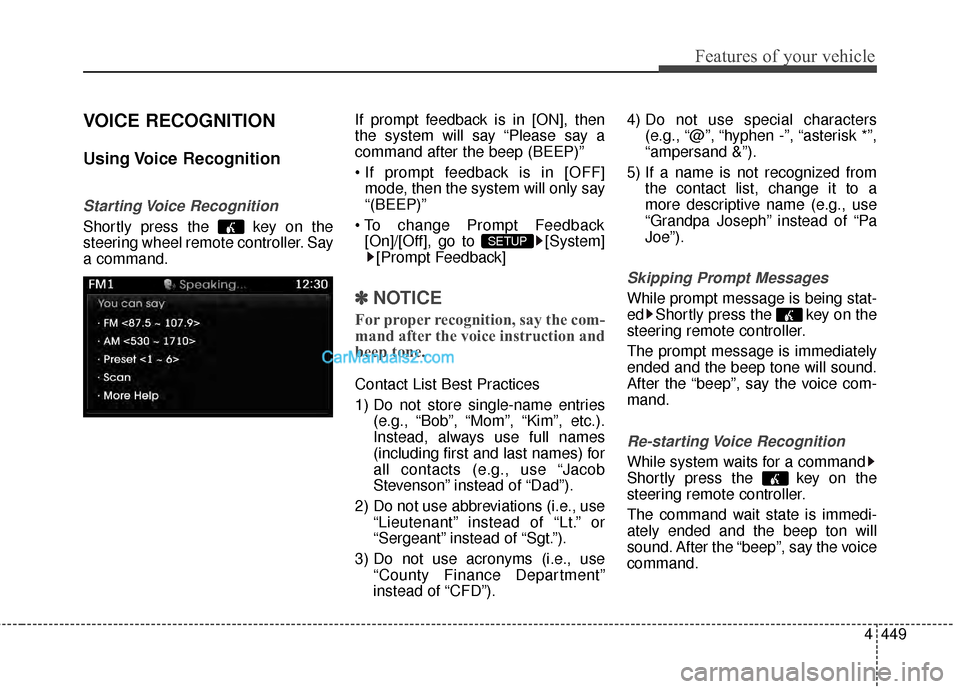
Shortly press the key on the
steering wheel remote controller. Say
a command.If prompt feedback is in [ON], then
the system will say “Please say a
command after the beep (BEEP)”
mode, then the system will only say
“(BEEP)”
[On]/[Off], go to [System] [Prompt Feedback]
✽ ✽ NOTICE
For proper recognition, say the com-
mand after the voice instruction and
beep tone.
Contact List Best Practices
1) Do not store single-name entries
(e.g., “Bob”, “Mom”, “Kim”, etc.).
Instead, always use full names
(including first and last names) for
all contacts (e.g., use “Jacob
Stevenson” instead of “Dad”).
2) Do not use abbreviations (i.e., use “Lieutenant” instead of “Lt.” or
“Sergeant” instead of “Sgt.”).
3) Do not use acronyms (i.e., use “County Finance Department”
instead of “CFD”). 4) Do not use special characters
(e.g., “@”, “hyphen -”, “asterisk *”,
“ampersand &”).
5) If a name is not recognized from the contact list, change it to a
more descriptive name (e.g., use
“Grandpa Joseph” instead of “Pa
Joe”).
Skipping Prompt Messages
While prompt message is being stat-
ed Shortly press the key on the
steering remote controller.
The prompt message is immediately
ended and the beep tone will sound.
After the “beep”, say the voice com-
mand.
Re-starting Voice Recognition
While system waits for a command
Shortly press the key on the
steering remote controller.
The command wait state is immedi-
ately ended and the beep ton will
sound. After the “beep”, say the voice
command.
SETUP
Page 553 of 786
![Hyundai Santa Fe 2015 Owners Manual Features of your vehicle
456
4
SETUP
Starting Mode
Press the key to display the
Setup screen.
You can select and control options
related to [Display], [Sound],
[Clock/Calendar], [Phone] and
[System].](/img/35/16350/w960_16350-552.png "Hyundai Santa Fe 2015 Owners Manual Features of your vehicle
456
4
SETUP
Starting Mode
Press the key to display the
Setup screen.
You can select and control options
related to [Display], [Sound],
[Clock/Calendar], [Phone] and
[System].")
Features of your vehicle
456
4
SETUP
Starting Mode
Press the key to display the
Setup screen.
You can select and control options
related to [Display], [Sound],
[Clock/Calendar], [Phone] and
[System].
Display Settings
Adjusting the Brightness
Press the key Select
[Display] Select [Brightness]
Use the , buttons to adjust the
screen brightness or set the
Brightness on Automatic, Daylight, or
Night mode.
Press the button to reset.
1) Automatic : Adjusts the brightness
automatically
2) Daylight : Always maintains the brightness on high
3) Night : Always maintains the
brightness on low
Mode Pop-up
Press the key Select
[Display] Select [Mode Pop up]
This feature is used to display the
Mode Pop-up screen when entering
radio and media modes.
When this feature is turned on,
pressing the or key
will display the Mode Pop-up screen.
✽ ✽ NOTICE
The media Mode Pop-up screen can
be displayed only when two or more
media modes have been connected.
MEDIA RADIO
SETUP
Default
SETUP SETUP
Page 558 of 786
![Hyundai Santa Fe 2015 Owners Manual 4461
Features of your vehicle
System Setting
HD Radio™On/Off
Press the key Select
[System] Select [FM], [AM]
This feature is used to set whether to
receive FM/AM HD Radio™ broad-
casts.
Prompt Fe](/img/35/16350/w960_16350-557.png "Hyundai Santa Fe 2015 Owners Manual 4461
Features of your vehicle
System Setting
HD Radio™On/Off
Press the key Select
[System] Select [FM], [AM]
This feature is used to set whether to
receive FM/AM HD Radio™ broad-
casts.
Prompt Fe")
4461
Features of your vehicle
System Setting
HD Radio™On/Off
Press the key Select
[System] Select [FM], [AM]
This feature is used to set whether to
receive FM/AM HD Radio™ broad-
casts.
Prompt Feedback
Press the key Select
[System] Select [Prompt Feedback]
This feature is used to select the
desired prompt feedback option from
ON and OFF.
1) ON : When using voice recognition, provides detailed guidance
prompts
2) OFF : When using voice recogni- tion, omits some guidance prompts
Language
Press the key Select
[System] Select [Language]
This feature is used to change the
system and voice recognition lan-
guage.
If the language is changed, the sys-
tem will restart and apply the select-
ed language.SETUP SETUP
SETUP
Page 560 of 786
4463
Features of your vehicle
Blue Link®
Hyundai aims to offer differentiated
customer values through a
‘Connected Car Life,’ which provides
consumers with fast and reliable IT
technology. As consumers’ lifestyles
become more and more mobile in
thanks to remarkable advances in
smart phones, tablet PCs and overall
wireless telecommunication, new
lifestyle patterns demand seamless
connection between one’s office,
home, outdoors and automobiles.
Blue Link
®is Hyundai's innovative
telematics solution that combines
safety, service, and infotainment into
a complete package. It works to both
help simplify Hyundai owners' lives
and reduce distracted driving. The
Blue Link
®" " button offers
access to a voice-response menu of
services. The Blue Link
®button offers
access to enhanced navigation serv-
ices. The " " button offers imme-
diate contact to SOS Emergency
Assistance. A detailed list of com-
mands is available in the Blue Link
User's Manual.
Using Rear View Mirror Buttons
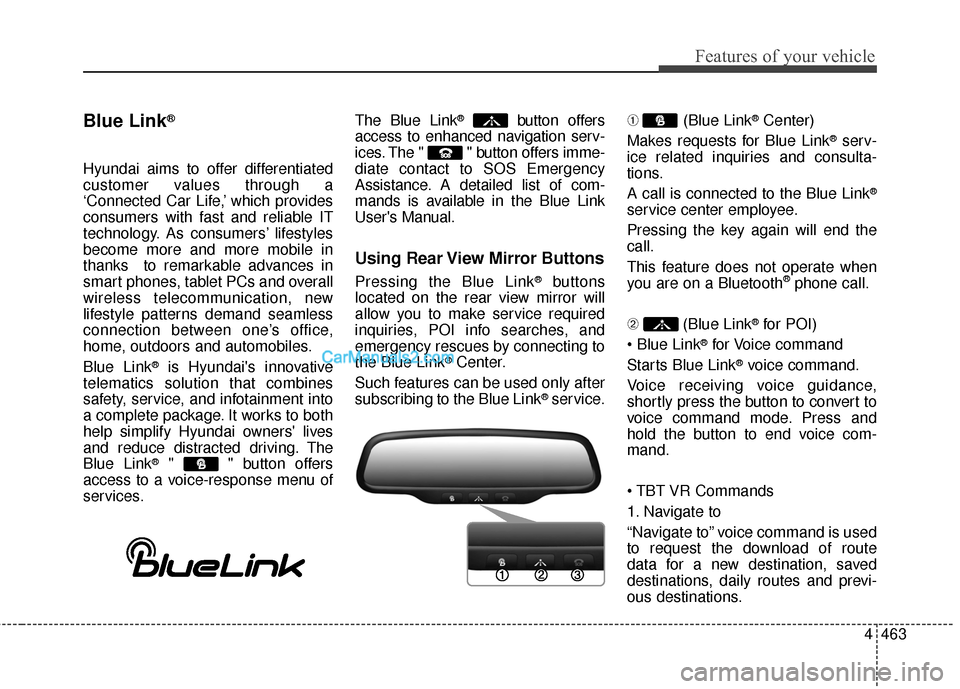
Pressing the Blue Link®buttons
located on the rear view mirror will
allow you to make service required
inquiries, POI info searches, and
emergency rescues by connecting to
the Blue Link
®Center.
Such features can be used only after
subscribing to the Blue Link
®service. ➀
(Blue Link
®Center)
Makes requests for Blue Link
®serv-
ice related inquiries and consulta-
tions.
A call is connected to the Blue Link
®
service center employee.
Pressing the key again will end the
call.
This feature does not operate when
you are on a Bluetooth
®phone call.
\b (Blue Link
®for POI)
®for Voice command
Starts Blue Link
®voice command.
Voice receiving voice guidance,
shortly press the button to convert to
voice command mode. Press and
hold the button to end voice com-
mand.
1. Navigate to
“Navigate to” voice command is used
to request the download of route
data for a new destination, saved
destinations, daily routes and previ-
ous destinations.
Page 564 of 786

Driving your vehicle
Before driving . . . . . . . . . . . . . . . . . . . . . . . . . . . . . . 5-3
Key . . . . . . . . . . . . . . . . . . . . . . . . . . . . . . . . . . . . \
. . . 5-6
Engine start/stop button . . . . . . . . . . . . . . . . . . . . . 5-9
Automatic transaxle . . . . . . . . . . . . . . . . . . . . . . . . 5-14
• Automatic transaxle operation . . . . . . . . . . . . . . . . . . 5-14
All wheel drive (AWD) . . . . . . . . . . . . . . . . . . . . . . 5-21
Brake system . . . . . . . . . . . . . . . . . . . . . . . . . . . . . . 5-28
• Power brakes . . . . . . . . . . . . . . . . . . . . . . . . . . . . . . . 5-28
• Parking brake . . . . . . . . . . . . . . . . . . . . . . . . . . . . . . . 5-30
• Anti-lock brake system (ABS) . . . . . . . . . . . . . . . . . . 5-32
• Electronic stability control (ESC) . . . . . . . . . . . . . . . 5-35
• Vehicle stability management (VSM) . . . . . . . . . . . . 5-39
• Downhill brake control (DBC) . . . . . . . . . . . . . . . . . . 5-40
• Hill-start assist control (HAC) . . . . . . . . . . . . . . . . . . 5-42
Cruise control system. . . . . . . . . . . . . . . . . . . . . . . 5-45
Blind spot detection system (BSD) . . . . . . . . . . . . 5-50
Active ECO system. . . . . . . . . . . . . . . . . . . . . . . . . 5-56
Economical operation . . . . . . . . . . . . . . . . . . . . . . 5-57Special driving conditions . . . . . . . . . . . . . . . . . . . 5-59
• Hazardous driving conditions . . . . . . . . . . . . . . . . . . 5-59
• Rocking the vehicle . . . . . . . . . . . . . . . . . . . . . . . . . . . 5-60
• Smooth cornering . . . . . . . . . . . . . . . . . . . . . . . . . . . . 5-61
• Driving at night . . . . . . . . . . . . . . . . . . . . . . . . . . . . . . 5-61
• Driving in the rain . . . . . . . . . . . . . . . . . . . . . . . . . . . . 5-62
• Driving in flooded areas . . . . . . . . . . . . . . . . . . . . . . . 5-63
• Driving off-road . . . . . . . . . . . . . . . . . . . . . . . . . . . . . . 5-63
• Highway driving . . . . . . . . . . . . . . . . . . . . . . . . . . . . . 5-63
Winter driving . . . . . . . . . . . . . . . . . . . . . . . . . . . . 5-65
Trailer towing . . . . . . . . . . . . . . . . . . . . . . . . . . . . . 5-70
Vehicle load limit . . . . . . . . . . . . . . . . . . . . . . . . . . 5-79
Vehicle weight . . . . . . . . . . . . . . . . . . . . . . . . . . . . . 5-84
• Base curb weight . . . . . . . . . . . . . . . . . . . . . . . . . . . . . 5-84
• Vehicle curb weight . . . . . . . . . . . . . . . . . . . . . . . . . . . 5-84
• Cargo weight . . . . . . . . . . . . . . . . . . . . . . . . . . . . . . . . 5-84
• GAW (Gross axle weight) . . . . . . . . . . . . . . . . . . . . . . 5-84
• GAWR (Gross axle weight rating) . . . . . . . . . . . . . . . 5-84
• GVW (Gross vehicle weight) . . . . . . . . . . . . . . . . . . . 5-84
• GVWR (Gross vehicle weight rating) . . . . . . . . . . . . 5-845
Page 565 of 786
Driving your vehicle
25
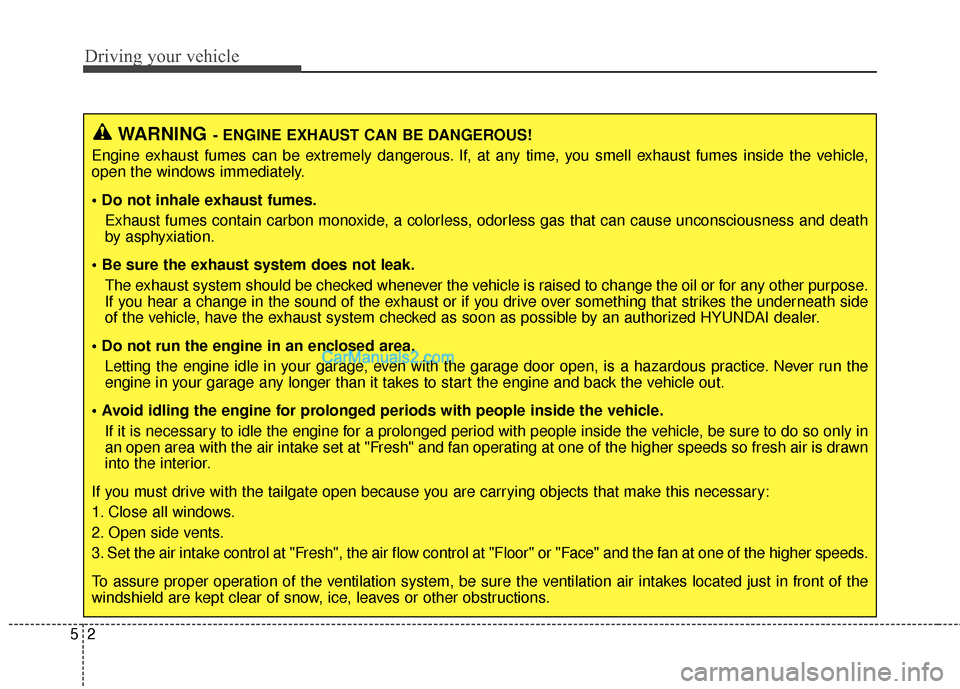
WARNING- ENGINE EXHAUST CAN BE DANGEROUS!
Engine exhaust fumes can be extremely dangerous. If, at any time, you smell exhaust fumes inside the vehicle,
open the windows immediately.
• Do not inhale exhaust fumes. Exhaust fumes contain carbon monoxide, a colorless, odorless gas that can cause unconsciousness and death
by asphyxiation.
The exhaust system should be checked whenever the vehicle is raised to change the oil or for any other purpose.
If you hear a change in the sound of the exhaust or if you drive over something that strikes the underneath side
of the vehicle, have the exhaust system checked as soon as possible by an authorized HYUNDAI dealer.
Letting the engine idle in your garage, even with the garage door open, is a hazardous practice. Never run the
engine in your garage any longer than it takes to start the engine and back the vehicle out.
If it is necessary to idle the engine for a prolonged period with people inside the vehicle, be sure to do so only in
an open area with the air intake set at "Fresh" and fan operating at one of the higher speeds so fresh air is drawn
into the interior.
If you must drive with the tailgate open because you are carrying objects that make this necessary:
1. Close all windows.
2. Open side vents.
3. Set the air intake control at "Fresh", the air flow control at "Floor" or "Face" and the fan at one of the higher speeds.
To assure proper operation of the ventilation system, be sure the ventilation air intakes located just in front of the
windshield are kept clear of snow, ice, leaves or other obstructions.