ECO mode Hyundai Santa Fe 2016 - RHD (UK, Australia) User Guide
[x] Cancel search | Manufacturer: HYUNDAI, Model Year: 2016, Model line: Santa Fe, Model: Hyundai Santa Fe 2016Pages: 699, PDF Size: 15.65 MB
Page 178 of 699
Features of your vehicle
80 4
Travel Mode (if equipped)
If this item is checked, the traffic
change function will be activated.
For more details, refer to "Lighting" in
this chapter.
Settings
Language (if equipped)
Choose the language you prefer
within the LCD display.
Temperature Unit
Convert the temperature unit from °C
to °F or from °F to °C.
Welcome Sound
If this item is checked, the welcome
sound function will be activated.
Shift Indicator (if equipped)
If this item is checked, the shift indi-
cator function will be activated.
For more details, refer to “Instrument
Cluster” in this chapter.Seat Easy Access (if equipped)
If this item is checked, the driver’s
seat will automatically move forward
or rearward for the driver to enter or
exit the vehicle comfortably.
Tyre Pressure Unit (if equipped)
Choose the tyre pressure unit.
(psi, kPa, Bar)
AVG Fuel Eco Reset
• Auto Reset:
The average fuel economy will
reset automatically when refu-
elling.
• Manual Reset:
The average fuel economy will not
reset automatically whenever refu-
elling.
For more details, refer to “Trip
Computer” in this chapter.
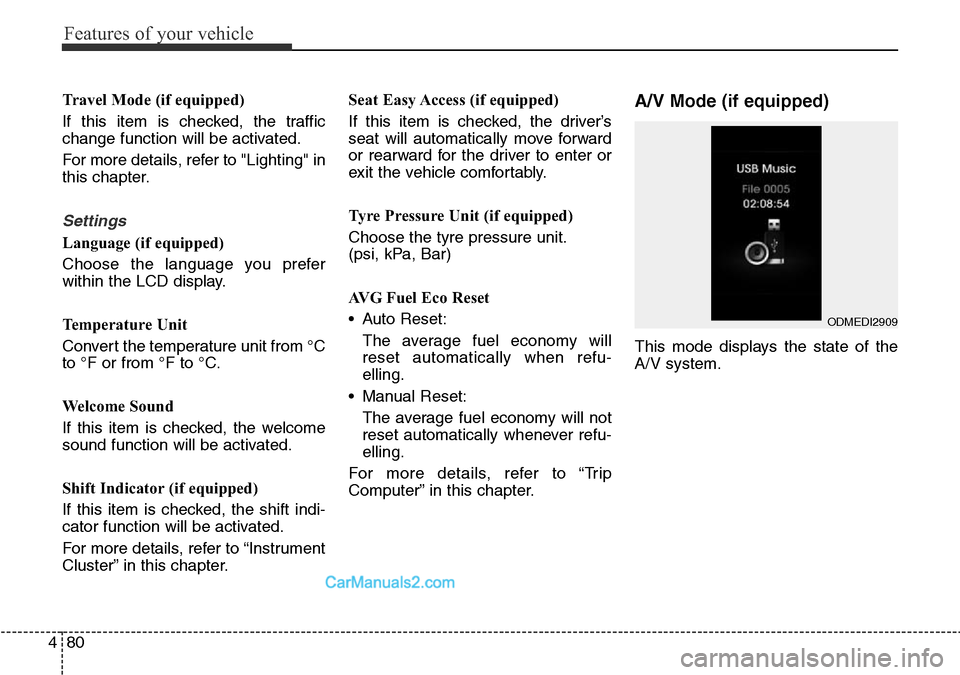
A/V Mode (if equipped)
This mode displays the state of the
A/V system.
ODMEDI2909
Page 186 of 699
Features of your vehicle
88 4
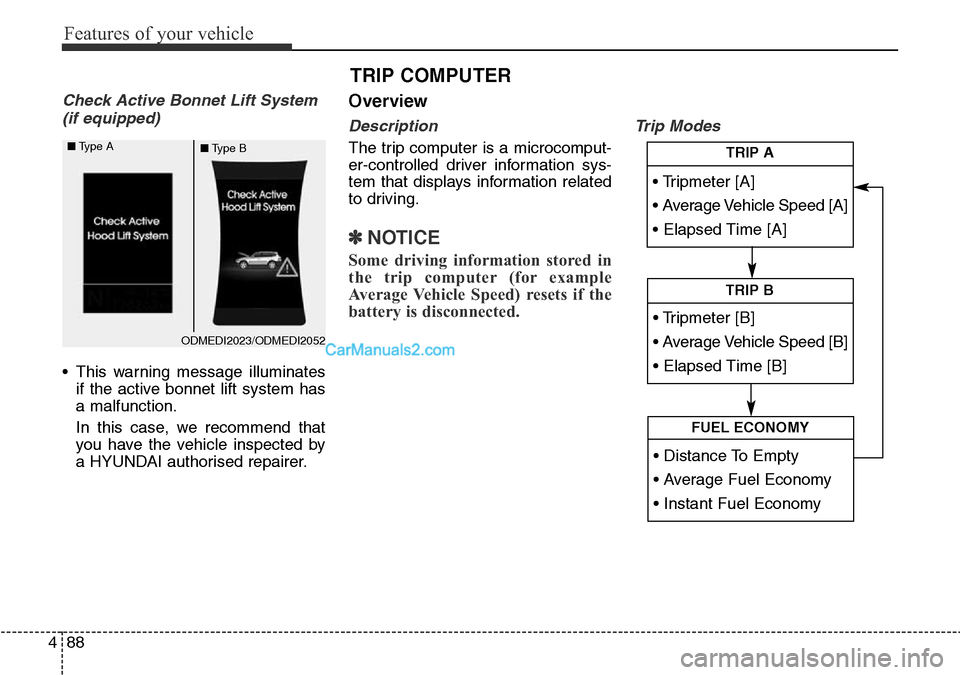
Check Active Bonnet Lift System
(if equipped)
• This warning message illuminates
if the active bonnet lift system has
a malfunction.
In this case, we recommend that
you have the vehicle inspected by
a HYUNDAI authorised repairer.
Overview
Description
The trip computer is a microcomput-
er-controlled driver information sys-
tem that displays information related
to driving.
✽NOTICE
Some driving information stored in
the trip computer (for example
Average Vehicle Speed) resets if the
battery is disconnected.
Trip Modes
TRIP COMPUTER
• Tripmeter [A]
• Average Vehicle Speed [A]
• Elapsed Time [A]
TRIP A
• Tripmeter [B]
• Average Vehicle Speed [B]
• Elapsed Time [B]
TRIP B
• Distance To Empty
• Average Fuel Economy
• Instant Fuel Economy
FUEL ECONOMY
ODMEDI2023/ODMEDI2052 ■Type A
■Type B
Page 189 of 699
491
Features of your vehicle
Average Fuel Economy (2)
• The average fuel economy is calcu-
lated by the total driving distance
and fuel consumption since the last
average fuel economy reset.
- Fuel economy range: 0.0 ~ 99.9
L/100km or MPG
• The average fuel economy can be
reset both manually and automati-
cally.
Manual reset
To clear the average fuel economy
manually, press the SELECT/RESET
button on the steering wheel for
more than 1 second when the aver-
age fuel economy is displayed.Automatic reset
To make the average fuel economy
be reset automatically whenever refu-
elling, select the “Auto Reset” mode
in User Setting menu of the LCD dis-
play (Refer to “LCD Display”).
Under “Auto Reset” mode, the aver-
age fuel economy will be cleared to
zero (---) when the vehicle speed
exceeds 0.6 mph (1 km/h) after refu-
elling more than 6 litres (1.6 gallons).
✽NOTICE
The average fuel economy is not dis-
played for more accurate calculation
if the vehicle does not drive more
than 10 seconds or 50 meters (0.03
miles) since the ignition switch or
Engine Start/Stop button is turned
to ON.
Instant Fuel Economy (3)
• This mode displays the instant fuel
economy during the last few sec-
onds when the vehicle speed is
more than 6.2 mph (10 km/h).
- Fuel economy range: 0 ~ 30
L/100km or 0 ~ 50 MPG
Page 190 of 699
Features of your vehicle
92 4
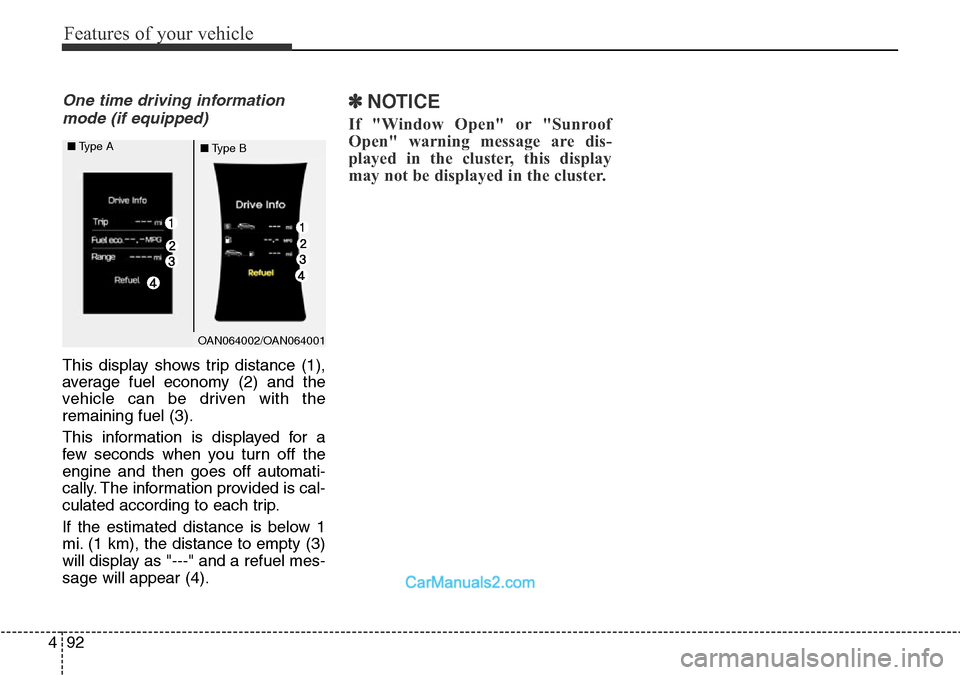
One time driving information
mode (if equipped)
This display shows trip distance (1),
average fuel economy (2) and the
vehicle can be driven with the
remaining fuel (3).
This information is displayed for a
few seconds when you turn off the
engine and then goes off automati-
cally. The information provided is cal-
culated according to each trip.
If the estimated distance is below 1
mi. (1 km), the distance to empty (3)
will display as "---" and a refuel mes-
sage will appear (4).
✽NOTICE
If "Window Open" or "Sunroof
Open" warning message are dis-
played in the cluster, this display
may not be displayed in the cluster.
OAN064002/OAN064001 ■Type A
■Type B
Page 205 of 699
4107
Features of your vehicle
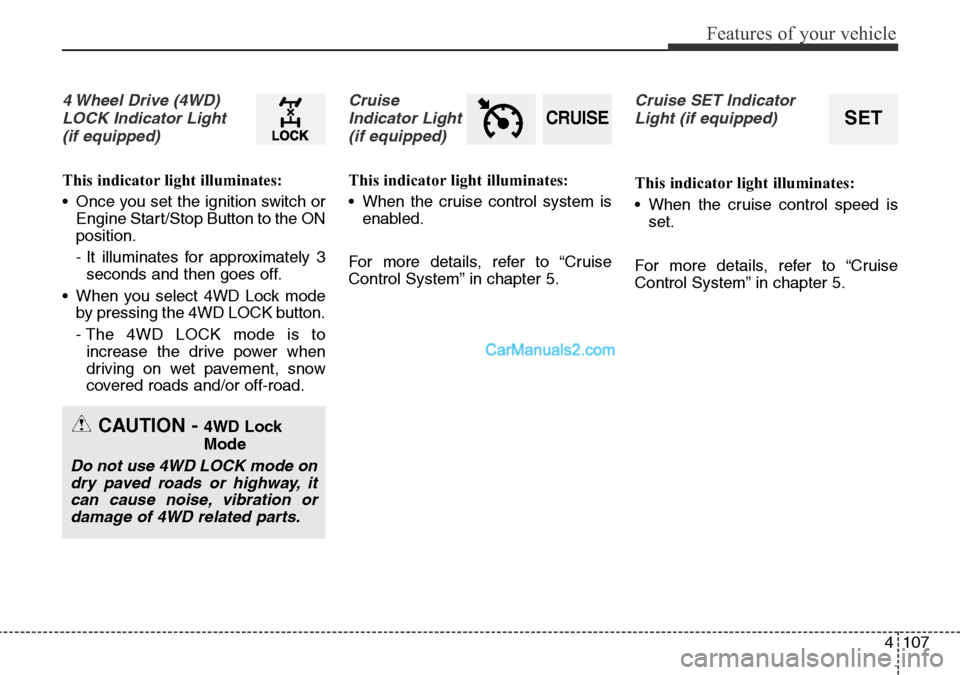
4 Wheel Drive (4WD)
LOCK Indicator Light
(if equipped)
This indicator light illuminates:
• Once you set the ignition switch or
Engine Start/Stop Button to the ON
position.
- It illuminates for approximately 3
seconds and then goes off.
• When you select 4WD Lock mode
by pressing the 4WD LOCK button.
- The 4WD LOCK mode is to
increase the drive power when
driving on wet pavement, snow
covered roads and/or off-road.
Cruise
Indicator Light
(if equipped)
This indicator light illuminates:
• When the cruise control system is
enabled.
For more details, refer to “Cruise
Control System” in chapter 5.
Cruise SET Indicator
Light (if equipped)
This indicator light illuminates:
• When the cruise control speed is
set.
For more details, refer to “Cruise
Control System” in chapter 5.
CRUISESET
CAUTION - 4WD Lock
Mode
Do not use 4WD LOCK mode on
dry paved roads or highway, it
can cause noise, vibration or
damage of 4WD related parts.
Page 222 of 699
Features of your vehicle
124 4
• The Parking Assist System will be
activated (the button indicator will
illuminate).
A warning sound will be heard if an
obstacle is detected.
• Press the Smart Parking Assist
System button again for more than
2 seconds to turn off the system.
• The Smart Parking Assist System
defaults to the OFF position when-
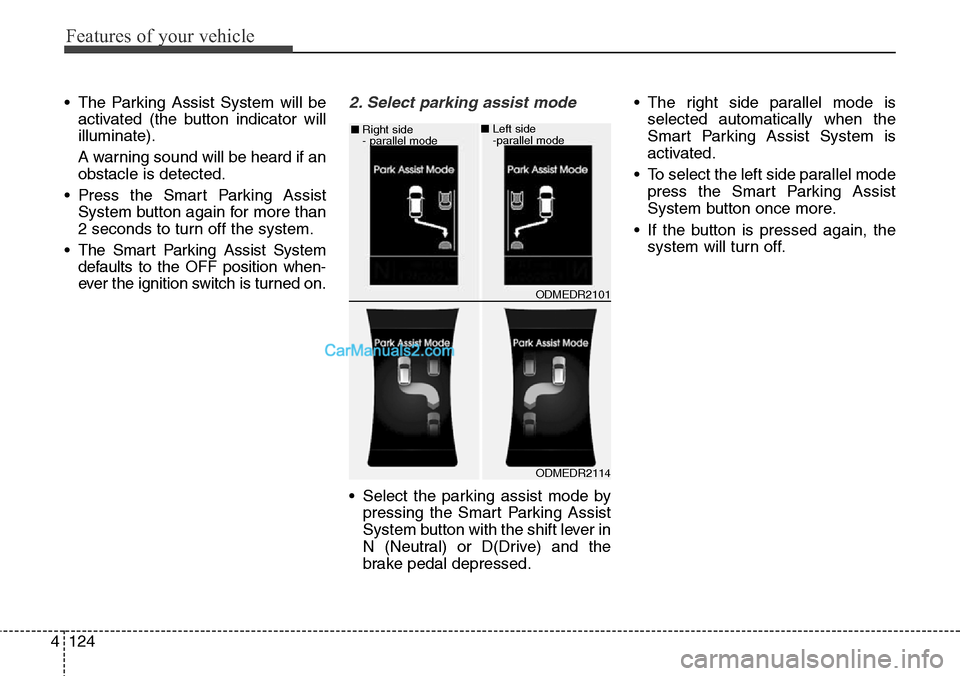
ever the ignition switch is turned on.2. Select parking assist mode
• Select the parking assist mode by
pressing the Smart Parking Assist
System button with the shift lever in
N (Neutral) or D(Drive) and the
brake pedal depressed.• The right side parallel mode is
selected automatically when the
Smart Parking Assist System is
activated.
• To select the left side parallel mode
press the Smart Parking Assist
System button once more.
• If the button is pressed again, the
system will turn off.
ODMEDR2114 ■Right side
- parallel mode
ODMEDR2101 ■Left side
-parallel mode
Page 234 of 699
Features of your vehicle
136 4
Traffic direction change
Headlamp dipping system
Use this function when you visit a
country with opposite traffic direction.
If the traffic change is activated when
you visit a country with opposite traf-
fic direction, it will decrease the daz-
zle on oncoming vehicle drivers.
Follow the below procedure.
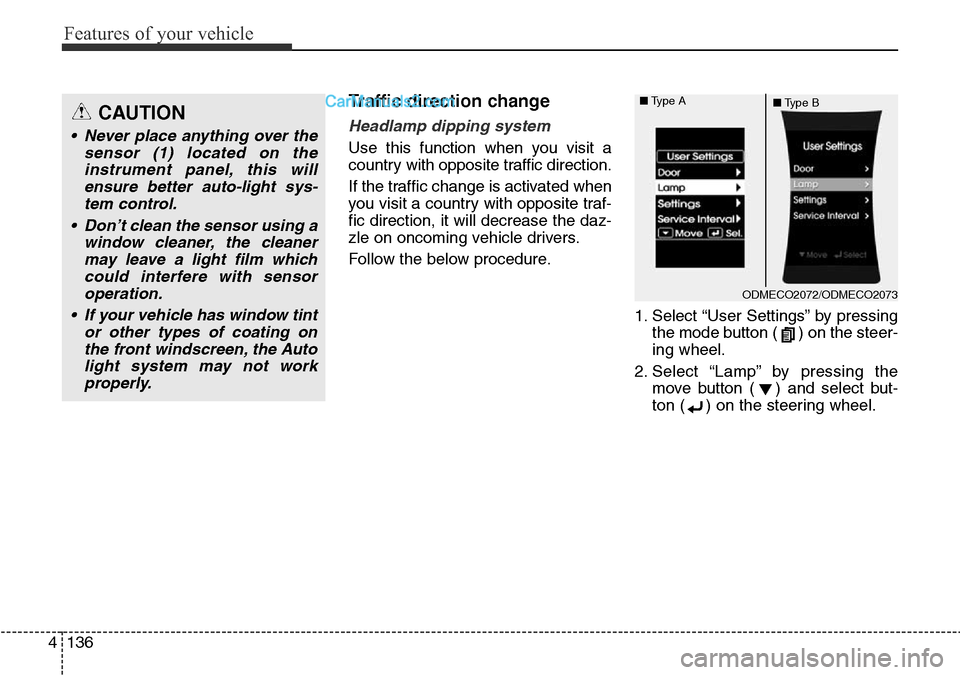
1. Select “User Settings” by pressing
the mode button ( ) on the steer-
ing wheel.
2. Select “Lamp” by pressing the
move button ( ) and select but-
ton ( ) on the steering wheel.
CAUTION
• Never place anything over the
sensor (1) located on the
instrument panel, this will
ensure better auto-light sys-
tem control.
• Don’t clean the sensor using a
window cleaner, the cleaner
may leave a light film which
could interfere with sensor
operation.
• If your vehicle has window tint
or other types of coating on
the front windscreen, the Auto
light system may not work
properly.
ODMECO2072/ODMECO2073 ■Type A
■Type B
Page 235 of 699
4137
Features of your vehicle
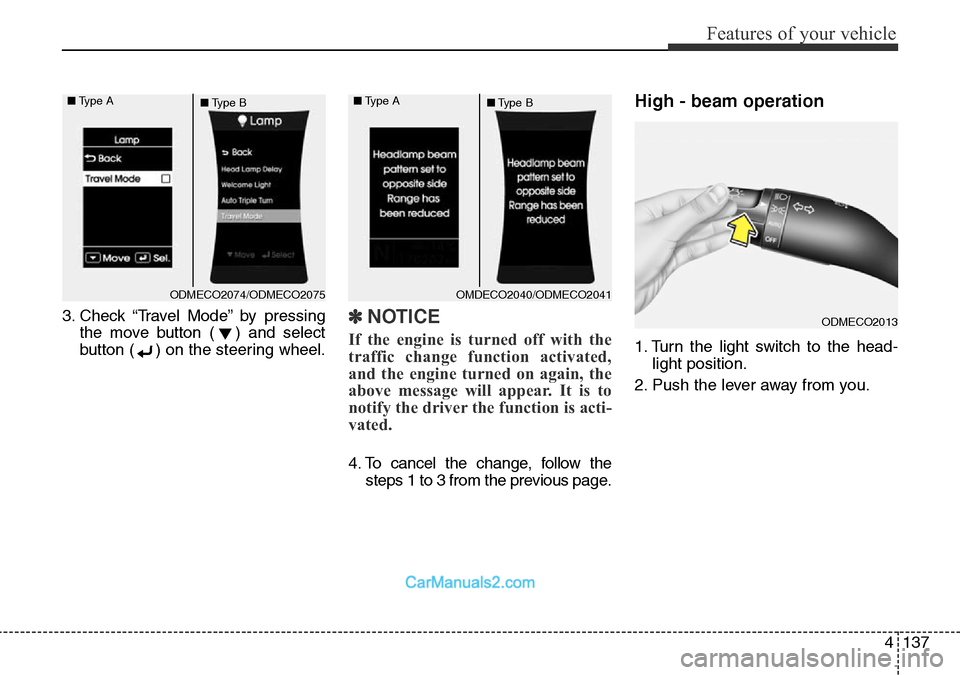
3. Check “Travel Mode” by pressing
the move button ( ) and select
button ( ) on the steering wheel.✽NOTICE
If the engine is turned off with the
traffic change function activated,
and the engine turned on again, the
above message will appear. It is to
notify the driver the function is acti-
vated.
4. To cancel the change, follow the
steps 1 to 3 from the previous page.
High - beam operation
1. Turn the light switch to the head-
light position.
2. Push the lever away from you.
ODMECO2013
ODMECO2074/ODMECO2075 ■Type A
■Type BOMDECO2040/ODMECO2041 ■Type A
■Type B
Page 237 of 699
4139
Features of your vehicle
If an indicator stays on and does not
flash or if it flashes abnormally, one
of the turn signal bulbs may be
burned out and will require replace-
ment.
One-touch lane change function
(if equipped)
To activate an one-touch lane
change function, move the turn sig-
nal lever slightly and then release it.
The lane change signals will blink 3
(5 or 7, if equipped) times.
You can activate/deactivate the One
Touch Turn Signal function or choose
the number of blinking (3, 5, or 7)
from the User Settings Mode on the
LCD display (if equipped).
✽NOTICE
If an indicator flash is abnormally
quick or slow, bulb may be burned
out or have a poor electrical connec-
tion in the circuit.
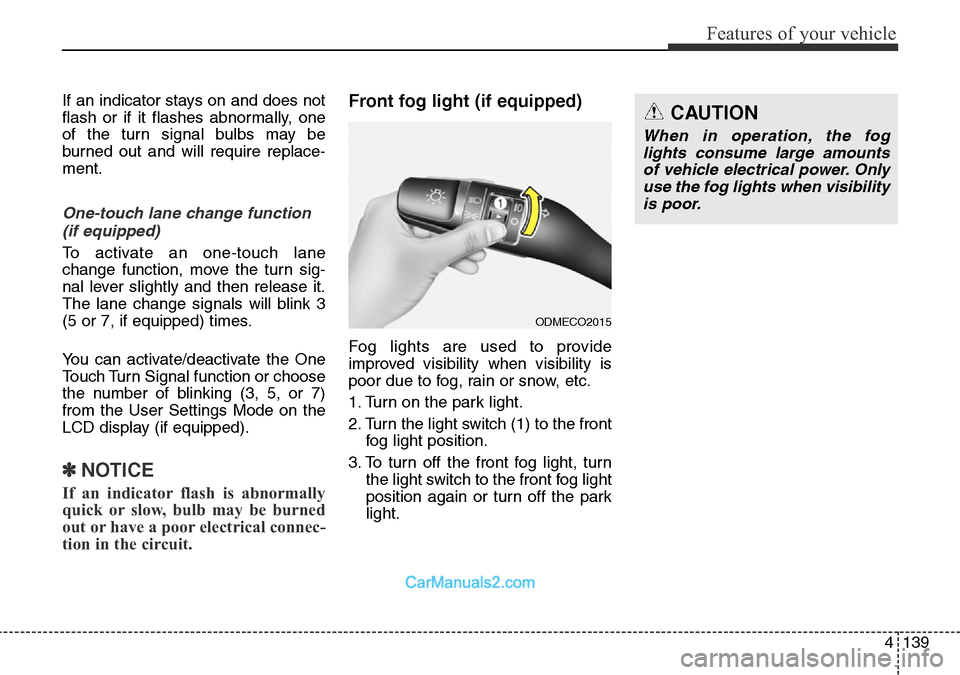
Front fog light (if equipped)
Fog lights are used to provide
improved visibility when visibility is
poor due to fog, rain or snow, etc.
1. Turn on the park light.
2. Turn the light switch (1) to the front
fog light position.
3. To turn off the front fog light, turn
the light switch to the front fog light
position again or turn off the park
light.
ODMECO2015
CAUTION
When in operation, the fog
lights consume large amounts
of vehicle electrical power. Only
use the fog lights when visibility
is poor.
Page 242 of 699
Features of your vehicle
144 4
Windscreen wipers
Operates as follows when the igni-
tion switch is turned ON.
/ MIST : For a single wiping cycle,
move the lever to this
( / MIST) position and
release it. The wipers will
operate continuously if
the lever is held in this
position.
O / OFF : Wiper is not in operation
---/ INT : Wiper operates intermittently
at the same wiping intervals.
Use this mode in light rain or
mist. To vary the speed setting,
turn the speed control knob.
1 / LO : Normal wiper speed
2 / HI : Fast wiper speed
✽NOTICE
If there is heavy accumulation of
snow or ice on the windscreen,
defrost the windscreen for about 10
minutes, or until the snow and/or ice
is removed before using the wind-
screen wipers to ensure proper oper-
ation.
If you do not remove the snow
and/or ice before using the wiper
and washer, it may damage the
wiper and washer system.
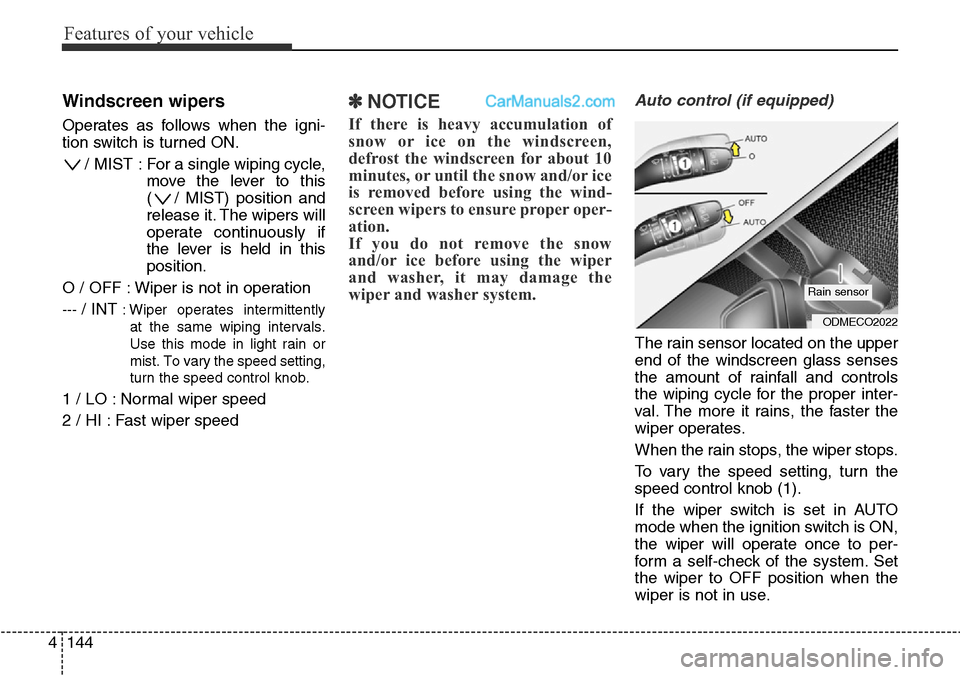
Auto control (if equipped)
The rain sensor located on the upper
end of the windscreen glass senses
the amount of rainfall and controls
the wiping cycle for the proper inter-
val. The more it rains, the faster the
wiper operates.
When the rain stops, the wiper stops.
To vary the speed setting, turn the
speed control knob (1).
If the wiper switch is set in AUTO
mode when the ignition switch is ON,
the wiper will operate once to per-
form a self-check of the system. Set
the wiper to OFF position when the
wiper is not in use.
ODMECO2022
Rain sensor