light Hyundai Santa Fe 2016 Owner's Manual
[x] Cancel search | Manufacturer: HYUNDAI, Model Year: 2016, Model line: Santa Fe, Model: Hyundai Santa Fe 2016Pages: 759, PDF Size: 29.36 MB
Page 568 of 759
543
Driving your vehicle
✽
✽NOTICE
• The HAC does not operate when
the transaxle shift lever is in the P
(Park) or N (Neutral) position.
• The HAC activates even though the ESC is off but it does not acti-
vate when the ESC has malfunc-
tioned.
Good braking practices
After being parked, check to be
sure the parking brake is not
engaged and that the parking
brake indicator light is out before
driving away. Driving through water may get the
brakes wet. They can also get wet
when the vehicle is washed. Wet
brakes can be dangerous! Your
vehicle will not stop as quickly if the
brakes are wet. Wet brakes may
cause the vehicle to pull to one side.
To dry the brakes, apply the brakes
lightly until the braking action returns
to normal, taking care to keep the
vehicle under control at all times. If
the braking action does not return to
normal, stop as soon as it is safe to
do so and call an authorized
HYUNDAI dealer for assistance.
Don't coast down hills with the vehicle out of gear. This is extreme-
ly hazardous. Keep the vehicle in
gear at all times, use the brakes to
slow down, then shift to a lower
gear so that engine braking will
help you maintain a safe speed.
Don't "ride" the brake pedal. Resting your foot on the brake
pedal while driving can be danger-
ous because it can result in the
brakes overheating and losing their
effectiveness. It also increases the
wear of the brake components.
WARNING
Whenever you leave or parkyour vehicle, always set the
parking brake as far as possi-
ble and fully engage the vehi-
cle's transaxle into the P (Park)
position. If the parking brake is
not fully engaged, the vehicle
may move inadvertently and
injure yourself and others.
All vehicles should always have the parking brake fully
engaged when parking to
avoid inadvertent movement
of the vehicle which can injure
occupants or pedestrians.
Page 570 of 759
545
Driving your vehicle
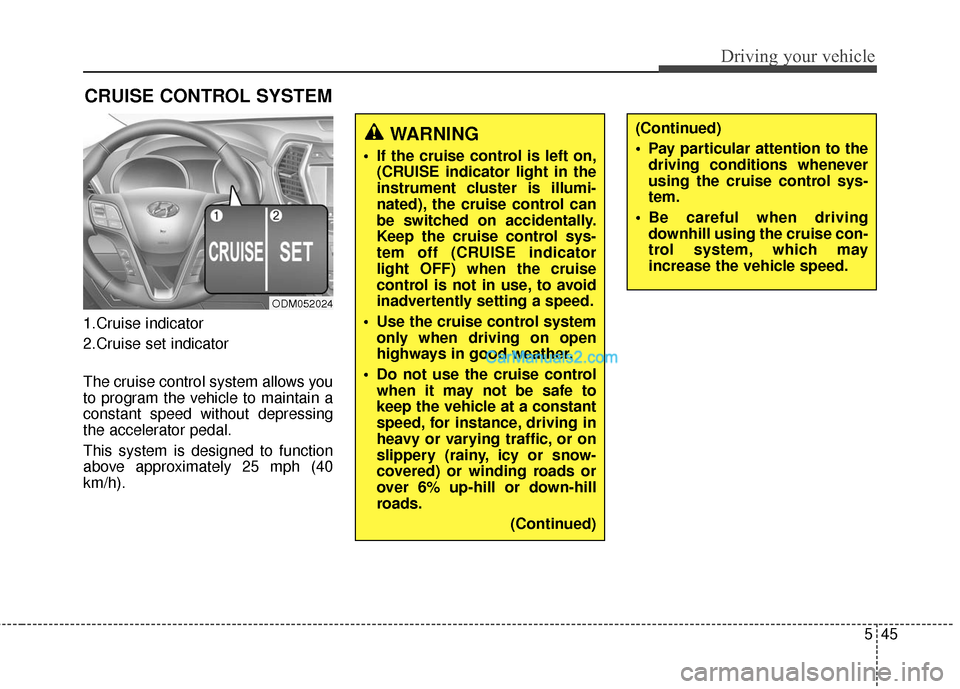
1.Cruise indicator
2.Cruise set indicator
The cruise control system allows you
to program the vehicle to maintain a
constant speed without depressing
the accelerator pedal.
This system is designed to function
above approximately 25 mph (40
km/h).
CRUISE CONTROL SYSTEM
ODM052024
WARNING
If the cruise control is left on,(CRUISE indicator light in the
instrument cluster is illumi-
nated), the cruise control can
be switched on accidentally.
Keep the cruise control sys-
tem off (CRUISE indicator
light OFF) when the cruise
control is not in use, to avoid
inadvertently setting a speed.
Use the cruise control system only when driving on open
highways in good weather.
Do not use the cruise control when it may not be safe to
keep the vehicle at a constant
speed, for instance, driving in
heavy or varying traffic, or on
slippery (rainy, icy or snow-
covered) or winding roads or
over 6% up-hill or down-hill
roads.
(Continued)
(Continued)
Pay particular attention to thedriving conditions whenever
using the cruise control sys-
tem.
Be careful when driving downhill using the cruise con-
trol system, which may
increase the vehicle speed.
Page 571 of 759
Driving your vehicle
46
5
✽
✽
NOTICE
• During normal cruise control
operation, when the SET switch is
activated or reactivated after
applying the brakes, the cruise
control will energize after approx-
imately 3 seconds. This delay is
normal.
• To activate cruise control, depress the brake pedal at least once after
turning the ignition switch to the
ON position or starting the engine.
This is to check if the brake switch
which is important part to cancel
cruise control is in normal condi-
tion.
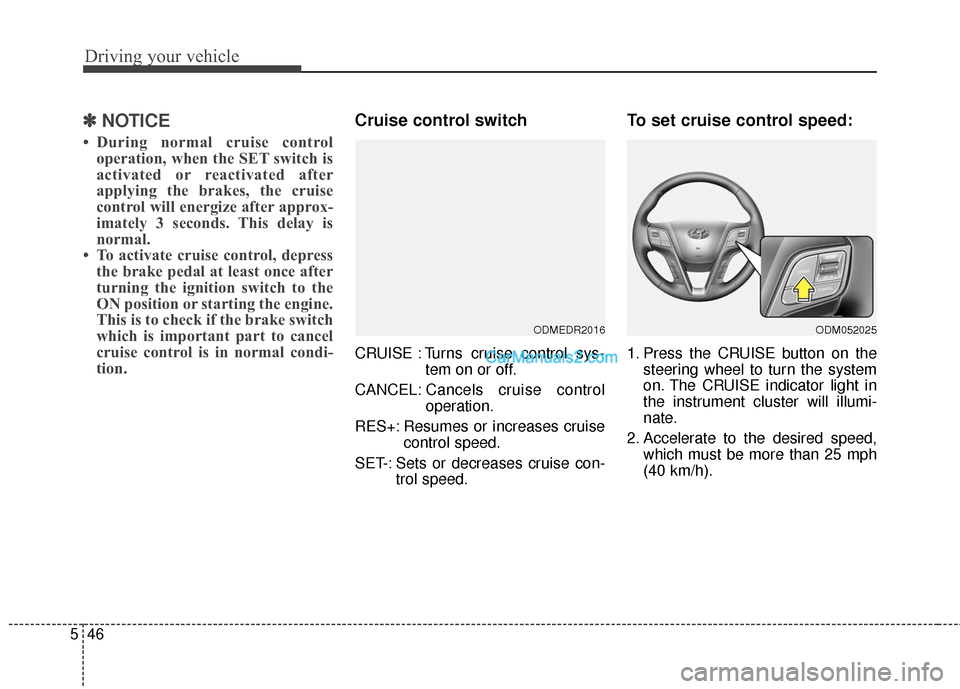
Cruise control switch
CRUISE : Turns cruise control sys-
tem on or off.
CANCEL: Cancels cruise control
operation.
RES+: Resumes or increases cruise control speed.
SET-: Sets or decreases cruise con- trol speed.
To set cruise control speed:
1. Press the CRUISE button on thesteering wheel to turn the system
on. The CRUISE indicator light in
the instrument cluster will illumi-
nate.
2. Accelerate to the desired speed, which must be more than 25 mph
(40 km/h).
ODMEDR2016ODM052025
Page 572 of 759
547
Driving your vehicle
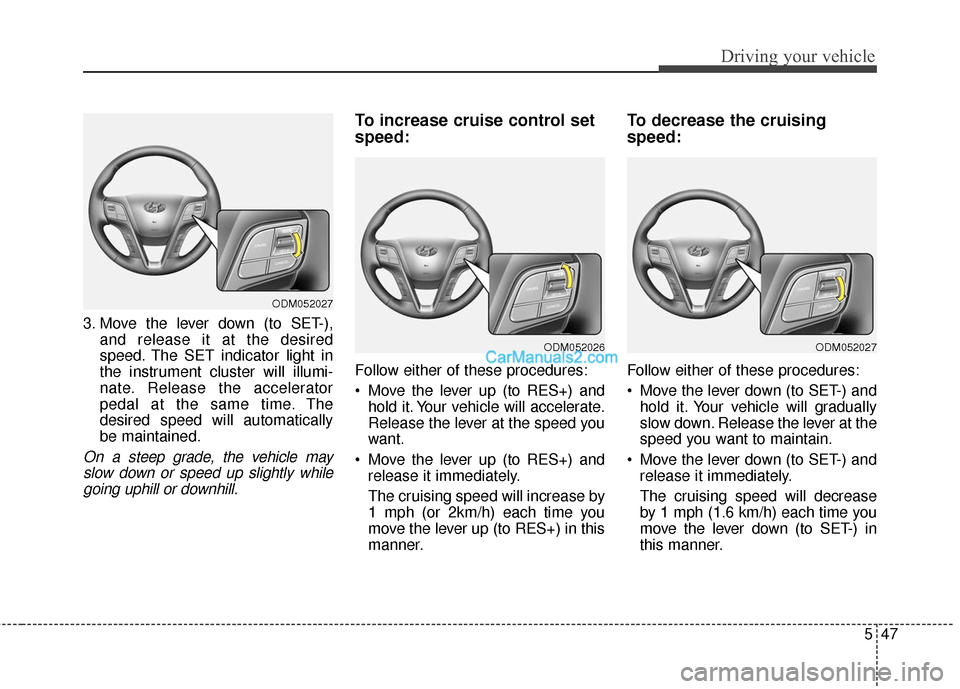
3. Move the lever down (to SET-),and release it at the desired
speed. The SET indicator light in
the instrument cluster will illumi-
nate. Release the accelerator
pedal at the same time. The
desired speed will automatically
be maintained.
On a steep grade, the vehicle mayslow down or speed up slightly whilegoing uphill or downhill.
To increase cruise control set
speed:
Follow either of these procedures:
Move the lever up (to RES+) and hold it. Your vehicle will accelerate.
Release the lever at the speed you
want.
Move the lever up (to RES+) and release it immediately.
The cruising speed will increase by
1 mph (or 2km/h) each time you
move the lever up (to RES+) in this
manner.
To decrease the cruising
speed:
Follow either of these procedures:
Move the lever down (to SET-) andhold it. Your vehicle will gradually
slow down. Release the lever at the
speed you want to maintain.
Move the lever down (to SET-) and release it immediately.
The cruising speed will decrease
by 1 mph (1.6 km/h) each time you
move the lever down (to SET-) in
this manner.
ODM052027
ODM052026ODM052027
Page 573 of 759
Driving your vehicle
48
5
To temporarily accelerate with
the cruise control on:
If you want to speed up temporarily
when the cruise control is on,
depress the accelerator pedal.
Increased speed will not interfere
with cruise control operation or
change the set speed.
To return to the set speed, take your
foot off the accelerator pedal.
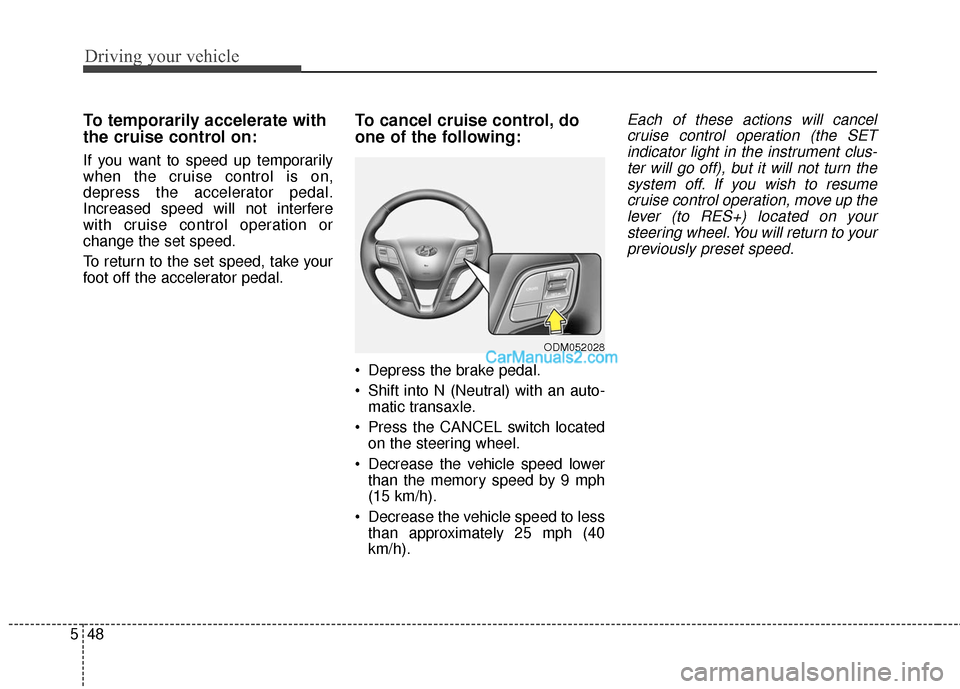
To cancel cruise control, do
one of the following:
Depress the brake pedal.
Shift into N (Neutral) with an auto-
matic transaxle.
Press the CANCEL switch located on the steering wheel.
Decrease the vehicle speed lower than the memory speed by 9 mph
(15 km/h).
Decrease the vehicle speed to less than approximately 25 mph (40
km/h).
Each of these actions will cancelcruise control operation (the SETindicator light in the instrument clus-ter will go off), but it will not turn thesystem off. If you wish to resumecruise control operation, move up thelever (to RES+) located on yoursteering wheel. You will return to yourpreviously preset speed.
ODM052028
Page 574 of 759
549
Driving your vehicle
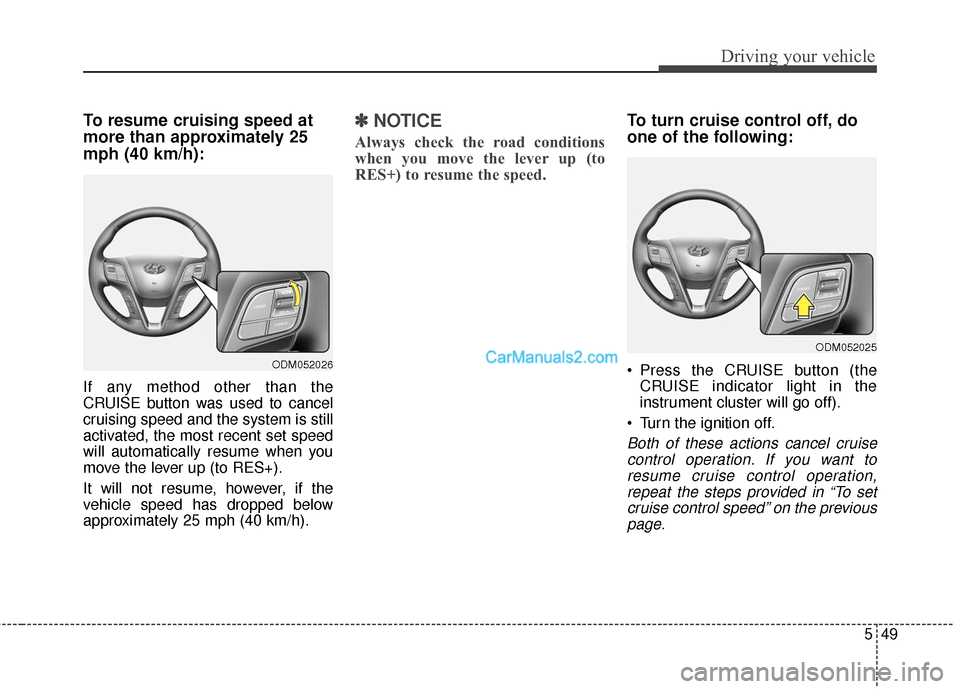
To resume cruising speed at
more than approximately 25
mph (40 km/h):
If any method other than the
CRUISE button was used to cancel
cruising speed and the system is still
activated, the most recent set speed
will automatically resume when you
move the lever up (to RES+).
It will not resume, however, if the
vehicle speed has dropped below
approximately 25 mph (40 km/h).
✽ ✽NOTICE
Always check the road conditions
when you move the lever up (to
RES+) to resume the speed.
To turn cruise control off, do
one of the following:
Press the CRUISE button (the
CRUISE indicator light in the
instrument cluster will go off).
Turn the ignition off.
Both of these actions cancel cruise control operation. If you want toresume cruise control operation,repeat the steps provided in “To setcruise control speed” on the previouspage.
ODM052026
ODM052025
Page 576 of 759
551
Driving your vehicle
Operating conditions
The indicator on the switch will illumi-
nate when the BSD (Blind spot
detection) system switch is pressed
with the ignition switch ON.
If the vehicle speed exceeds 18.6
mph (30 km/h) the system will acti-
vate.
If you press the switch again, the
switch indicator and system will be
turned off.
If the ignition switch is turned OFF
and ON the system returns to the
previous state.
When the system is not used, turn
the system off by turning off the
switch.
When the system is turned on, the
warning light will illuminate for 3 sec-
onds on the outside rearview mirror.
Warning type
The system will activate when:
1.The system is on
2.Vehicle speed is above 18.6 mph(30 km/h)
3.Other vehicles are detected in the boundaries of the radar system.
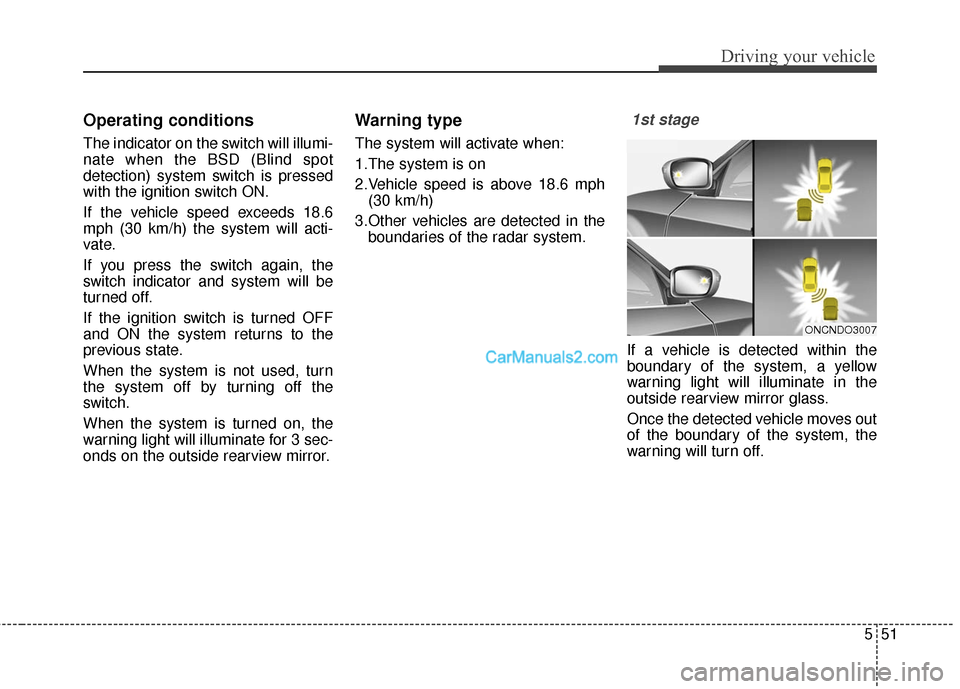
1st stage
If a vehicle is detected within the
boundary of the system, a yellow
warning light will illuminate in the
outside rearview mirror glass.
Once the detected vehicle moves out
of the boundary of the system, the
warning will turn off.
ONCNDO3007
Page 577 of 759
Driving your vehicle
52
5
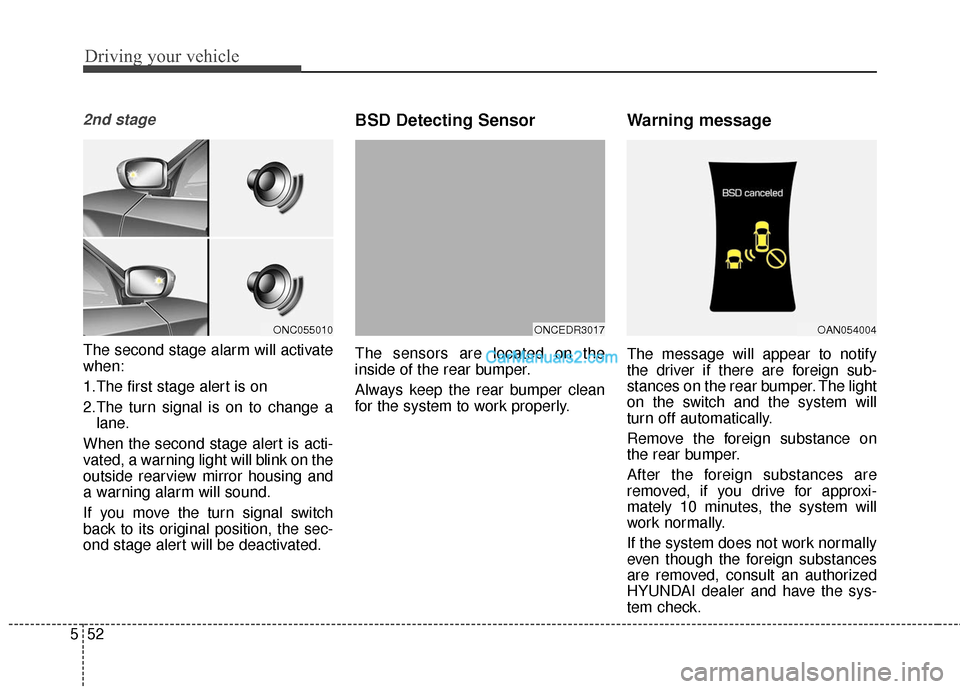
2nd stage
The second stage alarm will activate
when:
1.The first stage alert is on
2.The turn signal is on to change a
lane.
When the second stage alert is acti-
vated, a warning light will blink on the
outside rearview mirror housing and
a warning alarm will sound.
If you move the turn signal switch
back to its original position, the sec-
ond stage alert will be deactivated.
BSD Detecting Sensor
The sensors are located on the
inside of the rear bumper.
Always keep the rear bumper clean
for the system to work properly.
Warning message
The message will appear to notify
the driver if there are foreign sub-
stances on the rear bumper. The light
on the switch and the system will
turn off automatically.
Remove the foreign substance on
the rear bumper.
After the foreign substances are
removed, if you drive for approxi-
mately 10 minutes, the system will
work normally.
If the system does not work normally
even though the foreign substances
are removed, consult an authorized
HYUNDAI dealer and have the sys-
tem check.
ONCEDR3017ONC055010OAN054004
Page 579 of 759
Driving your vehicle
54
5
Warning type
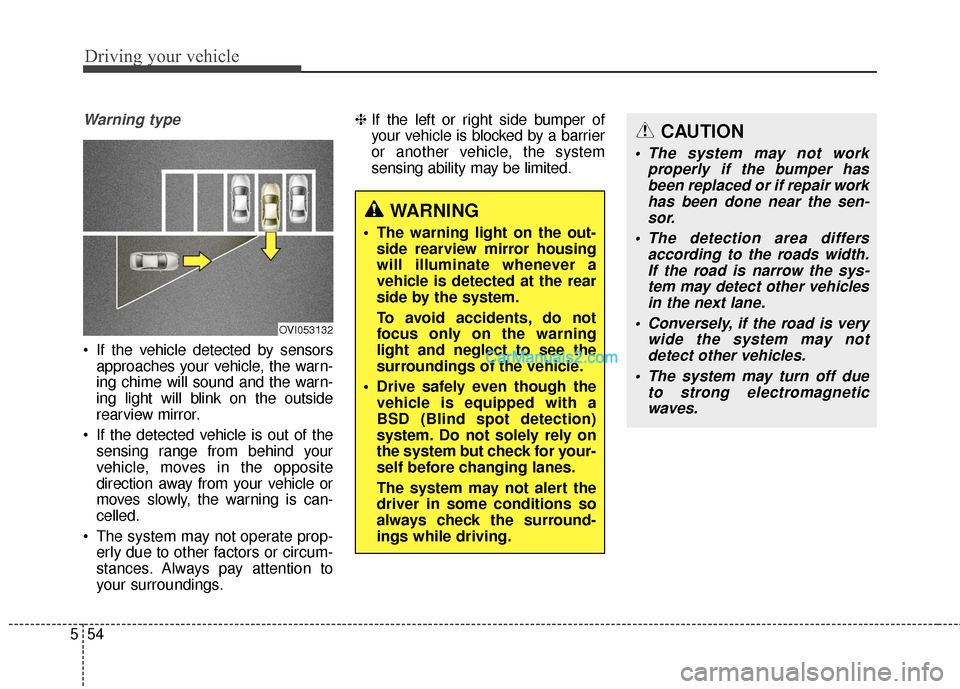
If the vehicle detected by sensors
approaches your vehicle, the warn-
ing chime will sound and the warn-
ing light will blink on the outside
rearview mirror.
If the detected vehicle is out of the sensing range from behind your
vehicle, moves in the opposite
direction away from your vehicle or
moves slowly, the warning is can-
celled.
The system may not operate prop- erly due to other factors or circum-
stances. Always pay attention to
your surroundings. ❈
If the left or right side bumper of
your vehicle is blocked by a barrier
or another vehicle, the system
sensing ability may be limited.
WARNING
The warning light on the out-
side rearview mirror housing
will illuminate whenever a
vehicle is detected at the rear
side by the system.
To avoid accidents, do not
focus only on the warning
light and neglect to see the
surroundings of the vehicle.
Drive safely even though the vehicle is equipped with a
BSD (Blind spot detection)
system. Do not solely rely on
the system but check for your-
self before changing lanes.
The system may not alert the
driver in some conditions so
always check the surround-
ings while driving.
OVI053132
CAUTION
The system may not work properly if the bumper hasbeen replaced or if repair workhas been done near the sen-sor.
The detection area differs according to the roads width.If the road is narrow the sys-tem may detect other vehiclesin the next lane.
Conversely, if the road is very wide the system may notdetect other vehicles.
The system may turn off due to strong electromagneticwaves.
Page 581 of 759
Driving your vehicle
56
5
Active ECO operation
Active ECO helps improve fuel effi-
ciency by controlling certain engine
and transaxle system operating
parameters. Fuel efficiency depends
on the driver's driving habit and road
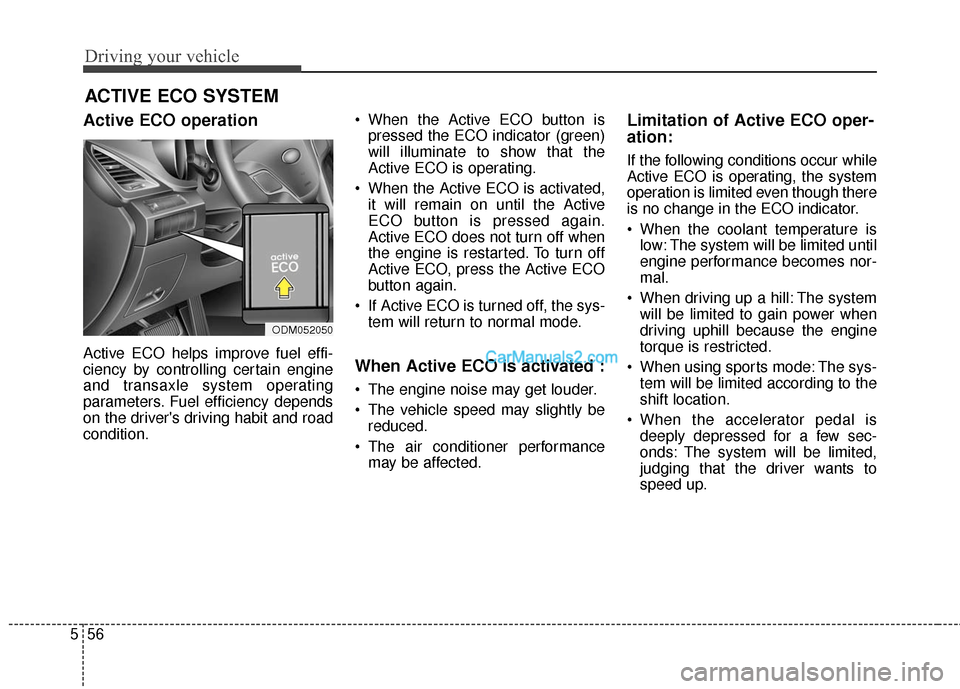
condition. When the Active ECO button is
pressed the ECO indicator (green)
will illuminate to show that the
Active ECO is operating.
When the Active ECO is activated, it will remain on until the Active
ECO button is pressed again.
Active ECO does not turn off when
the engine is restarted. To turn off
Active ECO, press the Active ECO
button again.
If Active ECO is turned off, the sys- tem will return to normal mode.When Active ECO is activated :
The engine noise may get louder.
The vehicle speed may slightly bereduced.
The air conditioner performance may be affected.
Limitation of Active ECO oper-
ation:
If the following conditions occur while
Active ECO is operating, the system
operation is limited even though there
is no change in the ECO indicator.
When the coolant temperature islow: The system will be limited until
engine performance becomes nor-
mal.
When driving up a hill: The system will be limited to gain power when
driving uphill because the engine
torque is restricted.
When using sports mode: The sys- tem will be limited according to the
shift location.
When the accelerator pedal is deeply depressed for a few sec-
onds: The system will be limited,
judging that the driver wants to
speed up.
ACTIVE ECO SYSTEM
ODM052050