Replace light Hyundai Santa Fe 2017 User Guide
[x] Cancel search | Manufacturer: HYUNDAI, Model Year: 2017, Model line: Santa Fe, Model: Hyundai Santa Fe 2017Pages: 569, PDF Size: 16.88 MB
Page 231 of 569
Features of your vehicle
128
4
(Continued)
When driving downhill or uphill.
When only part of the on com- ing vehicle is visible on acrossroad or curved road.
When there is a traffic light, reflecting sign, flashing signor mirror.
When the road conditions are poor such as being wet orcovered with snow.
When the on coming vehicle’s headlamps are off but the foglamps on.
When a vehicle suddenly appears from a curve.
(Continued)(Continued) When the on coming vehicle is tilted from a flat tire is beingtowed.
When the LDWS (Lane Departure Warning System)warning light illuminates. (ifequipped)WARNING
Do not place any accessories, stickers or tint the windshield.
Have the windshield glass replaced from an authorized
dealer.
Do not remove or impact relat- ed parts of the Smart High
Beam system.
Be careful that water doesn’t get into the Smart High Beam
unit.
Do not place objects on the dashboard that reflect light
such as mirrors, white paper,
etc. The system may malfunc-
tion if sunlight is reflected.
At times, the Smart High Beam system may not work
properly, always check the
road conditions for your safe-
ty. When the system does not
operate normally, manually
change between the high
beam and low beam.
Page 250 of 569
4147
Features of your vehicle
Air conditioning system operation tips
If the vehicle has been parked indirect sunlight during hot weather,
open the windows for a short time
to let the hot air inside the vehicle
escape.
To help reduce moisture inside of the windows on rainy or humid
days, decrease the humidity inside
the vehicle by operating the air
conditioning system.
During air conditioning system operation, you may occasionally
notice a slight change in engine
speed as the air conditioning com-
pressor cycles. This is a normal
system operation characteristic.
During the winter months, use the air conditioning system every
month for a few minutes to ensure
maximum system performance.
When using the air conditioning system, you may notice clear water
dripping (or even puddling) on the
ground under the passenger side
of the vehicle. This condensation is
a normal system operation charac-
teristic. Operating the air conditioning sys-
tem in the recirculated air position
provides maximum cooling, how-
ever, continual operation in this
mode may cause the air inside the
vehicle to become stale.
During cooling operation, you may occasionally notice a misty air flow
because of rapid cooling and
humid air intake. This is a normal
system operation characteristic.
If you operate air conditioner excessively, the difference
between the temperature of the
outside air and that of the wind-
shield could cause the outer sur-
face of the windshield to fog up,
causing loss of visibility. In this
case, set the mode selection knob
or button to the position and
fan speed control to the lower
speed.Climate control air filter
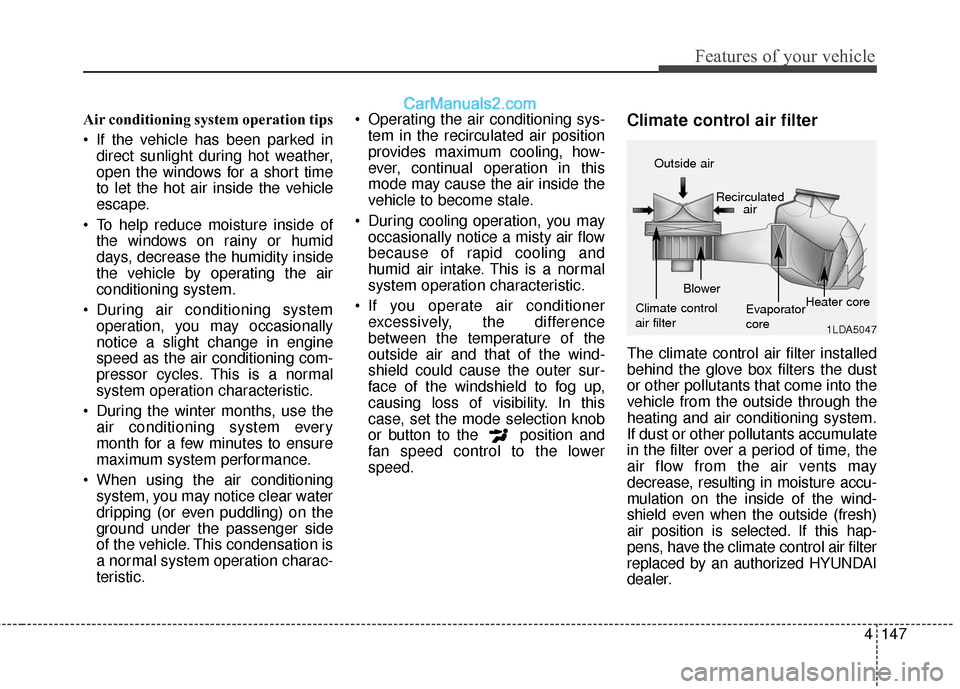
The climate control air filter installed
behind the glove box filters the dust
or other pollutants that come into the
vehicle from the outside through the
heating and air conditioning system.
If dust or other pollutants accumulate
in the filter over a period of time, the
air flow from the air vents may
decrease, resulting in moisture accu-
mulation on the inside of the wind-
shield even when the outside (fresh)
air position is selected. If this hap-
pens, have the climate control air filter
replaced by an authorized HYUNDAI
dealer.
1LDA5047
Outside air
Recirculatedair
Climate control
air filter Blower
Evaporator
coreHeater core
Page 268 of 569
4165
Features of your vehicle
Cigarette lighter (if equipped)
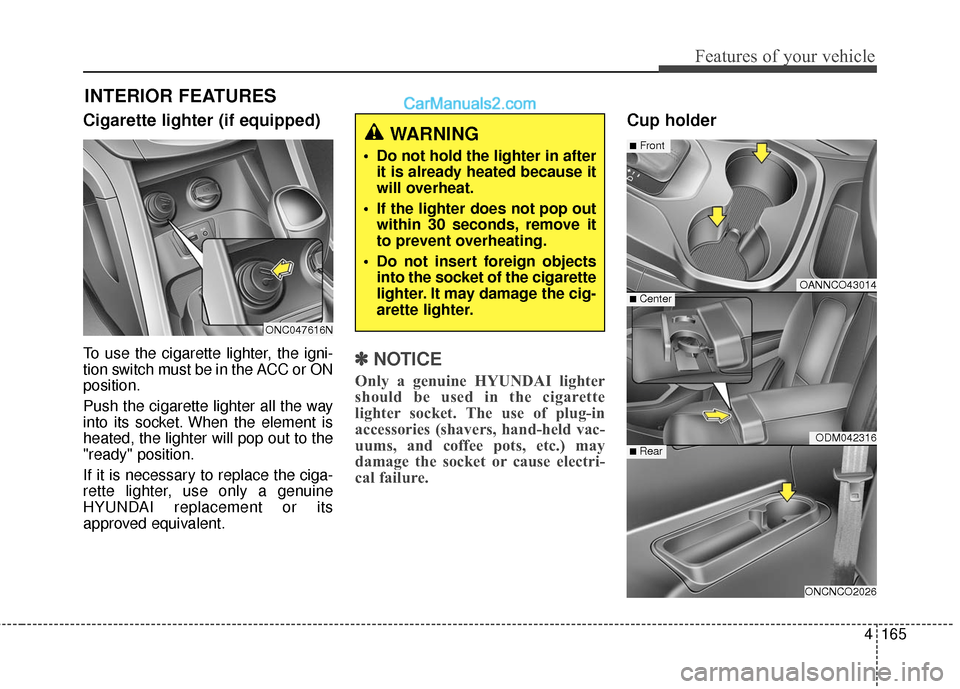
To use the cigarette lighter, the igni-
tion switch must be in the ACC or ON
position.
Push the cigarette lighter all the way
into its socket. When the element is
heated, the lighter will pop out to the
"ready" position.
If it is necessary to replace the ciga-
rette lighter, use only a genuine
HYUNDAI replacement or its
approved equivalent.✽ ✽NOTICE
Only a genuine HYUNDAI lighter
should be used in the cigarette
lighter socket. The use of plug-in
accessories (shavers, hand-held vac-
uums, and coffee pots, etc.) may
damage the socket or cause electri-
cal failure.
Cup holder
INTERIOR FEATURES
OANNCO43014
ODM042316
ONCNCO2026
■Front
■ Rear
■ Center
WARNING
Do not hold the lighter in after
it is already heated because it
will overheat.
If the lighter does not pop out within 30 seconds, remove it
to prevent overheating.
Do not insert foreign objects into the socket of the cigarette
lighter. It may damage the cig-
arette lighter.
ONC047616N
Page 324 of 569
Driving your vehicle
32
5
In the event of brake failure
If service brakes fail to operate while
the vehicle is in motion, you can
make an emergency stop with the
parking brake. The stopping dis-
tance, however, will be much greater
than normal.
Disc brakes wear indicator
When your brake pads are worn and
new pads are required, you will hear
a high-pitched warning sound from
your front brakes or rear brakes (if
equipped). You may hear this sound
come and go or it may occur when-
ever you depress the brake pedal.
Please remember that some driving
conditions or climates may cause a
brake squeal when you first apply (or
lightly apply) the brakes. This is nor-
mal and does not indicate a problem
with your brakes.
WARNING - Parking
brake
Applying the parking brake
while the vehicle is moving at
normal speeds can cause a
sudden loss of control of the
vehicle. If you must use the
parking brake to stop the vehi-
cle, use great caution in apply-
ing the brake.WARNING - Brake wear
This brake wear warning sound
means your vehicle needs serv-
ice. If you ignore this audible
warning, you will eventually
lose braking performance,
which could lead to a serious
accident.
CAUTION
To avoid costly brake repairs, do not continue to drive withworn brake pads.
Always replace the front or rear brake pads as pairs.
Page 353 of 569
561
Driving your vehicle
Sensor to detect the distance
from the vehicle in front
(front radar)
The sensor is to maintain a certain
distance from the vehicle in front.
However, a smudged sensor lens
with foreign substances, such as
snow and rain, adversely affects the
sensing performance. It may even
temporarily cancel the AEB. Always
keep the sensor lens clean.
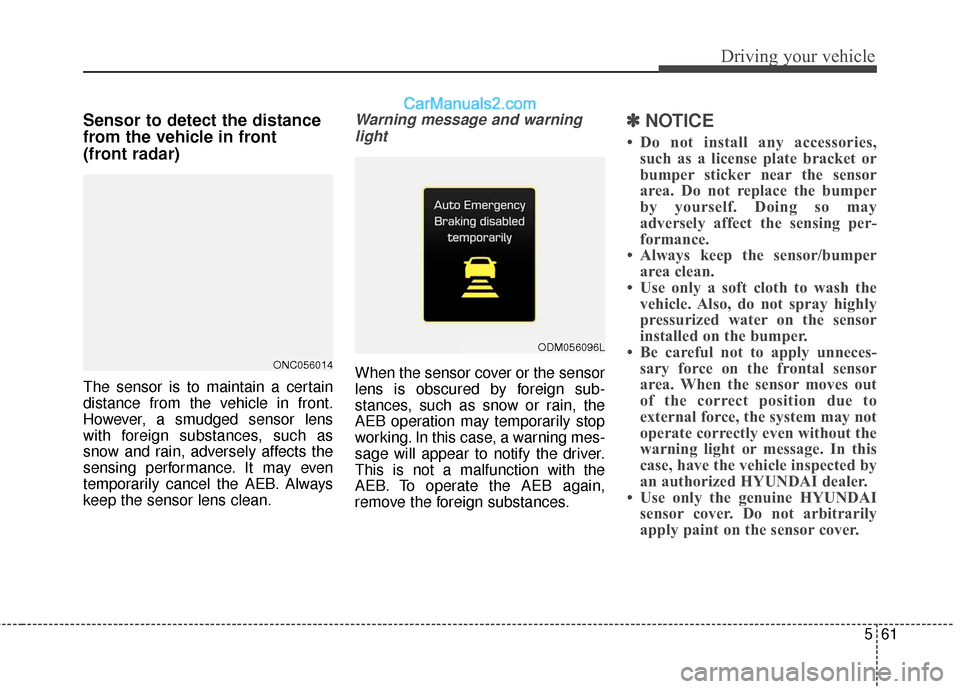
Warning message and warninglight
When the sensor cover or the sensor
lens is obscured by foreign sub-
stances, such as snow or rain, the
AEB operation may temporarily stop
working. In this case, a warning mes-
sage will appear to notify the driver.
This is not a malfunction with the
AEB. To operate the AEB again,
remove the foreign substances.
✽ ✽ NOTICE
• Do not install any accessories,
such as a license plate bracket or
bumper sticker near the sensor
area. Do not replace the bumper
by yourself. Doing so may
adversely affect the sensing per-
formance.
• Always keep the sensor/bumper area clean.
• Use only a soft cloth to wash the vehicle. Also, do not spray highly
pressurized water on the sensor
installed on the bumper.
• Be careful not to apply unneces- sary force on the frontal sensor
area. When the sensor moves out
of the correct position due to
external force, the system may not
operate correctly even without the
warning light or message. In this
case, have the vehicle inspected by
an authorized HYUNDAI dealer.
• Use only the genuine HYUNDAI sensor cover. Do not arbitrarily
apply paint on the sensor cover.
ONC056014
ODM056096L
Page 374 of 569
Driving your vehicle
82
5
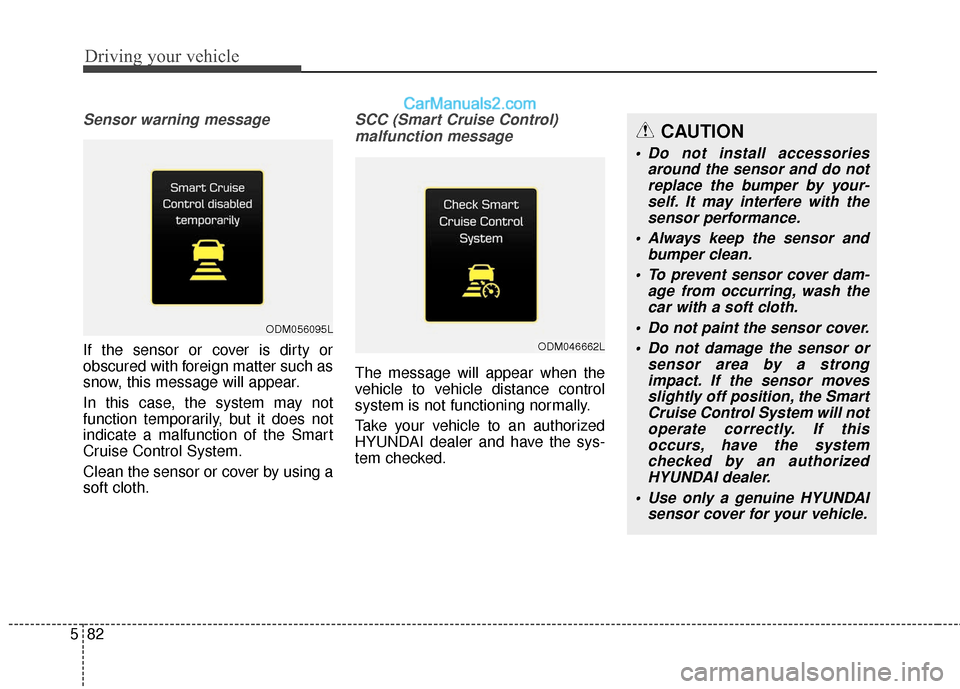
Sensor warning message
If the sensor or cover is dirty or
obscured with foreign matter such as
snow, this message will appear.
In this case, the system may not
function temporarily, but it does not
indicate a malfunction of the Smart
Cruise Control System.
Clean the sensor or cover by using a
soft cloth.
SCC (Smart Cruise Control)
malfunction message
The message will appear when the
vehicle to vehicle distance control
system is not functioning normally.
Take your vehicle to an authorized
HYUNDAI dealer and have the sys-
tem checked.
ODM056095L
ODM046662L
CAUTION
Do not install accessories around the sensor and do notreplace the bumper by your-self. It may interfere with thesensor performance.
Always keep the sensor and bumper clean.
To prevent sensor cover dam- age from occurring, wash thecar with a soft cloth.
Do not paint the sensor cover. Do not damage the sensor or sensor area by a strongimpact. If the sensor movesslightly off position, the SmartCruise Control System will notoperate correctly. If thisoccurs, have the systemchecked by an authorizedHYUNDAI dealer.
Use only a genuine HYUNDAI sensor cover for your vehicle.
Page 398 of 569
Driving your vehicle
106
5
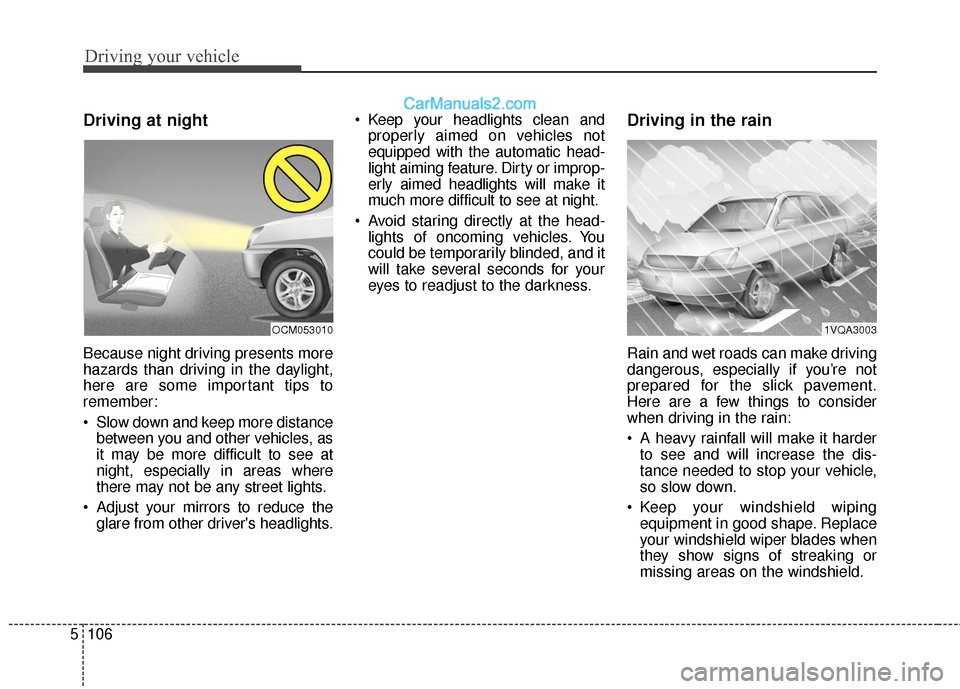
Driving at night
Because night driving presents more
hazards than driving in the daylight,
here are some important tips to
remember:
Slow down and keep more distance
between you and other vehicles, as
it may be more difficult to see at
night, especially in areas where
there may not be any street lights.
Adjust your mirrors to reduce the glare from other driver's headlights. Keep your headlights clean and
properly aimed on vehicles not
equipped with the automatic head-
light aiming feature. Dirty or improp-
erly aimed headlights will make it
much more difficult to see at night.
Avoid staring directly at the head- lights of oncoming vehicles. You
could be temporarily blinded, and it
will take several seconds for your
eyes to readjust to the darkness.
Driving in the rain
Rain and wet roads can make driving
dangerous, especially if you’re not
prepared for the slick pavement.
Here are a few things to consider
when driving in the rain:
A heavy rainfall will make it harderto see and will increase the dis-
tance needed to stop your vehicle,
so slow down.
Keep your windshield wiping equipment in good shape. Replace
your windshield wiper blades when
they show signs of streaking or
missing areas on the windshield.
1VQA3003OCM053010
Page 431 of 569
611
What to do in an emergency
✽
✽NOTICE
If any of the below happens, have
the system checked by an authorized
HYUNDAI dealer.
1.The low tire pressure telltale/
TPMS malfunction indicator does
not illuminate for 3 seconds when
Engine Start/Stop button is turned
to the ON or engine is running.
2. The TPMS malfunction indicator remains illuminated after blinking
for approximately 1 minute.
3. The Low tire pressure position telltale remains illuminated.
Low tire pressure
telltale
Low tire pressure position tell-
tale and tire pressure telltale
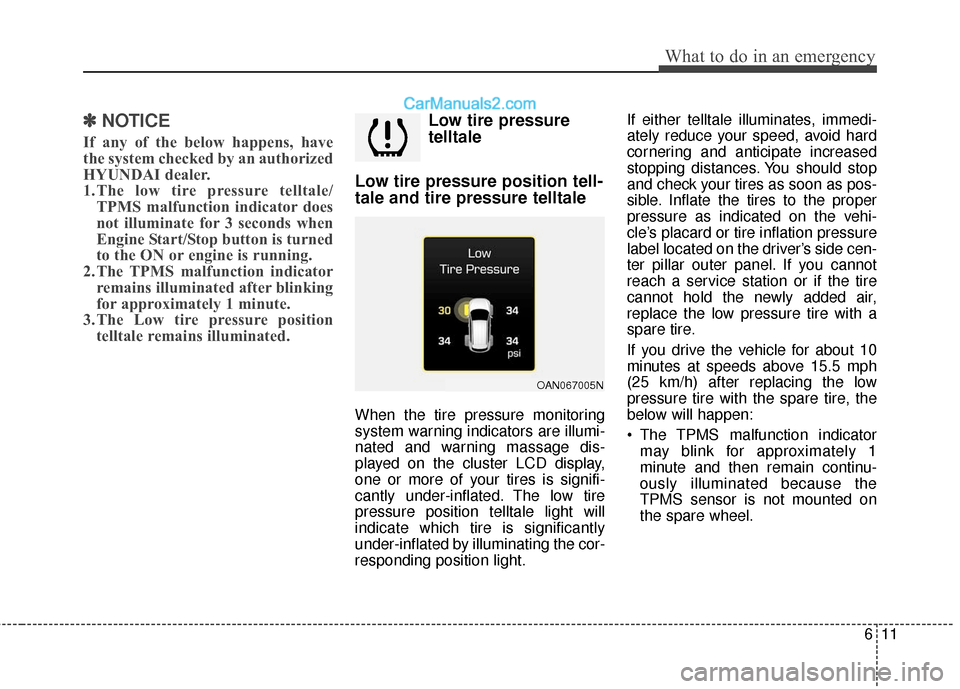
When the tire pressure monitoring
system warning indicators are illumi-
nated and warning massage dis-
played on the cluster LCD display,
one or more of your tires is signifi-
cantly under-inflated. The low tire
pressure position telltale light will
indicate which tire is significantly
under-inflated by illuminating the cor-
responding position light. If either telltale illuminates, immedi-
ately reduce your speed, avoid hard
cornering and anticipate increased
stopping distances. You should stop
and check your tires as soon as pos-
sible. Inflate the tires to the proper
pressure as indicated on the vehi-
cle’s placard or tire inflation pressure
label located on the driver’s side cen-
ter pillar outer panel. If you cannot
reach a service station or if the tire
cannot hold the newly added air,
replace the low pressure tire with a
spare tire.
If you drive the vehicle for about 10
minutes at speeds above 15.5 mph
(25 km/h) after replacing the low
pressure tire with the spare tire, the
below will happen:
The TPMS malfunction indicator
may blink for approximately 1
minute and then remain continu-
ously illuminated because the
TPMS sensor is not mounted on
the spare wheel.
OAN067005N
Page 450 of 569

. . . . . . . . . . . . . . . . . . . . . . . . . . . . . . . . . . 7-61\
. . . . . . . . . . . . . . . . . . . . . . . . . . . . . . 7-62
. . . . . . . . . . . . . . . . . . . . . . . . . . 7-62
Fuses . . . . . . . . . . . . . . . . . . . . . . . . . . . . . . . . . . . . \
7-64
. . . . . . . . . . . . . . . . . . . 7-68
Light bulbs . . . . . . . . . . . . . . . . . . . . . . . . . . . . . . . 7-76
Front position lamp, Front turn signal lamp, Front fog lamp bulb replacement . . . . . . . . 7-77
. . . . . . . . . . . . . . . . 7-80
. . . . . . . . 7-81
. . . . . . . . . . . 7-84
. . . . . . . . . . . . 7-85
Appearance care . . . . . . . . . . . . . . . . . . . . . . . . . . . 7-87
. . . . . . . . . . . . . . . . . . . . . . . . . . . . . . . . 7-87
. . . . . . . . . . . . . . . . . . . . . . . . . . . . . . . . . 7-93
Emission control system . . . . . . . . . . . . . . . . . . . . 7-94
. . . . . . . . . . . . . . 7-94
Onboard Refueling Vapor Recovery) system . . . . 7-95
. . . . . . . . . . . . . . . . 7-95
California perchlorate notice . . . . . . . . . . . . . . . . 7-98
7
Page 492 of 569
Maintenance
44
7
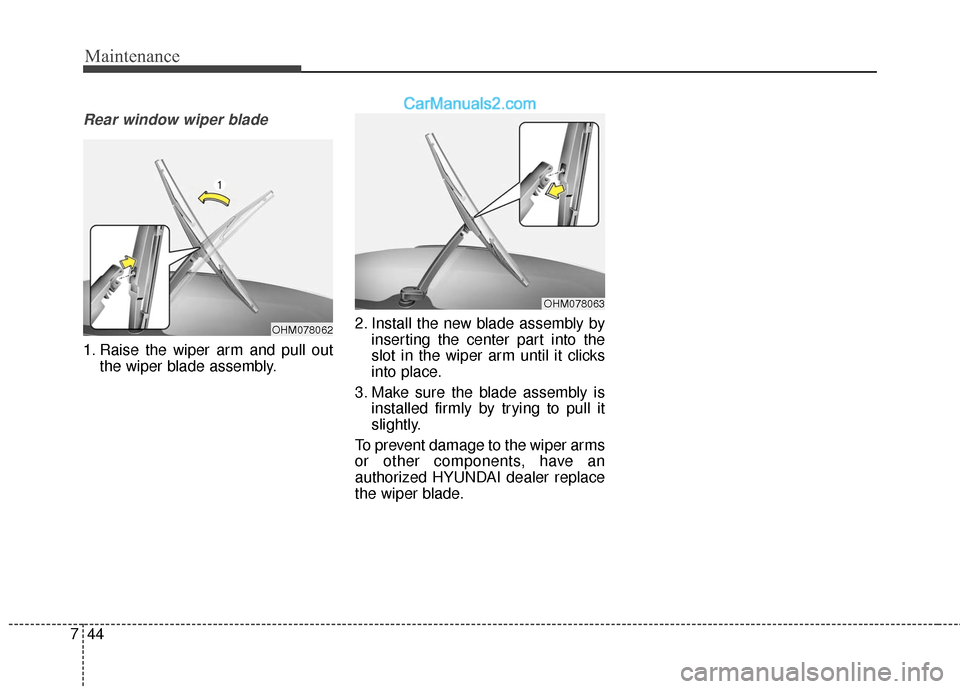
Rear window wiper blade
1. Raise the wiper arm and pull out
the wiper blade assembly. 2. Install the new blade assembly by
inserting the center part into the
slot in the wiper arm until it clicks
into place.
3. Make sure the blade assembly is installed firmly by trying to pull it
slightly.
To prevent damage to the wiper arms
or other components, have an
authorized HYUNDAI dealer replace
the wiper blade.
OHM078062
OHM078063