User settings Hyundai Santa Fe 2017 User Guide
[x] Cancel search | Manufacturer: HYUNDAI, Model Year: 2017, Model line: Santa Fe, Model: Hyundai Santa Fe 2017Pages: 569, PDF Size: 16.88 MB
Page 228 of 569
4125
Features of your vehicle
One Touch Turn Signal
To activate the one-touch lane
change function, move the turn sig-
nal lever slightly and then release it.
The lane change signals will blink 3
(5 or 7, if equipped) times.
You can activate/deactivate the One
Touch Turn Signal function or choose
the number of blinking (3, 5, or 7)
from the User Settings Mode on the
LCD display (if equipped).
✽ ✽NOTICE
If an indicator flash is abnormally
quick or slow, a bulb may be burned
out or have a poor electrical connec-
tion in the circuit.
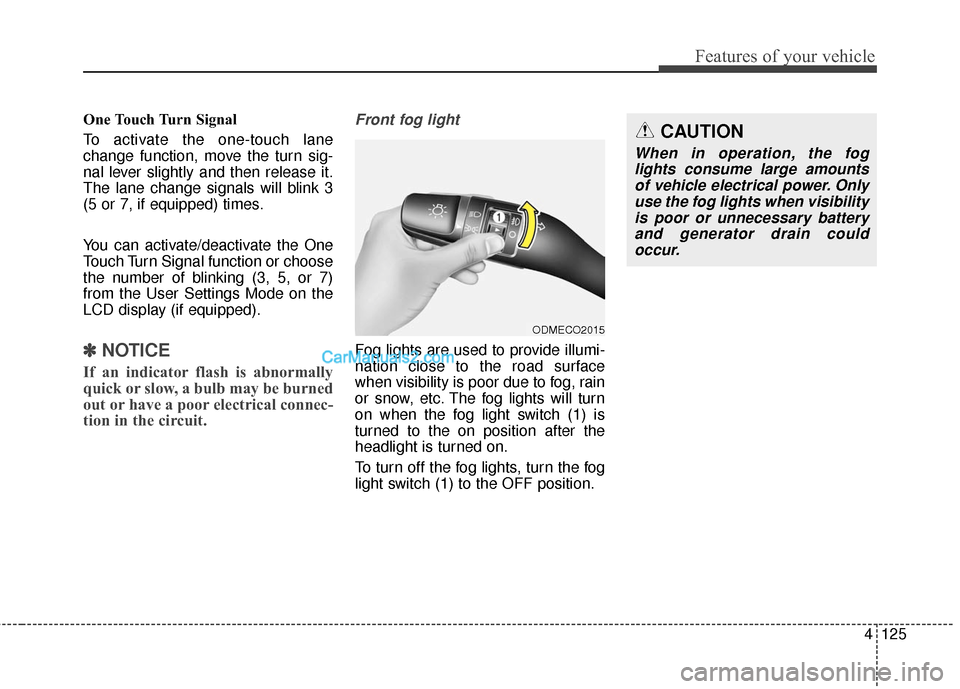
Front fog light
Fog lights are used to provide illumi-
nation close to the road surface
when visibility is poor due to fog, rain
or snow, etc. The fog lights will turn
on when the fog light switch (1) is
turned to the on position after the
headlight is turned on.
To turn off the fog lights, turn the fog
light switch (1) to the OFF position.
ODMECO2015
CAUTION
When in operation, the fog
lights consume large amountsof vehicle electrical power. Onlyuse the fog lights when visibilityis poor or unnecessary batteryand generator drain couldoccur.
Page 258 of 569
4155
Features of your vehicle
Temperature conversion
If the battery has been discharged or
disconnected, the temperature mode
display will reset to Fahrenheit.
To change the temperature unit from
°F to °C or °C to °F:
- On the instrument cluster, go toUser Settings Mode ➝ Other
Features ➝Temperature Unit.
- Press the AUTO button for 3 sec- onds while pressing the OFF but-
ton. (Automatic climate control sys-
tem)
Both the temperature unit on the
cluster LCD display and climate con-
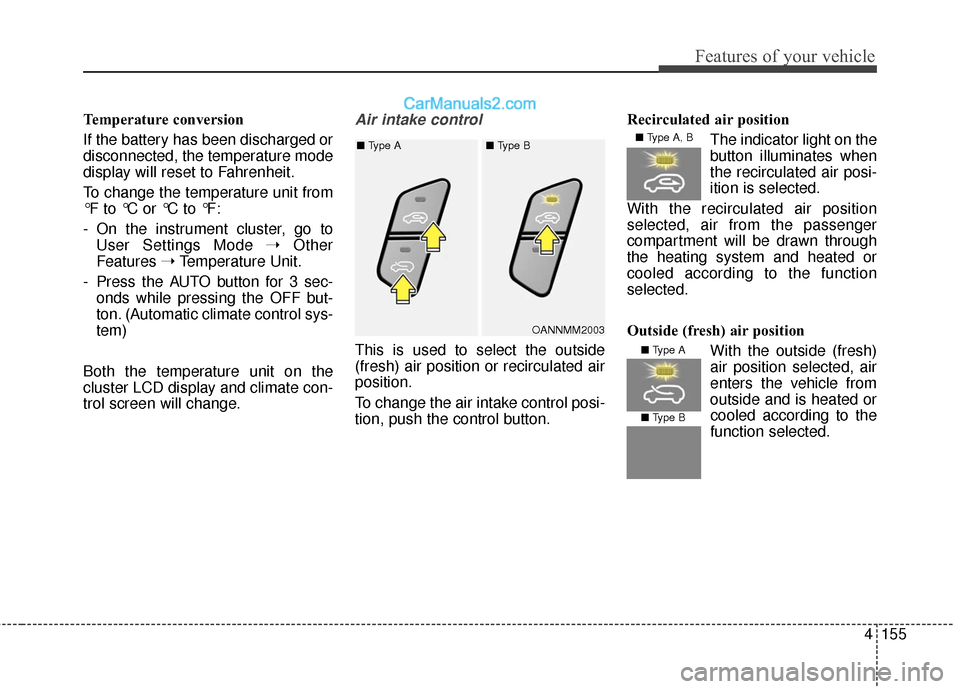
trol screen will change.Air intake control
This is used to select the outside
(fresh) air position or recirculated air
position.
To change the air intake control posi-
tion, push the control button. Recirculated air position
The indicator light on the
button illuminates when
the recirculated air posi-
ition is selected.
With the recirculated air position
selected, air from the passenger
compartment will be drawn through
the heating system and heated or
cooled according to the function
selected.
Outside (fresh) air position With the outside (fresh)
air position selected, air
enters the vehicle from
outside and is heated orcooled according to the
function selected.
OANNMM2003
■
Type A ■ Type B
■ Type A, B
■ Type A
■ Type B
Page 348 of 569
Driving your vehicle
56
5
The AEB system is to reduce or to
avoid accident risk. It recognizes the
distance from the vehicle ahead or
the pedestrian through the sensors
(i.e. radar and camera), and, if nec-
essary, warns the driver of accident
risk with the warning message or the
warning alarms.System setting and activation
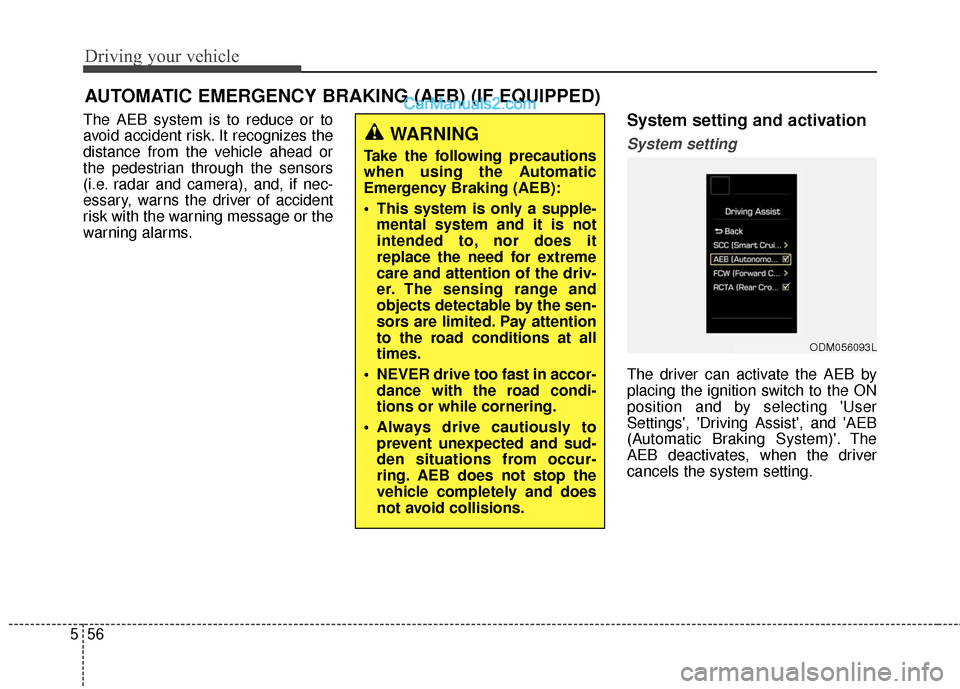
System setting
The driver can activate the AEB by
placing the ignition switch to the ON
position and by selecting 'User
Settings', 'Driving Assist', and 'AEB
(Automatic Braking System)'. The
AEB deactivates, when the driver
cancels the system setting.
AUTOMATIC EMERGENCY BRAKING (AEB) (IF EQUIPPED)
WARNING
Take the following precautions
when using the Automatic
Emergency Braking (AEB):
This system is only a supple-
mental system and it is not
intended to, nor does it
replace the need for extreme
care and attention of the driv-
er. The sensing range and
objects detectable by the sen-
sors are limited. Pay attention
to the road conditions at all
times.
NEVER drive too fast in accor- dance with the road condi-
tions or while cornering.
Always drive cautiously to prevent unexpected and sud-
den situations from occur-
ring. AEB does not stop the
vehicle completely and does
not avoid collisions.
ODM056093L
Page 349 of 569
557
Driving your vehicle
The warning light illumi-
nates on the LCD display,
when you cancel the AEB
system. The driver can
monitor the AEB ON/OFF status on
the LCD display. When the warning
light remains ON with the AEB acti-
vated, have the system checked by
an authorized HYUNDAI dealer.
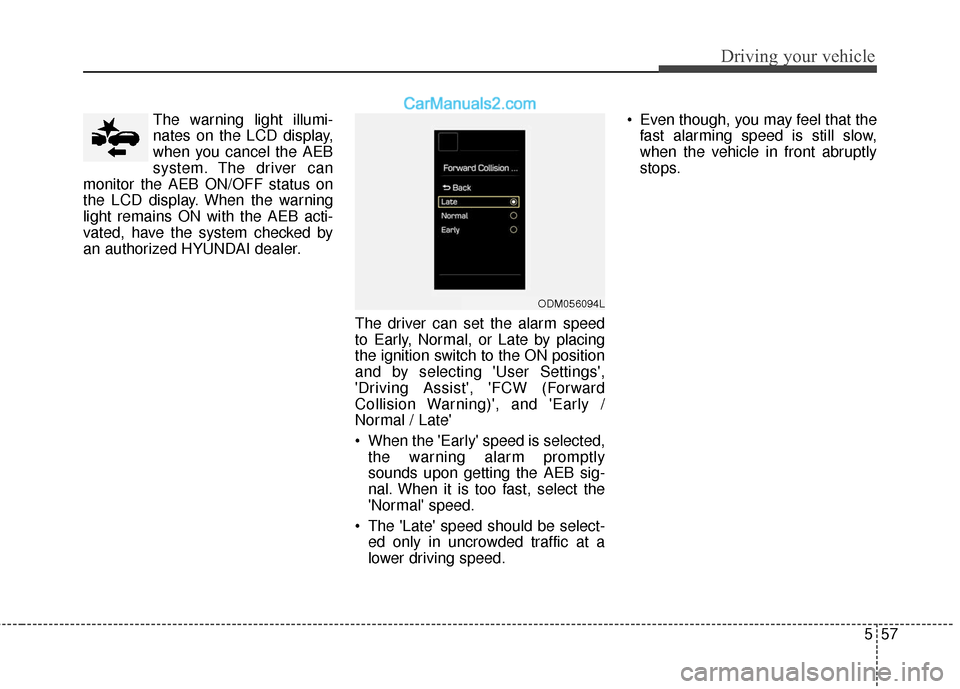
The driver can set the alarm speed
to Early, Normal, or Late by placing
the ignition switch to the ON position
and by selecting 'User Settings',
'Driving Assist', 'FCW (Forward
Collision Warning)', and 'Early /
Normal / Late'
When the 'Early' speed is selected,the warning alarm promptly
sounds upon getting the AEB sig-
nal. When it is too fast, select the
'Normal' speed.
The 'Late' speed should be select- ed only in uncrowded traffic at a
lower driving speed. Even though, you may feel that the
fast alarming speed is still slow,
when the vehicle in front abruptly
stops.
ODM056094L
Page 350 of 569
Driving your vehicle
58
5
The AEB can be successfully
activated
When the AEB is selected on the
LCD display, and when the following
prerequisites are satisfied.
- The ESC (and TCS) is activated.
- Driving speed exceeds approxi- mately 6mph (10km/h). (The AEB
is only activated within a certain
speed range.)
- The system detects a pedestrian or a vehicle in front, which may collide
with your vehicle. (The AEB may
not be activated or may sound a
warning alarm in accordance with
the driving situation or vehicle con-
dition.)
AEB warning message and
system control
The AEB produces warning mes-
sages and warning alarms in accor-
dance with the collision risk levels.
Also, it controls the brakes in accor-
dance with the collision risk levels.
WARNING
The driver can either activate or deactivate the AEB by
selecting 'User Settings',
'Driving Assist' and enabling/
disabling the feature.
However, for your safety, oper-
ate the AEB after parking the
vehicle on a safe location.
The AEB automatically acti- vates upon placing the igni-
tion switch to the ON position.
The driver can deactivate the
AEB by canceling the system
setting on the LCD display.
The AEB automatically deacti- vates upon canceling the
ESC. When the ESC is can-
celed, the AEB cannot be acti-
vated on the LCD display.
Page 358 of 569
Driving your vehicle
66
5
✽
✽
NOTICE
In some instances, the AEB system
may be cancelled when subjected to
electromagnetic interference.
This device complies with Part
15 of the FCC rules.
Operation is subject to the following
two conditions:
1. This device may not cause harm-
ful interference, and
2. This device must accept any inter- ference received, including inter-
ference that may cause undesired
operation.
WARNING
Cancel the AEB in the UserSettings on the LCD before
towing another vehicle. While
towing, the brake application
may adversely affect your
vehicle safety.
Exercise caution when there is a vehicle in front that has
cargo extending beyond the
back of the vehicle or has a
high ground clearance.
The sensor only detects standing or walking pedestri-
ans, not carts, bicycles,
motorcycles, luggage bags, or
strollers.
The AEB is not guaranteed to work in every possible situa-
tion. Never test the AEB
against a person or an object.
It may cause severe injuries
or death.
Page 365 of 569
573
Driving your vehicle
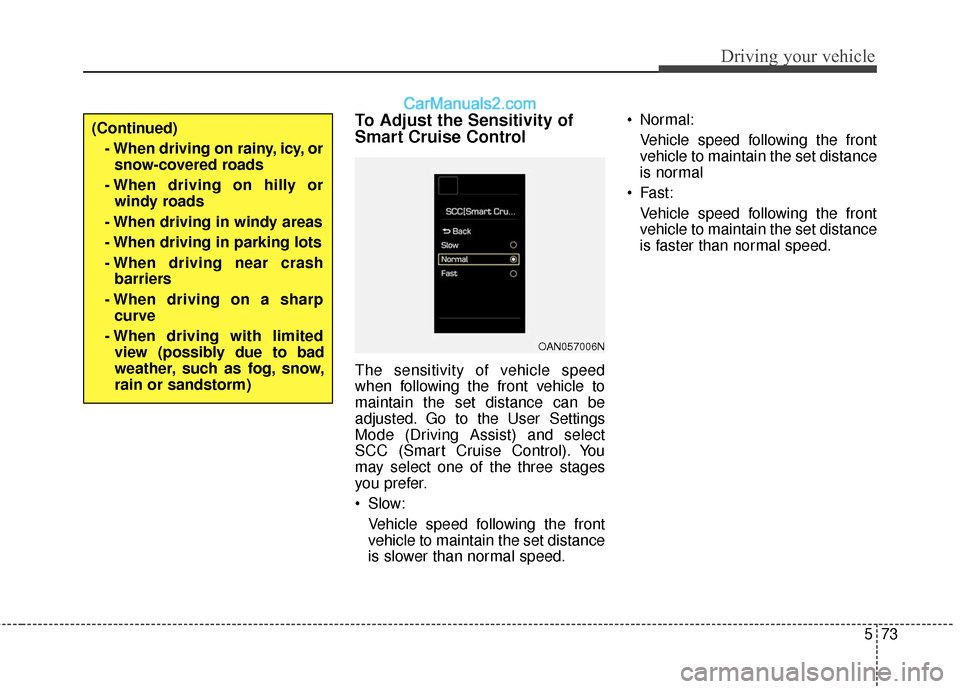
To Adjust the Sensitivity of
Smart Cruise Control
The sensitivity of vehicle speed
when following the front vehicle to
maintain the set distance can be
adjusted. Go to the User Settings
Mode (Driving Assist) and select
SCC (Smart Cruise Control). You
may select one of the three stages
you prefer.
Slow:Vehicle speed following the front
vehicle to maintain the set distance
is slower than normal speed. Normal:
Vehicle speed following the front
vehicle to maintain the set distance
is normal
Fast: Vehicle speed following the front
vehicle to maintain the set distance
is faster than normal speed.
(Continued)- When driving on rainy, icy, orsnow-covered roads
- When driving on hilly or windy roads
- When driving in windy areas
- When driving in parking lots
- When driving near crash barriers
- When driving on a sharp curve
- When driving with limited view (possibly due to bad
weather, such as fog, snow,
rain or sandstorm)
OAN057006N
Page 382 of 569
Driving your vehicle
90
5
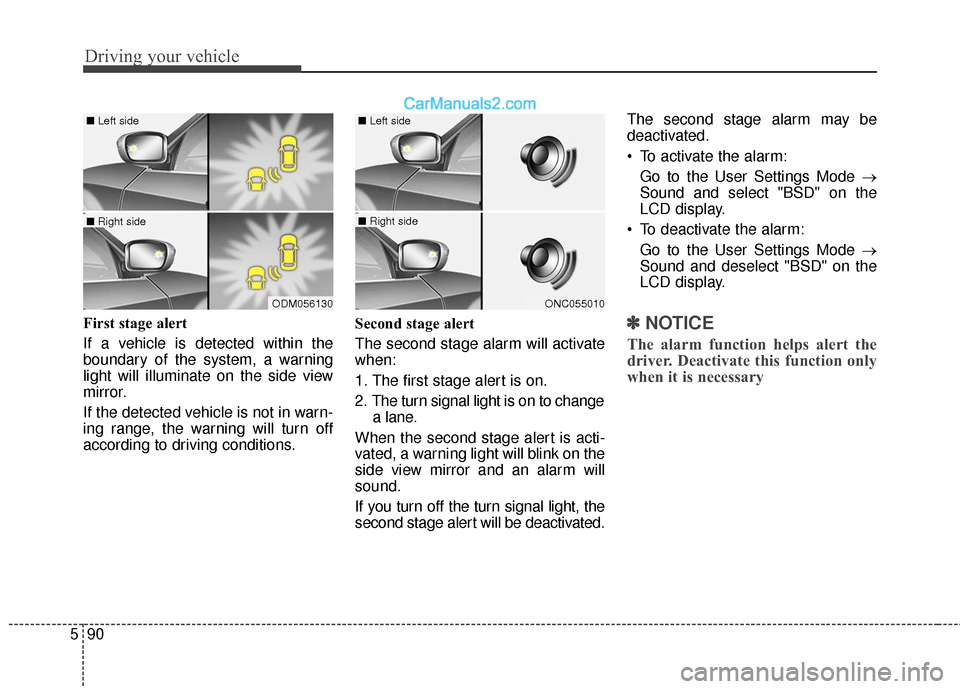
First stage alert
If a vehicle is detected within the
boundary of the system, a warning
light will illuminate on the side view
mirror.
If the detected vehicle is not in warn-
ing range, the warning will turn off
according to driving conditions. Second stage alert
The second stage alarm will activate
when:
1. The first stage alert is on.
2. The turn signal light is on to change
a lane.
When the second stage alert is acti-
vated, a warning light will blink on the
side view mirror and an alarm will
sound.
If you turn off the turn signal light, the
second stage alert will be deactivated. The second stage alarm may be
deactivated.
To activate the alarm:
Go to the User Settings Mode →
Sound and select "BSD" on the
LCD display.
To deactivate the alarm: Go to the User Settings Mode →
Sound and deselect "BSD" on the
LCD display.✽ ✽ NOTICE
The alarm function helps alert the
driver. Deactivate this function only
when it is necessary
ODM056130
■ Left side
■ Right side
ONC055010
■ Left side
■ Right side
Page 384 of 569
Driving your vehicle
92
5
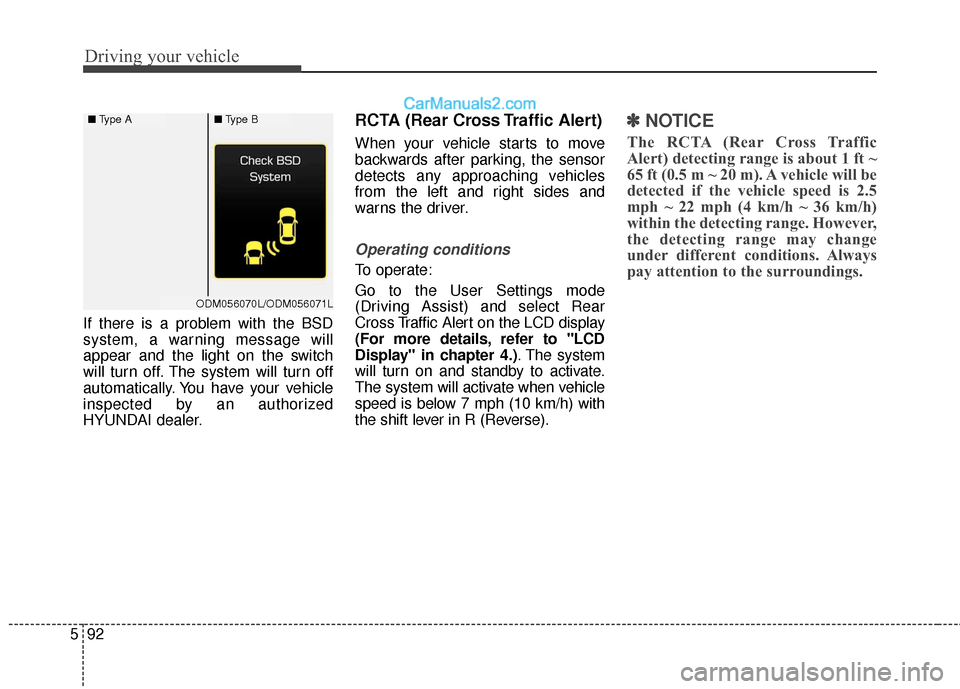
If there is a problem with the BSD
system, a warning message will
appear and the light on the switch
will turn off. The system will turn off
automatically. You have your vehicle
inspected by an authorized
HYUNDAI dealer.
RCTA (Rear Cross Traffic Alert)
When your vehicle starts to move
backwards after parking, the sensor
detects any approaching vehicles
from the left and right sides and
warns the driver.
Operating conditions
To operate:
Go to the User Settings mode
(Driving Assist) and select Rear
Cross Traffic Alert on the LCD display
(For more details, refer to "LCD
Display" in chapter 4.) . The system
will turn on and standby to activate.
The system will activate when vehicle
speed is below 7 mph (10 km/h) with
the shift lever in R (Reverse).
✽ ✽ NOTICE
The RCTA (Rear Cross Traffic
Alert) detecting range is about 1 ft ~
65 ft (0.5 m ~ 20 m). A vehicle will be
detected if the vehicle speed is 2.5
mph ~ 22 mph (4 km/h ~ 36 km/h)
within the detecting range. However,
the detecting range may change
under different conditions. Always
pay attention to the surroundings.
■ Type A■Type B
ODM056070L/ODM056071L
Page 429 of 569
69
What to do in an emergency
TIRE PRESSURE MONITORING SYSTEM (TPMS)
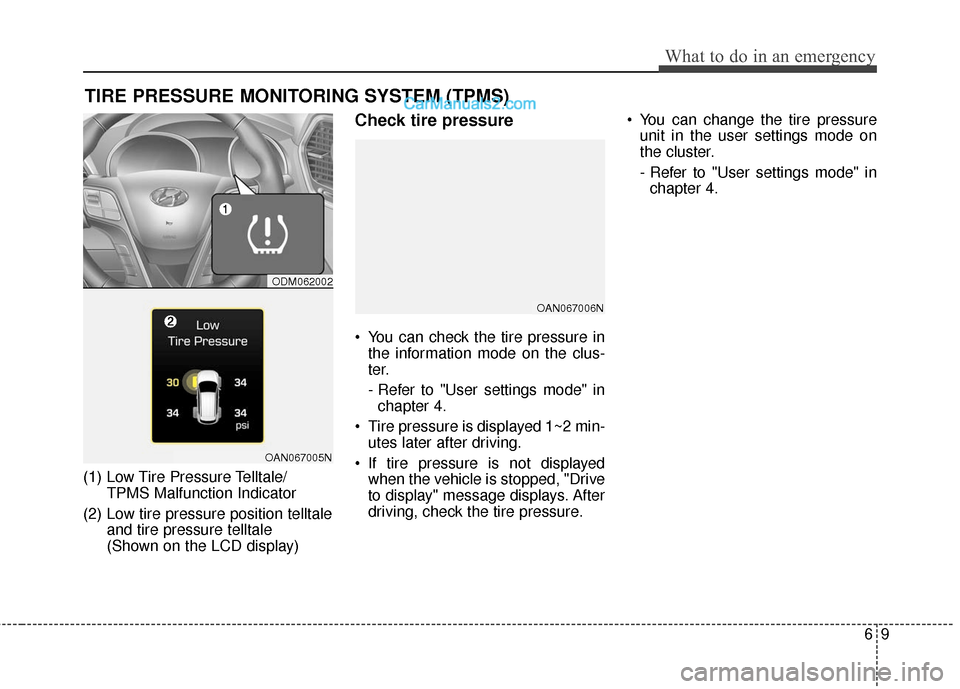
(1) Low Tire Pressure Telltale/TPMS Malfunction Indicator
(2) Low tire pressure position telltale and tire pressure telltale
(Shown on the LCD display)
Check tire pressure
You can check the tire pressure inthe information mode on the clus-
ter.
- Refer to "User settings mode" inchapter 4.
Tire pressure is displayed 1~2 min- utes later after driving.
If tire pressure is not displayed when the vehicle is stopped, "Drive
to display" message displays. After
driving, check the tire pressure. You can change the tire pressure
unit in the user settings mode on
the cluster.
- Refer to "User settings mode" inchapter 4.
ODM062002
OAN067005N
OAN067006N