check engine Hyundai Santa Fe 2017 User Guide
[x] Cancel search | Manufacturer: HYUNDAI, Model Year: 2017, Model line: Santa Fe, Model: Hyundai Santa Fe 2017Pages: 569, PDF Size: 16.88 MB
Page 187 of 569
Features of your vehicle
84
4
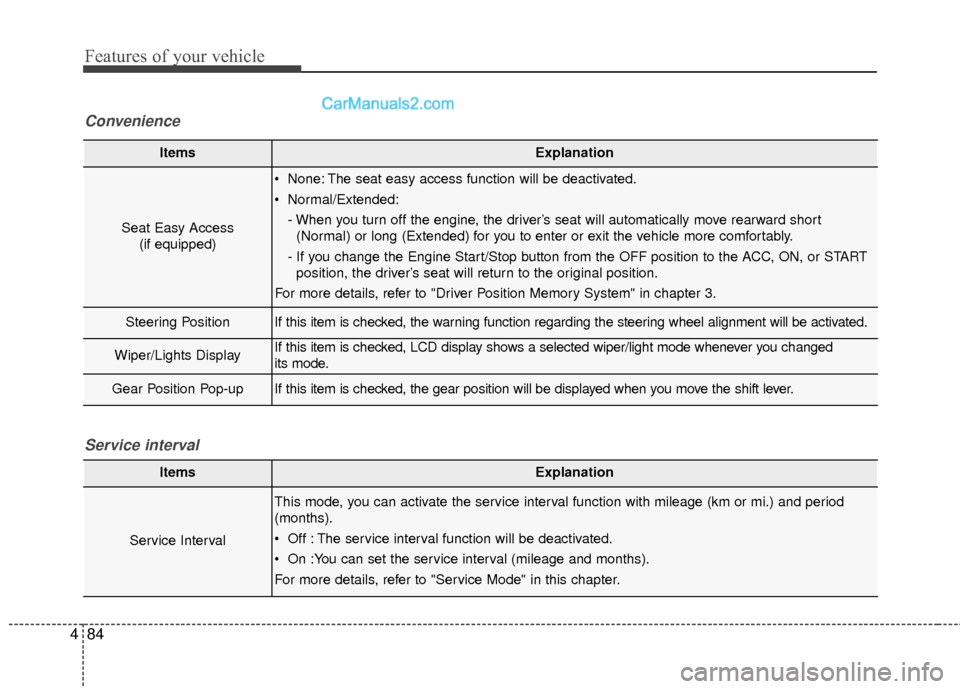
ItemsExplanation
Seat Easy Access
(if equipped)
None: The seat easy access function will be deactivated.
Normal/Extended:
- When you turn off the engine, the driver’s seat will automatically move rearward short(Normal) or long (Extended) for you to enter or exit the vehicle more comfortably.
- If you change the Engine Start/Stop button from the OFF position to the ACC, ON, or START position, the driver’s seat will return to the original position.
For more details, refer to "Driver Position Memory System" in chapter 3.
Steering PositionIf this item is checked, the warning function regarding the steering wheel alignment will be activated.
Wiper/Lights DisplayIf this item is checked, LCD display shows a selected wiper/light mode whenever you changed
its mode.
Gear Position Pop-upIf this item is checked, the gear position will be displayed when you move the shift lever.
Convenience
ItemsExplanation
Service Interval
This mode, you can activate the service interval function with mileage (km or mi.) and period
(months).
Off : The service interval function will be deactivated.
On :You can set the service interval (mileage and months).
For more details, refer to "Service Mode" in this chapter.
Service interval
Page 190 of 569
487
Features of your vehicle
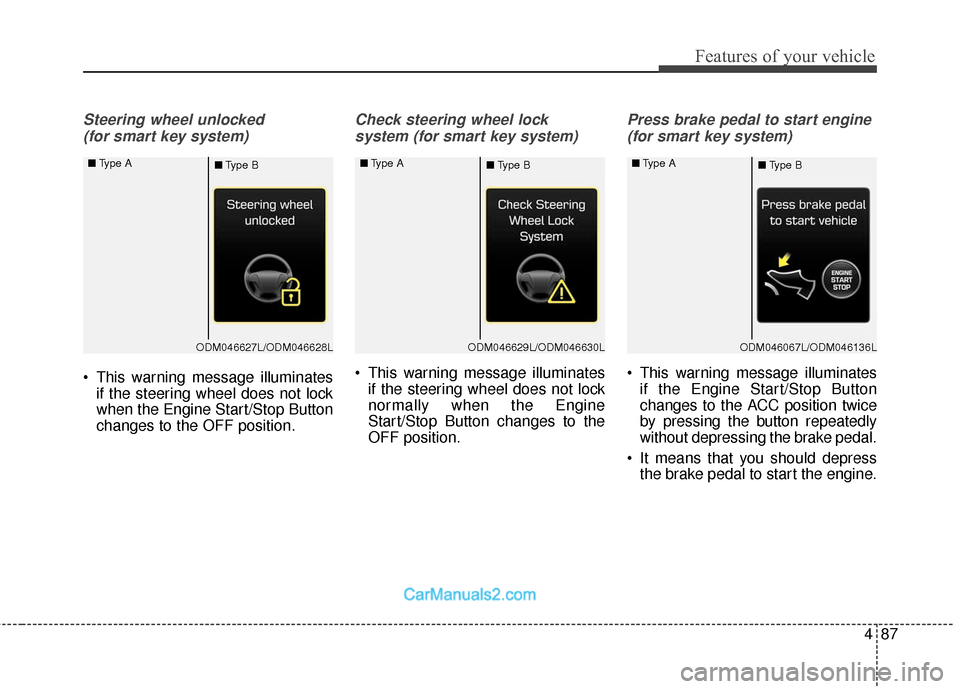
Steering wheel unlocked (for smart key system)
This warning message illuminates if the steering wheel does not lock
when the Engine Start/Stop Button
changes to the OFF position.
Check steering wheel lock
system (for smart key system)
This warning message illuminates if the steering wheel does not lock
normally when the Engine
Start/Stop Button changes to the
OFF position.
Press brake pedal to start engine
(for smart key system)
This warning message illuminates if the Engine Start/Stop Button
changes to the ACC position twice
by pressing the button repeatedly
without depressing the brake pedal.
It means that you should depress the brake pedal to start the engine.
ODM046627L/ODM046628L
■
Type A
■Type BODM046629L/ODM046630L
■
Type A
■Type BODM046067L/ODM046136L
■
Type A
■Type B
Page 192 of 569
489
Features of your vehicle
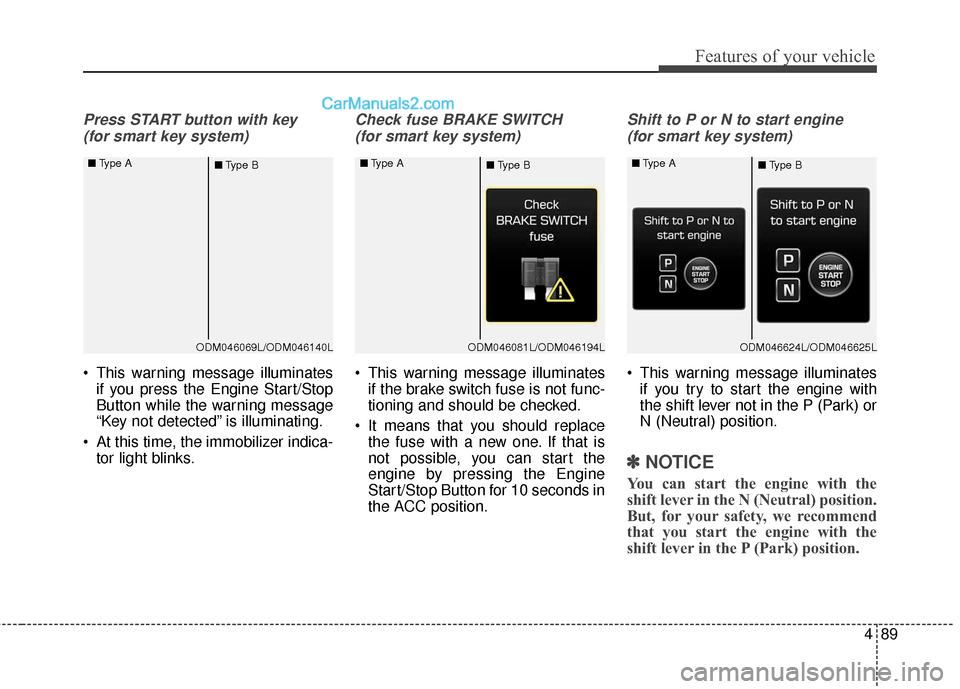
Press START button with key (for smart key system)
This warning message illuminates if you press the Engine Start/Stop
Button while the warning message
“Key not detected” is illuminating.
At this time, the immobilizer indica- tor light blinks.
Check fuse BRAKE SWITCH
(for smart key system)
This warning message illuminates if the brake switch fuse is not func-
tioning and should be checked.
It means that you should replace the fuse with a new one. If that is
not possible, you can start the
engine by pressing the Engine
Start/Stop Button for 10 seconds in
the ACC position.
Shift to P or N to start engine
(for smart key system)
This warning message illuminates if you try to start the engine with
the shift lever not in the P (Park) or
N (Neutral) position.
✽ ✽ NOTICE
You can start the engine with the
shift lever in the N (Neutral) position.
But, for your safety, we recommend
that you start the engine with the
shift lever in the P (Park) position.
ODM046069L/ODM046140L
■
Type A
■Type BODM046081L/ODM046194L
■
Type A
■Type BODM046624L/ODM046625L
■
Type A
■Type B
Page 204 of 569
4101
Features of your vehicle
Parking Brake & BrakeFluid Warning Light
This warning light illuminates:
Once you set the ignition switch or Engine Start/Stop Button to the ON
position.
- It illuminates for approximately 3seconds
- It remains on if the parking brake is applied.
When the parking brake is applied.
When the brake fluid level in the reservoir is low.
- If the warning light illuminateswith the parking brake released, it
indicates the brake fluid level in
reservoir is low. If the brake fluid level in the reservoir
is low:
1. Drive carefully to the nearest safe
location and stop your vehicle.
2. With the engine stopped, check the brake fluid level immediately
and add fluid as required (For
more details, refer to "Brake Fluid"
in chapter 7).
Then check all brake components for fluid leaks. If any leak on the
brake system is still found, the
warning light remains on, or the
brakes do not operate properly, do
not drive the vehicle.
In this case, have your vehicle
towed to an authorized HYUNDAI
dealer and inspected. Dual-diagonal braking system
Your vehicle is equipped with dual-
diagonal braking systems. This
means you still have braking on two
wheels even if one of the dual sys-
tems should fail.
With only one of the dual systems
working, more than normal pedal
travel and greater pedal pressure are
required to stop the vehicle.
Also, the vehicle will not stop in as
short a distance with only a portion
of the brake system working.
If the brakes fail while you are driv-
ing, shift to a lower gear for addition-
al engine braking and stop the vehi-
cle as soon as it is safe to do so.
Page 208 of 569
4105
Features of your vehicle
If there is a malfunction with either
the alternator or electrical charging
system:
1. Drive carefully to the nearest safelocation and stop your vehicle.
2. Turn the engine off and check the alternator drive belt for looseness
or breakage.
If the belt is adjusted properly,
there may be a problem in the
electrical charging system.
In this case, have your vehicle
inspected by an authorized
HYUNDAI dealer as soon as pos-
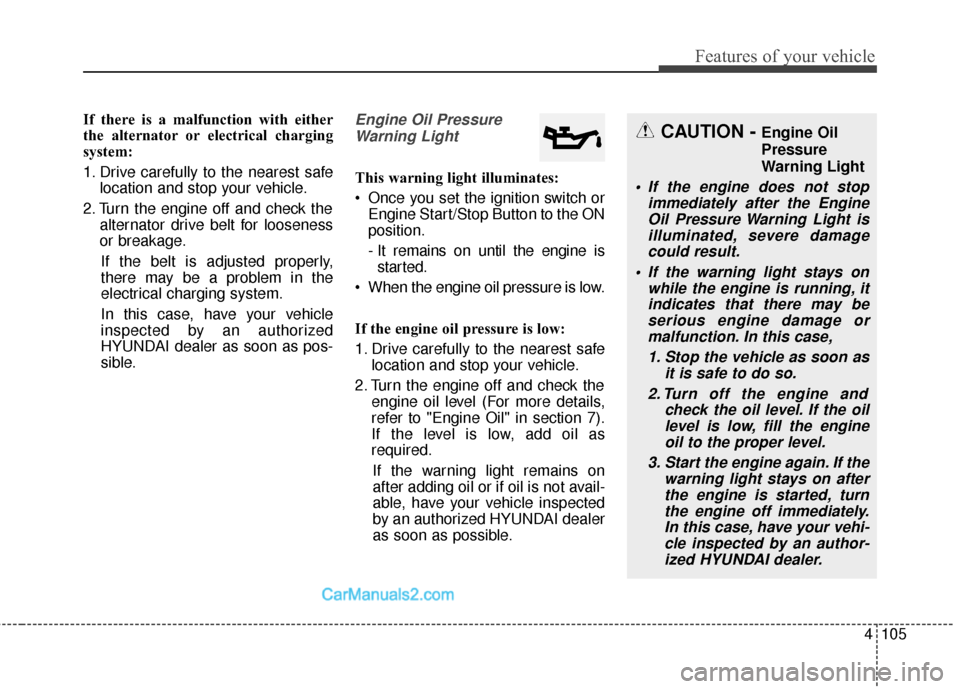
sible.Engine Oil Pressure Warning Light
This warning light illuminates:
Once you set the ignition switch or Engine Start/Stop Button to the ON
position.
- It remains on until the engine isstarted.
When the engine oil pressure is low.
If the engine oil pressure is low:
1. Drive carefully to the nearest safe location and stop your vehicle.
2. Turn the engine off and check the engine oil level (For more details,
refer to "Engine Oil" in section 7).
If the level is low, add oil as
required.
If the warning light remains on
after adding oil or if oil is not avail-
able, have your vehicle inspected
by an authorized HYUNDAI dealer
as soon as possible.
CAUTION - Engine Oil
Pressure
Warning Light
If the engine does not stop immediately after the EngineOil Pressure Warning Light isilluminated, severe damagecould result.
If the warning light stays on while the engine is running, itindicates that there may beserious engine damage ormalfunction. In this case,
1. Stop the vehicle as soon as it is safe to do so.
2. Turn off the engine and check the oil level. If the oillevel is low, fill the engineoil to the proper level.
3. Start the engine again. If the warning light stays on afterthe engine is started, turnthe engine off immediately.In this case, have your vehi-cle inspected by an author-ized HYUNDAI dealer.
Page 221 of 569
Features of your vehicle
118
4
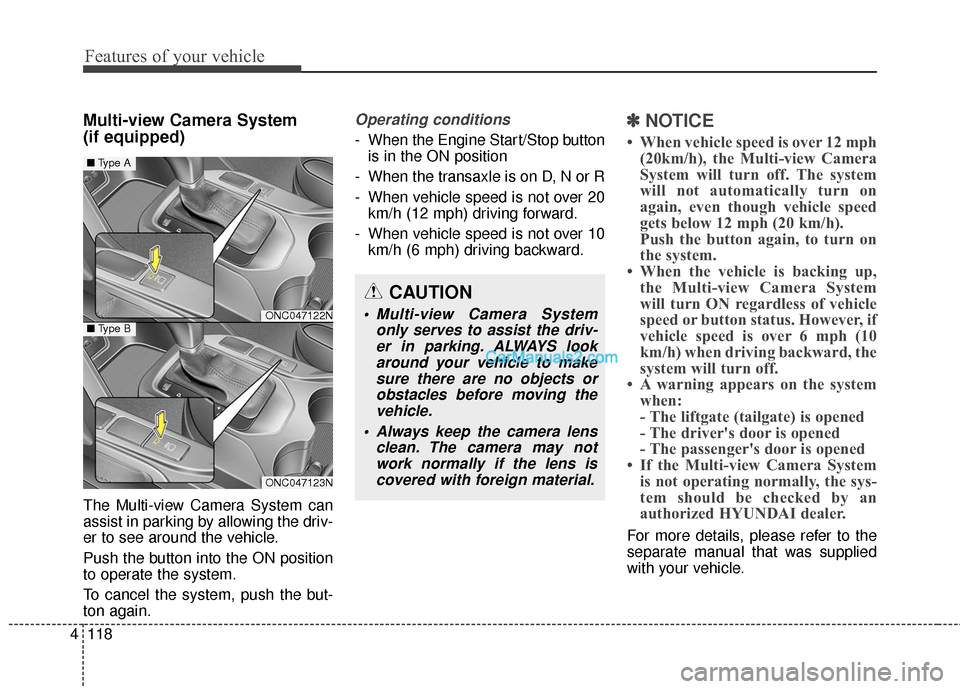
Multi-view Camera System
(if equipped)
The Multi-view Camera System can
assist in parking by allowing the driv-
er to see around the vehicle.
Push the button into the ON position
to operate the system.
To cancel the system, push the but-
ton again.
Operating conditions
- When the Engine Start/Stop button
is in the ON position
- When the transaxle is on D, N or R
- When vehicle speed is not over 20 km/h (12 mph) driving forward.
- When vehicle speed is not over 10 km/h (6 mph) driving backward.
✽ ✽ NOTICE
• When vehicle speed is over 12 mph
(20km/h), the Multi-view Camera
System will turn off. The system
will not automatically turn on
again, even though vehicle speed
gets below 12 mph (20 km/h).
Push the button again, to turn on
the system.
• When the vehicle is backing up, the Multi-view Camera System
will turn ON regardless of vehicle
speed or button status. However, if
vehicle speed is over 6 mph (10
km/h) when driving backward, the
system will turn off.
• A warning appears on the system when:
- The liftgate (tailgate) is opened
- The driver's door is opened
- The passenger's door is opened
• If the Multi-view Camera System is not operating normally, the sys-
tem should be checked by an
authorized HYUNDAI dealer.
For more details, please refer to the
separate manual that was supplied
with your vehicle.
CAUTION
Multi-view Camera System
only serves to assist the driv-er in parking. ALWAYS lookaround your vehicle to makesure there are no objects orobstacles before moving thevehicle.
Always keep the camera lens clean. The camera may notwork normally if the lens iscovered with foreign material.ONC047122N
ONC047123N
■ Type A
■Type B
Page 232 of 569
4129
Features of your vehicle
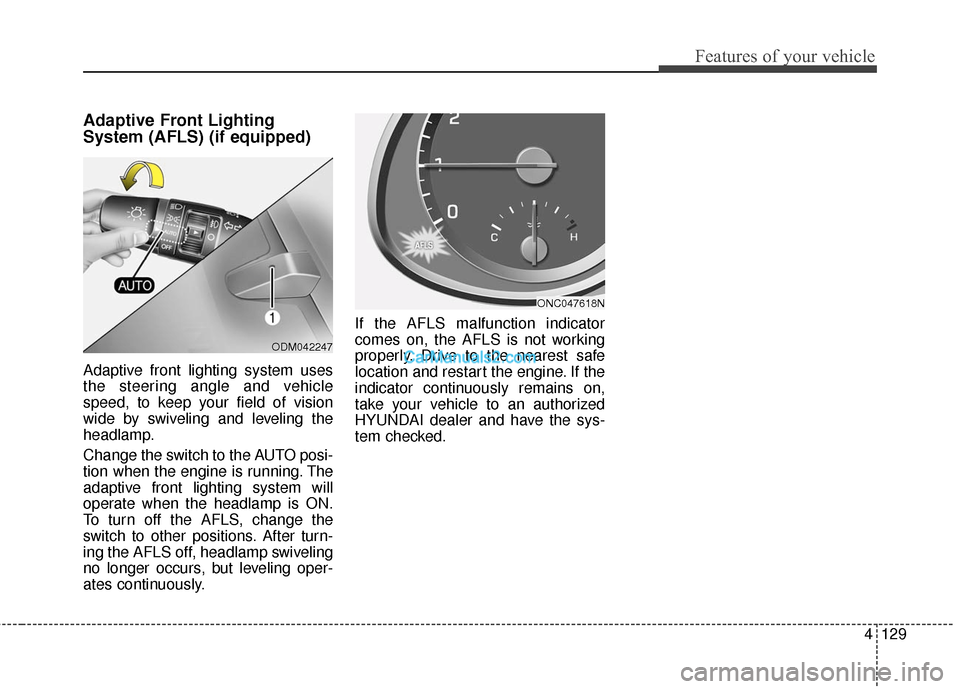
Adaptive Front Lighting
System (AFLS) (if equipped)
Adaptive front lighting system uses
the steering angle and vehicle
speed, to keep your field of vision
wide by swiveling and leveling the
headlamp.
Change the switch to the AUTO posi-
tion when the engine is running. The
adaptive front lighting system will
operate when the headlamp is ON.
To turn off the AFLS, change the
switch to other positions. After turn-
ing the AFLS off, headlamp swiveling
no longer occurs, but leveling oper-
ates continuously.If the AFLS malfunction indicator
comes on, the AFLS is not working
properly. Drive to the nearest safe
location and restart the engine. If the
indicator continuously remains on,
take your vehicle to an authorized
HYUNDAI dealer and have the sys-
tem checked.
ODM042247
ONC047618N
Page 234 of 569
4131
Features of your vehicle
✽
✽NOTICE
If there is heavy accumulation of
snow or ice on the windshield,
defrost the windshield for about 10
minutes, or until the snow and/or ice
is removed before using the wind-
shield wipers to ensure proper oper-
ation.
✽ ✽NOTICE
• When you operate the wipers, if
your vehicle has a problem in any
part of the wiper operation sys-
tem, the wiper may operate in the
LO mode regardless of the wiper
switch position. In this case, have
your vehicle checked by an
authorized HYUNDAI dealer as
soon as possible.
• When the ignition key is removed, the wiper blade sometimes may
move slightly for reducing the
deterioration of the windshield
wipers.
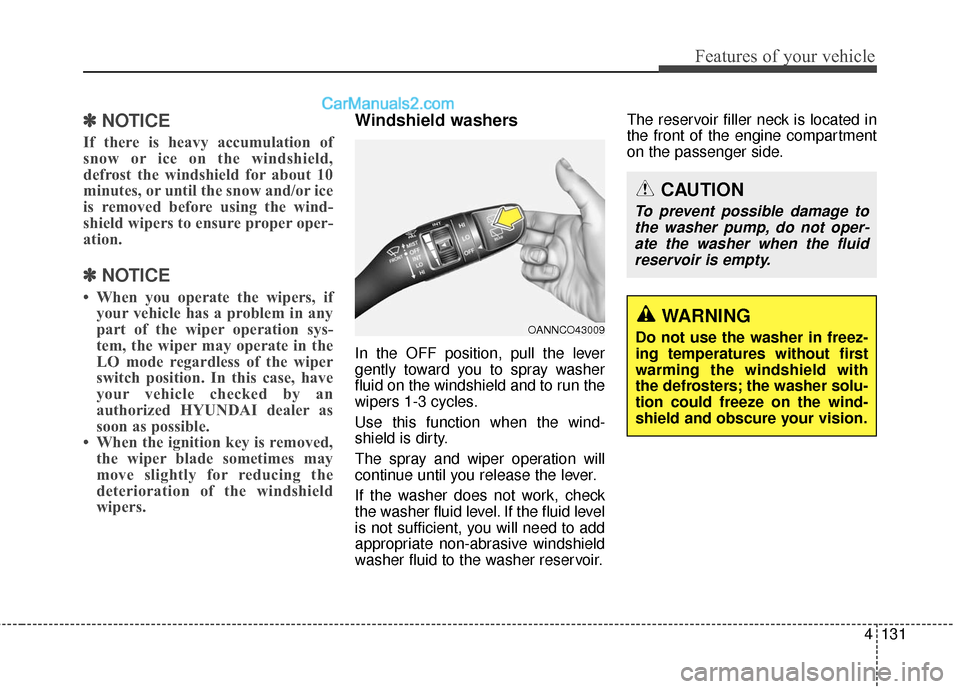
Windshield washers
In the OFF position, pull the lever
gently toward you to spray washer
fluid on the windshield and to run the
wipers 1-3 cycles.
Use this function when the wind-
shield is dirty.
The spray and wiper operation will
continue until you release the lever.
If the washer does not work, check
the washer fluid level. If the fluid level
is not sufficient, you will need to add
appropriate non-abrasive windshield
washer fluid to the washer reservoir. The reservoir filler neck is located in
the front of the engine compartment
on the passenger side.
OANNCO43009
CAUTION
To prevent possible damage to
the washer pump, do not oper-ate the washer when the fluidreservoir is empty.
WARNING
Do not use the washer in freez-
ing temperatures without first
warming the windshield with
the defrosters; the washer solu-
tion could freeze on the wind-
shield and obscure your vision.
Page 272 of 569
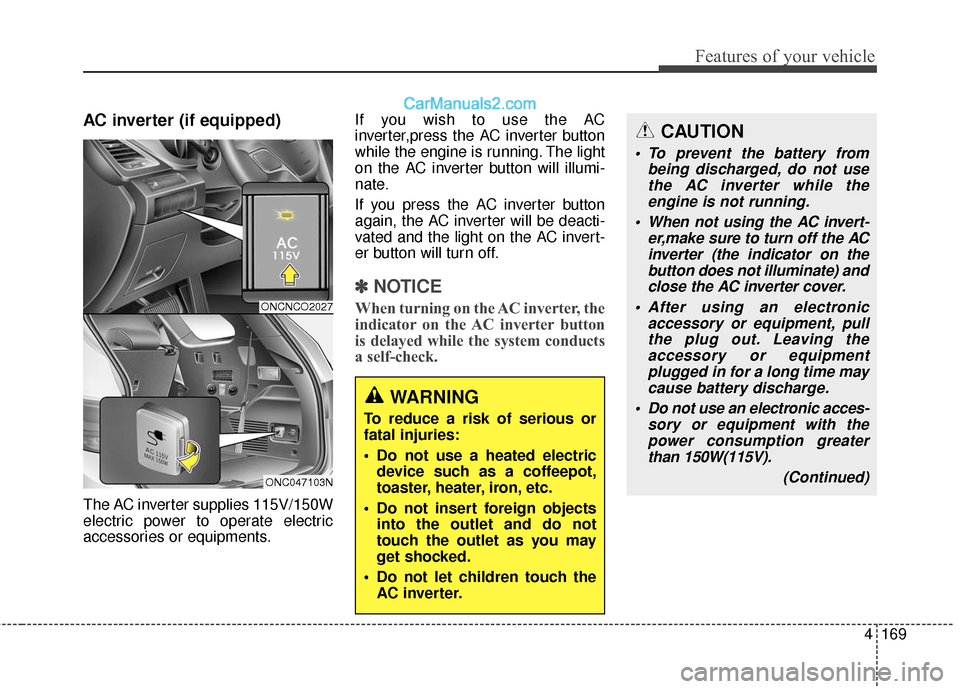
4169
Features of your vehicle
AC inverter (if equipped)
The AC inverter supplies 115V/150W
electric power to operate electric
accessories or equipments.If you wish to use the AC
inverter,press the AC inverter button
while the engine is running. The light
on the AC inverter button will illumi-
nate.
If you press the AC inverter button
again, the AC inverter will be deacti-
vated and the light on the AC invert-
er button will turn off.
✽ ✽
NOTICE
When turning on the AC inverter, the
indicator on the AC inverter button
is delayed while the system conducts
a self-check.
WARNING
To reduce a risk of serious or
fatal injuries:
Do not use a heated electric
device such as a coffeepot,
toaster, heater, iron, etc.
Do not insert foreign objects into the outlet and do not
touch the outlet as you may
get shocked.
Do not let children touch the AC inverter.
CAUTION
To prevent the battery from being discharged, do not usethe AC inverter while theengine is not running.
When not using the AC invert- er,make sure to turn off the ACinverter (the indicator on thebutton does not illuminate) andclose the AC inverter cover.
After using an electronic accessory or equipment, pullthe plug out. Leaving theaccessory or equipmentplugged in for a long time maycause battery discharge.
Do not use an electronic acces- sory or equipment with thepower consumption greaterthan 150W(115V).
(Continued)
ONCNCO2027
ONC047103N
Page 295 of 569
53
Driving your vehicle
WARNING- ENGINE EXHAUST CAN BE DANGEROUS!
Engine exhaust fumes can be extremely dangerous. If, at any time, you smell exhaust fumes inside the vehicle,
open the windows immediately.
• Do not inhale exhaust fumes. Exhaust fumes contain carbon monoxide, a colorless, odorless gas that can cause unconsciousness and death
by asphyxiation.
The exhaust system should be checked whenever the vehicle is raised to change the oil or for any other purpose.
If you hear a change in the sound of the exhaust or if you drive over something that strikes the underneath side
of the vehicle, have the exhaust system checked as soon as possible by an authorized HYUNDAI dealer.
Letting the engine idle in your garage, even with the garage door open, is a hazardous practice. Never run the
engine in your garage any longer than it takes to start the engine and back the vehicle out.
If it is necessary to idle the engine for a prolonged period with people inside the vehicle, be sure to do so only in
an open area with the air intake set at "Fresh" and fan operating at one of the higher speeds so fresh air is drawn
into the interior.
If you must drive with the liftgate (tailgate) open because you are carrying objects that make this necessary:
1. Close all windows.
2. Open side vents.
3. Set the air intake control at "Fresh", the air flow control at "Floor" or "Face" and the fan at one of the higher speeds.
To assure proper operation of the ventilation system, be sure the ventilation air intakes located just in front of the
windshield are kept clear of snow, ice, leaves or other obstructions.