change time Hyundai Santa Fe 2017 Owner's Guide
[x] Cancel search | Manufacturer: HYUNDAI, Model Year: 2017, Model line: Santa Fe, Model: Hyundai Santa Fe 2017Pages: 569, PDF Size: 16.88 MB
Page 304 of 569
Driving your vehicle
12
5
✽
✽
NOTICE
If you press the engine start/stop
button without depressing the brake
pedal, the engine will not start and
the engine start/stop button changes
as follow:
OFF ➔ ➔
ACC ➔
➔
ON ➔
➔
OFF or ACC
✽
✽
NOTICE
If you leave the engine start/stop
button in the ACC or ON position
for a long time, the battery will dis-
charge.
WARNING
Never press the engine
start/stop button while the
vehicle is in motion. This
would result in loss of direc-
tional control and braking
function, which could cause
an accident.
Before leaving the driver's seat, always make sure the
shift lever is engaged in P
(Park), set the parking brake
fully and shut the engine off.
Unexpected and sudden vehi-
cle movement may occur if
these precautions are not
taken.
(Continued)
(Continued)
Never reach for the enginestart/ stop button or any other
controls through the steering
wheel while the vehicle is in
motion. The presence of your
hand or arm in the area could
cause loss of vehicle control,
an accident and serious bodi-
ly injury or death.
Do not place any movable objects around the driver's
seat as they may move while
driving, interfere with the driv-
er and lead to an accident.
Page 316 of 569
Driving your vehicle
24
5
For safe all wheel drive opera-
tion
Do not try to drive in deep standing
water or mud since such conditions
can stall your engine and clog your
exhaust pipes. Do not drive down
steep hills since it requires extreme
skill to maintain control of the vehi-
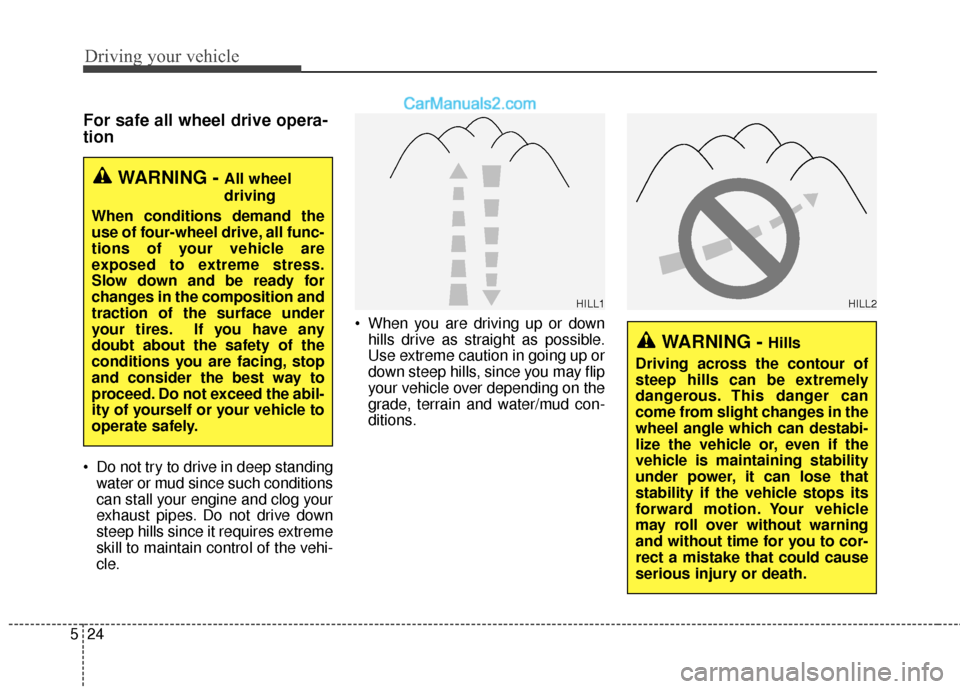
cle. When you are driving up or down
hills drive as straight as possible.
Use extreme caution in going up or
down steep hills, since you may flip
your vehicle over depending on the
grade, terrain and water/mud con-
ditions.
WARNING - All wheel
driving
When conditions demand the
use of four-wheel drive, all func-
tions of your vehicle are
exposed to extreme stress.
Slow down and be ready for
changes in the composition and
traction of the surface under
your tires. If you have any
doubt about the safety of the
conditions you are facing, stop
and consider the best way to
proceed. Do not exceed the abil-
ity of yourself or your vehicle to
operate safely.
WARNING - Hills
Driving across the contour of
steep hills can be extremely
dangerous. This danger can
come from slight changes in the
wheel angle which can destabi-
lize the vehicle or, even if the
vehicle is maintaining stability
under power, it can lose that
stability if the vehicle stops its
forward motion. Your vehicle
may roll over without warning
and without time for you to cor-
rect a mistake that could cause
serious injury or death.
HILL1HILL2
Page 318 of 569
Driving your vehicle
26
5
✽
✽
NOTICE
• Do not drive through water if the
level is higher than the bottom of
the vehicle.
• Check your brake condition once you are out of mud or water. Press
the brake pedal several times as
you move slowly until you feel nor-
mal braking forces return.
• Shorten your scheduled mainte- nance interval if you drive in off-
road conditions such as sand, mud
or water (see "Maintenance under
severe usage conditions" in section
7). Always wash your vehicle thor-
oughly after off road use, especially
cleaning the bottom of the vehicle.
• Since the driving torque is always applied to the 4 wheels the per-
formance of the AWD vehicle is
greatly affected by the condition of
the tires. Be sure to equip the vehi-
cle with four tires of the same size
and type.
• A full time all wheel drive vehicle cannot be towed by an ordinary
tow truck. Make sure that the
vehicle is placed on a flat bed
truck for towing.CAUTION - Mud or snow
If one of the front or rear wheels
begins to spin in mud, snow,etc. the vehicle can sometimesbe driven out by depressing theaccelerator pedal further; how-ever avoid running the enginecontinuously at high rpmbecause doing so could dam-age the AWD system.
WARNING - AWD driving
Avoid high cornering speed.
Do not make quick steering wheel movements, such as
sharp lane changes or fast,
sharp turns.
The risk of rollover is greatly increased if you lose control
of your vehicle at high speed.
In a collision, an unbelted per- son is significantly more like-
ly to die compared to a person
wearing a seat belt.
Loss of control often occurs if two or more wheels drop off
the roadway and the driver
over steers to re-enter the
roadway. In the event your
vehicle leaves the roadway, do
not steer sharply. Instead,
slow down before pulling
back into the travel lanes.
Page 322 of 569
Driving your vehicle
30
5
When the ECO mode is activated:
• The acceleration response may be
slightly reduced as the accelerator
pedal is depressed moderately.
The air conditioner performance may be limited.
The shift pattern of the automatic transaxle may change.
The engine noise may get louder.
The above situations are normal
conditions when the ECO mode is
activated to improve fuel efficiency.
Limitation of the ECO mode oper- ation:
If the following conditions occur while
the ECO mode is operating, fuel effi-
ciency may decrease even though
there is no change in the ECO indi-
cator.
When the coolant temperature is low:
Fuel efficiency may decrease until
engine temperature reaches nor-
mal.
When driving up a hill: Fuel efficiency may decrease to
gain performance when driving
uphill because engine torque is
restricted.
When using the automatic transaxle manual shift mode:
Fuel efficiency may decrease
according to the shift location.
When the accelerator pedal is deeply depressed for a few sec-
onds:
Fuel efficiency may decrease,
judging that the driver wants to
speed up.
SPORT mode
SPORT mode managesthe driving dynamics by
automatically adjusting the
steering wheel, engine
and transaxle system to
optimize performance.
When the SPORT mode is select- ed by pressing the DRIVE MODE
button, the SPORT indicator (yel-
low color) will illuminate.
Restarting of the engine in the SPORT mode resets the DRIVE
mode to the NORMAL mode. Thus,
when necessary, reselect the
SPORT mode.
When the SPORT mode is activat- ed:
- The RPM (revolutions per min-utes) level is maintained over a
certain length of time, even after
releasing the accelerator pedal.
- When accelerating, up-shifting timing is delayed.
✽ ✽ NOTICE
In the SPORT mode, the fuel effi-
ciency may decrease.
Page 334 of 569
Driving your vehicle
42
5
Leaving
If you press the accelerator pedal
with the shift lever in R (Reverse), D
(Drive) or manual shift mode, the
Auto Hold will be released automati-
cally and the vehicle will start to
move. The indicator changes from
green to white.Cancel
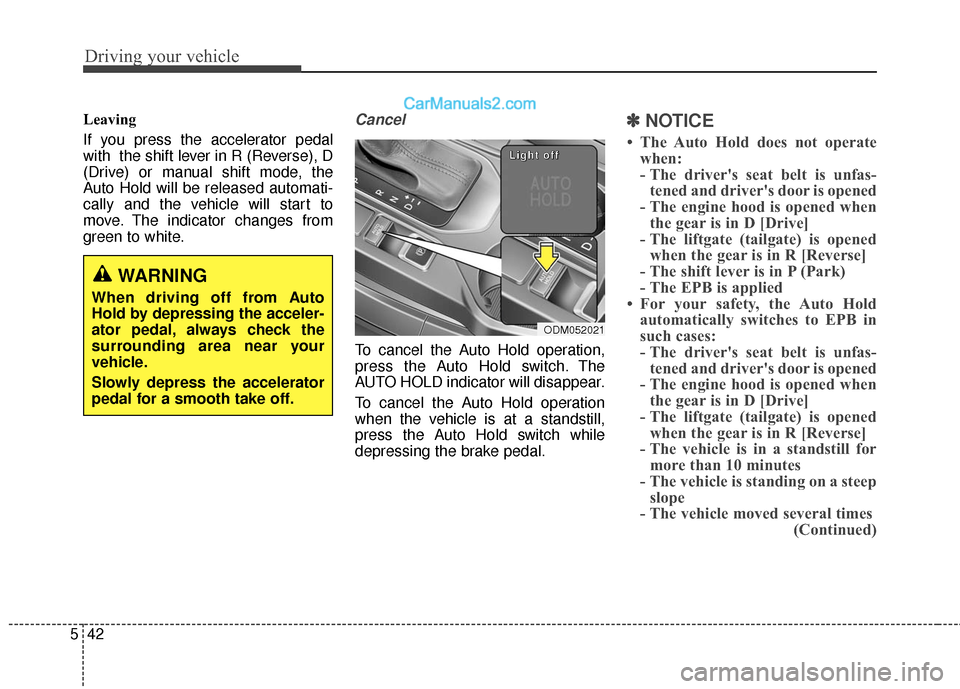
To cancel the Auto Hold operation,
press the Auto Hold switch. The
AUTO HOLD indicator will disappear.
To cancel the Auto Hold operation
when the vehicle is at a standstill,
press the Auto Hold switch while
depressing the brake pedal.
✽ ✽
NOTICE
• The Auto Hold does not operate
when:
- The driver's seat belt is unfas-tened and driver's door is opened
- The engine hood is opened when the gear is in D [Drive]
- The liftgate (tailgate) is opened when the gear is in R [Reverse]
- The shift lever is in P (Park)
- The EPB is applied
• For your safety, the Auto Hold automatically switches to EPB in
such cases:
- The driver's seat belt is unfas-tened and driver's door is opened
- The engine hood is opened when the gear is in D [Drive]
- The liftgate (tailgate) is opened when the gear is in R [Reverse]
- The vehicle is in a standstill for more than 10 minutes
- The vehicle is standing on a steep slope
- The vehicle moved several times (Continued)
WARNING
When driving off from Auto
Hold by depressing the acceler-
ator pedal, always check the
surrounding area near your
vehicle.
Slowly depress the accelerator
pedal for a smooth take off.
ODM052021
L
L
L
L
i
i
i
i
g
g
g
g
h
h
h
h
t
t
t
t
o
o
o
o
f
f
f
f
f
f
f
f
Page 368 of 569
Driving your vehicle
76
5
To temporarily accelerate with the
Smart Cruise Control on
If you want to speed up temporarily
when the Smart Cruise Control is on,
depress the accelerator pedal.
Increased speed will not interfere
with Smart Cruise Control operation
or change the set speed.
To return to the set speed, take your
foot off the accelerator.
If you push the toggle switch down
(SET-) at increased speed, the cruis-
ing speed will be set again.
✽ ✽ NOTICE
Be careful when accelerating tem-
porarily, because the speed is not
controlled automatically at this
time even if there is a vehicle in front
of you.
Smart Cruise Control will be tem-
porarily canceled when:
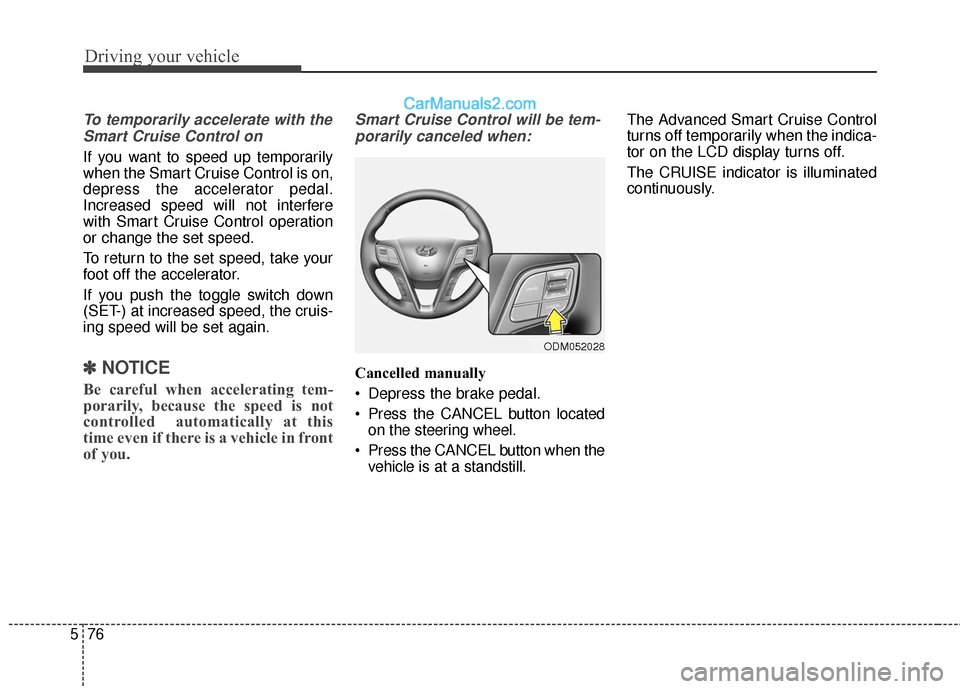
Cancelled manually
Depress the brake pedal.
Press the CANCEL button located on the steering wheel.
Press the CANCEL button when the vehicle is at a standstill. The Advanced Smart Cruise Control
turns off temporarily when the indica-
tor on the LCD display turns off.
The CRUISE indicator is illuminated
continuously.
ODM052028
Page 371 of 569
579
Driving your vehicle
Smart Cruise Control Vehicle-
to-Vehicle Distance
To set Vehicle-to-Vehicle Distance
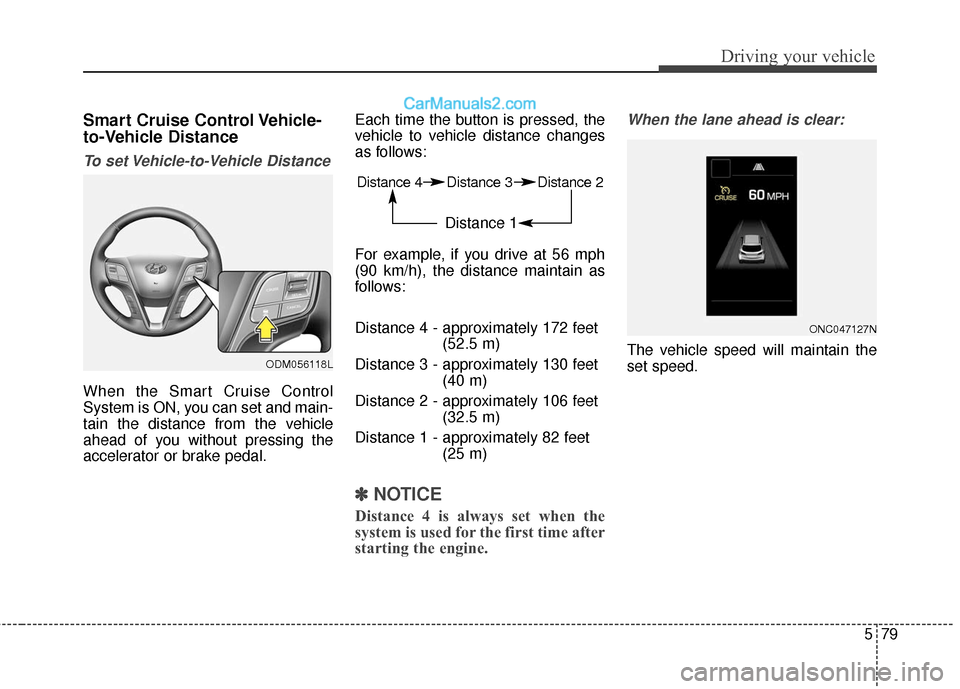
When the Smart Cruise Control
System is ON, you can set and main-
tain the distance from the vehicle
ahead of you without pressing the
accelerator or brake pedal.Each time the button is pressed, the
vehicle to vehicle distance changes
as follows:
For example, if you drive at 56 mph
(90 km/h), the distance maintain as
follows:
Distance 4 - approximately 172 feet
(52.5 m)
Distance 3 - approximately 130 feet (40 m)
Distance 2 - approximately 106 feet (32.5 m)
Distance 1 - approximately 82 feet (25 m)
✽ ✽NOTICE
Distance 4 is always set when the
system is used for the first time after
starting the engine.
When the lane ahead is clear:
The vehicle speed will maintain the
set speed.
ONC047127N
Distance 4 Distance 3 Distance 2
Distance 1
ODM056118L
Page 406 of 569
Driving your vehicle
114
5
TRAILER TOWING
If you are considering towing with
your vehicle, you should first check
with your state’s Department of
Motor Vehicles to determine their
legal requirements.
Since laws vary the requirements for
towing trailers, cars, or other types of
vehicles or apparatus may differ. Ask
an authorized HYUNDAI dealer for
further details before towing.
Your vehicle can tow a trailer. To
identify what the vehicle trailering
capacity is for your vehicle, you
should read the information in
“Weight of the trailer” that appears
later in this section.Remember that trailering is different
than just driving your vehicle by itself.
Trailering means changes in han-
dling, durability, and fuel economy.
Successful, safe trailering requires
correct equipment, and it has to be
used properly.
This section contains many time-test-
ed, important trailering tips and safe-
ty rules. Many of these are important
for your safety and that of your pas-
sengers. Please read this section
carefully before you pull a trailer.
Load-pulling components such as
the engine, transaxle, wheel assem-
blies, and tires are forced to work
harder against the load of the added
weight. The engine is required to
operate at relatively higher speeds
and under greater loads. This addi-
tional burden generates extra heat.
The trailer also considerably adds
wind resistance, increasing the
pulling requirements.
WARNING - Towing a
trailer
If you don't use the correct
equipment and/or drive improp-
erly, you can lose control when
you pull a trailer. For example, if
the trailer is too heavy, the
brakes may not work well - or
even at all. You and your pas-
sengers could be seriously or
fatally injured. Pull a trailer only
if you have followed all the
steps in this section.
WARNING- Weight limits
Before towing, make sure the
total trailer weight, GCW (gross
combination weight), GVW
(gross vehicle weight), GAW
(gross axle weight) and trailer
tongue load are all within the
limits.
CAUTION
Pulling a trailer improperly can damage your vehicle and resultin costly repairs not covered byyour warranty. To pull a trailercorrectly, follow the advice inthis section.
Page 408 of 569
Driving your vehicle
116
5
Driving with a trailer
Towing a trailer requires a certain
amount of experience. Before setting
out for the open road, you must get to
know your trailer. Acquaint yourself
with the feel of handling and braking
with the added weight of the trailer.
And always keep in mind that the
vehicle you are driving is now a good
deal longer and not nearly so respon-
sive as your vehicle is by itself.
Before you start, check the trailer
hitch and platform, safety chains,
electrical connector(s), lights, tires
and mirror adjustment. If the trailer
has electric brakes, start your vehicle
and trailer moving and then apply the
trailer brake controller by hand to be
sure the brakes are working. This lets
you check your electrical connection
at the same time.
During your trip, check occasionally
to be sure that the load is secure,
and that the lights and any trailer
brakes are still working.
Following distance
Stay at least twice as far behind the
vehicle ahead as you would when
driving your vehicle without a trailer.
This can help you avoid situations
that require heavy braking and sud-
den turns.
Passing
You’ll need more passing distance
up ahead when you’re towing a trail-
er. And, because of the increased
vehicle length, you’ll need to go
much farther beyond the passed
vehicle before you can return to your
lane. Due to the added load to the
engine when going uphill the vehicle
may also take longer to pass than it
would on flat ground.
Backing up
Hold the bottom of the steering wheel
with one hand. Then, to move the trail-
er to the left, just move your hand to
the left. To move the trailer to the right,
move your hand to the right. Always
back up slowly and, if possible, have
someone guide you.
Making turns
When you’re turning with a trailer,
make wider turns than normal. Do
this so your trailer won’t strike soft
shoulders, curbs, road signs, trees,
or other objects near the edge of the
road. Avoid jerky or sudden maneu-
vers. Signal well in advance before
turning or lane changes.
Page 409 of 569
5117
Driving your vehicle
Turn signals when towing a trailer
When you tow a trailer, your vehicle
has to have a different turn signal
flasher and extra wiring. The green
arrows on your instrument panel will
flash whenever you signal a turn or
lane change. Properly connected,
the trailer lights will also flash to alert
other drivers you’re about to turn,
change lanes, or stop.
When towing a trailer, the green
arrows on your instrument panel will
flash for turns even if the bulbs on the
trailer are burned out. Thus, you may
think drivers behind you are seeing
your signals when, in fact, they are
not. It’s important to check occasion-
ally to be sure the trailer bulbs are still
working. You must also check the
lights every time you disconnect and
then reconnect the wires.
Do not connect a trailer lighting sys-
tem directly to your vehicle’s lighting
system. Use only an approved trailer
wiring harness.
An authorized HYUNDAI dealer can
assist you in installing the wiring har-
ness.
Driving on grades
Reduce speed and shift to a lower
gear before you start down a long or
steep downgrade. If you don’t shift
down, you might have to use your
brakes so much that they would get
hot and no longer operate efficiently.
On a long uphill grade, shift down
and reduce your speed to around 45
mph (70 km/h) to reduce the possi-
bility of engine and transaxle over-
heating.
Operating your vehicle in D (Drive)
when towing a trailer will minimize
heat build up and extend the life of
your transaxle.WARNING
Failure to use an approved trail-
er wiring harness could result
in damage to the vehicle electri-
cal system and/or personal
injury.