instrument panel Hyundai Santa Fe 2017 Owner's Guide
[x] Cancel search | Manufacturer: HYUNDAI, Model Year: 2017, Model line: Santa Fe, Model: Hyundai Santa Fe 2017Pages: 569, PDF Size: 16.88 MB
Page 243 of 569
Features of your vehicle
140
4
Heating and air conditioning
1. Start the engine.
2. Set the mode to the desired posi-
tion.
For improving the effectiveness of
heating and cooling;- Heating:
- Cooling:
3. Set the temperature control to the desired position.
4. Set the air intake control to the outside (fresh) air position. (if
equipped)
5. Set the fan speed control to the desired speed.
6. If air conditioning is desired, turn the air conditioning system (if
equipped) on.
ONC044083
❈
❈
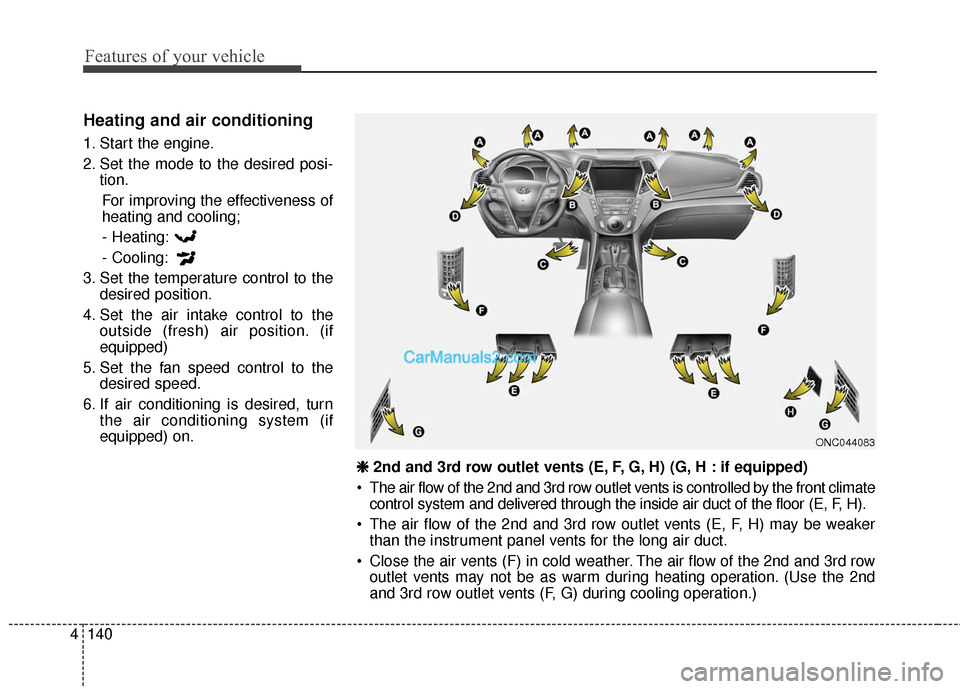
2nd and 3rd row outlet vents (E, F, G, H) (G, H : if equipped)
The air flow of the 2nd and 3rd row outlet vents is controlled by the front climate control system and delivered through the inside air duct of the floor (E, F, H).
The air flow of the 2nd and 3rd row outlet vents (E, F, H) may be weaker than the instrument panel vents for the long air duct.
Close the air vents (F) in cold weather. The air flow of the 2nd and 3rd row outlet vents may not be as warm during heating operation. (Use the 2nd
and 3rd row outlet vents (F, G) during cooling operation.)
Page 245 of 569
Features of your vehicle
142
4
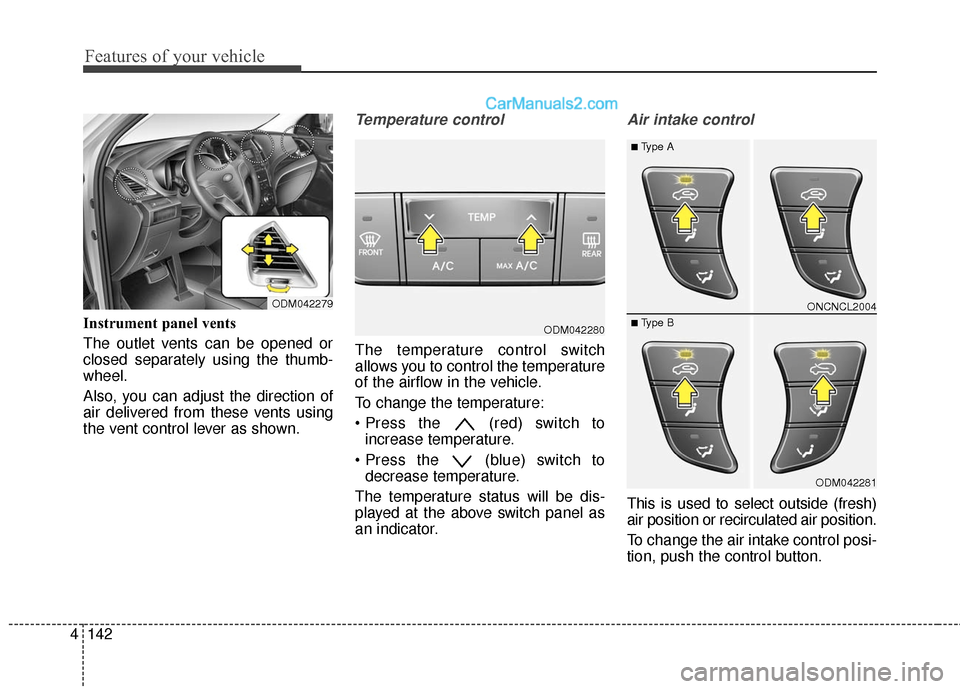
Instrument panel vents
The outlet vents can be opened or
closed separately using the thumb-
wheel.
Also, you can adjust the direction of
air delivered from these vents using
the vent control lever as shown.
Temperature control
The temperature control switch
allows you to control the temperature
of the airflow in the vehicle.
To change the temperature:
(red) switch to
increase temperature.
(blue) switch to decrease temperature.
The temperature status will be dis-
played at the above switch panel as
an indicator.
Air intake control
This is used to select outside (fresh)
air position or recirculated air position.
To change the air intake control posi-
tion, push the control button.
ODM042280
ODM042279ONCNCL2004
ODM042281
■Type A
■ Type B
Page 255 of 569
Features of your vehicle
152
4
✽
✽
NOTICE
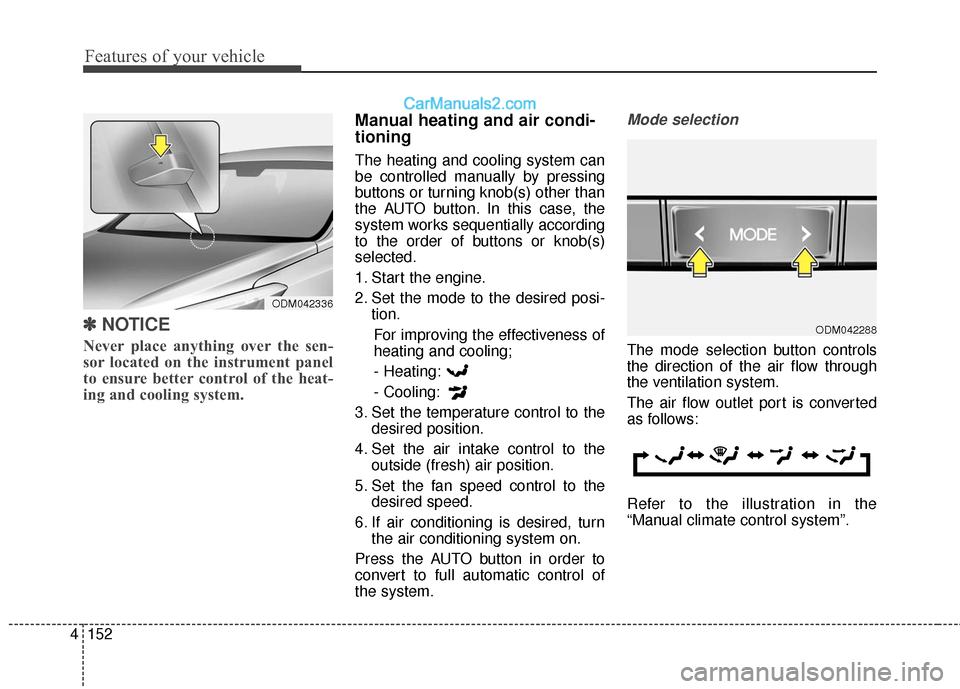
Never place anything over the sen-
sor located on the instrument panel
to ensure better control of the heat-
ing and cooling system.
Manual heating and air condi-
tioning
The heating and cooling system can
be controlled manually by pressing
buttons or turning knob(s) other than
the AUTO button. In this case, the
system works sequentially according
to the order of buttons or knob(s)
selected.
1. Start the engine.
2. Set the mode to the desired posi-
tion.
For improving the effectiveness of
heating and cooling;- Heating:
- Cooling:
3. Set the temperature control to the desired position.
4. Set the air intake control to the outside (fresh) air position.
5. Set the fan speed control to the desired speed.
6. If air conditioning is desired, turn the air conditioning system on.
Press the AUTO button in order to
convert to full automatic control of
the system.
Mode selection
The mode selection button controls
the direction of the air flow through
the ventilation system.
The air flow outlet port is converted
as follows:
Refer to the illustration in the
“Manual climate control system”.
ODM042288
ODM042336
Page 256 of 569
4153
Features of your vehicle
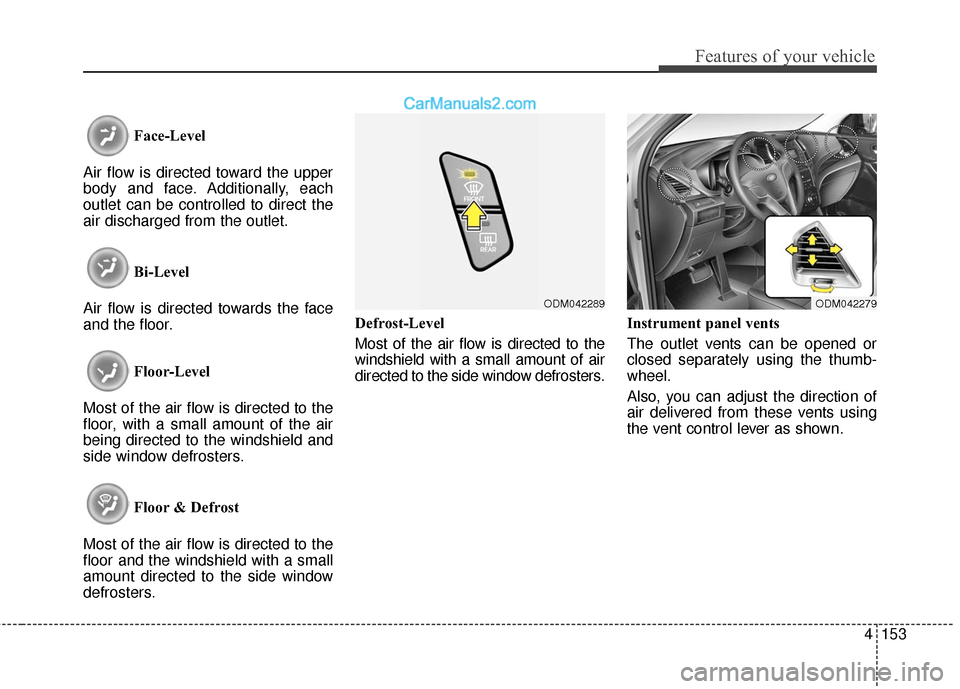
Face-Level
Air flow is directed toward the upper
body and face. Additionally, each
outlet can be controlled to direct the
air discharged from the outlet.
Bi-Level
Air flow is directed towards the face
and the floor.
Floor-Level
Most of the air flow is directed to the
floor, with a small amount of the air
being directed to the windshield and
side window defrosters.
Floor & Defrost
Most of the air flow is directed to the
floor and the windshield with a small
amount directed to the side window
defrosters. Defrost-Level
Most of the air flow is directed to the
windshield with a small amount of air
directed to the side window defrosters.
Instrument panel vents
The outlet vents can be opened or
closed separately using the thumb-
wheel.
Also, you can adjust the direction of
air delivered from these vents using
the vent control lever as shown.
ODM042279ODM042289
Page 409 of 569
5117
Driving your vehicle
Turn signals when towing a trailer
When you tow a trailer, your vehicle
has to have a different turn signal
flasher and extra wiring. The green
arrows on your instrument panel will
flash whenever you signal a turn or
lane change. Properly connected,
the trailer lights will also flash to alert
other drivers you’re about to turn,
change lanes, or stop.
When towing a trailer, the green
arrows on your instrument panel will
flash for turns even if the bulbs on the
trailer are burned out. Thus, you may
think drivers behind you are seeing
your signals when, in fact, they are
not. It’s important to check occasion-
ally to be sure the trailer bulbs are still
working. You must also check the
lights every time you disconnect and
then reconnect the wires.
Do not connect a trailer lighting sys-
tem directly to your vehicle’s lighting
system. Use only an approved trailer
wiring harness.
An authorized HYUNDAI dealer can
assist you in installing the wiring har-
ness.
Driving on grades
Reduce speed and shift to a lower
gear before you start down a long or
steep downgrade. If you don’t shift
down, you might have to use your
brakes so much that they would get
hot and no longer operate efficiently.
On a long uphill grade, shift down
and reduce your speed to around 45
mph (70 km/h) to reduce the possi-
bility of engine and transaxle over-
heating.
Operating your vehicle in D (Drive)
when towing a trailer will minimize
heat build up and extend the life of
your transaxle.WARNING
Failure to use an approved trail-
er wiring harness could result
in damage to the vehicle electri-
cal system and/or personal
injury.
Page 563 of 569

I5
Index
Gauges ........................................................................\
..4-73
Glove box ...................................................................4-162\
Gross vehicle weight ......................................................8-6
Hazard warning flasher...............................................4-119
Hazardous driving conditions .....................................5-103
Headlamp delay ..........................................................4-120
Heated steering wheel...................................................4-58
Highway driving .........................................................5-107
Hill-start Assist Control (HAC)....................................5-53
Hood ........................................................................\
.....4-44
Horn ........................................................................\
......4-59
How to use this manual ..................................................1-2Immobilizer system ........................................................4-8
Important safety precautions ..........................................3-2
Air Bag Hazards ..........................................................3-2
Always Wear Your Seat Belt .......................................3-2
Control Your Speed .....................................................3-3
Driver Distraction........................................................3-2
Keep Your Vehicle in Safe Condition .........................3-3
Restrain All Children ..................................................3-2
Inside rearview mirror ..................................................4-60
Instrument cluster .........................................................4-72
Instrument cluster control .............................................4-73 Gauges .......................................................................4\
-73
Instrument cluster control .........................................4-73
Transaxle Shift Indicator ...........................................4-76
Instrument panel overview .............................................2-6
Interior care...................................................................7-93
Interior features...........................................................4-165 AC inverter ..............................................................4-169
Aux, USB and iPod
®port .......................................4-172
Cargo security screen ..............................................4-173
Cigarette lighter.......................................................4-165
Clothes hanger.........................................................4-170
Cup holder ...............................................................4-165
Floor mat anchor(s) .................................................4-171
Luggage net (holder) ...............................................4-173
G
H
I