ECU Hyundai Santa Fe 2017 Owner's Guide
[x] Cancel search | Manufacturer: HYUNDAI, Model Year: 2017, Model line: Santa Fe, Model: Hyundai Santa Fe 2017Pages: 569, PDF Size: 16.88 MB
Page 269 of 569
Features of your vehicle
166
4
Cups or small beverage cans may be
placed in the cup holders.
To use the center cup holder, pull
down the armrest and press the
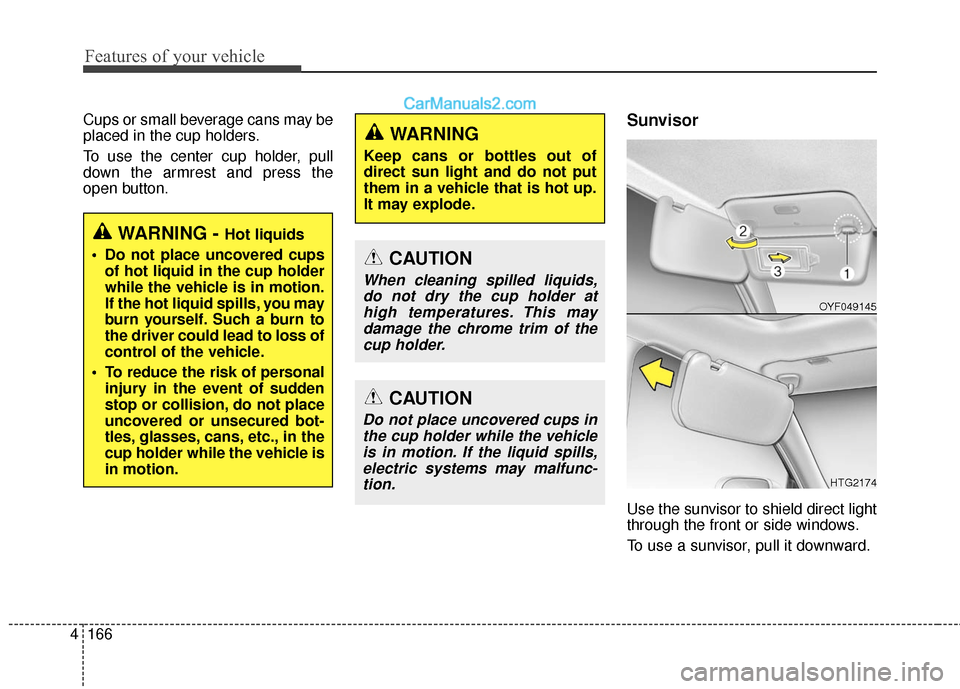
open button.Sunvisor
Use the sunvisor to shield direct light
through the front or side windows.
To use a sunvisor, pull it downward.
WARNING - Hot liquids
Do not place uncovered cups of hot liquid in the cup holder
while the vehicle is in motion.
If the hot liquid spills, you may
burn yourself. Such a burn to
the driver could lead to loss of
control of the vehicle.
To reduce the risk of personal injury in the event of sudden
stop or collision, do not place
uncovered or unsecured bot-
tles, glasses, cans, etc., in the
cup holder while the vehicle is
in motion.
WARNING
Keep cans or bottles out of
direct sun light and do not put
them in a vehicle that is hot up.
It may explode.
CAUTION
When cleaning spilled liquids,do not dry the cup holder athigh temperatures. This maydamage the chrome trim of thecup holder.
CAUTION
Do not place uncovered cups inthe cup holder while the vehicleis in motion. If the liquid spills,electric systems may malfunc-tion.
OYF049145
HTG2174
Page 271 of 569
Features of your vehicle
168
4
(Continued)
Some electronic devices can cause electronic interferencewhen plugged into a vehicle’spower outlet. These devicesmay cause excessive audiostatic and malfunctions inother electronic systems ordevices used in your vehicle.
Make sure that the electric devices are plugged in secure-ly. If not, it could cause a mal-function of electric systems.
If you use an electric device with a battery, electric currentmay flow from the electricdevice into the vehicle andmay cause a malfunction ofelectric systems. Only useelectric devices which couldprevent inverse current.WARNING
Do not put fingers or foreign
elements (pin, etc.) into a power
outlet and do not touch with a
wet hand. You may get an elec-
tric shock.
CAUTION
Use the power outlet only when the engine is runningand remove the accessoryplug after use. Using theaccessory plug for prolongedperiods of time with theengine off could cause thebattery to discharge.
Only use 10V electric acces- sories which are less than 10Ain electric capacity. If not, itcould lead to an overheatedpower outlet or electric wiringin the vehicle and electric sys-tems may malfunction.
Adjust the air-conditioner or heater to the lowest operatinglevel when using the poweroutlet.
Close the cover when not in use.
(Continued)
Page 274 of 569
4171
Features of your vehicle
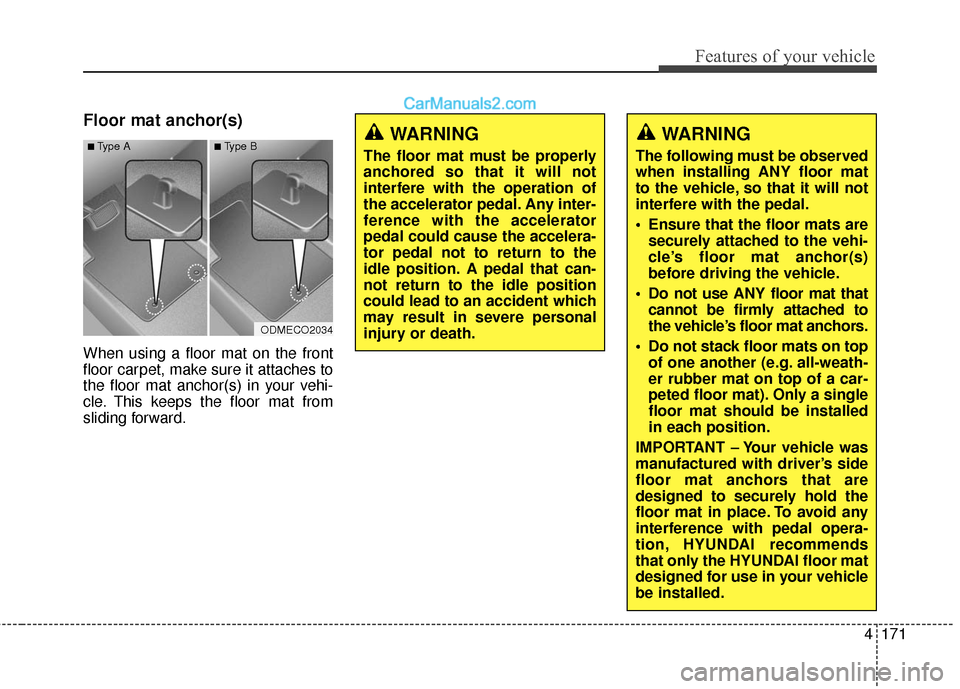
Floor mat anchor(s)
When using a floor mat on the front
floor carpet, make sure it attaches to
the floor mat anchor(s) in your vehi-
cle. This keeps the floor mat from
sliding forward.
WARNING
The following must be observed
when installing ANY floor mat
to the vehicle, so that it will not
interfere with the pedal.
Ensure that the floor mats aresecurely attached to the vehi-
cle’s floor mat anchor(s)
before driving the vehicle.
Do not use ANY floor mat that cannot be firmly attached to
the vehicle’s floor mat anchors.
Do not stack floor mats on top of one another (e.g. all-weath-
er rubber mat on top of a car-
peted floor mat). Only a single
floor mat should be installed
in each position.
IMPORTANT – Your vehicle was
manufactured with driver’s side
floor mat anchors that are
designed to securely hold the
floor mat in place. To avoid any
interference with pedal opera-
tion, HYUNDAI recommends
that only the HYUNDAI floor mat
designed for use in your vehicle
be installed.
WARNING
The floor mat must be properly
anchored so that it will not
interfere with the operation of
the accelerator pedal. Any inter-
ference with the accelerator
pedal could cause the accelera-
tor pedal not to return to the
idle position. A pedal that can-
not return to the idle position
could lead to an accident which
may result in severe personal
injury or death.
ODMECO2034
■Type A■Type B
Page 276 of 569
4173
Features of your vehicle
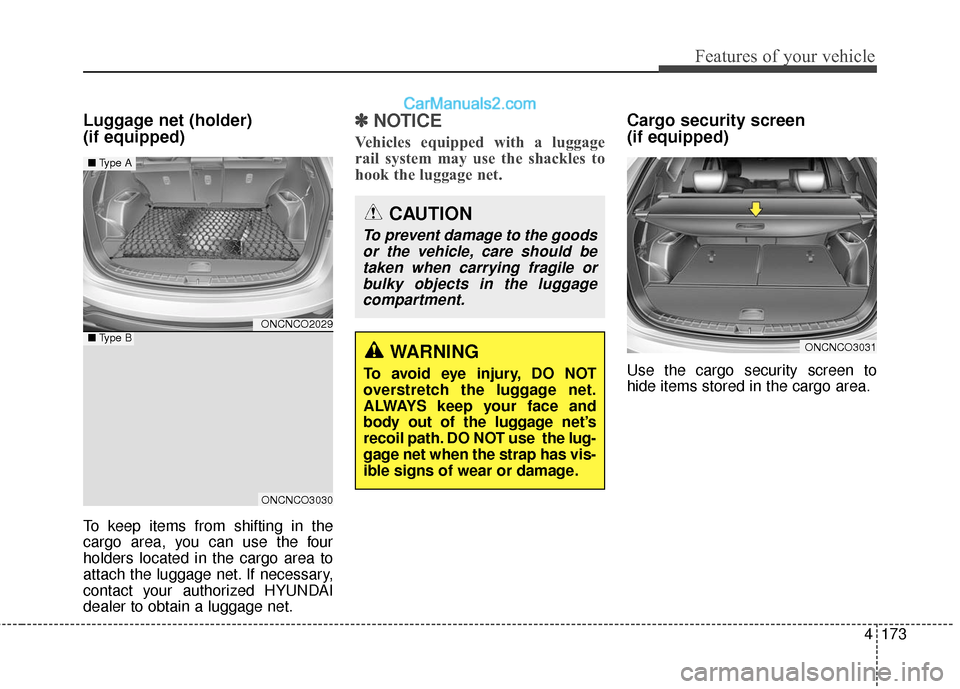
Luggage net (holder)
(if equipped)
To keep items from shifting in the
cargo area, you can use the four
holders located in the cargo area to
attach the luggage net. If necessary,
contact your authorized HYUNDAI
dealer to obtain a luggage net.
✽ ✽NOTICE
Vehicles equipped with a luggage
rail system may use the shackles to
hook the luggage net.
Cargo security screen
(if equipped)
Use the cargo security screen to
hide items stored in the cargo area.
WARNING
To avoid eye injury, DO NOT
overstretch the luggage net.
ALWAYS keep your face and
body out of the luggage net’s
recoil path. DO NOT use the lug-
gage net when the strap has vis-
ible signs of wear or damage.
CAUTION
To prevent damage to the goods
or the vehicle, care should betaken when carrying fragile orbulky objects in the luggagecompartment.
ONCNCO3031
ONCNCO2029
ONCNCO3030
■ Type A
■Type B
Page 277 of 569
Features of your vehicle
174
4
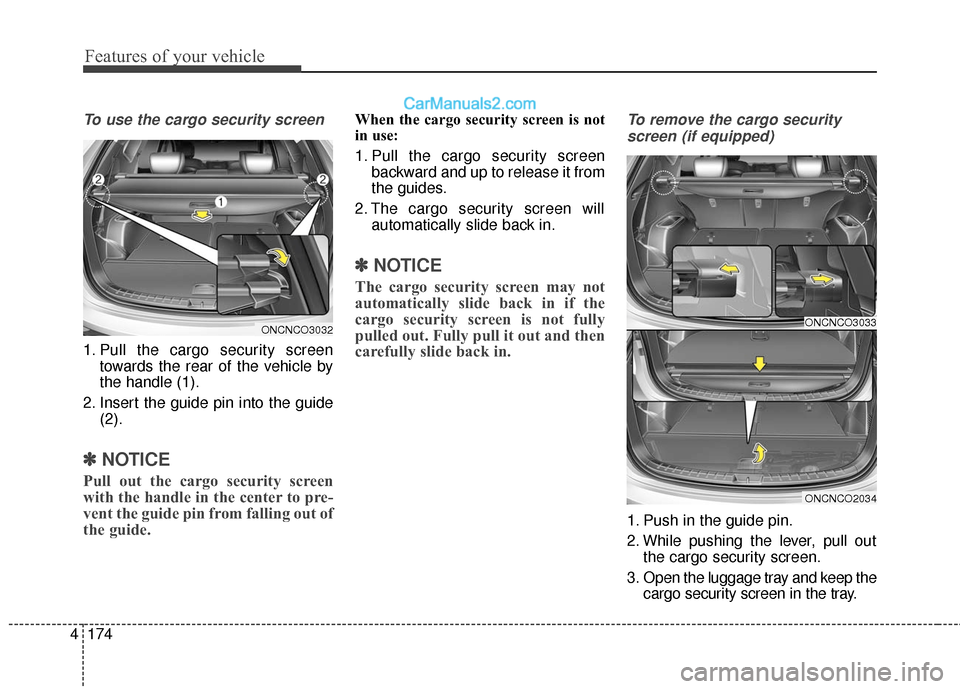
To use the cargo security screen
1. Pull the cargo security screen
towards the rear of the vehicle by
the handle (1).
2. Insert the guide pin into the guide (2).
✽ ✽NOTICE
Pull out the cargo security screen
with the handle in the center to pre-
vent the guide pin from falling out of
the guide.
When the cargo security screen is not
in use:
1. Pull the cargo security screen
backward and up to release it from
the guides.
2. The cargo security screen will automatically slide back in.
✽ ✽NOTICE
The cargo security screen may not
automatically slide back in if the
cargo security screen is not fully
pulled out. Fully pull it out and then
carefully slide back in.
To remove the cargo security
screen (if equipped)
1. Push in the guide pin.
2. While pushing the lever, pull out the cargo security screen.
3. Open the luggage tray and keep the cargo security screen in the tray.
ONCNCO3033
ONCNCO2034
ONCNCO3032
Page 278 of 569
4175
Features of your vehicle
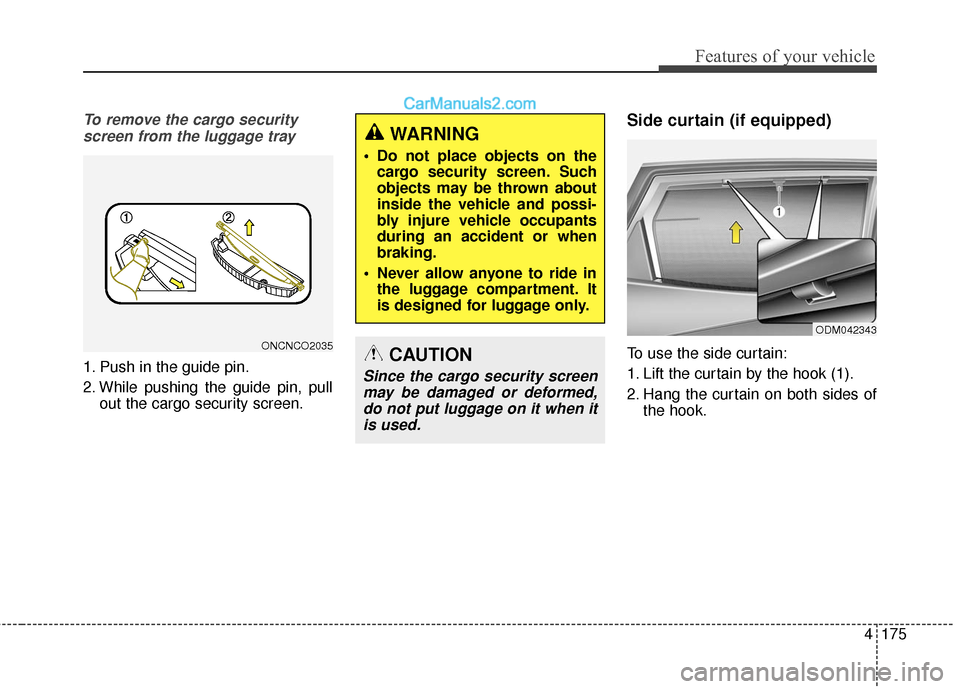
To remove the cargo securityscreen from the luggage tray
1. Push in the guide pin.
2. While pushing the guide pin, pull out the cargo security screen.
Side curtain (if equipped)
To use the side curtain:
1. Lift the curtain by the hook (1).
2. Hang the curtain on both sides ofthe hook.
WARNING
Do not place objects on thecargo security screen. Such
objects may be thrown about
inside the vehicle and possi-
bly injure vehicle occupants
during an accident or when
braking.
Never allow anyone to ride in the luggage compartment. It
is designed for luggage only.
CAUTION
Since the cargo security screenmay be damaged or deformed,do not put luggage on it when itis used.
ODM042343
ONCNCO2035
Page 279 of 569
EXTERIOR FEATURES
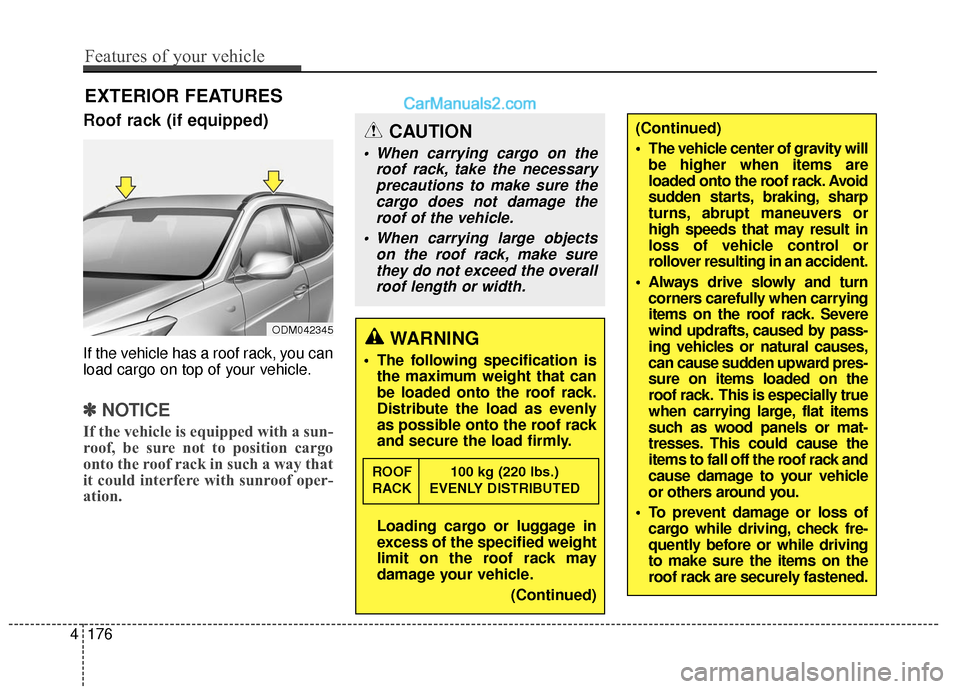
Roof rack (if equipped)
If the vehicle has a roof rack, you can
load cargo on top of your vehicle.
✽ ✽NOTICE
If the vehicle is equipped with a sun-
roof, be sure not to position cargo
onto the roof rack in such a way that
it could interfere with sunroof oper-
ation.
CAUTION
When carrying cargo on the
roof rack, take the necessaryprecautions to make sure thecargo does not damage theroof of the vehicle.
When carrying large objects on the roof rack, make surethey do not exceed the overallroof length or width.
WARNING
The following specification is the maximum weight that can
be loaded onto the roof rack.
Distribute the load as evenly
as possible onto the roof rack
and secure the load firmly.
Loading cargo or luggage in
excess of the specified weight
limit on the roof rack may
damage your vehicle.
(Continued)
ROOF 100 kg (220 lbs.)
RACK EVENLY DISTRIBUTED
ODM042345
(Continued)
The vehicle center of gravity willbe higher when items are
loaded onto the roof rack. Avoid
sudden starts, braking, sharp
turns, abrupt maneuvers or
high speeds that may result in
loss of vehicle control or
rollover resulting in an accident.
Always drive slowly and turn corners carefully when carrying
items on the roof rack. Severe
wind updrafts, caused by pass-
ing vehicles or natural causes,
can cause sudden upward pres-
sure on items loaded on the
roof rack. This is especially true
when carrying large, flat items
such as wood panels or mat-
tresses. This could cause the
items to fall off the roof rack and
cause damage to your vehicle
or others around you.
To prevent damage or loss of cargo while driving, check fre-
quently before or while driving
to make sure the items on the
roof rack are securely fastened.
4176
Features of your vehicle
Page 310 of 569
Driving your vehicle
18
5
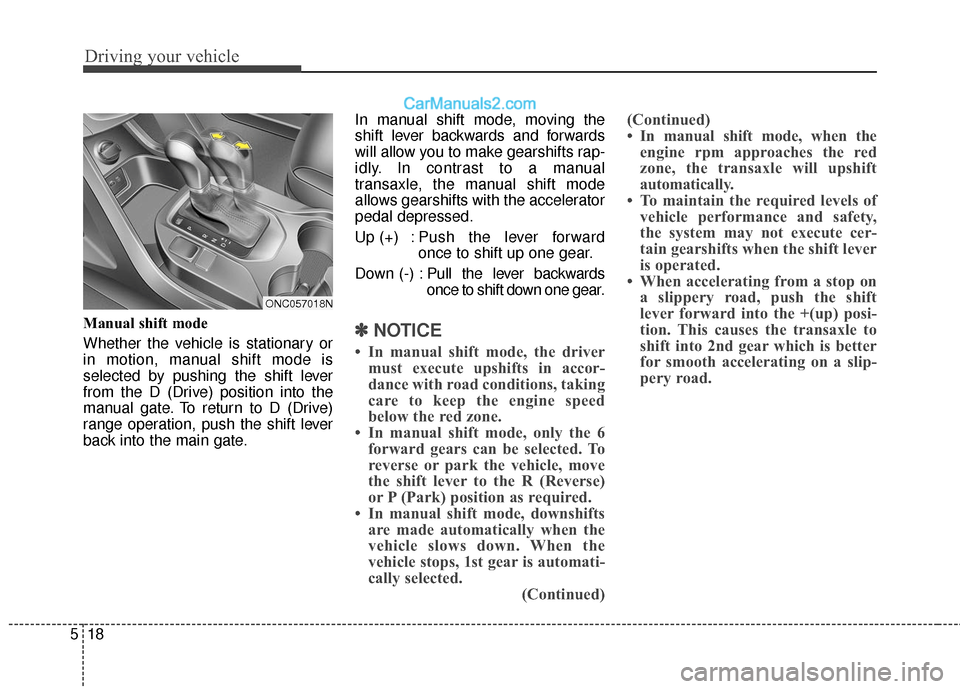
Manual shift mode
Whether the vehicle is stationary or
in motion, manual shift mode is
selected by pushing the shift lever
from the D (Drive) position into the
manual gate. To return to D (Drive)
range operation, push the shift lever
back into the main gate. In manual shift mode, moving the
shift lever backwards and forwards
will allow you to make gearshifts rap-
idly. In contrast to a manual
transaxle, the manual shift mode
allows gearshifts with the accelerator
pedal depressed.
Up (+) : Push the lever forward
once to shift up one gear.
Down (-) : Pull the lever backwards
once to shift down one gear.✽ ✽
NOTICE
• In manual shift mode, the driver
must execute upshifts in accor-
dance with road conditions, taking
care to keep the engine speed
below the red zone.
• In manual shift mode, only the 6 forward gears can be selected. To
reverse or park the vehicle, move
the shift lever to the R (Reverse)
or P (Park) position as required.
• In manual shift mode, downshifts are made automatically when the
vehicle slows down. When the
vehicle stops, 1st gear is automati-
cally selected. (Continued)(Continued)
• In manual shift mode, when the
engine rpm approaches the red
zone, the transaxle will upshift
automatically.
• To maintain the required levels of vehicle performance and safety,
the system may not execute cer-
tain gearshifts when the shift lever
is operated.
• When accelerating from a stop on a slippery road, push the shift
lever forward into the +(up) posi-
tion. This causes the transaxle to
shift into 2nd gear which is better
for smooth accelerating on a slip-
pery road.
ONC057018N
Page 326 of 569
Driving your vehicle
34
5
If the parking brake does not release
or does not release all the way, have
the system checked by an authorized
HYUNDAI dealer.
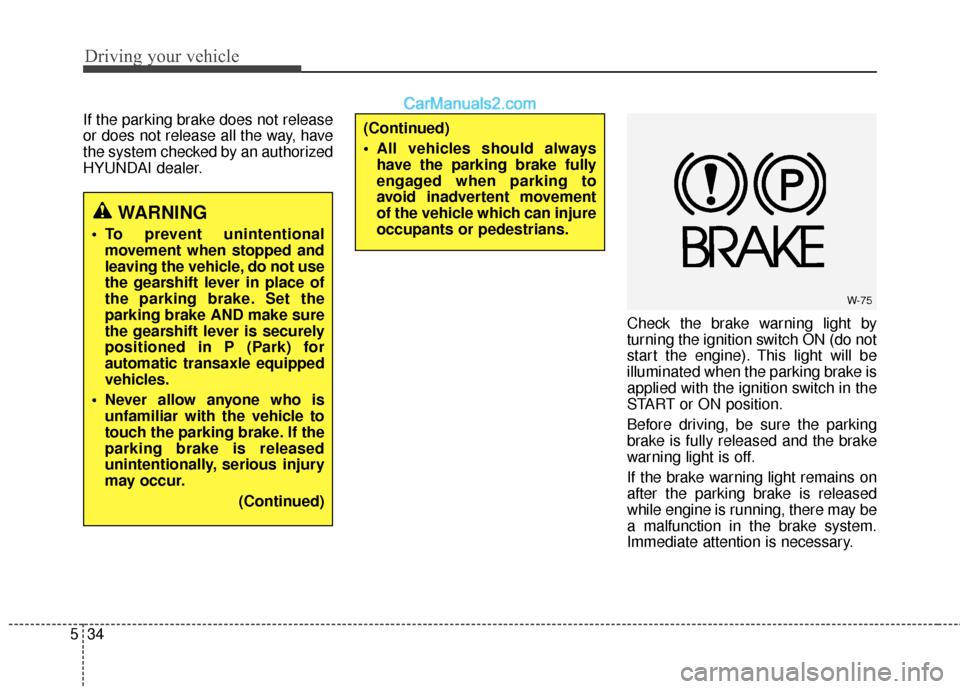
Check the brake warning light by
turning the ignition switch ON (do not
start the engine). This light will be
illuminated when the parking brake is
applied with the ignition switch in the
START or ON position.
Before driving, be sure the parking
brake is fully released and the brake
warning light is off.
If the brake warning light remains on
after the parking brake is released
while engine is running, there may be
a malfunction in the brake system.
Immediate attention is necessary.
WARNING
To prevent unintentionalmovement when stopped and
leaving the vehicle, do not use
the gearshift lever in place of
the parking brake. Set the
parking brake AND make sure
the gearshift lever is securely
positioned in P (Park) for
automatic transaxle equipped
vehicles.
Never allow anyone who is unfamiliar with the vehicle to
touch the parking brake. If the
parking brake is released
unintentionally, serious injury
may occur.
(Continued)
(Continued)
All vehicles should alwayshave the parking brake fully
engaged when parking to
avoid inadvertent movement
of the vehicle which can injure
occupants or pedestrians.
W-75
Page 330 of 569
Driving your vehicle
38
5
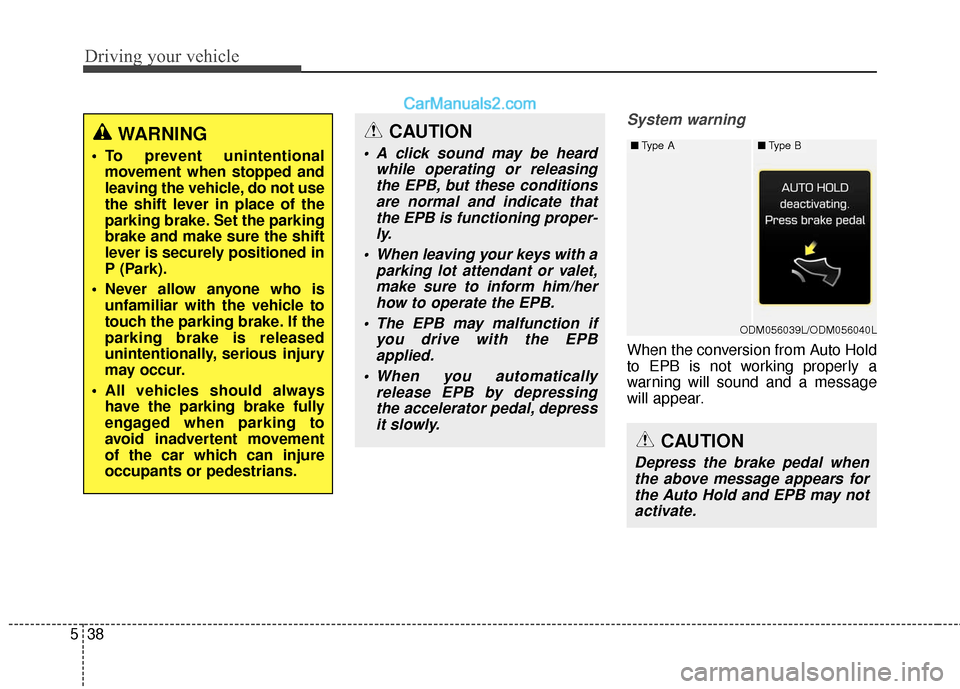
System warning
When the conversion from Auto Hold
to EPB is not working properly a
warning will sound and a message
will appear.
WARNING
To prevent unintentional
movement when stopped and
leaving the vehicle, do not use
the shift lever in place of the
parking brake. Set the parking
brake and make sure the shift
lever is securely positioned in
P (Park).
Never allow anyone who is unfamiliar with the vehicle to
touch the parking brake. If the
parking brake is released
unintentionally, serious injury
may occur.
All vehicles should always have the parking brake fully
engaged when parking to
avoid inadvertent movement
of the car which can injure
occupants or pedestrians.
CAUTION
A click sound may be heard while operating or releasingthe EPB, but these conditionsare normal and indicate thatthe EPB is functioning proper-ly.
When leaving your keys with a parking lot attendant or valet,make sure to inform him/herhow to operate the EPB.
The EPB may malfunction if you drive with the EPBapplied.
When you automatically release EPB by depressingthe accelerator pedal, depressit slowly.
CAUTION
Depress the brake pedal whenthe above message appears forthe Auto Hold and EPB may notactivate.
ODM056039L/ODM056040L
■ Type A■Type B