key Hyundai Santa Fe 2017 Workshop Manual
[x] Cancel search | Manufacturer: HYUNDAI, Model Year: 2017, Model line: Santa Fe, Model: Hyundai Santa Fe 2017Pages: 569, PDF Size: 16.88 MB
Page 288 of 569
4185
Features of your vehicle
(Continued)
• If you disconnect the externalUSB device during playback in
USB mode, the external USB
device can be damaged or may
malfunction. Therefore, discon-
nect the external USB device
when the audio is turned off or
in another mode. (e.g, Radio,
CD)
• Depending on the type and capacity of the external USB
device or the type of the files
stored in the device, there is a
difference in the time taken for
recognition of the device.
• Do not use the USB device for purposes other than playing
music files.
• Playing videos through the USB is not supported.
• Use of USB accessories such as rechargers or heaters using USB
I/F may lower performance or
cause trouble. (Continued) (Continued)
• Some USB flash memory read-
ers (such as CF, SD, micro SD,
etc.) or external-HDD type
devices can be unrecognizable.
• Music files protected by DRM (DIGITAL RIGHTS MANAGE-
MENT) are not recognizable.
• The data in the USB memory may be lost while using this
audio. Always back up impor-
tant data on a personal storage
device.
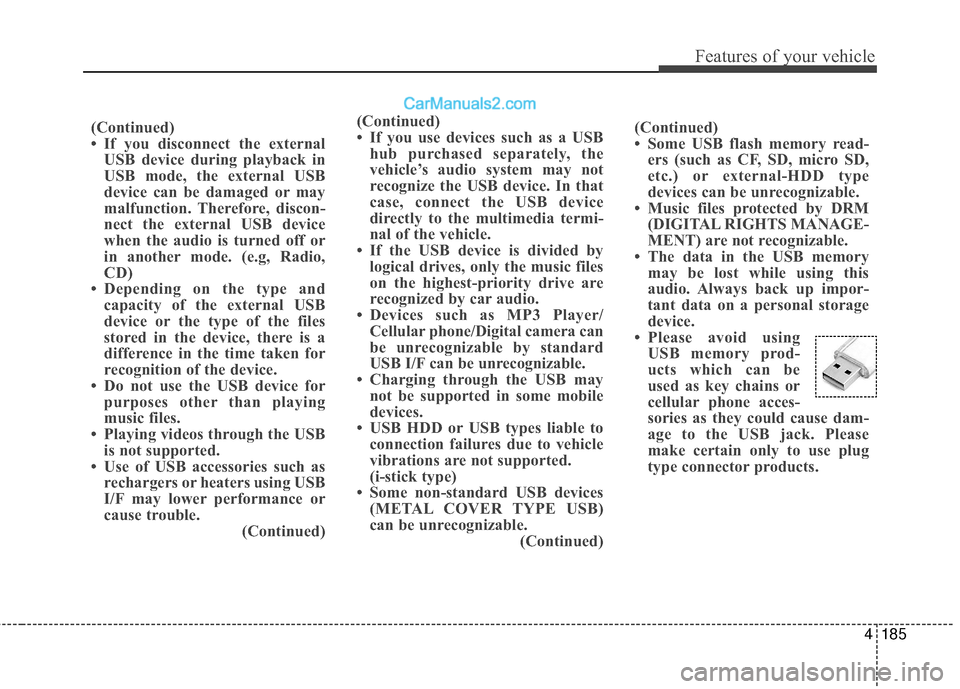
• Please avoid using USB memory prod-
ucts which can be
used as key chains or
cellular phone acces-
sories as they could cause dam-
age to the USB jack. Please
make certain only to use plug
type connector products.
(Continued)
• If you use devices such as a USB
hub purchased separately, the
vehicle’s audio system may not
recognize the USB device. In that
case, connect the USB device
directly to the multimedia termi-
nal of the vehicle.
• If the USB device is divided by logical drives, only the music files
on the highest-priority drive are
recognized by car audio.
• Devices such as MP3 Player/ Cellular phone/Digital camera can
be unrecognizable by standard
USB I/F can be unrecognizable.
• Charging through the USB may not be supported in some mobile
devices.
• USB HDD or USB types liable to connection failures due to vehicle
vibrations are not supported.
(i-stick type)
• Some non-standard USB devices (METAL COVER TYPE USB)
can be unrecognizable. (Continued)
Page 292 of 569
4189
Features of your vehicle
✽
✽NOTICE - USING THE Voice
Recognition
• When using the voice recognition feature, only commands listed
within the user's manual are sup-
ported.
• Be aware that during the opera- tion of the voice recognition sys-
tem, pressing any key other than
the key terminate voice recog-
nition mode.
• For superior voice recognition performance, position the micro-
phone used for voice recognition
above the head of the driver’s seat
and maintain a proper position
when saying commands.
• Within the following situations, voice recognition may not function
properly due to background noises
which may be picked up by the
overhead microphone.
- When the windows and sunroofare open
- When the heating and air condi- tioning fan blower speed is high
- When entering and passing through tunnels (Continued)(Continued)
- When driving on rugged anduneven roads
- During severe rain (heavy rains, windstorms)
• Phone related voice commands can be used only when a
Bluetooth
®Wireless Technology
device is connected.
• When making calls by stating a name, the corresponding contact
must be downloaded and stored
within the audio system.
• After downloading the Bluetooth
®
Wireless Technology phone book,
it takes some times to convert the
phone book data into voice infor-
mation. During this time, voice
recognition may not properly
operate.
• Pronounce the voice commands naturally and clearly as if in a nor-
mal conversation.
Page 293 of 569
Driving your vehicle
Before driving . . . . . . . . . . . . . . . . . . . . . . . . . . . . . . 5-4
• Before entering vehicle . . . . . . . . . . . . . . . . . . . . . . . . . 5-4
. . . . . . . . . . . . . . . . . . . . . . . . . . 5-4
. . . . . . . . . . . . . . . . . . . . . . . . . . . . . . . . 5-5
Key positions . . . . . . . . . . . . . . . . . . . . . . . . . . . . . . . 5-7
. . . . . . . . . . . . . . . . . . . . . . 5-7
. . . . . . . . . . . . . . . . . . . . . . . . . 5-7
. . . . . . . . . . . . . . . . . . . . . . . . . . . . 5-9
Engine start/stop button . . . . . . . . . . . . . . . . . . . . 5-10
. . . . . . . . . . . . . 5-10
. . . . . . . . . . . . . . . . . . . . . . . . . . . 5-13
Automatic transaxle . . . . . . . . . . . . . . . . . . . . . . . . 5-15
. . . . . . . . . . . . . . . . . . 5-15
. . . . . . . . . . . . . . . . . . . . . . . . 5-20
All Wheel Drive (AWD) . . . . . . . . . . . . . . . . . . . . . 5-22
. . . . . . . . . . . . . . . . . . . . . . 5-22
. . . 5-23
. . . . . . . . . . . . . . . 5-24
. . . . . . . . . . . . . . . . . 5-27
Drive mode integrated control system . . . . . . . . . 5-29
Brake system . . . . . . . . . . . . . . . . . . . . . . . . . . . . . . 5-31
. . . . . . . . . . . . . . . . . . . . . . . . . . . . . . . . 5-31
. . . . . . . . . . . . . . . . . . . . 5-32 . . . . . . . . . . . . . . . . . . . . . . . . . . . . . . . 5-33
. . . . . . . . . . . . . . . . 5-35
. . . . . . . . . . . . . . . . . . . . . . . . . . . 5-40
. . . . . . . . . . . . . . . . . . . . . . . . . . . . . . . . . . . 5-\
41
. . . . . . . . . . . . . . . . . 5-44
. . . . . . . . . . . . . . 5-46
. . . . . . . . . . . . 5-50
. . . . . . . . . . . . . . . . . 5-51
. . . . . . . . . . . . . . . . . 5-53
Automatic emergency braking (AEB) . . . . . . . . . 5-56
Cruise control system. . . . . . . . . . . . . . . . . . . . . . . 5-67
Advanced smart cruise control system. . . . . . . . . 5-72
Blind spot detection system (BSD) . . . . . . . . . . . . 5-88
LCA (Lane Change Assist) . . . . . . . . . . . . . . . . . . . 5-89
Lane departure warning system (LDWS) . . . . . . 5-96
Active ECO system. . . . . . . . . . . . . . . . . . . . . . . . 5-100
Economical operation . . . . . . . . . . . . . . . . . . . . . 5-101
5
Page 299 of 569
57
Driving your vehicle
Illuminated ignition switch
(if equipped)
Whenever a front door is opened, the
ignition switch will be illuminated for
your convenience, provided the igni-
tion switch is not in the ON position.
The light will go off immediately
when the ignition switch is turned on
or go off after about 30 seconds
when the door is closed.
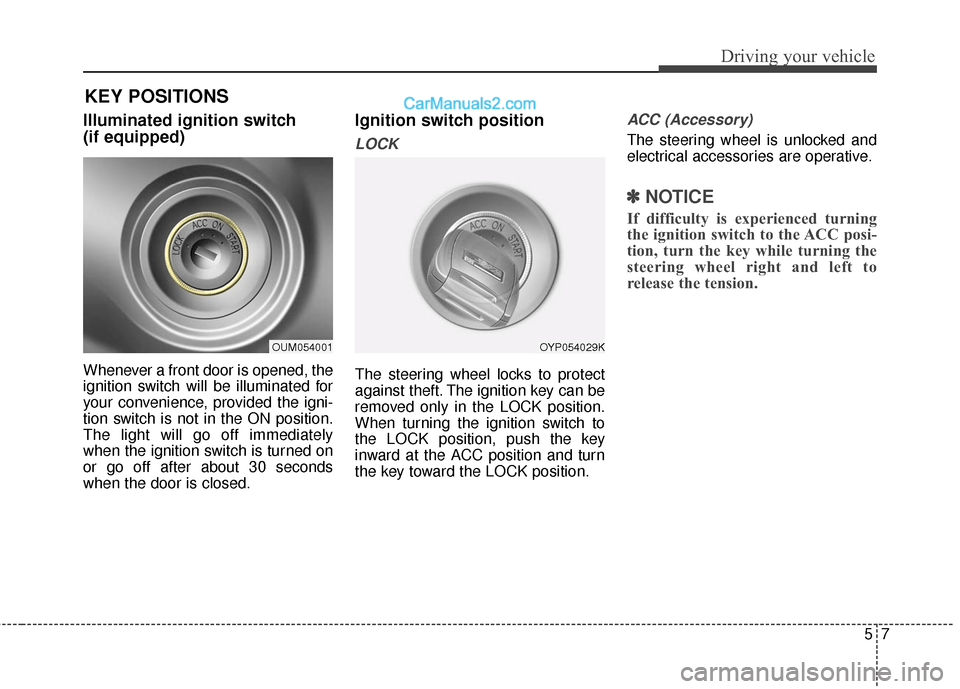
Ignition switch position
LOCK
The steering wheel locks to protect
against theft. The ignition key can be
removed only in the LOCK position.
When turning the ignition switch to
the LOCK position, push the key
inward at the ACC position and turn
the key toward the LOCK position.
ACC (Accessory)
The steering wheel is unlocked and
electrical accessories are operative.
✽ ✽NOTICE
If difficulty is experienced turning
the ignition switch to the ACC posi-
tion, turn the key while turning the
steering wheel right and left to
release the tension.
OUM054001OYP054029K
KEY POSITIONS
Page 300 of 569
Driving your vehicle
85
ON
The warning lights can be checked
before the engine is started. This is
the normal running position after the
engine is started.
Do not leave the ignition switch ON ifthe engine is not running to preventbattery discharge.
START
Turn the ignition switch to the START
position to start the engine. The
engine will crank until you release
the key; then it returns to the ON
position. The brake warning light can
be checked in this position.
WARNING - Ignition key
Never turn the ignition switch to LOCK or ACC while the
vehicle is moving. This would
result in loss of directional
control and braking function,
which could cause an acci-
dent.
The anti-theft steering column lock is not a substitute for the
parking brake. Before leaving
the driver’s seat, always make
sure the shift lever is engaged
in P (Park), set the parking
brake fully and shut the
engine off. Unexpected and
sudden vehicle movement
may occur if these precau-
tions are not taken.
(Continued)(Continued)
Never reach for the ignitionswitch, or any other controls
through the steering wheel
while the vehicle is in motion.
The presence of your hand or
arm in this area could cause a
loss of vehicle control, an
accident and serious bodily
injury or death.
Do not place any movable objects around the driver’s
seat as they may move while
driving, interfere with the driv-
er and lead to an accident.
Page 301 of 569
59
Driving your vehicle
Starting the engine
1. Make sure the parking brake isapplied.
2. Place the transaxle shift lever in P (Park). Depress the brake pedal
fully.
You can also start the enginewhen the shift lever is in the N(Neutral) position.
3. Turn the ignition switch to START and hold it there until the engine
starts (a maximum of 10 sec-
onds), then release the key.
It should be started withoutdepressing the accelerator pedal.
4. Do not wait for the engine to warm up while the vehicle remains sta-
tionary.
Start driving at moderate engine
speeds. (Steep accelerating and
decelerating should be avoided.)
WARNING
Always wear appropriate shoes
when operating your vehicle.
Unsuitable shoes (high heels,
ski boots,etc.) may interfere
with your ability to use the
brake or the accelerator pedal.
CAUTION
If the engine stalls while you arein motion, do not attempt tomove the shift lever to the P(Park) position. If traffic androad conditions permit, you mayput the shift lever in the N(Neutral) position while thevehicle is still moving and turnthe ignition switch to the STARTposition in an attempt to restartthe engine.
CAUTION
Do not engage the starter formore than 10 seconds. If theengine stalls or fails to start,wait 5 to 10 seconds before re-engaging the starter. Improperuse of the starter may damageit.
Page 305 of 569
513
Driving your vehicle
Starting the engine
1. Carry the smart key or leave itinside the vehicle.
2. Make sure the parking brake is firmly applied.
3. Place the transaxle shift lever in P (Park). Depress the brake pedal
fully.
You can also start the enginewhen the shift lever is in the N(Neutral) position.
4. Press the engine start/stop button.
It should be started without depress-
ing the accelerator pedal. 5. Do not wait for the engine to warm
up while the vehicle remains sta-
tionary.
Start driving at moderate engine
speeds. (Steep accelerating and
decelerating should be avoided.) Even if the smart key is in the vehi-
cle, if it is far away from you, the
engine may not start.
When the engine start/stop button is in the ACC position or above, if
any door is opened, the system
checks for the smart key. If the
smart key is not in the vehicle, the
" " indicator and a message
"Key is not in the vehicle" will
appear on the instrument cluster
and LCD display. And if all doors
are closed, the chime will sound for
5 seconds. The indicator or warn-
ing will turn off while the vehicle is
moving. Always have the smart key
with you.
WARNING
The engine will start, only when
the smart key is in the vehicle.
Never allow children or any per-
son who is unfamiliar with the
vehicle to press the engine
start/stop button or related
parts.
WARNING
Always wear appropriate shoes
when operating your vehicle.
Unsuitable shoes (high heels,
ski boots,etc.) may interfere with
your ability to use the brake,
accelerator pedal.
Page 306 of 569
Driving your vehicle
14
5
✽
✽
NOTICE
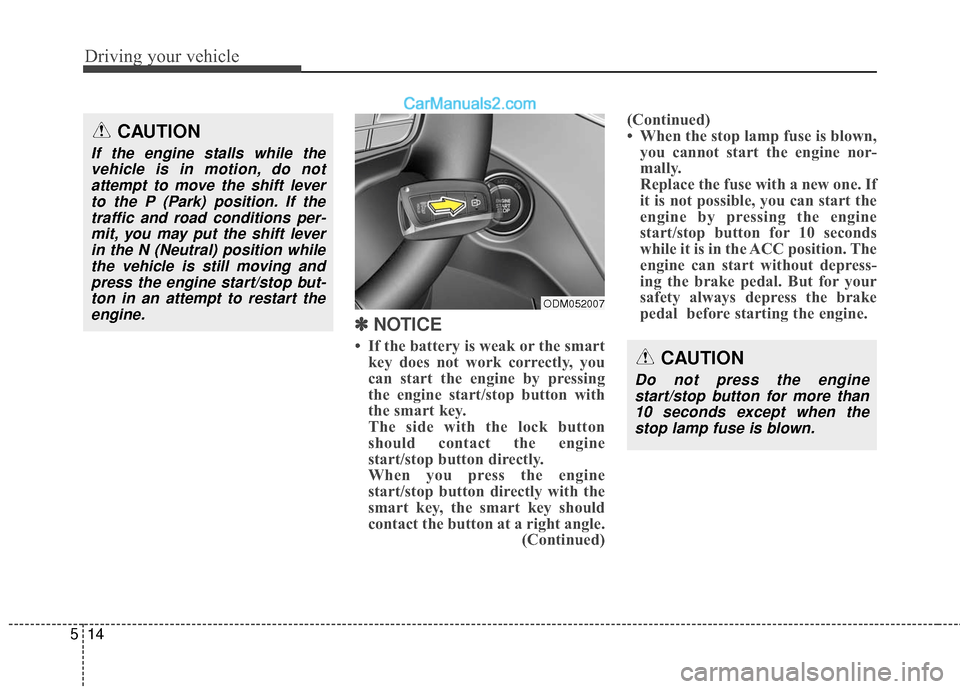
• If the battery is weak or the smart
key does not work correctly, you
can start the engine by pressing
the engine start/stop button with
the smart key.
The side with the lock button
should contact the engine
start/stop button directly.
When you press the engine
start/stop button directly with the
smart key, the smart key should
contact the button at a right angle. (Continued)(Continued)
• When the stop lamp fuse is blown,
you cannot start the engine nor-
mally.
Replace the fuse with a new one. If
it is not possible, you can start the
engine by pressing the engine
start/stop button for 10 seconds
while it is in the ACC position. The
engine can start without depress-
ing the brake pedal. But for your
safety always depress the brake
pedal before starting the engine.
CAUTION
If the engine stalls while the
vehicle is in motion, do notattempt to move the shift leverto the P (Park) position. If thetraffic and road conditions per-mit, you may put the shift leverin the N (Neutral) position whilethe vehicle is still moving andpress the engine start/stop but-ton in an attempt to restart theengine.
CAUTION
Do not press the enginestart/stop button for more than10 seconds except when thestop lamp fuse is blown.
ODM052007
Page 311 of 569
519
Driving your vehicle
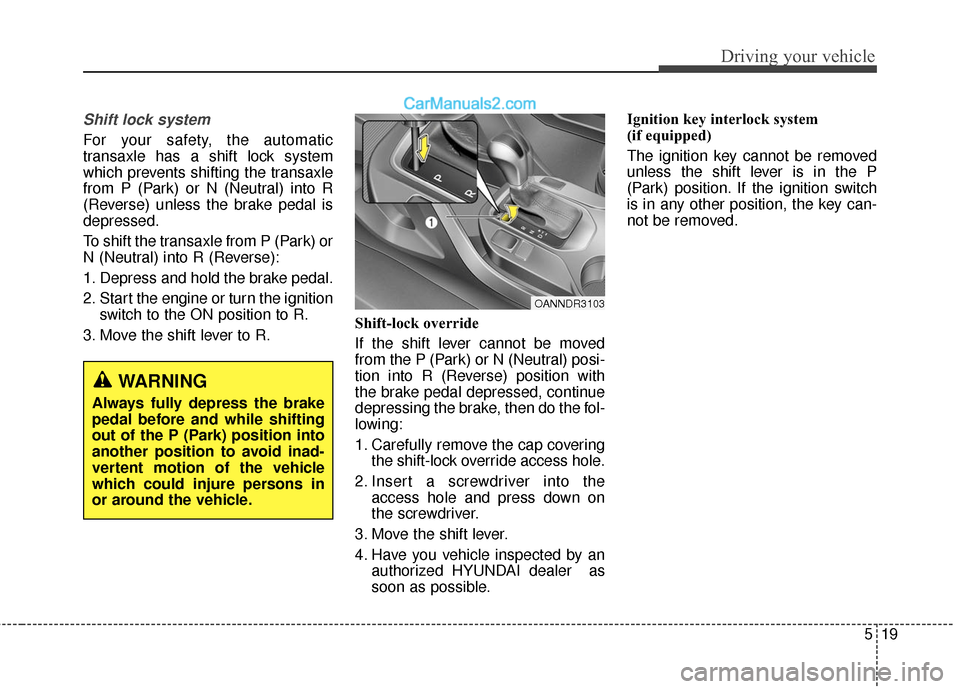
Shift lock system
For your safety, the automatic
transaxle has a shift lock system
which prevents shifting the transaxle
from P (Park) or N (Neutral) into R
(Reverse) unless the brake pedal is
depressed.
To shift the transaxle from P (Park) or
N (Neutral) into R (Reverse):
1. Depress and hold the brake pedal.
2. Start the engine or turn the ignitionswitch to the ON position to R.
3. Move the shift lever to R. Shift-lock override
If the shift lever cannot be moved
from the P (Park) or N (Neutral) posi-
tion into R (Reverse) position with
the brake pedal depressed, continue
depressing the brake, then do the fol-
lowing:
1. Carefully remove the cap covering
the shift-lock override access hole.
2. Insert a screwdriver into the access hole and press down on
the screwdriver.
3. Move the shift lever.
4. Have you vehicle inspected by an authorized HYUNDAI dealer as
soon as possible. Ignition key interlock system
(if equipped)
The ignition key cannot be removed
unless the shift lever is in the P
(Park) position. If the ignition switch
is in any other position, the key can-
not be removed.
WARNING
Always fully depress the brake
pedal before and while shifting
out of the P (Park) position into
another position to avoid inad-
vertent motion of the vehicle
which could injure persons in
or around the vehicle.
OANNDR3103
Page 330 of 569
Driving your vehicle
38
5
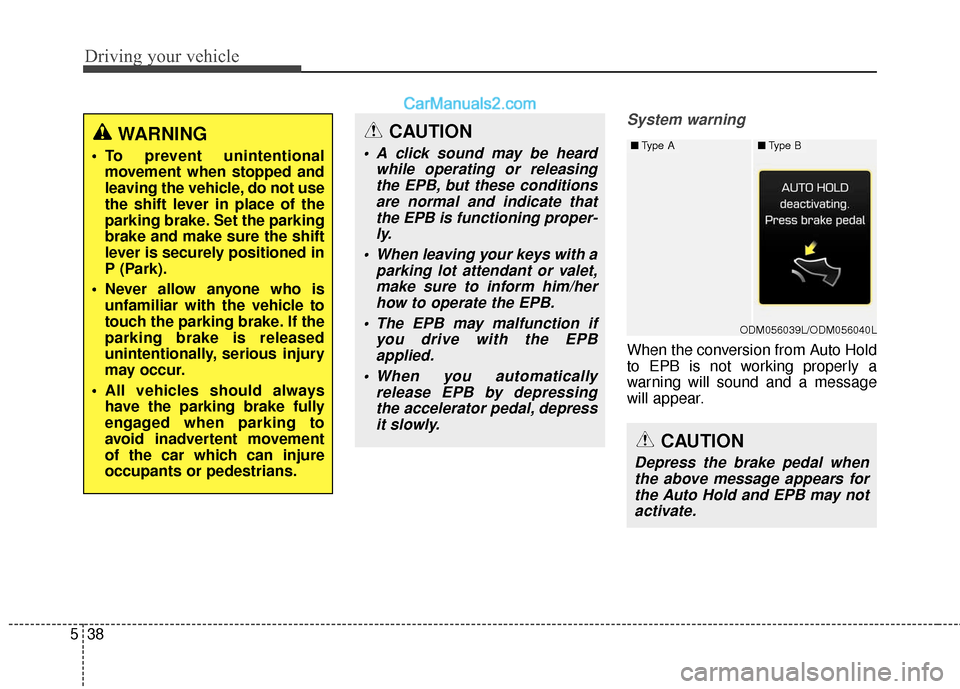
System warning
When the conversion from Auto Hold
to EPB is not working properly a
warning will sound and a message
will appear.
WARNING
To prevent unintentional
movement when stopped and
leaving the vehicle, do not use
the shift lever in place of the
parking brake. Set the parking
brake and make sure the shift
lever is securely positioned in
P (Park).
Never allow anyone who is unfamiliar with the vehicle to
touch the parking brake. If the
parking brake is released
unintentionally, serious injury
may occur.
All vehicles should always have the parking brake fully
engaged when parking to
avoid inadvertent movement
of the car which can injure
occupants or pedestrians.
CAUTION
A click sound may be heard while operating or releasingthe EPB, but these conditionsare normal and indicate thatthe EPB is functioning proper-ly.
When leaving your keys with a parking lot attendant or valet,make sure to inform him/herhow to operate the EPB.
The EPB may malfunction if you drive with the EPBapplied.
When you automatically release EPB by depressingthe accelerator pedal, depressit slowly.
CAUTION
Depress the brake pedal whenthe above message appears forthe Auto Hold and EPB may notactivate.
ODM056039L/ODM056040L
■ Type A■Type B