light Hyundai Santa Fe 2018 Owner's Manual
[x] Cancel search | Manufacturer: HYUNDAI, Model Year: 2018, Model line: Santa Fe, Model: Hyundai Santa Fe 2018Pages: 570, PDF Size: 16.8 MB
Page 354 of 570
Driving your vehicle
62
5
System malfunction
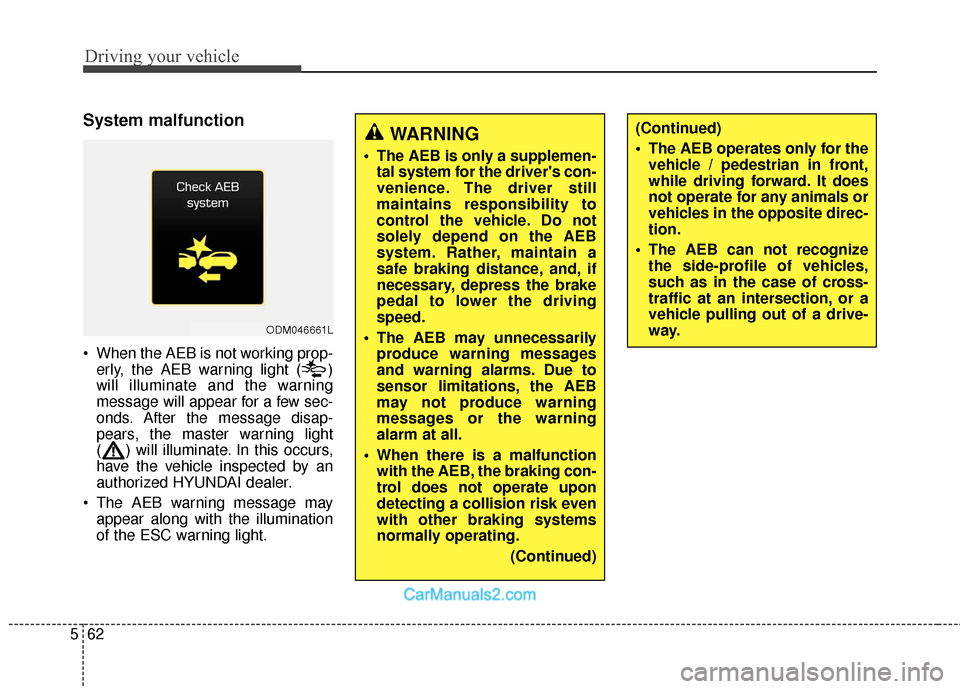
When the AEB is not working prop-
erly, the AEB warning light ( )
will illuminate and the warning
message will appear for a few sec-
onds. After the message disap-
pears, the master warning light
( ) will illuminate. In this occurs,
have the vehicle inspected by an
authorized HYUNDAI dealer.
The AEB warning message may appear along with the illumination
of the ESC warning light.
ODM046661L
WARNING
The AEB is only a supplemen-tal system for the driver's con-
venience. The driver still
maintains responsibility to
control the vehicle. Do not
solely depend on the AEB
system. Rather, maintain a
safe braking distance, and, if
necessary, depress the brake
pedal to lower the driving
speed.
The AEB may unnecessarily produce warning messages
and warning alarms. Due to
sensor limitations, the AEB
may not produce warning
messages or the warning
alarm at all.
When there is a malfunction with the AEB, the braking con-
trol does not operate upon
detecting a collision risk even
with other braking systems
normally operating.
(Continued)
(Continued)
The AEB operates only for thevehicle / pedestrian in front,
while driving forward. It does
not operate for any animals or
vehicles in the opposite direc-
tion.
The AEB can not recognize the side-profile of vehicles,
such as in the case of cross-
traffic at an intersection, or a
vehicle pulling out of a drive-
way.
Page 355 of 570
563
Driving your vehicle
Limitation of the system
The AEB monitors driving conditions
through the radar and the camera
sensor. For any vehicle activity
occurring outside the sensor's range
and field of view, the AEB may not be
able to react. The driver should exer-
cise caution in the following situa-
tions, as the AEB operation may be
limited:
Recognizing vehicles
- The radar or the camera isobscured by foreign substances.
- In heavy rain or snow
- There is electromagnetic interfer- ence.
- The object in front deflects the radar beam due to extreme angles
or an extremely irregular surface.
- The vehicle in front has a narrow body. (i.e. motor cycle and bicycle)
- The sysem cannot identify objects in front due to driving into the at
dusk/dawn, bright reflections, or
darkness. - The camera cannot fit the full out-
line of a vehicle in front.
- The vehicle in front has cargo extending beyond the back of the
vehicle or has a high ground clear-
ance.
- The vehicle in front does not turn ON the rear lights, does not have
rear lights, has asymmetric rear
lights, or has rear lights out of
angle.
- Outside brightness changes sud- dently, such as entering/exiting a
tunnel.
- Vehicle driving is erratic.
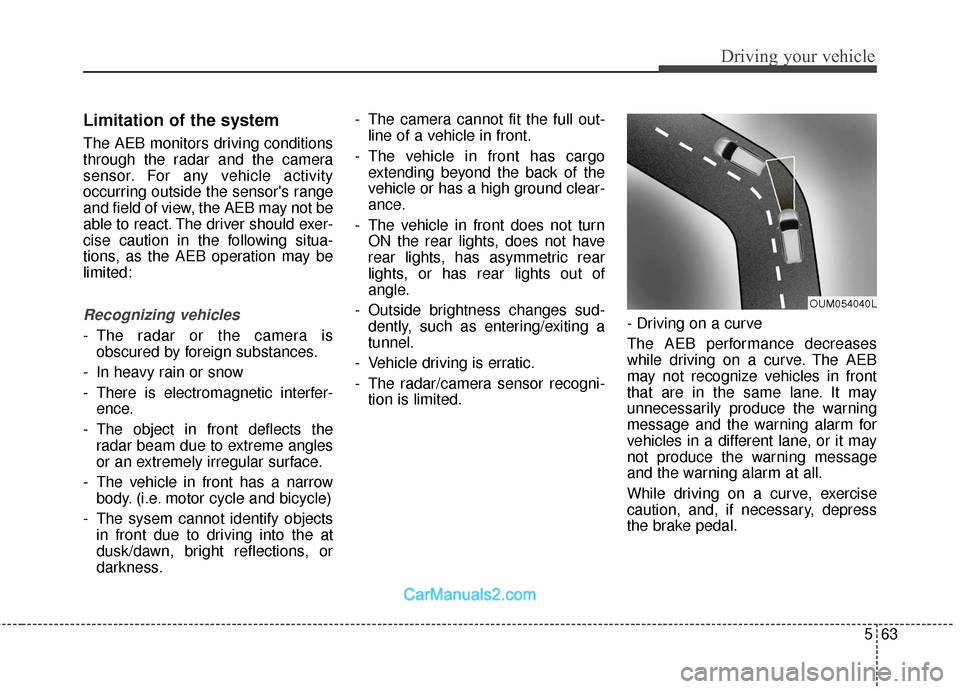
- The radar/camera sensor recogni- tion is limited. - Driving on a curve
The AEB performance decreases
while driving on a curve. The AEB
may not recognize vehicles in front
that are in the same lane. It may
unnecessarily produce the warning
message and the warning alarm for
vehicles in a different lane, or it may
not produce the warning message
and the warning alarm at all.
While driving on a curve, exercise
caution, and, if necessary, depress
the brake pedal.
OUM054040L
Page 359 of 570
567
Driving your vehicle
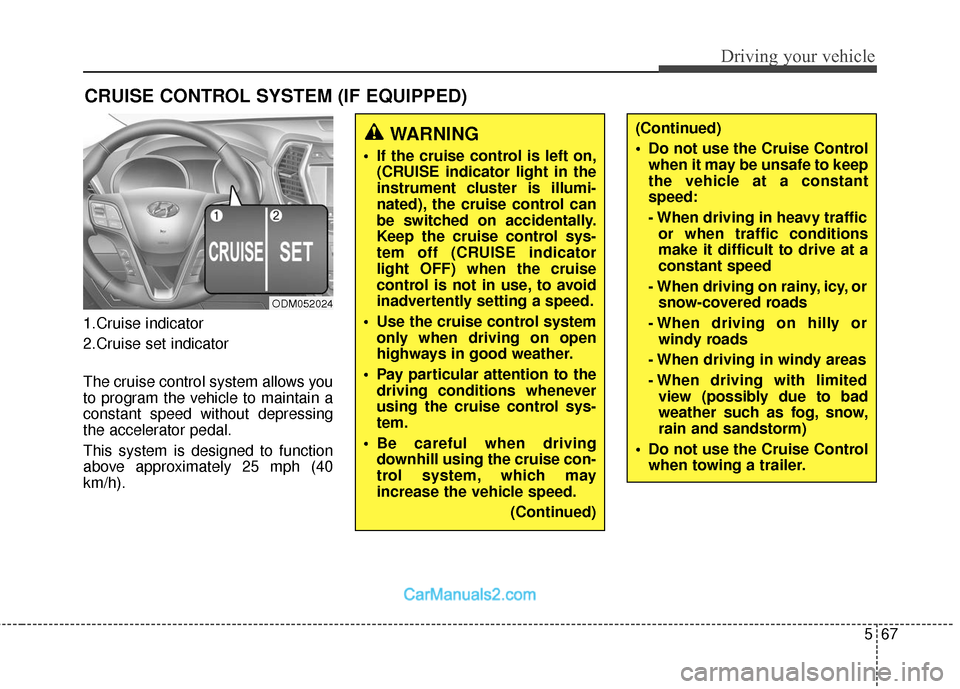
1.Cruise indicator
2.Cruise set indicator
The cruise control system allows you
to program the vehicle to maintain a
constant speed without depressing
the accelerator pedal.
This system is designed to function
above approximately 25 mph (40
km/h).
CRUISE CONTROL SYSTEM (IF EQUIPPED)
ODM052024
WARNING
If the cruise control is left on,(CRUISE indicator light in the
instrument cluster is illumi-
nated), the cruise control can
be switched on accidentally.
Keep the cruise control sys-
tem off (CRUISE indicator
light OFF) when the cruise
control is not in use, to avoid
inadvertently setting a speed.
Use the cruise control system only when driving on open
highways in good weather.
Pay particular attention to the driving conditions whenever
using the cruise control sys-
tem.
Be careful when driving downhill using the cruise con-
trol system, which may
increase the vehicle speed.
(Continued)
(Continued)
Do not use the Cruise Controlwhen it may be unsafe to keep
the vehicle at a constant
speed:
- When driving in heavy trafficor when traffic conditions
make it difficult to drive at a
constant speed
- When driving on rainy, icy, or snow-covered roads
- When driving on hilly or windy roads
- When driving in windy areas
- When driving with limited view (possibly due to bad
weather such as fog, snow,
rain and sandstorm)
Do not use the Cruise Control when towing a trailer.
Page 360 of 570
Driving your vehicle
68
5
✽
✽
NOTICE
• During normal cruise control
operation, when the SET switch is
activated or reactivated after
applying the brakes, the cruise
control will energize after approx-
imately 3 seconds. This delay is
normal.
• To activate cruise control, depress the brake pedal at least once after
turning the ignition switch to the
ON position or starting the engine.
This is to check if the brake switch
which is important part to cancel
cruise control is in normal condi-
tion.
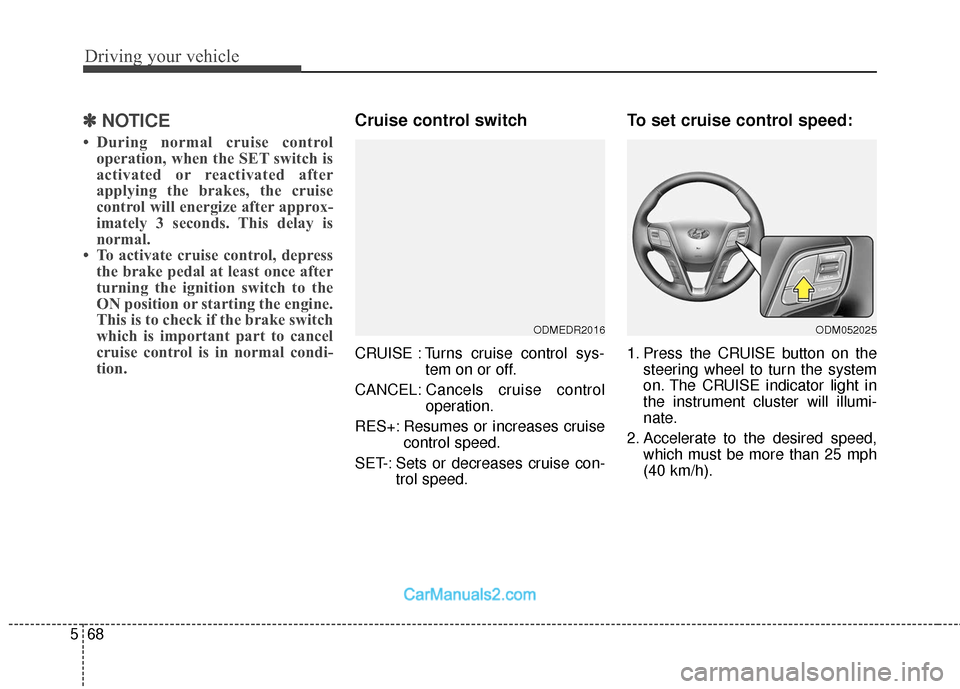
Cruise control switch
CRUISE : Turns cruise control sys-
tem on or off.
CANCEL: Cancels cruise control
operation.
RES+: Resumes or increases cruise control speed.
SET-: Sets or decreases cruise con- trol speed.
To set cruise control speed:
1. Press the CRUISE button on thesteering wheel to turn the system
on. The CRUISE indicator light in
the instrument cluster will illumi-
nate.
2. Accelerate to the desired speed, which must be more than 25 mph
(40 km/h).
ODMEDR2016ODM052025
Page 361 of 570
569
Driving your vehicle
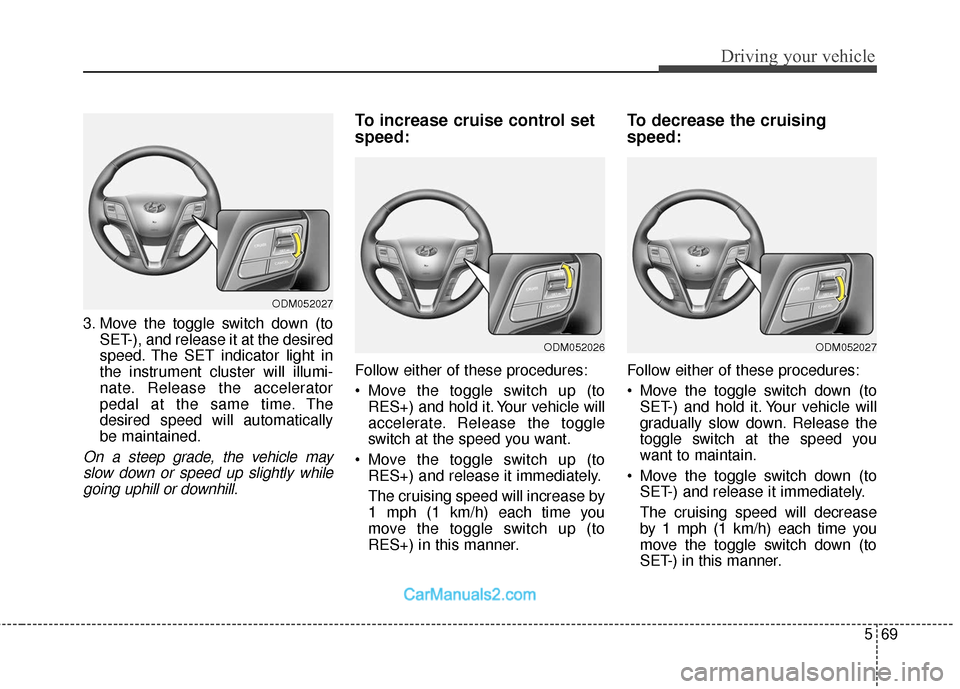
3. Move the toggle switch down (toSET-), and release it at the desired
speed. The SET indicator light in
the instrument cluster will illumi-
nate. Release the accelerator
pedal at the same time. The
desired speed will automatically
be maintained.
On a steep grade, the vehicle mayslow down or speed up slightly whilegoing uphill or downhill.
To increase cruise control set
speed:
Follow either of these procedures:
Move the toggle switch up (to RES+) and hold it. Your vehicle will
accelerate. Release the toggle
switch at the speed you want.
Move the toggle switch up (to RES+) and release it immediately.
The cruising speed will increase by
1 mph (1 km/h) each time you
move the toggle switch up (to
RES+) in this manner.
To decrease the cruising
speed:
Follow either of these procedures:
Move the toggle switch down (toSET-) and hold it. Your vehicle will
gradually slow down. Release the
toggle switch at the speed you
want to maintain.
Move the toggle switch down (to SET-) and release it immediately.
The cruising speed will decrease
by 1 mph (1 km/h) each time you
move the toggle switch down (to
SET-) in this manner.
ODM052027
ODM052026ODM052027
Page 362 of 570
Driving your vehicle
70
5
To temporarily accelerate with
the cruise control on:
If you want to speed up temporarily
when the cruise control is on,
depress the accelerator pedal.
Increased speed will not interfere
with cruise control operation or
change the set speed.
To return to the set speed, take your
foot off the accelerator pedal.
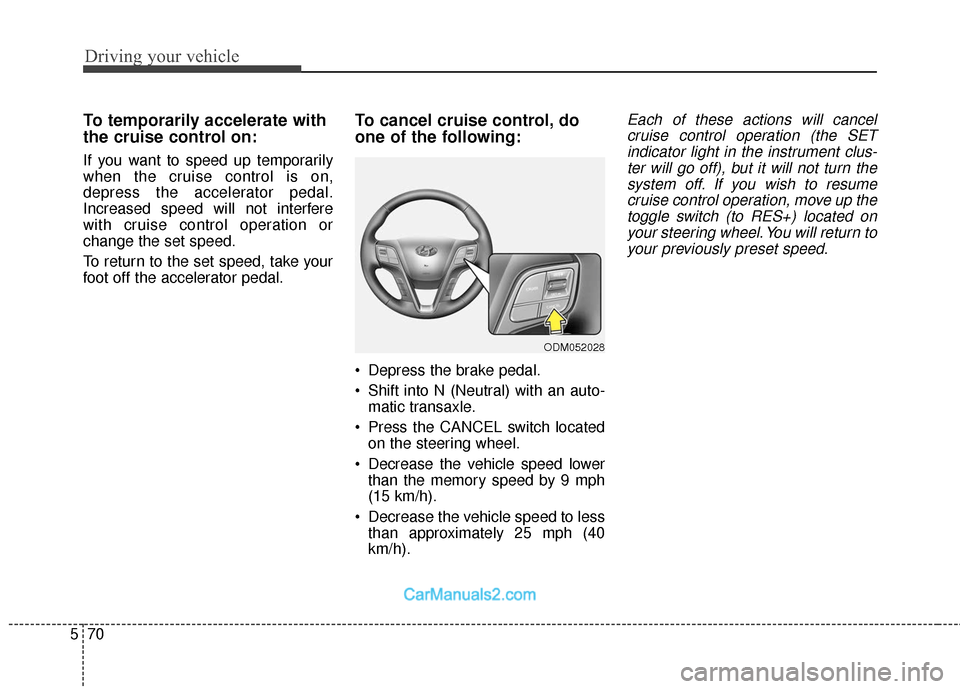
To cancel cruise control, do
one of the following:
Depress the brake pedal.
Shift into N (Neutral) with an auto-
matic transaxle.
Press the CANCEL switch located on the steering wheel.
Decrease the vehicle speed lower than the memory speed by 9 mph
(15 km/h).
Decrease the vehicle speed to less than approximately 25 mph (40
km/h).
Each of these actions will cancelcruise control operation (the SETindicator light in the instrument clus-ter will go off), but it will not turn thesystem off. If you wish to resumecruise control operation, move up thetoggle switch (to RES+) located onyour steering wheel. You will return toyour previously preset speed.
ODM052028
Page 363 of 570
571
Driving your vehicle
To resume cruising speed at
more than approximately 25
mph (40 km/h):
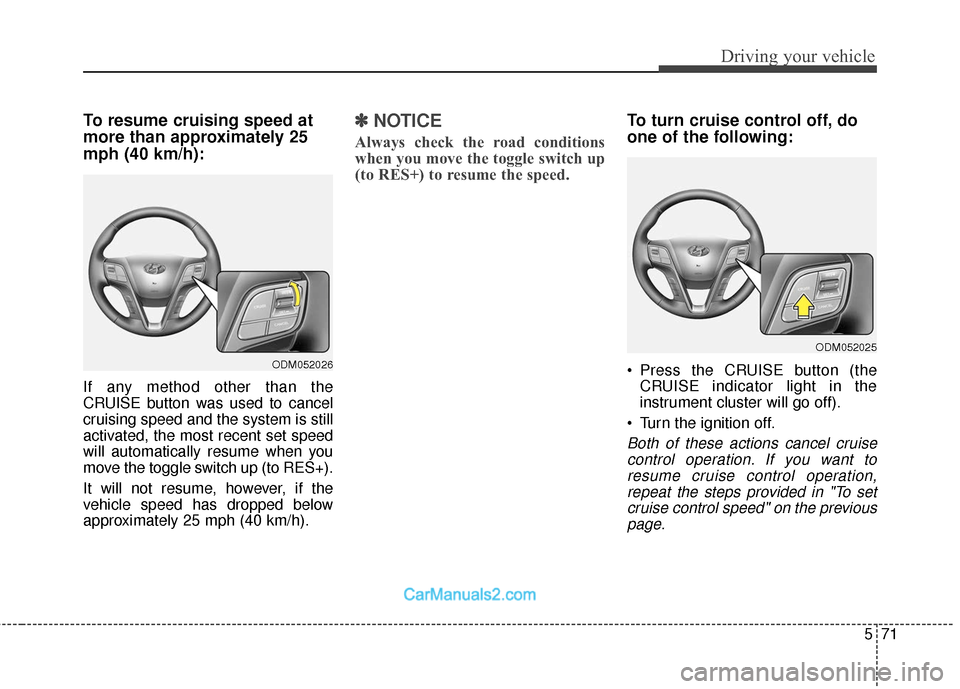
If any method other than the
CRUISE button was used to cancel
cruising speed and the system is still
activated, the most recent set speed
will automatically resume when you
move the toggle switch up (to RES+).
It will not resume, however, if the
vehicle speed has dropped below
approximately 25 mph (40 km/h).
✽ ✽NOTICE
Always check the road conditions
when you move the toggle switch up
(to RES+) to resume the speed.
To turn cruise control off, do
one of the following:
Press the CRUISE button (the
CRUISE indicator light in the
instrument cluster will go off).
Turn the ignition off.
Both of these actions cancel cruise control operation. If you want toresume cruise control operation,repeat the steps provided in "To setcruise control speed" on the previouspage.
ODM052026
ODM052025
Page 364 of 570
Driving your vehicle
72
5
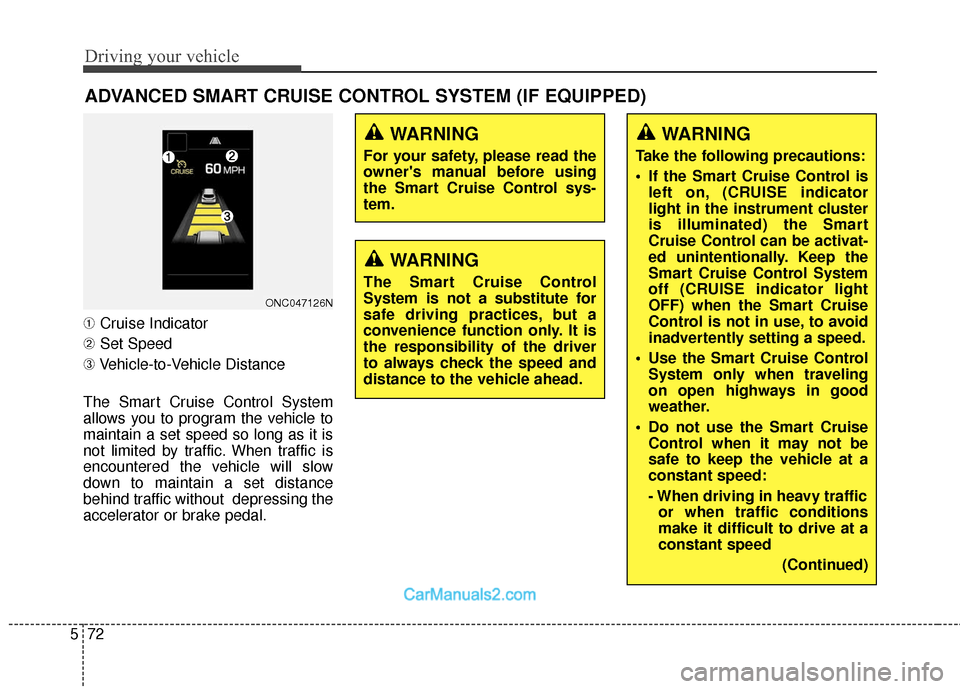
➀ Cruise Indicator
➁ Set Speed
➂ Vehicle-to-Vehicle Distance
The Smart Cruise Control System
allows you to program the vehicle to
maintain a set speed so long as it is
not limited by traffic. When traffic is
encountered the vehicle will slow
down to maintain a set distance
behind traffic without depressing the
accelerator or brake pedal.
ADVANCED SMART CRUISE CONTROL SYSTEM (IF EQUIPPED)
ONC047126N
WARNING
For your safety, please read the
owner's manual before using
the Smart Cruise Control sys-
tem.
WARNING
The Smart Cruise Control
System is not a substitute for
safe driving practices, but a
convenience function only. It is
the responsibility of the driver
to always check the speed and
distance to the vehicle ahead.
WARNING
Take the following precautions:
If the Smart Cruise Control is left on, (CRUISE indicator
light in the instrument cluster
is illuminated) the Smart
Cruise Control can be activat-
ed unintentionally. Keep the
Smart Cruise Control System
off (CRUISE indicator light
OFF) when the Smart Cruise
Control is not in use, to avoid
inadvertently setting a speed.
Use the Smart Cruise Control System only when traveling
on open highways in good
weather.
Do not use the Smart Cruise Control when it may not be
safe to keep the vehicle at a
constant speed:
- When driving in heavy trafficor when traffic conditions
make it difficult to drive at a
constant speed
(Continued)
Page 366 of 570
Driving your vehicle
74
5
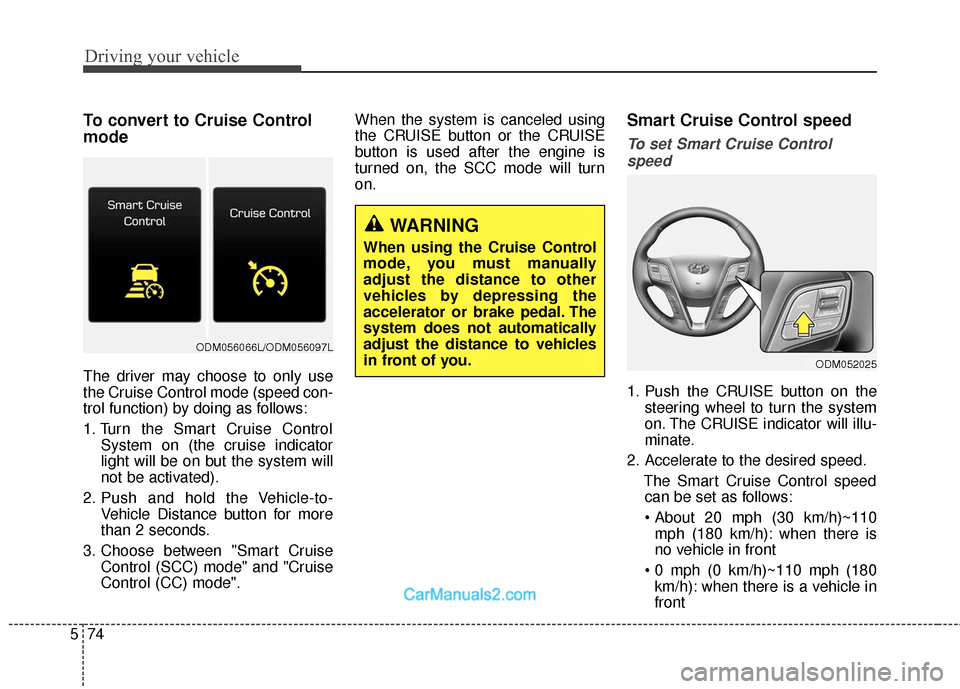
To convert to Cruise Control
mode
The driver may choose to only use
the Cruise Control mode (speed con-
trol function) by doing as follows:
1. Turn the Smart Cruise Control
System on (the cruise indicator
light will be on but the system will
not be activated).
2. Push and hold the Vehicle-to- Vehicle Distance button for more
than 2 seconds.
3. Choose between "Smart Cruise Control (SCC) mode" and "Cruise
Control (CC) mode". When the system is canceled using
the CRUISE button or the CRUISE
button is used after the engine is
turned on, the SCC mode will turn
on.
Smart Cruise Control speed
To set Smart Cruise Control
speed
1. Push the CRUISE button on the steering wheel to turn the system
on. The CRUISE indicator will illu-
minate.
2. Accelerate to the desired speed. The Smart Cruise Control speedcan be set as follows:
mph (180 km/h): when there is
no vehicle in front
km/h): when there is a vehicle in
front
WARNING
When using the Cruise Control
mode, you must manually
adjust the distance to other
vehicles by depressing the
accelerator or brake pedal. The
system does not automatically
adjust the distance to vehicles
in front of you.
ODM052025
ODM056066L/ODM056097L
Page 367 of 570
575
Driving your vehicle
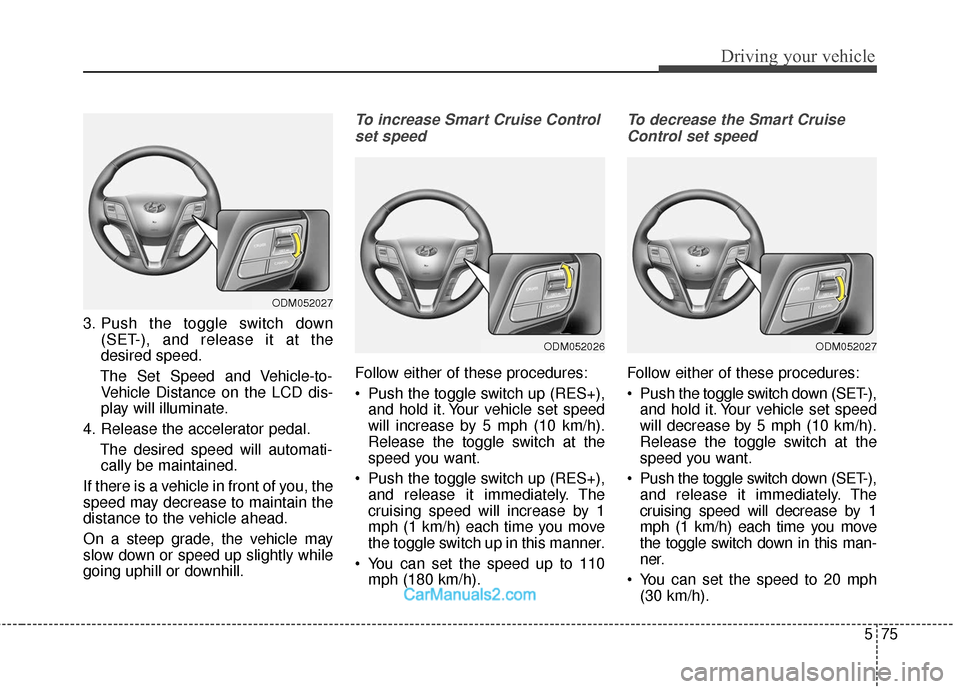
3. Push the toggle switch down(SET-), and release it at the
desired speed.
The Set Speed and Vehicle-to- Vehicle Distance on the LCD dis-
play will illuminate.
4. Release the accelerator pedal. The desired speed will automati-cally be maintained.
If there is a vehicle in front of you, the
speed may decrease to maintain the
distance to the vehicle ahead.
On a steep grade, the vehicle may
slow down or speed up slightly while
going uphill or downhill.
To increase Smart Cruise Control set speed
Follow either of these procedures:
Push the toggle switch up (RES+), and hold it. Your vehicle set speed
will increase by 5 mph (10 km/h).
Release the toggle switch at the
speed you want.
Push the toggle switch up (RES+), and release it immediately. The
cruising speed will increase by 1
mph (1 km/h) each time you move
the toggle switch up in this manner.
You can set the speed up to 110 mph (180 km/h).
To decrease the Smart Cruise
Control set speed
Follow either of these procedures:
Push the toggle switch down (SET-),
and hold it. Your vehicle set speed
will decrease by 5 mph (10 km/h).
Release the toggle switch at the
speed you want.
Push the toggle switch down (SET-), and release it immediately. The
cruising speed will decrease by 1
mph (1 km/h) each time you move
the toggle switch down in this man-
ner.
You can set the speed to 20 mph (30 km/h).
ODM052027
ODM052027
ODM052026