auto light Hyundai Santa Fe 2018 User Guide
[x] Cancel search | Manufacturer: HYUNDAI, Model Year: 2018, Model line: Santa Fe, Model: Hyundai Santa Fe 2018Pages: 570, PDF Size: 16.8 MB
Page 187 of 570
Features of your vehicle
84
4
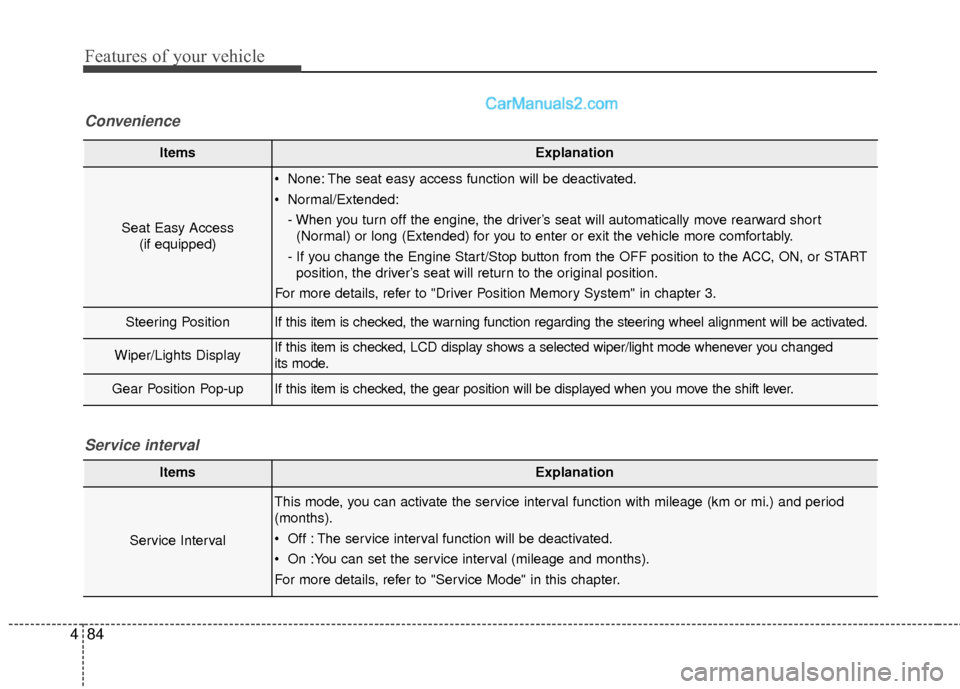
ItemsExplanation
Seat Easy Access
(if equipped)
None: The seat easy access function will be deactivated.
Normal/Extended:
- When you turn off the engine, the driver’s seat will automatically move rearward short(Normal) or long (Extended) for you to enter or exit the vehicle more comfortably.
- If you change the Engine Start/Stop button from the OFF position to the ACC, ON, or START position, the driver’s seat will return to the original position.
For more details, refer to "Driver Position Memory System" in chapter 3.
Steering PositionIf this item is checked, the warning function regarding the steering wheel alignment will be activated.
Wiper/Lights DisplayIf this item is checked, LCD display shows a selected wiper/light mode whenever you changed
its mode.
Gear Position Pop-upIf this item is checked, the gear position will be displayed when you move the shift lever.
Convenience
ItemsExplanation
Service Interval
This mode, you can activate the service interval function with mileage (km or mi.) and period
(months).
Off : The service interval function will be deactivated.
On :You can set the service interval (mileage and months).
For more details, refer to "Service Mode" in this chapter.
Service interval
Page 197 of 570
Features of your vehicle
94
4
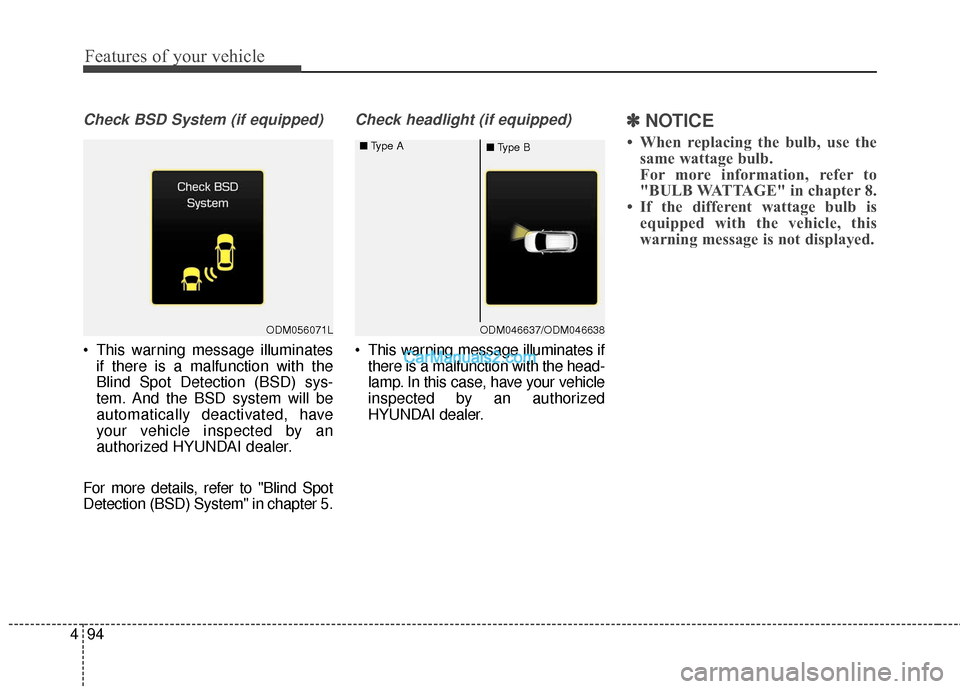
Check BSD System (if equipped)
This warning message illuminates
if there is a malfunction with the
Blind Spot Detection (BSD) sys-
tem. And the BSD system will be
automatically deactivated, have
your vehicle inspected by an
authorized HYUNDAI dealer.
For more details, refer to "Blind Spot
Detection (BSD) System" in chapter 5.
Check headlight (if equipped)
This warning message illuminates if there is a malfunction with the head-
lamp. In this case, have your vehicle
inspected by an authorized
HYUNDAI dealer.
✽ ✽ NOTICE
• When replacing the bulb, use the
same wattage bulb.
For more information, refer to
"BULB WATTAGE" in chapter 8.
• If the different wattage bulb is equipped with the vehicle, this
warning message is not displayed.
ODM046637/ODM046638
■
Type A
■Type BODM056071L
Page 210 of 570
4107
Features of your vehicle
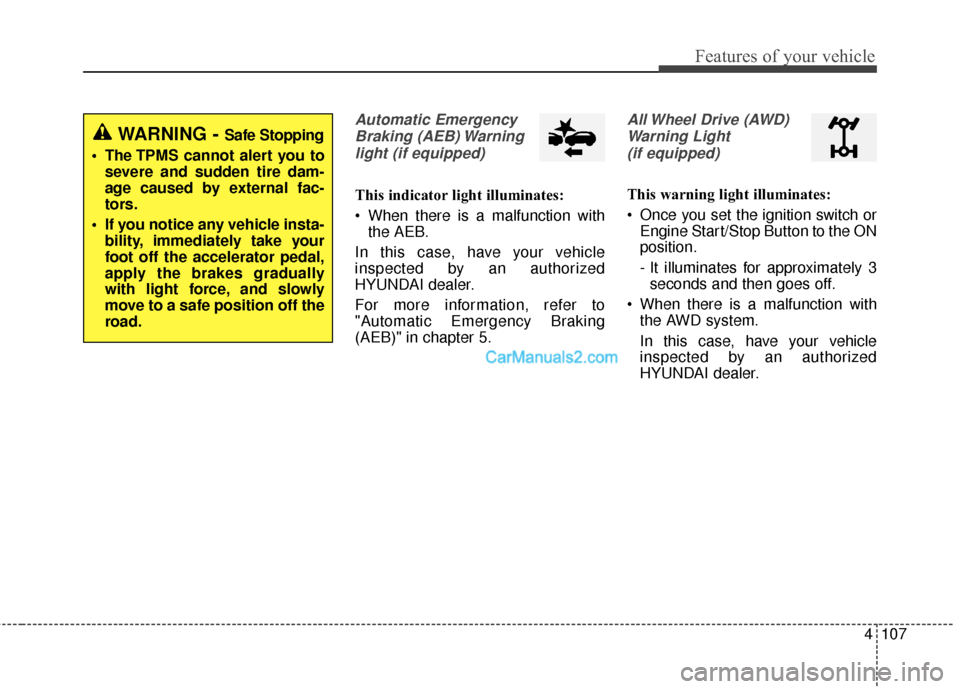
Automatic EmergencyBraking (AEB) Warninglight (if equipped)
This indicator light illuminates:
When there is a malfunction with the AEB.
In this case, have your vehicle
inspected by an authorized
HYUNDAI dealer.
For more information, refer to
"Automatic Emergency Braking
(AEB)" in chapter 5.
All Wheel Drive (AWD) Warning Light (if equipped)
This warning light illuminates:
Once you set the ignition switch or Engine Start/Stop Button to the ON
position.
- It illuminates for approximately 3seconds and then goes off.
When there is a malfunction with the AWD system.
In this case, have your vehicle
inspected by an authorized
HYUNDAI dealer.
WARNING - Safe Stopping
The TPMS cannot alert you to severe and sudden tire dam-
age caused by external fac-
tors.
If you notice any vehicle insta- bility, immediately take your
foot off the accelerator pedal,
apply the brakes gradually
with light force, and slowly
move to a safe position off the
road.
Page 213 of 570
Features of your vehicle
110
4
This indicator light illuminates for 2
seconds and goes off:
When the vehicle can not detect
the smart key which is in the vehi-
cle while the Engine Start/Stop
Button is ON.
In this case, have your vehicle
inspected by an authorized
HYUNDAI dealer.
This indicator light blinks:
When the battery of the smart key is weak.
- At this time, you can not start theengine. However, you can start
the engine if you press the Engine
Start/Stop Button with the smart
key. (For more details, refer to
"Starting the Engine" in section
5).
When there is a malfunction with the immobilizer system.
In this case, have your vehicle
inspected by an authorized
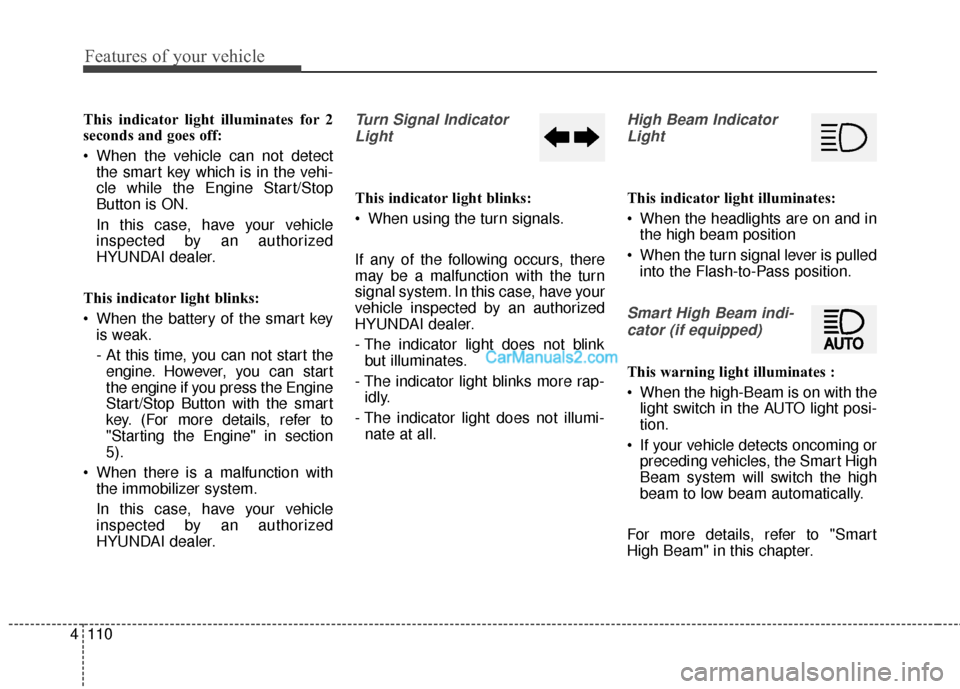
HYUNDAI dealer.Turn Signal Indicator
Light
This indicator light blinks:
When using the turn signals.
If any of the following occurs, there
may be a malfunction with the turn
signal system. In this case, have your
vehicle inspected by an authorized
HYUNDAI dealer.
- The indicator light does not blink but illuminates.
- The indicator light blinks more rap- idly.
- The indicator light does not illumi- nate at all.
High Beam Indicator
Light
This indicator light illuminates:
When the headlights are on and in the high beam position
When the turn signal lever is pulled into the Flash-to-Pass position.
Smart High Beam indi-
cator (if equipped)
This warning light illuminates :
When the high-Beam is on with the light switch in the AUTO light posi-
tion.
If your vehicle detects oncoming or preceding vehicles, the Smart High
Beam system will switch the high
beam to low beam automatically.
For more details, refer to "Smart
High Beam" in this chapter.
Page 214 of 570
4111
Features of your vehicle
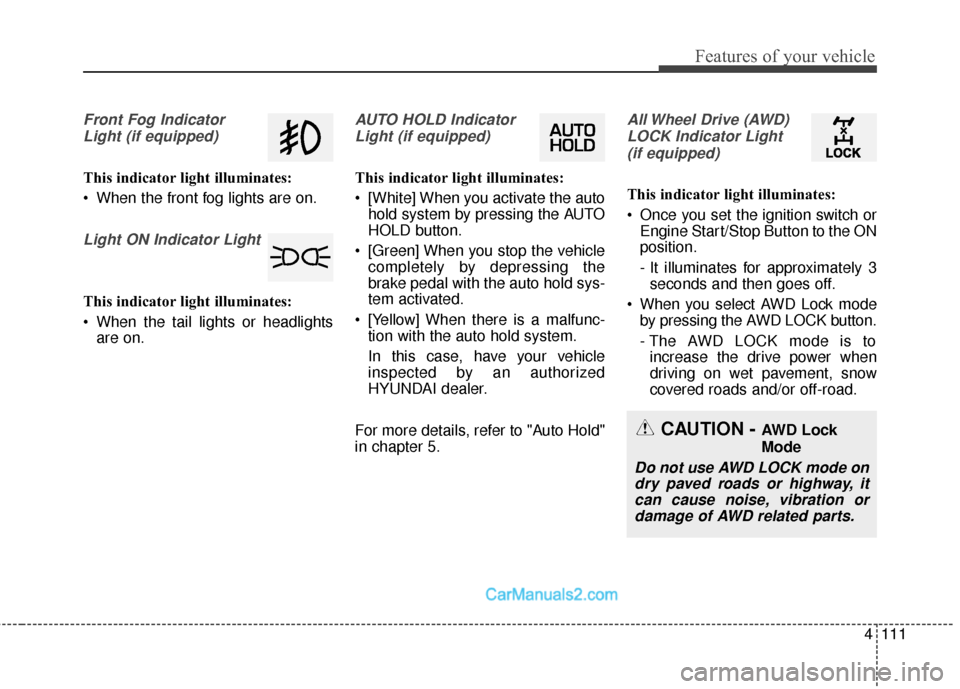
Front Fog IndicatorLight (if equipped)
This indicator light illuminates:
When the front fog lights are on.
Light ON Indicator Light
This indicator light illuminates:
When the tail lights or headlights are on.
AUTO HOLD Indicator
Light (if equipped)
This indicator light illuminates:
[White] When you activate the auto hold system by pressing the AUTO
HOLD button.
[Green] When you stop the vehicle completely by depressing the
brake pedal with the auto hold sys-
tem activated.
[Yellow] When there is a malfunc- tion with the auto hold system.
In this case, have your vehicle
inspected by an authorized
HYUNDAI dealer.
For more details, refer to "Auto Hold"
in chapter 5.
All Wheel Drive (AWD) LOCK Indicator Light (if equipped)
This indicator light illuminates:
Once you set the ignition switch or Engine Start/Stop Button to the ON
position.
- It illuminates for approximately 3seconds and then goes off.
When you select AWD Lock mode by pressing the AWD LOCK button.
- The AWD LOCK mode is toincrease the drive power when
driving on wet pavement, snow
covered roads and/or off-road.
CAUTION - AWD Lock
Mode
Do not use AWD LOCK mode ondry paved roads or highway, itcan cause noise, vibration ordamage of AWD related parts.
Page 223 of 570
Features of your vehicle
120
4
Battery saver function
• The purpose of this feature is to
prevent the battery from being dis-
charged. The system automatically
turns off the parking lights when
the driver removes the ignition key
(smart key : turns off the engine)
and opens the driver-side door.
With this feature, the parking lights will be turned off automatically if
the driver parks on the side of the
road at night.
If necessary, to keep the lights on
when the ignition key is removed
(smart key : turns off the engine),
perform the following:
1) Open the driver-side door.
2) Turn the parking lights OFF and ON again using the light switch
on the steering column.
Headlamp delay (if equipped)
If you turn the ignition switch to the
ACC or OFF position with the head-
lights ON, the headlights remain on
for about 5 minutes. However, if the
driver's door is opened and closed,
the headlights are turned off after 15
seconds.
The headlights can be turned off by
pressing the lock button on the trans-
mitter (or smart key) twice or turning
the light switch to the OFF or Auto
position.
However, if you turn the light switch
to the Auto position when it is dark
outside, the headlights will not be
turned off.
You can activate or deactivate this
feature. Refer to "User Settings" in
this section.
LIGHTING
CAUTION
If the driver gets out of the vehi-cle through other doors (otherthan the driver's door), the bat-tery saver function does notoperate and the headlamp delaydoes not turn off automatically.This will cause the battery to bedischarged. In this case, makesure to turn off the lamp beforegetting out of the vehicle.
Page 224 of 570
4121
Features of your vehicle
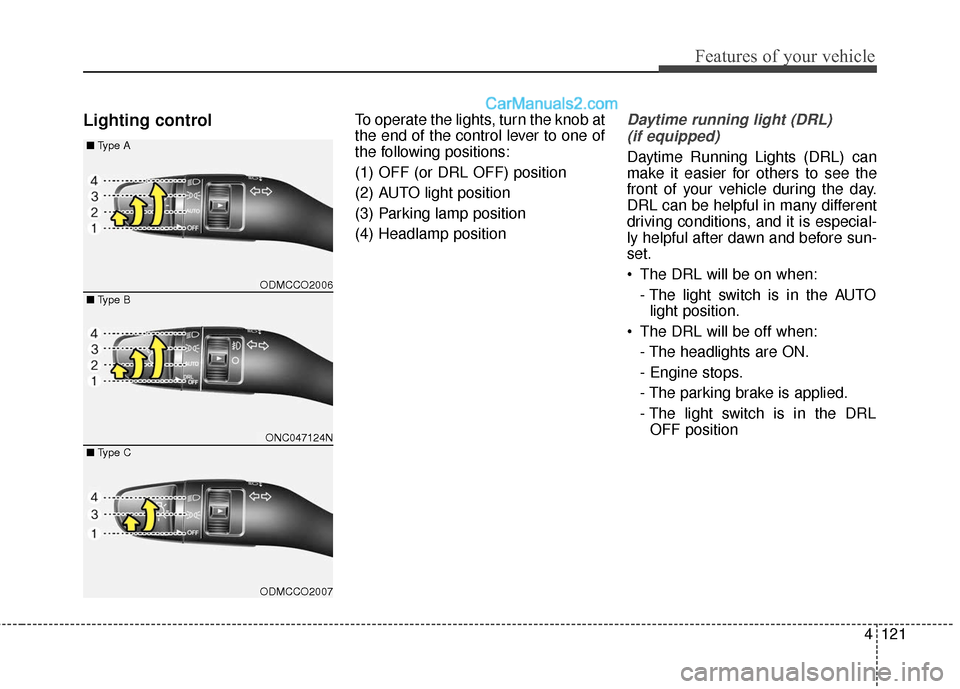
Lighting controlTo operate the lights, turn the knob at
the end of the control lever to one of
the following positions:
(1) OFF (or DRL OFF) position
(2) AUTO light position
(3) Parking lamp position
(4) Headlamp positionDaytime running light (DRL)(if equipped)
Daytime Running Lights (DRL) can
make it easier for others to see the
front of your vehicle during the day.
DRL can be helpful in many different
driving conditions, and it is especial-
ly helpful after dawn and before sun-
set.
The DRL will be on when:
- The light switch is in the AUTOlight position.
The DRL will be off when: - The headlights are ON.
- Engine stops.
- The parking brake is applied.
- The light switch is in the DRLOFF position
ODMCCO2006
ONC047124N
ODMCCO2007
■ Type B
■
Type A
■ Type C
Page 225 of 570
Features of your vehicle
122
4
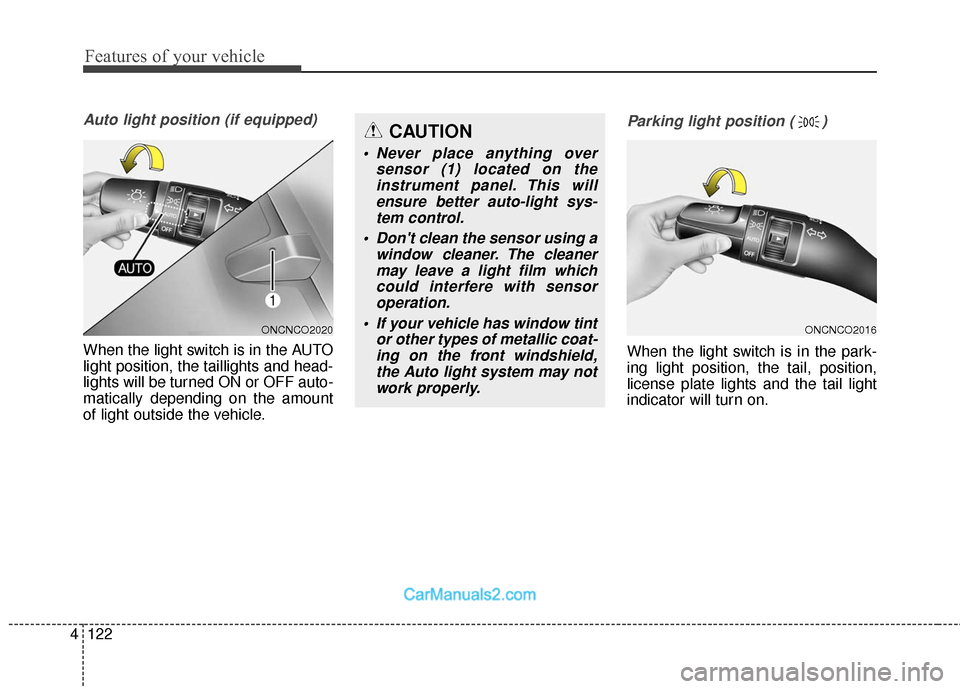
Auto light position (if equipped)
When the light switch is in the AUTO
light position, the taillights and head-
lights will be turned ON or OFF auto-
matically depending on the amount
of light outside the vehicle.
Parking light position ( )
When the light switch is in the park-
ing light position, the tail, position,
license plate lights and the tail light
indicator will turn on.
ONCNCO2016ONCNCO2020
CAUTION
• Never place anything over
sensor (1) located on theinstrument panel. This willensure better auto-light sys-tem control.
Don't clean the sensor using a window cleaner. The cleanermay leave a light film whichcould interfere with sensoroperation.
If your vehicle has window tint or other types of metallic coat-ing on the front windshield,the Auto light system may notwork properly.
Page 229 of 570
Features of your vehicle
126
4
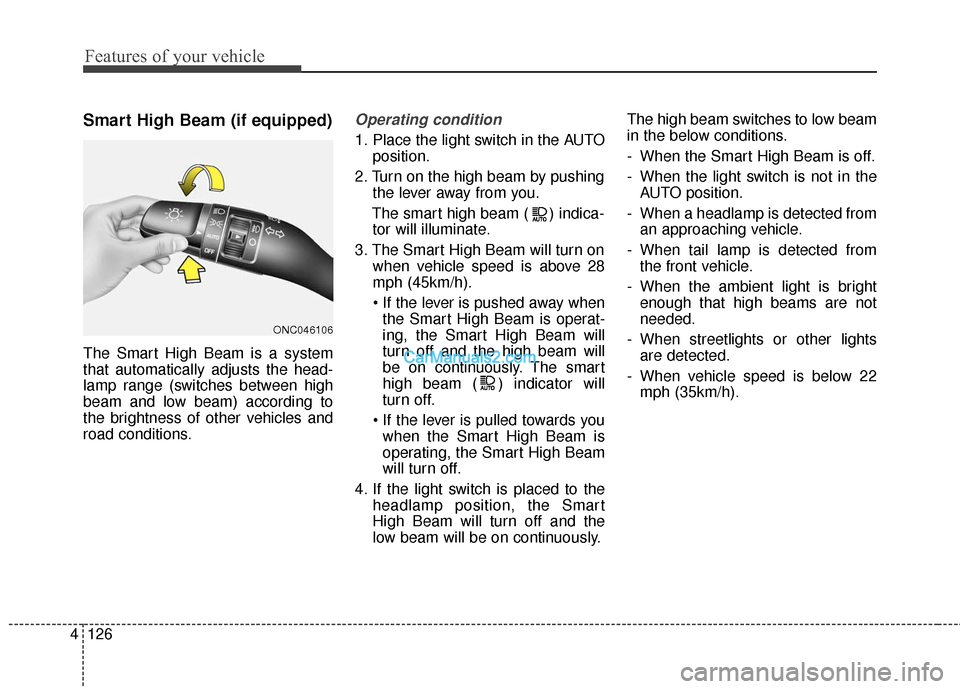
Smart High Beam (if equipped)
The Smart High Beam is a system
that automatically adjusts the head-
lamp range (switches between high
beam and low beam) according to
the brightness of other vehicles and
road conditions.
Operating condition
1. Place the light switch in the AUTO
position.
2. Turn on the high beam by pushing the lever away from you.
The smart high beam ( ) indica- tor will illuminate.
3. The Smart High Beam will turn on when vehicle speed is above 28
mph (45km/h).
the Smart High Beam is operat-
ing, the Smart High Beam will
turn off and the high beam will
be on continuously. The smart
high beam ( ) indicator will
turn off.
when the Smart High Beam is
operating, the Smart High Beam
will turn off.
4. If the light switch is placed to the headlamp position, the Smart
High Beam will turn off and the
low beam will be on continuously. The high beam switches to low beam
in the below conditions.
- When the Smart High Beam is off.
- When the light switch is not in the
AUTO position.
- When a headlamp is detected from an approaching vehicle.
- When tail lamp is detected from the front vehicle.
- When the ambient light is bright enough that high beams are not
needed.
- When streetlights or other lights are detected.
- When vehicle speed is below 22 mph (35km/h).
ONC046106
Page 232 of 570
4129
Features of your vehicle
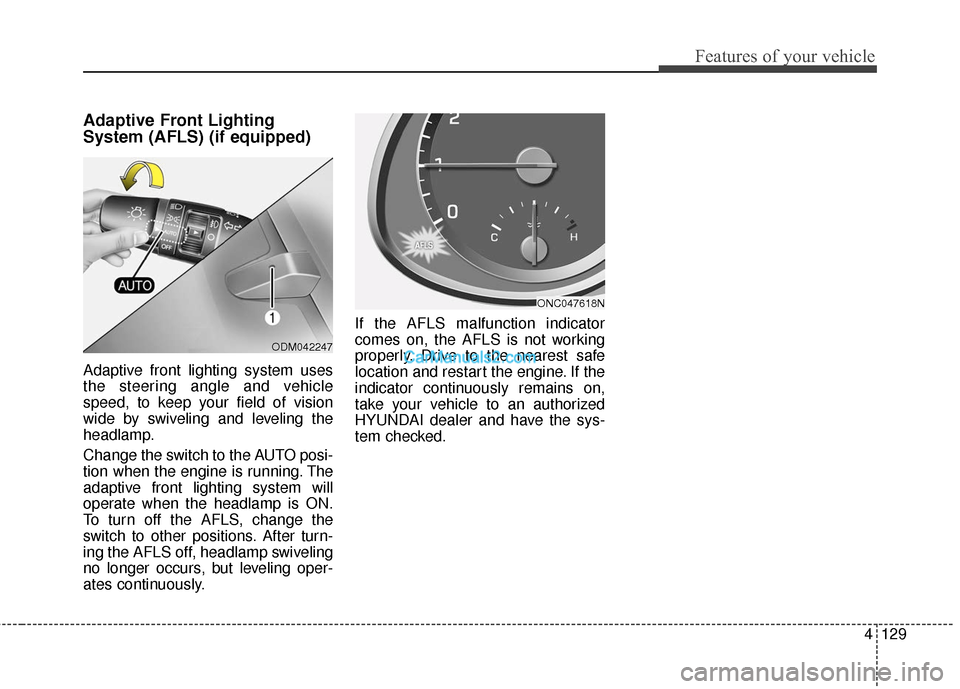
Adaptive Front Lighting
System (AFLS) (if equipped)
Adaptive front lighting system uses
the steering angle and vehicle
speed, to keep your field of vision
wide by swiveling and leveling the
headlamp.
Change the switch to the AUTO posi-
tion when the engine is running. The
adaptive front lighting system will
operate when the headlamp is ON.
To turn off the AFLS, change the
switch to other positions. After turn-
ing the AFLS off, headlamp swiveling
no longer occurs, but leveling oper-
ates continuously.If the AFLS malfunction indicator
comes on, the AFLS is not working
properly. Drive to the nearest safe
location and restart the engine. If the
indicator continuously remains on,
take your vehicle to an authorized
HYUNDAI dealer and have the sys-
tem checked.
ODM042247
ONC047618N