warning light Hyundai Santa Fe 2018 Owner's Guide
[x] Cancel search | Manufacturer: HYUNDAI, Model Year: 2018, Model line: Santa Fe, Model: Hyundai Santa Fe 2018Pages: 570, PDF Size: 16.8 MB
Page 114 of 570
411
Features of your vehicle
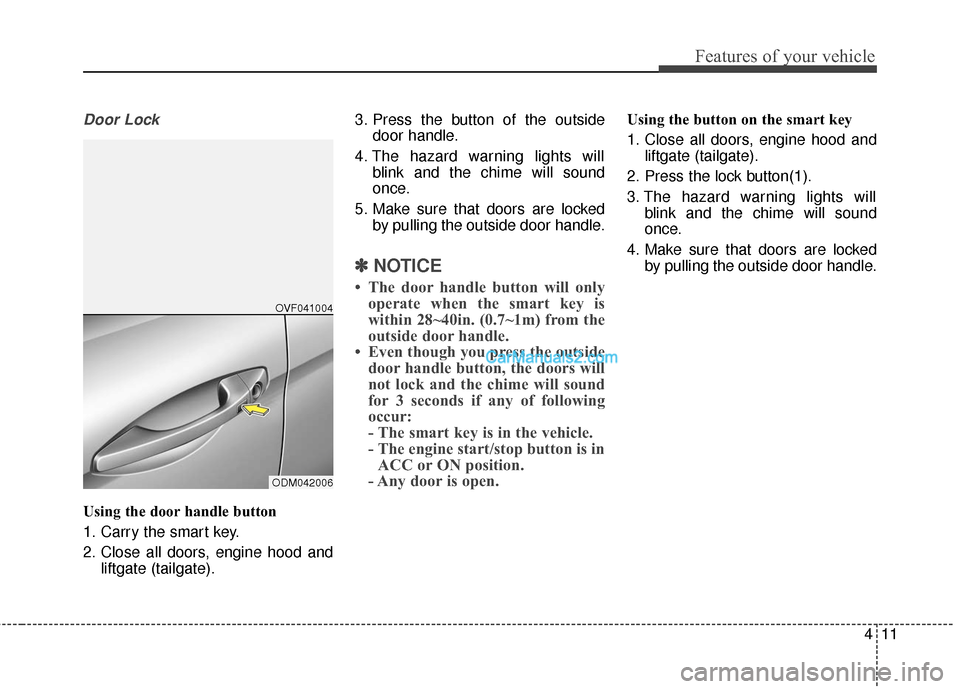
Door Lock
Using the door handle button
1. Carry the smart key.
2. Close all doors, engine hood andliftgate (tailgate). 3. Press the button of the outside
door handle.
4. The hazard warning lights will blink and the chime will sound
once.
5. Make sure that doors are locked by pulling the outside door handle.
✽ ✽NOTICE
• The door handle button will only
operate when the smart key is
within 28~40in. (0.7~1m) from the
outside door handle.
• Even though you press the outside door handle button, the doors will
not lock and the chime will sound
for 3 seconds if any of following
occur:
- The smart key is in the vehicle.
- The engine start/stop button is inACC or ON position.
- Any door is open.
Using the button on the smart key
1. Close all doors, engine hood and
liftgate (tailgate).
2. Press the lock button(1).
3. The hazard warning lights will blink and the chime will sound
once.
4. Make sure that doors are locked by pulling the outside door handle.
ODM042006OVF041004
Page 115 of 570
Features of your vehicle
12
4
Unlocking
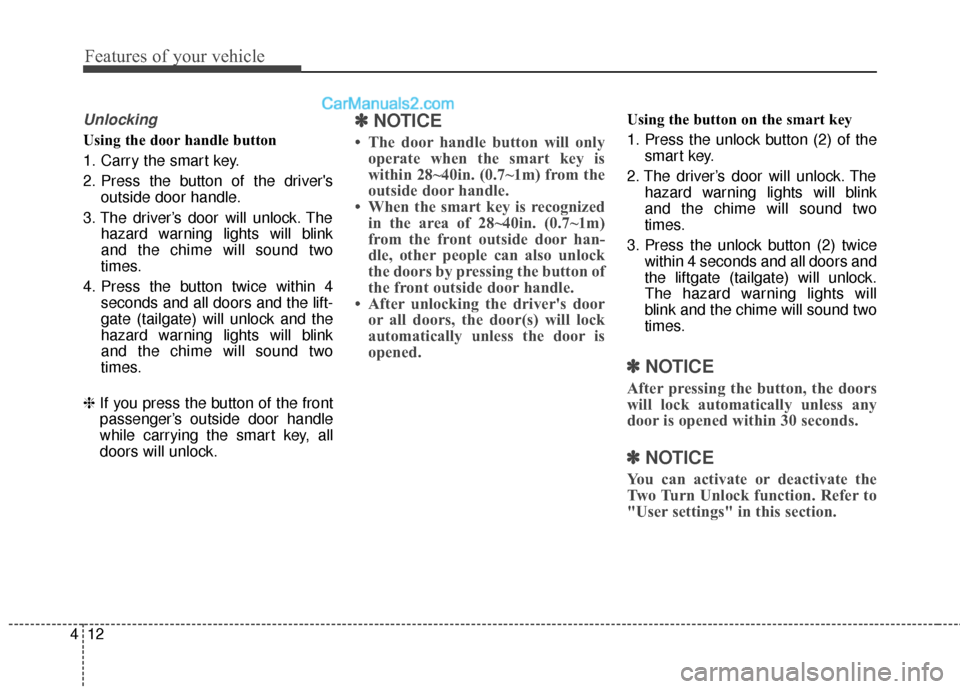
Using the door handle button
1. Carry the smart key.
2. Press the button of the driver's
outside door handle.
3. The driver’s door will unlock. The hazard warning lights will blink
and the chime will sound two
times.
4. Press the button twice within 4 seconds and all doors and the lift-
gate (tailgate) will unlock and the
hazard warning lights will blink
and the chime will sound two
times.
❈ If you press the button of the front
passenger’s outside door handle
while carrying the smart key, all
doors will unlock.
✽ ✽
NOTICE
• The door handle button will only
operate when the smart key is
within 28~40in. (0.7~1m) from the
outside door handle.
• When the smart key is recognized in the area of 28~40in. (0.7~1m)
from the front outside door han-
dle, other people can also unlock
the doors by pressing the button of
the front outside door handle.
• After unlocking the driver's door or all doors, the door(s) will lock
automatically unless the door is
opened.
Using the button on the smart key
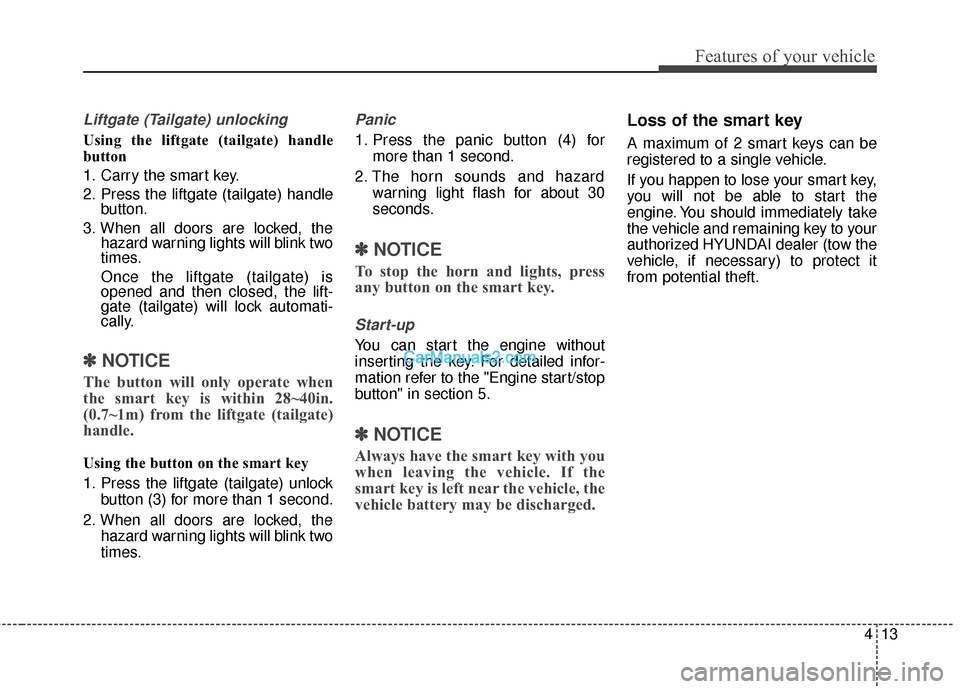
1. Press the unlock button (2) of the
smart key.
2. The driver’s door will unlock. The hazard warning lights will blink
and the chime will sound two
times.
3. Press the unlock button (2) twice within 4 seconds and all doors and
the liftgate (tailgate) will unlock.
The hazard warning lights will
blink and the chime will sound two
times.
✽ ✽NOTICE
After pressing the button, the doors
will lock automatically unless any
door is opened within 30 seconds.
✽ ✽NOTICE
You can activate or deactivate the
Two Turn Unlock function. Refer to
"User settings" in this section.
Page 116 of 570
413
Features of your vehicle
Liftgate (Tailgate) unlocking
Using the liftgate (tailgate) handle
button
1. Carry the smart key.
2. Press the liftgate (tailgate) handlebutton.
3. When all doors are locked, the hazard warning lights will blink two
times.
Once the liftgate (tailgate) is
opened and then closed, the lift-
gate (tailgate) will lock automati-
cally.
✽ ✽NOTICE
The button will only operate when
the smart key is within 28~40in.
(0.7~1m) from the liftgate (tailgate)
handle.
Using the button on the smart key
1. Press the liftgate (tailgate) unlock
button (3) for more than 1 second.
2. When all doors are locked, the hazard warning lights will blink two
times.
Panic
1. Press the panic button (4) formore than 1 second.
2. The horn sounds and hazard warning light flash for about 30
seconds.
✽ ✽NOTICE
To stop the horn and lights, press
any button on the smart key.
Start-up
You can start the engine without
inserting the key. For detailed infor-
mation refer to the "Engine start/stop
button" in section 5.
✽ ✽NOTICE
Always have the smart key with you
when leaving the vehicle. If the
smart key is left near the vehicle, the
vehicle battery may be discharged.
Loss of the smart key
A maximum of 2 smart keys can be
registered to a single vehicle.
If you happen to lose your smart key,
you will not be able to start the
engine. You should immediately take
the vehicle and remaining key to your
authorized HYUNDAI dealer (tow the
vehicle, if necessary) to protect it
from potential theft.
Page 119 of 570
Features of your vehicle
16
4
This device complies with Part 15
of the FCC rules.
Operation is subject to the following
two conditions:
1. This device may not cause harm-
ful interference, and
2. This device must accept any inter- ference received, including inter-
ference that may cause undesired
operation.Battery replacement
A smart key battery should last for
several years, but if the smart key is
not working properly, try replacing
the battery with a new one. If you are
unsure how to use your smart key or
replace the battery, contact an
authorized HYUNDAI dealer.
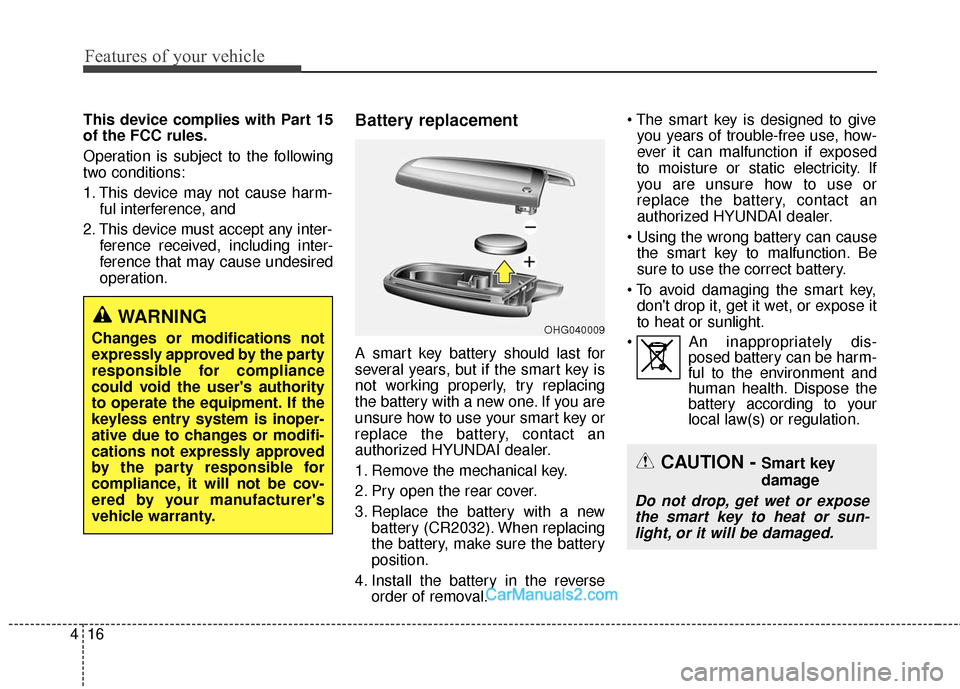
1. Remove the mechanical key.
2. Pry open the rear cover.
3. Replace the battery with a newbattery (CR2032). When replacing
the battery, make sure the battery
position.
4. Install the battery in the reverse order of removal.
you years of trouble-free use, how-
ever it can malfunction if exposed
to moisture or static electricity. If
you are unsure how to use or
replace the battery, contact an
authorized HYUNDAI dealer.
the smart key to malfunction. Be
sure to use the correct battery.
don't drop it, get it wet, or expose it
to heat or sunlight.
An inappropriately dis- posed battery can be harm-
ful to the environment and
human health. Dispose the
battery according to your
local law(s) or regulation.
CAUTION - Smart key
damage
Do not drop, get wet or expose
the smart key to heat or sun-light, or it will be damaged.
OHG040009WARNING
Changes or modifications not
expressly approved by the party
responsible for compliance
could void the user's authority
to operate the equipment. If the
keyless entry system is inoper-
ative due to changes or modifi-
cations not expressly approved
by the party responsible for
compliance, it will not be cov-
ered by your manufacturer's
vehicle warranty.
Page 120 of 570
417
Features of your vehicle
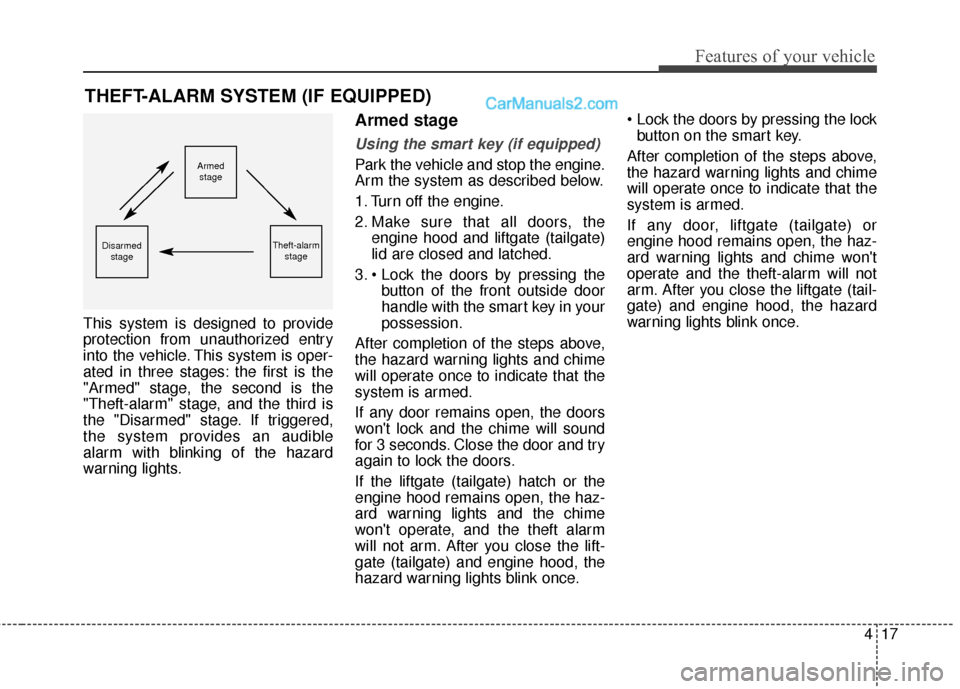
This system is designed to provide
protection from unauthorized entry
into the vehicle. This system is oper-
ated in three stages: the first is the
"Armed" stage, the second is the
"Theft-alarm" stage, and the third is
the "Disarmed" stage. If triggered,
the system provides an audible
alarm with blinking of the hazard
warning lights.
Armed stage
Using the smart key (if equipped)
Park the vehicle and stop the engine.
Arm the system as described below.
1. Turn off the engine.
2. Make sure that all doors, theengine hood and liftgate (tailgate)
lid are closed and latched.
3. button of the front outside door
handle with the smart key in your
possession.
After completion of the steps above,
the hazard warning lights and chime
will operate once to indicate that the
system is armed.
If any door remains open, the doors
won't lock and the chime will sound
for 3 seconds. Close the door and try
again to lock the doors.
If the liftgate (tailgate) hatch or the
engine hood remains open, the haz-
ard warning lights and the chime
won't operate, and the theft alarm
will not arm. After you close the lift-
gate (tailgate) and engine hood, the
hazard warning lights blink once.
button on the smart key.
After completion of the steps above,
the hazard warning lights and chime
will operate once to indicate that the
system is armed.
If any door, liftgate (tailgate) or
engine hood remains open, the haz-
ard warning lights and chime won't
operate and the theft-alarm will not
arm. After you close the liftgate (tail-
gate) and engine hood, the hazard
warning lights blink once.
THEFT-ALARM SYSTEM (IF EQUIPPED)
Armed stage
Theft-alarm stageDisarmedstage
Page 121 of 570
Features of your vehicle
18
4
Using the transmitter (if equipped)
Park the vehicle and stop the engine.
Arm the system as described below.
1. Turn off the engine and remove
the ignition key from the ignition
switch.
2. Make sure that all doors, the engine hood and liftgate (tailgate)
are closed and latched.
3. Lock the doors by pressing the lock button on the transmitter.
After completion of the steps above,
the hazard warning lights will blink
once to indicate that the system is
armed.
If any door, liftgate (tailgate) or
engine hood remains open, the haz-
ard warning lights won't operate and
theft-alarm will not arm. After you
close all doors, liftgate (tailgate) and
engine hood, the hazard warning
lights blink once.
Using the mechanical key
Park the vehicle and stop the engine.
Arm the system as described below.
1. Turn off the engine and remove the key from the ignition switch(if
equipped).
2. Make sure that all doors, the engine hood and liftgate (tailgate)
are closed and latched.
3. Lock the doors by inserting the key into the key hole on the front out-
side door handle and turning the
key toward the rear of the vehicle.
If any door, liftgate (tailgate) or
engine hood remains open, the theft-
alarm will not arm.
✽ ✽ NOTICE
If you lock or unlock the doors by
using the mechanical key, the haz-
ard warning light won't operate.
Do not arm the system until all
passengers have left the vehicle. If
the system is armed while a pas-
senger(s) remains in the vehicle,
the alarm may be activated when
the remaining passenger(s) leave
the vehicle. If any door (or trunk)
or engine hood is opened within
30 seconds after the system
enters the armed stage, the sys-
tem is disarmed to prevent an
unnecessary alarm.
Page 122 of 570
419
Features of your vehicle
Theft-alarm stage
The alarm will be activated if any of
the following occurs while the system
is armed.
transmitter, smart key or mechanical
key.
without using the transmitter or
smart key.
The horn will sound and the hazard
warning lights will blink continuously
for approximately 30 seconds. The
alarm will repeat once more unless
the system is disarmed. To turn off
the system, unlock the doors with the
mechanical key or transmitter or
smart key.
Disarmed stage
Using the smart key (if equipped)
The system will be disarmed when
the doors are unlocked by pressing
the unlock button on the smart key or
pressing the lock/unlock button of the
front outside door handle with the
smart key in your possession.
After unlocking the doors, the hazard
warning lights and chime will operate
twice to indicate that the system is
disarmed.
After unlocking the doors, if any door
is not opened within 30 seconds, the
system will be rearmed.
Using the transmitter (if equipped)
The system will be disarmed when
the doors are unlocked by pressing
the unlock button on the transmitter.
After unlocking the doors, the hazard
warning lights will blink twice to indi-
cate that the system is disarmed.
After unlocking the doors, if any door
is not opened within 30 seconds, the
system will be rearmed.
Using the mechanical key
The system will be disarmed when
the doors are unlocked with the
mechanical key.
✽ ✽ NOTICE
If you lock or unlock the doors by
using the mechanical key, the haz-
ard warning light and chime sound
won't operate.
Page 138 of 570
435
Features of your vehicle
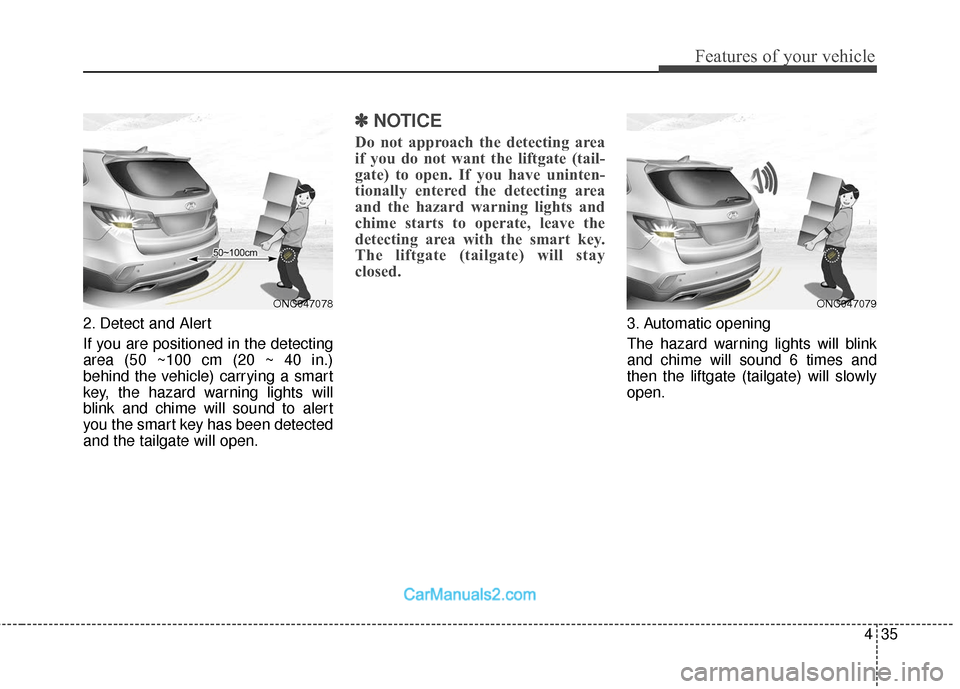
2. Detect and Alert
If you are positioned in the detecting
area (50 ~100 cm (20 ~ 40 in.)
behind the vehicle) carrying a smart
key, the hazard warning lights will
blink and chime will sound to alert
you the smart key has been detected
and the tailgate will open.
✽ ✽NOTICE
Do not approach the detecting area
if you do not want the liftgate (tail-
gate) to open. If you have uninten-
tionally entered the detecting area
and the hazard warning lights and
chime starts to operate, leave the
detecting area with the smart key.
The liftgate (tailgate) will stay
closed.
3. Automatic opening
The hazard warning lights will blink
and chime will sound 6 times and
then the liftgate (tailgate) will slowly
open.
ONC047078ONC047079
Page 143 of 570
Features of your vehicle
40
4
Power windows
The ignition switch must be in the ON
position for power windows to operate.
Each door has a power window
switch that controls that door's win-
dow. The driver has a power window
lock switch which can block the oper-
ation of passenger windows. The dri-
ver’s door has a master power win-
dow switch that controls all the win-
dows in the vehicle. The power win-
dows can be operated for approxi-
mately 30 seconds after the ignition
key is removed or turned to the ACC
or LOCK position. However, if the
front doors open, the power windows
cannot be operated within the 30
second period.
✽ ✽
NOTICE
• In cold and wet climates, power
windows may not work properly
due to freezing conditions.
• While driving with the rear win- dows down or with the sunroof (if
equipped) in an open (or partially
open) position, your vehicle may
demonstrate a wind buffeting or
pulsation noise. This noise is a
normal occurrence and can be
reduced or eliminated by taking
the following actions. If the noise
occurs with one or both of the
rear windows down, partially
lower both front windows
approximately one inch. If you
experience the noise with the sun-
roof open, slightly reduce the size
of the sunroof opening.
Window opening and closing
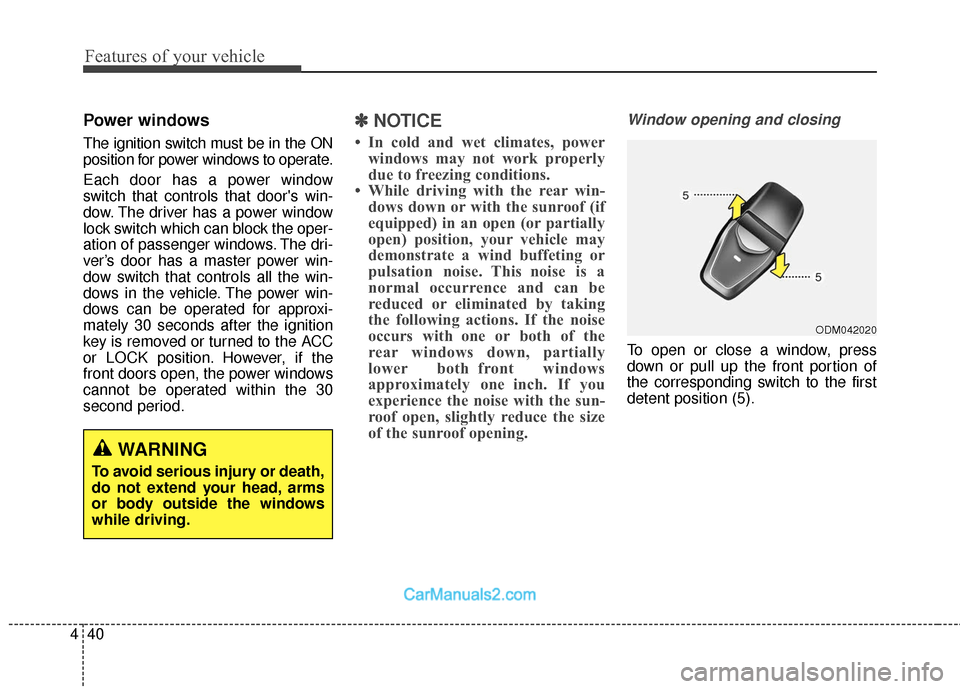
To open or close a window, press
down or pull up the front portion of
the corresponding switch to the first
detent position (5).
ODM042020
WARNING
To avoid serious injury or death,
do not extend your head, arms
or body outside the windows
while driving.
Page 147 of 570
Features of your vehicle
44
4
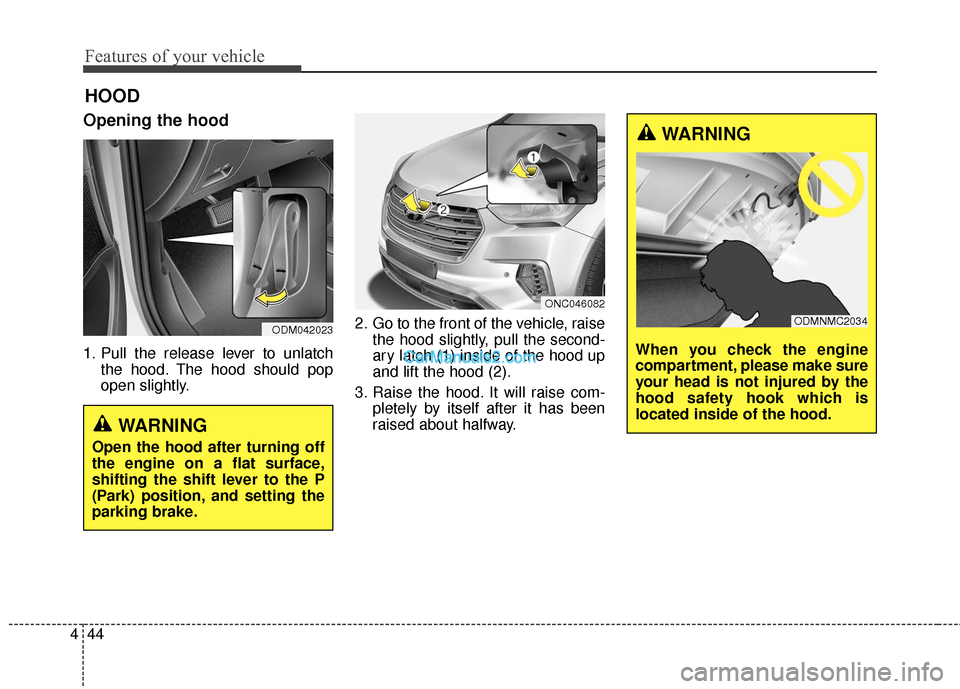
Opening the hood
1. Pull the release lever to unlatch
the hood. The hood should pop
open slightly. 2. Go to the front of the vehicle, raise
the hood slightly, pull the second-
ary latch (1) inside of the hood up
and lift the hood (2).
3. Raise the hood. It will raise com- pletely by itself after it has been
raised about halfway.
HOOD
WARNING
Open the hood after turning off
the engine on a flat surface,
shifting the shift lever to the P
(Park) position, and setting the
parking brake.
ODM042023
ONC046082
WARNING
When you check the engine
compartment, please make sure
your head is not injured by the
hood safety hook which is
located inside of the hood.
ODMNMC2034