lock HYUNDAI SANTA FE 2021 Owners Manual
[x] Cancel search | Manufacturer: HYUNDAI, Model Year: 2021, Model line: SANTA FE, Model: HYUNDAI SANTA FE 2021Pages: 636, PDF Size: 81.2 MB
Page 313 of 636
06
6-25
WARNING
To reduce the risk of serious injury or
death:
• ALWAYS check the surrounding
areas near your vehicle for people,
especially children, before shifting a
vehicle into D (Drive) or R (Reverse).
• Before leaving the driver’s seat,
always make sure the shift button
is in the P (Park) position, then set
the parking brake, and place the
ignition switch in the LOCK/OFF
position. Unexpected and sudden
vehicle movement can occur if these
precautions are not followed.
• Do not use aggressive engine braking
(shifting from a higher gear to a
lower gear) on slippery roads. This
could cause the tires to slip and may
result in an accident.
NOTICE
• Always come to a complete stop
before shifting into D (Drive) or R
(Reverse).
• Do not put the shift lever/button in N
(Neutral) while driving.
WARNING
Due to transmission failure, you may
not continue to drive and the position
indicator and the position indicator (D,
P) on the instrument cluster will blink.
We recommend that you contact an
authorized HYUNDAI dealer and have
the system checked.
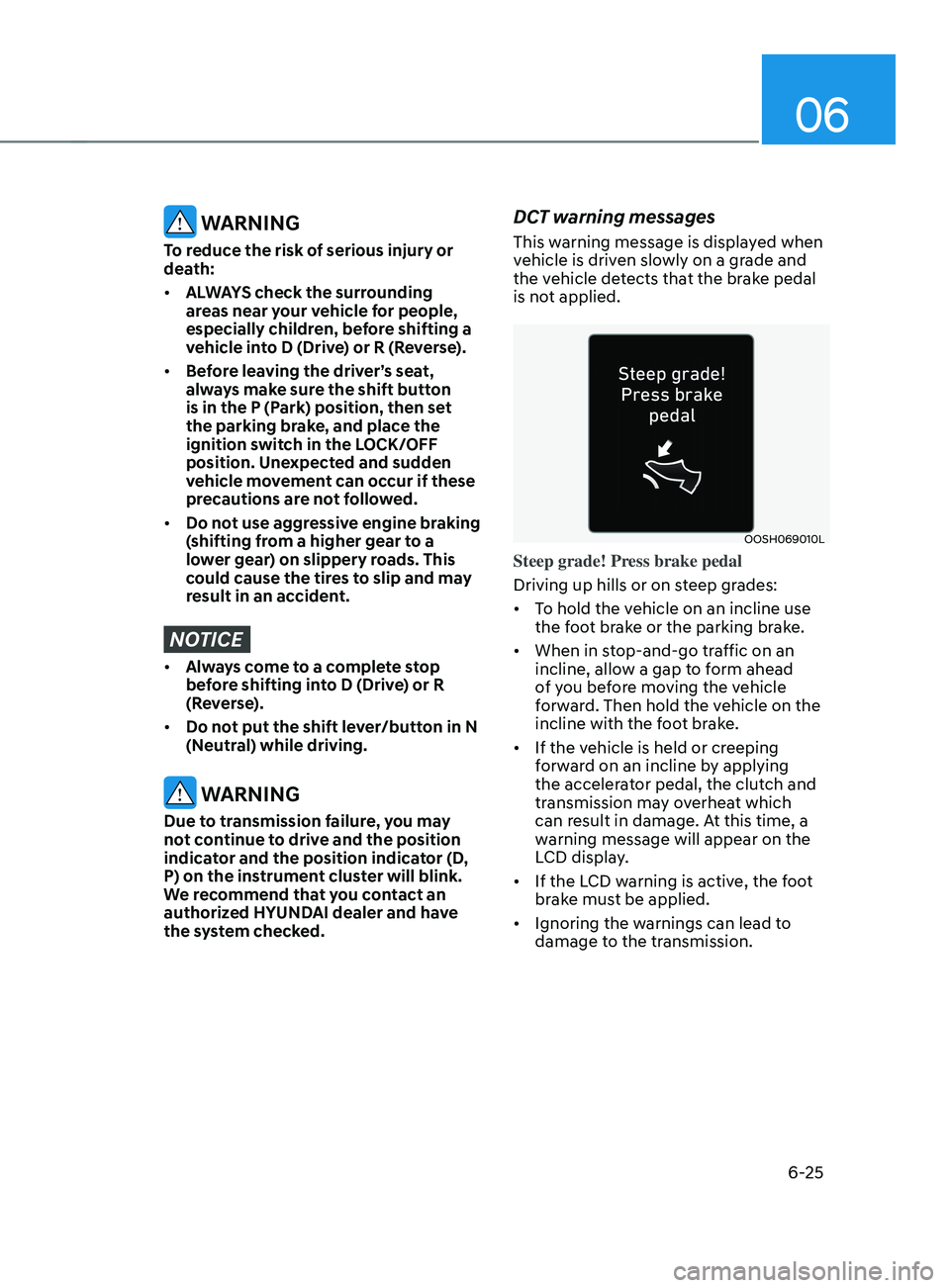
DCT warning messages
This warning message is displayed when
vehicle is driven slowly on a grade and
the vehicle detects that the brake pedal
is not applied.
OOSH069010L
Steep grade! Press brake pedal
Driving up hills or on steep grades:
• To hold the vehicle on an incline use
the foot brake or the parking brake.
• When in stop-and-go traffic on an
incline, allow a gap to form ahead
of you before moving the vehicle
forward. Then hold the vehicle on the
incline with the foot brake.
• If the vehicle is held or creeping
forward on an incline by applying
the accelerator pedal, the clutch and
transmission may overheat which
can result in damage. At this time, a
warning message will appear on the
LCD display.
• If the LCD warning is active, the foot
brake must be applied.
• Ignoring the warnings can lead to
damage to the transmission.
Page 316 of 636
Driving your vehicle
6-28
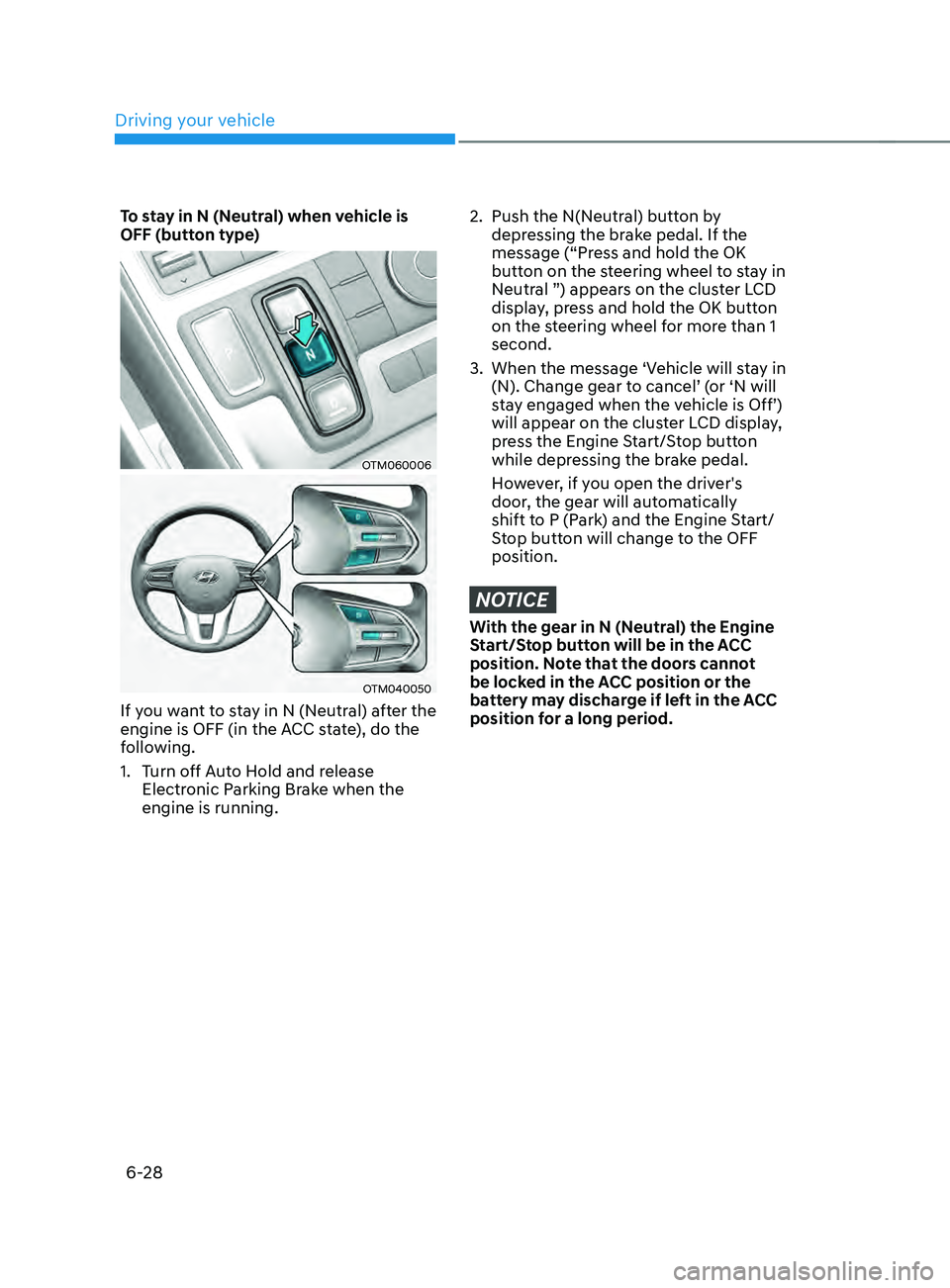
To stay in N (Neutral) when vehicle is
OFF (button type)
OTM060006
OTM040050
If you want to stay in N (Neutral) after the
engine is OFF (in the ACC state), do the
following.
1.
Turn o
ff Auto Hold and release
Electronic Parking Brake when the
engine is running.
2. Push the N(Neutr al) button by
depressing the brake pedal. If the
message (“Press and hold the OK
button on the steering wheel to stay in
Neutral ”) appears on the cluster LCD
display, press and hold the OK button
on the steering wheel for more than 1
second.
3.
When the message ‘Vehicle will s
tay in
(N). Change gear to cancel’ (or ‘N will
stay engaged when the vehicle is Off’)
will appear on the cluster LCD display,
press the Engine Start/Stop button
while depressing the brake pedal.
However, if you open the driver's
door, the gear will automatically
shift to P (Park) and the Engine Start/
Stop button will change to the OFF
position.
NOTICE
With the gear in N (Neutral) the Engine
Start/Stop button will be in the ACC
position. Note that the doors cannot
be locked in the ACC position or the
battery may discharge if left in the ACC
position for a long period.
Page 317 of 636
06
6-29
D (Drive)
This is the normal driving position. The
transmission will automatically shift
through a 8-gear sequence, providing
the best fuel economy and power.
To start the vehicle forward, push the D
(Drive) button by depressing the brake
pedal with the engine ON. Then depress
the accelerator pedal smoothly. For extra
power when passing another vehicle or
driving uphill, depress the accelerator
fully. The transmission will automatically
downshift to the next lower gear (or
gears, as appropriate). When the vehicle
is stopped in D (Drive) position, if you
open the driver’s door with the seat belt
unfastened, the gear is shifted to P (Park)
position automatically.
However when the vehicle moves in D
(Drive) position, if you open the driver’s
door with the seat belt unfastened,
the gear may be not shifted to P (Park)
position automatically for protecting the
dual clutch transmission.
The DRIVE MODE switch, located on
the shift lever/button console, allows
the driver to switch from NORMAL/
COMFORT mode to SPORT or ECO mode.
(if equipped)
For more details, refer to “Drive Mode
Integrated Control System” later in this
chapter. Shift-lock system
For your safety, the automatic
transmission has a shift-lock system
which prevents shifting the transmission
from P (Park) or N (Neutral) to R
(Reverse) or D (Drive) unless the brake
pedal is depressed.
To shift the transmission from P (Park)
into R (Reverse):
1.
Depress and hold the br
ake pedal.
2.
Start the engine or place the ignition
s
witch in the ON position.
3.
Depress the br
ake pedal and move the
shift lever to R (Reverse). (shift lever
type)
Depress the brake pedal and push the
R (Reverse) button. (shift button type)
When the battery is discharged:
The shift buttons will not function when
the battery is discharged.
In emergencies, do the following
to move the shift lever/button to N
(Neutral) on a level ground.
1.
Connect the batt
ery cables from
another vehicle or from a another
battery to the jump-starting terminals
inside the engine compartment.
For more details, refer to “Jump
Starting” in chapter 7.
2.
Release the parking br
ake with the
ignition switch in the ON position.
3.
Shift the gear to the N(N
eutral)
position refer to the “Stay in Neutral
when vehicle is Off” in this chapter.
Page 318 of 636
Driving your vehicle
6-30
Parking
Always come to a complete stop and
continue to depress the brake pedal.
Press the P (Park) button, apply the
parking brake, and place the ignition
switch in the LOCK/OFF position. Take
the Key with you when exiting the
vehicle.
WARNING
When you stay in the vehicle with
the engine running, be careful not to
depress the accelerator pedal for a long
period of time. The engine or exhaust
system may overheat and start a fire.
The exhaust gas and the exhaust system
are very hot. Keep away from the
exhaust system components.
Do not stop or park over flammable
materials, such as dry grass, paper or
leaves. They may ignite and cause a fire.
LCD display message (button
type)
Shifting conditions not met. Reduce
speed, then shift
The warning message appears on the
LCD display, when engine RPM is too
high, or when driving speed is too fast to
shift the gear.
We recommend you decrease the engine
speed or slow down before shifting the
gear.
Press brake pedal to change gear
The warning message appears on the
LCD display, when the brake pedal is not
depressed while shifting the gear.
We recommend you to depress the brake
pedal and then shift the gear.
Shift to P after stopping
The warning message appears on the
LCD display, when the gear is shifted to P
(Park) while the vehicle is moving.
Stop the vehicle before shifting to P
(Park).
PARK engaged
The warning message appears on the
LCD display, when the gear is shifted to P
(Park) while the vehicle is moving.
Stop the vehicle before shifting to P
(Park).
Page 331 of 636
06
6-43
Anti-lock Brake System (ABS)
WARNING
Anti-Lock Braking System (ABS) or
Electronic Stability Control (ESC)
system will not prevent accidents
due to improper or dangerous driving
maneuvers. Even though vehicle
control is improved during emergency
braking, always maintain a safe
distance between you and objects
ahead of you. Vehicle speeds should
always be reduced during extreme
road conditions. The braking distance
for vehicles equipped with ABS or ESC
may be longer than for those without
these systems in the following road
conditions.
Drive your vehicle at reduced speeds
during the following conditions:
• Rough, gravel or snow-covered
roads.
• On roads where the road surface is
pitted or has different surface height.
• Tire chains are installed on your
vehicle.
The safety features of ABS or ESC
equipped vehicle should not be tested
by high speed driving or cornering. This
could endanger the safety of yourself or
others.
ABS is an electronic braking system that
helps prevent a braking skid. ABS allows
the driver to steer and brake at the same
time.
Using ABS
To obtain the maximum benefit from
your ABS in an emergency situation,
do not attempt to modulate your brake
pressure and do not try to pump your
brakes. Depress your brake pedal as hard
as possible.
When you apply your brakes under
conditions which may lock the wheels,
you may hear sounds from the brakes,
or feel a corresponding sensation in the
brake pedal. This is normal and it means
your ABS is active.
ABS does not reduce the time or distance
it takes to stop the vehicle.
Always maintain a safe distance from the
vehicle in front of you.
ABS will not prevent a skid that results
from sudden changes in direction, such
as trying to take a corner too fast or
making a sudden lane change. Always
drive at a safe speed for the road and
weather conditions.
ABS cannot prevent a loss of stability.
Always steer moderately when braking
hard. Severe or sharp steering wheel
movement can still cause your vehicle to
veer into oncoming traffic or off the road.
On loose or uneven road surfaces,
operation of the anti-lock brake system
may result in a longer stopping distance
than for vehicles equipped with a
conventional brake system.
The ABS (
) warning light will stay
on for several seconds after the Engine
Start/Stop button is in the ON position.
Page 333 of 636
06
6-45
ESC operation
ESC ON condition
When the Engine Start/Stop button is
in the ON position, ESC and the ESC
OFF indicator lights illuminate for
approximately three seconds. After both
lights go off, ESC is enabled.
When operating
When ESC is in operation, the
ESC indicator light blinks:
• When you apply your brakes under
conditions which may lock the wheels,
you may hear sounds from the brakes,
or feel a corresponding sensation in
the brake pedal. This is normal and it
means your ESC is active.
• When ESC activates, the engine may
not respond to the accelerator as it
does under routine conditions.
• If Cruise Control was in use when ESC
activates, Cruise Control automatically
disengages. Cruise Control can be
reengaged when the road conditions
allow. See “Cruise Control System”
section in chapter 7 (if equipped).
• When moving out of the mud or
driving on a slippery road, the engine
rpm (revolutions per minute) may
not increase even if you press the
accelerator pedal deeply. This is to
maintain the stability and traction of
the vehicle and does not indicate a
problem. ESC OFF condition
To cancel ESC operation:
• State 1
Press the ESC OFF button briefly. The
ESC OFF indicator light and/or message
'Traction Control disabled' will illuminate.
In this state, the traction control function
of ESC (engine management) is disabled,
but the brake control function of ESC
(braking management) still operates.
• State 2
Press and hold the ESC OFF button
continuously for more than 3 seconds.
The ESC OFF indicator light and/or
message 'Traction & Stability Control
disabled' illuminates and a warning
chime sounds. In this state, both the
traction control function of ESC (engine
management) and the brake control
function of ESC (braking management)
are disabled.
If the Engine Start/Stop button is pressed
to the OFF position when ESC is off, ESC
remains off. Upon restarting the vehicle,
ESC will automatically turn on again.
Page 341 of 636
06
6-53
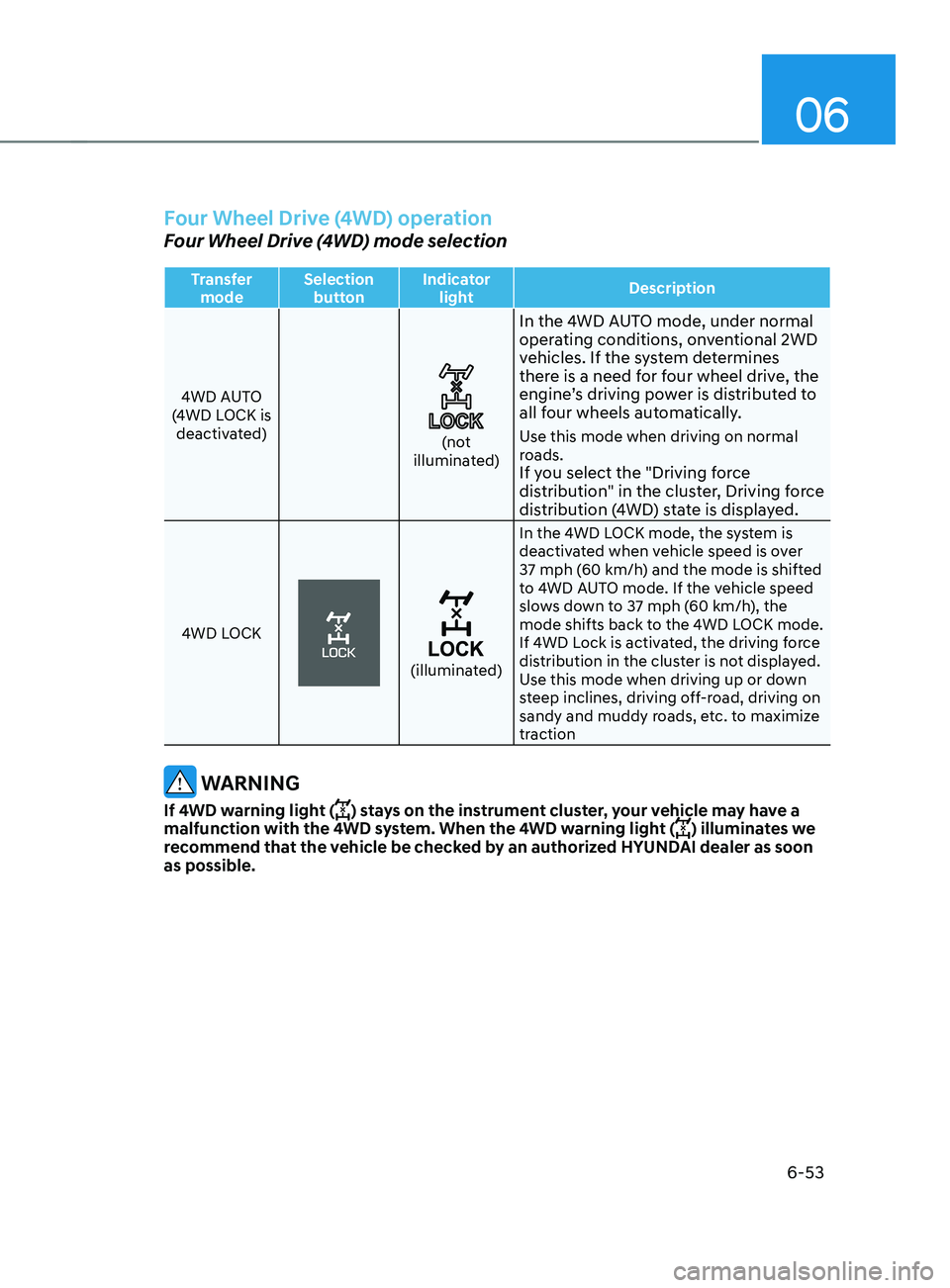
Four Wheel Drive (4WD) operation
Four Wheel Drive (4WD) mode selection
Transfer mode Selection
button Indicator
light Description
4WD AUTO
(4WD LOCK is deactivated)
(not
illuminated)
In the 4WD AUTO mode, under normal
operating conditions, onventional 2WD
vehicles. If the system determines
there is a need for four wheel drive, the
engine’s driving power is distributed to
all four wheels automatically.
Use this mode when driving on normal
roads.
If you select the "Driving force
distribution" in the cluster, Driving force
distribution (4WD) state is displayed.
4WD LOCK
(illuminated) In the 4WD LOCK mode, the system is
deactivated when vehicle speed is over
37 mph (60 km/h) and the mode is shifted
to 4WD AUTO mode. If the vehicle speed
slows down to 37 mph (60 km/h), the
mode shifts back to the 4WD LOCK mode.
If 4WD Lock is activated, the driving force
distribution in the cluster is not displayed.
Use this mode when driving up or down
steep inclines, driving off-road, driving on
sandy and muddy roads, etc. to maximize
traction
WARNING
If 4WD warning light () stays on the instrument cluster, your vehicle may have a
malfunction with the 4WD system. When the 4WD warning light () illuminates we
recommend that the vehicle be checked by an authorized HYUNDAI dealer as soon
as possible.
Page 342 of 636
Driving your vehicle
6-54
CAUTION
When driving on normal roads,
deactivate the 4WD LOCK mode by
pushing the 4WD LOCK button (4WD
LOCK indicator light goes off). Driving
on normal roads with the 4WD LOCK
mode, especially, when cornering
may cause mechanical noise or
vibration. The noise and vibration will
disappear when the 4WD LOCK mode is
deactivated. Prolonged driving with the
noise and vibration may damage some
parts of the power train.
NOTICE
• When the 4WD LOCK mode is
deactivated, a sensation may be felt
as the driving power is delivered
entirely to the front wheels.
Auto Four Wheel Drive mode (normal
driving) (if equipped)
If the 4WD system determines there is a
need for four wheel drive, the engine's
driving power is distributed to all four
wheels automatically.
Page 343 of 636
06
6-55
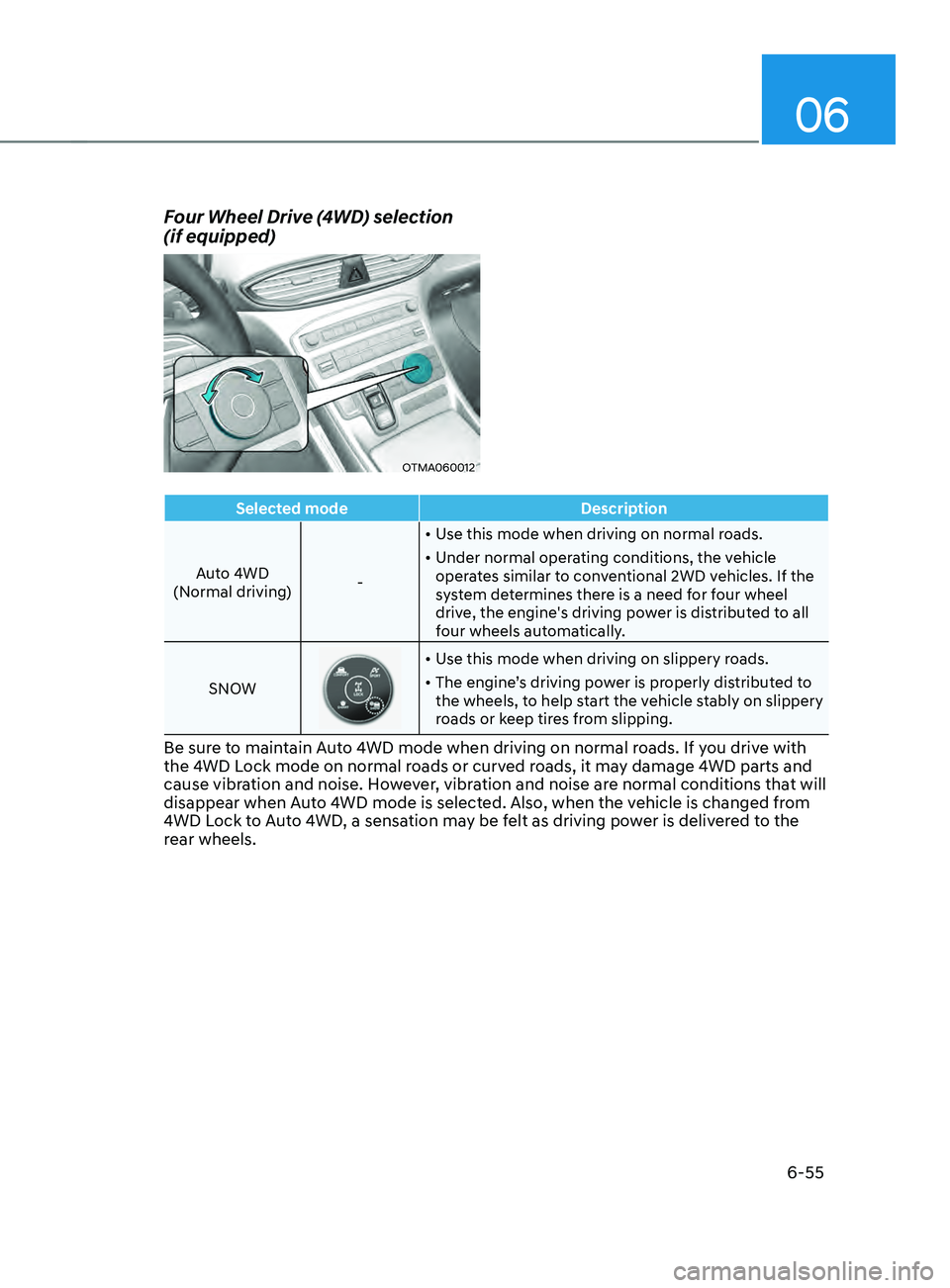
Selected modeDescription
Auto 4WD
(Normal driving) -•
Use this mode when driving on normal roads.
• Under normal operating conditions, the vehicle
operates similar to conventional 2WD vehicles. If the
system determines there is a need for four wheel
drive, the engine's driving power is distributed to all
four wheels automatically.
SNOW
• Use this mode when driving on slippery roads.
• The engine’s driving power is properly distributed to
the wheels, to help start the vehicle stably on slippery
roads or keep tires from slipping.
Be sure to maintain Auto 4WD mode when driving on normal roads. If you drive with
the 4WD Lock mode on normal roads or curved roads, it may damage 4WD parts and
cause vibration and noise. However, vibration and noise are normal conditions that will
disappear when Auto 4WD mode is selected. Also, when the vehicle is changed from
4WD Lock to Auto 4WD, a sensation may be felt as driving power is delivered to the
rear wheels.
Four Wheel Drive (4WD) selection
(if equipped)
OTMA060012
Page 364 of 636
Driving your vehicle
6 -76
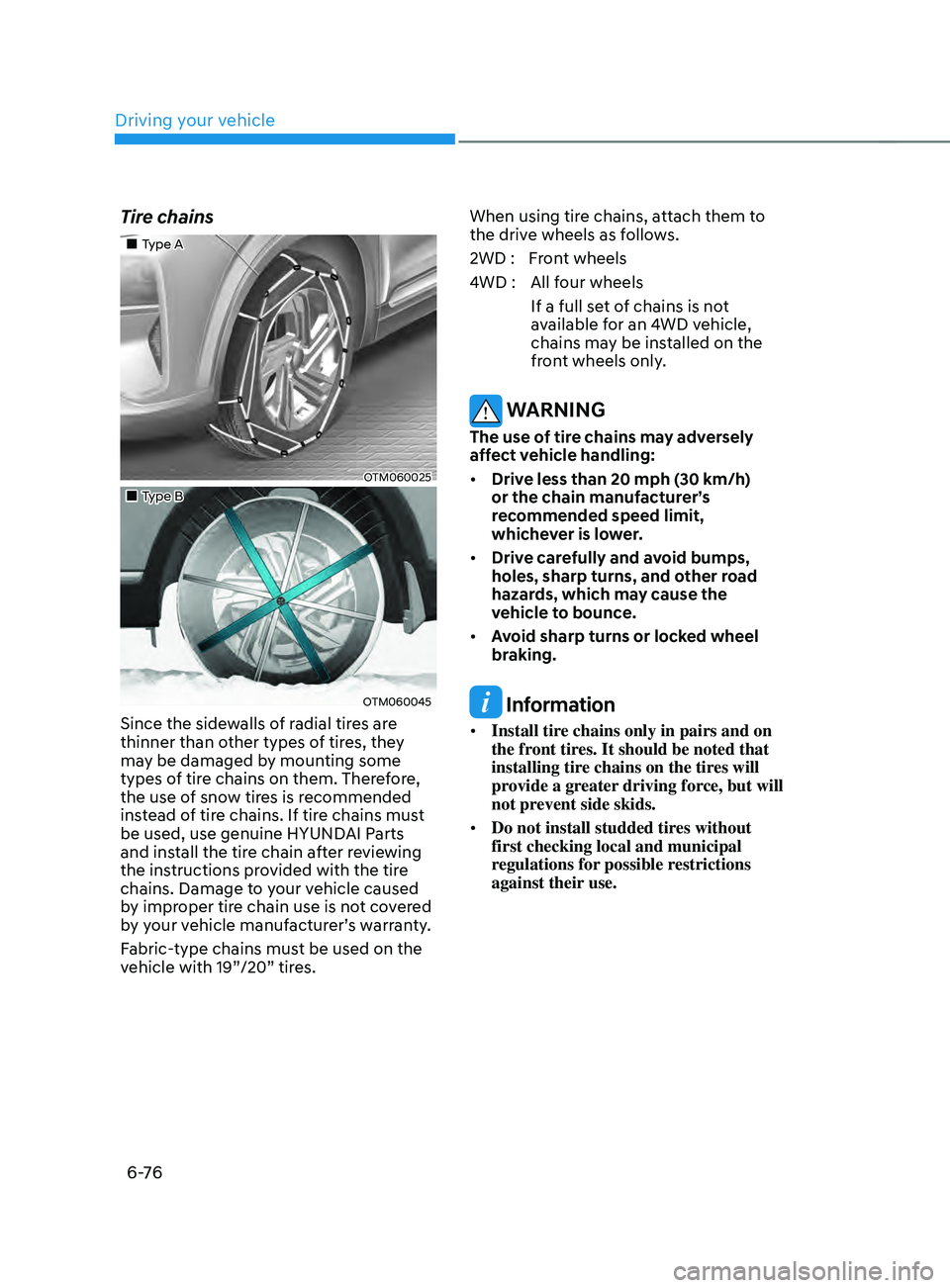
Tire chains
„„Type A
OTM060025
„„Type B
OTM060045
Since the sidewalls of radial tires are
thinner than other types of tires, they
may be damaged by mounting some
types of tire chains on them. Therefore,
the use of snow tires is recommended
instead of tire chains. If tire chains must
be used, use genuine HYUNDAI Parts
and install the tire chain after reviewing
the instructions provided with the tire
chains. Damage to your vehicle caused
by improper tire chain use is not covered
by your vehicle manufacturer’s warranty.
Fabric-type chains must be used on the
vehicle with 19”/20” tires.When using tire chains, attach them to
the drive wheels as follows.
2WD : Front wheels
4WD : All four wheels
If a full set of chains is not
available for an 4WD vehicle,
chains may be installed on the
front wheels only.
WARNING
The use of tire chains may adversely
affect vehicle handling:
• Drive less than 20 mph (30 km/h)
or the chain manufacturer’s
recommended speed limit,
whichever is lower.
• Drive carefully and avoid bumps,
holes, sharp turns, and other road
hazards, which may cause the
vehicle to bounce.
• Avoid sharp turns or locked wheel
braking.
Information
• Install tire chains only in pairs and on
the front tires. It should be noted that
installing tire chains on the tires will
provide a greater driving force, but will
not prevent side skids.
• Do not install studded tires without
first checking local and municipal
regulations for possible restrictions
against their use.