light HYUNDAI SANTA FE CALLIGRAPHY 2021 Owners Manual
[x] Cancel search | Manufacturer: HYUNDAI, Model Year: 2021, Model line: SANTA FE CALLIGRAPHY, Model: HYUNDAI SANTA FE CALLIGRAPHY 2021Pages: 636, PDF Size: 81.2 MB
Page 459 of 636
07
7-7 7
LAnE FOLLOWIng A ssIsT (LF A) (IF E QUIppED)
Lane Following Assist is designed to help
detect lane markings and/or vehicles on
the road, and assists the driver’s steering
to help center the vehicle in the lane.
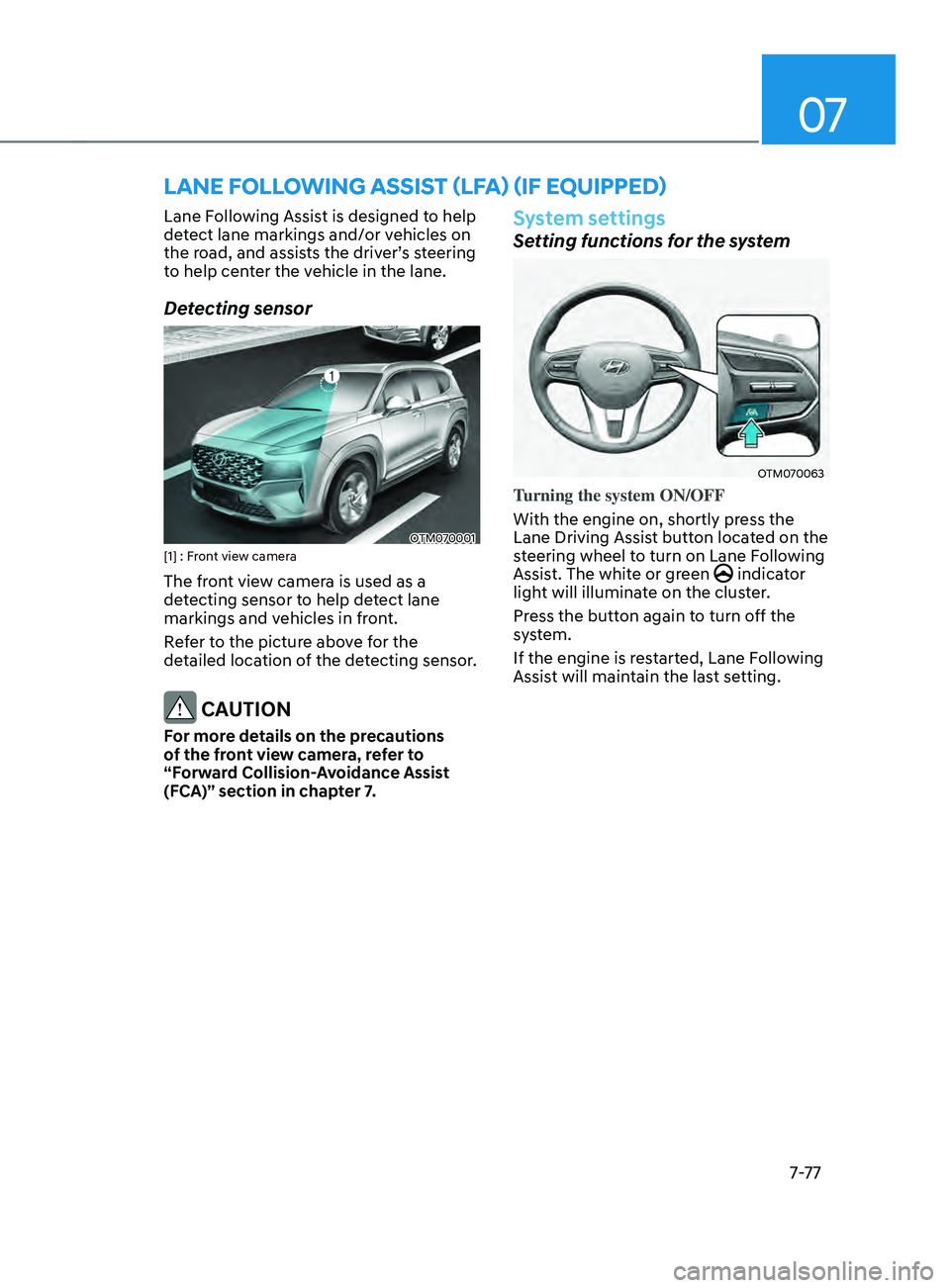
Detecting sensor
OTM070001[1] : Front view camera
The front view camera is used as a
detecting sensor to help detect lane
markings and vehicles in front.
Refer to the picture above for the
detailed location of the detecting sensor.
CAUTION
For more details on the precautions
of the front view camera, refer to
“Forward Collision-Avoidance Assist
(FCA)” section in chapter 7.
System settings
Setting functions for the system
OTM070063
Turning the system ON/OFF
With the engine on, shortly press the
Lane Driving Assist button located on the
steering wheel to turn on Lane Following
Assist. The white or green
indicator
light will illuminate on the cluster.
Press the button again to turn off the
system.
If the engine is restarted, Lane Following
Assist will maintain the last setting.
Page 460 of 636
Driver assistance system
7-7 8
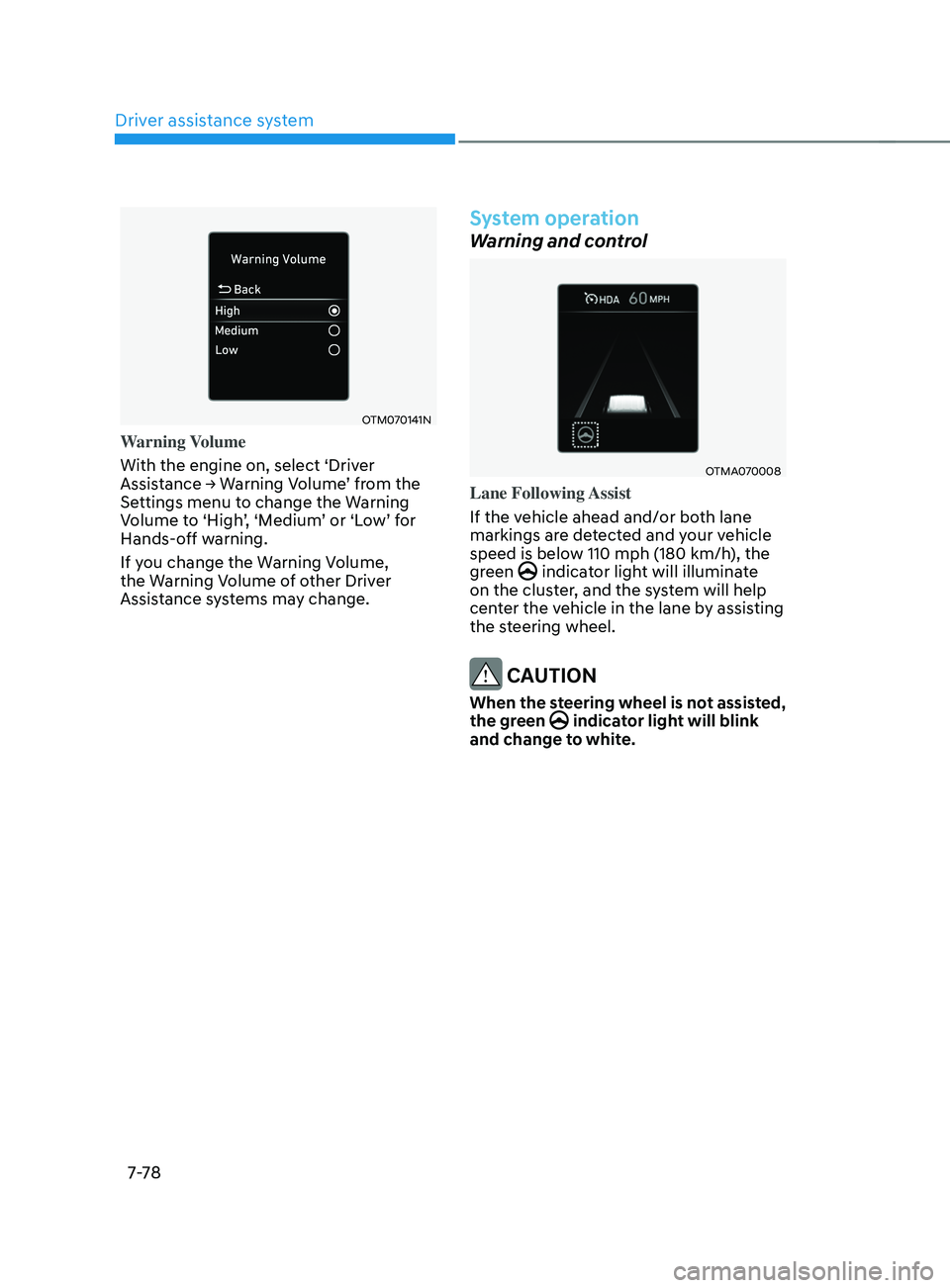
OTM070141N
Warning Volume
With the engine on, select ‘Driver
Assistance
→ W
arning
V
olume’
fr
om
the Settings menu t
o change the Warning
Volume to ‘High’, ‘Medium’ or ‘Low’ for
Hands-off warning.
If you change the Warning Volume,
the Warning Volume of other Driver
Assistance systems may change.
System operation
Warning and control
OTMA070008
Lane Following Assist
If the vehicle ahead and/or both lane
markings are detected and your vehicle
speed is below 110 mph (180 km/h), the
green
indicator light will illuminate
on the cluster, and the system will help
center the vehicle in the lane by assisting
the steering wheel.
CAUTION
When the steering wheel is not assisted,
the green indicator light will blink
and change to white.
Page 461 of 636
07
7-7 9
„„Type A„„Type B
OTM070037NOTM070037L
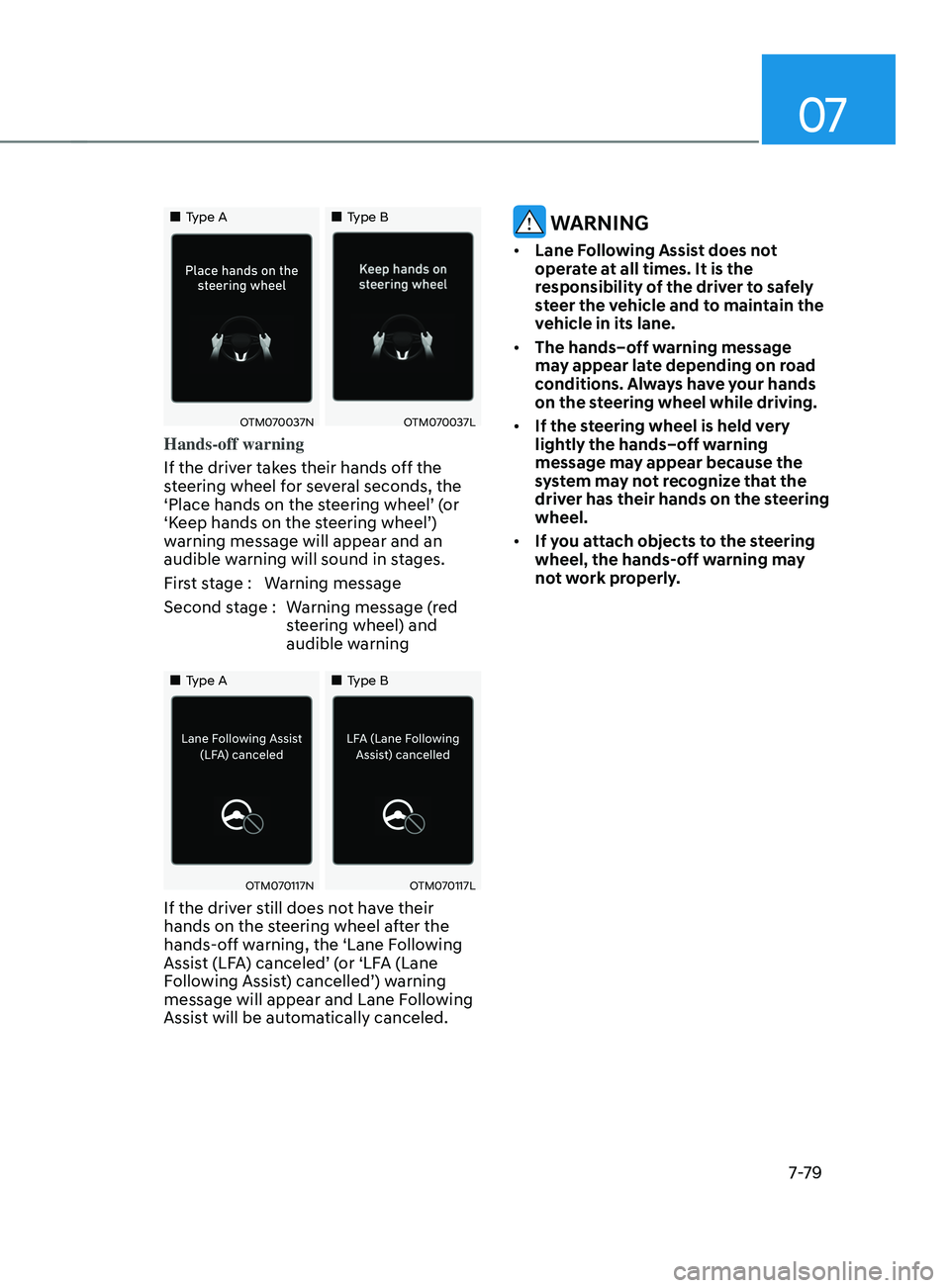
Hands-off warning
If the driver takes their hands off the
steering wheel for several seconds, the
‘Place hands on the steering wheel’ (or
‘Keep hands on the steering wheel’)
warning message will appear and an
audible warning will sound in stages.
First stage : Warning message
Second stage : Warning message (red
steering wheel) and
audible warning
„„Type A „„Type B
OTM070117NOTM070117L
If the driver still does not have their
hands on the steering wheel after the
hands-off warning, the ‘Lane Following
Assist (LFA) canceled’ (or ‘LFA (Lane
Following Assist) cancelled’) warning
message will appear and Lane Following
Assist will be automatically canceled.
WARNING
• Lane Following Assist does not
operate at all times. It is the
responsibility of the driver to safely
steer the vehicle and to maintain the
vehicle in its lane.
• The hands–off warning message
may appear late depending on road
conditions. Always have your hands
on the steering wheel while driving.
• If the steering wheel is held very
lightly the hands–off warning
message may appear because the
system may not recognize that the
driver has their hands on the steering
wheel.
• If you attach objects to the steering
wheel, the hands-off warning may
not work properly.
Page 462 of 636
Driver assistance system
7-80
Information
• You may change settings from the
instrument cluster (User Settings) or
infotainment system (Vehicle Settings),
whichever option that is provided with
your vehicle. For more details, see
"User Settings" section in chapter 4, or
"Vehicle Settings" section in supplied
Infotainment Manual.
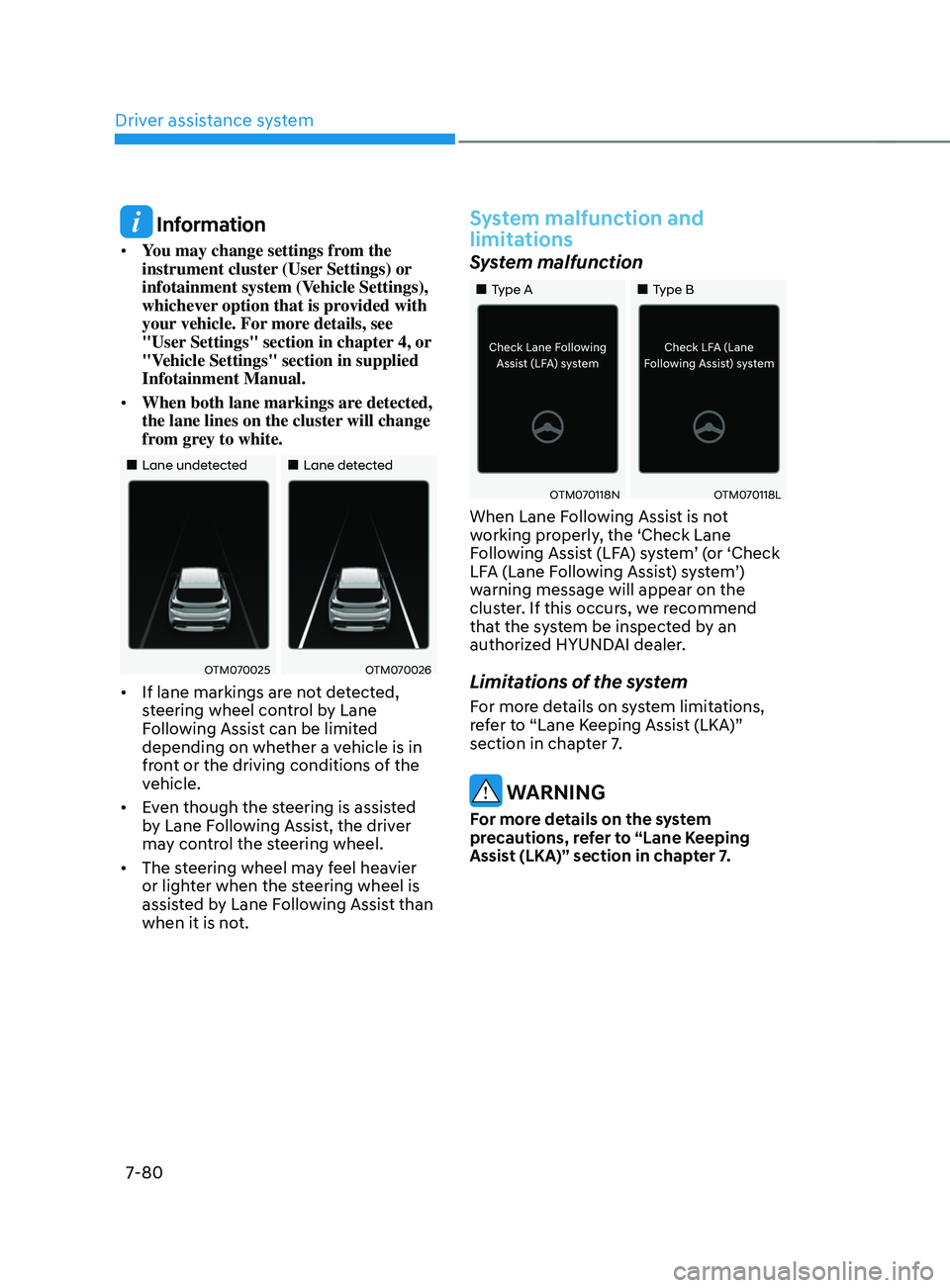
• When both lane markings are detected,
the lane lines on the cluster will change
from grey to white.
„„Lane undetected „„Lane detected
OTM070025OTM070026
• If lane markings are not detected,
steering wheel control by Lane
Following Assist can be limited
depending on whether a vehicle is in
front or the driving conditions of the
vehicle.
• Even though the steering is assisted
by Lane Following Assist, the driver
may control the steering wheel.
• The steering wheel may feel heavier
or lighter when the steering wheel is
assisted by Lane Following Assist than
when it is not.
System malfunction and
limitations
System malfunction
„„Type A „„Type B
OTM070118NOTM070118L
When Lane Following Assist is not
working properly, the ‘Check Lane
Following Assist (LFA) system’ (or ‘Check
LFA (Lane Following Assist) system’)
warning message will appear on the
cluster. If this occurs, we recommend
that the system be inspected by an
authorized HYUNDAI dealer.
Limitations of the system
For more details on system limitations,
refer to “Lane Keeping Assist (LKA)”
section in chapter 7.
WARNING
For more details on the system
precautions, refer to “Lane Keeping
Assist (LKA)” section in chapter 7.
Page 467 of 636
07
7-85
System standby
When Smart Cruise Control is
temporarily canceled while Highway
Driving Assist is operating, Highway
Driving Assist will be in the standby state.
At this time, Lane Following Assist will
operate normally.
System malfunction and
limitations
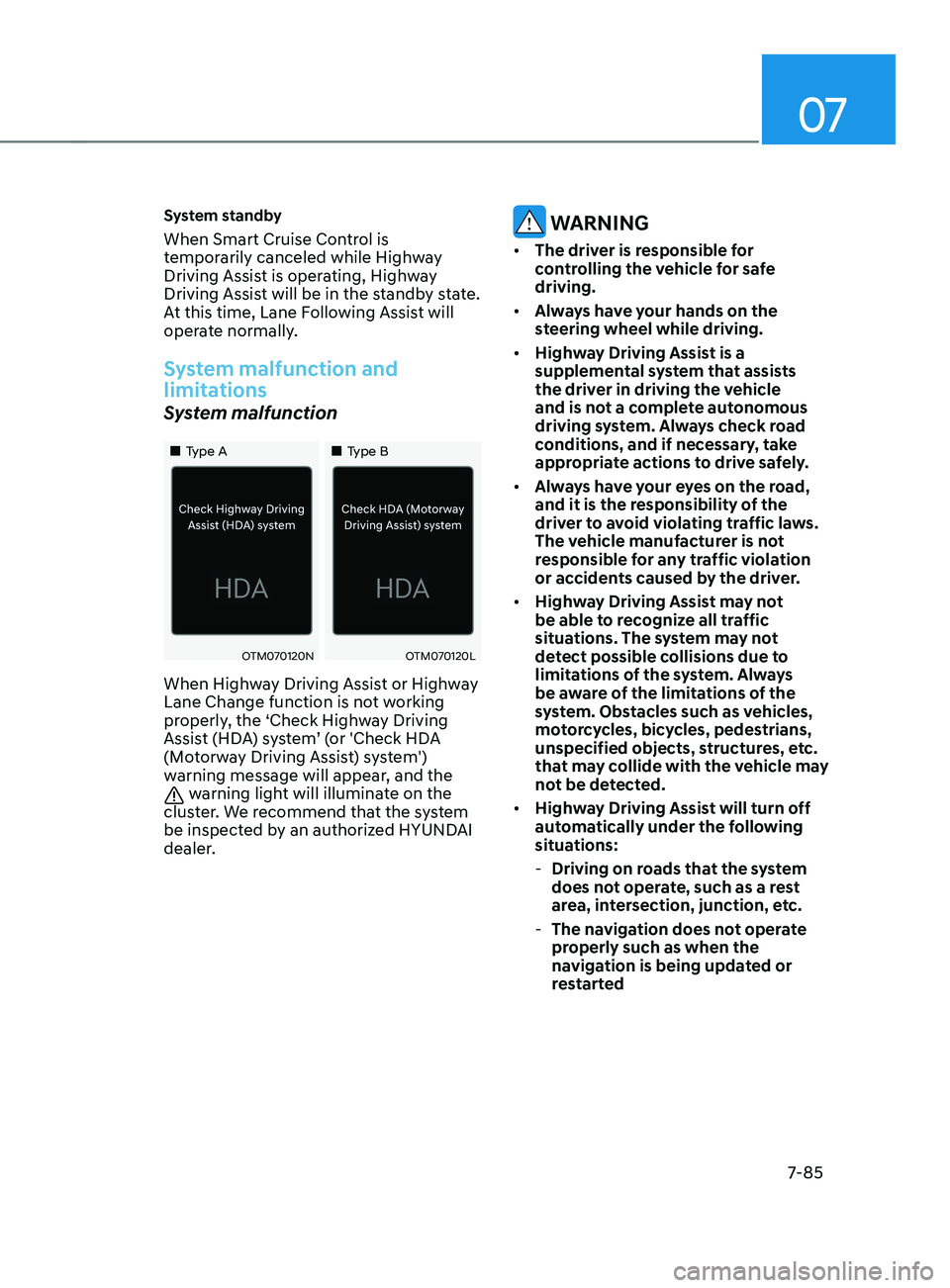
System malfunction
„„Type A„„Type B
OTM070120NOTM070120L
When Highway Driving Assist or Highway
Lane Change function is not working
properly, the ‘Check Highway Driving
Assist (HDA) system’ (or 'Check HDA
(Motorway Driving Assist) system')
warning message will appear, and the
warning light will illuminate on the
cluster. We recommend that the system
be inspected by an authorized HYUNDAI
dealer.
WARNING
• The driver is responsible for
controlling the vehicle for safe
driving.
• Always have your hands on the
steering wheel while driving.
• Highway Driving Assist is a
supplemental system that assists
the driver in driving the vehicle
and is not a complete autonomous
driving system. Always check road
conditions, and if necessary, take
appropriate actions to drive safely.
• Always have your eyes on the road,
and it is the responsibility of the
driver to avoid violating traffic laws.
The vehicle manufacturer is not
responsible for any traffic violation
or accidents caused by the driver.
• Highway Driving Assist may not
be able to recognize all traffic
situations. The system may not
detect possible collisions due to
limitations of the system. Always
be aware of the limitations of the
system. Obstacles such as vehicles,
motorcycles, bicycles, pedestrians,
unspecified objects, structures, etc.
that may collide with the vehicle may
not be detected.
• Highway Driving Assist will turn off
automatically under the following
situations:
- Driving on roads that the system
does not operate, such as a rest
area, intersection, junction, etc.
- The navigation does not operate
properly such as when the
navigation is being updated or
restarted
Page 481 of 636
07
7-99
OTM070141N
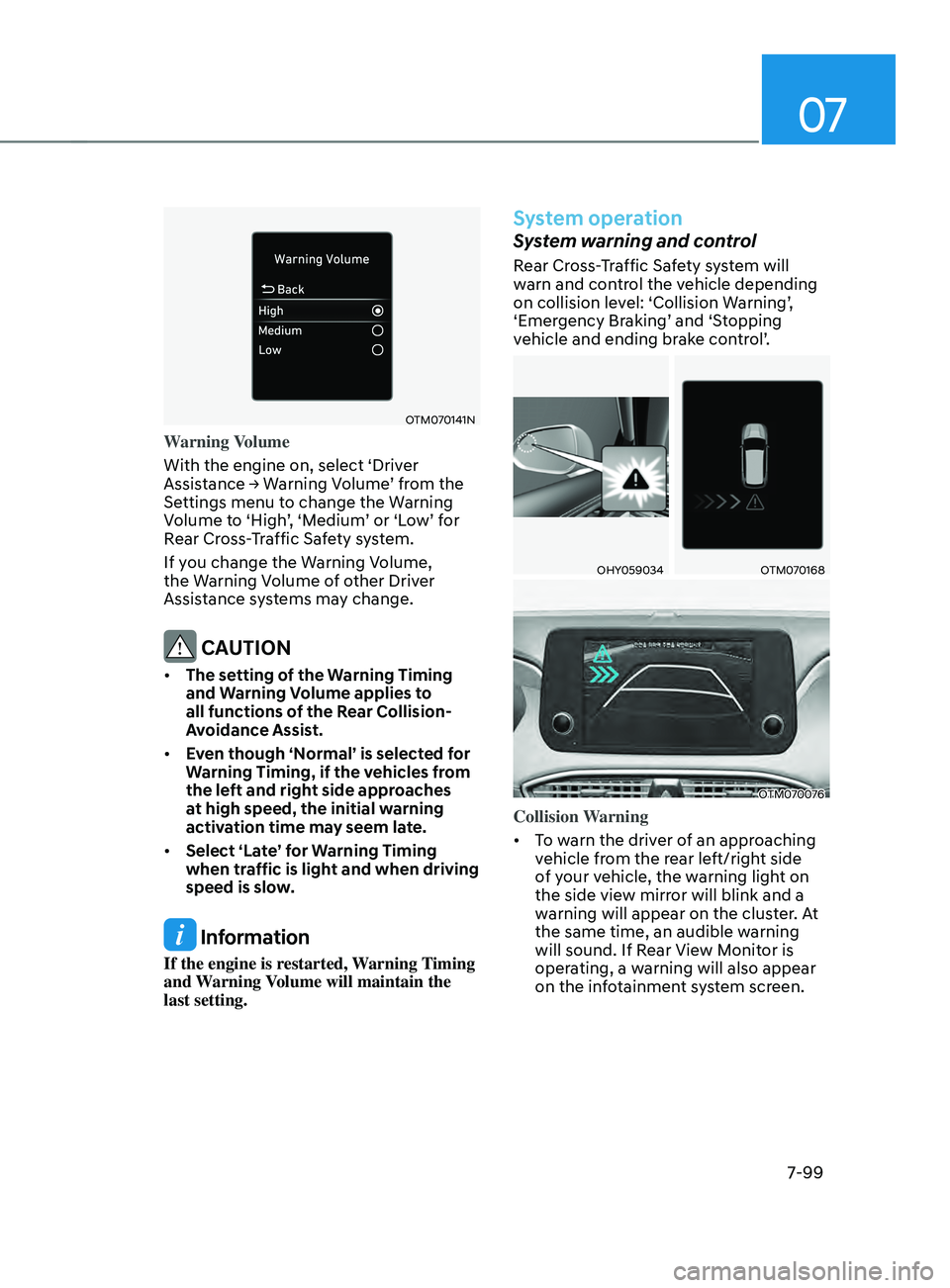
Warning Volume
With the engine on, select ‘Driver
Assistance
→ W
arning
V
olume’
fr
om
the Settings menu t
o change the Warning
Volume to ‘High’, ‘Medium’ or ‘Low’ for
Rear Cross-Traffic Safety system.
If you change the Warning Volume,
the Warning Volume of other Driver
Assistance systems may change.
CAUTION
• The setting of the Warning Timing
and Warning Volume applies to
all functions of the Rear Collision-
Avoidance Assist.
• Even though ‘Normal’ is selected for
Warning Timing, if the vehicles from
the left and right side approaches
at high speed, the initial warning
activation time may seem late.
• Select ‘Late’ for Warning Timing
when traffic is light and when driving
speed is slow.
Information
If the engine is restarted, Warning Timing
and Warning Volume will maintain the
last setting.
System operation
System warning and control
Rear Cross-Traffic Safety system will
warn and control the vehicle depending
on collision level: ‘Collision Warning’,
‘Emergency Braking’ and ‘Stopping
vehicle and ending brake control’.
OHY059034OTM070168
OTM070076
Collision Warning
• To warn the driver of an approaching
vehicle from the rear left/right side
of your vehicle, the warning light on
the side view mirror will blink and a
warning will appear on the cluster. At
the same time, an audible warning
will sound. If Rear View Monitor is
operating, a warning will also appear
on the infotainment system screen.
Page 482 of 636
Driver assistance system
7-100
• The system will operate when all the
following conditions are satisfied:
- The gear is shifted t
o R (Reverse)
- Vehicle speed is belo
w 5 mph (8
km/h)
- The approaching v
ehicle is within
approximately 82 ft. (25 m) from the
left or right side of your vehicle
- The speed of the v
ehicle
approaching from the left and right
is above 3 mph (5 km/h)
Information
If the operating conditions are satisfied,
there will be a warning whenever the
vehicle approaches from the left or right
side even though your vehicle speed is 0
mph (0 km/h).
OHY059034OTM070122N
OTM070076
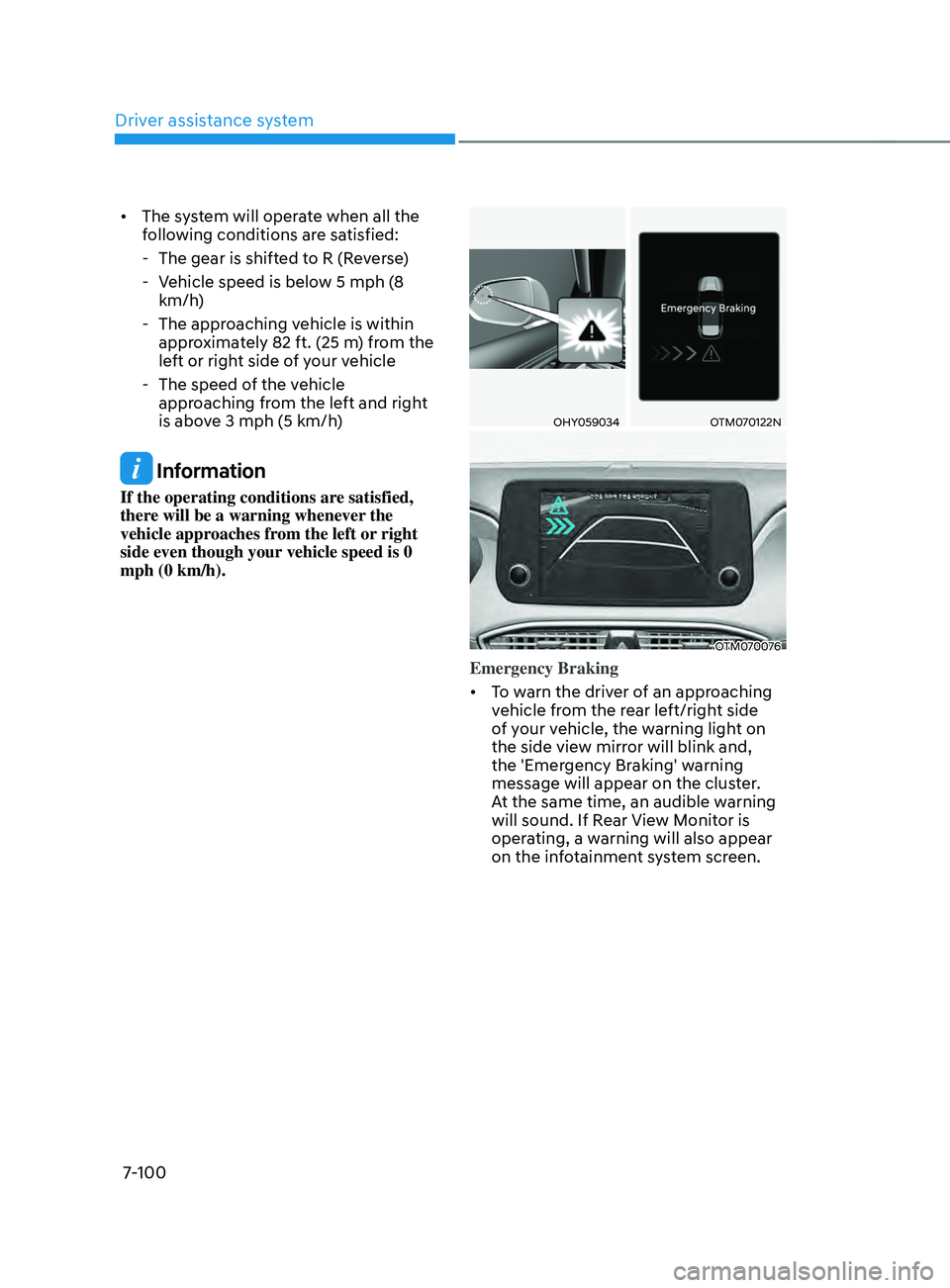
Emergency Braking
• To warn the driver of an approaching
vehicle from the rear left/right side
of your vehicle, the warning light on
the side view mirror will blink and,
the 'Emergency Braking' warning
message will appear on the cluster.
At the same time, an audible warning
will sound. If Rear View Monitor is
operating, a warning will also appear
on the infotainment system screen.
Page 484 of 636
Driver assistance system
7-102
WARNING
Take the following precautions when
using Rear Cross-Traffic Safety system:
• For your safety, change the Settings
after parking the vehicle at a safe
location.
• If any other system’s warning
message is displayed or audible
warning is generated, Rear Cross-
Traffic Safety system’s warning
message may not be displayed
and audible warning may not be
generated.
• You may not hear the warning sound
of Rear Cross-Traffic Safety system if
the surrounding is noisy.
• Rear Cross-Traffic Safety system may
not operate if the driver applies the
brake pedal to avoid collision.
• During Rear Cross-Traffic Safety
system operation, the vehicle may
stop suddenly injuring passengers
and shifting loose objects. Always
have the seat belt on and keep loose
objects secured.
• Even if there is a problem with Rear
Cross-Traffic Safety system, the
vehicle’s basic braking performance
will operate normally.
• Rear Cross-Traffic Safety system does
not operate in all situations or cannot
avoid all collisions.
• During emergency braking,
braking control by the system will
automatically cancel when the
driver excessively depresses the
accelerator pedal. •
The driver is solely responsible to
operate the vehicle in a safe manner.
Do not solely depend on Rear
Cross-Traffic Safety system. Rather,
maintain a safe braking distance, and
if necessary, depress the brake pedal
to reduce driving speed or to stop
the vehicle.
• Never deliberately operate Rear
Cross-Traffic Safety system on
people, animal, objects, etc. It may
cause serious injury or death.
CAUTION
The brake control may not operate
properly depending on the status of
ESC (Electronic Stability Control).
There will only be a warning when:
-The ESC (Electronic S
tability Control)
warning light is on
- ESC (Electronic S
tability Control) is
engaged in a different function
Information
• If the system assists you with braking,
the driver needs to pay attention as the
brake assist will end within 2 seconds.
The driver must immediately depress
the brake pedal and check vehicle
surroundings.
• Brake control will end when the
driver depresses the brake pedal with
sufficient power.
• After shifting the gear to R (Reverse),
braking control will operate once for
left and right vehicle approach.
Page 485 of 636
07
7-103
System malfunction and
limitations
System malfunction
OTM070125N
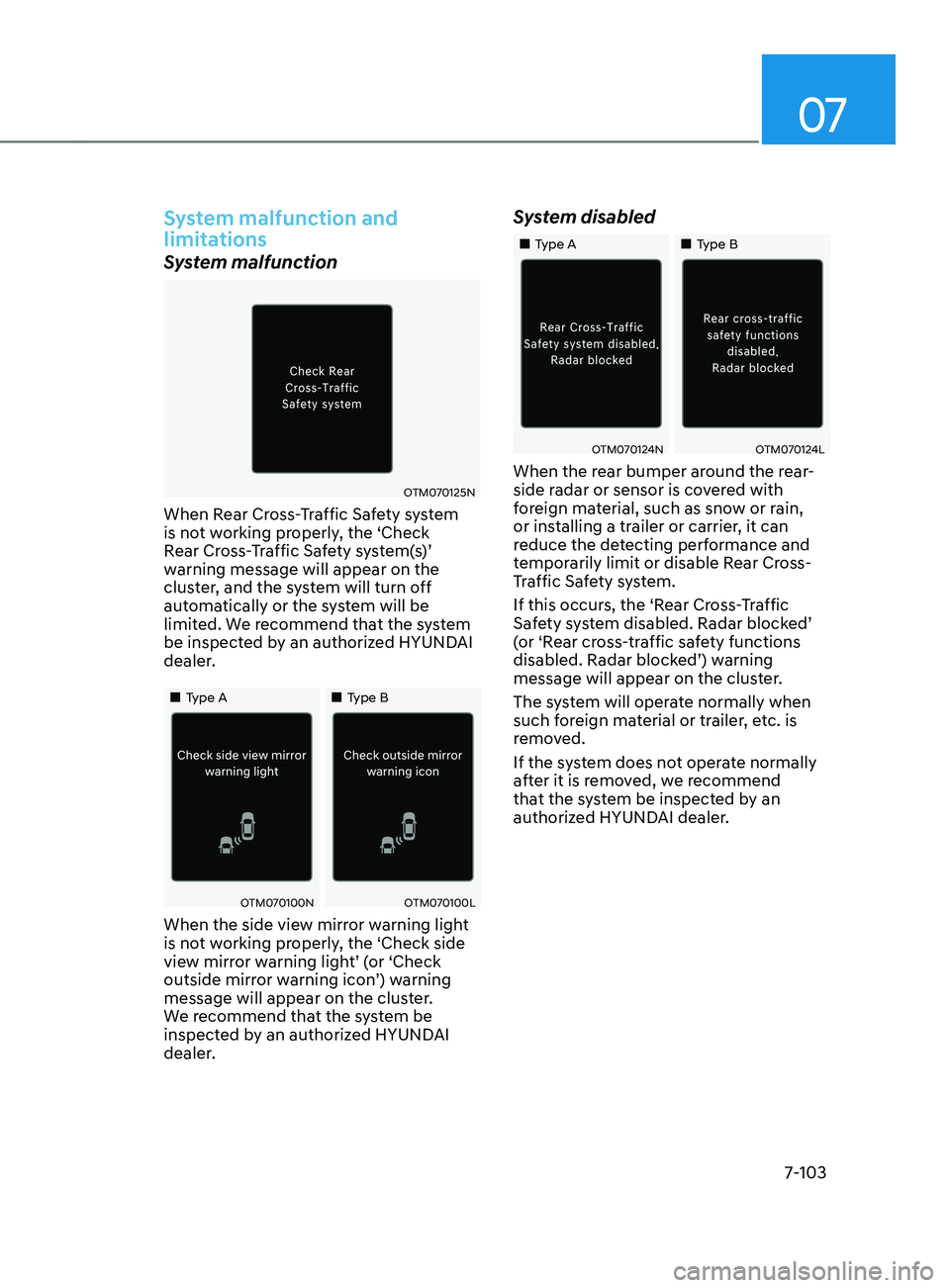
When Rear Cross-Traffic Safety system
is not working properly, the ‘Check
Rear Cross-Traffic Safety system(s)’
warning message will appear on the
cluster, and the system will turn off
automatically or the system will be
limited. We recommend that the system
be inspected by an authorized HYUNDAI
dealer.
„„Type A„„Type B
OTM070100NOTM070100L
When the side view mirror warning light
is not working properly, the ‘Check side
view mirror warning light’ (or ‘Check
outside mirror warning icon’) warning
message will appear on the cluster.
We recommend that the system be
inspected by an authorized HYUNDAI
dealer.
System disabled
„„Type A„„Type B
OTM070124NOTM070124L
When the rear bumper around the rear-
side radar or sensor is covered with
foreign material, such as snow or rain,
or installing a trailer or carrier, it can
reduce the detecting performance and
temporarily limit or disable Rear Cross-
Traffic Safety system.
If this occurs, the ‘Rear Cross-Traffic
Safety system disabled. Radar blocked’
(or ‘Rear cross-traffic safety functions
disabled. Radar blocked’) warning
message will appear on the cluster.
The system will operate normally when
such foreign material or trailer, etc. is
removed.
If the system does not operate normally
after it is removed, we recommend
that the system be inspected by an
authorized HYUNDAI dealer.
Page 490 of 636
Driver assistance system7-108
REVERsE p ARkIng DIsTAnCE WARnIng (pD W) (IF
EQUI
ppED)
Reverse Parking Distance Warning will
help warn the driver if an obstacle is
detected within a certain distance when
the vehicle is moving in reverse at low
speeds.
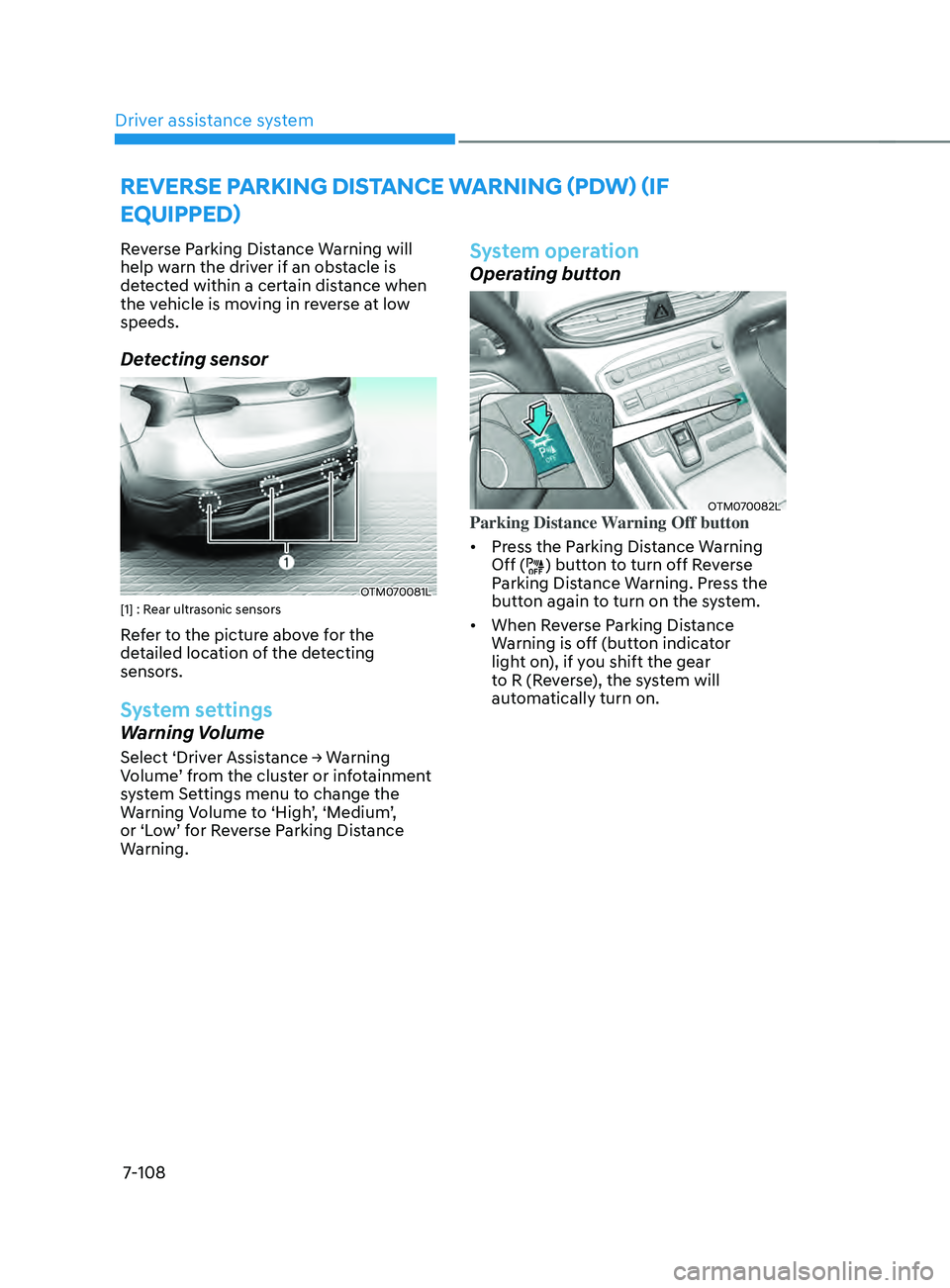
Detecting sensor
OTM070081L[1] : Rear ultrasonic sensors
Refer to the picture above for the
detailed location of the detecting
sensors.
System settings
Warning Volume
Select ‘Driver Assistance → Warning Volume ’ from the cluster or infotainment
system Settings menu to change the
Warning Volume to ‘High’, ‘Medium’,
or ‘Low’ for Reverse Parking Distance
Warning.
System operation
Operating button
OTM070082LParking Distance Warning Off button
• Press the Parking Distance Warning
Off (
) button to turn off Reverse
Parking Distance Warning. Press the
button again to turn on the system.
• When Reverse Parking Distance
Warning is off (button indicator
light on), if you shift the gear
to R (Reverse), the system will
automatically turn on.