engine HYUNDAI SANTA FE CALLIGRAPHY 2021 Owners Manual
[x] Cancel search | Manufacturer: HYUNDAI, Model Year: 2021, Model line: SANTA FE CALLIGRAPHY, Model: HYUNDAI SANTA FE CALLIGRAPHY 2021Pages: 636, PDF Size: 81.2 MB
Page 422 of 636
Driver assistance system
7-40
System settings
Setting functions for the system
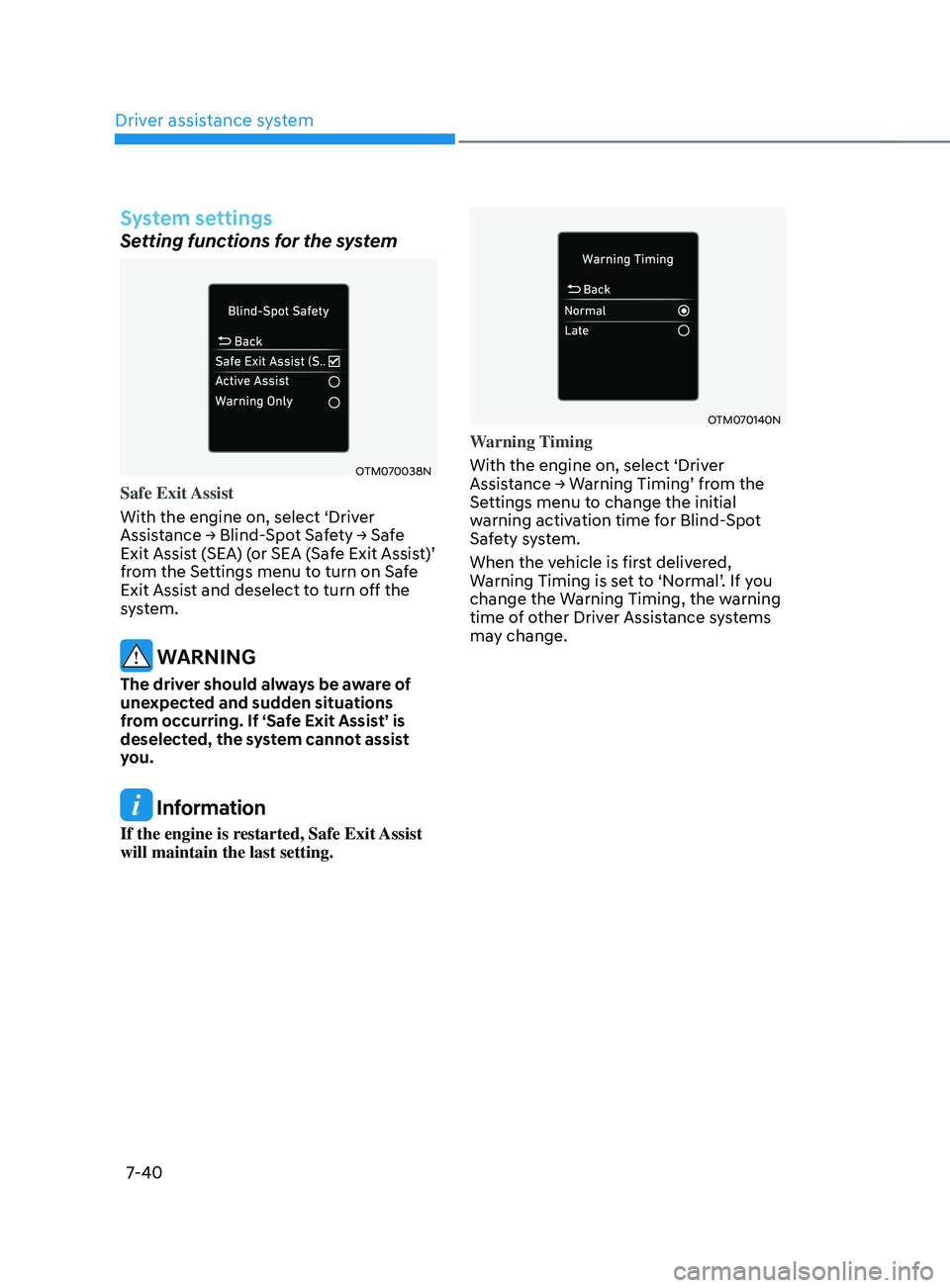
OTM070038N
Safe Exit Assist
With the engine on, select ‘Driver
Assistance
→ Blind-
Spot
Sa
fety
→ Sa
fe
Exit Assist (
SEA) (or SEA (Safe Exit Assist)’
from the Settings menu to turn on Safe
Exit Assist and deselect to turn off the
system.
WARNING
The driver should always be aware of
unexpected and sudden situations
from occurring. If ‘Safe Exit Assist’ is
deselected, the system cannot assist
you.
Information
If the engine is restarted, Safe Exit Assist
will maintain the last setting.
OTM070140N
Warning Timing
With the engine on, select ‘Driver
Assistance
→ W
arning
Timing’ fr
om
the Settings menu t
o change the initial
warning activation time for Blind-Spot
Safety system.
When the vehicle is first delivered,
Warning Timing is set to ‘Normal’. If you
change the Warning Timing, the warning
time of other Driver Assistance systems
may change.
Page 423 of 636
07
7-41
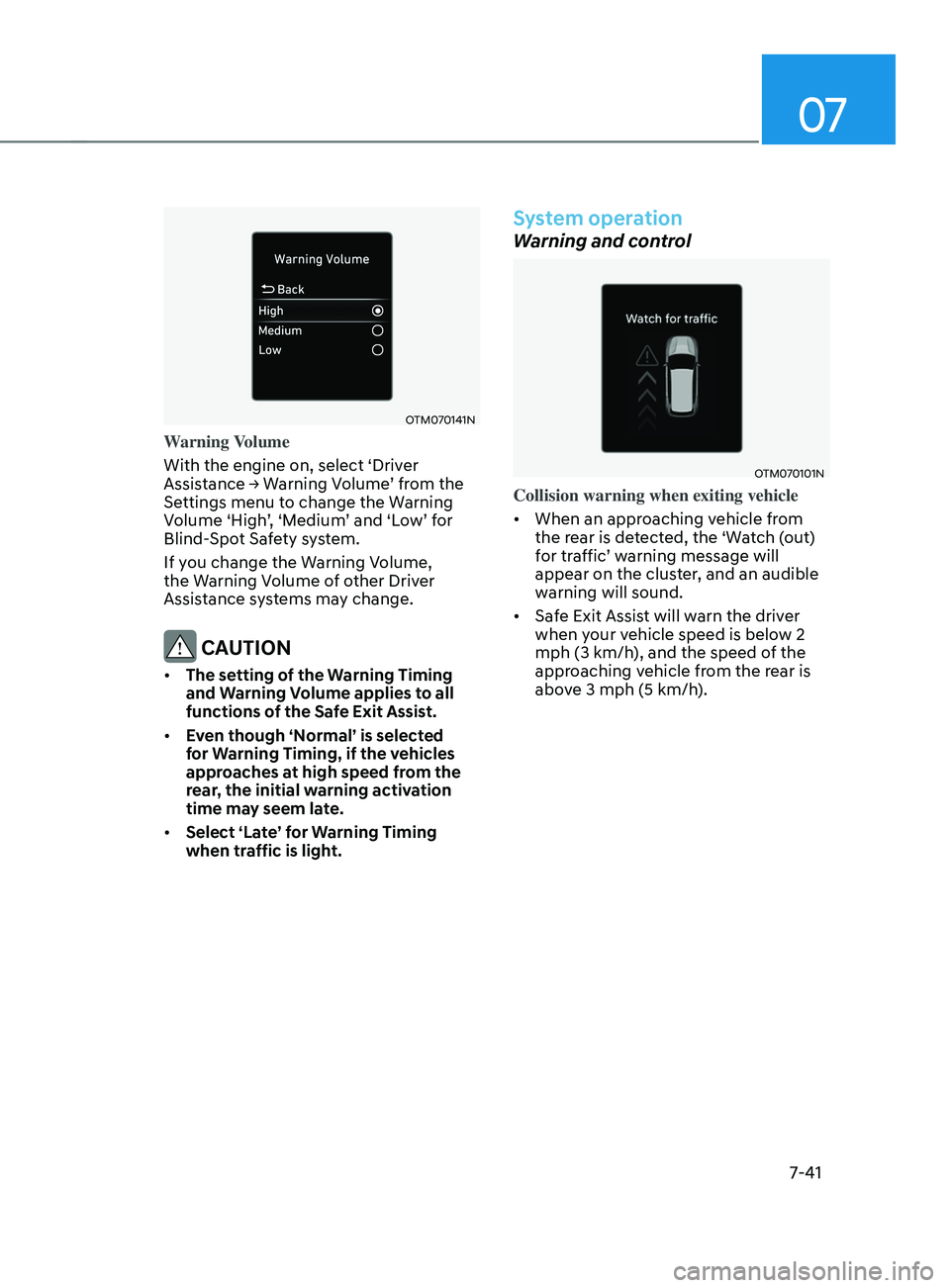
OTM070141N
Warning Volume
With the engine on, select ‘Driver
Assistance
→ W
arning
V
olume’
fr
om
the Settings menu t
o change the Warning
Volume ‘High’, ‘Medium’ and ‘Low’ for
Blind-Spot Safety system.
If you change the Warning Volume,
the Warning Volume of other Driver
Assistance systems may change.
CAUTION
• The setting of the Warning Timing
and Warning Volume applies to all
functions of the Safe Exit Assist.
• Even though ‘Normal’ is selected
for Warning Timing, if the vehicles
approaches at high speed from the
rear, the initial warning activation
time may seem late.
• Select ‘Late’ for Warning Timing
when traffic is light.
System operation
Warning and control
OTM070101N
Collision warning when exiting vehicle
• When an approaching vehicle from
the rear is detected, the ‘Watch (out)
for traffic’ warning message will
appear on the cluster, and an audible
warning will sound.
• Safe Exit Assist will warn the driver
when your vehicle speed is below 2
mph (3 km/h), and the speed of the
approaching vehicle from the rear is
above 3 mph (5 km/h).
Page 425 of 636
07
7-43
• The driver and passengers are
responsible for accidents that occurs
while exiting the vehicle. Always
check the surroundings before you
exit the vehicle.
• Never deliberately operate Safe Exit
Assist. Doing so may lead to serious
injury or death.
• Safe Exit Assist does not operate
if there is a problem with Blind-
Spot Safety system. There may be
a problem with Blind Spot Safety
system when:
-Blind Spot Sa
fety system warning
light appears
- Blind-Spo
t Safety system sensor or
the sensor surrounding is polluted
or covered
- Blind-Spo
t Safety system fails to
warn passengers or falsely warn
passengers
Information
After the engine is turned off, Safe Exit
Assist operates approximately for 3
minutes, but turns off immediately if the
doors are locked.
System malfunction and
limitations
System malfunction
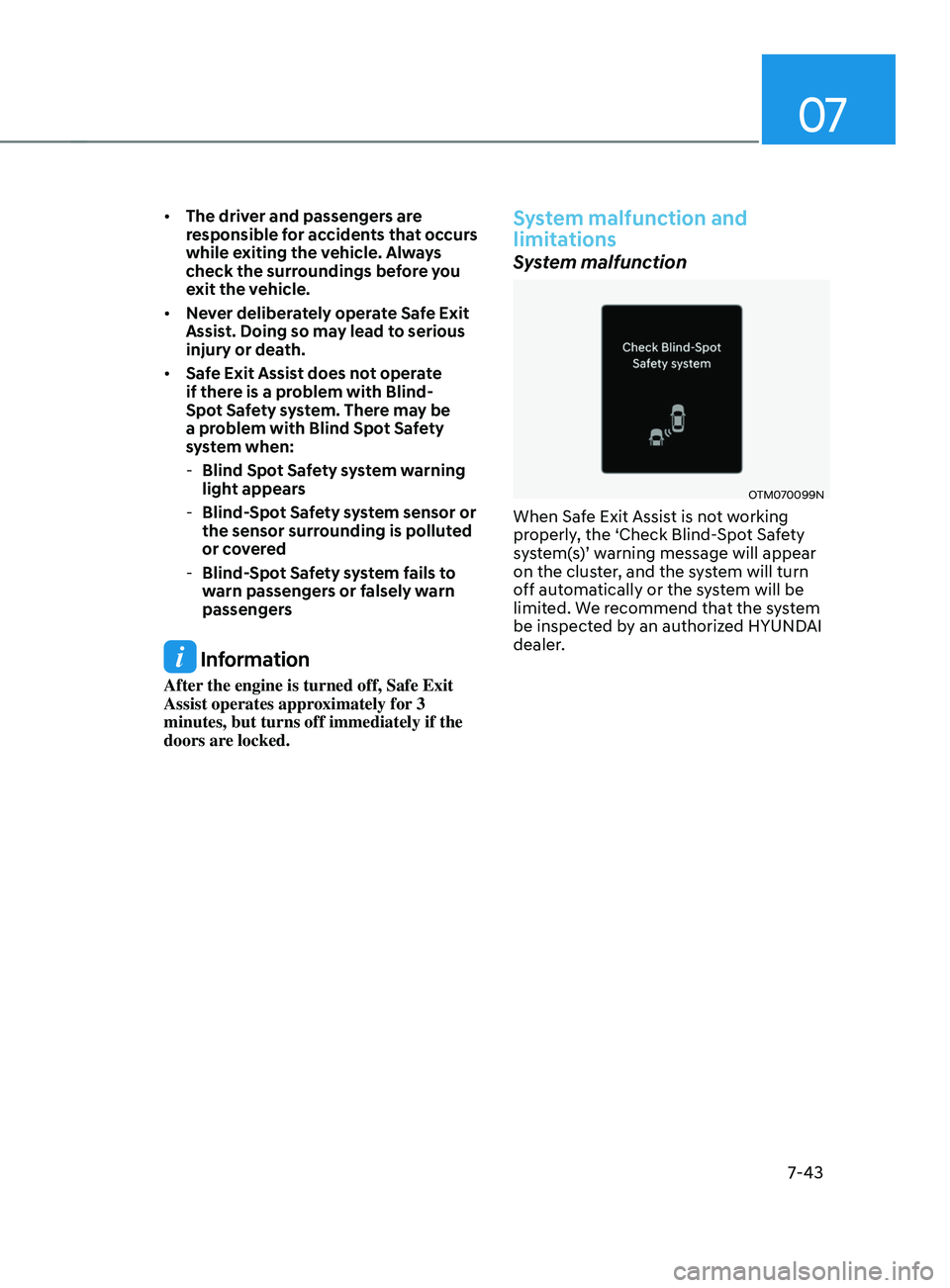
OTM070099N
When Safe Exit Assist is not working
properly, the ‘Check Blind-Spot Safety
system(s)’ warning message will appear
on the cluster, and the system will turn
off automatically or the system will be
limited. We recommend that the system
be inspected by an authorized HYUNDAI
dealer.
Page 426 of 636
Driver assistance system
7-44
System disabled
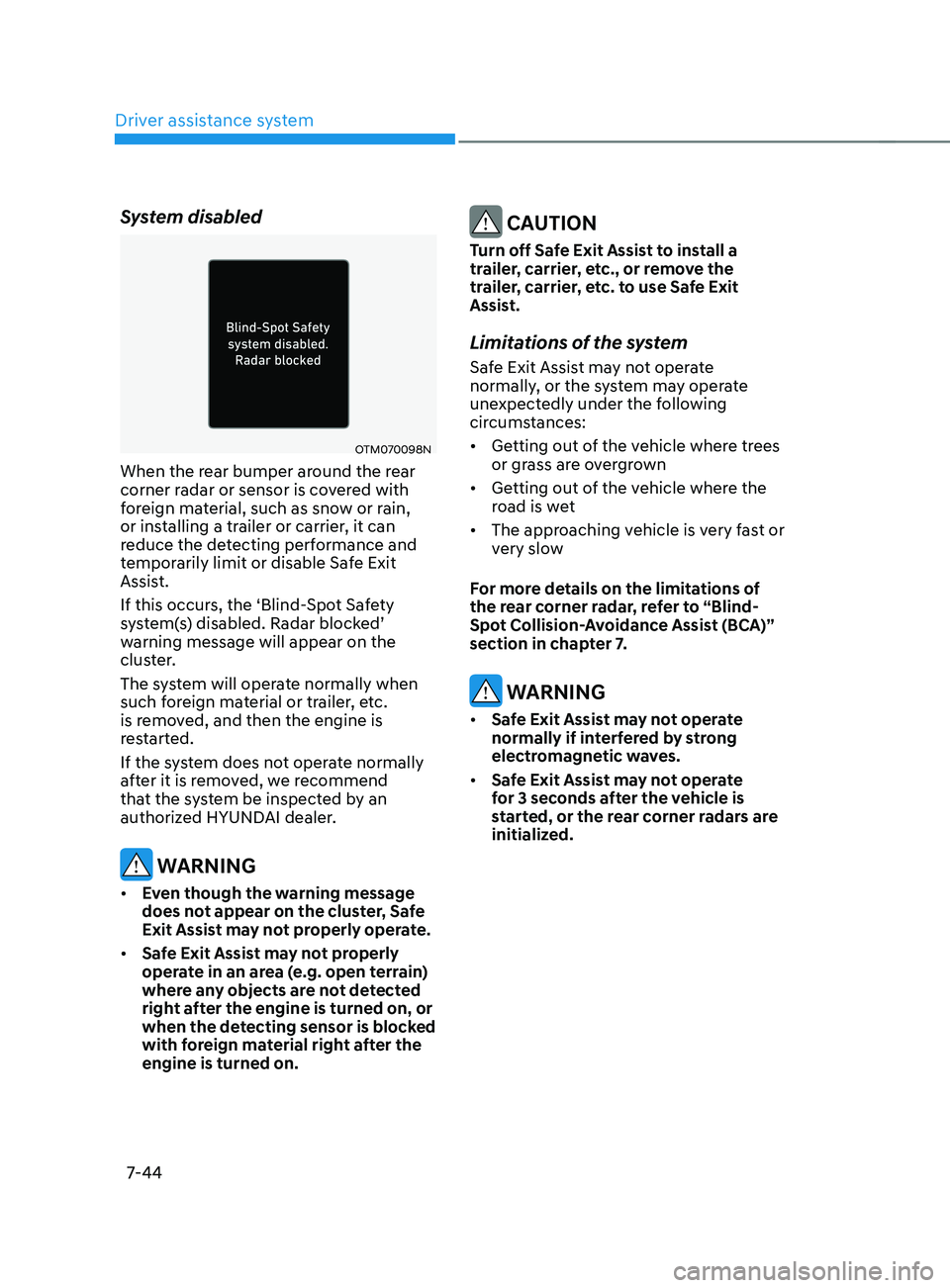
OTM070098N
When the rear bumper around the rear
corner radar or sensor is covered with
foreign material, such as snow or rain,
or installing a trailer or carrier, it can
reduce the detecting performance and
temporarily limit or disable Safe Exit
Assist.
If this occurs, the ‘Blind-Spot Safety
system(s) disabled. Radar blocked’
warning message will appear on the
cluster.
The system will operate normally when
such foreign material or trailer, etc.
is removed, and then the engine is
restarted.
If the system does not operate normally
after it is removed, we recommend
that the system be inspected by an
authorized HYUNDAI dealer.
WARNING
• Even though the warning message
does not appear on the cluster, Safe
Exit Assist may not properly operate.
• Safe Exit Assist may not properly
operate in an area (e.g. open terrain)
where any objects are not detected
right after the engine is turned on, or
when the detecting sensor is blocked
with foreign material right after the
engine is turned on.
CAUTION
Turn off Safe Exit Assist to install a
trailer, carrier, etc., or remove the
trailer, carrier, etc. to use Safe Exit
Assist.
Limitations of the system
Safe Exit Assist may not operate
normally, or the system may operate
unexpectedly under the following
circumstances:
• Getting out of the vehicle where trees
or grass are overgrown
• Getting out of the vehicle where the
road is wet
• The approaching vehicle is very fast or
very slow
For more details on the limitations of
the rear corner radar, refer to “Blind-
Spot Collision-Avoidance Assist (BCA)”
section in chapter 7.
WARNING
• Safe Exit Assist may not operate
normally if interfered by strong
electromagnetic waves.
• Safe Exit Assist may not operate
for 3 seconds after the vehicle is
started, or the rear corner radars are
initialized.
Page 427 of 636
07
7-45
DRIVER ATTEnTIOn WARnIng (DAW)
Basic function
Driver Attention Warning will help
determine the driver's attention level by
analyzing driving pattern, driving time,
etc. while vehicle is being driven. The
system will recommend a break when
the driver’s attention level falls below a
certain level.
Leading Vehicle Departure Alert
function
Leading Vehicle Departure Alert function
will inform the driver when a detected
vehicle in front departs from a stop.
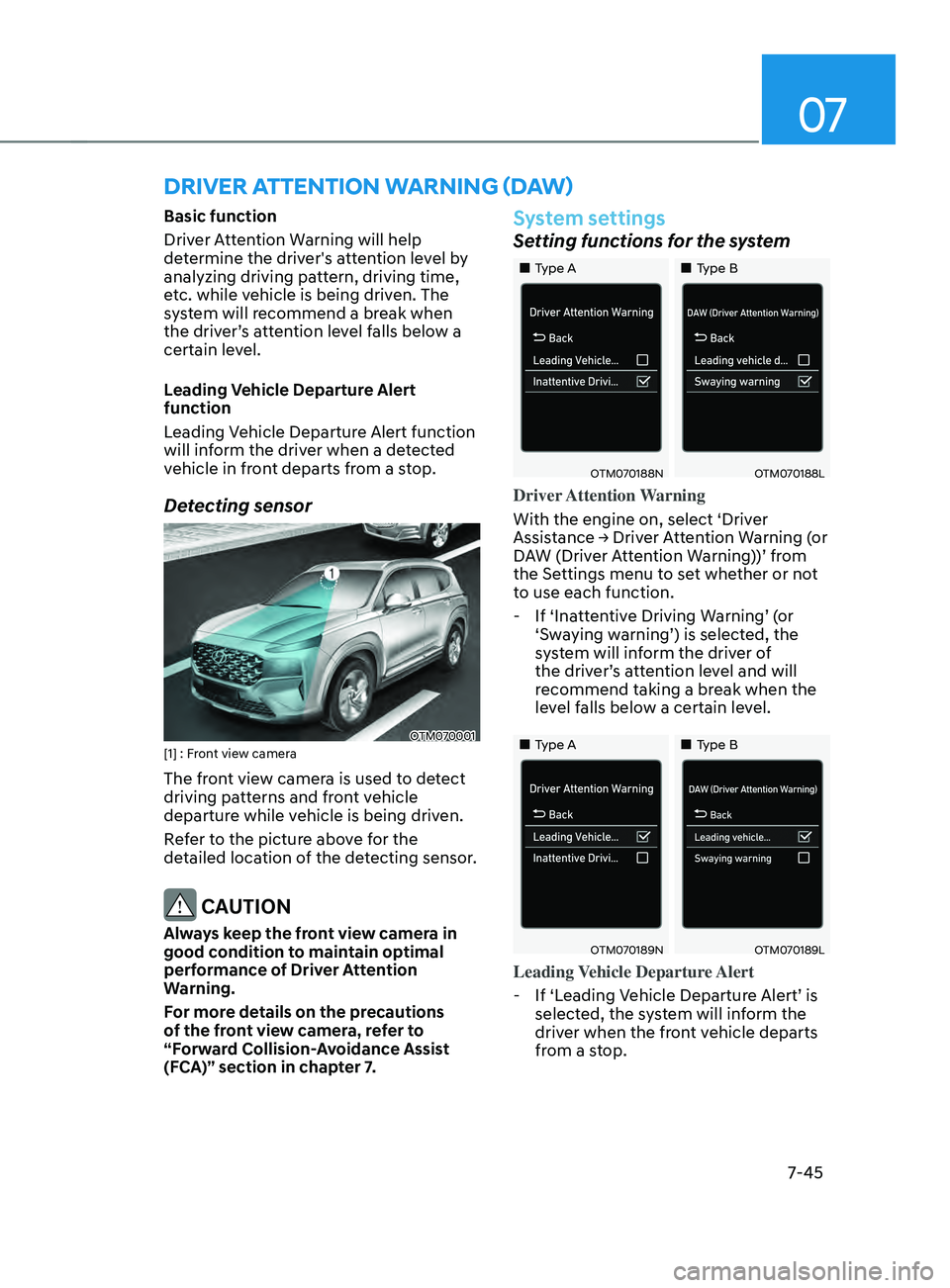
Detecting sensor
OTM070001[1] : Front view camera
The front view camera is used to detect
driving patterns and front vehicle
departure while vehicle is being driven.
Refer to the picture above for the
detailed location of the detecting sensor.
CAUTION
Always keep the front view camera in
good condition to maintain optimal
performance of Driver Attention
Warning.
For more details on the precautions
of the front view camera, refer to
“Forward Collision-Avoidance Assist
(FCA)” section in chapter 7.
System settings
Setting functions for the system
„„Type A„„Type B
OTM070188NOTM070188L
Driver Attention Warning
With the engine on, select ‘Driver
Assistance
→ Driv
er
A
ttention
W
arning
(
or
DA
W (Driver Attention Warning))’ from
the Settings menu to set whether or not
to use each function.
- If ‘Inatt
entive Driving Warning’ (or
‘Swaying warning’) is selected, the
system will inform the driver of
the driver’s attention level and will
recommend taking a break when the
level falls below a certain level.
„„Type A „„Type B
OTM070189NOTM070189L
Leading Vehicle Departure Alert
- If ‘Leading V
ehicle Departure Alert’ is
selected, the system will inform the
driver when the front vehicle departs
from a stop.
Page 428 of 636
Driver assistance system
7-46
OTM070140N
Warning Timing
With the engine on, select ‘Driver
Assistance
→ W
arning
Timing’ fr
om
the Settings menu t
o change the initial
warning activation time for Driver
Attention Warning.
When the vehicle is first delivered,
Warning Timing is set to ‘Normal’. If you
change the Warning Timing, the warning
time of other Driver Assistance systems
may change.
Information
If the engine is restarted, Driver Attention
Warning will maintain the last setting.
System operation
Basic function
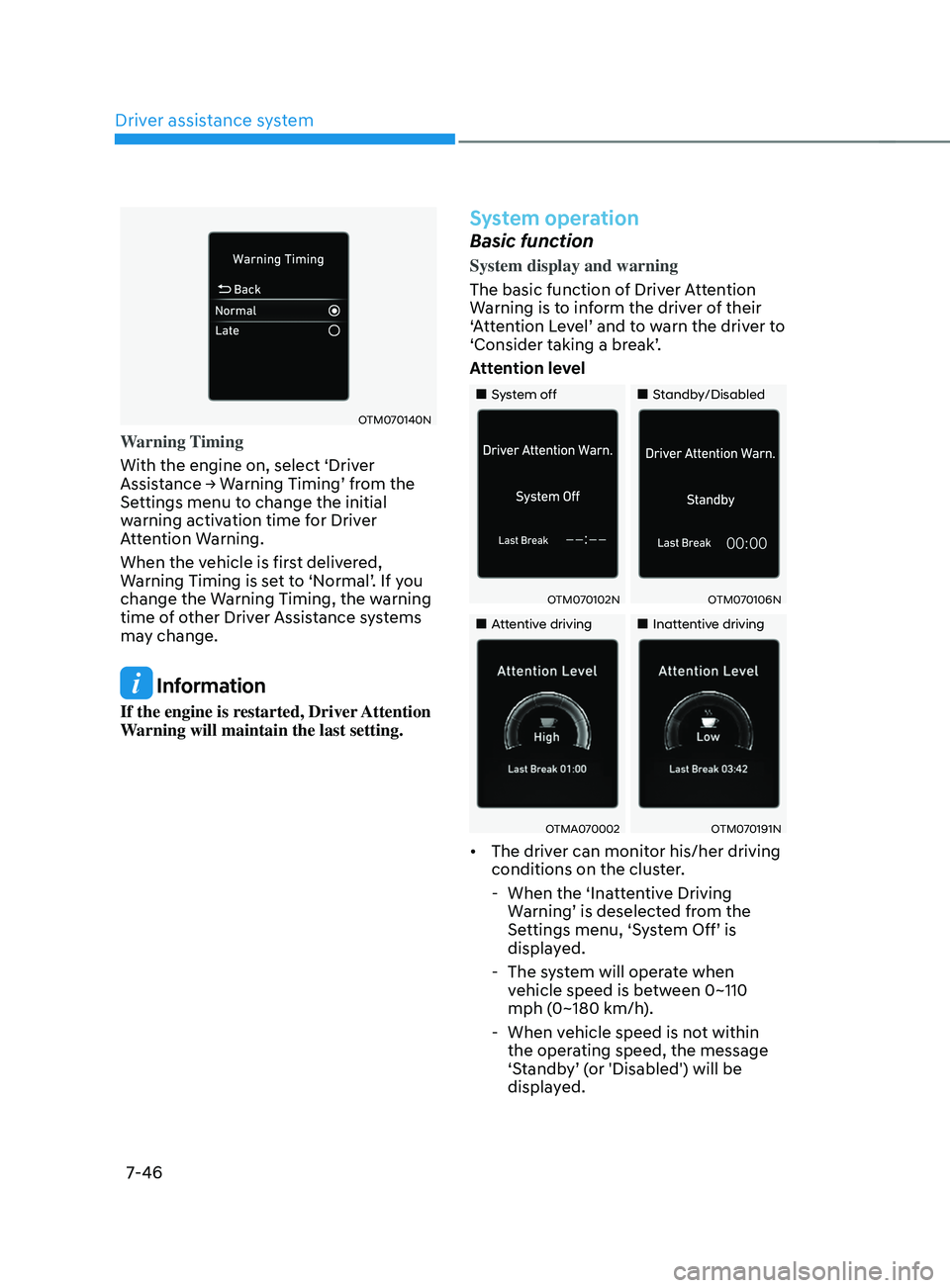
System display and warning
The basic function of Driver Attention
Warning is to inform the driver of their
‘Attention Level’ and to warn the driver to
‘Consider taking a break’.
Attention level
„„System off „„Standby/Disabled
OTM070102NOTM070106N
„„Attentive driving„„Inattentive driving
OTMA070002OTM070191N
• The driver can monitor his/her driving
conditions on the cluster.
- When the ‘Inatt
entive Driving
Warning’ is deselected from the
Settings menu, ‘System Off’ is
displayed.
- The sy
stem will operate when
vehicle speed is between 0~110
mph (0~180 km/h).
- When vehicle speed is no
t within
the operating speed, the message
‘Standby’ (or 'Disabled') will be
displayed.
Page 429 of 636
07
7-47
• The driver’s attention level is displayed
on the scale of 1 to 5. The lower the
level is, the more inattentive the driver
is.
• The level decreases when the driver
does not take a break for a certain
period of time.
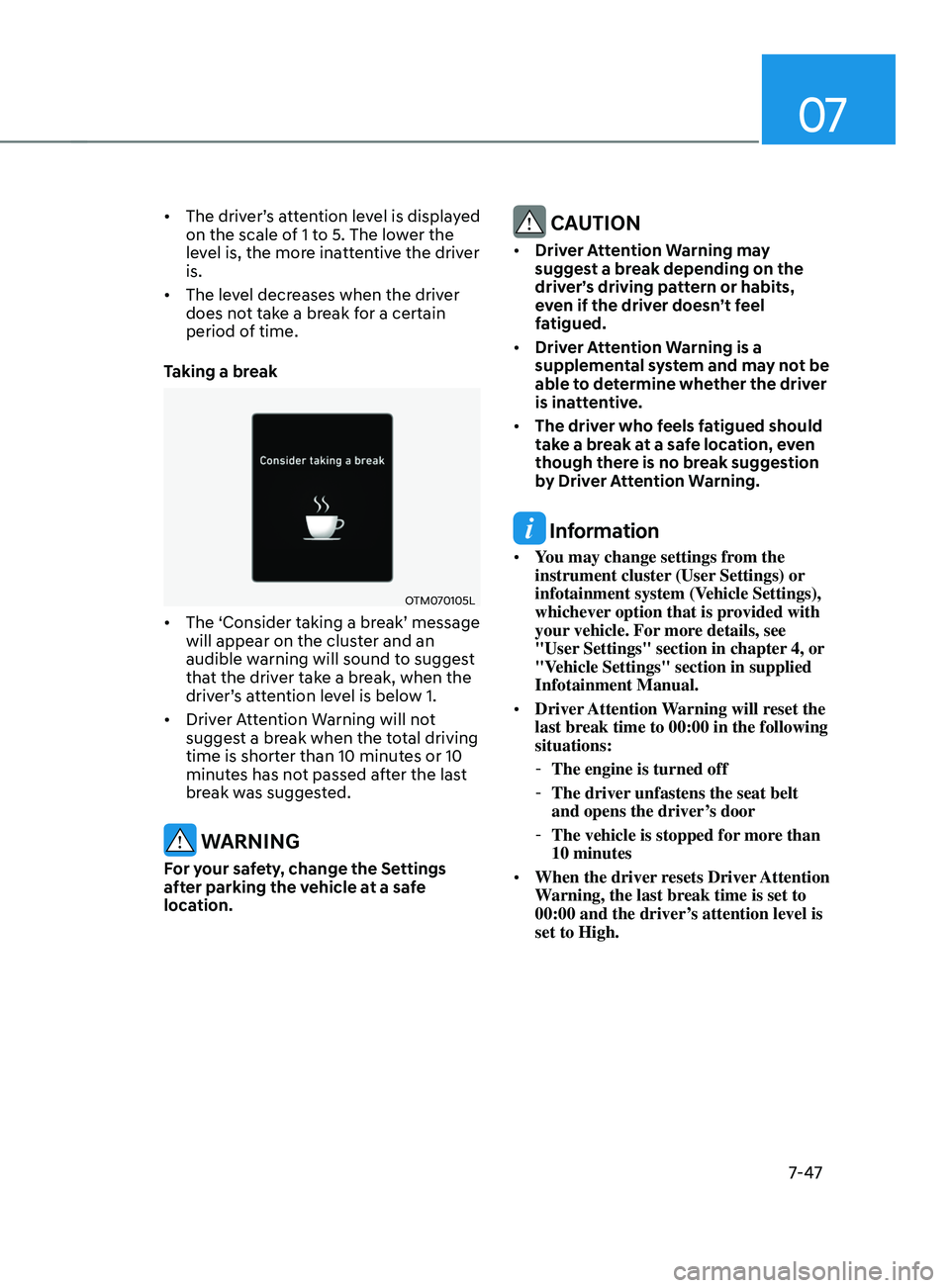
Taking a break
OTM070105L
• The ‘Consider taking a break’ message
will appear on the cluster and an
audible warning will sound to suggest
that the driver take a break, when the
driver’s attention level is below 1.
• Driver Attention Warning will not
suggest a break when the total driving
time is shorter than 10 minutes or 10
minutes has not passed after the last
break was suggested.
WARNING
For your safety, change the Settings
after parking the vehicle at a safe
location.
CAUTION
• Driver Attention Warning may
suggest a break depending on the
driver’s driving pattern or habits,
even if the driver doesn’t feel
fatigued.
• Driver Attention Warning is a
supplemental system and may not be
able to determine whether the driver
is inattentive.
• The driver who feels fatigued should
take a break at a safe location, even
though there is no break suggestion
by Driver Attention Warning.
Information
• You may change settings from the
instrument cluster (User Settings) or
infotainment system (Vehicle Settings),
whichever option that is provided with
your vehicle. For more details, see
"User Settings" section in chapter 4, or
"Vehicle Settings" section in supplied
Infotainment Manual.
• Driver Attention Warning will reset the
last break time to 00:00 in the following
situations:
-The engine is turned off
-The driver unfastens the seat belt
and opens the driver
’s door
-The vehicle is stopped for mor
e than
10 minutes
• When the driver resets Driver Attention
Warning, the last break time is set to
00:00 and the driver’s attention level is
set to High.
Page 433 of 636
07
7-51
bLInD-spOT VIEW mOnITOR (bVm) (IF EQUIppED)
„„Left side„„Right side
OTM070014OTM070015
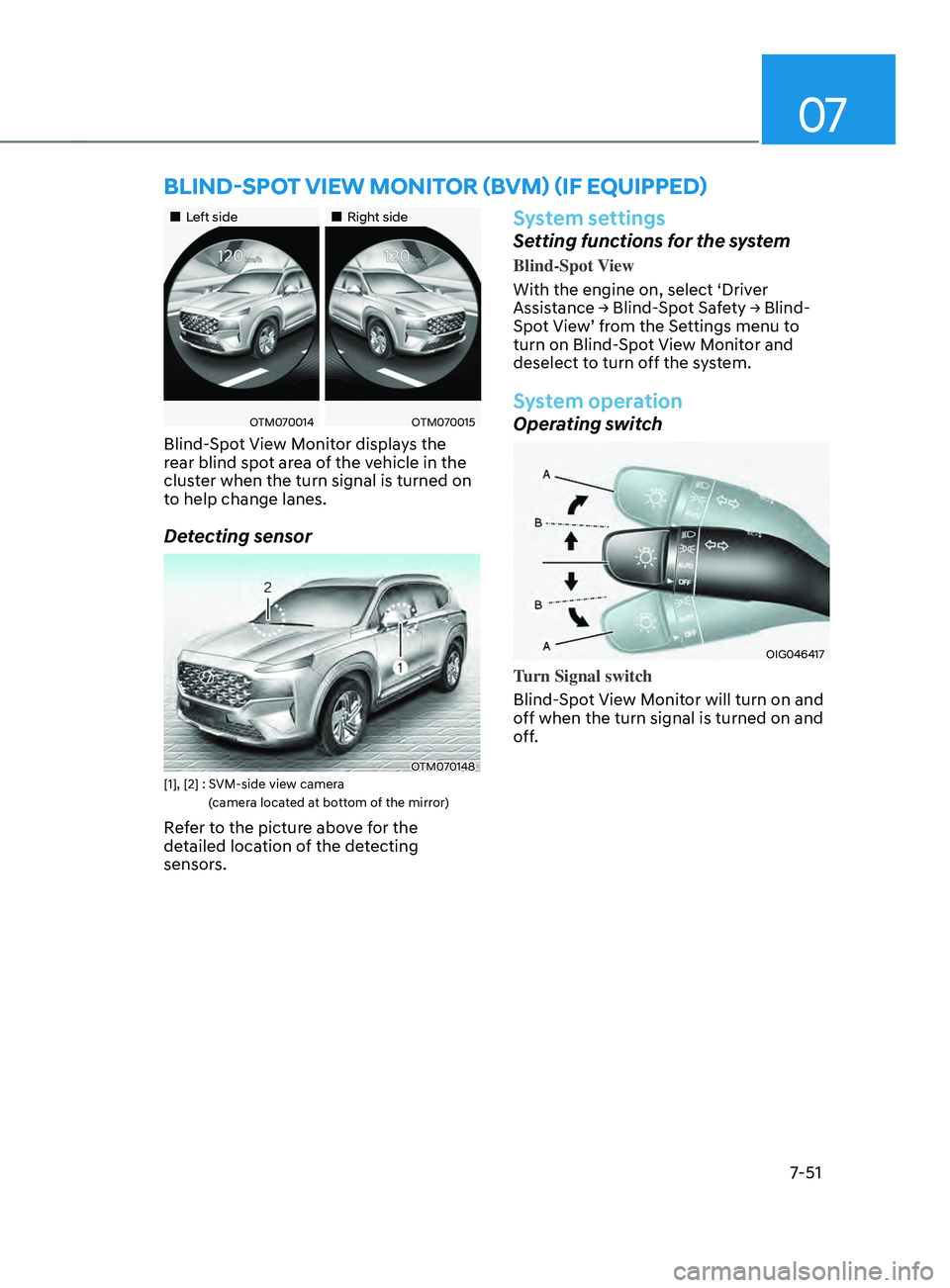
Blind-Spot View Monitor displays the
rear blind spot area of the vehicle in the
cluster when the turn signal is turned on
to help change lanes.
Detecting sensor
OTM070148[1], [2] : SVM-side view camera
(
camera located at bottom of the mirror)
Refer to the picture above for the
detailed location of the detecting
sensors.
System settings
Setting functions for the system
Blind-Spot View
With the engine on, select ‘Driver
Assistance
→ Blind-
Spot
Sa
fety
→ Blind-
Spo
t View’ from the Settings menu to
turn on Blind-Spot View Monitor and
deselect to turn off the system.
System operation
Operating switch
OIG046417
Turn Signal switch
Blind-Spot View Monitor will turn on and
off when the turn signal is turned on and
off.
Page 436 of 636
![HYUNDAI SANTA FE CALLIGRAPHY 2021 Owners Manual Driver assistance system
7-54
System settings
Setting functions for the system
OTM070205L[A] : Type A, [B] : Type B
To turn on the system
• Press the Driving Assist button to turn
on the system. Th](/img/35/56181/w960_56181-435.png "HYUNDAI SANTA FE CALLIGRAPHY 2021 Owners Manual Driver assistance system
7-54
System settings
Setting functions for the system
OTM070205L[A] : Type A, [B] : Type B
To turn on the system
• Press the Driving Assist button to turn
on the system. Th")
Driver assistance system
7-54
System settings
Setting functions for the system
OTM070205L[A] : Type A, [B] : Type B
To turn on the system
• Press the Driving Assist button to turn
on the system. The speed will be set
to the current speed on the cluster.
• If there is no vehicle in front of you,
the set speed will be maintained, but
if there is a vehicle in front of you,
the speed may decrease to maintain
the distance to the vehicle ahead. If
the vehicle ahead accelerates, your
vehicle will travel at a steady cruising
speed after accelerating to the set
speed.
Information
• If your vehicle speed is between 0~20
mph (0~30 km/h) when you press the
Driving Assist button, the Smart Cruise
Control speed will be set to 20 mph (30
km/h).
• The Driving Assist button symbol may
vary depending on your vehicle option.
OTM070206L[A] : Type A, [B] : Type B
To set vehicle distance
Each time the button is pressed, the
vehicle distance changes as follows:
Distance 4 Distance 3
Distance 1Distance 2
Information
• If you drive at 56 mph (90km/h), the
distance is maintained as follows:
Distance 4 -
approximately 172 ft. (53 m)
Distance 3 -
approximately 130 ft. (40m)
Distance 2 -
approximately 106 ft. (30m)
Distance 1 -
approximately 82 ft. (25m)
• The distance is set to the last set
distance when the engine is restarted,
or when the system was temporarily
canceled.
Page 439 of 636
07
7-57
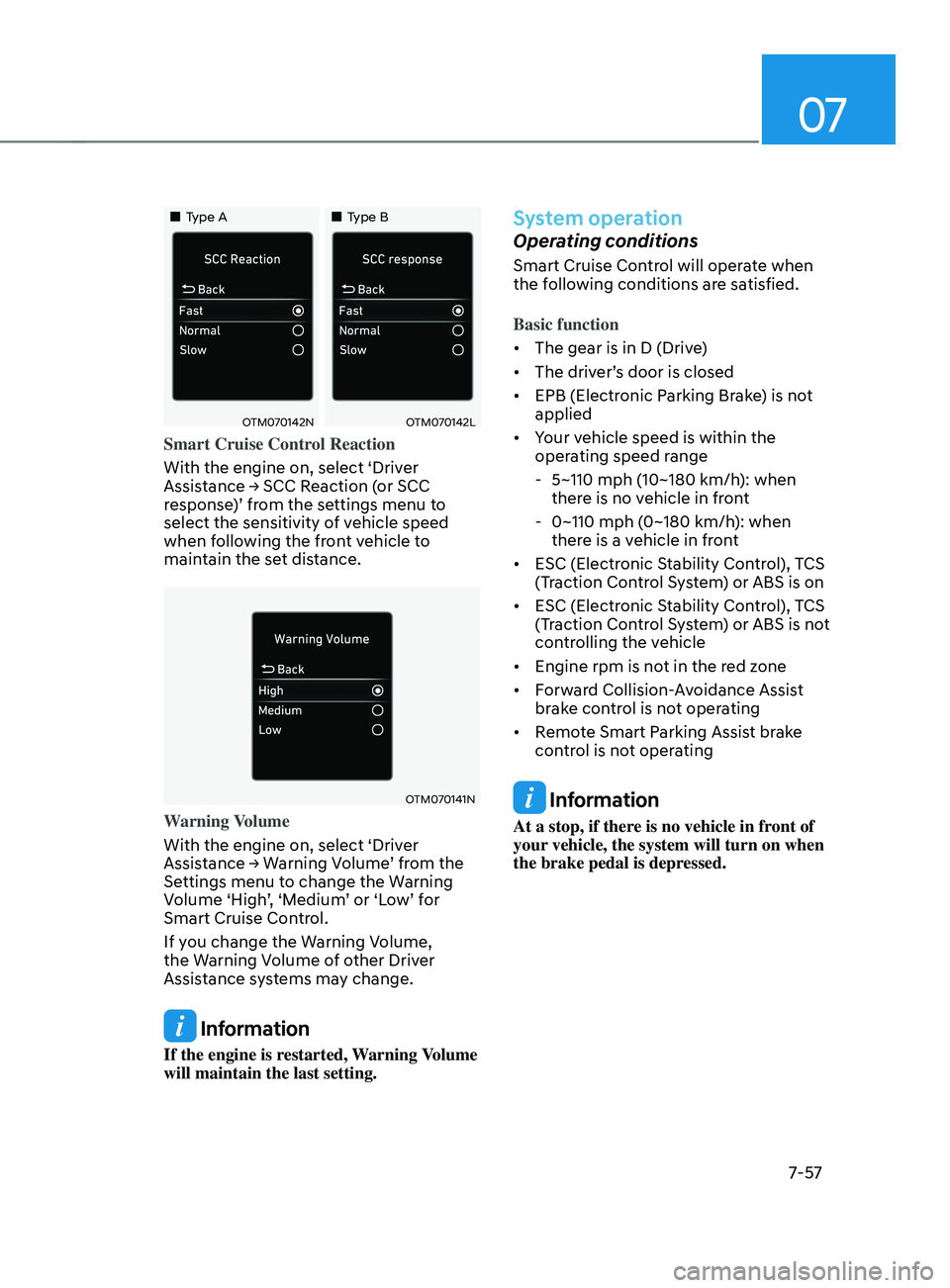
„„Type A„„Type B
OTM070142NOTM070142L
Smart Cruise Control Reaction
With the engine on, select ‘Driver
Assistance
→ SCC R
eaction
(
or
SCC response
)’ from the settings menu to
select the sensitivity of vehicle speed
when following the front vehicle to
maintain the set distance.
OTM070141N
Warning Volume
With the engine on, select ‘Driver
Assistance
→ W
arning
V
olume’
fr
om
the Settings menu t
o change the Warning
Volume ‘High’, ‘Medium’ or ‘Low’ for
Smart Cruise Control.
If you change the Warning Volume,
the Warning Volume of other Driver
Assistance systems may change.
Information
If the engine is restarted, Warning Volume
will maintain the last setting.
System operation
Operating conditions
Smart Cruise Control will operate when
the following conditions are satisfied.
Basic function
• The gear is in D (Drive)
• The driver’s door is closed
• EPB (Electronic Parking Brake) is not
applied
• Your vehicle speed is within the
operating speed range
- 5~110 mph (10~180 km/h): when
ther
e is no vehicle in front
- 0~110 mph (0~180 km/h
): when
there is a vehicle in front
• ESC (Electronic Stability Control), TCS
(Traction Control System) or ABS is on
• ESC (Electronic Stability Control), TCS
(Traction Control System) or ABS is not
controlling the vehicle
• Engine rpm is not in the red zone
• Forward Collision-Avoidance Assist
brake control is not operating
• Remote Smart Parking Assist brake
control is not operating
Information
At a stop, if there is no vehicle in front of
your vehicle, the system will turn on when
the brake pedal is depressed.