lights Hyundai Santa Fe Sport 2017 User Guide
[x] Cancel search | Manufacturer: HYUNDAI, Model Year: 2017, Model line: Santa Fe Sport, Model: Hyundai Santa Fe Sport 2017Pages: 614, PDF Size: 18.99 MB
Page 132 of 614
435
Features of your vehicle
1. Setting
To activate the Smart Liftgate (Smart
Tailgate), go to User Settings Mode
and select Smart Liftgate (Smart
Tailgate) on the LCD display.
❈For more details, refer to "LCD dis-
play" in this chapter.
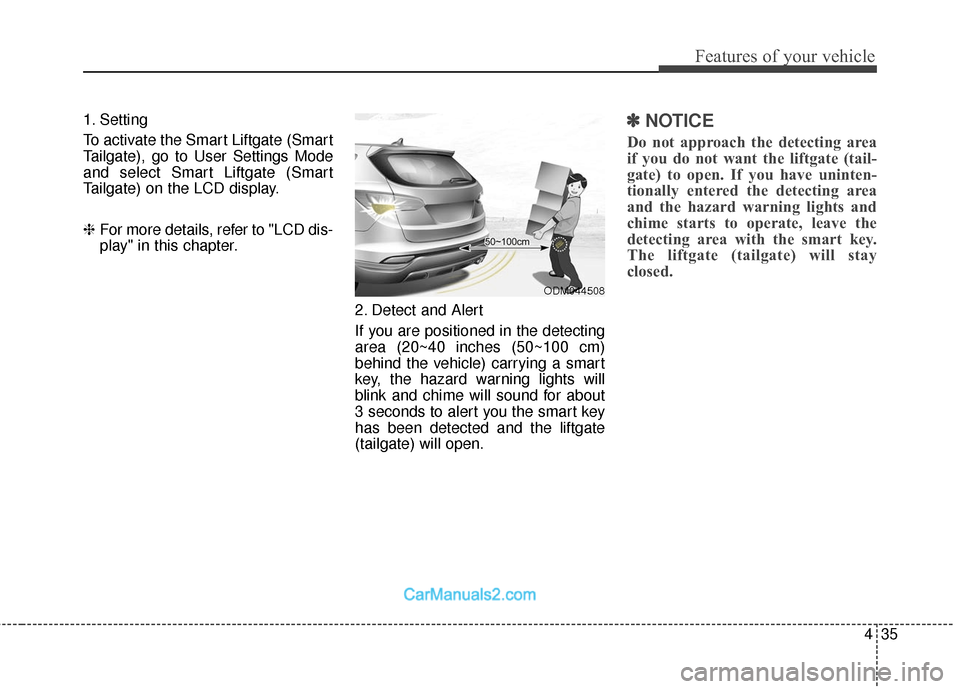
2. Detect and Alert
If you are positioned in the detecting
area (20~40 inches (50~100 cm)
behind the vehicle) carrying a smart
key, the hazard warning lights will
blink and chime will sound for about
3 seconds to alert you the smart key
has been detected and the liftgate
(tailgate) will open.✽ ✽NOTICE
Do not approach the detecting area
if you do not want the liftgate (tail-
gate) to open. If you have uninten-
tionally entered the detecting area
and the hazard warning lights and
chime starts to operate, leave the
detecting area with the smart key.
The liftgate (tailgate) will stay
closed.
ODM044508
Page 133 of 614
Features of your vehicle
36
4
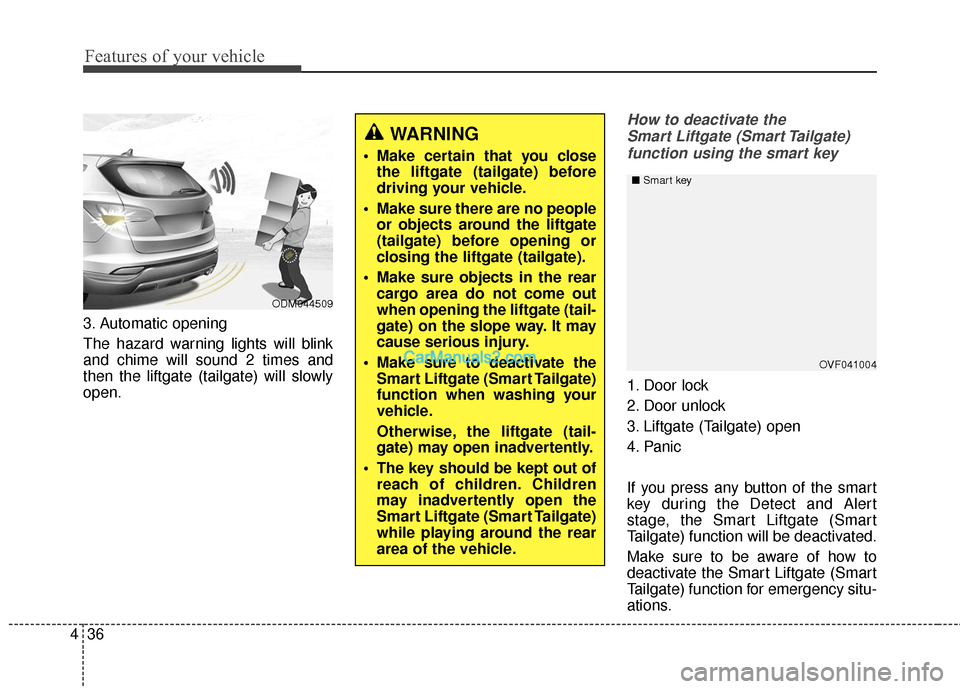
3. Automatic opening
The hazard warning lights will blink
and chime will sound 2 times and
then the liftgate (tailgate) will slowly
open.
How to deactivate the
Smart Liftgate (Smart Tailgate)function using the smart key
1. Door lock
2. Door unlock
3. Liftgate (Tailgate) open
4. Panic
If you press any button of the smart
key during the Detect and Alert
stage, the Smart Liftgate (Smart
Tailgate) function will be deactivated.
Make sure to be aware of how to
deactivate the Smart Liftgate (Smart
Tailgate) function for emergency situ-
ations.
OVF041004
■
Smart key
WARNING
Make certain that you close
the liftgate (tailgate) before
driving your vehicle.
Make sure there are no people or objects around the liftgate
(tailgate) before opening or
closing the liftgate (tailgate).
Make sure objects in the rear cargo area do not come out
when opening the liftgate (tail-
gate) on the slope way. It may
cause serious injury.
Make sure to deactivate the Smart Liftgate (Smart Tailgate)
function when washing your
vehicle.
Otherwise, the liftgate (tail-
gate) may open inadvertently.
The key should be kept out of reach of children. Children
may inadvertently open the
Smart Liftgate (Smart Tailgate)
while playing around the rear
area of the vehicle.
ODM044509
Page 154 of 614
457
Features of your vehicle
(Continued)
• When you operate the steeringwheel in low temperature, abnor-
mal noise could occur. If tempera-
ture rises, the noise will disappear.
This is a normal condition.
• When the charging system warn- ing light comes on or the voltage is
low (When the alternator (or bat-
tery) does not operate normally or
it malfunctions), the steering wheel
may get heavy and become diffi-
cult to control operate abnormally.Tilt steering
A tilt steering wheel allows you to
adjust the steering wheel before you
drive. You can also raise it to give
your legs more room when you exit
and enter the vehicle (if equipped).
The steering wheel should be posi-
tioned so that it is comfortable for
you to drive, while permitting you to
see the instrument panel warning
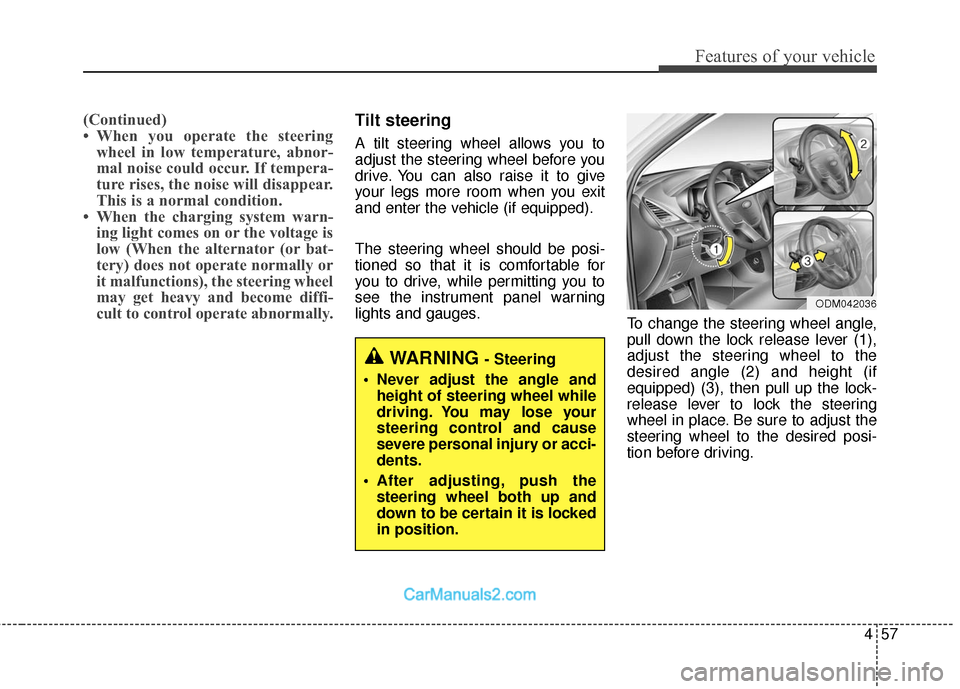
lights and gauges. To change the steering wheel angle,
pull down the lock release lever (1),
adjust the steering wheel to the
desired angle (2) and height (if
equipped) (3), then pull up the lock-
release lever to lock the steering
wheel in place. Be sure to adjust the
steering wheel to the desired posi-
tion before driving.
WARNING - Steering
Never adjust the angle and height of steering wheel while
driving. You may lose your
steering control and cause
severe personal injury or acci-
dents.
After adjusting, push the steering wheel both up and
down to be certain it is locked
in position.
ODM042036
Page 157 of 614
Features of your vehicle
60
4
MIRRORS
Inside rearview mirror
Adjust the rearview mirror so that the
center view through the rear window
is seen. Make this adjustment before
you start driving.
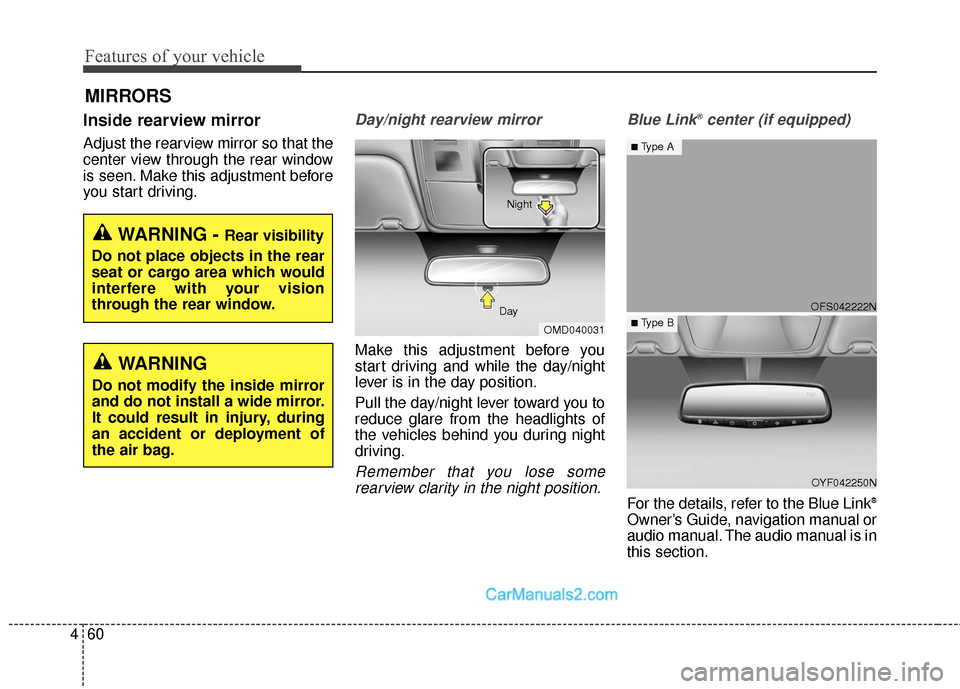
Day/night rearview mirror
Make this adjustment before you
start driving and while the day/night
lever is in the day position.
Pull the day/night lever toward you to
reduce glare from the headlights of
the vehicles behind you during night
driving.
Remember that you lose some
rearview clarity in the night position. Blue Link
®center (if equipped)
For the details, refer to the Blue Link®
Owner’s Guide, navigation manual or
audio manual. The audio manual is in
this section.
WARNING - Rear visibility
Do not place objects in the rear
seat or cargo area which would
interfere with your vision
through the rear window.
OMD040031
Day Night
WARNING
Do not modify the inside mirror
and do not install a wide mirror.
It could result in injury, during
an accident or deployment of
the air bag.
OFS042222N
OYF042250N
■Type A
■ Type B
Page 158 of 614
461
Features of your vehicle
Electric chromic mirror (ECM)with compass and HomeLink®
system (if equipped)
Your vehicle may be equipped with a
Gentex Automatic-Dimming Mirror
with a Z-Nav™ Electronic Compass
Display and an Integrated HomeLink
®
Wireless Control System.
During nighttime driving, this feature
will automatically detect and reduce
rearview mirror glare while the com-
pass indicates the direction the vehi-
cle is pointed. The HomeLink
®
Universal Transceiver allows you to
activate your garage door(s), electric
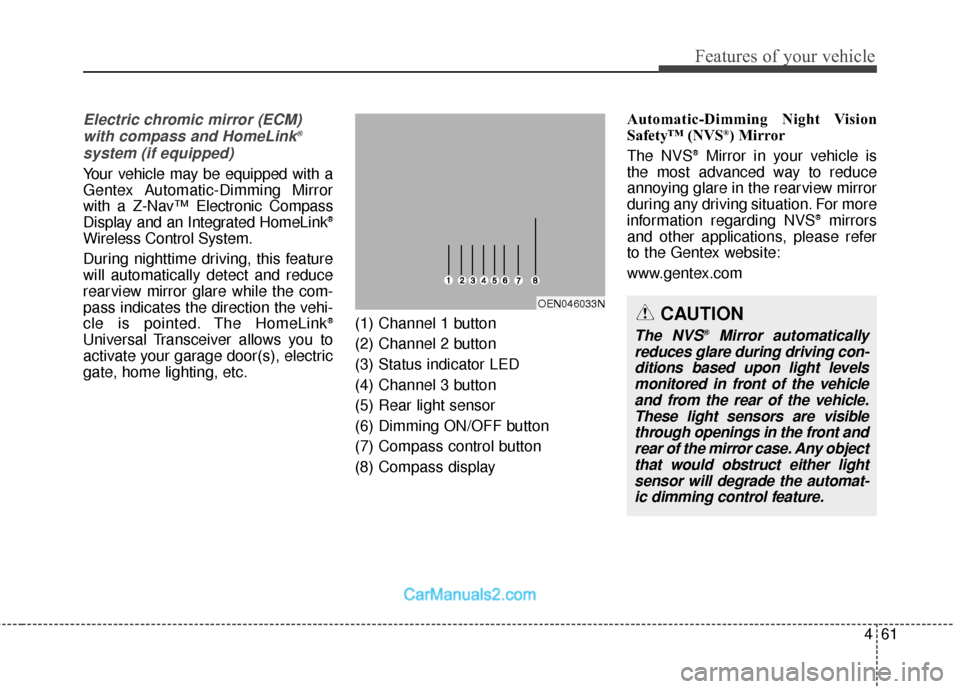
gate, home lighting, etc. (1) Channel 1 button
(2) Channel 2 button
(3) Status indicator LED
(4) Channel 3 button
(5) Rear light sensor
(6) Dimming ON/OFF button
(7) Compass control button
(8) Compass display Automatic-Dimming Night Vision
Safety™ (NVS
®) Mirror
The NVS®Mirror in your vehicle is
the most advanced way to reduce
annoying glare in the rearview mirror
during any driving situation. For more
information regarding NVS
®mirrors
and other applications, please refer
to the Gentex website:
www.gentex.com
OEN046033NCAUTION
The NVS®Mirror automatically
reduces glare during driving con- ditions based upon light levelsmonitored in front of the vehicleand from the rear of the vehicle.These light sensors are visiblethrough openings in the front andrear of the mirror case. Any objectthat would obstruct either lightsensor will degrade the automat-ic dimming control feature.
Page 176 of 614
479
Features of your vehicle
INSTRUMENT CLUSTER
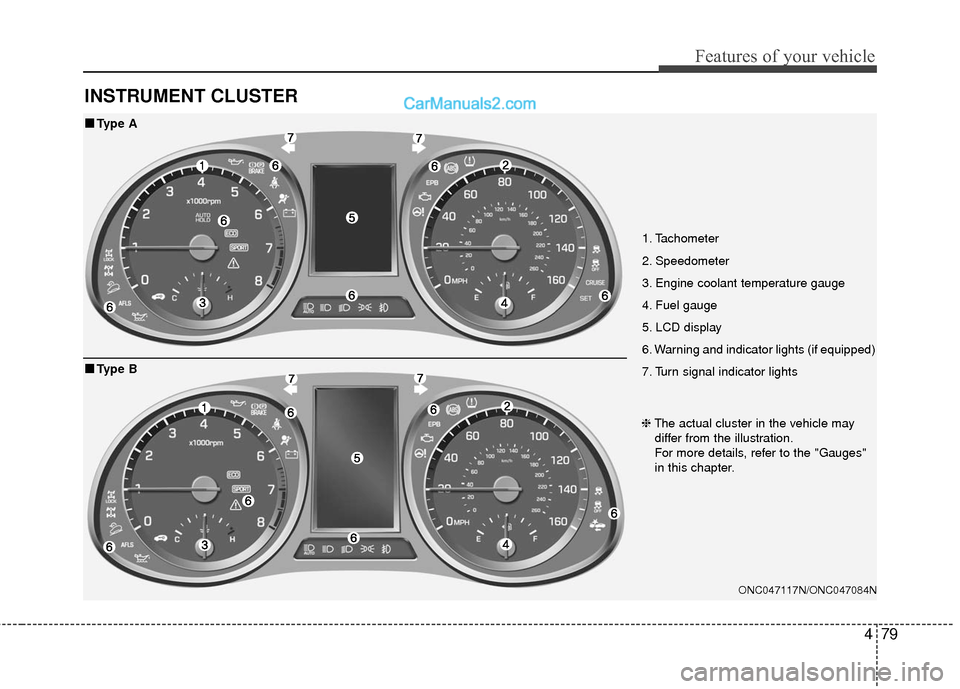
1. Tachometer
2. Speedometer
3. Engine coolant temperature gauge
4. Fuel gauge
5. LCD display
6. Warning and indicator lights (if equipped)
7. Turn signal indicator lights
ONC047117N/ONC047084N
■
■Type A
❈The actual cluster in the vehicle may
differ from the illustration.
For more details, refer to the "Gauges"
in this chapter.
■
■ Type B
Page 177 of 614
Features of your vehicle
80
4
Instrument Cluster Control
Adjusting Instrument Cluster
Illumination
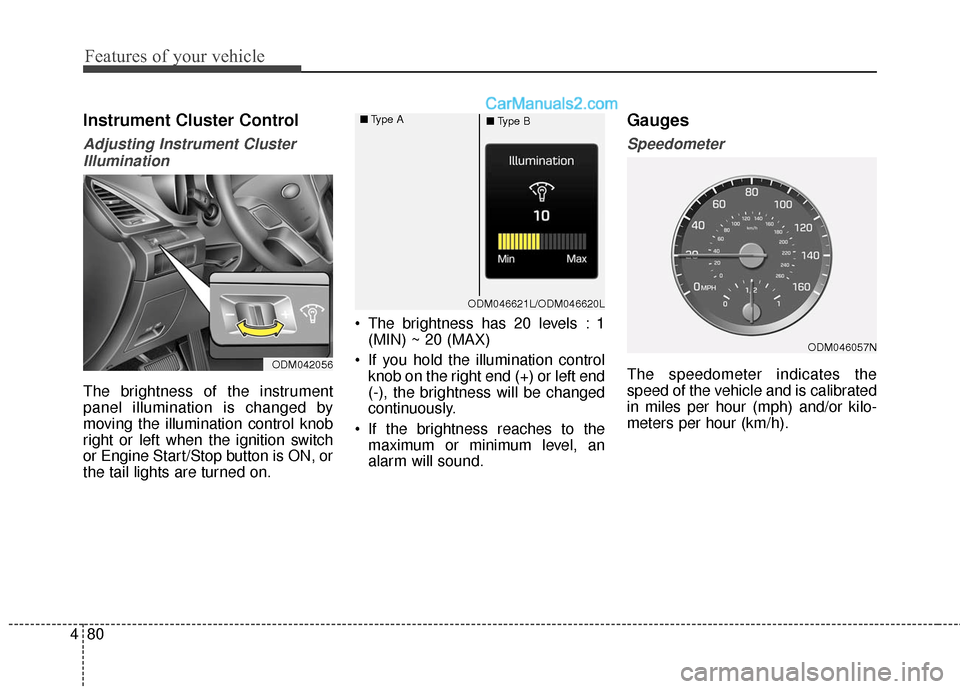
The brightness of the instrument
panel illumination is changed by
moving the illumination control knob
right or left when the ignition switch
or Engine Start/Stop button is ON, or
the tail lights are turned on. The brightness has 20 levels : 1
(MIN) ~ 20 (MAX)
If you hold the illumination control knob on the right end (+) or left end
(-), the brightness will be changed
continuously.
If the brightness reaches to the maximum or minimum level, an
alarm will sound.
Gauges
Speedometer
The speedometer indicates the
speed of the vehicle and is calibrated
in miles per hour (mph) and/or kilo-
meters per hour (km/h).ODM042056
ODM046057N
ODM046621L/ODM046620L
■
Type A
■Type B
Page 188 of 614
491
Features of your vehicle
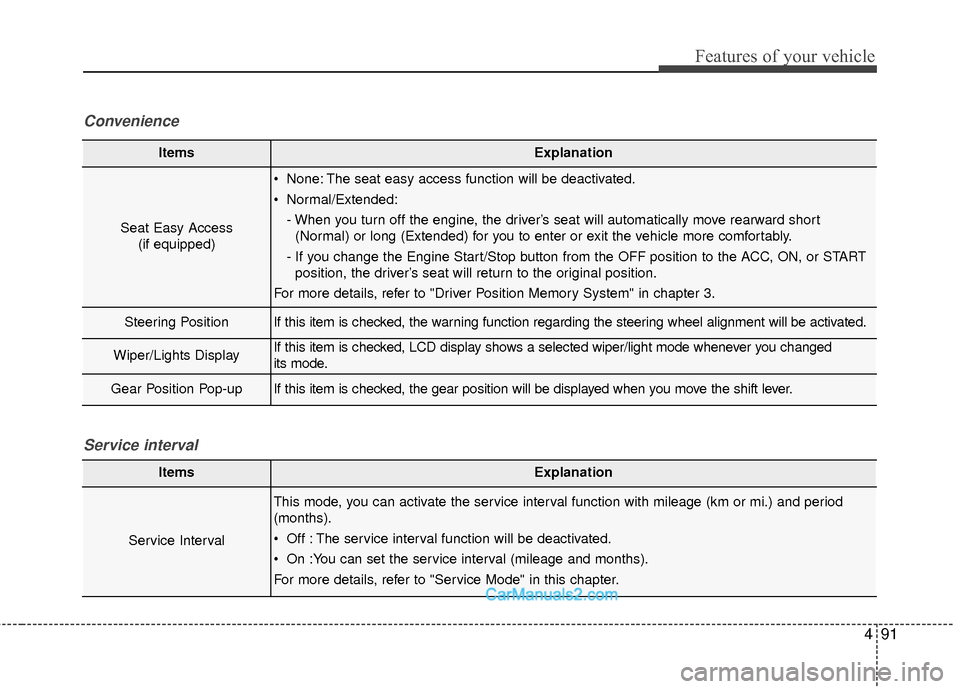
ItemsExplanation
Seat Easy Access(if equipped)
None: The seat easy access function will be deactivated.
Normal/Extended:
- When you turn off the engine, the driver’s seat will automatically move rearward short(Normal) or long (Extended) for you to enter or exit the vehicle more comfortably.
- If you change the Engine Start/Stop button from the OFF position to the ACC, ON, or START position, the driver’s seat will return to the original position.
For more details, refer to "Driver Position Memory System" in chapter 3.
Steering PositionIf this item is checked, the warning function regarding the steering wheel alignment will be activated.
Wiper/Lights DisplayIf this item is checked, LCD display shows a selected wiper/light mode whenever you changed
its mode.
Gear Position Pop-upIf this item is checked, the gear position will be displayed when you move the shift lever.
Convenience
ItemsExplanation
Service Interval
This mode, you can activate the service interval function with mileage (km or mi.) and period
(months).
Off : The service interval function will be deactivated.
On :You can set the service interval (mileage and months).
For more details, refer to "Service Mode" in this chapter.
Service interval
Page 204 of 614
4107
Features of your vehicle
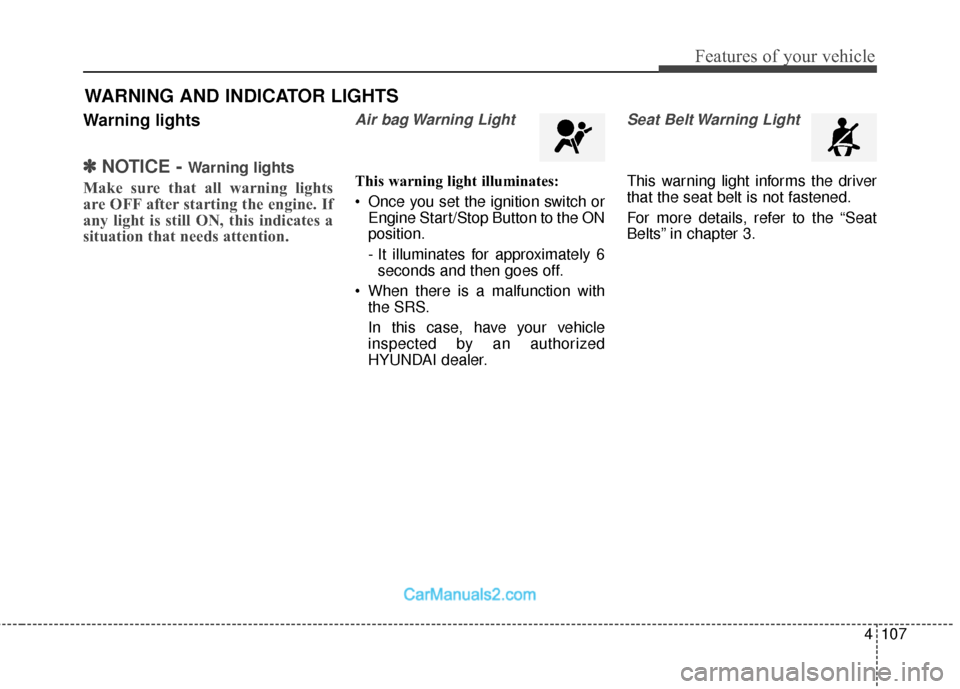
Warning lights
✽
✽NOTICE - Warning lights
Make sure that all warning lights
are OFF after starting the engine. If
any light is still ON, this indicates a
situation that needs attention.
Air bag Warning Light
This warning light illuminates:
Once you set the ignition switch or
Engine Start/Stop Button to the ON
position.
- It illuminates for approximately 6seconds and then goes off.
When there is a malfunction with the SRS.
In this case, have your vehicle
inspected by an authorized
HYUNDAI dealer.
Seat Belt Warning Light
This warning light informs the driver
that the seat belt is not fastened.
For more details, refer to the “Seat
Belts” in chapter 3.
WARNING AND INDICATOR LIGHTS
Page 206 of 614
4109
Features of your vehicle
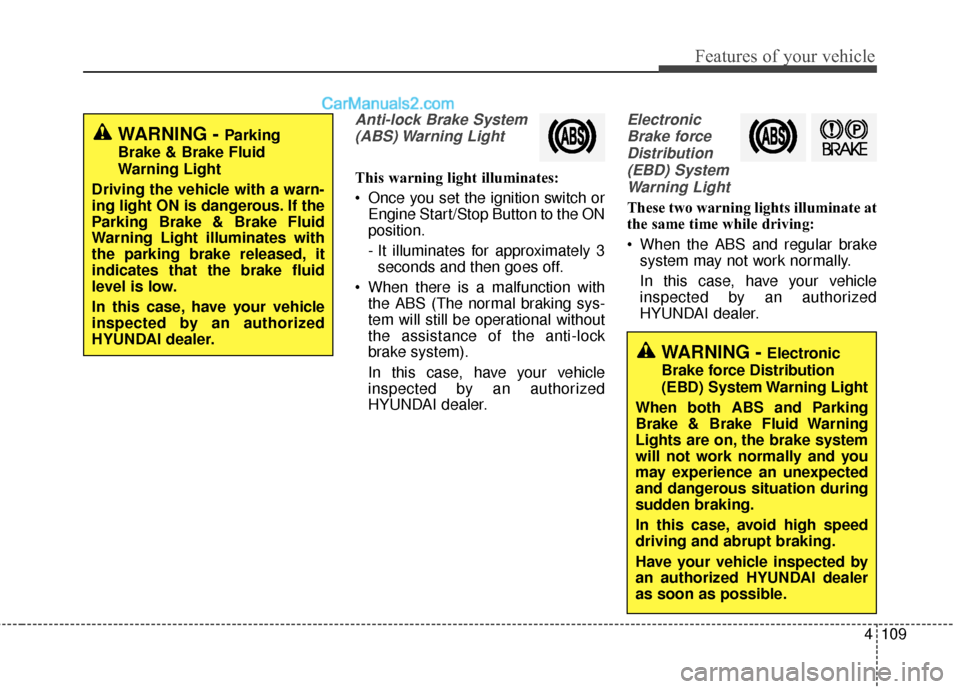
Anti-lock Brake System(ABS) Warning Light
This warning light illuminates:
Once you set the ignition switch or Engine Start/Stop Button to the ON
position.
- It illuminates for approximately 3seconds and then goes off.
When there is a malfunction with the ABS (The normal braking sys-
tem will still be operational without
the assistance of the anti-lock
brake system).
In this case, have your vehicle
inspected by an authorized
HYUNDAI dealer.
Electronic
Brake forceDistribution(EBD) SystemWarning Light
These two warning lights illuminate at
the same time while driving:
When the ABS and regular brake system may not work normally.
In this case, have your vehicle
inspected by an authorized
HYUNDAI dealer.
WARNING - Electronic
Brake force Distribution
(EBD) System Warning Light
When both ABS and Parking
Brake & Brake Fluid Warning
Lights are on, the brake system
will not work normally and you
may experience an unexpected
and dangerous situation during
sudden braking.
In this case, avoid high speed
driving and abrupt braking.
Have your vehicle inspected by
an authorized HYUNDAI dealer
as soon as possible.
WARNING - Parking
Brake & Brake Fluid
Warning Light
Driving the vehicle with a warn-
ing light ON is dangerous. If the
Parking Brake & Brake Fluid
Warning Light illuminates with
the parking brake released, it
indicates that the brake fluid
level is low.
In this case, have your vehicle
inspected by an authorized
HYUNDAI dealer.