sensor Hyundai Santa Fe Sport 2017 Owner's Guide
[x] Cancel search | Manufacturer: HYUNDAI, Model Year: 2017, Model line: Santa Fe Sport, Model: Hyundai Santa Fe Sport 2017Pages: 614, PDF Size: 18.99 MB
Page 236 of 614
4139
Features of your vehicle
Windshield washers
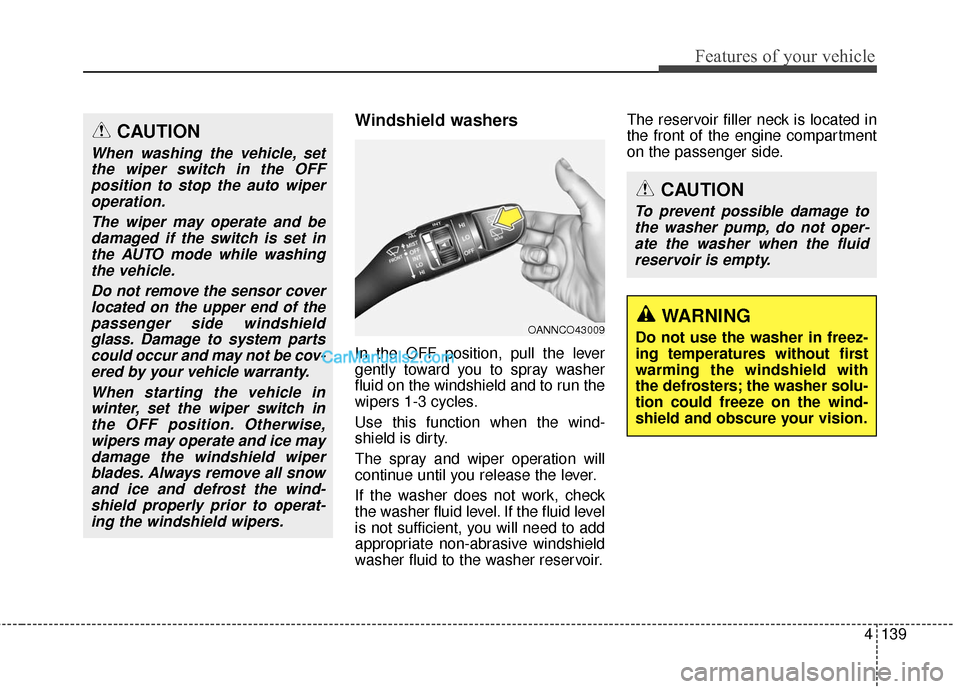
In the OFF position, pull the lever
gently toward you to spray washer
fluid on the windshield and to run the
wipers 1-3 cycles.
Use this function when the wind-
shield is dirty.
The spray and wiper operation will
continue until you release the lever.
If the washer does not work, check
the washer fluid level. If the fluid level
is not sufficient, you will need to add
appropriate non-abrasive windshield
washer fluid to the washer reservoir.The reservoir filler neck is located in
the front of the engine compartment
on the passenger side.
OANNCO43009
CAUTION
To prevent possible damage to
the washer pump, do not oper-ate the washer when the fluidreservoir is empty.
WARNING
Do not use the washer in freez-
ing temperatures without first
warming the windshield with
the defrosters; the washer solu-
tion could freeze on the wind-
shield and obscure your vision.
CAUTION
When washing the vehicle, setthe wiper switch in the OFFposition to stop the auto wiperoperation.
The wiper may operate and bedamaged if the switch is set inthe AUTO mode while washingthe vehicle.
Do not remove the sensor coverlocated on the upper end of thepassenger side windshieldglass. Damage to system partscould occur and may not be cov-ered by your vehicle warranty.
When starting the vehicle inwinter, set the wiper switch inthe OFF position. Otherwise,wipers may operate and ice maydamage the windshield wiperblades. Always remove all snowand ice and defrost the wind-shield properly prior to operat-ing the windshield wipers.
Page 265 of 614
Features of your vehicle
168
4
✽
✽
NOTICE
• When the air conditioning is
turned on by Auto defogging sys-
tem, if you try to turn off the air
conditioning, the indicator will
blink 3 times and the air condi-
tioning will not be turned off.
• For efficiency, do not select recir- culated air position while Auto
defogging system is operating.
CAUTION
Do not remove the sensor cover
located on the upper end of thedriver side windshield glass.Damage to system parts couldoccur and may not be coveredby your vehicle warranty.
Page 397 of 614
Driving your vehicle
56
5
The AEB system is to reduce or to
avoid accident risk. It recognizes the
distance from the vehicle ahead or
the pedestrian through the sensors
(i.e. radar and camera), and, if nec-
essary, warns the driver of accident
risk with the warning message or the
warning alarms.System setting and activation
System setting
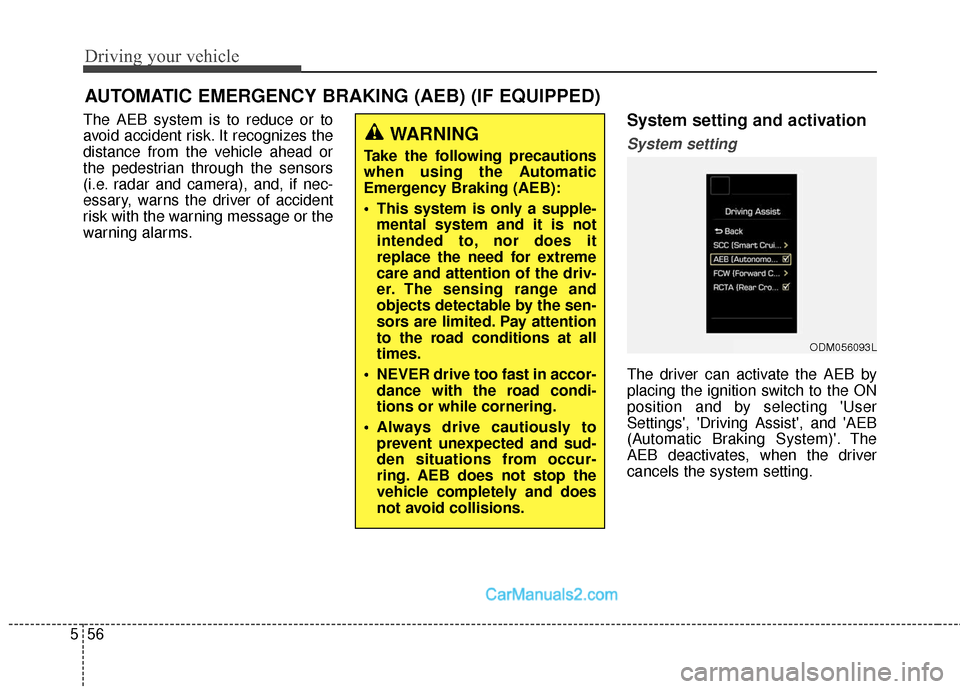
The driver can activate the AEB by
placing the ignition switch to the ON
position and by selecting 'User
Settings', 'Driving Assist', and 'AEB
(Automatic Braking System)'. The
AEB deactivates, when the driver
cancels the system setting.
AUTOMATIC EMERGENCY BRAKING (AEB) (IF EQUIPPED)
WARNING
Take the following precautions
when using the Automatic
Emergency Braking (AEB):
This system is only a supple-
mental system and it is not
intended to, nor does it
replace the need for extreme
care and attention of the driv-
er. The sensing range and
objects detectable by the sen-
sors are limited. Pay attention
to the road conditions at all
times.
NEVER drive too fast in accor- dance with the road condi-
tions or while cornering.
Always drive cautiously to prevent unexpected and sud-
den situations from occur-
ring. AEB does not stop the
vehicle completely and does
not avoid collisions.
ODM056093L
Page 402 of 614
561
Driving your vehicle
Sensor to detect the distance
from the vehicle in front
(front radar)
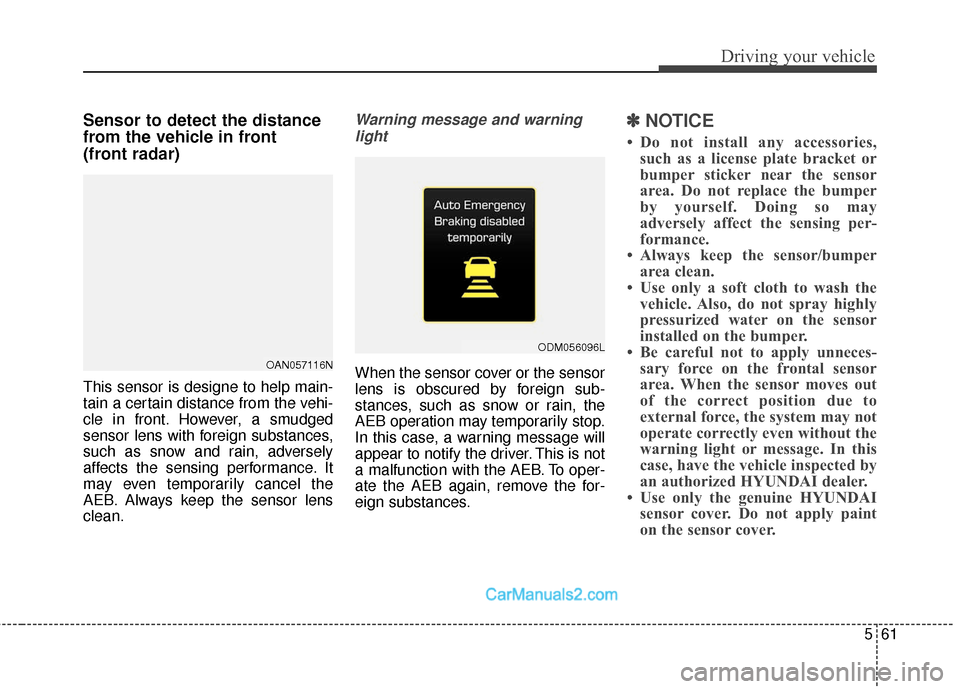
This sensor is designe to help main-
tain a certain distance from the vehi-
cle in front. However, a smudged
sensor lens with foreign substances,
such as snow and rain, adversely
affects the sensing performance. It
may even temporarily cancel the
AEB. Always keep the sensor lens
clean.
Warning message and warninglight
When the sensor cover or the sensor
lens is obscured by foreign sub-
stances, such as snow or rain, the
AEB operation may temporarily stop.
In this case, a warning message will
appear to notify the driver. This is not
a malfunction with the AEB. To oper-
ate the AEB again, remove the for-
eign substances.
✽ ✽ NOTICE
• Do not install any accessories,
such as a license plate bracket or
bumper sticker near the sensor
area. Do not replace the bumper
by yourself. Doing so may
adversely affect the sensing per-
formance.
• Always keep the sensor/bumper area clean.
• Use only a soft cloth to wash the vehicle. Also, do not spray highly
pressurized water on the sensor
installed on the bumper.
• Be careful not to apply unneces- sary force on the frontal sensor
area. When the sensor moves out
of the correct position due to
external force, the system may not
operate correctly even without the
warning light or message. In this
case, have the vehicle inspected by
an authorized HYUNDAI dealer.
• Use only the genuine HYUNDAI sensor cover. Do not apply paint
on the sensor cover.
OAN057116N
ODM056096L
Page 403 of 614
Driving your vehicle
62
5
System malfunction
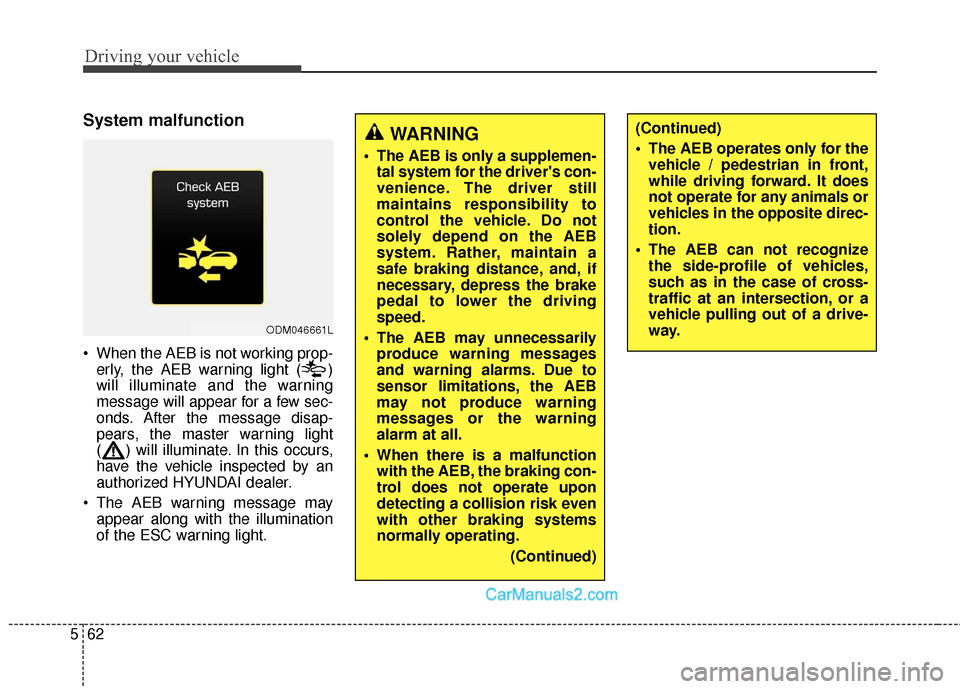
When the AEB is not working prop-
erly, the AEB warning light ( )
will illuminate and the warning
message will appear for a few sec-
onds. After the message disap-
pears, the master warning light
( ) will illuminate. In this occurs,
have the vehicle inspected by an
authorized HYUNDAI dealer.
The AEB warning message may appear along with the illumination
of the ESC warning light.
ODM046661L
WARNING
The AEB is only a supplemen-tal system for the driver's con-
venience. The driver still
maintains responsibility to
control the vehicle. Do not
solely depend on the AEB
system. Rather, maintain a
safe braking distance, and, if
necessary, depress the brake
pedal to lower the driving
speed.
The AEB may unnecessarily produce warning messages
and warning alarms. Due to
sensor limitations, the AEB
may not produce warning
messages or the warning
alarm at all.
When there is a malfunction with the AEB, the braking con-
trol does not operate upon
detecting a collision risk even
with other braking systems
normally operating.
(Continued)
(Continued)
The AEB operates only for thevehicle / pedestrian in front,
while driving forward. It does
not operate for any animals or
vehicles in the opposite direc-
tion.
The AEB can not recognize the side-profile of vehicles,
such as in the case of cross-
traffic at an intersection, or a
vehicle pulling out of a drive-
way.
Page 404 of 614
563
Driving your vehicle
Limitations of the system
The AEB monitors driving conditions
through the radar and the camera
sensor. For any vehicle activity
occurring outside the sensor's range
and field of view, the AEB may not be
able to react. The driver should exer-
cise caution in the following situa-
tions, as the AEB operation may be
limited:
Recognizing vehicles
- The radar or the camera isobscured by foreign substances.
- In heavy rain or snow
- There is electromagnetic interfer- ence.
- The object in front deflects the radar beam due to extreme angles
or an extremely irregular surface.
- The vehicle in front has a narrow body. (i.e. motor cycle and bicycle)
- The system cannot identify objects in front due to driving into the at
dusk/dawn, bright reflections, or
darkness. - The camera cannot fit the full out-
line of a vehicle in front.
- The vehicle in front has cargo extending beyond the back of the
vehicle or has a high ground clear-
ance.
- The vehicle in front does not turn ON the rear lights, does not have
rear lights, has asymmetric rear
lights, or has rear lights out of
angle.
- The outside brightness changes suddenly, such as entering/exiting
a tunnel.
- Vehicle driving is erratic.
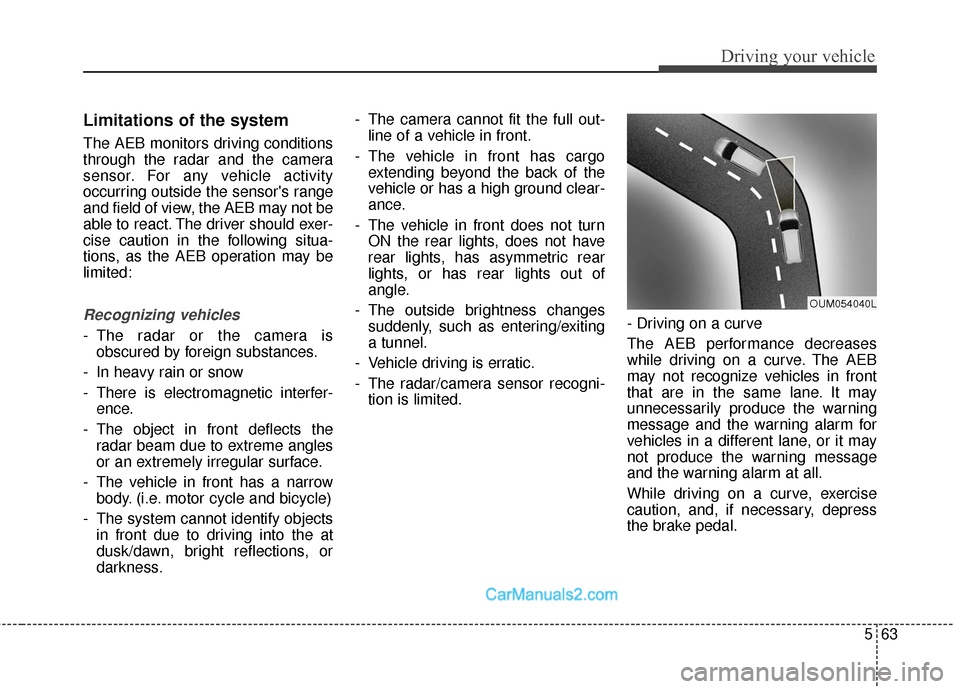
- The radar/camera sensor recogni- tion is limited. - Driving on a curve
The AEB performance decreases
while driving on a curve. The AEB
may not recognize vehicles in front
that are in the same lane. It may
unnecessarily produce the warning
message and the warning alarm for
vehicles in a different lane, or it may
not produce the warning message
and the warning alarm at all.
While driving on a curve, exercise
caution, and, if necessary, depress
the brake pedal.
OUM054040L
Page 406 of 614
565
Driving your vehicle
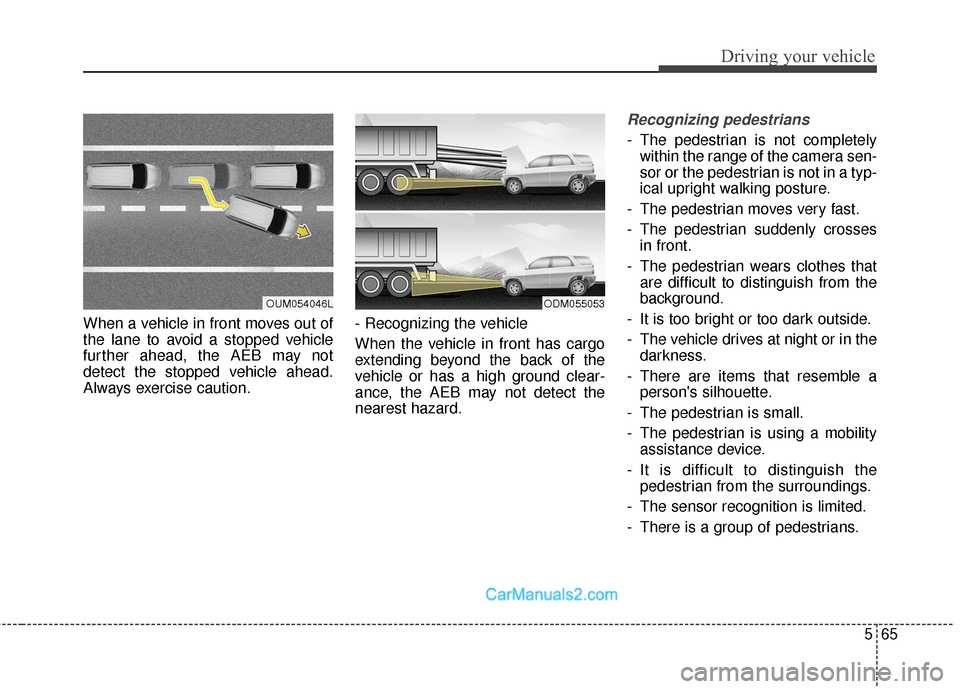
When a vehicle in front moves out of
the lane to avoid a stopped vehicle
further ahead, the AEB may not
detect the stopped vehicle ahead.
Always exercise caution.- Recognizing the vehicle
When the vehicle in front has cargo
extending beyond the back of the
vehicle or has a high ground clear-
ance, the AEB may not detect the
nearest hazard.
Recognizing pedestrians
- The pedestrian is not completely
within the range of the camera sen-
sor or the pedestrian is not in a typ-
ical upright walking posture.
- The pedestrian moves very fast.
- The pedestrian suddenly crosses in front.
- The pedestrian wears clothes that are difficult to distinguish from the
background.
- It is too bright or too dark outside.
- The vehicle drives at night or in the darkness.
- There are items that resemble a person's silhouette.
- The pedestrian is small.
- The pedestrian is using a mobility assistance device.
- It is difficult to distinguish the pedestrian from the surroundings.
- The sensor recognition is limited.
- There is a group of pedestrians.
OUM054046LODM055053
Page 407 of 614
Driving your vehicle
66
5
✽
✽
NOTICE
In some instances, the AEB system
may be cancelled when subjected to
electromagnetic interference.
This device complies with Part
15 of the FCC rules.
Operation is subject to the following
two conditions:
1. This device may not cause harm-
ful interference, and
2. This device must accept any inter- ference received, including inter-
ference that may cause undesired
operation.
WARNING
Cancel the AEB in the UserSettings on the LCD before
towing another vehicle. While
towing, the brake application
may adversely affect your
vehicle safety.
Exercise caution when there is a vehicle in front that has
cargo extending beyond the
back of the vehicle or has a
high ground clearance.
The sensor only detects standing or walking pedestri-
ans, not carts, bicycles,
motorcycles, luggage bags, or
strollers.
The AEB is not guaranteed to work in every possible situa-
tion. Never test the AEB
against a person or an object.
It may cause severe injuries
or death.
Page 417 of 614
Driving your vehicle
76
5
To temporarily accelerate with the
Smart Cruise Control on
If you want to speed up temporarily
when the Smart Cruise Control is on,
depress the accelerator pedal.
Increased speed will not interfere
with Smart Cruise Control operation
or change the set speed.
To return to the set speed, take your
foot off the accelerator.
If you push the toggle switch down
(SET-) at increased speed, the cruis-
ing speed will be set again.
✽ ✽ NOTICE
Be careful when accelerating tem-
porarily, because the speed is not
controlled automatically at this
time even if there is a vehicle in front
of you.
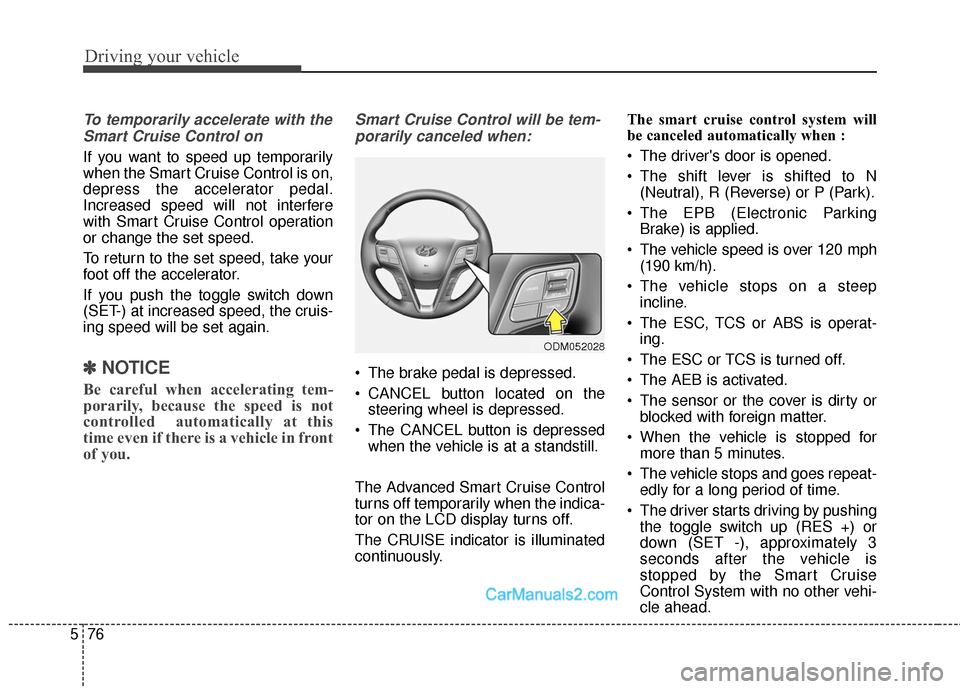
Smart Cruise Control will be tem-
porarily canceled when:
The brake pedal is depressed.
CANCEL button located on the steering wheel is depressed.
The CANCEL button is depressed when the vehicle is at a standstill.
The Advanced Smart Cruise Control
turns off temporarily when the indica-
tor on the LCD display turns off.
The CRUISE indicator is illuminated
continuously. The smart cruise control system will
be canceled automatically when :
The driver's door is opened.
The shift lever is shifted to N
(Neutral), R (Reverse) or P (Park).
The EPB (Electronic Parking Brake) is applied.
The vehicle speed is over 120 mph (190 km/h).
The vehicle stops on a steep incline.
The ESC, TCS or ABS is operat- ing.
The ESC or TCS is turned off.
The AEB is activated.
The sensor or the cover is dirty or blocked with foreign matter.
When the vehicle is stopped for more than 5 minutes.
The vehicle stops and goes repeat- edly for a long period of time.
The driver starts driving by pushing the toggle switch up (RES +) or
down (SET -), approximately 3
seconds after the vehicle is
stopped by the Smart Cruise
Control System with no other vehi-
cle ahead.
ODM052028
Page 422 of 614
581
Driving your vehicle
In traffic situation
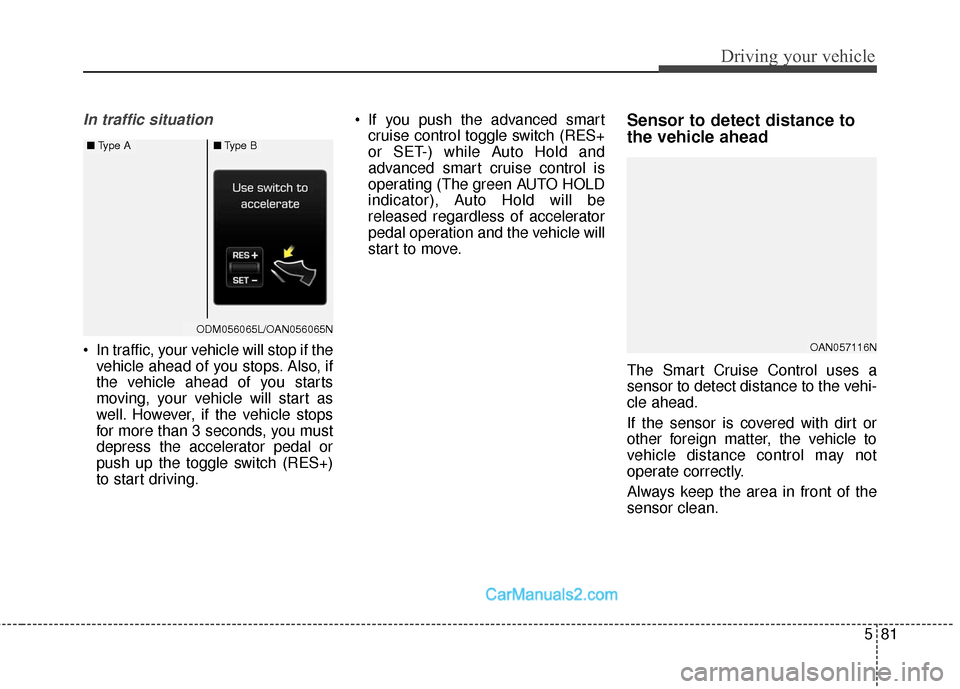
In traffic, your vehicle will stop if thevehicle ahead of you stops. Also, if
the vehicle ahead of you starts
moving, your vehicle will start as
well. However, if the vehicle stops
for more than 3 seconds, you must
depress the accelerator pedal or
push up the toggle switch (RES+)
to start driving. If you push the advanced smart
cruise control toggle switch (RES+
or SET-) while Auto Hold and
advanced smart cruise control is
operating (The green AUTO HOLD
indicator), Auto Hold will be
released regardless of accelerator
pedal operation and the vehicle will
start to move.
Sensor to detect distance to
the vehicle ahead
The Smart Cruise Control uses a
sensor to detect distance to the vehi-
cle ahead.
If the sensor is covered with dirt or
other foreign matter, the vehicle to
vehicle distance control may not
operate correctly.
Always keep the area in front of the
sensor clean.
OAN057116N
ODM056065LODM056065L/OAN056065N
■ Type A■Type B