brake Hyundai Santa Fe Sport 2017 Manual PDF
[x] Cancel search | Manufacturer: HYUNDAI, Model Year: 2017, Model line: Santa Fe Sport, Model: Hyundai Santa Fe Sport 2017Pages: 614, PDF Size: 18.99 MB
Page 411 of 614
Driving your vehicle
70
5
To temporarily accelerate with
the cruise control on:
If you want to speed up temporarily
when the cruise control is on,
depress the accelerator pedal.
Increased speed will not interfere
with cruise control operation or
change the set speed.
To return to the set speed, take your
foot off the accelerator pedal.
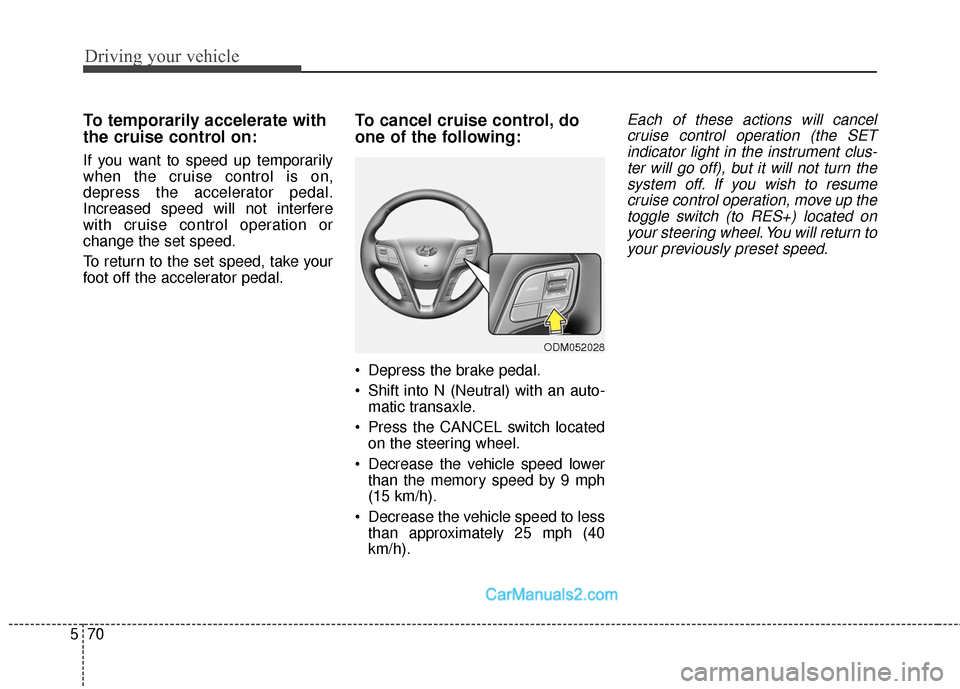
To cancel cruise control, do
one of the following:
Depress the brake pedal.
Shift into N (Neutral) with an auto-
matic transaxle.
Press the CANCEL switch located on the steering wheel.
Decrease the vehicle speed lower than the memory speed by 9 mph
(15 km/h).
Decrease the vehicle speed to less than approximately 25 mph (40
km/h).
Each of these actions will cancelcruise control operation (the SETindicator light in the instrument clus-ter will go off), but it will not turn thesystem off. If you wish to resumecruise control operation, move up thetoggle switch (to RES+) located onyour steering wheel. You will return toyour previously preset speed.
ODM052028
Page 413 of 614
Driving your vehicle
72
5
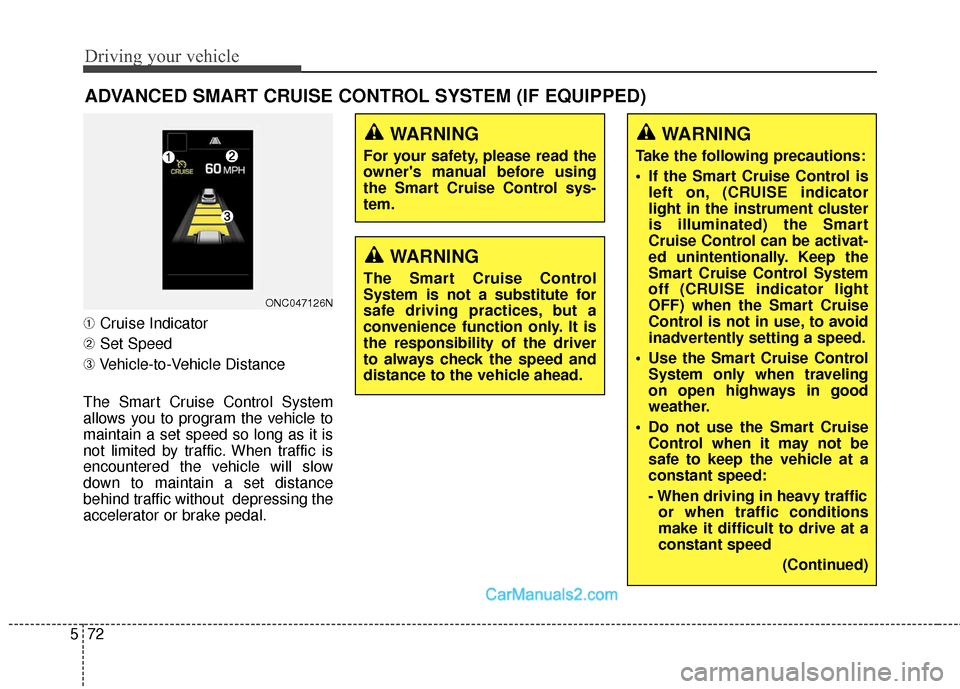
➀ Cruise Indicator
➁ Set Speed
➂ Vehicle-to-Vehicle Distance
The Smart Cruise Control System
allows you to program the vehicle to
maintain a set speed so long as it is
not limited by traffic. When traffic is
encountered the vehicle will slow
down to maintain a set distance
behind traffic without depressing the
accelerator or brake pedal.
ADVANCED SMART CRUISE CONTROL SYSTEM (IF EQUIPPED)
ONC047126N
WARNING
For your safety, please read the
owner's manual before using
the Smart Cruise Control sys-
tem.
WARNING
The Smart Cruise Control
System is not a substitute for
safe driving practices, but a
convenience function only. It is
the responsibility of the driver
to always check the speed and
distance to the vehicle ahead.
WARNING
Take the following precautions:
If the Smart Cruise Control is left on, (CRUISE indicator
light in the instrument cluster
is illuminated) the Smart
Cruise Control can be activat-
ed unintentionally. Keep the
Smart Cruise Control System
off (CRUISE indicator light
OFF) when the Smart Cruise
Control is not in use, to avoid
inadvertently setting a speed.
Use the Smart Cruise Control System only when traveling
on open highways in good
weather.
Do not use the Smart Cruise Control when it may not be
safe to keep the vehicle at a
constant speed:
- When driving in heavy trafficor when traffic conditions
make it difficult to drive at a
constant speed
(Continued)
Page 415 of 614
Driving your vehicle
74
5
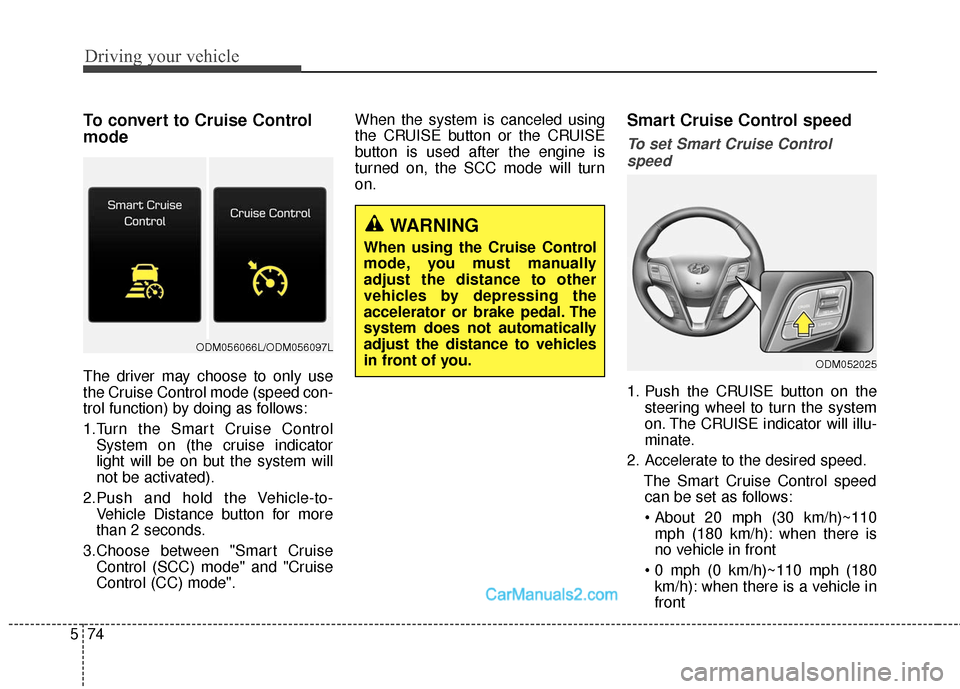
To convert to Cruise Control
mode
The driver may choose to only use
the Cruise Control mode (speed con-
trol function) by doing as follows:
1.Turn the Smart Cruise Control
System on (the cruise indicator
light will be on but the system will
not be activated).
2.Push and hold the Vehicle-to- Vehicle Distance button for more
than 2 seconds.
3.Choose between "Smart Cruise Control (SCC) mode" and "Cruise
Control (CC) mode". When the system is canceled using
the CRUISE button or the CRUISE
button is used after the engine is
turned on, the SCC mode will turn
on.
Smart Cruise Control speed
To set Smart Cruise Control
speed
1. Push the CRUISE button on the steering wheel to turn the system
on. The CRUISE indicator will illu-
minate.
2. Accelerate to the desired speed. The Smart Cruise Control speedcan be set as follows:
mph (180 km/h): when there is
no vehicle in front
km/h): when there is a vehicle in
front
ODM052025
WARNING
When using the Cruise Control
mode, you must manually
adjust the distance to other
vehicles by depressing the
accelerator or brake pedal. The
system does not automatically
adjust the distance to vehicles
in front of you.
ODM056066L/ODM056097L
Page 417 of 614
Driving your vehicle
76
5
To temporarily accelerate with the
Smart Cruise Control on
If you want to speed up temporarily
when the Smart Cruise Control is on,
depress the accelerator pedal.
Increased speed will not interfere
with Smart Cruise Control operation
or change the set speed.
To return to the set speed, take your
foot off the accelerator.
If you push the toggle switch down
(SET-) at increased speed, the cruis-
ing speed will be set again.
✽ ✽ NOTICE
Be careful when accelerating tem-
porarily, because the speed is not
controlled automatically at this
time even if there is a vehicle in front
of you.
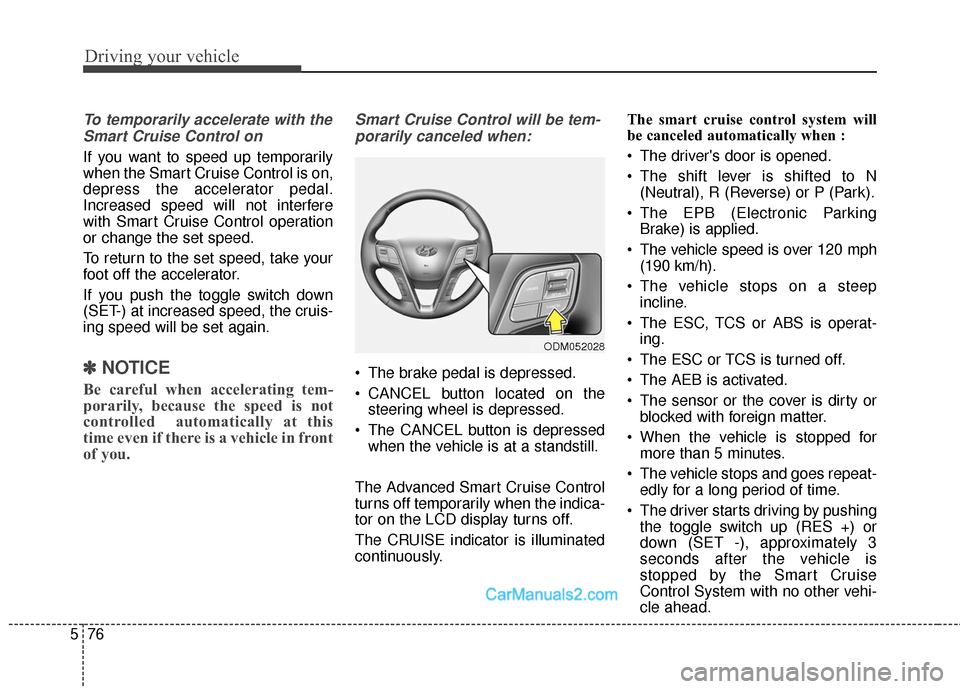
Smart Cruise Control will be tem-
porarily canceled when:
The brake pedal is depressed.
CANCEL button located on the steering wheel is depressed.
The CANCEL button is depressed when the vehicle is at a standstill.
The Advanced Smart Cruise Control
turns off temporarily when the indica-
tor on the LCD display turns off.
The CRUISE indicator is illuminated
continuously. The smart cruise control system will
be canceled automatically when :
The driver's door is opened.
The shift lever is shifted to N
(Neutral), R (Reverse) or P (Park).
The EPB (Electronic Parking Brake) is applied.
The vehicle speed is over 120 mph (190 km/h).
The vehicle stops on a steep incline.
The ESC, TCS or ABS is operat- ing.
The ESC or TCS is turned off.
The AEB is activated.
The sensor or the cover is dirty or blocked with foreign matter.
When the vehicle is stopped for more than 5 minutes.
The vehicle stops and goes repeat- edly for a long period of time.
The driver starts driving by pushing the toggle switch up (RES +) or
down (SET -), approximately 3
seconds after the vehicle is
stopped by the Smart Cruise
Control System with no other vehi-
cle ahead.
ODM052028
Page 418 of 614
577
Driving your vehicle
The driver starts driving by pushinga toggle switch up (RES +) or down
(SET -), after stopping the vehicle
with a vehicle stopped far away in
front.
The accelerator pedal is continu- ously depressed for more than one
minute.
Each of these actions will cancel the
Smart Cruise Control operation.
(operation an the Set Speed and
Vehicle-to-Vehicle Distance on the
LCD display will go off.)
In a condition where the Smart
Cruise Control is cancelled automat-
ically, the Smart Cruise Control will
not resume even when the RES+ or
SET- toggle switch is pushed. Also,
the EPB will be applied when the
vehicle is stopped.
✽ ✽ NOTICE
If the Smart Cruise Control is can-
celled by other than the reasons
mentioned, have the system checked
by an authorized HYUNDAI dealer.
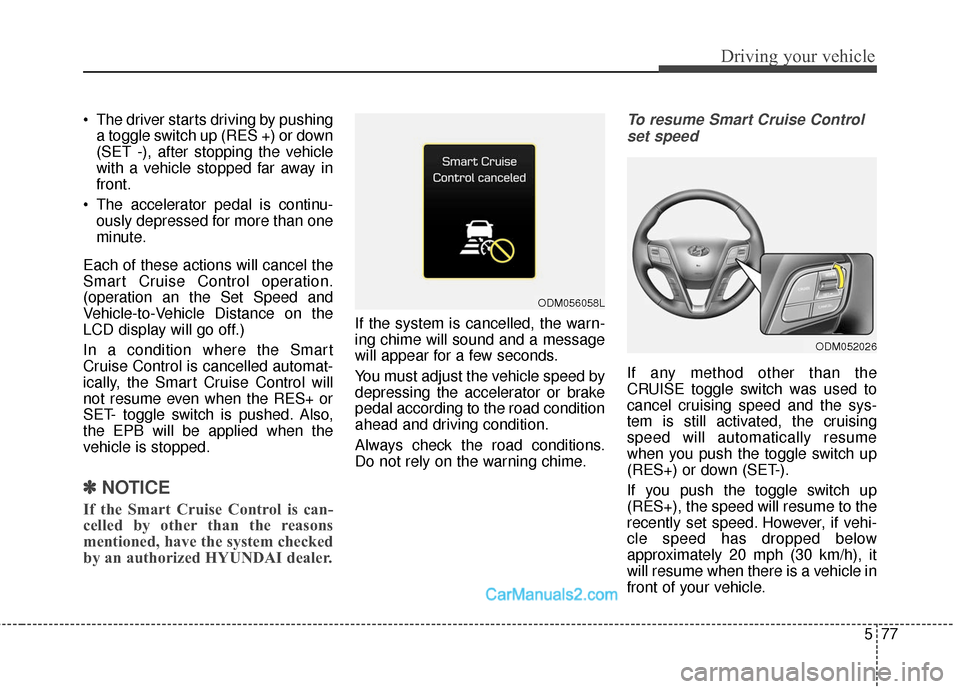
If the system is cancelled, the warn-
ing chime will sound and a message
will appear for a few seconds.
You must adjust the vehicle speed by
depressing the accelerator or brake
pedal according to the road condition
ahead and driving condition.
Always check the road conditions.
Do not rely on the warning chime.
To resume Smart Cruise Control
set speed
If any method other than the
CRUISE toggle switch was used to
cancel cruising speed and the sys-
tem is still activated, the cruising
speed will automatically resume
when you push the toggle switch up
(RES+) or down (SET-).
If you push the toggle switch up
(RES+), the speed will resume to the
recently set speed. However, if vehi-
cle speed has dropped below
approximately 20 mph (30 km/h), it
will resume when there is a vehicle in
front of your vehicle.
ODM056058L
ODM052026
Page 419 of 614
Driving your vehicle
78
5
✽
✽
NOTICE
Always check the road conditions
when you push the toggle switch up
(RES+) to resume speed.
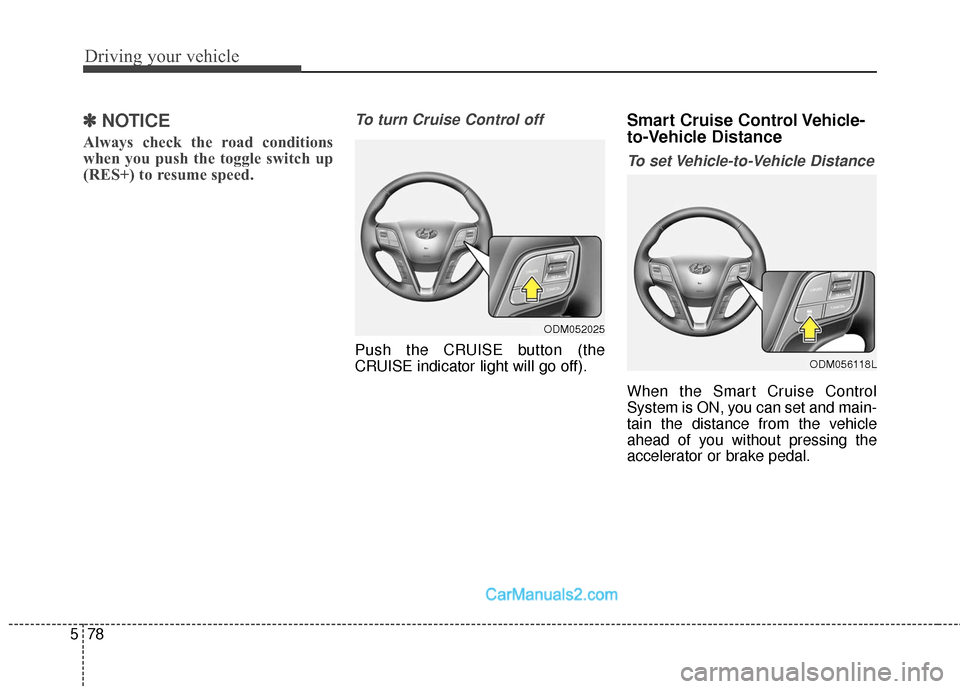
To turn Cruise Control off
Push the CRUISE button (the
CRUISE indicator light will go off).
Smart Cruise Control Vehicle-
to-Vehicle Distance
To set Vehicle-to-Vehicle Distance
When the Smart Cruise Control
System is ON, you can set and main-
tain the distance from the vehicle
ahead of you without pressing the
accelerator or brake pedal.
ODM052025
ODM056118L
Page 421 of 614
Driving your vehicle
80
5
If the vehicle ahead speeds up,
your vehicle will travel at a steady
cruising speed after accelerating to
the set speed.
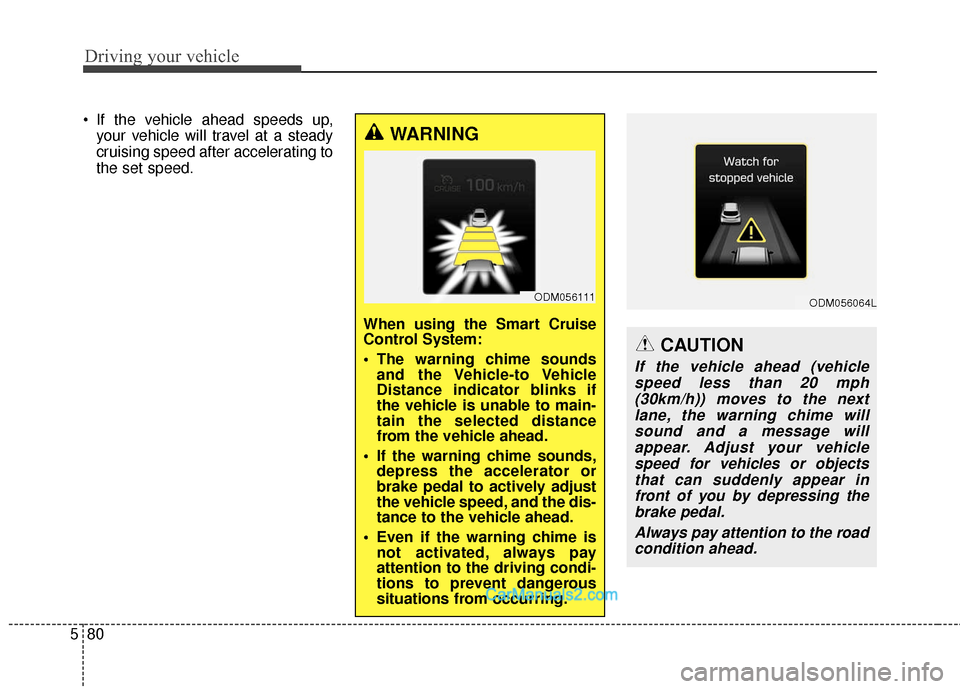
WARNING
When using the Smart Cruise
Control System:
The warning chime soundsand the Vehicle-to Vehicle
Distance indicator blinks if
the vehicle is unable to main-
tain the selected distance
from the vehicle ahead.
If the warning chime sounds, depress the accelerator or
brake pedal to actively adjust
the vehicle speed, and the dis-
tance to the vehicle ahead.
Even if the warning chime is not activated, always pay
attention to the driving condi-
tions to prevent dangerous
situations from occurring.
ODM056111ODM056064L
CAUTION
If the vehicle ahead (vehicle
speed less than 20 mph(30km/h)) moves to the nextlane, the warning chime willsound and a message willappear. Adjust your vehiclespeed for vehicles or objectsthat can suddenly appear infront of you by depressing thebrake pedal.
Always pay attention to the roadcondition ahead.
Page 424 of 614
583
Driving your vehicle
Limitations of the system
The Smart Cruise Control System
may have limits to its ability to detect
distance to the vehicle ahead due to
road and traffic conditions.
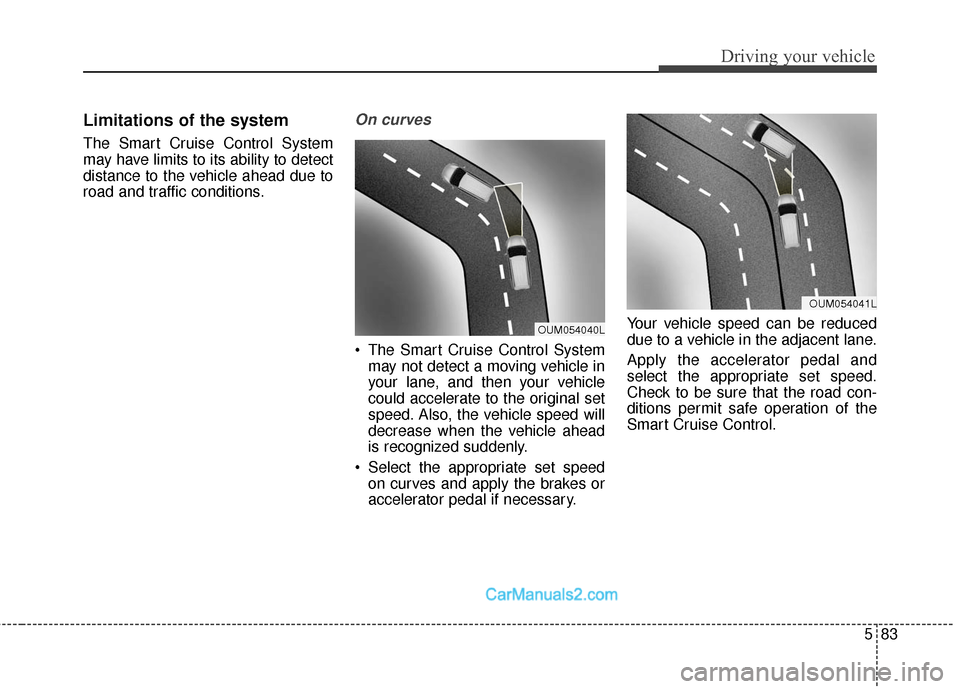
On curves
The Smart Cruise Control Systemmay not detect a moving vehicle in
your lane, and then your vehicle
could accelerate to the original set
speed. Also, the vehicle speed will
decrease when the vehicle ahead
is recognized suddenly.
Select the appropriate set speed on curves and apply the brakes or
accelerator pedal if necessary. Your vehicle speed can be reduced
due to a vehicle in the adjacent lane.
Apply the accelerator pedal and
select the appropriate set speed.
Check to be sure that the road con-
ditions permit safe operation of the
Smart Cruise Control.
OUM054040L
OUM054041L
Page 425 of 614
Driving your vehicle
84
5
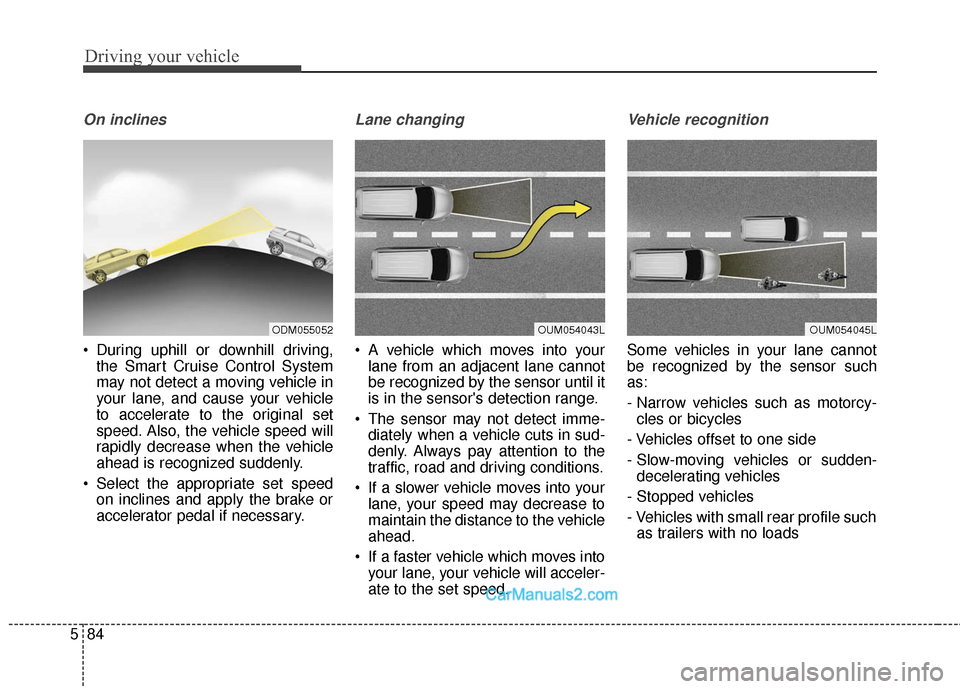
On inclines
During uphill or downhill driving,
the Smart Cruise Control System
may not detect a moving vehicle in
your lane, and cause your vehicle
to accelerate to the original set
speed. Also, the vehicle speed will
rapidly decrease when the vehicle
ahead is recognized suddenly.
Select the appropriate set speed on inclines and apply the brake or
accelerator pedal if necessary.
Lane changing
A vehicle which moves into yourlane from an adjacent lane cannot
be recognized by the sensor until it
is in the sensor's detection range.
The sensor may not detect imme- diately when a vehicle cuts in sud-
denly. Always pay attention to the
traffic, road and driving conditions.
If a slower vehicle moves into your lane, your speed may decrease to
maintain the distance to the vehicle
ahead.
If a faster vehicle which moves into your lane, your vehicle will acceler-
ate to the set speed.
Vehicle recognition
Some vehicles in your lane cannot
be recognized by the sensor such
as:
- Narrow vehicles such as motorcy-cles or bicycles
- Vehicles offset to one side
- Slow-moving vehicles or sudden- decelerating vehicles
- Stopped vehicles
- Vehicles with small rear profile such as trailers with no loads
OUM054043LOUM054045LODM055052
Page 426 of 614
585
Driving your vehicle
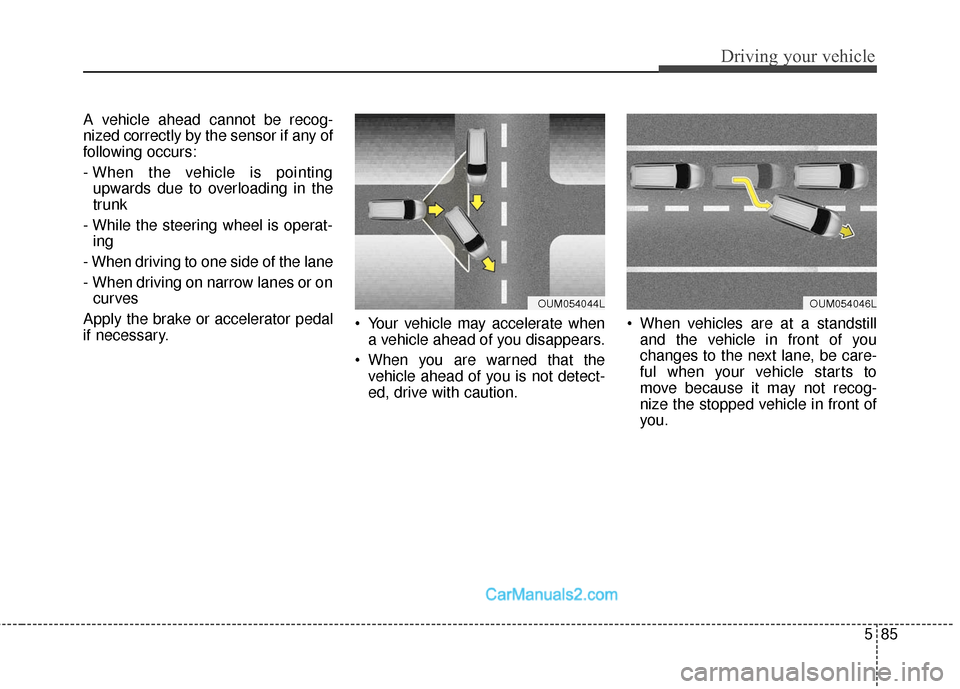
A vehicle ahead cannot be recog-
nized correctly by the sensor if any of
following occurs:
- When the vehicle is pointingupwards due to overloading in the
trunk
- While the steering wheel is operat- ing
- When driving to one side of the lane
- When driving on narrow lanes or on curves
Apply the brake or accelerator pedal
if necessary. Your vehicle may accelerate when
a vehicle ahead of you disappears.
When you are warned that the vehicle ahead of you is not detect-
ed, drive with caution. When vehicles are at a standstill
and the vehicle in front of you
changes to the next lane, be care-
ful when your vehicle starts to
move because it may not recog-
nize the stopped vehicle in front of
you.
OUM054044LOUM054046L