display Hyundai Sonata
[x] Cancel search | Manufacturer: HYUNDAI, Model Year: , Model line: , Model:Pages: 340, PDF Size: 18.45 MB
Page 95 of 340
437
Features of your vehicle
✽✽NOTICE
It is forbidden that alteration of the
odometer of any vehicle with the intent
to change the mileage registered on the
odometer. The alteration may void yourwarranty coverage.
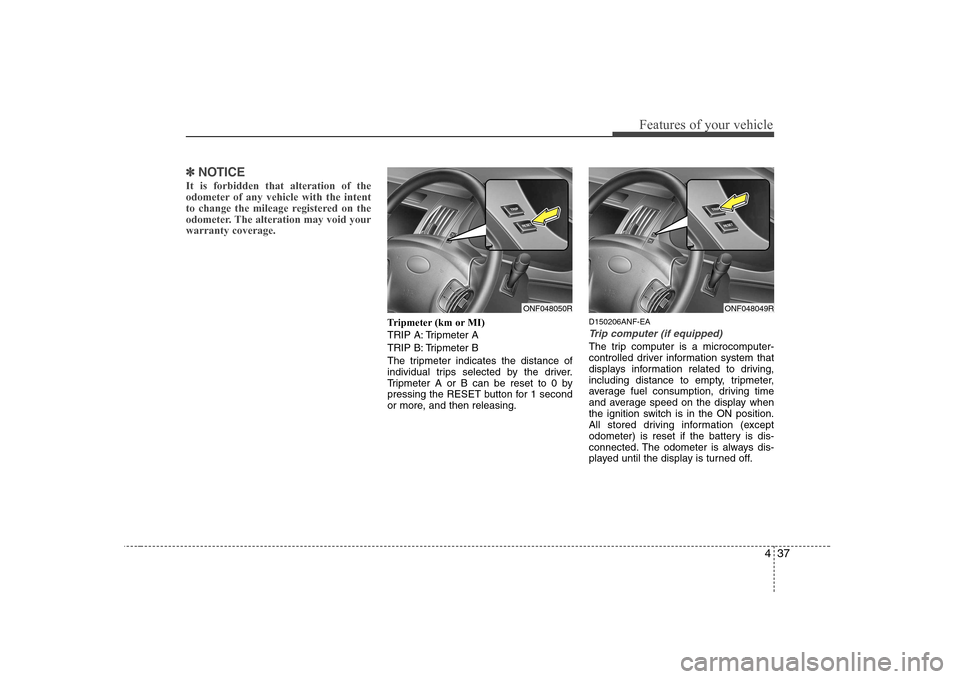
Tripmeter (km or MI)
TRIP A: Tripmeter A
TRIP B: Tripmeter B
The tripmeter indicates the distance of
individual trips selected by the driver.
Tripmeter A or B can be reset to 0 by
pressing the RESET button for 1 second
or more, and then releasing. D150206ANF-EA
Trip computer (if equipped)
The trip computer is a microcomputer-
controlled driver information system that
displays information related to driving,
including distance to empty, tripmeter,
average fuel consumption, driving time
and average speed on the display when
the ignition switch is in the ON position.
All stored driving information (except
odometer) is reset if the battery is dis-
connected. The odometer is always dis-
played until the display is turned off.
ONF048050RONF048049R
Page 96 of 340
Features of your vehicle
38
4
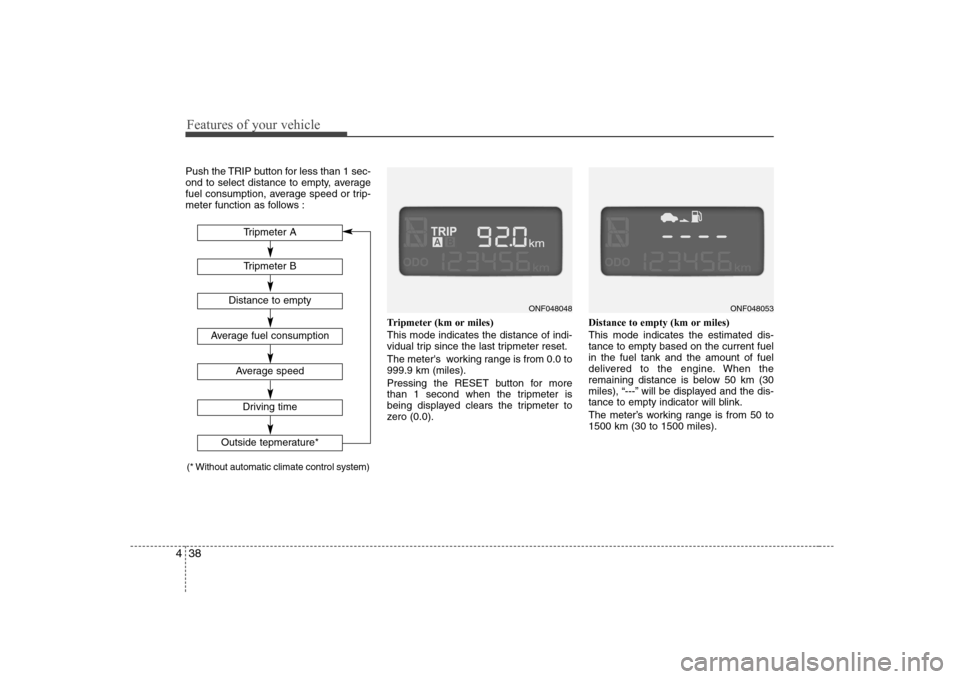
Push the TRIP button for less than 1 sec-
ond to select distance to empty, average
fuel consumption, average speed or trip-
meter function as follows :
Tripmeter (km or miles) This mode indicates the distance of indi-
vidual trip since the last tripmeter reset.
The meter's working range is from 0.0 to 999.9 km (miles).
Pressing the RESET button for more
than 1 second when the tripmeter is
being displayed clears the tripmeter to
zero (0.0).Distance to empty (km or miles) This mode indicates the estimated dis- tance to empty based on the current fuelin the fuel tank and the amount of fuel
delivered to the engine. When the
remaining distance is below 50 km (30
miles), “---” will be displayed and the dis-
tance to empty indicator will blink.
The meter’s working range is from 50 to 1500 km (30 to 1500 miles).
ONF048053ONF048048
Tripmeter B
Average fuel consumption
Average speed
Driving time
Tripmeter A
Distance to empty
Outside tepmerature*
(* Without automatic climate control system)
Page 98 of 340
Features of your vehicle
40
4
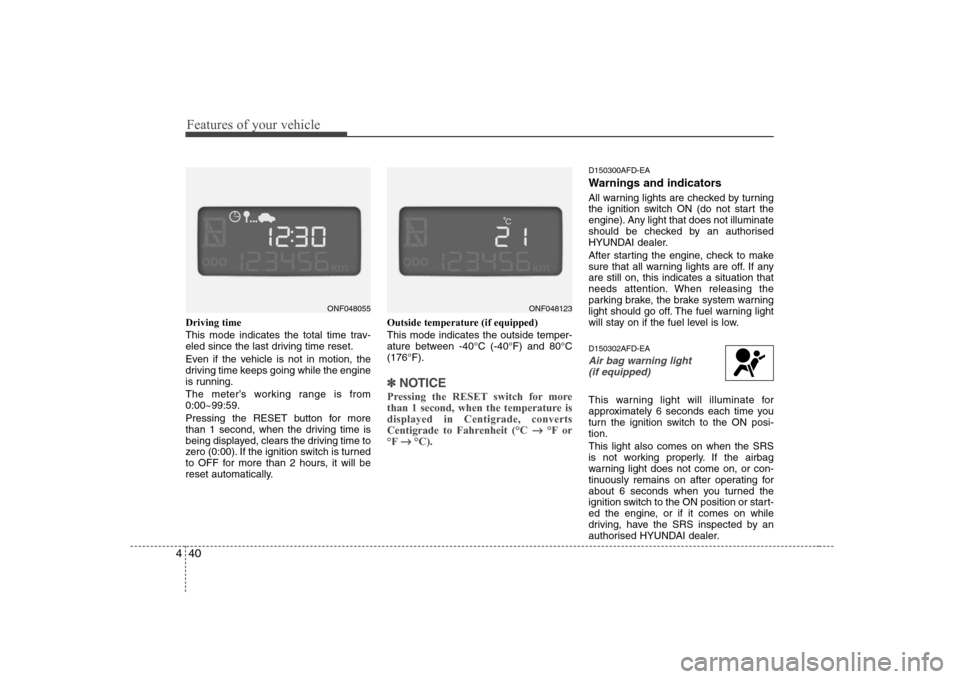
Driving time
This mode indicates the total time trav-
eled since the last driving time reset.
Even if the vehicle is not in motion, the
driving time keeps going while the engine
is running.
The meter’s working range is from 0:00~99:59.
Pressing the RESET button for more
than 1 second, when the driving time is
being displayed, clears the driving time to
zero (0:00). If the ignition switch is turned
to OFF for more than 2 hours, it will be
reset automatically. Outside temperature (if equipped) This mode indicates the outside temper-
ature between -40°C (-40°F) and 80°C(176°F).
✽✽
NOTICE
Pressing the RESET switch for more
than 1 second, when the temperature isdisplayed in Centigrade, converts
Centigrade to Fahrenheit (°C
°F or
°F
°C).
D150300AFD-EA
Warnings and indicators
All warning lights are checked by turning
the ignition switch ON (do not start the
engine). Any light that does not illuminate
should be checked by an authorised
HYUNDAI dealer.
After starting the engine, check to make
sure that all warning lights are off. If anyare still on, this indicates a situation that
needs attention. When releasing the
parking brake, the brake system warning
light should go off. The fuel warning light
will stay on if the fuel level is low. D150302AFD-EA
Air bag warning light
(if equipped)
This warning light will illuminate for
approximately 6 seconds each time you
turn the ignition switch to the ON posi-tion. This light also comes on when the SRS
is not working properly. If the airbag
warning light does not come on, or con-
tinuously remains on after operating for
about 6 seconds when you turned the
ignition switch to the ON position or start-
ed the engine, or if it comes on while
driving, have the SRS inspected by an
authorised HYUNDAI dealer.
ONF048123ONF048055
Page 102 of 340
Features of your vehicle
44
4
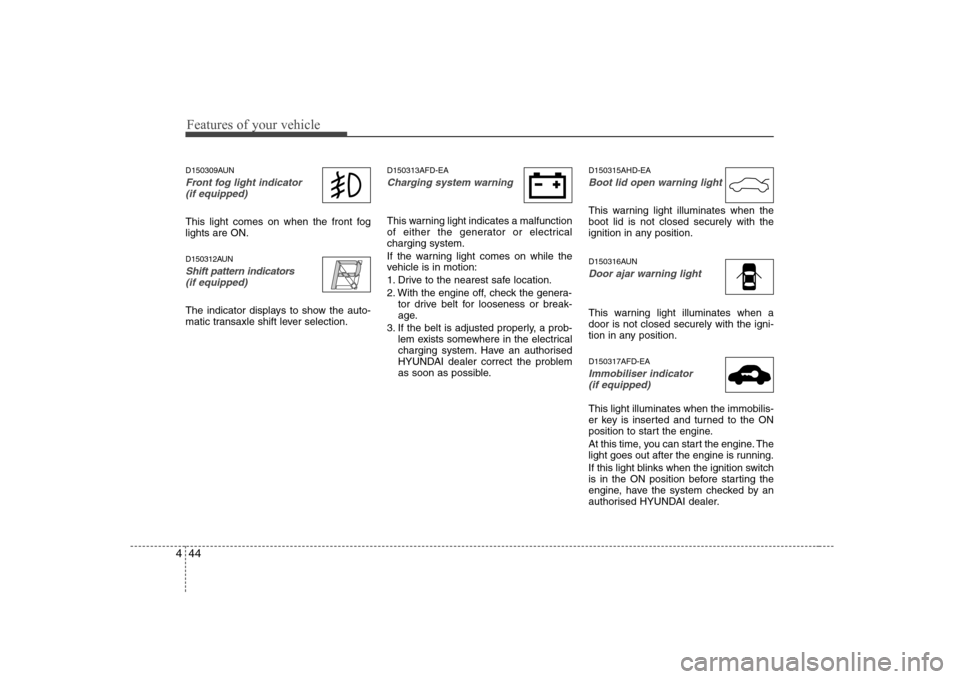
D150309AUN
Front fog light indicator
(if equipped)
This light comes on when the front fog lights are ON.
D150312AUN
Shift pattern indicators(if equipped)
The indicator displays to show the auto-
matic transaxle shift lever selection. D150313AFD-EA
Charging system warning
This warning light indicates a malfunction
of either the generator or electricalcharging system.
If the warning light comes on while the
vehicle is in motion:
1. Drive to the nearest safe location.
2. With the engine off, check the genera-
tor drive belt for looseness or break-
age.
3. If the belt is adjusted properly, a prob- lem exists somewhere in the electrical
charging system. Have an authorised
HYUNDAI dealer correct the problem
as soon as possible. D150315AHD-EA
Boot lid open warning light
This warning light illuminates when the boot lid is not closed securely with the
ignition in any position.
D150316AUN
Door ajar warning light
This warning light illuminates when a door is not closed securely with the igni-
tion in any position. D150317AFD-EA
Immobiliser indicator
(if equipped)
This light illuminates when the immobilis-
er key is inserted and turned to the ON
position to start the engine.
At this time, you can start the engine. The
light goes out after the engine is running.
If this light blinks when the ignition switch
is in the ON position before starting the
engine, have the system checked by an
authorised HYUNDAI dealer.
Page 128 of 340
Features of your vehicle
70
4
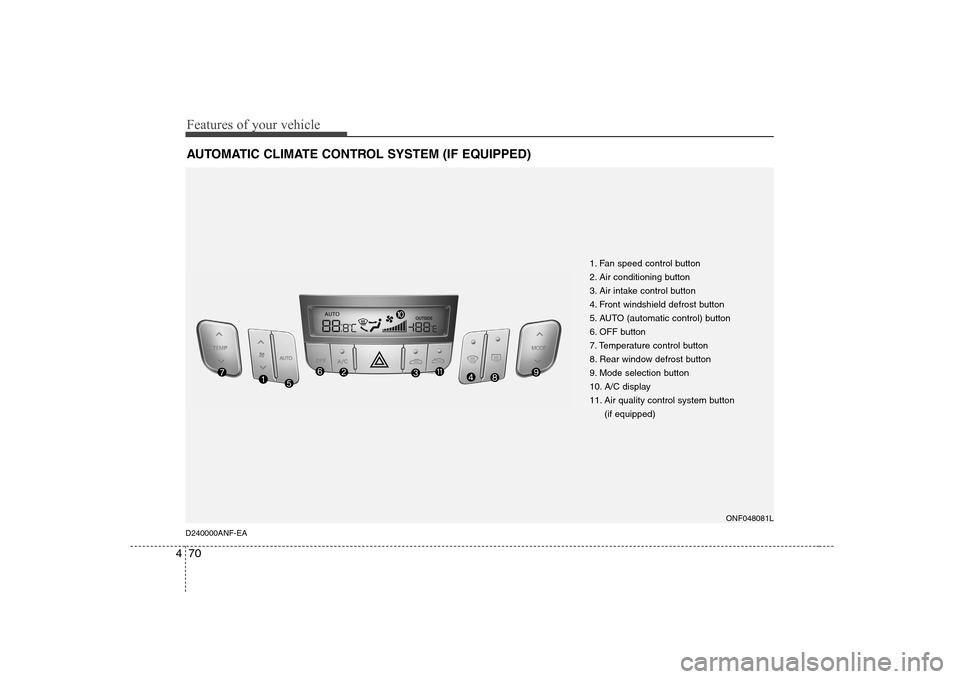
AUTOMATIC CLIMATE CONTROL SYSTEM (IF EQUIPPED)
1. Fan speed control button
2. Air conditioning button
3. Air intake control button
4. Front windshield defrost button
5. AUTO (automatic control) button
6. OFF button
7. Temperature control button
8. Rear window defrost button
9. Mode selection button
10. A/C display
11. Air quality control system button
(if equipped)
ONF048081L
D240000ANF-EA
Page 129 of 340
471
Features of your vehicle
D240100ANF
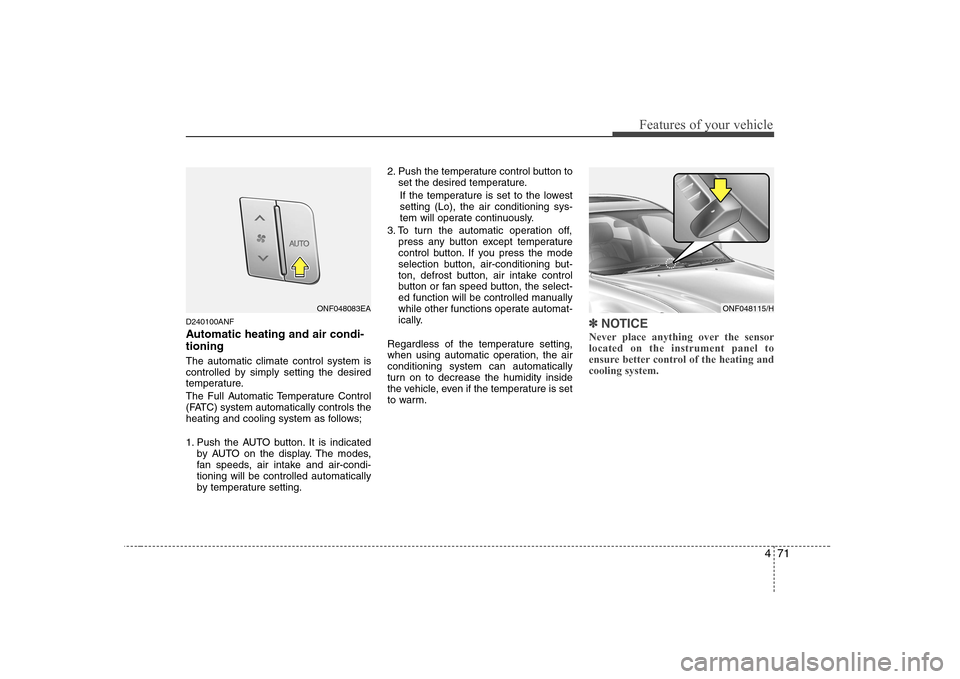
Automatic heating and air condi- tioning The automatic climate control system is
controlled by simply setting the desired
temperature.
The Full Automatic Temperature Control
(FATC) system automatically controls the
heating and cooling system as follows;
1. Push the AUTO button. It is indicatedby AUTO on the display. The modes,
fan speeds, air intake and air-condi-tioning will be controlled automatically
by temperature setting. 2. Push the temperature control button to
set the desired temperature.
If the temperature is set to the lowestsetting (Lo), the air conditioning sys-
tem will operate continuously.
3. To turn the automatic operation off, press any button except temperature
control button. If you press the mode
selection button, air-conditioning but-
ton, defrost button, air intake control
button or fan speed button, the select-
ed function will be controlled manually
while other functions operate automat-
ically.
Regardless of the temperature setting,
when using automatic operation, the airconditioning system can automatically
turn on to decrease the humidity inside
the vehicle, even if the temperature is set
to warm.✽✽ NOTICE
Never place anything over the sensor located on the instrument panel to
ensure better control of the heating andcooling system.
ONF048115/HONF048083EA
Page 132 of 340
Features of your vehicle
74
4
Temperature conversion
If the battery has been discharged or dis-
connected, the temperature mode dis-
play will reset to Centigrade.
This is normal condition. You can switch
the temperature mode between
Centigrade to Fahrenheit as follows;
While depressing the AUTO button,
depress the OFF button for 3 seconds or
more. The display will change from
Centigrade to Fahrenheit, or from
Fahrenheit to Centigrade.
D240203AFD
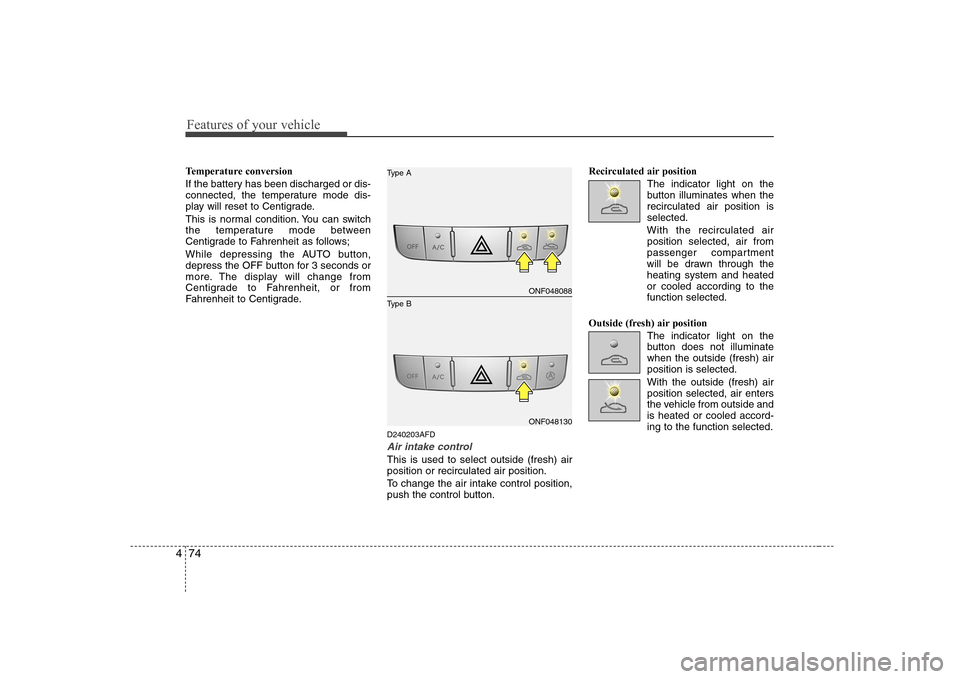
Air intake control
This is used to select outside (fresh) air position or recirculated air position.
To change the air intake control position,
push the control button.Recirculated air position
The indicator light on the
button illuminates when therecirculated air position isselected.
With the recirculated air position selected, air from
passenger compartment
will be drawn through theheating system and heatedor cooled according to thefunction selected.
Outside (fresh) air position The indicator light on the
button does not illuminatewhen the outside (fresh) airposition is selected. With the outside (fresh) air position selected, air enters
the vehicle from outside andis heated or cooled accord-ing to the function selected.
ONF048088
ONF048130
Type B
Type A
Page 137 of 340
479
Features of your vehicle
D250301AFD
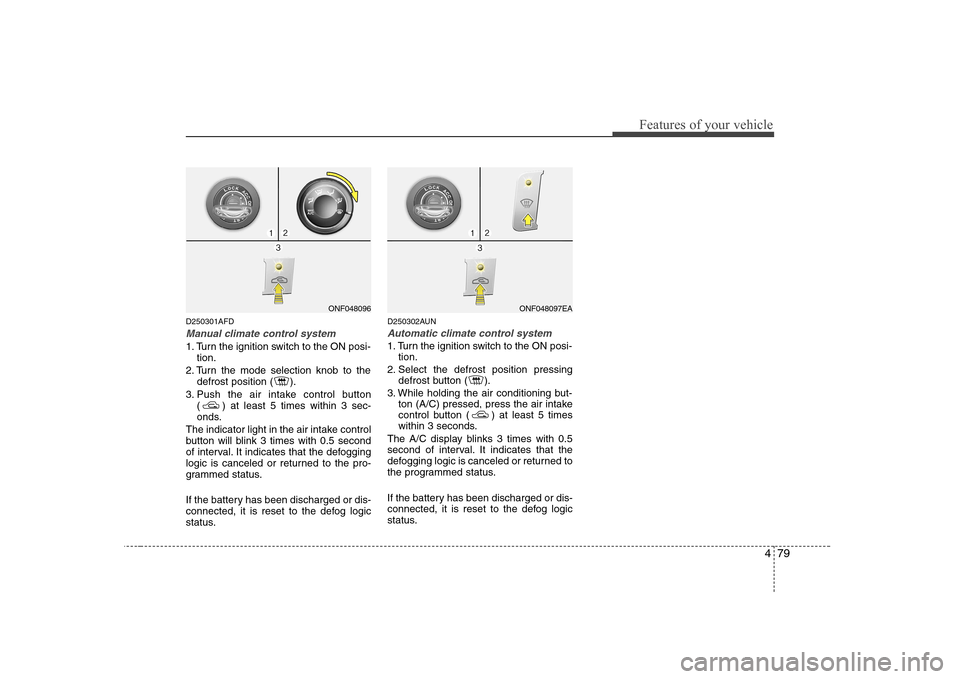
Manual climate control system
1. Turn the ignition switch to the ON posi-tion.
2. Turn the mode selection knob to the defrost position ( ).
3. Push the air intake control button ( ) at least 5 times within 3 sec-
onds.
The indicator light in the air intake control
button will blink 3 times with 0.5 second
of interval. It indicates that the defogging
logic is canceled or returned to the pro-
grammed status.
If the battery has been discharged or dis-
connected, it is reset to the defog logic
status. D250302AUN
Automatic climate control system
1. Turn the ignition switch to the ON posi-
tion.
2. Select the defrost position pressing defrost button ( ).
3. While holding the air conditioning but- ton (A/C) pressed, press the air intake
control button ( ) at least 5 times
within 3 seconds.
The A/C display blinks 3 times with 0.5
second of interval. It indicates that the
defogging logic is canceled or returned to
the programmed status.
If the battery has been discharged or dis-
connected, it is reset to the defog logic
status.
ONF048096ONF048097EA
Page 143 of 340
485
Features of your vehicle
D280600AUN
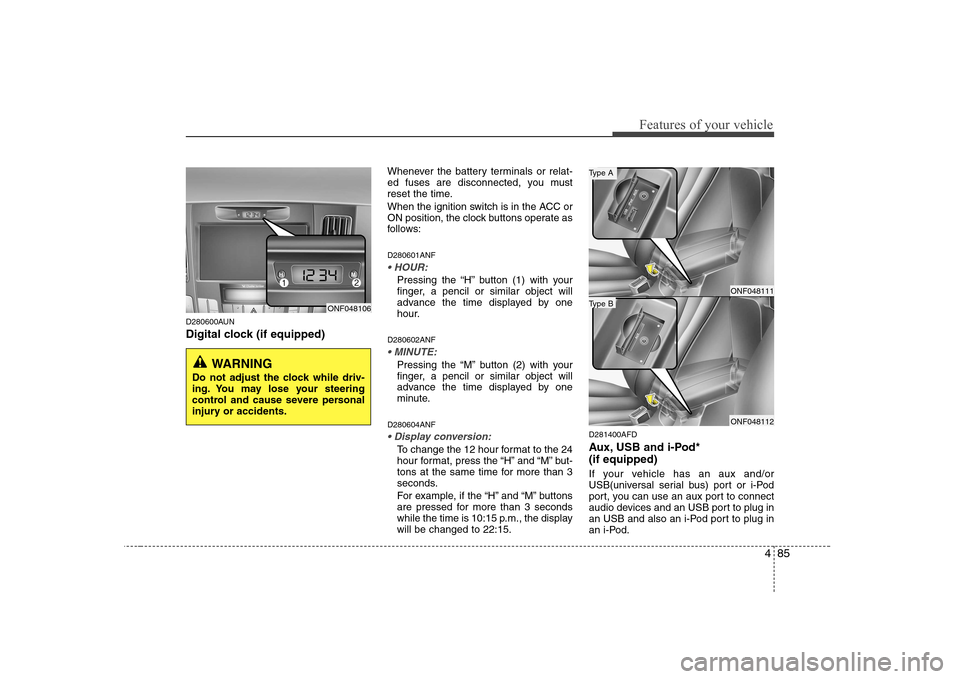
Digital clock (if equipped)Whenever the battery terminals or relat-
ed fuses are disconnected, you must
reset the time.
When the ignition switch is in the ACC or
ON position, the clock buttons operate as
follows: D280601ANF
Pressing the “H” button (1) with your
finger, a pencil or similar object will
advance the time displayed by one
hour.
D280602ANF
Pressing the “M” button (2) with your
finger, a pencil or similar object will
advance the time displayed by one
minute.
D280604ANF
To change the 12 hour format to the 24
hour format, press the “H” and “M” but-
tons at the same time for more than 3
seconds.
For example, if the “H” and “M” buttons
are pressed for more than 3 seconds
while the time is 10:15 p.m., the displaywill be changed to 22:15. D281400AFD
Aux, USB and i-Pod* (if equipped)
If your vehicle has an aux and/or
USB(universal serial bus) port or i-Pod
port, you can use an aux port to connect
audio devices and an USB port to plug in
an USB and also an i-Pod port to plug in
an i-Pod.
ONF048106
WARNING
Do not adjust the clock while driv-
ing. You may lose your steering
control and cause severe personal
injury or accidents.
ONF048111
ONF048112
Type B
Type A
Page 151 of 340
493
Features of your vehicle
1. FM Selection Button
Turns to FM mode and toggles FM1 and
FM2 when the button is pressed each
time.
2. AM Selection Button
Pressing the AM button selects the AM
band. AM Mode is displayed on the LCD.
3. CD Selection Button
If there is a cd in the CDP DECK it plays
the CD.
Press CD button to automatically insert CD when the disc is ejected from the
deck by pressing CD EJECT.
4. AUX Selection Button
If the auxiliary device is connected, it
turns to AUX MODE to play the sound
from the auxiliary player.
If no Disc and auxiliary device is connected,
it displays “NO Media” for 5 seconds and
returns to the previous mode.5. Automatic Channel Selection
Button
When the [SEEK ]button is pressed, it reduces the band frequency by 0.1Mhz to automatically select channel.
Stops at the previous frequency if no
channel is found.
When the [SEEK ]button is pressed, it increases the band frequency by0.1Mhz to automatically select channel.
Stops at the previous frequency if no
channel is found.
6. Power ON/OFF & Volume Control Button
Turns on/off the set when the IGNITION
SWITCH is on ACC or ON. If the button
is turned to the right, it increases the
volume and left, decreases the volume.
7. SCAN Button
If this button is pressed, the frequencies
will become increased and receive the
corresponding broadcasts.
This function will play the frequencies for 5 seconds each and find other broad-
casts as the frequency increases.
Press the button again when desiring to
continue listening to the currently playingbroadcast. 8. AUTO STORE Button
When the button is pressed, it automati-
cally selects and saves channels with
high reception rate to PRESET buttons
(1~6) and plays the channel saved inPRESET1.
If no channel is saved after AST, it will
play the previous channel.
9. SET UP Button
Press this button to turn to the TEXT
SCROLL, AVC, and audio adjustment
mode.
If no action is taken for 5 seconds after
pressing the button, it will return to the
play mode.(After entering SET UP mode,
move between items using the left, right
and PUSH functions of the TUNE button.)
The set up item changes from TEXT
SCROLL
➟
AVC...