door Hyundai Sonata
[x] Cancel search | Manufacturer: HYUNDAI, Model Year: , Model line: , Model:Pages: 363, PDF Size: 30.3 MB
Page 203 of 363
55
Driving your vehicle
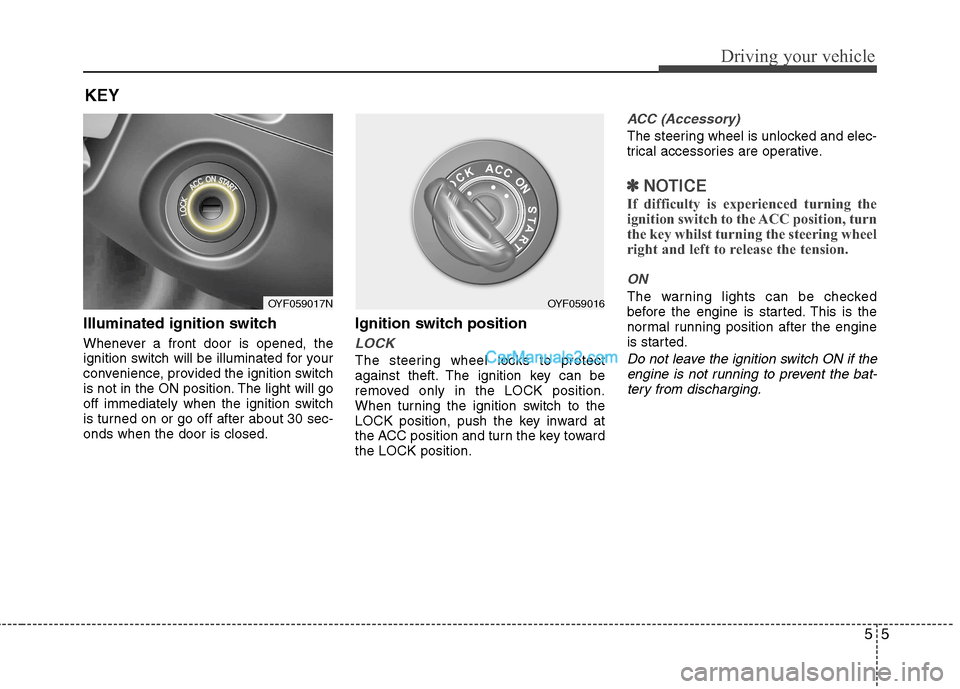
Illuminated ignition switch
Whenever a front door is opened, the
ignition switch will be illuminated for your
convenience, provided the ignition switch
is not in the ON position. The light will go
off immediately when the ignition switch
is turned on or go off after about 30 sec-onds when the door is closed.Ignition switch position
LOCK
The steering wheel locks to protect
against theft. The ignition key can be
removed only in the LOCK position.
When turning the ignition switch to the
LOCK position, push the key inward at
the ACC position and turn the key towardthe LOCK position.
ACC (Accessory)
The steering wheel is unlocked and elec-
trical accessories are operative.
✽✽
NOTICE
If difficulty is experienced turning the
ignition switch to the ACC position, turn
the key whilst turning the steering wheel
right and left to release the tension.
ON
The warning lights can be checked
before the engine is started. This is the
normal running position after the engine
is started.
Do not leave the ignition switch ON if the engine is not running to prevent the bat-tery from discharging.
KEY
OYF059017NOYF059016
Page 206 of 363
Driving your vehicle
8
5
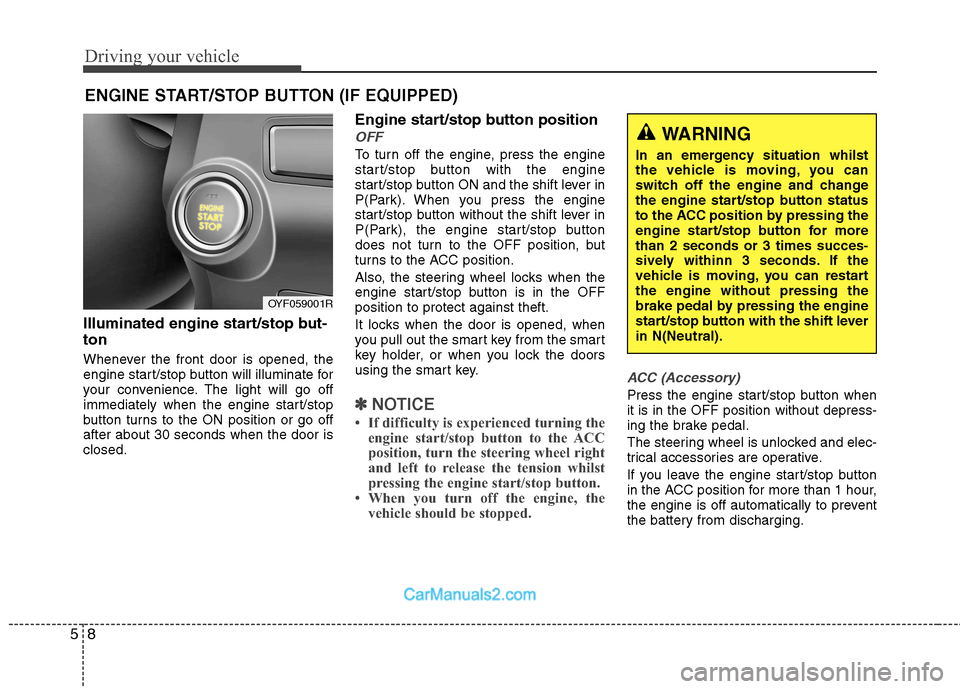
Illuminated engine start/stop but- ton
Whenever the front door is opened, the
engine start/stop button will illuminate for
your convenience. The light will go off
immediately when the engine start/stop
button turns to the ON position or go offafter about 30 seconds when the door isclosed. Engine start/stop button position
OFF
To turn off the engine, press the engine
start/stop button with the engine
start/stop button ON and the shift lever in
P(Park). When you press the engine
start/stop button without the shift lever in
P(Park), the engine start/stop button
does not turn to the OFF position, but
turns to the ACC position.
Also, the steering wheel locks when the
engine start/stop button is in the OFFposition to protect against theft.
It locks when the door is opened, when
you pull out the smart key from the smart
key holder, or when you lock the doors
using the smart key.
✽✽
NOTICE
If difficulty is experienced turning the engine start/stop button to the ACC
position, turn the steering wheel right
and left to release the tension whilst
pressing the engine start/stop button.
When you turn off the engine, the vehicle should be stopped.
ACC (Accessory)
Press the engine start/stop button when it is in the OFF position without depress-
ing the brake pedal.
The steering wheel is unlocked and elec-
trical accessories are operative.
If you leave the engine start/stop button
in the ACC position for more than 1 hour,
the engine is off automatically to prevent
the battery from discharging.
ENGINE START/STOP BUTTON (IF EQUIPPED)
WARNING
In an emergency situation whilst
the vehicle is moving, you can
switch off the engine and change
the engine start/stop button status
to the ACC position by pressing the
engine start/stop button for morethan 2 seconds or 3 times succes-
sively withinn 3 seconds. If the
vehicle is moving, you can restartthe engine without pressing the
brake pedal by pressing the engine
start/stop button with the shift leverin N(Neutral).
OYF059001R
Page 208 of 363
Driving your vehicle
10
5
Starting the engine 1. Carry the smart key or leave it inside
the vehicle.
2. Make sure the parking brake is firmly applied.
3. Place the shift lever in the P(Park) position.
4. Depress the brake pedal.
5. Press the engine start/stop button.
6. In extremely cold weather (below - 18°C / 0°F) or after the vehicle has not
been operated for several days, let the
engine warm up without depressing
the accelerator.
Whether the engine is cold or warm, itshould be started without depressing
the accelerator.
Even if the smart key is in the vehicle,
if it is far away from you, the engine
may not start.
When the engine start/stop button is in
the ACC or ON position, if any door is
open, the system checks for the smart
key. If the smart key is not in the vehi-
cle, the warning, "Key is not in vehicle"
will appear in the dashboard display,and if all doors are closed, the chime
will also sound for about 5 seconds.
The indicator will turn off whilst the
vehicle is moving. Keep the smart key
in the vehicle, when using the ACC
position or if the vehicle engine is on.
WARNING
Always wear appropriate shoes
when operating your vehicle.
Unsuitable shoes (high heels, ski
boots, etc.) may interfere with yourability to use the brake and acceler-ator pedal.
WARNING
The engine will start by pressing
the engine start/stop button, only
when the smart key is in the vehi-
cle. Never allow children or any per-son who is unfamiliar with the vehi-
cle to touch the engine start/stop
button or related parts.
CAUTION
If the engine stalls whilst you are in motion, do not attempt to move theshift lever to the P (Park) position. Iftraffic and road conditions permit,
you may put the shift lever in the N(Neutral) position whilst the vehi-cle is still moving and press theengine start/stop button in an
attempt to restart the engine.
WARNING
People with medical devices such
as implanted pacemakers or car-
diac defibrillators should not carry
the smart key near the heart. The
smart key system may affect the
operation of such implanted med-
ical devices. Failure to do so may
result in interference with the med-
ical device, which could result in
serious injury.
Page 256 of 363
This section will guide you in the proper
loading of your vehicle and/or trailer, to
keep your loaded vehicle weight within its
design rating capability, with or without a
trailer. Properly loading your vehicle will
provide maximum return of the vehicle
design performance. Before loading your
vehicle, familiarize yourself with the fol-
lowing terms for determining your vehi-
cle's weight ratings, with or without a
trailer, from the vehicle's specifications
and the certification label: Base kerb weight
This is the weight of the vehicle including a full tank of fuel and all standard equip-
ment. It does not include passengers,
cargo, or optional equipment.
Vehicle kerb weight
This is the weight of your new vehicle
when you picked it up from your dealer
plus any aftermarket equipment.
Cargo weight
This figure includes all weight added to
the Base Kerb Weight, including cargoand optional equipment.GAW (Gross axle weight)
This is the total weight placed on each
axle (front and rear) - including vehicle
kerb weight and all payload.
GAWR (Gross axle weight rating)
This is the maximum allowable weight
that can be carried by a single axle (front
or rear). These numbers are shown on
the certification label.
The total load on each axle must never
exceed its GAWR.
GVW (Gross vehicle weight)
This is the Base Kerb Weight plus actual
Cargo Weight plus passengers.
GVWR (Gross vehicle weight rat- ing)
This is the maximum allowable weight of
the fully loaded vehicle (including all
options, equipment, passengers and
cargo). The GVWR is shown on the cer-tification label.
Overloading
VEHICLE WEIGHT
WARNING -
Vehicle weight
The gross axle weight rating
(GAWR) and the gross vehicle
weight rating (GVWR) for your vehi-
cle are on the certification label
attached to the driver's (or front
passenger’s) door. Exceedingthese ratings can cause an acci-
dent or vehicle damage. You can
calculate the weight of your load byweighing the items (and people)
before putting them in the vehicle.
Be careful not to overload your
vehicle.
558
Driving your vehicle
Page 282 of 363
Maintenance
6
7
SCHEDULED MAINTENANCE SERVICE
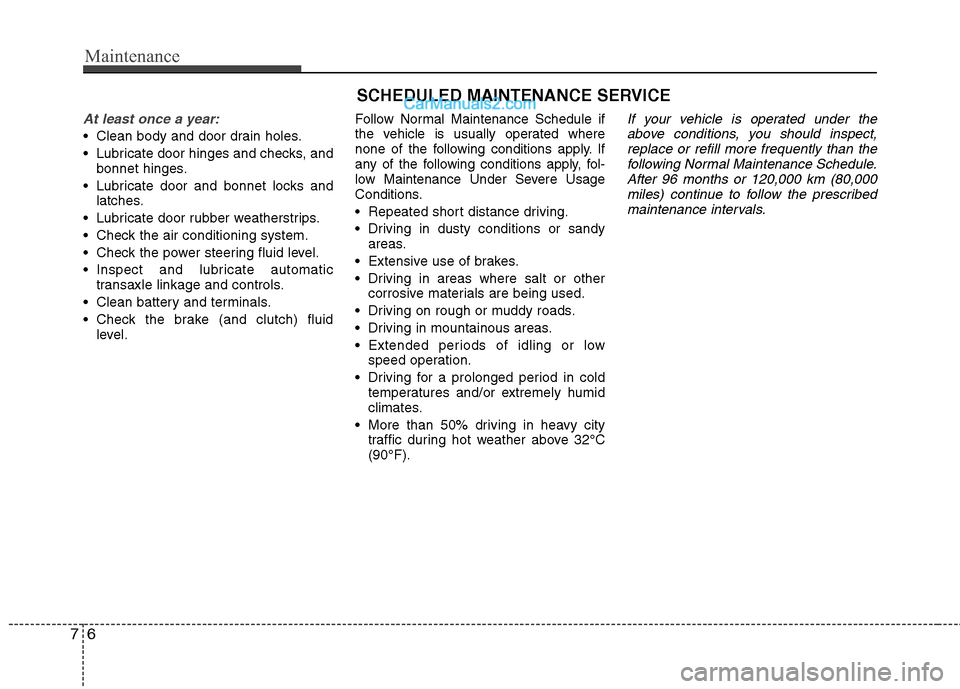
At least once a year:
Clean body and door drain holes.
Lubricate door hinges and checks, and
bonnet hinges.
Lubricate door and bonnet locks and latches.
Lubricate door rubber weatherstrips.
Check the air conditioning system.
Check the power steering fluid level.
Inspect and lubricate automatic transaxle linkage and controls.
Clean battery and terminals.
Check the brake (and clutch) fluid level. Follow Normal Maintenance Schedule if
the vehicle is usually operated where
none of the following conditions apply. If
any of the following conditions apply, fol-
low Maintenance Under Severe Usage
Conditions.
Repeated short distance driving.
Driving in dusty conditions or sandy
areas.
Extensive use of brakes.
Driving in areas where salt or other corrosive materials are being used.
Driving on rough or muddy roads.
Driving in mountainous areas.
Extended periods of idling or low speed operation.
Driving for a prolonged period in cold temperatures and/or extremely humid
climates.
More than 50% driving in heavy city traffic during hot weather above 32°C(90°F).
If your vehicle is operated under the
above conditions, you should inspect, replace or refill more frequently than thefollowing Normal Maintenance Schedule.
After 96 months or 120,000 km (80,000miles) continue to follow the prescribedmaintenance intervals.
Page 308 of 363
Maintenance
32
7
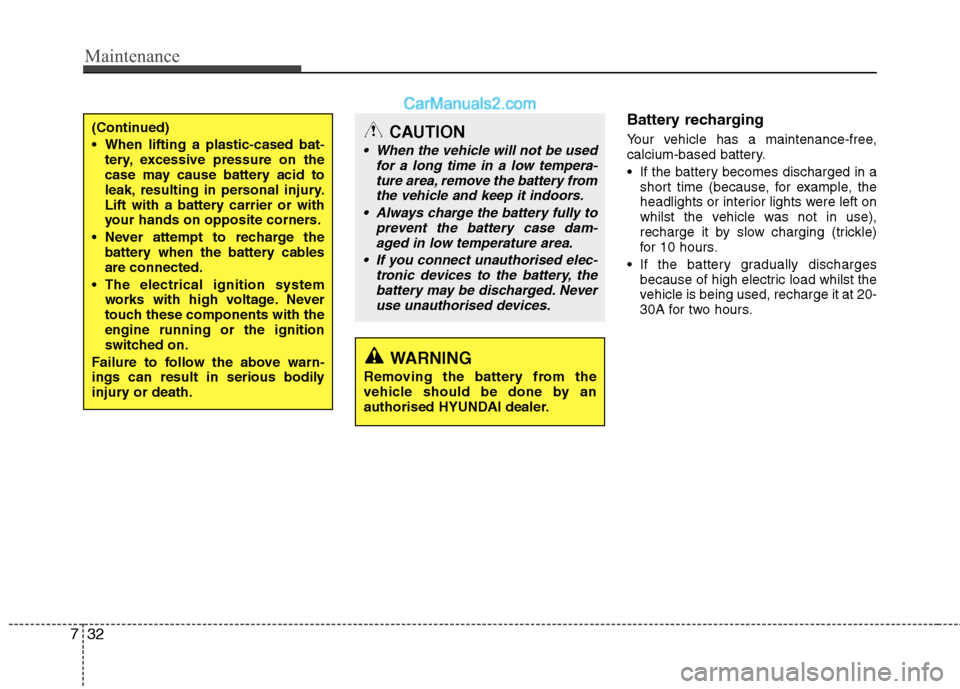
Battery recharging
Your vehicle has a maintenance-free,
calcium-based battery.
If the battery becomes discharged in a
short time (because, for example, the
headlights or interior lights were left on
whilst the vehicle was not in use),
recharge it by slow charging (trickle)
for 10 hours.
If the battery gradually discharges because of high electric load whilst the
vehicle is being used, recharge it at 20-
30A for two hours.(Continued)
When lifting a plastic-cased bat-tery, excessive pressure on the
case may cause battery acid to
leak, resulting in personal injury.
Lift with a battery carrier or with
your hands on opposite corners.
Never attempt to recharge the battery when the battery cablesare connected.
The electrical ignition system works with high voltage. Never
touch these components with theengine running or the ignition
switched on.
Failure to follow the above warn-
ings can result in serious bodily
injury or death.CAUTION
When the vehicle will not be used for a long time in a low tempera-
ture area, remove the battery fromthe vehicle and keep it indoors.
Always charge the battery fully to prevent the battery case dam-
aged in low temperature area.
If you connect unauthorised elec- tronic devices to the battery, thebattery may be discharged. Never use unauthorised devices.
WARNING
Removing the battery from the
vehicle should be done by an
authorised HYUNDAI dealer.
Page 319 of 363
743
Maintenance
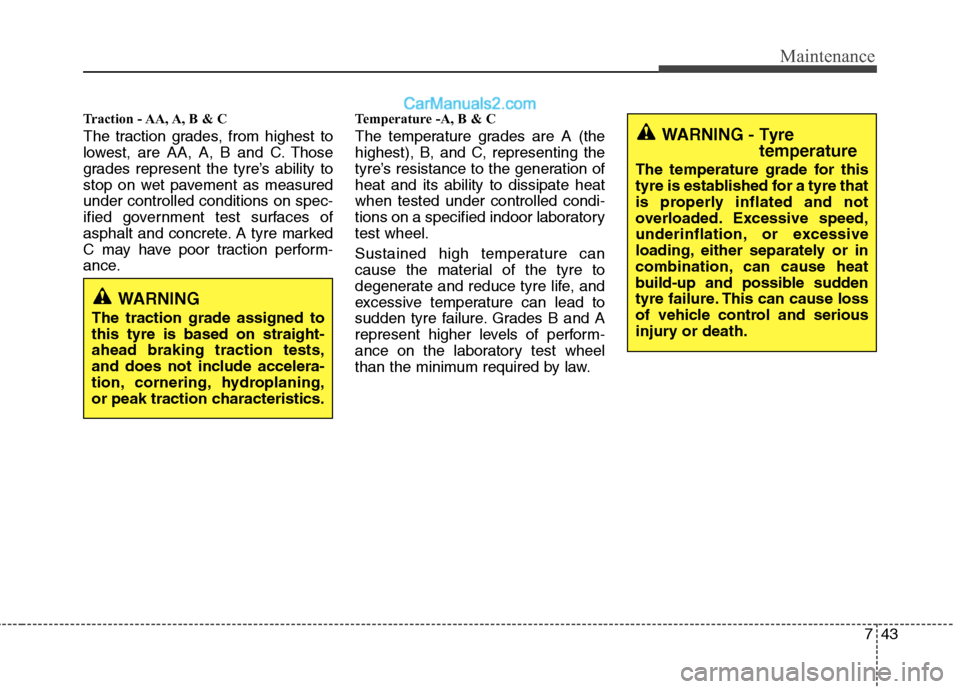
Traction - AA, A, B & C
The traction grades, from highest to
lowest, are AA, A, B and C. Those
grades represent the tyre’s ability to
stop on wet pavement as measuredunder controlled conditions on spec-
ified government test surfaces of
asphalt and concrete. A tyre marked
C may have poor traction perform-
ance.Temperature -A, B & C
The temperature grades are A (the
highest), B, and C, representing the
tyre’s resistance to the generation ofheat and its ability to dissipate heatwhen tested under controlled condi-
tions on a specified indoor laboratorytest wheel.
Sustained high temperature can
cause the material of the tyre to
degenerate and reduce tyre life, and
excessive temperature can lead to
sudden tyre failure. Grades B and A
represent higher levels of perform-
ance on the laboratory test wheel
than the minimum required by law.
WARNING - Tyre
temperature
The temperature grade for this
tyre is established for a tyre that
is properly inflated and not
overloaded. Excessive speed,
underinflation, or excessive
loading, either separately or in
combination, can cause heat
build-up and possible sudden
tyre failure. This can cause loss
of vehicle control and serious
injury or death.
WARNING
The traction grade assigned to this tyre is based on straight-ahead braking traction tests,
and does not include accelera-
tion, cornering, hydroplaning,
or peak traction characteristics.
Page 325 of 363
749
Maintenance
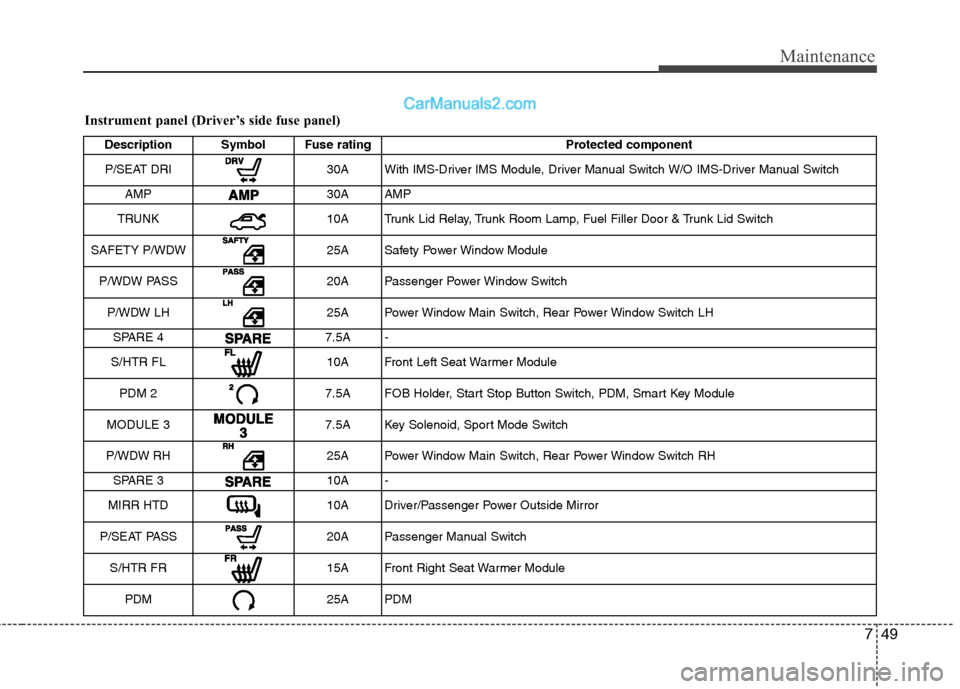
Instrument panel (Driver’s side fuse panel)Description Symbol Fuse rating Protected component
P/SEAT DRI
30A With IMS-Driver IMS Module, Driver Manual Switch W/O IMS-Driver Manual Switch
AMP
30A AMP
TRUNK
10A Trunk Lid Relay, Trunk Room Lamp, Fuel Filler Door & Trunk Lid Switch
SAFETY P/WDW
25A Safety Power Window Module
P/WDW PASS
20A Passenger Power Window Switch
P/WDW LH
25A Power Window Main Switch, Rear Power Window Switch LH
SPARE 4
7.5A -
S/HTR FL
10A Front Left Seat Warmer Module
PDM 2
7.5A FOB Holder, Start Stop Button Switch, PDM, Smart Key Module
MODULE 3
7.5A Key Solenoid, Sport Mode Switch
P/WDW RH
25A Power Window Main Switch, Rear Power Window Switch RH
SPARE 3
10A -
MIRR HTD
10A Driver/Passenger Power Outside Mirror
P/SEAT PASS
20A Passenger Manual Switch
S/HTR FR
15A Front Right Seat Warmer Module
PDM
25A PDM
Page 326 of 363
Maintenance
50
7
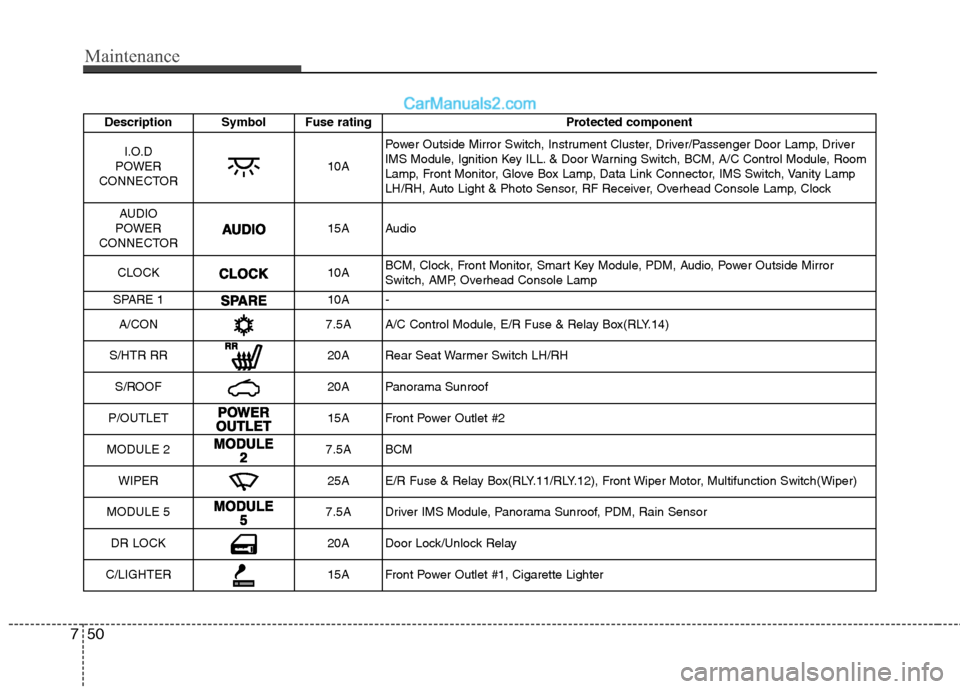
Description Symbol Fuse rating Protected component
I.O.D
POWER
CONNECTOR
10A Power Outside Mirror Switch, Instrument Cluster, Driver/Passenger Door Lamp, Driver
IMS Module, Ignition Key ILL. & Door Warning Switch, BCM, A/C Control Module, Room
Lamp, Front Monitor, Glove Box Lamp, Data Link Connector, IMS Switch, Vanity Lamp
LH/RH, Auto Light & Photo Sensor, RF Receiver, Overhead Console Lamp, Clock
AUDIO
POWER
CONNECTOR
15A Audio
CLOCK
10A BCM, Clock, Front Monitor, Smart Key Module, PDM, Audio, Power Outside Mirror
Switch, AMP, Overhead Console Lamp
SPARE 1
10A -
A/CON
7.5A A/C Control Module, E/R Fuse & Relay Box(RLY.14)
S/HTR RR
20A Rear Seat Warmer Switch LH/RH
S/ROOF
20A Panorama Sunroof
P/OUTLET
15A Front Power Outlet #2
MODULE 2
7.5A BCM
WIPER
25A E/R Fuse & Relay Box(RLY.11/RLY.12), Front Wiper Motor, Multifunction Switch(Wiper)
MODULE 5
7.5A Driver IMS Module, Panorama Sunroof, PDM, Rain Sensor
DR LOCK
20A Door Lock/Unlock Relay
C/LIGHTER
15A Front Power Outlet #1, Cigarette Lighter
Page 338 of 363
Maintenance
62
7
Exterior care
Exterior general caution
It is very important to follow the label
directions when using any chemical
cleaner or polish. Read all warning andcaution statements that appear on thelabel.
Finish maintenance
Washing
To help protect your vehicle’s finish from
rust and deterioration, wash it thoroughlyand frequently at least once a month with
lukewarm or cold water.
If you use your vehicle for off-road driv-
ing, you should wash it after each off-
road trip. Pay special attention to the
removal of any accumulation of salt, dirt,
mud, and other foreign materials. Make
sure the drain holes in the lower edges of
the doors and rocker panels are keptclear and clean.
Insects, tar, tree sap, bird droppings,
industrial pollution and similar deposits
can damage your vehicle’s finish if not
removed immediately.
Even prompt washing with plain water
may not completely remove all these
deposits. A mild soap, safe for use on
painted surfaces, may be used.
After washing, rinse the vehicle thor-
oughly with lukewarm or cold water. Do
not allow soap to dry on the finish.
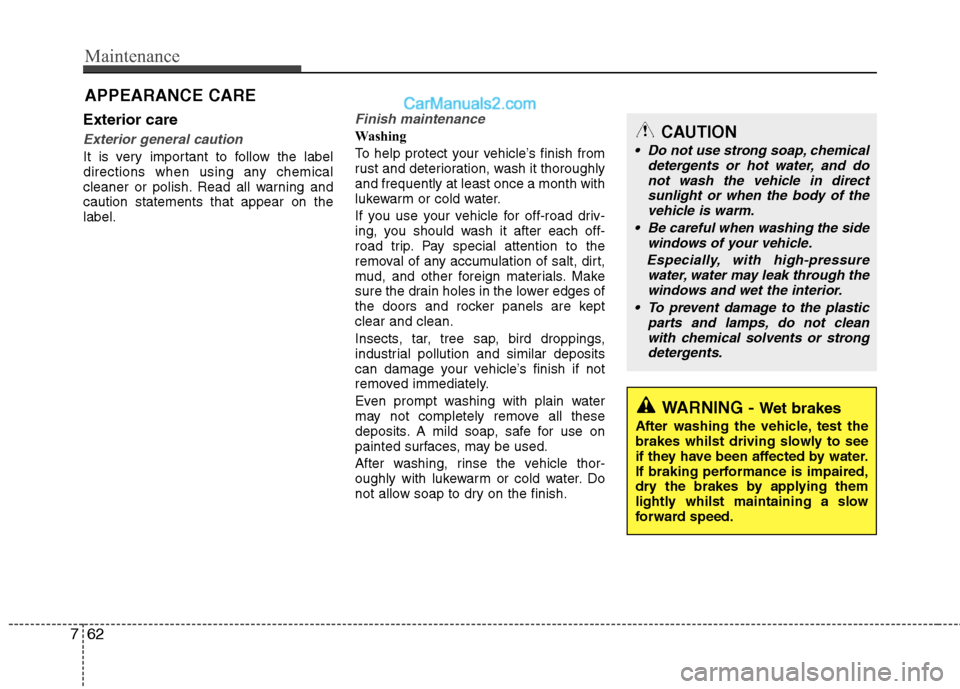
APPEARANCE CARECAUTION
Do not use strong soap, chemical
detergents or hot water, and do
not wash the vehicle in direct sunlight or when the body of thevehicle is warm.
Be careful when washing the side windows of your vehicle.
Especially, with high-pressure water, water may leak through thewindows and wet the interior.
To prevent damage to the plastic parts and lamps, do not clean
with chemical solvents or strongdetergents.
WARNING - Wet brakes
After washing the vehicle, test the
brakes whilst driving slowly to see
if they have been affected by water.
If braking performance is impaired,
dry the brakes by applying them
lightly whilst maintaining a slow
forward speed.