AUX Hyundai Sonata 2012 Owner's Manual
[x] Cancel search | Manufacturer: HYUNDAI, Model Year: 2012, Model line: Sonata, Model: Hyundai Sonata 2012Pages: 411, PDF Size: 8.68 MB
Page 17 of 411
23
Your vehicle at a glance
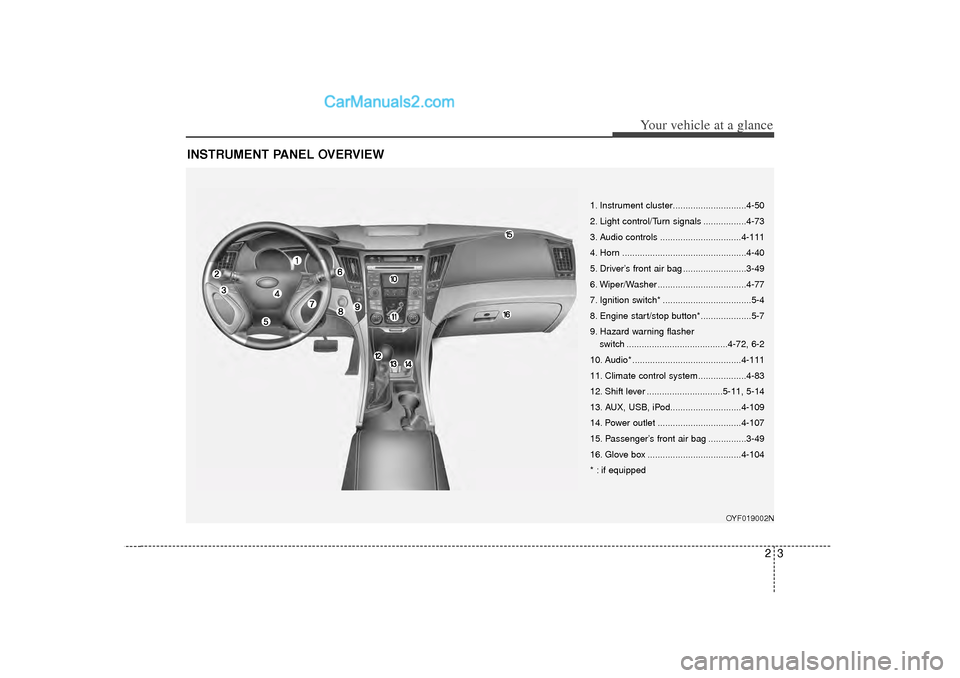
INSTRUMENT PANEL OVERVIEW
OYF019002N
1. Instrument cluster.............................4-50
2. Light control/Turn signals .................4-73
3. Audio controls ................................4-111
4. Horn .................................................4-40
5. Driver’s front air bag .........................3-49
6. Wiper/Washer ...................................4-77
7. Ignition switch* ...................................5-4
8. Engine start/stop button*....................5-7
9. Hazard warning flasherswitch ........................................4-72, 6-2
10. Audio* ...........................................4-111
11. Climate control system ...................4-83
12. Shift lever ..............................5-11, 5-14
13. AUX, USB, iPod............................4-109
14. Power outlet .................................4-107
15. Passenger’s front air bag ...............3-49
16. Glove box .....................................4-104
* : if equipped
Page 192 of 411
Features of your vehicle110
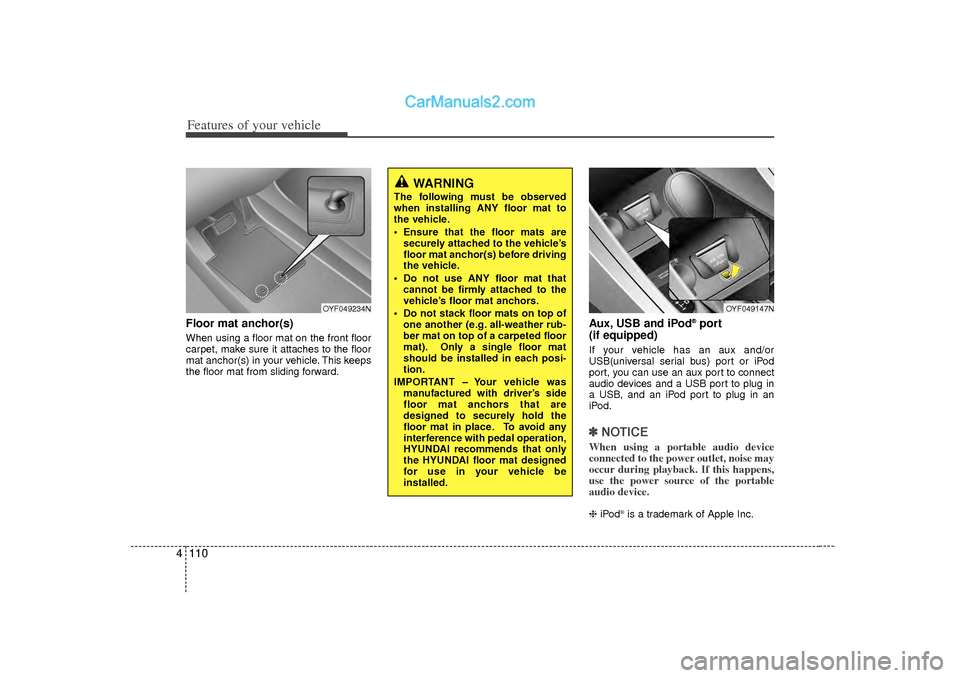
4Floor mat anchor(s)When using a floor mat on the front floor
carpet, make sure it attaches to the floor
mat anchor(s) in your vehicle. This keeps
the floor mat from sliding forward.
Aux, USB and iPod
®port
(if equipped)
If your vehicle has an aux and/or
USB(universal serial bus) port or iPod
port, you can use an aux port to connect
audio devices and a USB port to plug in
a USB, and an iPod port to plug in an
iPod.✽ ✽ NOTICEWhen using a portable audio device
connected to the power outlet, noise may
occur during playback. If this happens,
use the power source of the portable
audio device. ❈ iPod
is a trademark of Apple Inc.
OYF049234N
OYF049147N
WARNING
The following must be observed
when installing ANY floor mat to
the vehicle.
Ensure that the floor mats are
securely attached to the vehicle’s
floor mat anchor(s) before driving
the vehicle.
Do not use ANY floor mat that cannot be firmly attached to the
vehicle’s floor mat anchors.
Do not stack floor mats on top of one another (e.g. all-weather rub-
ber mat on top of a carpeted floor
mat). Only a single floor mat
should be installed in each posi-
tion.
IMPORTANT – Your vehicle was manufactured with driver’s side
floor mat anchors that are
designed to securely hold the
floor mat in place. To avoid any
interference with pedal operation,
HYUNDAI recommends that only
the HYUNDAI floor mat designed
for use in your vehicle be
installed.
Page 195 of 411
4 113
Features of your vehicle
SYSTEM CONTROLLERS AND
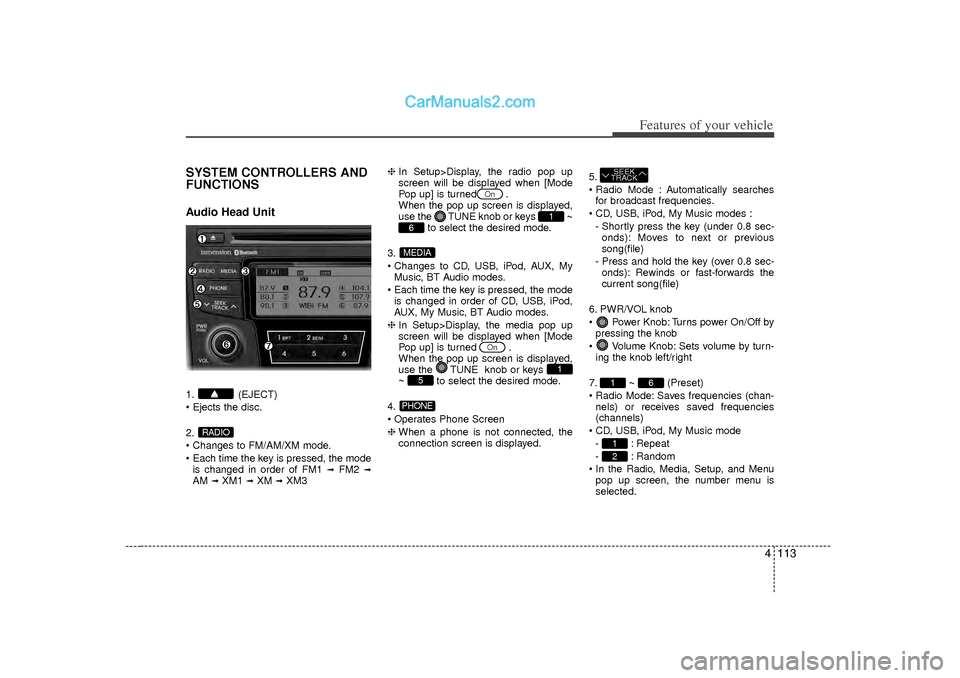
FUNCTIONSAudio Head Unit1. (EJECT)
Ejects the disc.
2.
Changes to FM/AM/XM mode.
Each time the key is pressed, the modeis changed in order of FM1
➟
FM2
➟
AM
➟XM1
➟XM
➟XM3 ❈
In Setup>Display, the radio pop up
screen will be displayed when [Mode
Pop up] is turned .
When the pop up screen is displayed,
use the TUNE knob or keys
~
to select the desired mode.
3.
Changes to CD, USB, iPod, AUX, My Music, BT Audio modes.
Each time the key is pressed, the mode is changed in order of CD, USB, iPod,
AUX, My Music, BT Audio modes.
❈ In Setup>Display, the media pop up
screen will be displayed when [Mode
Pop up] is turned .
When the pop up screen is displayed,
use the TUNE knob or keys
~ to select the desired mode.
4.
Operates Phone Screen
❈ When a phone is not connected, the
connection screen is displayed. 5.
Radio Mode : Automatically searches
for broadcast frequencies.
CD, USB, iPod, My Music modes : - Shortly press the key (under 0.8 sec-onds): Moves to next or previous
song(file)
- Press and hold the key (over 0.8 sec- onds): Rewinds or fast-forwards the
current song(file)
6. PWR/VOL knob
Power Knob: Turns power On/Off by pressing the knob
Volume Knob: Sets volume by turn- ing the knob left/right
7. ~ (Preset)
Radio Mode: Saves frequencies (chan- nels) or receives saved frequencies
(channels)
CD, USB, iPod, My Music mode - : Repeat
- : Random
In the Radio, Media, Setup, and Menu pop up screen, the number menu is
selected.
21
6
1SEEK
TRACK
PHONE
5
1
On
MEDIA6
1
On
RADIO
Page 219 of 411
4 137
Features of your vehicle
\b
\bNOTICE FOR USING THE
My Music• Even if memory is available, a max-
imum of 6,000 songs can be stored.
• The same song can be copied up to 1,000 times.
• Memory info can be checked in the System menu of Setup.
\b \b NOTICE FOR USING THE
AUX• Fully insert the AUX cable into the
AUX terminal for use.
Page 220 of 411
Features of your vehicle138
4BASIC METHOD OF USE :
Audio CD / MP3 CD / USB /
iPod / My MusicPress the key to change the mod
mode in order of CD
➟USB(iPod)
➟AUX
➟My Music
➟BT Audio.
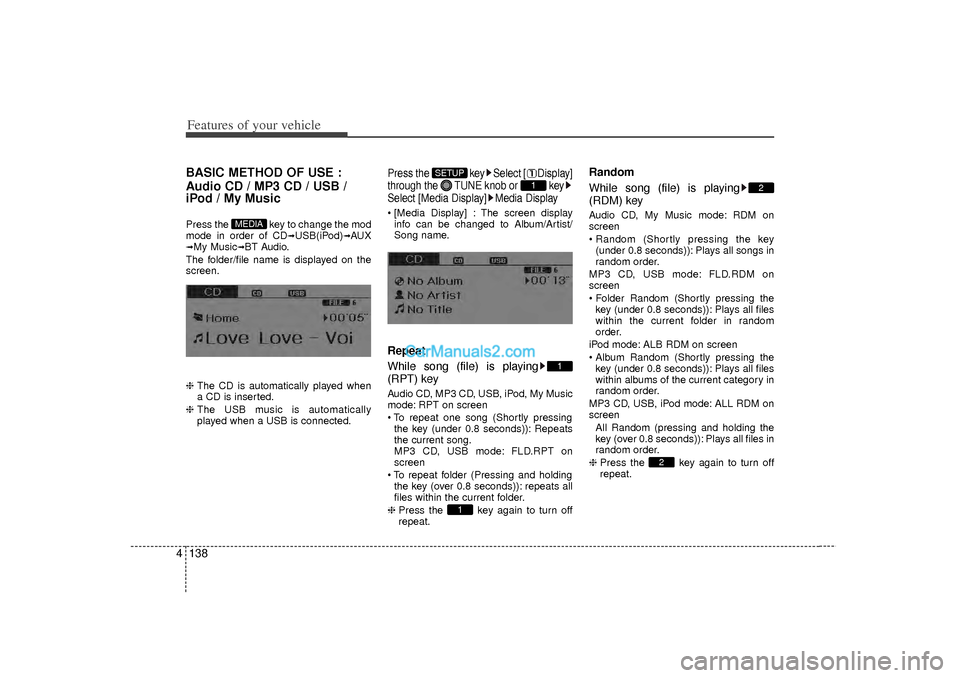
The folder/file name is displayed on the
screen.
❈ The CD is automatically played when
a CD is inserted.
❈ The USB music is automatically
played when a USB is connected.
Press the key Select [ Display]
through the TUNE knob or key
Select [Media Display] Media Display [Media Display] : The screen display
info can be changed to Album/Artist/
Song name.Repeat
While song (file) is playing
(RPT) keyAudio CD, MP3 CD, USB, iPod, My Music
mode: RPT on screen
To repeat one song (Shortly pressingthe key (under 0.8 seconds)): Repeats
the current song.
MP3 CD, USB mode: FLD.RPT on
screen
To repeat folder (Pressing and holding the key (over 0.8 seconds)): repeats all
files within the current folder.
❈ Press the key again to turn off
repeat.
Random
While song (file) is playing
(RDM) keyAudio CD, My Music mode: RDM on
screen
Random (Shortly pressing the key
(under 0.8 seconds)): Plays all songs in
random order.
MP3 CD, USB mode: FLD.RDM on
screen
Folder Random (Shortly pressing the key (under 0.8 seconds)): Plays all files
within the current folder in random
order.
iPod mode: ALB RDM on screen
Album Random (Shortly pressing the key (under 0.8 seconds)): Plays all files
within albums of the current category in
random order.
MP3 CD, USB, iPod mode: ALL RDM on
screen All Random (pressing and holding thekey (over 0.8 seconds)): Plays all files in
random order.
❈ Press the key again to turn off
repeat.
2
2
1
1
1
SETUP
MEDIA
Page 223 of 411
4 141
Features of your vehicle
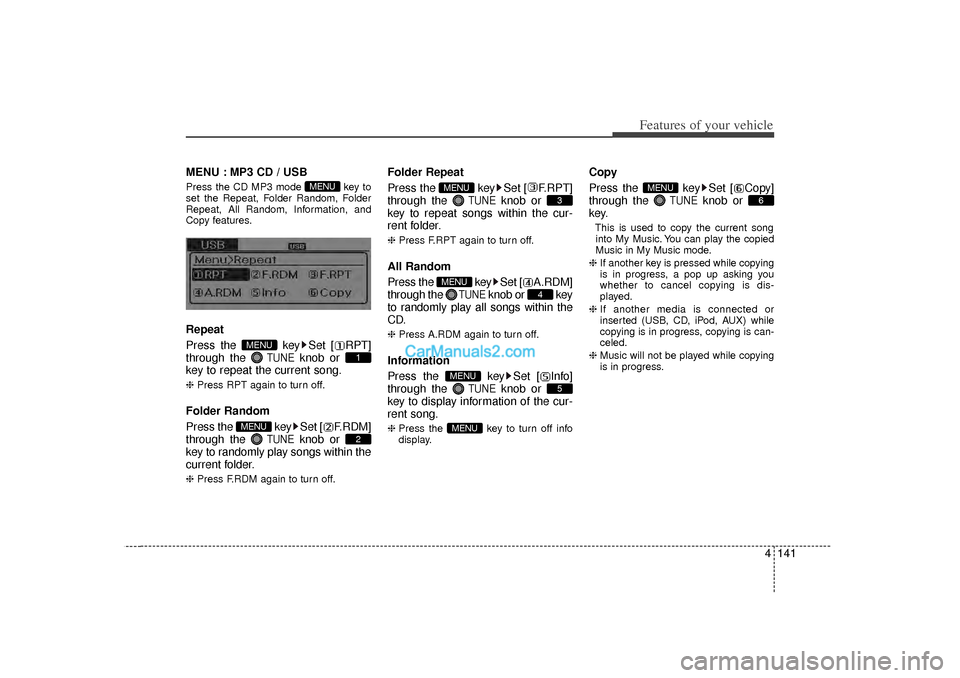
MENU : MP3 CD / USBPress the CD MP3 mode key to
set the Repeat, Folder Random, Folder
Repeat, All Random, Information, and
Copy features.Repeat
Press the key Set [ RPT]
through the
TUNE
knob or
key to repeat the current song.
❈ Press RPT again to turn off.Folder Random
Press the key Set [ F.RDM]
through the
TUNE
knob or
key to randomly play songs within the
current folder.
❈ Press F.RDM again to turn off.
Folder Repeat
Press the key Set [ F.RPT]
through the
TUNE
knob or
key to repeat songs within the cur-
rent folder.
❈ Press F.RPT again to turn off.All Random
Press the key Set [ A.RDM]
through the
TUNE
knob or key
to randomly play all songs within the
CD.
❈ Press A.RDM again to turn off.Information
Press the key Set [ Info]
through the
TUNE
knob or
key to display information of the cur-
rent song.
❈ Press the key to turn off info
display.
Copy
Press the key Set [ Copy]
through the
TUNE
knob or
key.
This is used to copy the current song into My Music. You can play the copied
Music in My Music mode.
❈ If another key is pressed while copying
is in progress, a pop up asking you
whether to cancel copying is dis-
played.
❈ If another media is connected or
inserted (USB, CD, iPod, AUX) while
copying is in progress, copying is can-
celed.
❈ Music will not be played while copying
is in progress.
6
MENU
MENU
5
MENU
4
MENU
3
MENU
2
MENU
1
MENU
MENU
Page 226 of 411
Features of your vehicle144
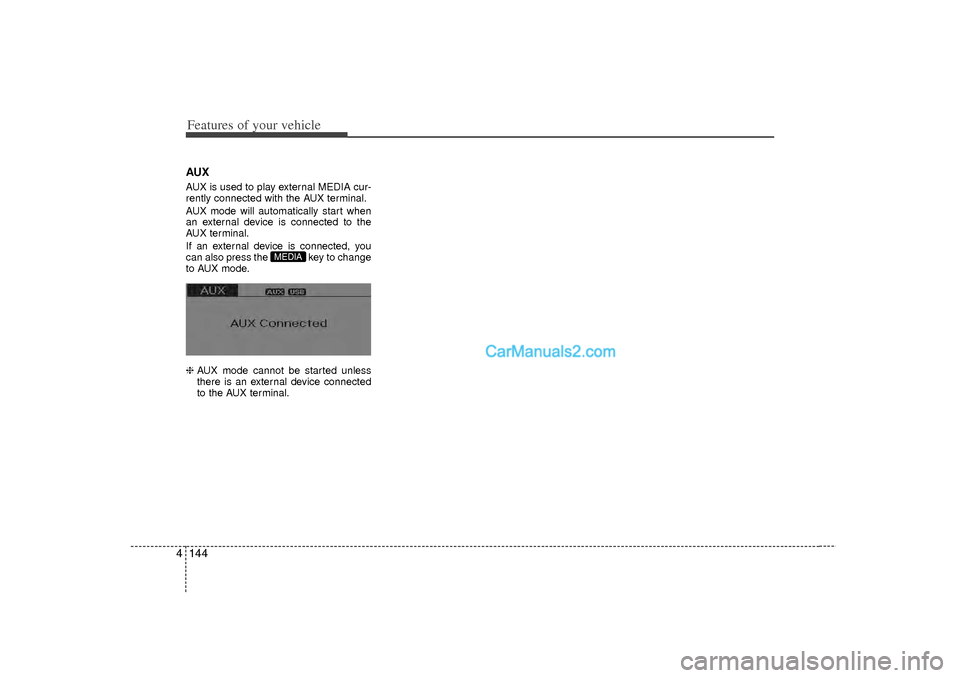
4AUXAUX is used to play external MEDIA cur-
rently connected with the AUX terminal.
AUX mode will automatically start when
an external device is connected to the
AUX terminal.
If an external device is connected, you
can also press the key to change
to AUX mode.
❈ AUX mode cannot be started unless
there is an external device connected
to the AUX terminal.
MEDIA
Page 229 of 411
4 147
Features of your vehicle
Bluetooth
®Audio
Before using Bluetooth
®
audio fea-
tures
Bluetooth
®audio may not be supported
depending on the compatibility of your
Bluetooth®mobile phone.
In order to use Bluetooth
®audio, you
must first pair and connect the
Bluetooth
®mobile phone.
Bluetooth®
audio can be used only
when the [Audio Streaming] of Phone is
turned .
❈ Setting Bluetooth
®Audio Streaming :
Press the key Select [Phone]
through the tune knob or key
Select [Audio Streaming] through the TUNE knob Set
/
Starting Bluetooth
®Audio
Press the key to change themode in order of CD
➟USB
➟AUX
➟My
Music
➟BT Audio.
If BT Audio is selected, Bluetooth
®
audio will start playing.
❈ Audio may not automatically start play-
ing in some mobile phones.
Using the Bluetooth
®audio fea-
tures
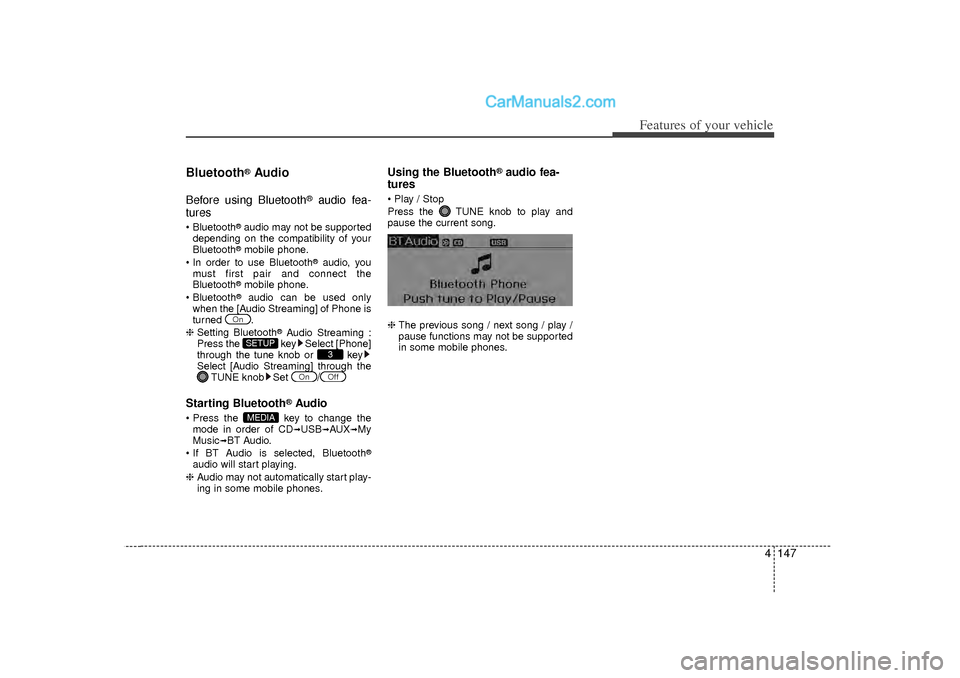
Play / Stop
Press the TUNE knob to play and
pause the current song.
❈ The previous song / next song / play /
pause functions may not be supported
in some mobile phones.
MEDIA
Off
On
3
SETUP
On
Page 234 of 411
Features of your vehicle152
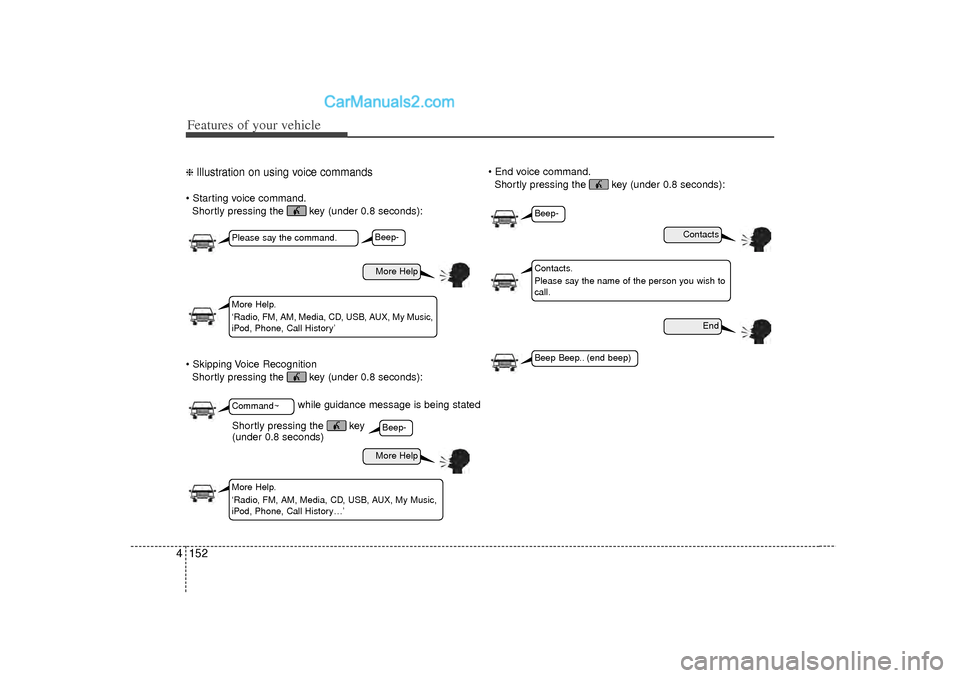
4❈ Illustration on using voice commands Starting voice command.
Shortly pressing the key (under 0.8 seconds):
Skipping Voice Recognition Shortly pressing the key (under 0.8 seconds): End voice command.
Shortly pressing the key (under 0.8 seconds):
while guidance message is being stated
More Help
Contacts
End
More Help
Please say the command.Command~More Help.
‘Radio, FM, AM, Media, CD, USB, AUX, My Music,
iPod, Phone, Call History’
Contacts.
Please say the name of the person you wish to
call.
More Help.
‘Radio, FM, AM, Media, CD, USB, AUX, My Music,
iPod, Phone, Call History…’
Beep-Beep-
Beep-Beep Beep.. (end beep)
Shortly pressing the key
(under 0.8 seconds)
Page 236 of 411
Features of your vehicle154
4
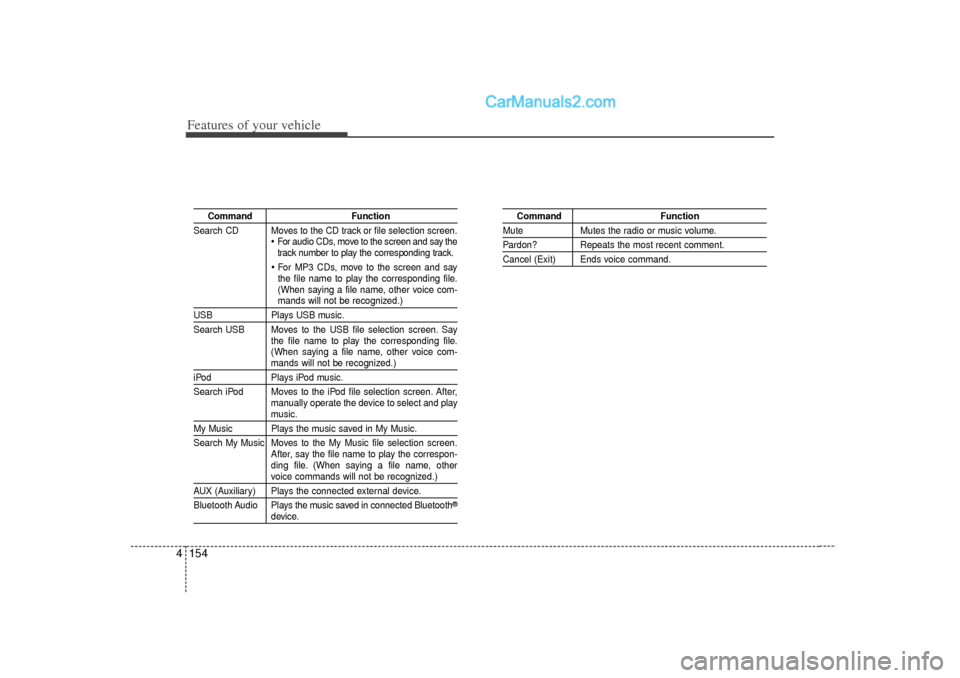
Command Function
Search CD Moves to the CD track or file selection screen.
For audio CDs, move to the screen and say the
track number to play the corresponding track. For MP3 CDs, move to the screen and say
the file name to play the corresponding file.
(When saying a file name, other voice com-mands will not be recognized.)
USB Plays USB music.
Search USB Moves to the USB file selection screen. Say the file name to play the corresponding file.
(When saying a file name, other voice com-
mands will not be recognized.)
iPodPlays iPod music.
Search iPod Moves to the iPod file selection screen. After, manually operate the device to select and play
music.
My Music Plays the music saved in My Music.
Search My Music Moves to the My Music file selection screen.After, say the file name to play the correspon-
ding file. (When saying a file name, other
voice commands will not be recognized.)
AUX (Auxiliary) Plays the connected external device.
Bluetooth Audio Plays the music saved in connected Bluetooth
®
device.
Command Function
MuteMutes the radio or music volume.Pardon? Repeats the most recent comment.Cancel (Exit) Ends voice command.