bluetooth Hyundai Sonata 2013
[x] Cancel search | Manufacturer: HYUNDAI, Model Year: 2013, Model line: Sonata, Model: Hyundai Sonata 2013Pages: 410, PDF Size: 35.93 MB
Page 230 of 410
4 149
Features of your vehicle
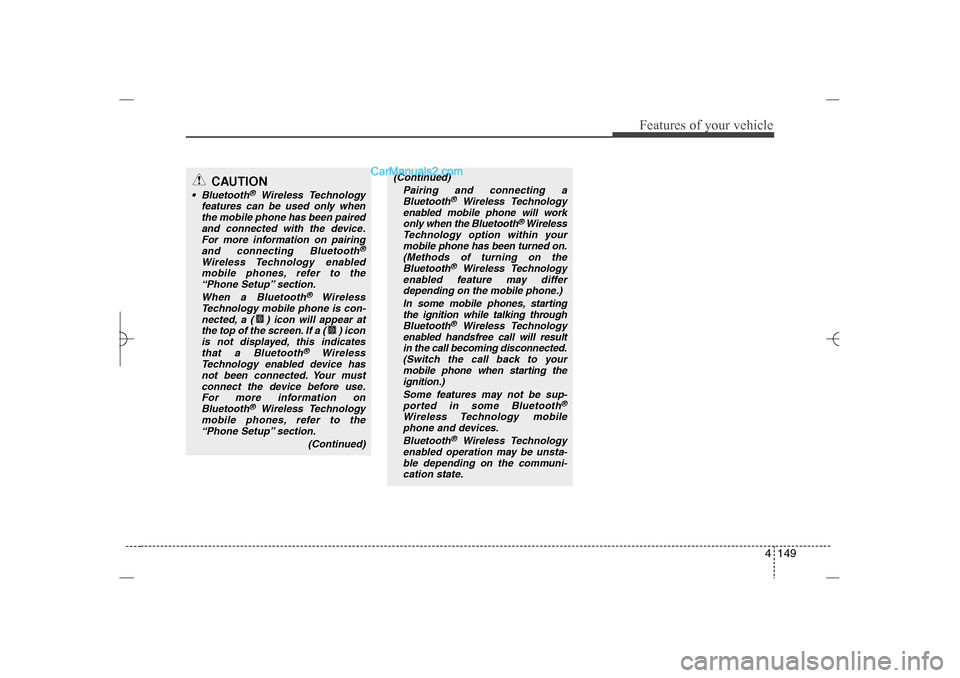
CAUTION
Bluetooth
®
Wireless Technology
features can be used only when
the mobile phone has been paired
and connected with the device.
For more information on pairing
and connecting Bluetooth
®
Wireless Technology enabled
mobile phones, refer to the
“Phone Setup” section.
When a Bluetooth
®
Wireless
Technology mobile phone is con-
nected, a ( ) icon will appear at
the top of the screen. If a ( ) icon
is not displayed, this indicates
that a Bluetooth
®
Wireless
Technology enabled device has
not been connected. Your must
connect the device before use.
For more information on
Bluetooth
®
Wireless Technology
mobile phones, refer to the
“Phone Setup” section.
(Continued)
(Continued)
Pairing and connecting a
Bluetooth
®
Wireless Technology
enabled mobile phone will work
only when the Bluetooth
® Wireless
Technology option within your
mobile phone has been turned on.
(Methods of turning on the
Bluetooth
®
Wireless Technology
enabled feature may differ
depending on the mobile phone.)
In some mobile phones, starting
the ignition while talking through
Bluetooth
®
Wireless Technology
enabled handsfree call will result
in the call becoming disconnected.
(Switch the call back to your
mobile phone when starting the
ignition.)
Some features may not be sup-
ported in some Bluetooth
®
Wireless Technology mobile
phone and devices.
Bluetooth
®
Wireless Technology
enabled operation may be unsta-
ble depending on the communi-
cation state.
YF HMA 4b-112~(Audio).qxp 3/5/2012 4:24 PM Page 149
Page 232 of 410
4 151
Features of your vehicle
(Continued)
After downloading Bluetooth con-
tacts, the system requires some
times to convert the contacts into
voice information. During this
time, voice recognition may not
operate properly.
Upon inputting your contacts,
special symbols and numbers
cannot be recognized by voice.
For example, “# John Doe%&” will
be recognized as “John Doe”.
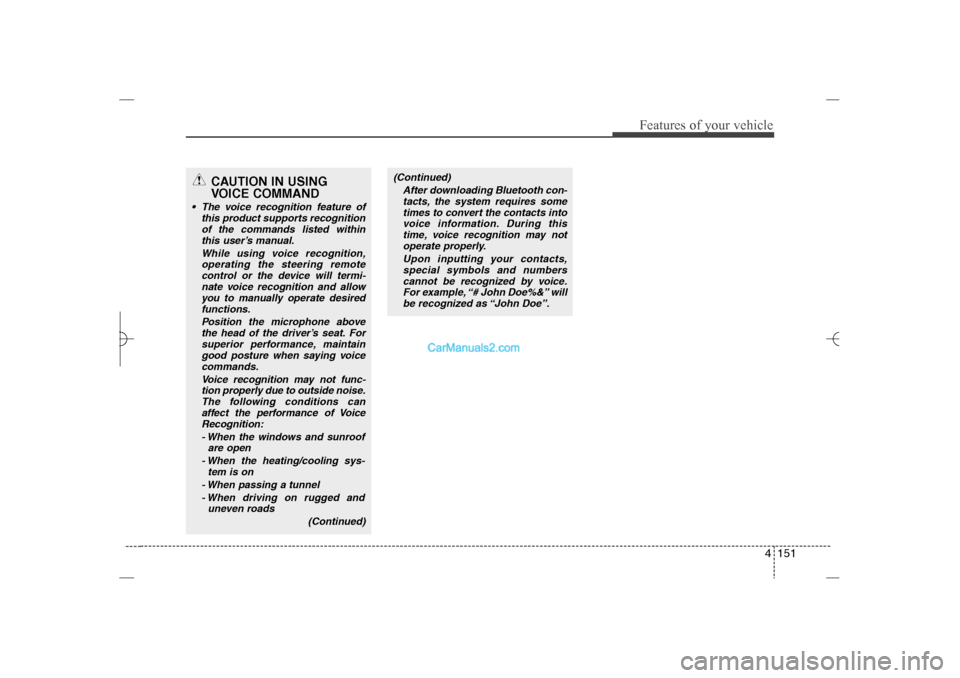
CAUTION IN USING
VOICE COMMAND
The voice recognition feature of
this product supports recognition
of the commands listed within
this user’s manual.
While using voice recognition,
operating the steering remote
control or the device will termi-
nate voice recognition and allow
you to manually operate desired
functions.
Position the microphone above
the head of the driver’s seat. For
superior performance, maintain
good posture when saying voice
commands.
Voice recognition may not func-
tion properly due to outside noise.
The following conditions can
affect the performance of Voice
Recognition:
- When the windows and sunroof
are open
- When the heating/cooling sys-
tem is on
- When passing a tunnel
- When driving on rugged and
uneven roads
(Continued)
YF HMA 4b-112~(Audio).qxp 3/5/2012 4:24 PM Page 151
Page 233 of 410
Features of your vehicle152 4✍❈
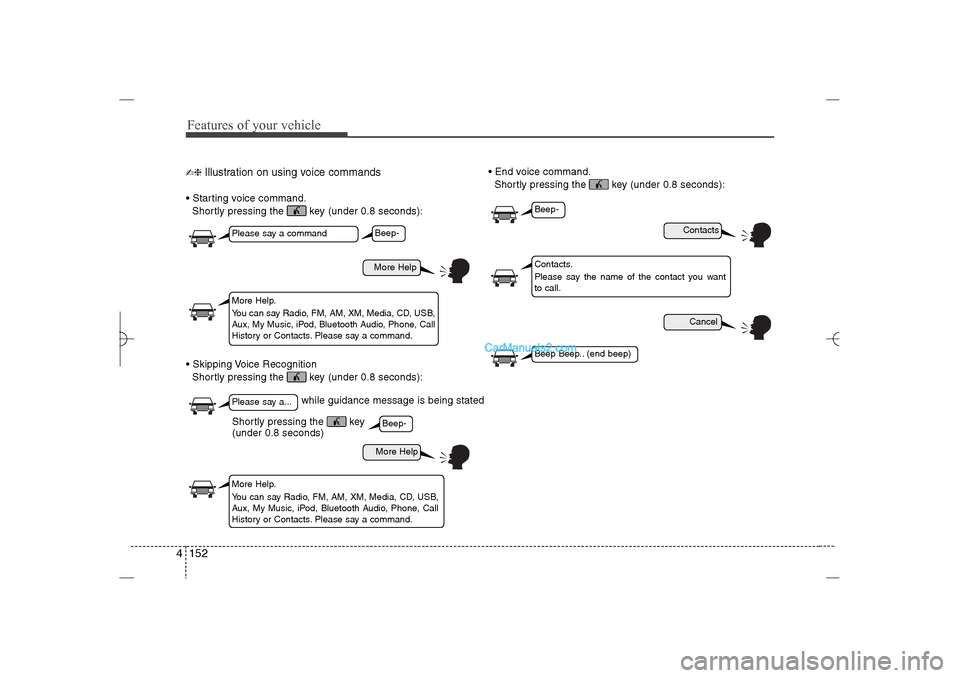
Illustration on using voice commands
Starting voice command.
Shortly pressing the key (under 0.8 seconds):
Skipping Voice Recognition
Shortly pressing the key (under 0.8 seconds): End voice command.
Shortly pressing the key (under 0.8 seconds):
while guidance message is being stated
More Help
ContactsCancel
More Help
Please say a commandPlease say a...More Help.
You can say Radio, FM, AM, XM, Media, CD, USB,
Aux, My Music, iPod, Bluetooth Audio, Phone, Call
History or Contacts. Please say a command.
Contacts.
Please say the name of the contact you want
to call.
More Help.
You can say Radio, FM, AM, XM, Media, CD, USB,
Aux, My Music, iPod, Bluetooth Audio, Phone, Call
History or Contacts. Please say a command.
Beep-Beep-
Beep-Beep Beep.. (end beep)
Shortly pressing the key
(under 0.8 seconds)
YF HMA 4b-112~(Audio).qxp 3/5/2012 4:24 PM Page 152
Page 235 of 410
Features of your vehicle154 4
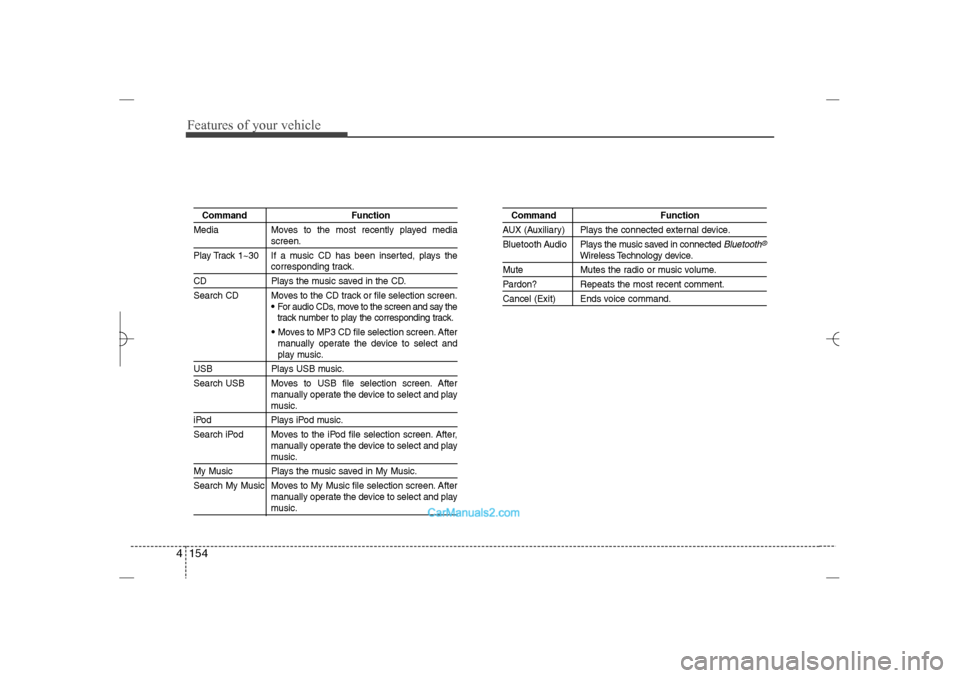
Command Function
Media Moves to the most recently played media
screen.
Play Track 1~30 If a music CD has been inserted, plays thecorresponding track.
CD Plays the music saved in the CD.
Search CD Moves to the CD track or file selection screen.
•For audio CDs, move to the screen and say the
track number to play the corresponding track. Moves to MP3 CD file selection screen. After
manually operate the device to select andplay music.
USB Plays USB music.
Search USB Moves to USB file selection screen. After
manually operate the device to select and play
music.
iPod Plays iPod music.
Search iPod Moves to the iPod file selection screen. After,
manually operate the device to select and play
music.
My Music Plays the music saved in My Music.
Search My Music Moves to My Music file selection screen. After
manually operate the device to select and play
music.
Command FunctionAUX (Auxiliary) Plays the connected external device.
Bluetooth Audio Plays the music saved in connected
Bluetooth
®
Wireless Technology device.
Mute Mutes the radio or music volume.Pardon? Repeats the most recent comment.Cancel (Exit) Ends voice command.
YF HMA 4b-112~(Audio).qxp 3/5/2012 4:34 PM Page 154
Page 239 of 410
Features of your vehicle158 4 Bluetooth
®
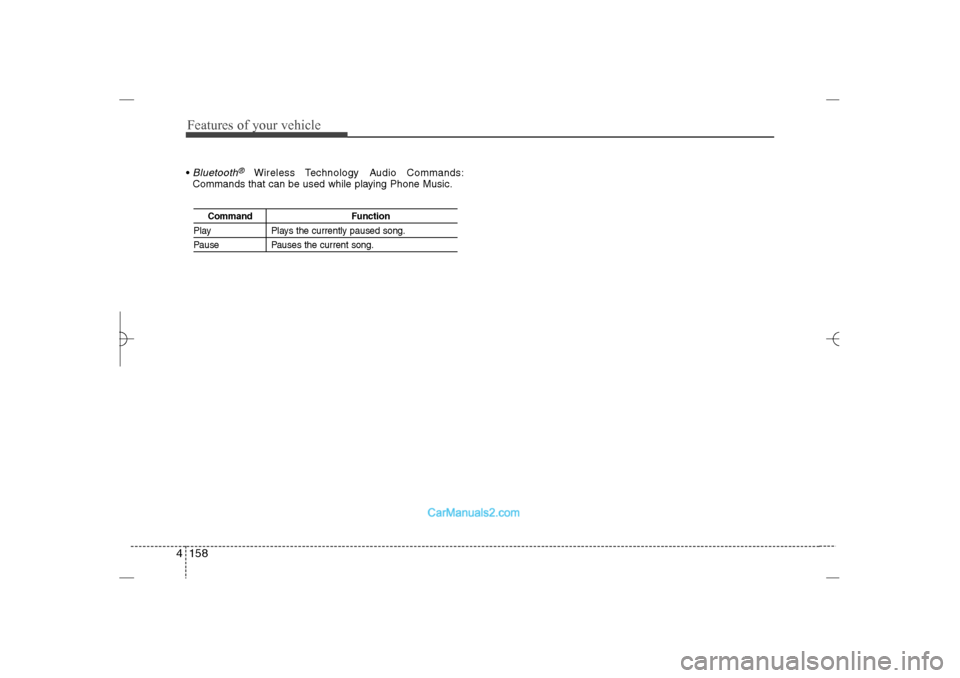
Wireless Technology Audio Commands:
Commands that can be used while playing Phone Music.
Command Function
Play Plays the currently paused song.Pause Pauses the current song.
YF HMA 4b-112~(Audio).qxp 3/5/2012 4:24 PM Page 158
Page 240 of 410
4 159
Features of your vehicle
Blue Link
®
Hyundai aims to offer differentiated cus-
tomer values through a ‘Connected Car
Life,’ which is to provide consumers with
fast and reliable IT technology. As con-
sumers’ lifestyles become more and
more mobile in thanks to remarkable
advances in smart phones, tablet PCs
and overall wireless telecommunication,
new lifestyle patterns demand seamless
connection between one’s office, home,
outdoors and automobiles.
Automobile companies are now faced with
the task of shifting their paradigm from
vehicle-centered services to customer
value-centered services, with the ultimate
goal of securing global leadership in the
field of vehicle IT and telematics.
Hyundai Motor plans to achieve this by
realizing a terminal platform flexible to
changes in IT technology, cooperating with
global IT companies, creating an eco-sys-
tem and providing the latest contents &
services based on an open environment.
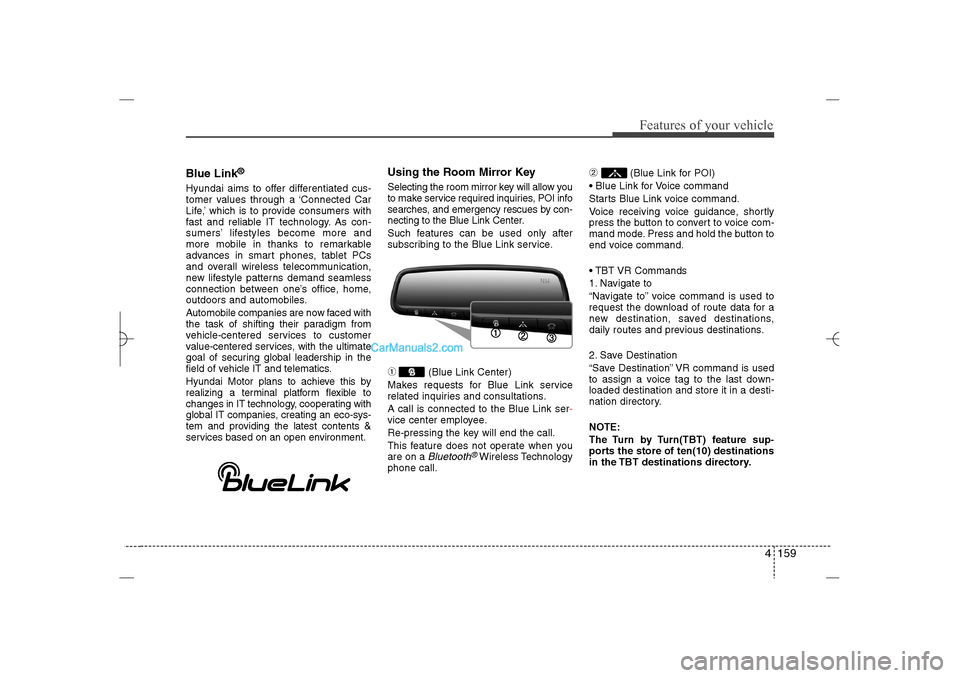
Using the Room Mirror KeySelecting the room mirror key will allow you
to make service required inquiries, POI info
searches, and emergency rescues by con-
necting to the Blue Link Center.
Such features can be used only after
subscribing to the Blue Link service.➀
(Blue Link Center)
Makes requests for Blue Link service
related inquiries and consultations.
A call is connected to the Blue Link ser-
vice center employee.
Re-pressing the key will end the call.
This feature does not operate when you
are on a Bluetooth
®Wireless Technology
phone call.
➁
(Blue Link for POI)
Blue Link for Voice command
Starts Blue Link voice command.
Voice receiving voice guidance, shortly
press the button to convert to voice com-
mand mode. Press and hold the button to
end voice command.
TBT VR Commands
1. Navigate to
“Navigate to” voice command is used to
request the download of route data for a
new destination, saved destinations,
daily routes and previous destinations.
2. Save Destination
“Save Destination” VR command is used
to assign a voice tag to the last down-
loaded destination and store it in a desti-
nation directory.
NOTE:
The Turn by Turn(TBT) feature sup-
ports the store of ten(10) destinations
in the TBT destinations directory.
YF HMA 4b-112~(Audio).qxp 3/5/2012 4:24 PM Page 159
Page 241 of 410
Features of your vehicle160 43. Route Preview
“Route Preview” VR command allows the
user to preview the route instructions
(upcoming maneuver instructions) at any
time during the route guidance.
4. Destinations List
“Destinations List” VR command allows
the user to preview and delete the stored
destinations with their associated voice
tags in the Turn by Turn destinations
directory.
5. Voice Guidance
“Voice Guidance” VR command allows
the user to mute/unmute the Turn by
Turn(TBT) direction announcements.
6. Suspend Route
“Suspend Route” VR command allows
the user to suspend and pause Turn by
Turn(TBT) route guidance while in the
guidance mode.
7. Resume Route
“Resume Route” VR command allows
the user to resume Turn by Turn(TBT)
route guidance.
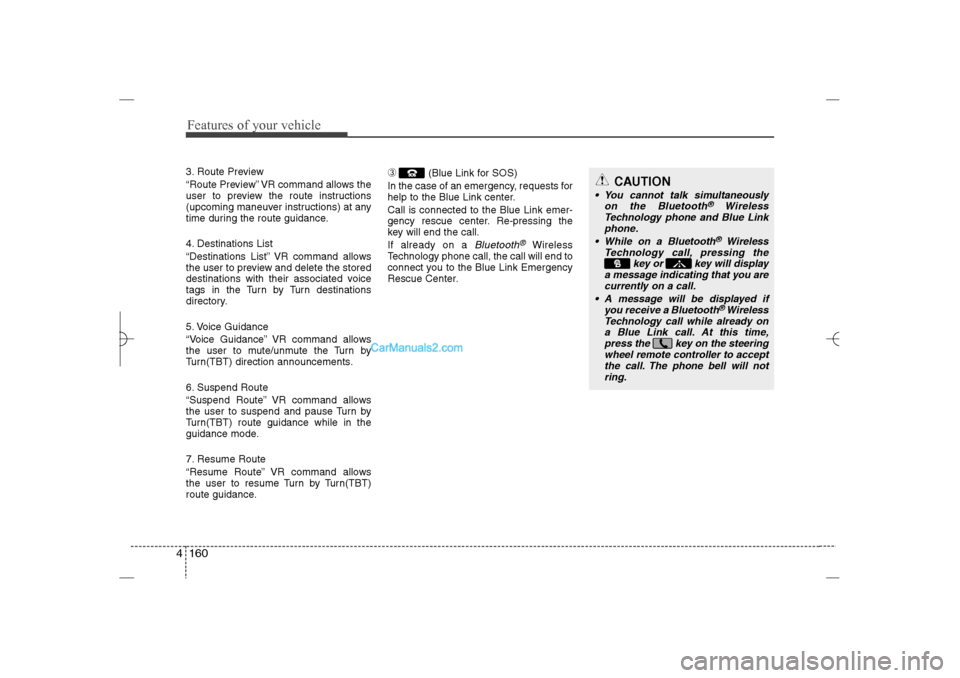
➂
(Blue Link for SOS)
In the case of an emergency, requests for
help to the Blue Link center.
Call is connected to the Blue Link emer-
gency rescue center. Re-pressing the
key will end the call.
If already on a
Bluetooth
®
Wireless
Technology phone call, the call will end to
connect you to the Blue Link Emergency
Rescue Center.
CAUTION
You cannot talk simultaneously
on the Bluetooth
®
Wireless
Technology phone and Blue Link
phone.
While on a Bluetooth®Wireless
Technology call, pressing the
key or key will display
a message indicating that you are
currently on a call.
A message will be displayed if
you receive a Bluetooth®Wireless
Technology call while already on
a Blue Link call. At this time,
press the key on the steering
wheel remote controller to accept
the call. The phone bell will not
ring.
YF HMA 4b-112~(Audio).qxp 3/5/2012 4:24 PM Page 160