radio Hyundai Sonata 2013
[x] Cancel search | Manufacturer: HYUNDAI, Model Year: 2013, Model line: Sonata, Model: Hyundai Sonata 2013Pages: 410, PDF Size: 35.93 MB
Page 198 of 410
![Hyundai Sonata 2013 4 117
Features of your vehicle
DISPLAY SETTINGSPress the key Select [Display]
through TUNE knob or key
Select menu through TUNE knob
Mode Pop up[Mode Pop up] Changes
/
selection mode
During On](/img/35/16808/w960_16808-197.png "Hyundai Sonata 2013 4 117
Features of your vehicle
DISPLAY SETTINGSPress the key Select [Display]
through TUNE knob or key
Select menu through TUNE knob
Mode Pop up[Mode Pop up] Changes
/
selection mode
During On")
4 117
Features of your vehicle
DISPLAY SETTINGSPress the key Select [Display]
through TUNE knob or key
Select menu through TUNE knob
Mode Pop up[Mode Pop up] Changes
/
selection mode
During On state, press the or
key to display the mode
change pop up screen.Text Scroll[Text Scroll] Set /
: Maintains scroll
: Scrolls only one (1) time.Media DisplayWhen playing an MP3 file, select the
desired display info from ‘Folder/File’ or
‘Album/Artist/Song’.
OffOn
Off
On
MEDIA
RADIO
Off
On
1
SETUP
YF HMA 4b-112~(Audio).qxp 3/5/2012 4:24 PM Page 117
Page 206 of 410
4 125
Features of your vehicle
HD RADIO
TM
INFORMATION
Licensing informationHD Radio
TM
Technology Manufactured
Under License From iBiquity Digital
Corporation. U.S. and Foreign Patents.
HD Radio
TM
and the HD and HD Radio
logos are proprietary trademarks of
iBiquity Digital Corporation.
Availability informationHD Radio
TM reception is available in the
United States, including Alaska and
Hawaii.
What is HD Radio
TM
technology?
The vehicle audio system (if equipped) is
able to receive standard analog FM/AM
radio broadcasting as well as digital HD
Radio
TMFM/AM broadcasting.
HD RadioTM
technology provides digital
and analog reception using existing FM
and AM broadcasting frequencies.
Currently, radio stations broadcasting an
HD Radio
TM
signal are operating in a
hybrid mode of both, analog and digital, in
order to reach both receivers. In both
modes, analog and digital, the broadcast-
ed program contents is the same(except
of multicasting, see below).
Eventually, as analog receivers are
replaced by digital ones, radio stations
may be able to turn off their analog broad-
casting and use only digital broadcasting.
MulticastingHD Radio
TMFM stations are able to broad-
cast multiple digital program streams(chan-
nels) over a single FM frequency. For
example, a HD Radio
TMFM station can run
a main channel of music and a sub chan-
nel of news(or even two different music
channels) at one frequency.
But only the program content of the main
channel is broadcasted in analog.
HD Radio
TM
signal delay
To overcome the delay that digital sys-
tems inherently produce, HD Radio
TM
technology first uses the audio signal of
the analog broadcasting when you tune
to an AM station or to the main channel
of a FM station. After that, the system will
blend from analog to digital signal.
Normally, this blending is very smooth. If
you experience a skip in program content
of several seconds, the radio station has
not implemented HD Radio
TMbroadcast-
ing correctly. This is not a problem with
your audio system.
Due to the fact that sub channels are only
broadcasting digital, blending from ana-
log to digital signal is not possible if you
tune to a sub channel. In this case play-
back of the sub channel starts after sev-
eral seconds, this is a normal function.
YF HMA 4b-112~(Audio).qxp 3/5/2012 4:24 PM Page 125
Page 207 of 410
Features of your vehicle126 4Automatic switching between dig-
ital and analog broadcastingIf the reception of the digital signal is lost,
the system switches automatically to the
analog signal. As soon as the digital sig-
nal is available again, it will switch back.
Due to the fact that sub channels are
only broadcasted digital, the system
mutes playback if you have tuned to a
sub channel and the digital signal is lost.
The main line will shows the message No
HD signal in place of station name.
After approximately one minute with the
digital signal lost, the system will auto-
matically tune to the analog signal of the
corresponding frequency.Text based informationHD Radio
TM
stations are able to broad-
cast text based information, e.g. station
name, song title and artist name. The
Driver Information System is able to dis-
play this information. Digital, CD-quality sound. HD Radio
Technology enables local radio stations
to broadcast a clean digital signal. AM
sounds like today’s FM and FM sounds
like a CD.
Program Service Data : Contributes to
the superior user experience of HD
Radio Technology. Presents song
name, artist, station IDs, HD2/HD3
Channel Guide, and other relevant data
stream.
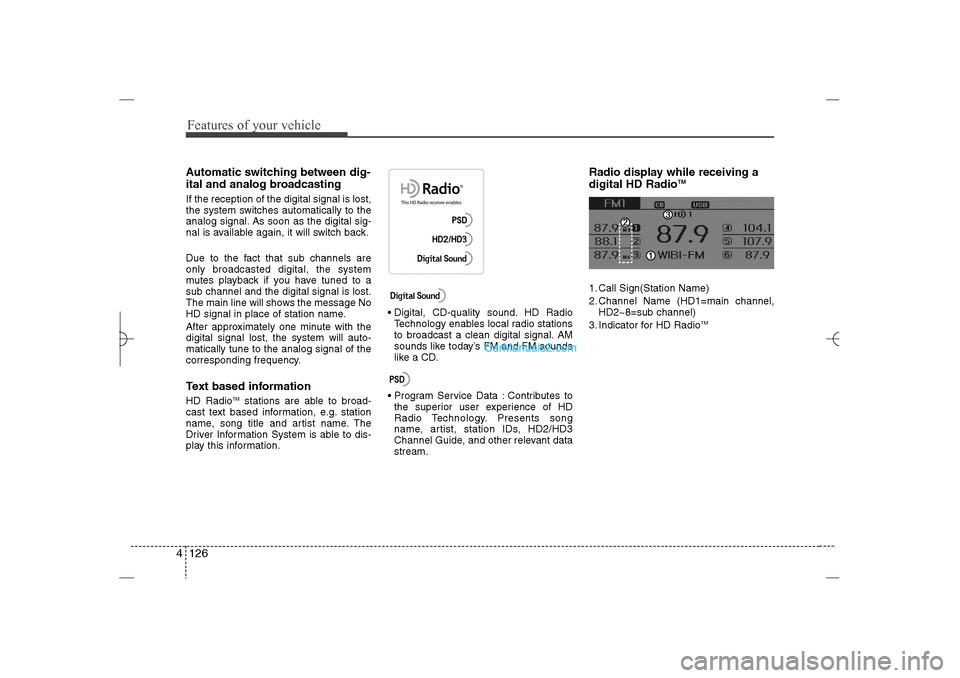
Radio display while receiving a
digital HD Radio
TM
1. Call Sign(Station Name)
2. Channel Name (HD1=main channel,
HD2~8=sub channel)
3. Indicator for HD Radio
TM
YF HMA 4b-112~(Audio).qxp 3/5/2012 4:24 PM Page 126
Page 208 of 410
4 127
Features of your vehicle
RADIO : FM, AM OR XMChanging RADIO mode
(FM, AM or XM)Press the key to change the
mode in order of FM1
➟FM2
➟
AM
➟XM1
➟XM2
➟XM3.
When the power is off, press the
key to turn on the audio system
and receive radio broadcasts.
[Mode Pop up] On state : Displays the
change radio mode pop up screen.
While the pop up screen is displayed,
you can change the radio mode
(FM1➟FM2➟AM➟XM1➟XM2➟XM3)
through the tune knob or ~
keys.
Adjust VolumeTurn the VOL knob left/right to adjust
the volume.SEEKPress the key
Shortly pressing the key (under 0.8
seconds): Changes the frequency.
Pressing and holding the key (over 0.8
seconds): Automatically searches for
the next frequency.Preset SEEKPress the key ~
Shortly pressing the key (under 0.8
seconds): Plays the frequency saved in
the corresponding key.
Pressing and holding the key (over 0.8
seconds): Pressing and holding the
desired key from
~ will
save the currently playing broadcast to
the selected key and sound a BEEP.
SCANPress the key
Shortly pressing the key (under 0.8
seconds): The broadcast frequency
increases and previews each broad-
cast for 5 seconds each. After scan-
ning all frequencies, returns and plays
the current broadcast frequency.
Pressing and holding the key (over 0.8
seconds): Previews the broadcasts
saved in Preset ~ for 5
seconds each.Selecting through manual searchTurn the TUNE knob left/right to adjust
the frequency.
FM : Changes by 200KHz
AM : Changes by 10MHz
6
1
SCAN
RADIO
6
1
6
1
RADIO
SEEK
TRACK
RADIO
6
1
RADIO
RADIO
YF HMA 4b-112~(Audio).qxp 3/5/2012 4:24 PM Page 127
Page 209 of 410
![Hyundai Sonata 2013 Features of your vehicle128 4MENUWithin
key
are the A.Store (Auto
Store) and Info functions.A.Store
Press the key Set [A.Store]
through TUNE knob or keySaves broadcasts with superior recep-
tion](/img/35/16808/w960_16808-208.png "Hyundai Sonata 2013 Features of your vehicle128 4MENUWithin
key
are the A.Store (Auto
Store) and Info functions.A.Store
Press the key Set [A.Store]
through TUNE knob or keySaves broadcasts with superior recep-
tion")
Features of your vehicle128 4MENUWithin
key
are the A.Store (Auto
Store) and Info functions.A.Store
Press the key Set [A.Store]
through TUNE knob or keySaves broadcasts with superior recep-
tion to ~ keys. If no frequen-
cies are received, then the most recently
received frequency will be broadcast.
Info (Information)Press the key Set [Info] through
TUNE knob or keyDisplays details on the HD Radio.
❈The Info menu is displayed on when
receiving HD Radio.
2
MENU
6
1
1
MENU
MENU
YF HMA 4b-112~(Audio).qxp 3/5/2012 4:24 PM Page 128
Page 210 of 410
4 129
Features of your vehicle
HD RADIOListening to HD Radio StationsHD Radio Technology is a digital radio
technology used by AM and FM radio
station to transmit audio and data via a
digital signal in conjunction with their
analog signals.
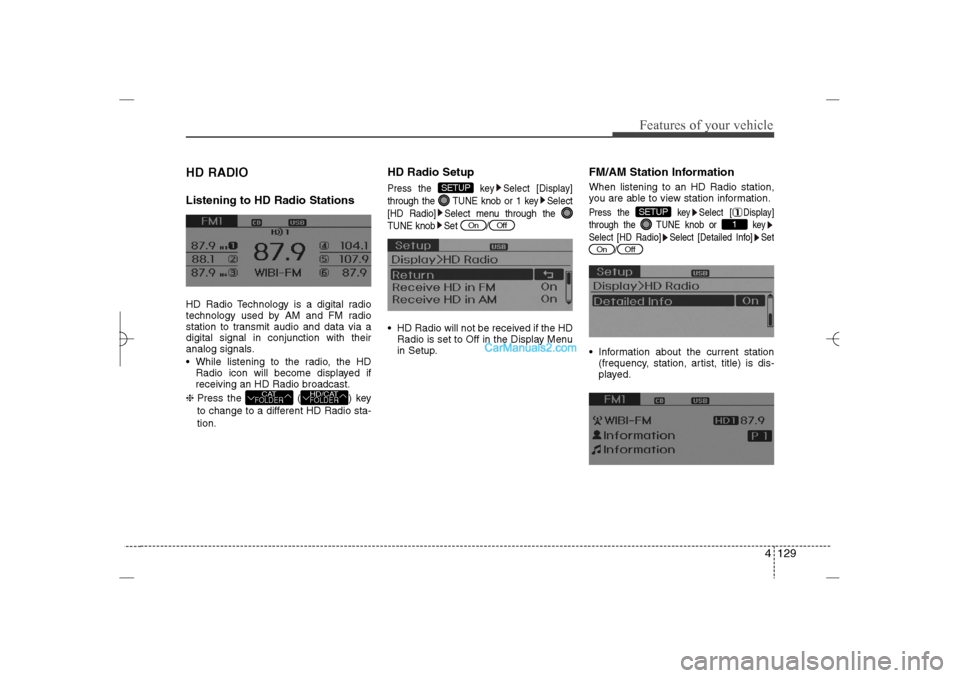
While listening to the radio, the HD
Radio icon will become displayed if
receiving an HD Radio broadcast.
❈ Press the ( ) key
to change to a different HD Radio sta-
tion.
HD Radio SetupPress the key Select [Display]
through the TUNE knob or 1 key Select
[HD Radio] Select menu through the
TUNE knob Set / HD Radio will not be received if the HD
Radio is set to Off in the Display Menu
in Setup.
FM/AM Station InformationWhen listening to an HD Radio station,
you are able to view station information.Press the key Select [ Display]
through the TUNE knob or key
Select [HD Radio] Select [Detailed Info] Set
/ Information about the current station
(frequency, station, artist, title) is dis-
played.
Off
On
1
SETUP
Off
On
SETUP
HD/CATFOLDER
CATFOLDER
YF HMA 4b-112~(Audio).qxp 3/5/2012 4:24 PM Page 129
Page 211 of 410
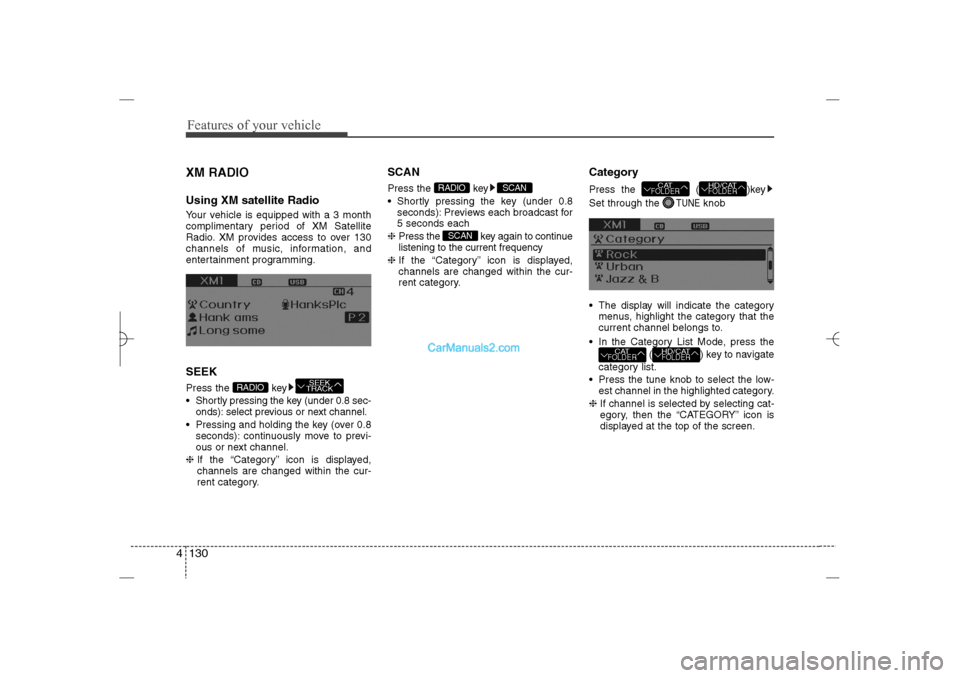
Features of your vehicle130 4XM RADIOUsing XM satellite RadioYour vehicle is equipped with a 3 month
complimentary period of XM Satellite
Radio. XM provides access to over 130
channels of music, information, and
entertainment programming.SEEKPress the key
Shortly pressing the key (under 0.8 sec-
onds): select previous or next channel.
Pressing and holding the key (over 0.8
seconds): continuously move to previ-
ous or next channel.
❈If the “Category” icon is displayed,
channels are changed within the cur-
rent category.
SCANPress the key
Shortly pressing the key (under 0.8
seconds): Previews each broadcast for
5 seconds each
❈Press the key again to continue
listening to the current frequency
❈If the “Category” icon is displayed,
channels are changed within the cur-
rent category.
CategoryPress the ( )key
Set through the
TUNE
knob
The display will indicate the category
menus, highlight the category that the
current channel belongs to.
In the Category List Mode, press the
( ) key to navigate
category list.
Press the tune knob to select the low-
est channel in the highlighted category.
❈If channel is selected by selecting cat-
egory, then the “CATEGORY” icon is
displayed at the top of the screen.
HD/CATFOLDER
CATFOLDER
HD/CATFOLDER
CATFOLDER
SCAN
SCAN
RADIO
SEEK
TRACK
RADIO
YF HMA 4b-112~(Audio).qxp 3/5/2012 4:24 PM Page 130
Page 212 of 410
4 131
Features of your vehicle
PresetPress the key ~
Shortly pressing the key (under 0.8
seconds): Plays the frequency saved in
the corresponding key.
Pressing and holding the key (over 0.8
seconds): Pressing and holding the
desired key from
~ will
save the current broadcast to the
selected key and sound a BEEP.Tune Rotate TUNE knob : Changes the
channel number or scrolls category list.
Press TUNE knob : Selects the
menu.
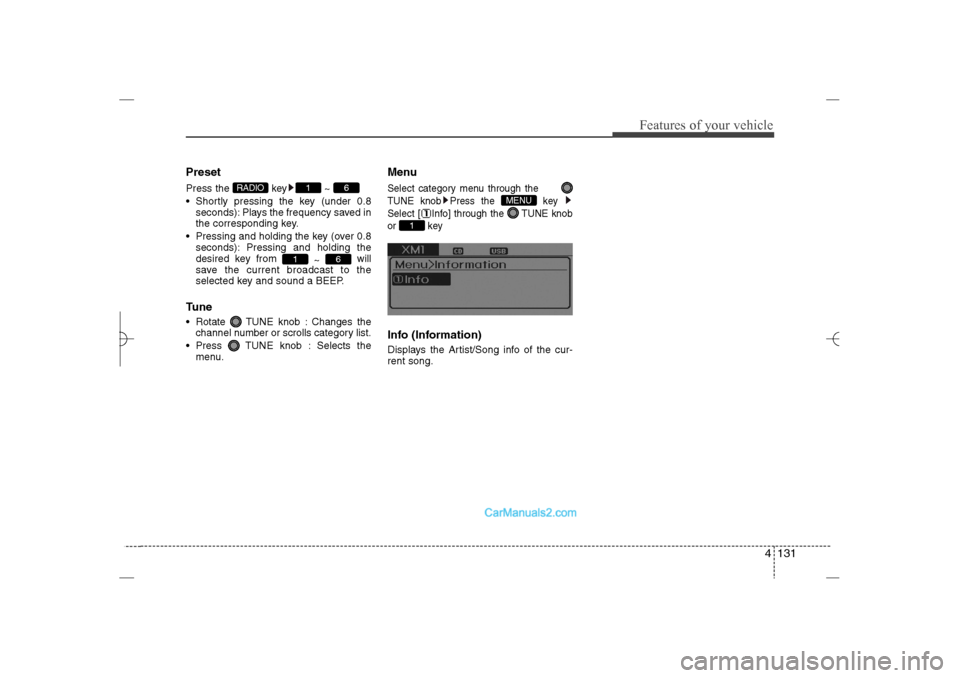
MenuSelect category menu through the
TUNE knob Press the key
Select [ Info] through the TUNE knob
or keyInfo (Information)Displays the Artist/Song info of the cur-
rent song.
1
MENU
6
1
6
1
RADIO
YF HMA 4b-112~(Audio).qxp 3/5/2012 4:24 PM Page 131
Page 213 of 410
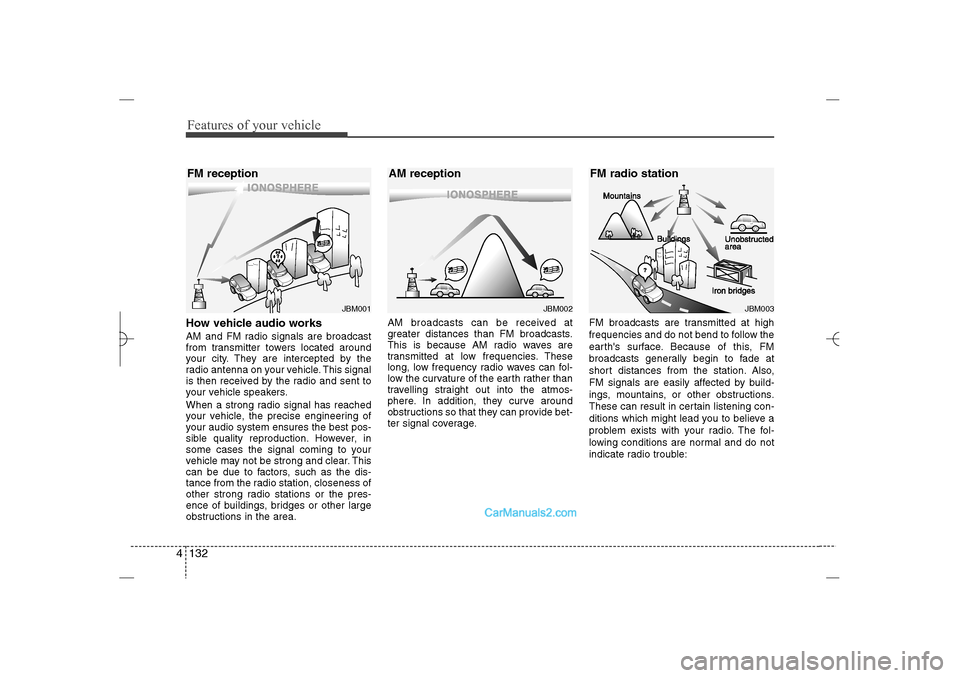
Features of your vehicle132 4How vehicle audio worksAM and FM radio signals are broadcast
from transmitter towers located around
your city. They are intercepted by the
radio antenna on your vehicle. This signal
is then received by the radio and sent to
your vehicle speakers.
When a strong radio signal has reached
your vehicle, the precise engineering of
your audio system ensures the best pos-
sible quality reproduction. However, in
some cases the signal coming to your
vehicle may not be strong and clear. This
can be due to factors, such as the dis-
tance from the radio station, closeness of
other strong radio stations or the pres-
ence of buildings, bridges or other large
obstructions in the area.AM broadcasts can be received at
greater distances than FM broadcasts.
This is because AM radio waves are
transmitted at low frequencies. These
long, low frequency radio waves can fol-
low the curvature of the earth rather than
travelling straight out into the atmos-
phere. In addition, they curve around
obstructions so that they can provide bet-
ter signal coverage.FM broadcasts are transmitted at high
frequencies and do not bend to follow the
earth's surface. Because of this, FM
broadcasts generally begin to fade at
short distances from the station. Also,
FM signals are easily affected by build-
ings, mountains, or other obstructions.
These can result in certain listening con-
ditions which might lead you to believe a
problem exists with your radio. The fol-
lowing conditions are normal and do not
indicate radio trouble:
JBM002
AM reception
JBM001
FM reception
JBM003
FM radio station
YF HMA 4b-112~(Audio).qxp 3/5/2012 4:24 PM Page 132
Page 214 of 410
4 133
Features of your vehicle
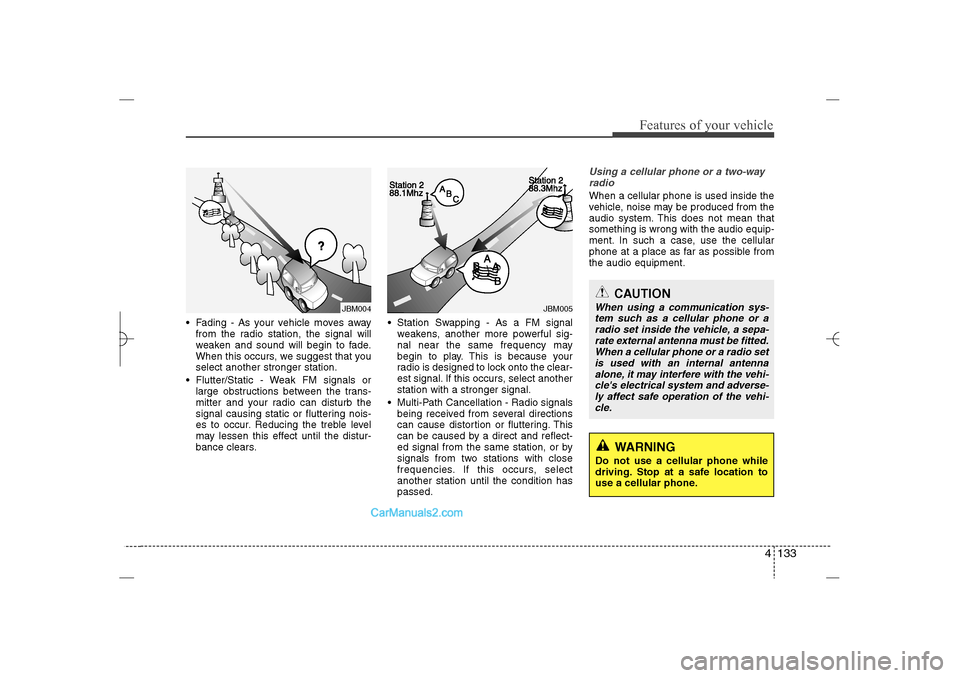
Fading - As your vehicle moves away
from the radio station, the signal will
weaken and sound will begin to fade.
When this occurs, we suggest that you
select another stronger station.
Flutter/Static - Weak FM signals or
large obstructions between the trans-
mitter and your radio can disturb the
signal causing static or fluttering nois-
es to occur. Reducing the treble level
may lessen this effect until the distur-
bance clears. Station Swapping - As a FM signal
weakens, another more powerful sig-
nal near the same frequency may
begin to play. This is because your
radio is designed to lock onto the clear-
est signal. If this occurs, select another
station with a stronger signal.
Multi-Path Cancellation - Radio signals
being received from several directions
can cause distortion or fluttering. This
can be caused by a direct and reflect-
ed signal from the same station, or by
signals from two stations with close
frequencies. If this occurs, select
another station until the condition has
passed.
Using a cellular phone or a two-way
radio When a cellular phone is used inside the
vehicle, noise may be produced from the
audio system. This does not mean that
something is wrong with the audio equip-
ment. In such a case, use the cellular
phone at a place as far as possible from
the audio equipment.
JBM005
JBM004
CAUTION
When using a communication sys-
tem such as a cellular phone or a
radio set inside the vehicle, a sepa-
rate external antenna must be fitted.
When a cellular phone or a radio set
is used with an internal antenna
alone, it may interfere with the vehi-
cle's electrical system and adverse-
ly affect safe operation of the vehi-
cle.
WARNING
Do not use a cellular phone while
driving. Stop at a safe location to
use a cellular phone.
YF HMA 4b-112~(Audio).qxp 3/5/2012 4:24 PM Page 133