stop start Hyundai Sonata 2013
[x] Cancel search | Manufacturer: HYUNDAI, Model Year: 2013, Model line: Sonata, Model: Hyundai Sonata 2013Pages: 410, PDF Size: 35.93 MB
Page 151 of 410
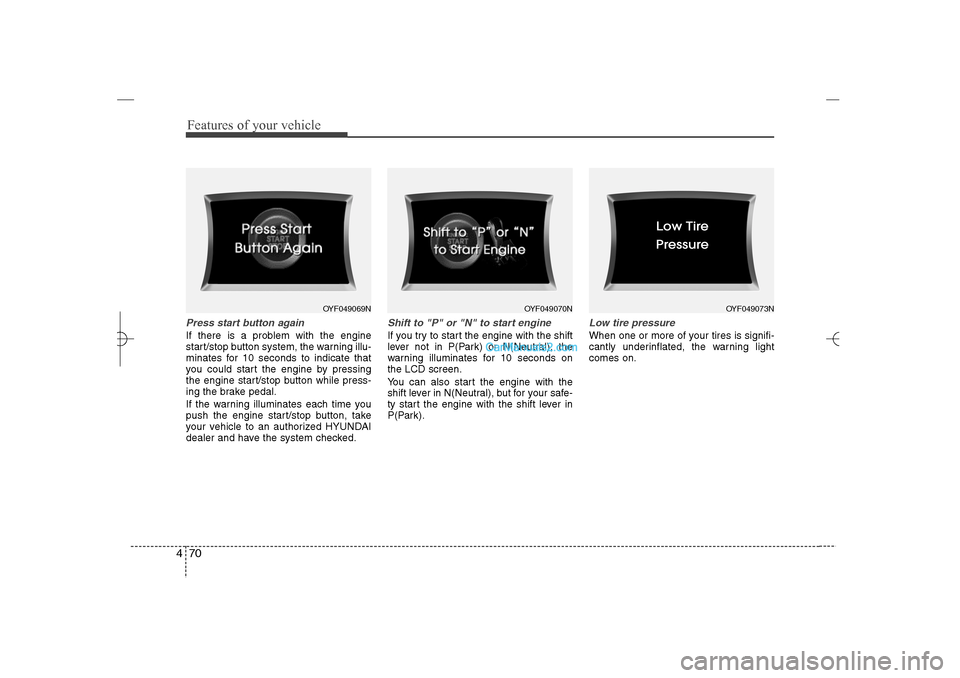
Features of your vehicle70 4Press start button againIf there is a problem with the engine
start/stop button system, the warning illu-
minates for 10 seconds to indicate that
you could start the engine by pressing
the engine start/stop button while press-
ing the brake pedal.
If the warning illuminates each time you
push the engine start/stop button, take
your vehicle to an authorized HYUNDAI
dealer and have the system checked.
Shift to "P" or "N" to start engineIf you try to start the engine with the shift
lever not in P(Park) or N(Neutral), the
warning illuminates for 10 seconds on
the LCD screen.
You can also start the engine with the
shift lever in N(Neutral), but for your safe-
ty start the engine with the shift lever in
P(Park).
Low tire pressureWhen one or more of your tires is signifi-
cantly underinflated, the warning light
comes on.
OYF049069N
OYF049070N
OYF049073N
YF HMA 4a-111.qxp 1/16/2012 6:31 PM Page 70
Page 193 of 410
Features of your vehicle112 4✽
✽
NOTICEIf you install an after market HID head
lamp, your vehicle's audio and electron-
ic device may malfunction.
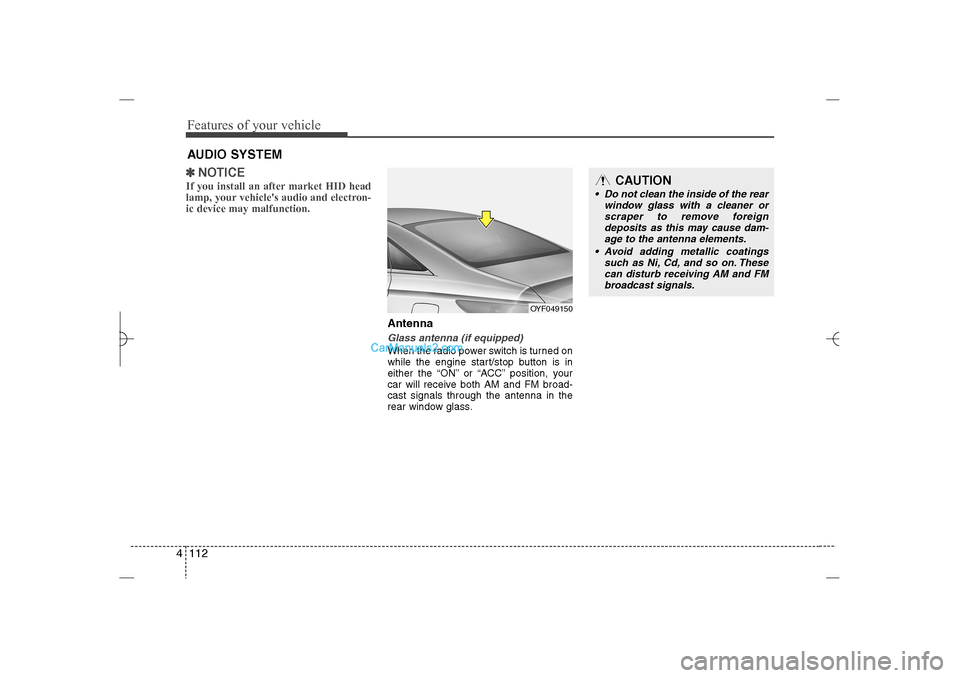
AntennaGlass antenna (if equipped)When the radio power switch is turned on
while the engine start/stop button is in
either the “ON” or “ACC” position, your
car will receive both AM and FM broad-
cast signals through the antenna in the
rear window glass.
AUDIO SYSTEM
OYF049150
CAUTION
• Do not clean the inside of the rear
window glass with a cleaner or
scraper to remove foreign
deposits as this may cause dam-
age to the antenna elements.
Avoid adding metallic coatings
such as Ni, Cd, and so on. These
can disturb receiving AM and FM
broadcast signals.
YF HMA 4b-112~(Audio).qxp 3/5/2012 4:24 PM Page 112
Page 226 of 410
4 145
Features of your vehicle
Bluetooth
®Wireless Technology
AUDIO
What is
Bluetooth
®Wireless
Technology?
Bluetooth
®
Wireless Technology is a
wireless technology that allows multiple
devices to be connected in a short range,
low-powered devices like hands-free,
stereo headset, wireless remote con-
troller, etc. For more information, visit the
Bluetooth
®Wireless Technology website
at www
.Bluetooth.com
Before using
Bluetooth
®
Wireless
Technology audio features
Bluetooth
®Wireless Technology audio
may not be supported depending on
the compatibility of your
Bluetooth
®
Wireless Technology mobile phone.
In order to use
Bluetooth
®
Wireless
Technology audio, you must first pair
and connect the
Bluetooth
®Wireless
Technology mobile phone.
Bluetooth
®Wireless Technology audio
can be used only when the [Audio
Streaming] of Phone is turned .
❈Setting Bluetooth
®
Wireless
Technology Audio Streaming : Press
the key Select [Phone]
through the tune knob or key
Select [Audio Streaming] through the
TUNE knob Set
/
Starting
Bluetooth
®Wireless
Technology Audio
Press the key to change the
mode in order of CD➟USB➟AUX➟My
Music➟BT Audio.
If BT Audio is selected,
Bluetooth
®
Wireless Technology audio will start
playing.
❈Audio may not automatically start playing
in some mobile phones.
Using the
Bluetooth
®Wireless
Technology audio features
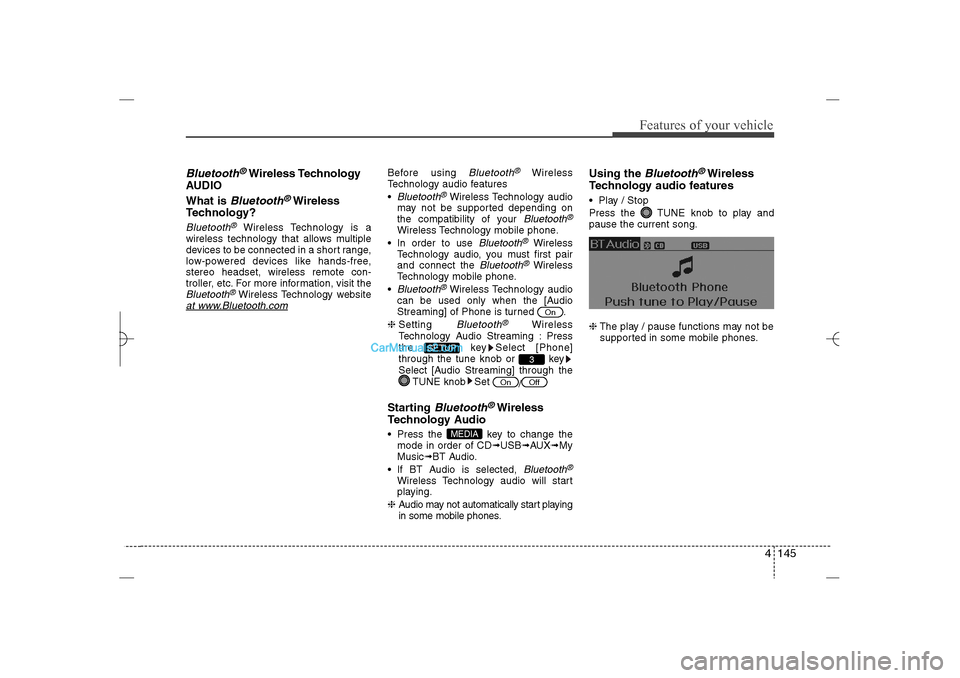
Play / Stop
Press the TUNE knob to play and
pause the current song.
❈The play / pause functions may not be
supported in some mobile phones.
MEDIA
Off
On
3
SETUP
On
YF HMA 4b-112~(Audio).qxp 3/5/2012 4:24 PM Page 145
Page 243 of 410
5
Before driving / 5-3
Key / 5-4
Engine start/stop button / 5-7
Manual transaxle /5-11
Automatic transaxle / 5-14
Brake system / 5-21
Cruise control system / 5-31
Active ECO system / 5-35
Economical operation / 5-36
Special driving conditions / 5-38
Winter driving / 5-42
Vehicle load limit / 5-46
Vehicle weight / 5-51
Trailer towing / 5-52
Driving your vehicle
YF HMA 5.qxp 1/16/2012 6:22 PM Page 1
Page 249 of 410
57
Driving your vehicle
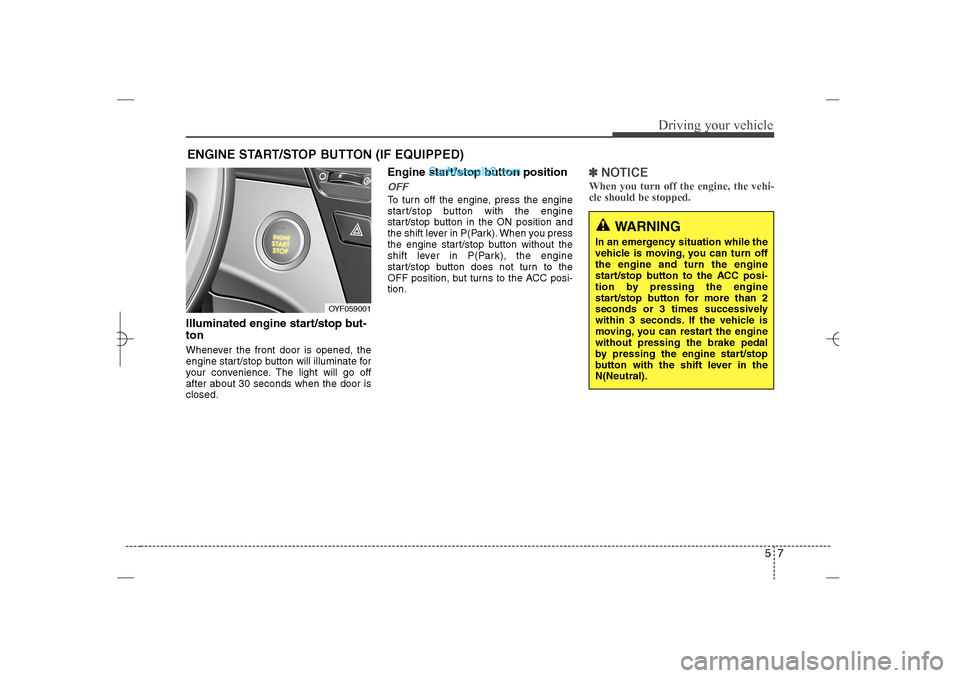
Illuminated engine start/stop but-
tonWhenever the front door is opened, the
engine start/stop button will illuminate for
your convenience. The light will go off
after about 30 seconds when the door is
closed.
Engine start/stop button positionOFFTo turn off the engine, press the engine
start/stop button with the engine
start/stop button in the ON position and
the shift lever in P(Park). When you press
the engine start/stop button without the
shift lever in P(Park), the engine
start/stop button does not turn to the
OFF position, but turns to the ACC posi-
tion.
✽ ✽
NOTICEWhen you turn off the engine, the vehi-
cle should be stopped.
ENGINE START/STOP BUTTON (IF EQUIPPED)
OYF059001
WARNING
In an emergency situation while the
vehicle is moving, you can turn off
the engine and turn the engine
start/stop button to the ACC posi-
tion by pressing the engine
start/stop button for more than 2
seconds or 3 times successively
within 3 seconds. If the vehicle is
moving, you can restart the engine
without pressing the brake pedal
by pressing the engine start/stop
button with the shift lever in the
N(Neutral).
YF HMA 5.qxp 1/16/2012 6:23 PM Page 7
Page 250 of 410
Driving your vehicle8 5ACC(Accessory)Press the engine start/stop button while it
is in the OFF position without depressing
the brake pedal.
The electrical accessories are operative.
If you leave the engine start/stop button
in the ACC position for more than 1 hour,
the battery power will turn off automati-
cally to prevent the battery from dis-
charging.ONPress the engine start/stop button while it
button is in the ACC position without
depressing the brake pedal.
The warning lights can be checked
before the engine is started. Do not leave
the ON position if the engine is not run-
ning to prevent battery discharge.STARTTo start the engine, press the brake
pedal and press the engine start/stop
button with the shift lever in the P(Park)
or the N(Neutral) position.
For your safety, start the engine with the
shift lever in the P(Park) position.
✽ ✽
NOTICE• If you press the engine start/stop but-
ton without depressing the brake
pedal, the engine does not start and
the engine start/stop button changes
as follows :
OFF→ →
ACC → →
ON → →
OFF
• If you leave the engine start/stop but-
ton in the ACC or the ON position for
a long time, the battery will be dis-
charged.
WARNING
Never press the engine start/stop
button while the vehicle is in
motion. This would result in loss
of directional control and braking
function, which could cause an
accident.
Before leaving the driver’s seat,
always make sure the shift lever
is engaged in P (Park), set the
parking brake fully and shut the
engine off. Unexpected and sud-
den vehicle movement may occur
if these precautions are not
taken.
Never reach for the engine
start/stop button, or any other
controls through the steering
wheel while the vehicle is in
motion. The presence of your
hand or arm in this area could
cause a loss of vehicle control,
an accident and serious bodily
injury or death.
Do not place any movable objects
around the driver’s seat as they
may move while driving, interfere
with the driver and lead to an
accident.
YF HMA 5.qxp 1/16/2012 6:23 PM Page 8
Page 251 of 410
59
Driving your vehicle
Starting the engine1. Carry the smart key or leave it inside
the vehicle.
2. Make sure the parking brake is firmly
applied.
3. Place the shift lever in the P(Park)
position.
4. Depress the brake pedal.
5. Press the engine start/stop button.
6. In extremely cold weather (below -
18°C / 0°F) or after the vehicle has not
been operated for several days, let the
engine warm up without depressing
the accelerator.
Whether the engine is cold or warm, it
should be started without depressing
the accelerator.Even if the smart key is in the vehicle,
if it is far away from you, the engine
may not start.
When the engine start/stop button is in
the ACC or ON position, if any door is
open, the system checks for the smart
key. If the smart key is not in the vehi-
cle, the warning, "Key is not in vehicle"
will come on, and if all doors are
closed, the chime will also sound for
about 5 seconds. The indicator will turn
off while the vehicle is moving. Keep
the smart key in the vehicle when
using the ACC position or if the vehicle
engine is on.
WARNING
Always wear appropriate shoes
when operating your vehicle.
Unsuitable shoes (high heels, ski
boots, etc.) may interfere with your
ability to use the brake and acceler-
ator pedal.
WARNING
The engine will start only when the
smart key is in the vehicle. Never
allow children or any person who is
unfamiliar with the vehicle to touch
the engine start/stop button or
related parts.
CAUTION
If the engine stalls while you are in
motion, do not attempt to move the
shift lever to the P (Park) position. If
traffic and road conditions permit,
you may put the shift lever in the
N(Neutral) position while the vehi-
cle is still moving and press the
engine start/stop button in an
attempt to restart the engine.
YF HMA 5.qxp 1/16/2012 6:23 PM Page 9
Page 252 of 410
Driving your vehicle10 5✽
✽
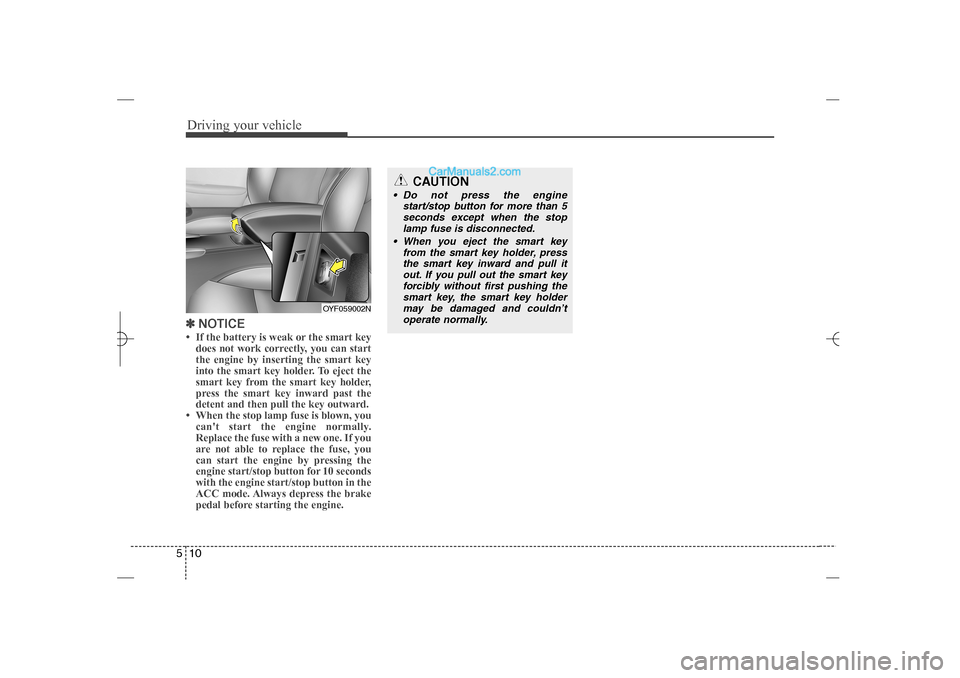
NOTICE• If the battery is weak or the smart key
does not work correctly, you can start
the engine by inserting the smart key
into the smart key holder. To eject the
smart key from the smart key holder,
press the smart key inward past the
detent and then pull the key outward.
• When the stop lamp fuse is blown, you
can't start the engine normally.
Replace the fuse with a new one. If you
are not able to replace the fuse, you
can start the engine by pressing the
engine start/stop button for 10 seconds
with the engine start/stop button in the
ACC mode. Always depress the brake
pedal before starting the engine.
OYF059002N
CAUTION
Do not press the engine
start/stop button for more than 5
seconds except when the stop
lamp fuse is disconnected.
When you eject the smart key
from the smart key holder, press
the smart key inward and pull it
out. If you pull out the smart key
forcibly without first pushing the
smart key, the smart key holder
may be damaged and couldn’t
operate normally.
YF HMA 5.qxp 1/16/2012 6:23 PM Page 10
Page 253 of 410
511
Driving your vehicle
Manual transaxle operationThe manual transaxle has 6 forward
gears.
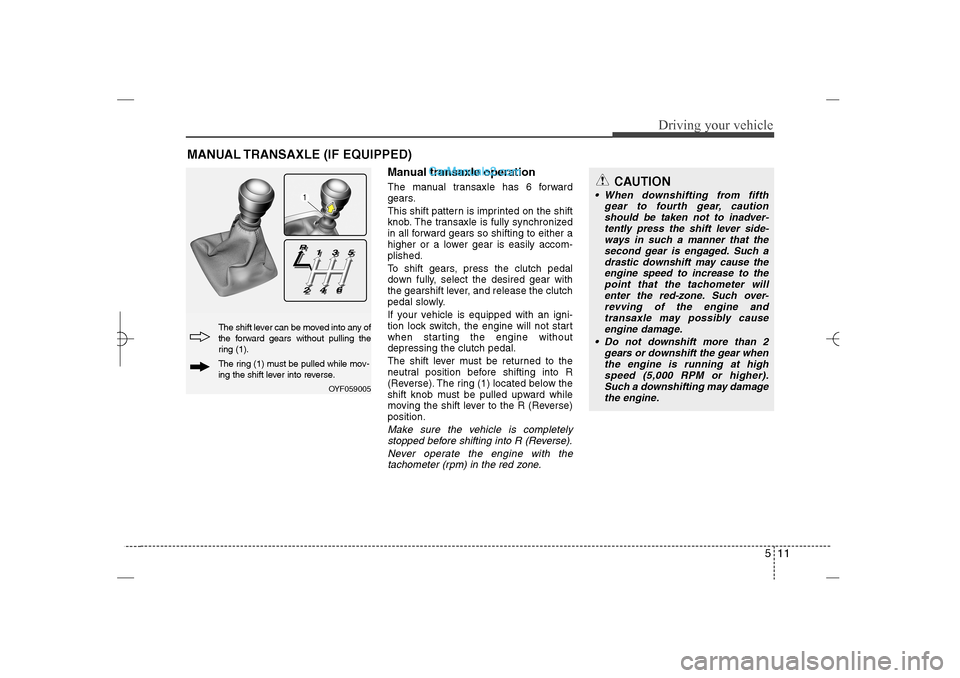
This shift pattern is imprinted on the shift
knob. The transaxle is fully synchronized
in all forward gears so shifting to either a
higher or a lower gear is easily accom-
plished.
To shift gears, press the clutch pedal
down fully, select the desired gear with
the gearshift lever, and release the clutch
pedal slowly.
If your vehicle is equipped with an igni-
tion lock switch, the engine will not start
when starting the engine without
depressing the clutch pedal.
The shift lever must be returned to the
neutral position before shifting into R
(Reverse). The ring (1) located below the
shift knob must be pulled upward while
moving the shift lever to the R (Reverse)
position.Make sure the vehicle is completely
stopped before shifting into R (Reverse).
Never operate the engine with the
tachometer (rpm) in the red zone.
MANUAL TRANSAXLE (IF EQUIPPED)
OYF059005
The shift lever can be moved into any of
the forward gears without pulling the
ring (1).The ring (1) must be pulled while mov-
ing the shift lever into reverse.
CAUTION
When downshifting from fifth
gear to fourth gear, caution
should be taken not to inadver-
tently press the shift lever side-
ways in such a manner that the
second gear is engaged. Such a
drastic downshift may cause the
engine speed to increase to the
point that the tachometer will
enter the red-zone. Such over-
revving of the engine and
transaxle may possibly cause
engine damage.
Do not downshift more than 2
gears or downshift the gear when
the engine is running at high
speed (5,000 RPM or higher).
Such a downshifting may damage
the engine.
YF HMA 5.qxp 1/16/2012 6:23 PM Page 11
Page 266 of 410
Driving your vehicle24 5
WARNING
To prevent unintentional move-
ment when stopped and leaving
the vehicle, do not use the
gearshift lever in place of the
parking brake. Set the parking
brake AND make sure the
gearshift lever is securely posi-
tioned in 1st (First) gear or R
(Reverse) for manual transaxle
equipped vehicles and in P (Park)
for automatic transaxle equipped
vehicles.
Never allow anyone who is unfa-
miliar with the vehicle to touch
the parking brake. If the parking
brake is released unintentionally,
serious injury may occur.
All vehicles should always have
the parking brake fully engaged
when parking to avoid inadver-
tent movement of the vehicle
which can injure occupants or
pedestrians.If the parking brake does not release or
does not release all the way, have the
system checked by an authorized
HYUNDAI dealer.
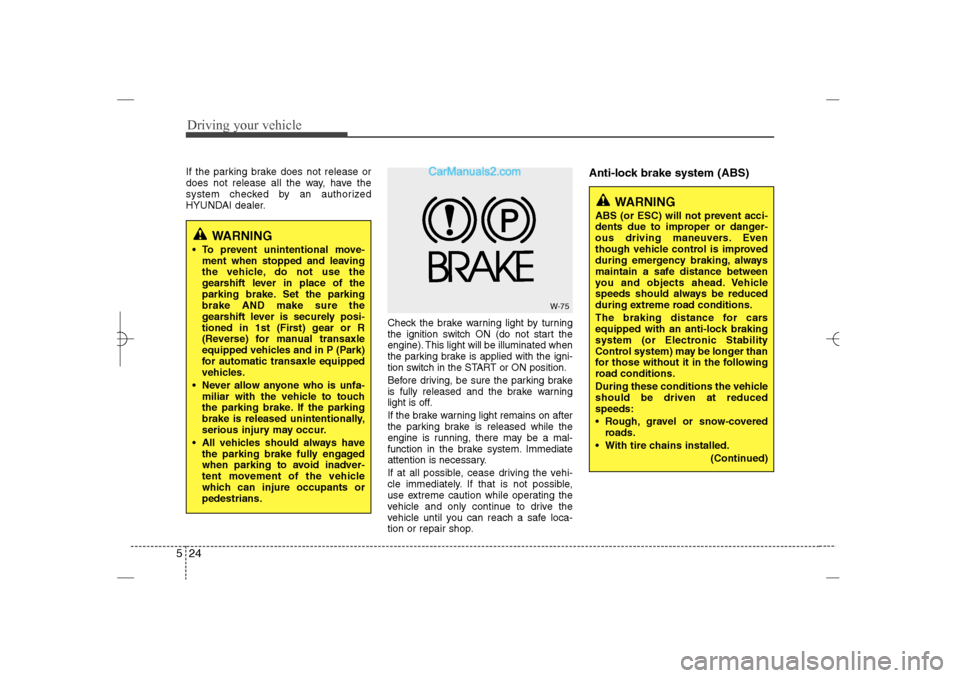
Check the brake warning light by turning
the ignition switch ON (do not start the
engine). This light will be illuminated when
the parking brake is applied with the igni-
tion switch in the START or ON position.
Before driving, be sure the parking brake
is fully released and the brake warning
light is off.
If the brake warning light remains on after
the parking brake is released while the
engine is running, there may be a mal-
function in the brake system. Immediate
attention is necessary.
If at all possible, cease driving the vehi-
cle immediately. If that is not possible,
use extreme caution while operating the
vehicle and only continue to drive the
vehicle until you can reach a safe loca-
tion or repair shop.
Anti-lock brake system (ABS)
W-75
WARNING
ABS (or ESC) will not prevent acci-
dents due to improper or danger-
ous driving maneuvers. Even
though vehicle control is improved
during emergency braking, always
maintain a safe distance between
you and objects ahead. Vehicle
speeds should always be reduced
during extreme road conditions.
The braking distance for cars
equipped with an anti-lock braking
system (or Electronic Stability
Control system) may be longer than
for those without it in the following
road conditions.
During these conditions the vehicle
should be driven at reduced
speeds:
Rough, gravel or snow-covered
roads.
With tire chains installed.
(Continued)
YF HMA 5.qxp 1/16/2012 6:23 PM Page 24