tow Hyundai Sonata 2014 User Guide
[x] Cancel search | Manufacturer: HYUNDAI, Model Year: 2014, Model line: Sonata, Model: Hyundai Sonata 2014Pages: 665, PDF Size: 17.43 MB
Page 125 of 665
3-29
Convenient features of your vehicle
3
MIRRORS
Inside rearview mirror
Before you start driving, adjust the
rearview mirror to the center on the
view through the rear window.
When cleaning the mirror, use a
paper towel or similar material
dampened with glass cleaner. Do
not spray glass cleaner directly on
the mirror as that may cause the
liquid cleaner to enter the mirror
housing.
Day/night rearview mirror
Make this adjustment before you
start driving and while the day/night
lever is in the day position.
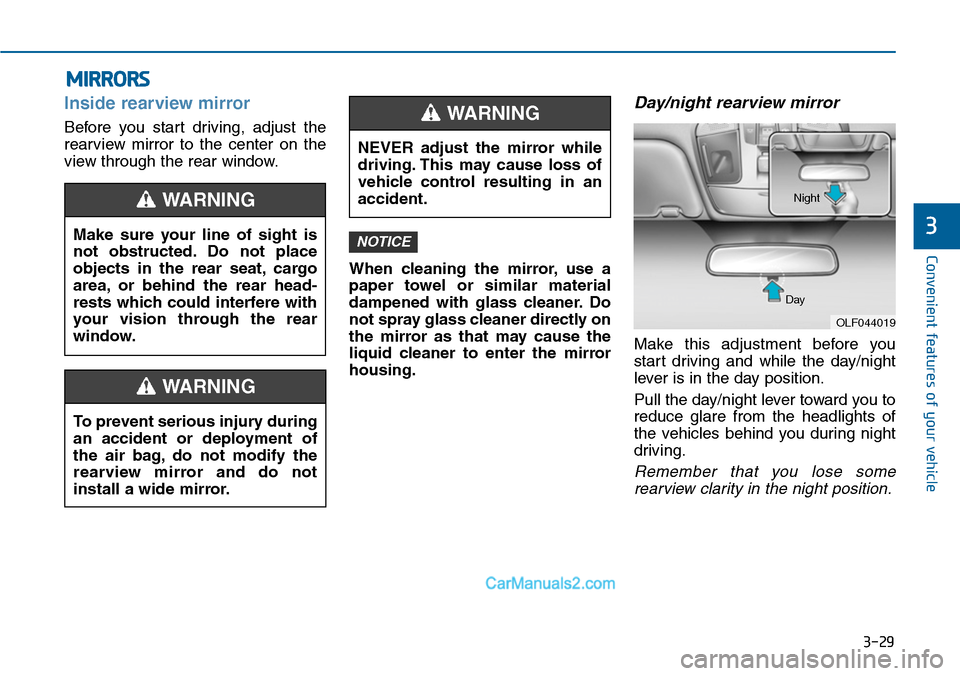
Pull the day/night lever toward you to
reduce glare from the headlights of
the vehicles behind you during night
driving.
Remember that you lose some
rearview clarity in the night position.
NOTICEMake sure your line of sight is
not obstructed. Do not place
objects in the rear seat, cargo
area, or behind the rear head-
rests which could interfere with
your vision through the rear
window.
WARNING
To prevent serious injury during
an accident or deployment of
the air bag, do not modify the
rearview mirror and do not
install a wide mirror.
WARNING
NEVER adjust the mirror while
driving. This may cause loss of
vehicle control resulting in an
accident.
WARNING
OLF044019
Day
Night
Page 128 of 665
3-32
Convenient features of your vehicle
After adjustment, move the lever (1)
to the middle to prevent inadvertent
adjustment.
•The mirrors stop moving when
they reach the maximum adjust-
ing angles, but the motor contin-
ues to operate while the switch
is pressed. Do not press the
switch longer than necessary,
the motor may be damaged.
•Do not attempt to adjust the out-
side rearview mirror by hand or
the motor may be damaged.
Folding the outside rearview
mirror
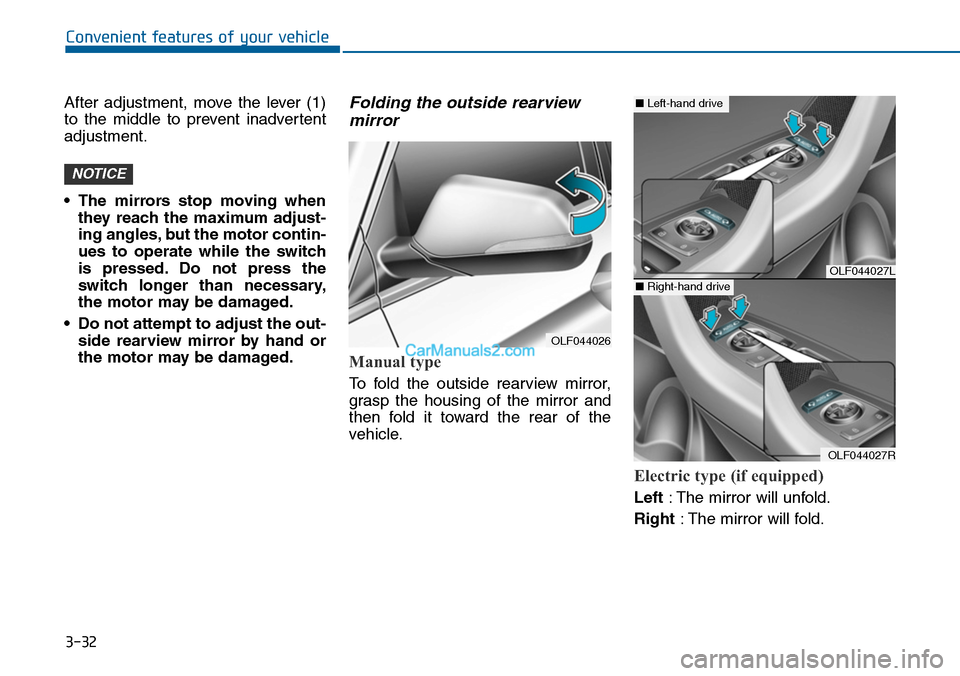
Manual type
To fold the outside rearview mirror,
grasp the housing of the mirror and
then fold it toward the rear of the
vehicle.
Electric type (if equipped)
Left:The mirror will unfold.
Right:The mirror will fold.
NOTICE
OLF044026
OLF044027L
OLF044027R
■Left-hand drive
■Right-hand drive
Page 156 of 665
3-60
Convenient features of your vehicle
Engine Coolant Temperature
gauge
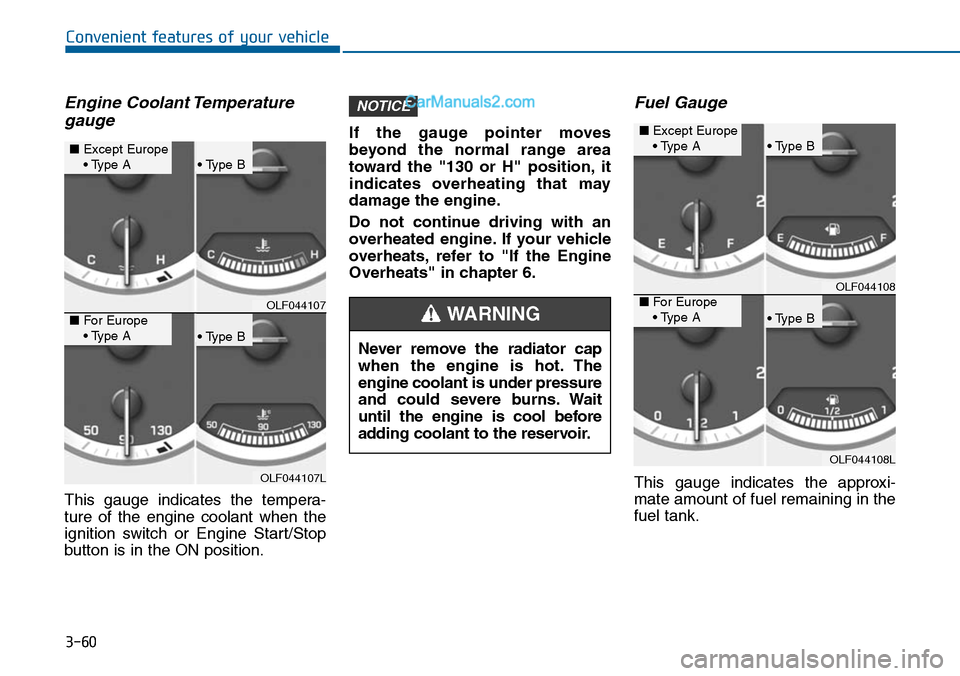
This gauge indicates the tempera-
ture of the engine coolant when the
ignition switch or Engine Start/Stop
button is in the ON position.
If the gauge pointer moves
beyond the normal range area
toward the "130 or H" position, it
indicates overheating that may
damage the engine.
Do not continue driving with an
overheated engine. If your vehicle
overheats, refer to "If the Engine
Overheats" in chapter 6.
Fuel Gauge
This gauge indicates the approxi-
mate amount of fuel remaining in the
fuel tank.
NOTICE
OLF044107
OLF044107L
■Except Europe• Type A• Type B
• Type B
■For Europe• Type ANever remove the radiator cap
when the engine is hot. The
engine coolant is under pressure
and could severe burns. Wait
until the engine is cool before
adding coolant to the reservoir.
WARNING
OLF044108
OLF044108L
■Except Europe• Type A• Type B
• Type B
■For Europe• Type A
Page 184 of 665
3-88
Convenient features of your vehicle
Parking Brake & Brake
Fluid Warning Light
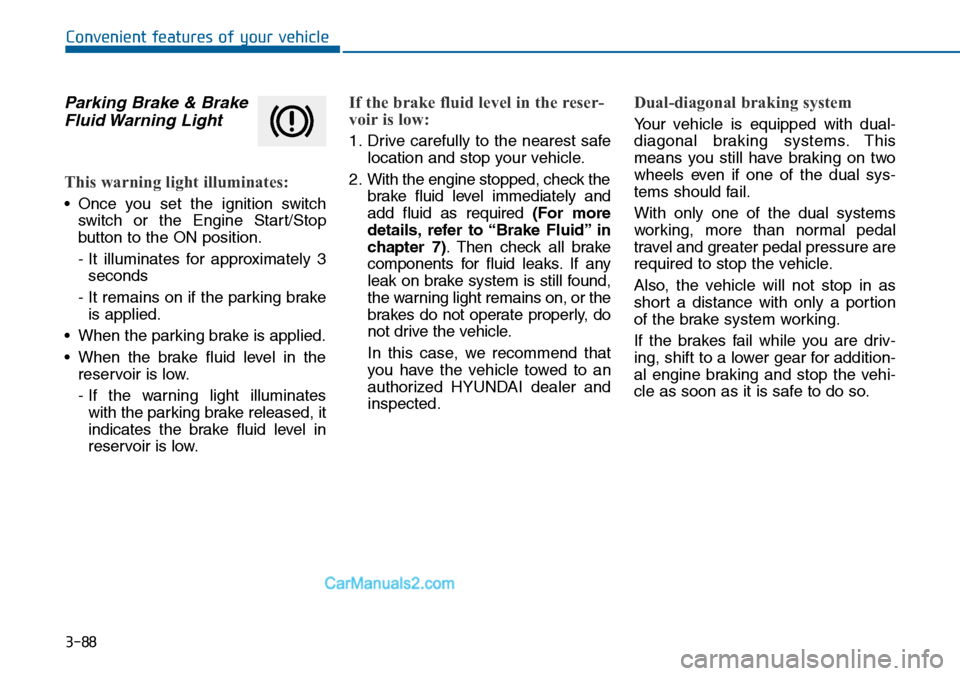
This warning light illuminates:
•Once you set the ignition switch
switch or the Engine Star t/Stop
button to the ON position.
- It illuminates for approximately 3
seconds
- It remains on if the parking brake
is applied.
•When the parking brake is applied.
•When the brake fluid level in the
reservoir is low.
- If the warning light illuminates
with the parking brake released, it
indicates the brake fluid level in
reservoir is low.
If the brake fluid level in the reser-
voir is low:
1. Drive carefully to the nearest safe
location and stop your vehicle.
2. With the engine stopped, check the
brake fluid level immediately and
add fluid as required (For more
details, refer to “Brake Fluid” in
chapter 7).Then check all brake
components for fluid leaks. If any
leak on brake system is still found,
the warning light remains on, or the
brakes do not operate properly, do
not drive the vehicle.
In this case, we recommend that
you have the vehicle towed to an
authorized HYUNDAI dealer and
inspected.
Dual-diagonal braking system
Yo u r v e h i c l e i s e q u i p p e d w i t h d u a l -
diagonal braking systems. This
means you still have braking on two
wheels even if one of the dual sys-
tems should fail.
With only one of the dual systems
working, more than normal pedal
travel and greater pedal pressure are
required to stop the vehicle.
Also, the vehicle will not stop in as
short a distance with only a portion
of the brake system working.
If the brakes fail while you are driv-
ing, shift to a lower gear for addition-
al engine braking and stop the vehi-
cle as soon as it is safe to do so.
Page 195 of 665
3-99
Convenient features of your vehicle
3
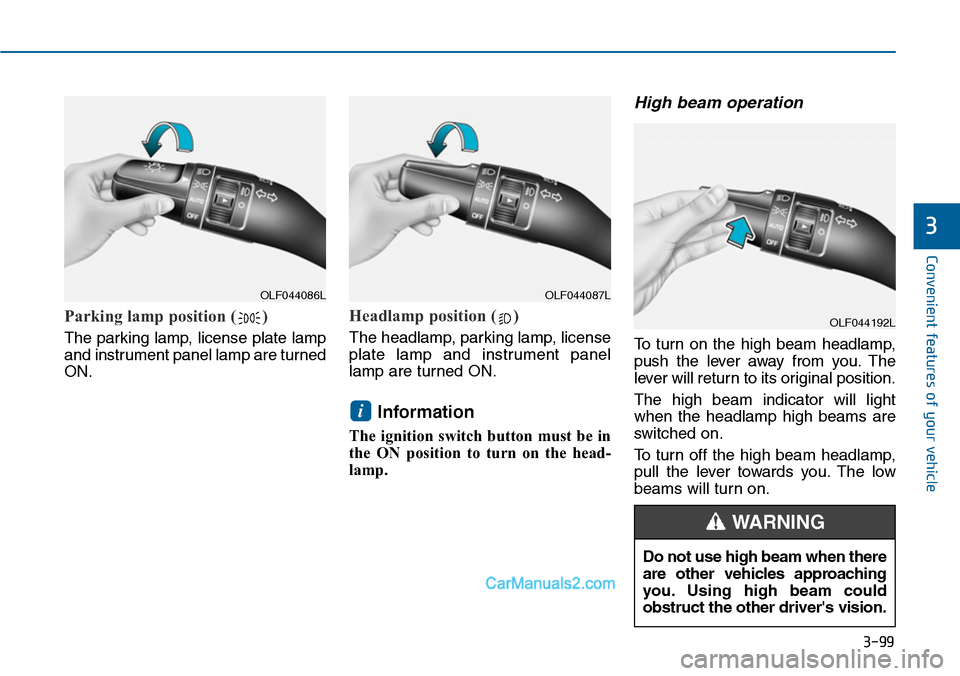
Parking lamp position ( )
The parking lamp, license plate lamp
and instrument panel lamp are turned
ON.
Headlamp position ( )
The headlamp, parking lamp, license
plate lamp and instrument panel
lamp are turned ON.
Information
The ignition switch button must be in
the ON position to turn on the head-
lamp.
High beam operation
To t u r n o n t h e h i g h b e a m h e a d l a m p ,
push the lever away from you. The
lever will return to its original position.
The high beam indicator will light
when the headlamp high beams are
switched on.
To turn off the high beam headlamp,
pull the lever towards you. The low
beams will turn on.
i
OLF044086LOLF044087L
OLF044192L
Do not use high beam when there
are other vehicles approaching
you. Using high beam could
obstruct the other driver's vision.
WARNING
Page 196 of 665
3-100
Convenient features of your vehicle
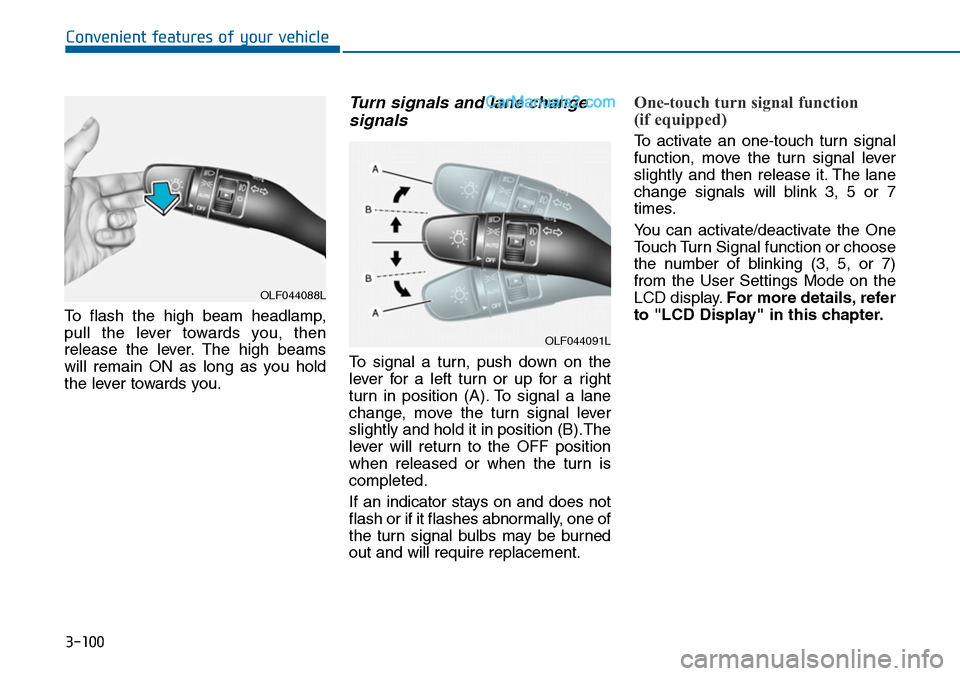
To flash the high beam headlamp,
pull the lever towards you, then
release the lever. The high beams
will remain ON as long as you hold
the lever towards you.
Turn signals and lane change
signals
To signal a turn, push down on the
lever for a left turn or up for a right
turn in position (A). To signal a lane
change, move the turn signal lever
slightly and hold it in position (B).The
lever will return to the OFF position
when released or when the turn is
completed.
If an indicator stays on and does not
flash or if it flashes abnormally, one of
the turn signal bulbs may be burned
out and will require replacement.
One-touch turn signal function
(if equipped)
To activate an one-touch turn signal
function, move the turn signal lever
slightly and then release it. The lane
change signals will blink 3, 5 or 7
times.
Yo u c a n a c t i v a t e / d e a c t i v a t e t h e O n e
Touch Turn Signal function or choose
the number of blinking (3, 5, or 7)
from the User Settings Mode on the
LCD display.For more details, refer
to "LCD Display" in this chapter.
OLF044088L
OLF044091L
Page 209 of 665
3-113
Convenient features of your vehicle
3
•When washing the vehicle,set
the wiper switch in the OFF (O)
position to stop the auto wiper
operation. The wiper may oper-
ate and be damaged if the switch
is set in the AUTO mode while
washing the vehicle.
•Do not remove the sensor cover
located on the upper end of the
passenger side windshield
glass. Damage to system parts
could occur and may not be cov-
ered by your vehicle warranty.
Windshield washers
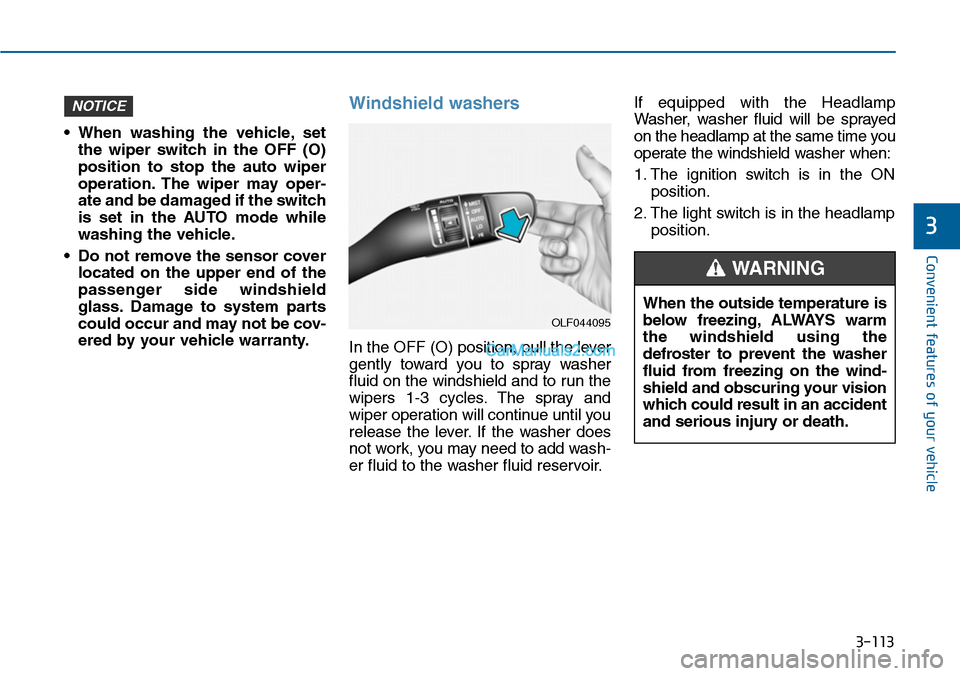
In the OFF (O) position, pull the lever
gently toward you to spray washer
fluid on the windshield and to run the
wipers 1-3 cycles. The spray and
wiper operation will continue until you
release the lever. If the washer does
not work, you may need to add wash-
er fluid to the washer fluid reservoir.
If equipped with the Headlamp
Washer, washer fluid will be sprayed
on the headlamp at the same time you
operate the windshield washer when:
1. The ignition switch is in the ON
position.
2. The light switch is in the headlamp
position.
NOTICE
OLF044095
When the outside temperature is
below freezing, ALWAYS warm
the windshield using the
defroster to prevent the washer
fluid from freezing on the wind-
shield and obscuring your vision
which could result in an accident
and serious injury or death.
WARNING
Page 214 of 665
3-118
Convenient features of your vehicle
When you shift into the R (Reverse)
position and one or more of the
below situation occurs, this may indi-
cate a malfunction with the parking
assist system.
•You don't hear an audible warning
sound or the buzzer sounds inter-
mittently.
If this occurs, we recommend that
the system be checked by an author-
ized HYUNDAI dealer.
Non-operational conditions of
rear parking assist system
The rear parking assist system
may not operate normally when:
•Moisture is frozen to the sensor.
•The sensor is covered or stained
with foreign material, such as snow
or water, or the sensor cover is
blocked.
There is a possibility of a parking
assist system malfunction when:
•Driving on uneven road surfaces
such as unpaved roads, gravel,
bumps, or gradient.
•Objects generating excessive noise
such as vehicle horns, loud motor-
cycle engines, or truck air brakes
can interfere with the sensor.
•Heavy rain or water spray is present.
•Wireless transmitters or mobile
phones are present near the sensor.
•The sensor is covered with snow.
•Any non-factory equipment or
accessories have been installed, or
if the vehicle bumper height or sen-
sor installation has been modified.
•Trailer towing.
Detecting range may decrease
when:
•Outside air temperature is
extremely hot or cold.
•Undetectable objects smaller than
about 1 m (40 in.) and narrower
than about 14 cm (6 in.) in diameter.
The following objects may not be
recognized by the sensor:
•Sharp or slim objects such as
ropes, chains or small poles.
•Objects, which tend to absorb sen-
sor frequency such as clothes,
spongy material or snow.
•is displayed.(if equipped)
Yo u r n e w v e h i c l e w a r r a n t y d o e s
not cover any accidents or dam-
age to the vehicle or injuries to
its occupants due to a rear
parking assist system malfunc-
tion. Always drive safely and
cautiously.
WARNING
Page 222 of 665
3-126
Convenient features of your vehicle
Mode selection
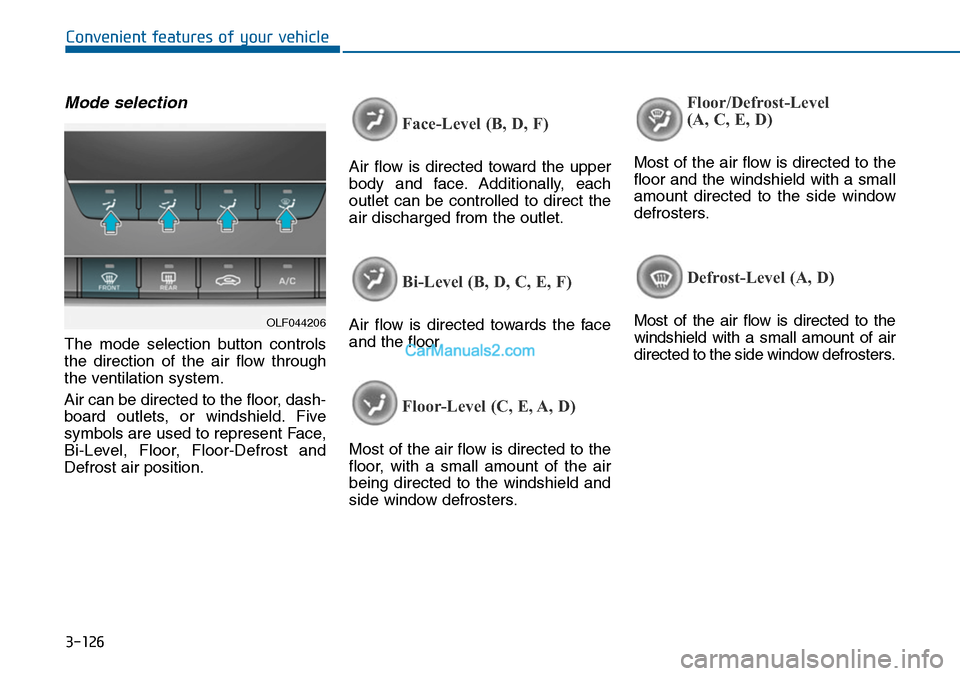
The mode selection button controls
the direction of the air flow through
the ventilation system.
Air can be directed to the floor, dash-
board outlets, or windshield. Five
symbols are used to represent Face,
Bi-Level, Floor, Floor-Defrost and
Defrost air position.
Face-Level (B, D, F)
Air flow is directed toward the upper
body and face. Additionally, each
outlet can be controlled to direct the
air discharged from the outlet.
Bi-Level (B, D, C, E, F)
Air flow is directed towards the face
and the floor.
Floor-Level (C, E, A, D)
Most of the air flow is directed to the
floor, with a small amount of the air
being directed to the windshield and
side window defrosters.
Floor/Defrost-Level
(A, C, E, D)
Most of the air flow is directed to the
floor and the windshield with a small
amount directed to the side window
defrosters.
Defrost-Level (A, D)
Most of the air flow is directed to the
windshield with a small amount of air
directed to the side window defrosters.
OLF044206
Page 223 of 665
3-127
Convenient features of your vehicle
3
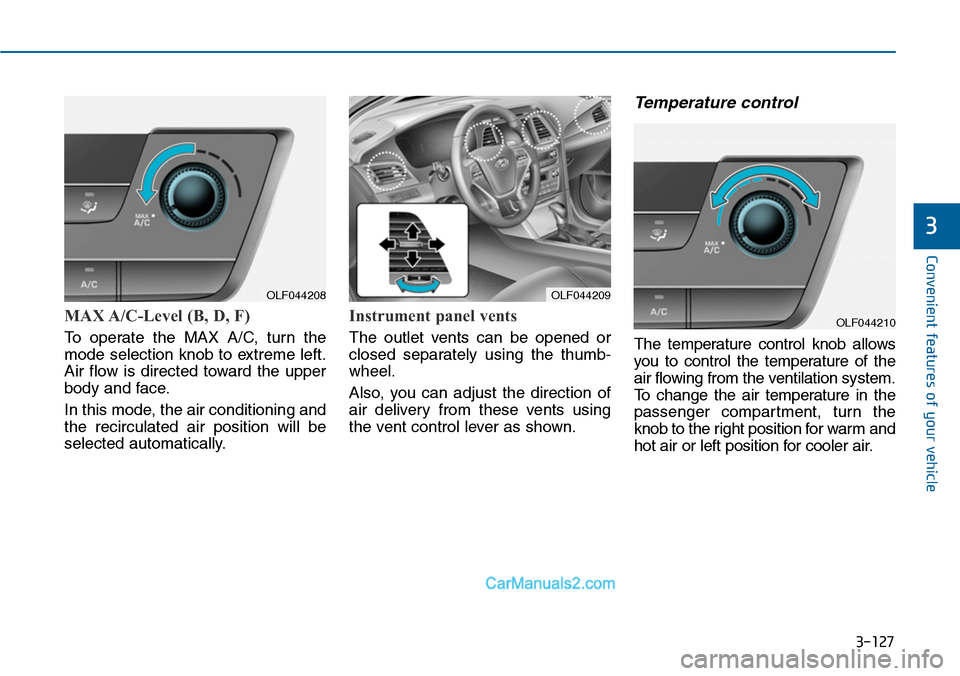
MAX A/C-Level (B, D, F)
To operate the MAX A/C, turn the
mode selection knob to extreme left.
Air flow is directed toward the upper
body and face.
In this mode, the air conditioning and
the recirculated air position will be
selected automatically.
Instrument panel vents
The outlet vents can be opened or
closed separately using the thumb-
wheel.
Also, you can adjust the direction of
air delivery from these vents using
the vent control lever as shown.
Temperature control
The temperature control knob allows
you to control the temperature of the
air flowing from the ventilation system.
To c h a n g e t h e a i r t e m p e r a t u r e i n t h e
passenger compartment, turn the
knob to the right position for warm and
hot air or left position for cooler air.
OLF044208OLF044209
OLF044210