tow Hyundai Sonata 2014 Owner's Guide
[x] Cancel search | Manufacturer: HYUNDAI, Model Year: 2014, Model line: Sonata, Model: Hyundai Sonata 2014Pages: 665, PDF Size: 17.43 MB
Page 233 of 665
3-137
Convenient features of your vehicle
3
Mode selection
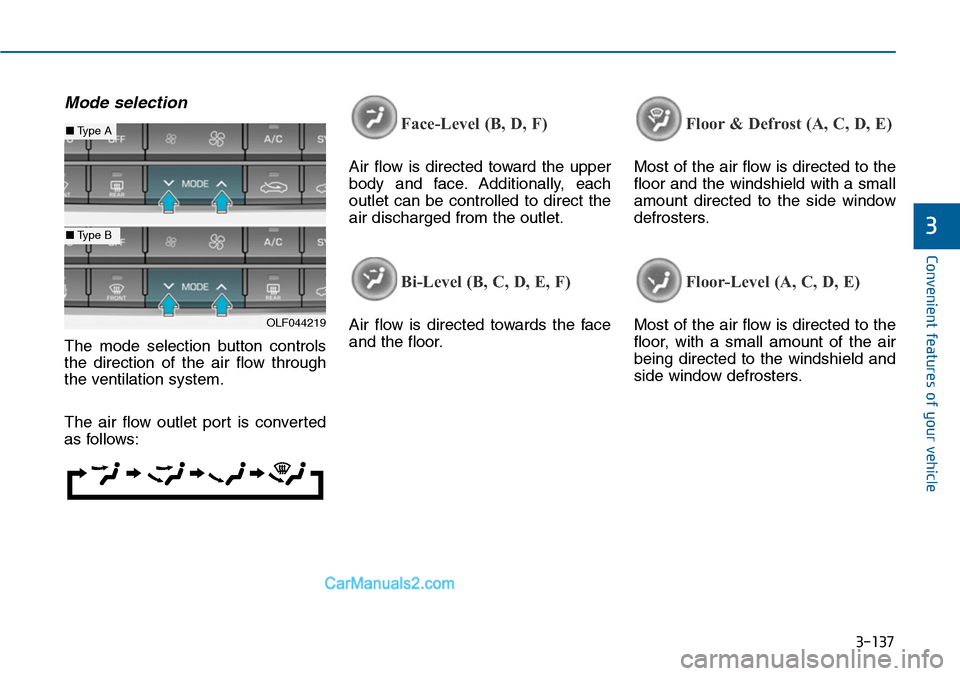
The mode selection button controls
the direction of the air flow through
the ventilation system.
The air flow outlet port is converted
as follows:
Face-Level (B, D, F)
Air flow is directed toward the upper
body and face. Additionally, each
outlet can be controlled to direct the
air discharged from the outlet.
Bi-Level (B, C, D, E, F)
Air flow is directed towards the face
and the floor.
Floor & Defrost (A, C, D, E)
Most of the air flow is directed to the
floor and the windshield with a small
amount directed to the side window
defrosters.
Floor-Level (A, C, D, E)
Most of the air flow is directed to the
floor, with a small amount of the air
being directed to the windshield and
side window defrosters.
OLF044219
■Type A
■Type B
Page 245 of 665
3-149
Convenient features of your vehicle
3
Auto defogging system
(only for automatic climate
control system, if equipped)
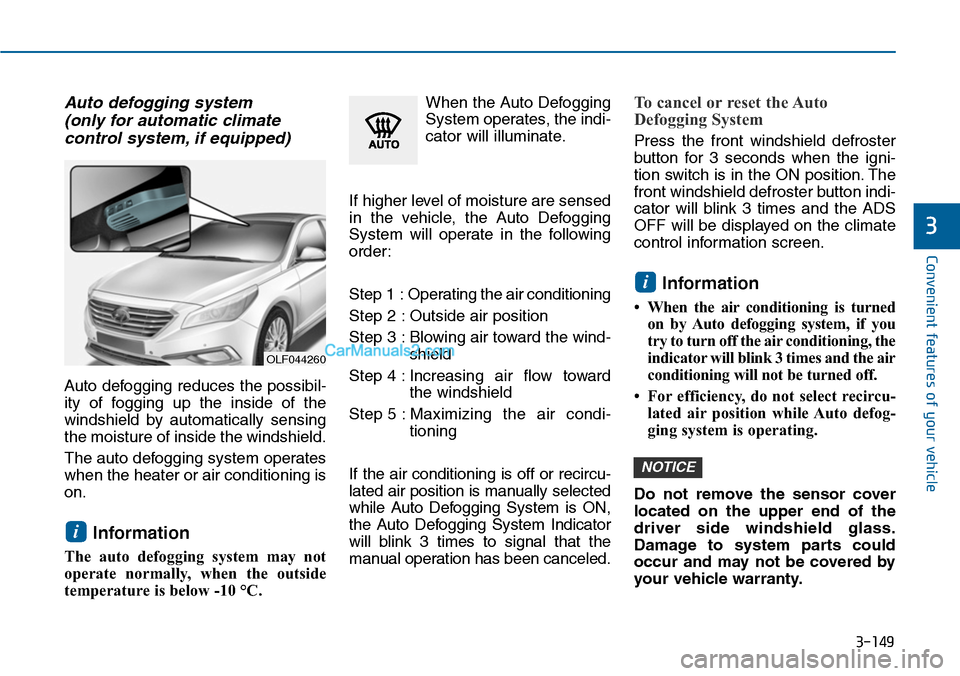
Auto defogging reduces the possibil-
ity of fogging up the inside of the
windshield by automatically sensing
the moisture of inside the windshield.
The auto defogging system operates
when the heater or air conditioning is
on.
Information
The auto defogging system may not
operate normally, when the outside
temperature is below -10 °C.
When the Auto Defogging
System operates, the indi-
cator will illuminate.
If higher level of moisture are sensed
in the vehicle, the Auto Defogging
System will operate in the following
order:
Step 1 : Operating the air conditioning
Step 2 : Outside air position
Step 3 : Blowing air toward the wind-
shield
Step 4 : Increasing air flow toward
the windshield
Step 5 : Maximizing the air condi-
tioning
If the air conditioning is off or recircu-
lated air position is manually selected
while Auto Defogging System is ON,
the Auto Defogging System Indicator
will blink 3 times to signal that the
manual operation has been canceled.
To cancel or reset the Auto
Defogging System
Press the front windshield defroster
button for 3 seconds when the igni-
tion switch is in the ON position. The
front windshield defroster button indi-
cator will blink 3 times and the ADS
OFF will be displayed on the climate
control information screen.
Information
•When the airconditioning is turned
on by Auto defogging system, if you
try to turn off the air conditioning, the
indicator will blink 3 times and the air
conditioning will not be turned off.
• For efficiency, do not select recircu-
lated air position while Auto defog-
ging system is operating.
Do not remove the sensor cover
located on the upper end of the
driver side windshield glass.
Damage to system parts could
occur and may not be covered by
your vehicle warranty.
NOTICE
i
i
OLF044260
Page 264 of 665
How vehicle audio works
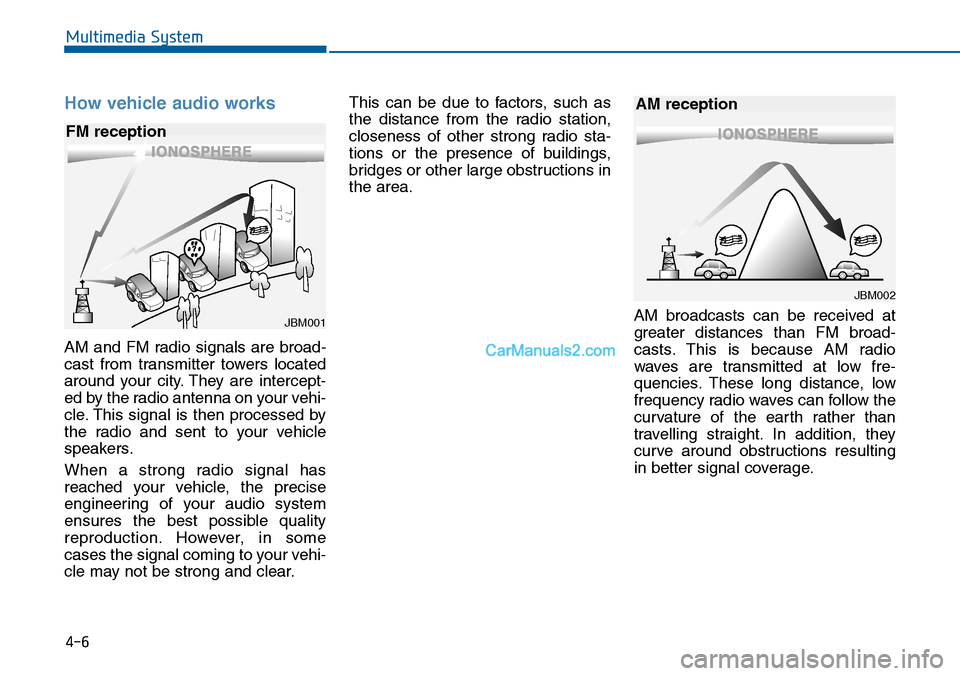
AM and FM radio signals are broad-
cast from transmitter towers located
around your city. They are intercept-
ed by the radio antenna on your vehi-
cle. This signal is then processed by
the radio and sent to your vehicle
speakers.
When a strong radio signal has
reached your vehicle, the precise
engineering of your audio system
ensures the best possible quality
reproduction. However, in some
cases the signal coming to your vehi-
cle may not be strong and clear.
This can be due to factors, such as
the distance from the radio station,
closeness of other strong radio sta-
tions or the presence of buildings,
bridges or other large obstructions in
the area.
AM broadcasts can be received at
greater distances than FM broad-
casts. This is because AM radio
waves are transmitted at low fre-
quencies. These long distance, low
frequency radio waves can follow the
curvature of the earth rather than
travelling straight. In addition, they
curve around obstructions resulting
in better signal coverage.
JBM001
FM reception
JBM002
AM reception
Multimedia System
4-6
Page 313 of 665
4-55
Multimedia System
4
NameDescription
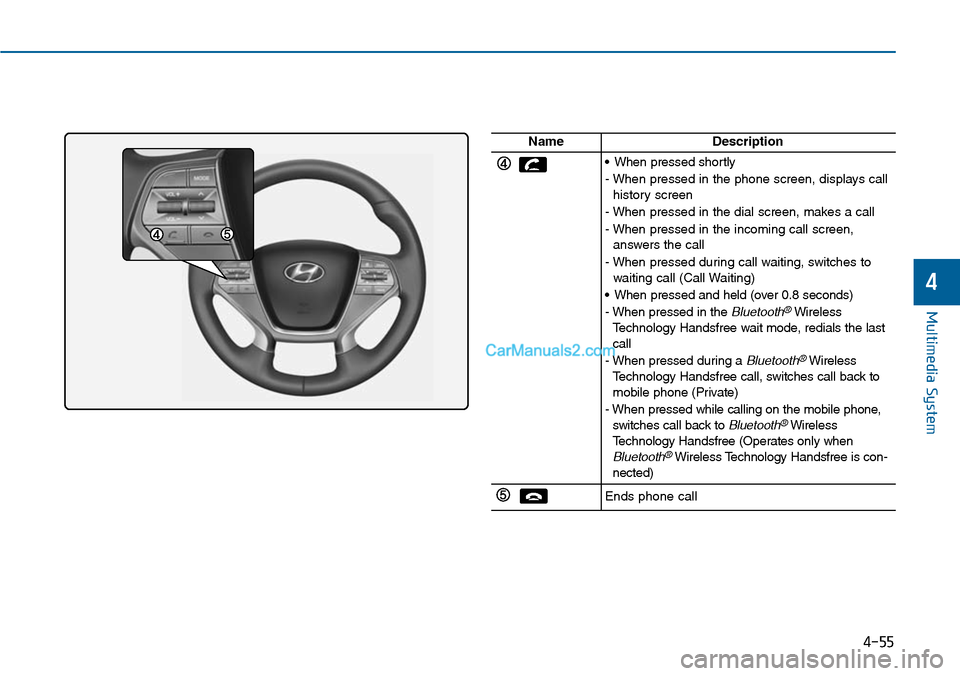
•When pressed shortly
- When pressed in the phone screen, displays callhistory screen
- When pressed in the dial screen, makes a call
- When pressed in the incoming call screen,answers the call
- When pressed during call waiting, switches towaiting call (Call Waiting)
•When pressed and held (over 0.8 seconds)
-When pressed in the Bluetooth®WirelessTe c h n o l o g y H a n d s f r e e w a i t m o d e , r e d i a l s t h e l a s tcall
-When pressed during a Bluetooth®WirelessTe c h n o l o g y H a n d s f r e e c a l l , s w i t c h e s c a l l b a c k t omobile phone (Private)
-When pressed while calling on the mobile phone,switches call back to Bluetooth®WirelessTe c h n o l o g y H a n d s f r e e ( O p e r a t e s o n l y w h e nBluetooth®Wireless Technology Handsfree is con-nected)
Ends phone call
Page 400 of 665
Multimedia System
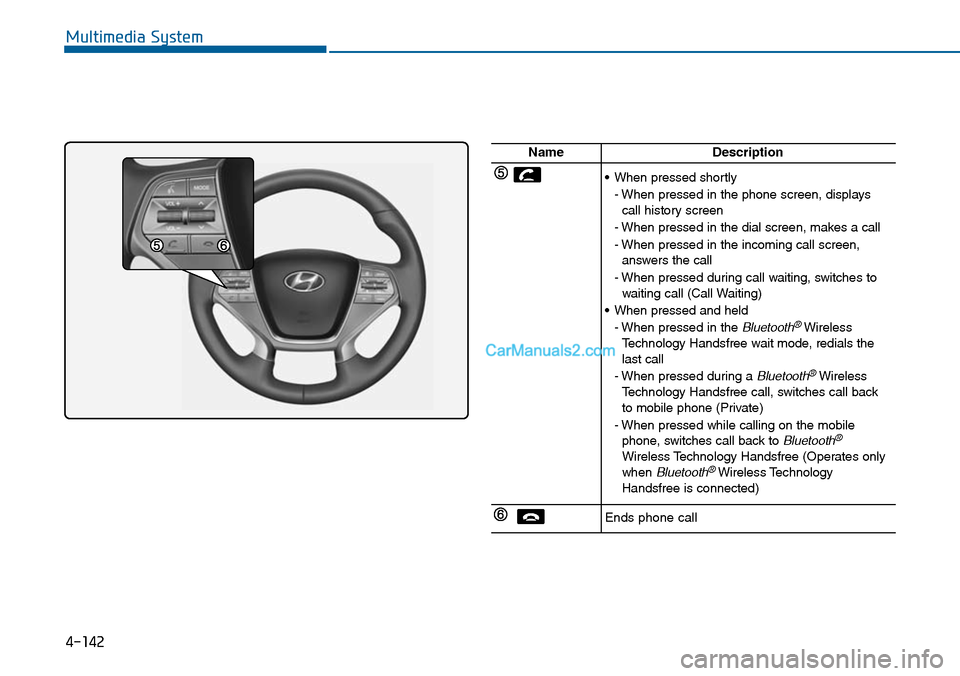
4-142
NameDescription
•When pressed shortly
- When pressed in the phone screen, displayscall history screen
- When pressed in the dial screen, makes a call
- When pressed in the incoming call screen,answers the call
- When pressed during call waiting, switches towaiting call (Call Waiting)
•When pressed and held
- When pressed in the Bluetooth®WirelessTe c h n o l o g y H a n d s f r e e w a i t m o d e , r e d i a l s t h elast call
- When pressed during a Bluetooth®WirelessTe c h n o l o g y H a n d s f r e e c a l l , s w i t c h e s c a l l b a c kto mobile phone (Private)
- When pressed while calling on the mobilephone, switches call back to Bluetooth®
Wireless Technology Handsfree (Operates onlywhen Bluetooth®Wireless TechnologyHandsfree is connected)
Ends phone call
Page 450 of 665
Driving your vehicle
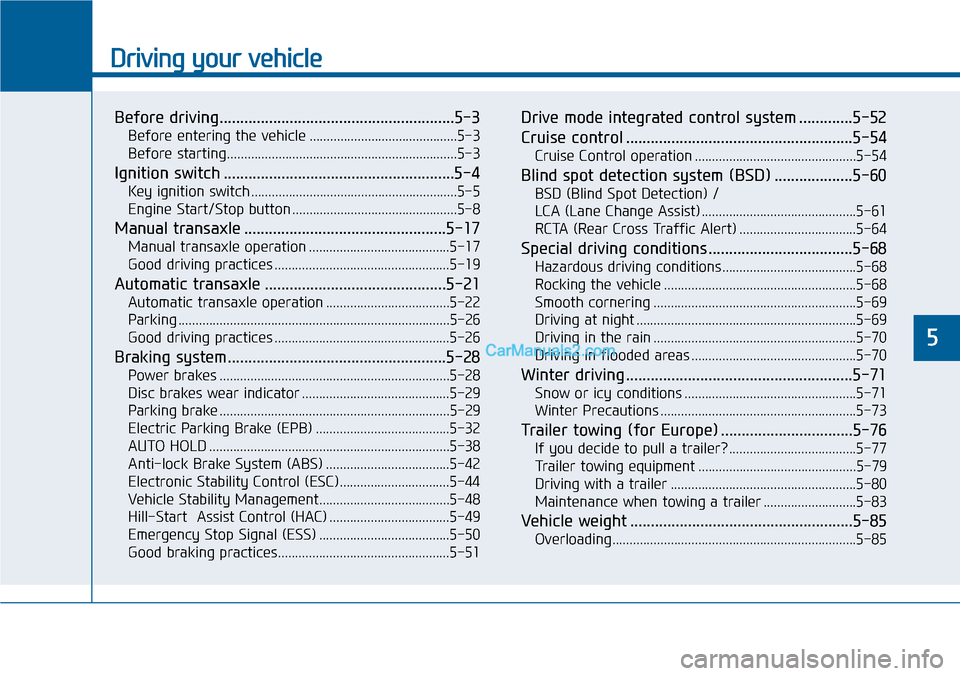
Before driving.........................................................5-3
Before entering the vehicle ...........................................5-3
Before starting...................................................................5-3
Ignition switch ........................................................5-4
Key ignition switch ............................................................5-5
Engine Start/Stop button ................................................5-8
Manual transaxle .................................................5-17
Manual transaxle operation .........................................5-17
Good driving practices ...................................................5-19
Automatic transaxle ............................................5-21
Automatic transaxle operation ....................................5-22
Parking ...............................................................................5-26
Good driving practices ...................................................5-26
Braking system.....................................................5-28
Power brakes ...................................................................5-28
Disc brakes wear indicator ...........................................5-29
Parking brake ...................................................................5-29
Electric Parking Brake (EPB) .......................................5-32
AUTO HOLD ......................................................................5-38
Anti-lock Brake System (ABS) ....................................5-42
Electronic Stability Control (ESC)................................5-44
Vehicle Stability Management......................................5-48
Hill-Start Assist Control (HAC) ...................................5-49
Emergency Stop Signal (ESS) ......................................5-50
Good braking practices..................................................5-51
Drive mode integrated control system .............5-52
Cruise control .......................................................5-54
Cruise Control operation ...............................................5-54
Blind spot detection system (BSD) ...................5-60
BSD (Blind Spot Detection) /
LCA (Lane Change Assist) .............................................5-61
RCTA (Rear Cross Traffic Alert) ..................................5-64
Special driving conditions ...................................5-68
Hazardous driving conditions.......................................5-68
Rocking the vehicle ........................................................5-68
Smooth cornering ...........................................................5-69
Driving at night ................................................................5-69
Driving in the rain ...........................................................5-70
Driving in flooded areas ................................................5-70
Winter driving .......................................................5-71
Snow or icy conditions ..................................................5-71
Winter Precautions .........................................................5-73
Tr a i l e r t o w i n g ( fo r E u r o p e ) . . . . . . . . . . . . . . . . . . . . . . . . . . . . . . . . 5 - 7 6
If you decide to pull a trailer? .....................................5-77
Tr a i l e r t o w i n g e q u i p m e n t . . . . . . . . . . . . . . . . . . . . . . . . . . . . . . . . . . . . . . . . . . . . . . 5 - 7 9
Driving with a trailer ......................................................5-80
Maintenance when towing a trailer ...........................5-83
Vehicle weight ......................................................5-85
Overloading.......................................................................5-85
5
Page 455 of 665
5-6
Driving your vehicle
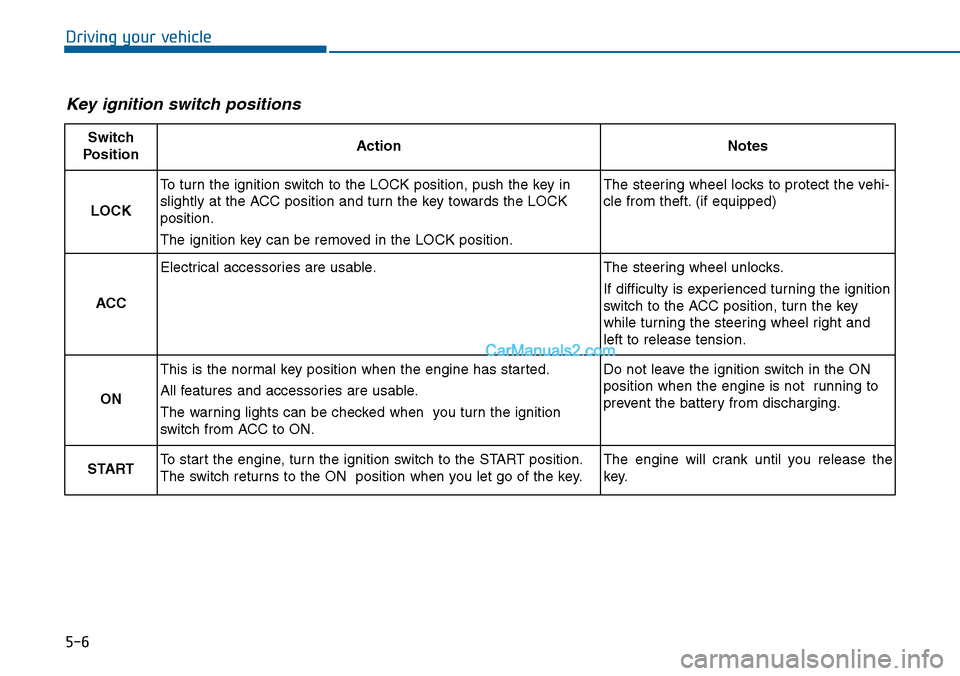
Key ignition switch positions
Switch
PositionActionNotes
LOCK
To turn the ignition switch to the LOCK position, push the key in
slightly at the ACC position and turn the key towards the LOCK
position.
The ignition key can be removed in the LOCK position.
The steering wheel locks to protect the vehi-
cle from theft. (if equipped)
ACC
Electrical accessories are usable.The steering wheel unlocks.
If difficulty is experienced turning the ignition
switch to the ACC position, tur n the key
while turning the steering wheel right and
left to release tension.
ON
This is the normal key position when the engine has started.
All features and accessories are usable.
The warning lights can be checked when you turn the ignition
switch from ACC to ON.
Do not leave the ignition switch in the ON
position when the engine is not running to
prevent the battery from discharging.
STARTTo start the engine, turn the ignition switch to the START position.
The switch returns to the ON position when you let go of the key.
The engine will crank until you release the
key.
Page 457 of 665
5-8
Driving your vehicle
Information
• Do not wait for the engine to warm
up while the vehicle remains station-
ary.
Start driving at moderate engine
speeds. (Steep accelerating and
decelerating should be avoided.)
• Always start the vehicle with your
foot on the brake pedal. Do not
depress the accelerator while start-
ing the vehicle. Do not race the
engine while warming it up.
To prevent damage to the vehicle:
•Do not hold the ignition key in
the START position for more
than 10 seconds. Wait 5 to 10
seconds before trying again.
•Do not turn the ignition switch to
the START position with the
engine running. It may damage
the starter.
•If traffic and road conditions
permit, you may put the shift
lever in the N (Neutral) position
while the vehicle is still moving
and turn the ignition switch to
the START position in an
attempt to restart the engine.
•Do not push or tow your vehicle
to start the engine.
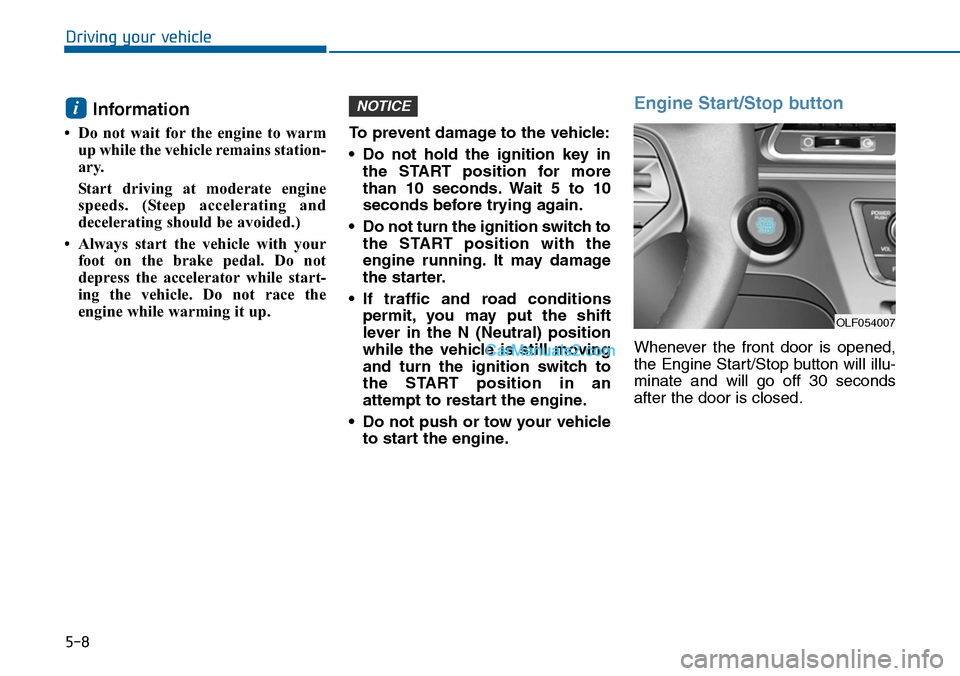
Engine Start/Stop button
Whenever the front door is opened,
the Engine Start/Stop button will illu-
minate and will go off 30 seconds
after the door is closed.
NOTICEi
OLF054007
Page 464 of 665
5-15
Driving your vehicle
5
Information
• Do not wait for the engine to warm
up while the vehicle remains station-
ary.
Start driving at moderate engine
speeds. (Steep accelerating and
decelerating should be avoided.)
• Always start the vehicle with your
foot on the brake pedal. Do not
depress the accelerator while start-
ing the vehicle. Do not race the
engine while warming it up.
To prevent damage to the vehicle:
•If the engine stalls while you are
in motion, do not attempt to
move the shift lever to the P
(Park) position.
If traffic and road conditions
permit, you may put the shift
lever in the N (Neutral) position
while the vehicle is still moving
and press the Engine Start/Stop
button in an attempt to restart
the engine.
•Do not push or tow your vehicle
to start the engine.
To prevent damage to the vehicle:
Do not press the Engine
Start/Stop button for more than 10
seconds except when the stop
lamp fuse is blown.
When the stop lamp fuse is blown,
you can't start the engine normal-
ly. Replace the fuse with a new
one. If you are not able to replace
the fuse, you can start the engine
by pressing and holding the
Engine Start/Stop button for 10
seconds with the Engine
Start/Stop button in the ACC posi-
tion.
For your safety always depress
the brake and/or clutch pedal
before starting the engine.
NOTICENOTICEi
Page 482 of 665
5-33
Driving your vehicle
5
To release EPB (Electric Parking
Brake) automatically:
•Shift lever in P (Park)
With the engine running depress
the brake pedal and shift out of P
(Park) to R (Rear) or D (Drive).
•Shift lever in N (Neutral)
With the engine running depress
the brake pedal and shift out of N
(Neutral) to R (Rear) or D (Drive).
•Manual transaxle vehicle
1. Start the engine.
2. Fasten the driver's seat belt.
3. Close the driver's door, engine
hood and tailgate/trunk.
4. Depress the clutch pedal with
the gear engaged.
5. Depress the accelerator pedal
while releasing the clutch pedal.
•Automatic transaxle vehicle
1. Start the engine.
2. Fasten the driver's seat belt.
3. Close the driver's door, engine
hood and tailgate/trunk.
4. Depress the accelerator pedal
while the shift lever is in R
(Rear), D (Drive) or Sports
mode.
Make sure the Parking Brake
War ning light goes off.
Information
• For your safety, you can engage the
EPB even though the Engine
Stop/Start button is in the OFF posi-
tion, but you cannot release it.
•Foryoursafety, depress the brake
pedal and release the parking brake
manually with the EPB switch when
you drive downhill or when backing
up the vehicle.
Information - Manual
transaxle
A vehicle towing a trailer on a hill or
on an incline may slightly roll back-
wards when starting the vehicle. To
prevent the situation follow the below
instructions.
1. Depress the clutch pedal and select
a gear.
2. Keep pulling up the EPB switch.
3. Depress the accelerator pedal and
slowly release the clutch pedal.
4. If the vehicle starts off with enough
driving power release the EPB
switch.
Do not follow the above procedure
when driving on a flat level ground.
The vehicle may suddenly move for-
ward.
i
i