brake Hyundai Sonata 2014 Owner's Guide
[x] Cancel search | Manufacturer: HYUNDAI, Model Year: 2014, Model line: Sonata, Model: Hyundai Sonata 2014Pages: 665, PDF Size: 17.43 MB
Page 185 of 665
3-89
Convenient features of your vehicle
3
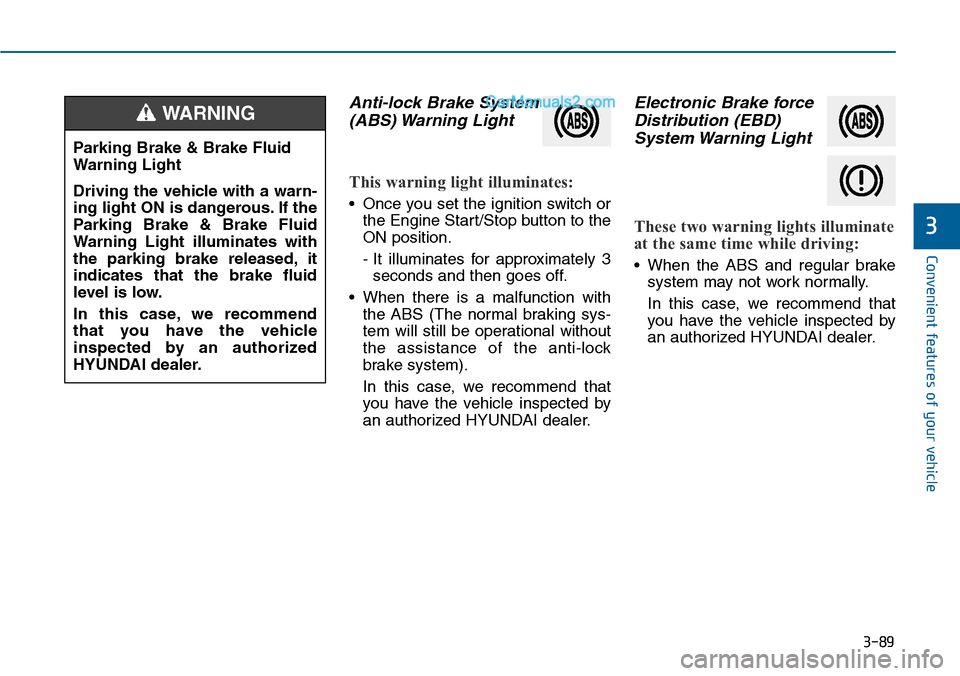
Anti-lock Brake System
(ABS) Warning Light
This warning light illuminates:
•Once you set the ignition switch or
the Engine Start/Stop button to the
ON position.
- It illuminates for approximately 3
seconds and then goes off.
•When there is a malfunction with
the ABS (The normal braking sys-
tem will still be operational without
the assistance of the anti-lock
brake system).
In this case, we recommend that
you have the vehicle inspected by
an authorized HYUNDAI dealer.
Electronic Brake force
Distribution (EBD)
System Warning Light
These two warning lights illuminate
at the same time while driving:
•When the ABS and regular brake
system may not work normally.
In this case, we recommend that
you have the vehicle inspected by
an authorized HYUNDAI dealer.
Parking Brake & Brake Fluid
Warning Light
Driving the vehicle with a warn-
ing light ON is dangerous. If the
Parking Brake & Brake Fluid
Warning Light illuminates with
the parking brake released, it
indicates that the brake fluid
level is low.
In this case, we recommend
that you have the vehicle
inspected by an authorized
HYUNDAI dealer.
WARNING
Page 186 of 665
3-90
Convenient features of your vehicle
Information - Electronic
Brake force Distribution (EBD)
System Warning Light
When the ABS Warning Light is on or
both ABS and Parking Brake & Brake
Fluid Warning Lights are on, the
speedometer, odometer, or tripmeter
may not work. Also, the EPS Warning
Light may illuminate and the steering
effort may increase or decrease.
In this case, we recommend you have
the vehicle inspected by an authorized
HYUNDAI dealer as soon as possible.
Electric Parking Brake
(EPB) Warning Light
(if equipped)
This warning light illuminates:
•Once you set the ignition switch or
the Engine Start/Stop button to the
ON position.
- It illuminates for approximately 3
seconds and then goes off.
•When there is a malfunction with
the EPB.
In this case, we recommend that
you have the vehicle inspected by
an authorized HYUNDAI dealer.
Information - Electric Parking
Brake (EPB) Warning Light
The Electric Parking Brake (EPB)
Warning Light may illuminate when
the Electronic Stability control (ESC)
Indicator Light comes on to indicates
that the ESC is not working properly
(This does not indicate malfunction of
the EPB).
i
i
Electronic Brake force
Distribution (EBD) System
Warning Light
When both ABS and Parking
Brake & Brake Fluid Warning
Lights are on, the brake system
will not work normally and you
may experience an unexpected
and dangerous situation during
sudden braking.
In this case, avoid high speed
driving and abrupt braking.
We recommend you have the
vehicle inspected by an author-
ized HYUNDAI dealer as soon
as possible.
WARNINGEPB
Page 193 of 665
![Hyundai Sonata 2014 Owners Guide 3-97
Convenient features of your vehicle
3
AUTO HOLD Indicator
Light (if equipped)
This indicator light illuminates:
•[White] When you activate the auto
hold system by pressing the AUTO
HOLD butto](/img/35/16805/w960_16805-192.png "Hyundai Sonata 2014 Owners Guide 3-97
Convenient features of your vehicle
3
AUTO HOLD Indicator
Light (if equipped)
This indicator light illuminates:
•[White] When you activate the auto
hold system by pressing the AUTO
HOLD butto")
3-97
Convenient features of your vehicle
3
AUTO HOLD Indicator
Light (if equipped)
This indicator light illuminates:
•[White] When you activate the auto
hold system by pressing the AUTO
HOLD button.
•[Green] When you stop the vehicle
completely by depressing the
brake pedal with the auto hold sys-
tem activated.
•[Yellow] When there is a malfunc-
tion with the auto hold system.
In this case, we recommend that
you have the vehicle inspected by
an authorized HYUNDAI dealer.
For more details, refer to “Auto
Hold” in chapter 5.
SPORT Mode Indicator
Light (if equipped)
This indicator light illuminates
•When you select "SPORT" mode
as drive mode.
For more details, refer to "Drive
Mode Integrated Control System"
in chapter 5.
ECO Mode Indicator
Light (if equipped)
This indicator light illuminates:
•When you select “ECO”mode as
drive mode.
For more details, refer to “Drive
Mode Integrated Control System”
in chapter 5.
AUTO
HOLDSPORTECO
Do not watch the ECO indicator
light while driving. This will dis-
tract you and may cause an
accident that results in severe
personal injury.
WARNING
Page 214 of 665
3-118
Convenient features of your vehicle
When you shift into the R (Reverse)
position and one or more of the
below situation occurs, this may indi-
cate a malfunction with the parking
assist system.
•You don't hear an audible warning
sound or the buzzer sounds inter-
mittently.
If this occurs, we recommend that
the system be checked by an author-
ized HYUNDAI dealer.
Non-operational conditions of
rear parking assist system
The rear parking assist system
may not operate normally when:
•Moisture is frozen to the sensor.
•The sensor is covered or stained
with foreign material, such as snow
or water, or the sensor cover is
blocked.
There is a possibility of a parking
assist system malfunction when:
•Driving on uneven road surfaces
such as unpaved roads, gravel,
bumps, or gradient.
•Objects generating excessive noise
such as vehicle horns, loud motor-
cycle engines, or truck air brakes
can interfere with the sensor.
•Heavy rain or water spray is present.
•Wireless transmitters or mobile
phones are present near the sensor.
•The sensor is covered with snow.
•Any non-factory equipment or
accessories have been installed, or
if the vehicle bumper height or sen-
sor installation has been modified.
•Trailer towing.
Detecting range may decrease
when:
•Outside air temperature is
extremely hot or cold.
•Undetectable objects smaller than
about 1 m (40 in.) and narrower
than about 14 cm (6 in.) in diameter.
The following objects may not be
recognized by the sensor:
•Sharp or slim objects such as
ropes, chains or small poles.
•Objects, which tend to absorb sen-
sor frequency such as clothes,
spongy material or snow.
•is displayed.(if equipped)
Yo u r n e w v e h i c l e w a r r a n t y d o e s
not cover any accidents or dam-
age to the vehicle or injuries to
its occupants due to a rear
parking assist system malfunc-
tion. Always drive safely and
cautiously.
WARNING
Page 217 of 665
3-121
Convenient features of your vehicle
3
Non-operational conditions of
Parking Assist System
Parking Assist System may not
operate normally when:
•Moisture is frozen to the sensor.
•Sensor is covered with foreign mat-
ter, such as snow or water, or the
sensor cover is blocked.
There is a possibility of Parking
Assist System malfunction when:
•Driving on uneven road surfaces
such as unpaved roads, gravel,
bumps, or gradient.
•Objects generating excessive noise
such as vehicle horns, loud motor-
cycle engines, or truck air brakes
can interfere with the sensor.
•Heavy rain or water spray is present.
•Wireless transmitters or mobile
phones are present near the sensor.
•The sensor is covered with snow.
•Any non-factory equipment or
accessories have been installed, or
if the vehicle bumper height or sen-
sor installation has been modified.
Detecting range may decrease when:
•Outside air temperature is
extremely hot or cold.
•Undetectable objects smaller than
1 m and narrower than 14 cm in
diameter.
The following objects may not be
recognized by the sensor:
•Sharp or slim objects such as
ropes, chains or small poles.
•Objects, which tend to absorb sen-
sor frequency such as clothes,
spongy material or snow.
Information
Sensor may not recognize objects less
than 30 cm from the sensor, or it may
sense an incorrect distance.
Do not push, scratch or strike the
sensor with any hard objects that
could damage the surface of the
sensor. Sensor damage could
occur.
NOTICE
i
Yo u r n e w v e h i c l e w a r r a n t y d o e s
not cover any accidents or dam-
age to the vehicle or injuries to
its occupants related to a
Parking Assist System. Always
drive safely and cautiously.
WARNING
Page 450 of 665
Driving your vehicle
Before driving.........................................................5-3
Before entering the vehicle ...........................................5-3
Before starting...................................................................5-3
Ignition switch ........................................................5-4
Key ignition switch ............................................................5-5
Engine Start/Stop button ................................................5-8
Manual transaxle .................................................5-17
Manual transaxle operation .........................................5-17
Good driving practices ...................................................5-19
Automatic transaxle ............................................5-21
Automatic transaxle operation ....................................5-22
Parking ...............................................................................5-26
Good driving practices ...................................................5-26
Braking system.....................................................5-28
Power brakes ...................................................................5-28
Disc brakes wear indicator ...........................................5-29
Parking brake ...................................................................5-29
Electric Parking Brake (EPB) .......................................5-32
AUTO HOLD ......................................................................5-38
Anti-lock Brake System (ABS) ....................................5-42
Electronic Stability Control (ESC)................................5-44
Vehicle Stability Management......................................5-48
Hill-Start Assist Control (HAC) ...................................5-49
Emergency Stop Signal (ESS) ......................................5-50
Good braking practices..................................................5-51
Drive mode integrated control system .............5-52
Cruise control .......................................................5-54
Cruise Control operation ...............................................5-54
Blind spot detection system (BSD) ...................5-60
BSD (Blind Spot Detection) /
LCA (Lane Change Assist) .............................................5-61
RCTA (Rear Cross Traffic Alert) ..................................5-64
Special driving conditions ...................................5-68
Hazardous driving conditions.......................................5-68
Rocking the vehicle ........................................................5-68
Smooth cornering ...........................................................5-69
Driving at night ................................................................5-69
Driving in the rain ...........................................................5-70
Driving in flooded areas ................................................5-70
Winter driving .......................................................5-71
Snow or icy conditions ..................................................5-71
Winter Precautions .........................................................5-73
Tr a i l e r t o w i n g ( fo r E u r o p e ) . . . . . . . . . . . . . . . . . . . . . . . . . . . . . . . . 5 - 7 6
If you decide to pull a trailer? .....................................5-77
Tr a i l e r t o w i n g e q u i p m e n t . . . . . . . . . . . . . . . . . . . . . . . . . . . . . . . . . . . . . . . . . . . . . . 5 - 7 9
Driving with a trailer ......................................................5-80
Maintenance when towing a trailer ...........................5-83
Vehicle weight ......................................................5-85
Overloading.......................................................................5-85
5
Page 454 of 665
5-5
Driving your vehicle
5
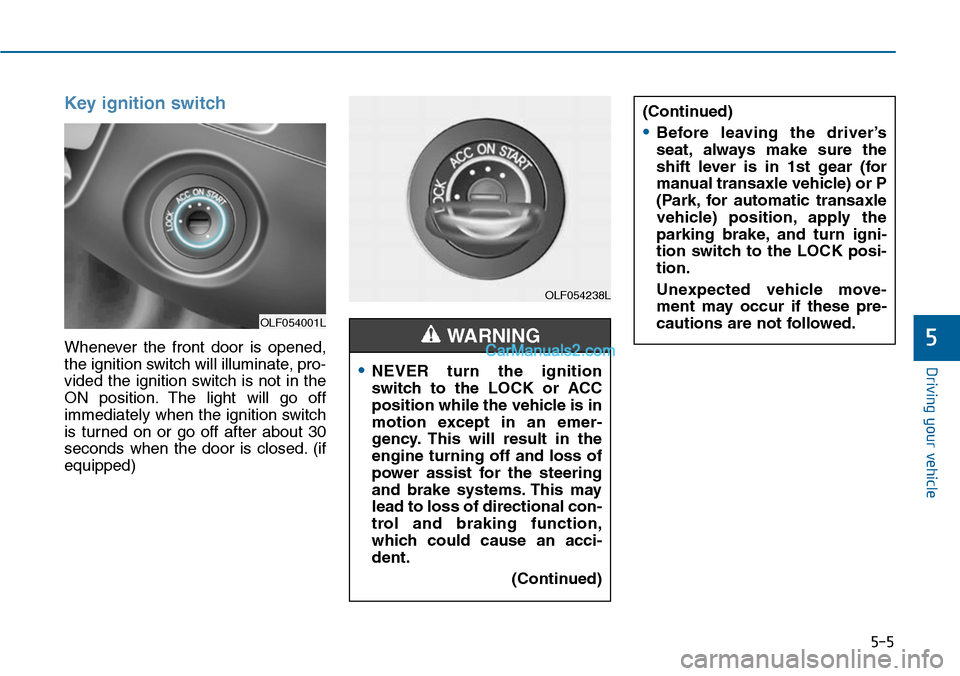
Key ignition switch
Whenever the front door is opened,
the ignition switch will illuminate, pro-
vided the ignition switch is not in the
ON position. The light will go off
immediately when the ignition switch
is turned on or go off after about 30
seconds when the door is closed. (if
equipped)
OLF054001L
OLF054238L
•NEVER turn the ignition
switch to the LOCK or ACC
position while the vehicle is in
motion except in an emer-
gency. This will result in the
engine turning off and loss of
power assist for the steering
and brake systems. This may
lead to loss of directional con-
trol and braking function,
which could cause an acci-
dent.
(Continued)
WARNING
(Continued)
•Before leaving the driver’s
seat, always make sure the
shift lever is in 1st gear (for
manual transaxle vehicle) or P
(Park, for automatic transaxle
vehicle) position, apply the
parking brake, and turn igni-
tion switch to the LOCK posi-
tion.
Unexpected vehicle move-
ment may occur if these pre-
cautions are not followed.
Page 456 of 665
5-7
Driving your vehicle
5
Starting the engine Starting the gasoline engine
Ve h i c l e w i t h m a n u a l t r a n s a x l e :
1. Make sure the parking brake is
applied.
2. Make sure the shift lever is in neu-
tral.
3. Depress the clutch and brake ped-
als.
4. Turn the ignition switch to the
START position. Hold the key
(maximum of 10 seconds) until the
engine starts and release it.
Ve h i c l e w i t h a u t o m a t i c t r a n s a x l e :
1. Make sure the parking brake is
applied.
2. Make sure the shift lever is in P
(Park).
3. Depress the brake pedal.
4. Turn the ignition switch to the
START position. Hold the key
(maximum of 10 seconds) until the
engine starts and release it.
•Always wear appropriate
shoes when operating your
vehicle. Unsuitable shoes,
such as high heels, ski boots,
sandals, flip-flops, etc., may
interfere with your ability to
use the brake, accelerator and
clutch pedals.
•Do not start the vehicle with
the accelerator pedal
depressed. The vehicle can
move and lead to an accident.
•Wait until the engine rpm is
normal. The vehicle may sud-
denly move if the brake padel
is released when the rpm is
high.
WARNING
Page 457 of 665
5-8
Driving your vehicle
Information
• Do not wait for the engine to warm
up while the vehicle remains station-
ary.
Start driving at moderate engine
speeds. (Steep accelerating and
decelerating should be avoided.)
• Always start the vehicle with your
foot on the brake pedal. Do not
depress the accelerator while start-
ing the vehicle. Do not race the
engine while warming it up.
To prevent damage to the vehicle:
•Do not hold the ignition key in
the START position for more
than 10 seconds. Wait 5 to 10
seconds before trying again.
•Do not turn the ignition switch to
the START position with the
engine running. It may damage
the starter.
•If traffic and road conditions
permit, you may put the shift
lever in the N (Neutral) position
while the vehicle is still moving
and turn the ignition switch to
the START position in an
attempt to restart the engine.
•Do not push or tow your vehicle
to start the engine.
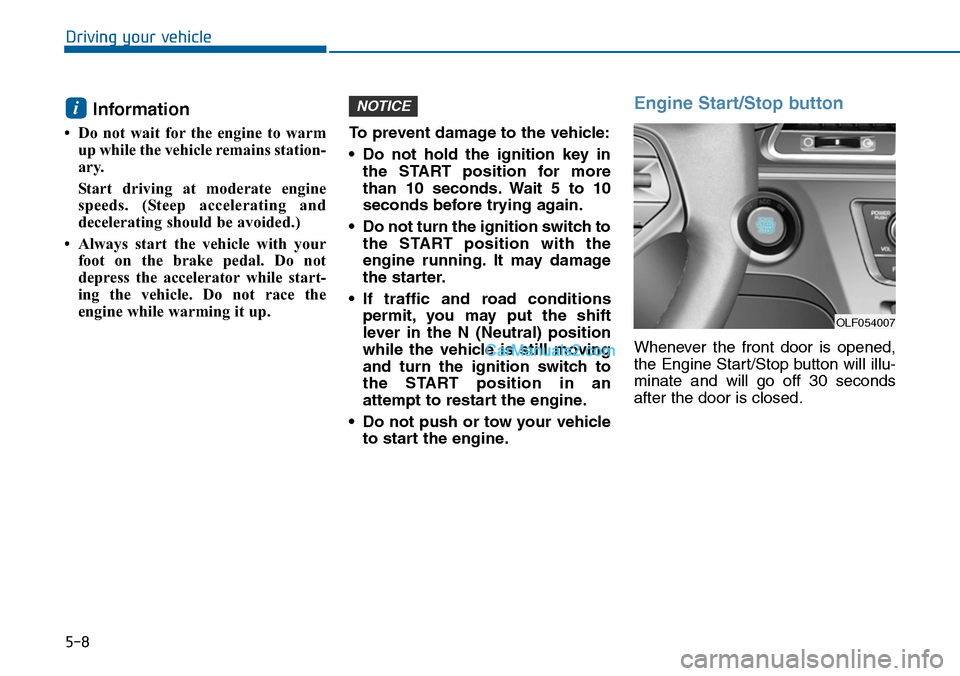
Engine Start/Stop button
Whenever the front door is opened,
the Engine Start/Stop button will illu-
minate and will go off 30 seconds
after the door is closed.
NOTICEi
OLF054007
Page 458 of 665
5-9
Driving your vehicle
5
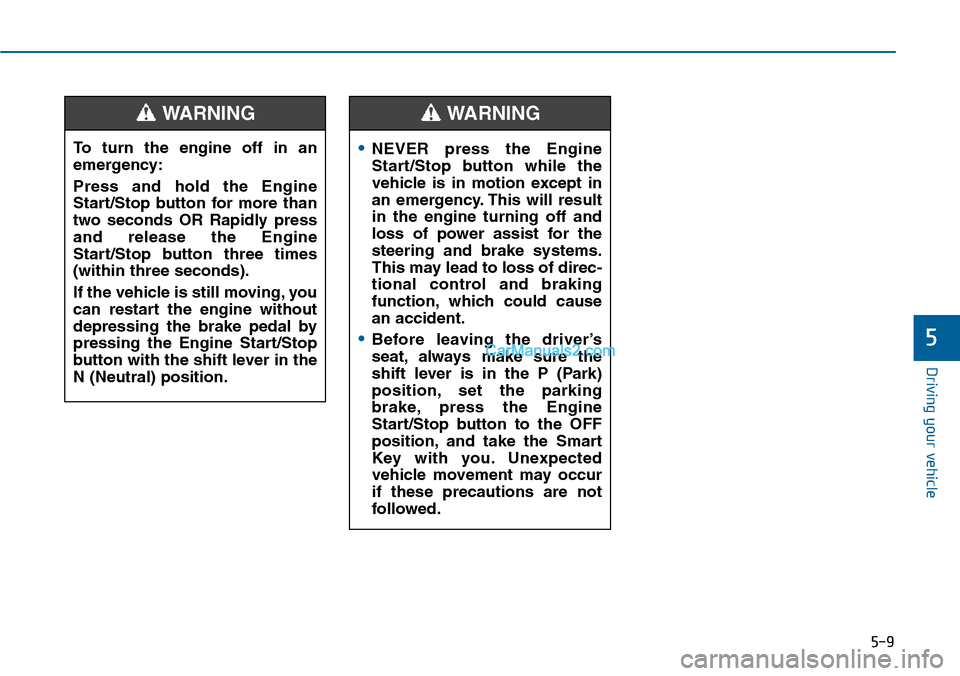
To turn the engine off in an
emergency:
Press and hold the Engine
Start/Stop button for more than
two seconds OR Rapidly press
and release the Engine
Start/Stop button three times
(within three seconds).
If the vehicle is still moving, you
can restart the engine without
depressing the brake pedal by
pressing the Engine Start/Stop
button with the shift lever in the
N (Neutral) position.
WARNING
•NEVER press the Engine
Start/Stop button while the
vehicle is in motion except in
an emergency. This will result
in the engine turning off and
loss of power assist for the
steering and brake systems.
This may lead to loss of direc-
tional control and braking
function, which could cause
an accident.
•Before leaving the driver’s
seat, always make sure the
shift lever is in the P (Park)
position, set the parking
brake, press the Engine
Start/Stop button to the OFF
position, and take the Smart
Key with you. Unexpected
vehicle movement may occur
if these precautions are not
followed.
WARNING