jack Hyundai Sonata 2014 Owner's Manual
[x] Cancel search | Manufacturer: HYUNDAI, Model Year: 2014, Model line: Sonata, Model: Hyundai Sonata 2014Pages: 665, PDF Size: 17.43 MB
Page 18 of 665
F18
Vehicle weight ......................................................5-85
Overloading.......................................................................5-85
Hazard warning flasher ........................................6-2
In case of an emergency while driving ..............6-2
If the engine stalls while driving ...................................6-2
If the engine stalls at a crossroad or crossing .........6-3
If you have a flat tire while driving..............................6-3
If the engine will not start ...................................6-4
If the engine doesn't turn over or turns over
slowly....................................................................................6-4
If the engine turns over normally but doesn't
start.......................................................................................6-4
Jump starting ..........................................................6-4
If the engine overheats ........................................6-8
If you have a flat tire............................................6-9
Jack and tools ..................................................................6-10
Changing tires ..................................................................6-11
Jack label ...........................................................................6-17
EC Declaration of conformity for Jack......................6-18
To w i n g . . . . . . . . . . . . . . . . . . . . . . . . . . . . . . . . . . . . . . . . . . . . . . . . . . . . . . . . . . . . . . . . . . . 6 - 1 9
Towing service .................................................................6-19
Removable towing hook ................................................6-20
Emergency towing ..........................................................6-21
F18
6What to do in an emergency
Page 102 of 665
3-6
Type C
To unfold the key, press the release
button then the key will unfold auto-
matically.
To fold the key, fold the key manually
while pressing the release button.
Do not fold the key without press-
ing the release button. This may
damage the key.
Remote key precautions
The remote key will not work if any of
the following occur:
•The key is in the ignition switch.
•You exceed the operating distance
limit (about 30 m [90 feet]).
•The remote key battery is weak.
•Other vehicles or objects may be
blocking the signal.
•The weather is extremely cold.
•The remote key is close to a radio
transmitter such as a radio station
or an airport which can interfere
with normal operation of the
remote key.
When the remote key does not work
correctly, open and close the door
with the mechanical key. If you have
a problem with the remote key, it is
recommended that you contact an
authorized HYUNDAI dealer.
(Continue)
(Continue)
If the remote key is in close proximi-
ty to your mobile phone, the signal
could be blocked by your mobile
phones normal operational signals.
This is especially important when the
phone is active such as making and
receiving calls, text messaging,
and/or sending/receiving emails.
Avoid placing the remote key and
your mobile phone in the same pants
or jacket pocket and always try to
maintain an adequate distance
between the two devices.
NOTICE
Convenient features of your vehicle
Page 107 of 665
3-11
Convenient features of your vehicle
3
Loss of a smart key
A maximum of two smart keys can
be registered to a single vehicle. If
you happen to lose your smar t key, it
is recommended that you should
immediately take the vehicle and
remaining key to your authorized
HYUNDAI dealer or tow the vehicle,
if necessary.
Smart key precautions
The smart key will not work if any of
the following occur:
•The smart key is close to a radio
transmitter such as a radio station
or an airport which can interfere
with normal operation of the trans-
mitter.
•The smart key is near a mobile two
way radio system or a cellular
phone.
•Another vehicle’s smart key is
being operated close to your vehi-
cle.
When the smart key does not work
correctly, open and close the door
with the mechanical key. If you have
a problem with the smart key, it is
recommended that you contact an
authorized HYUNDAI dealer.
If the smart key is in close proximity
to your mobile phone, the signal
could be blocked by your mobile
phones normal operational signals.
This is especially important when the
phone is active such as making and
receiving calls, text messaging,
and/or sending/receiving emails.
Avoid placing the smar t key and your
mobile phone in the same pants or
jacket pocket and always try to main-
tain an adequate distance between
the two devices.
Page 273 of 665
(Continued)
•When using mass storage USB
devices with separate logical drives,
only files saved to the root drive can
be played.
• Files may not properly operate if
application programs are installed
to the USBs.
• The device may not operate normal-
ly if MP3 Players, cellular phones,
digital cameras, or other electronic
devices (USB devices not recognized
as portable disk drives) are connect-
ed with the device.
• Charging through the USB may not
work for some mobile devices.
• The device may not support normal
operation when using a USB memo-
ry type besides (Metal Cover Type)
USB Memory.
(Continued)
(Continued)
• The device may not support normal
operation when using formats such
as HDD Type, CF, or SD Memory.
• The device will not support files
locked by DRM (Digital Rights
Management.)
•USB memory sticks used by con-
necting an Adaptor (SD Type or CF
Type) may not be properly recog-
nized.
• The device may not operate proper-
ly when using USB HDDs or USBs
subject to connection failures
caused by vehicle vibrations. (e.g. i-
stick type)
(Continued)
(Continued)
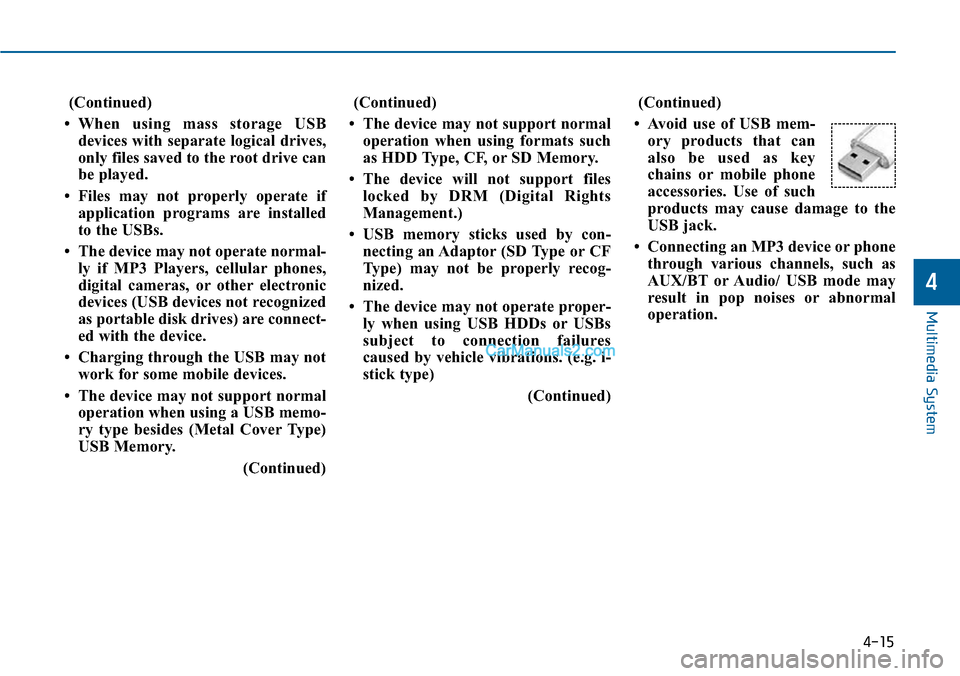
• Avoid use of USB mem-
ory products that can
also be used as key
chains or mobile phone
accessories. Use of such
products may cause damage to the
USB jack.
• Connecting an MP3 device or phone
through various channels, such as
AUX/BT or Audio/ USB mode may
result in pop noises or abnormal
operation.
4-15
Multimedia System
4
Page 274 of 665
4-16
Multimedia System
Information
-Using the iPod®device
•iPod®is a registered trademark of
Apple Inc.
• In order to use the iPod®while oper-
ating the keys, you must use a dedi-
cated iPod®cable. (the cable that is
supplied when purchasing iPod®
/iPhone®products)
• If the iPod®is connected to the vehi-
cle while it is playing, a high pitch
sound could occur for approximate-
ly 1-2 seconds immediately after
connecting. If possible, connect the
iPod to the vehicle with the iPod®
stopped/ paused.
• During ACC ON state, connecting
the iPod®through the iPod®cable
will charge the iPod®through the
car audio system.
•When connecting with the iPod®
cable, make sure to fully insert the
jack to prevent communication
interference.
(Continued)
(Continued)
• When the EQ features of an exter-
nal device, such as the iPod®, and
the audio system are both active, EQ
effects could overlap and cause
sound deterioration and distortion.
Whenever possible, turn off the EQ
feature within the external device
upon use by connecting with the
audio system.
•Noise may occurwhen an iPod®or
AUX device is connected. When
such devices are not being used, dis-
connect the device for storage.
•When the iPod®or AUX device
power is connected to the power
jack, playing the external device
may result in noise. In such cases,
disconnect the power connection
before use.
•Skipping or improper operation
may occur depending on the charac-
teristics of your iPod®/Phone®device.
(Continued)
(Continued)
•If youriPhone®is connected to both
the Bluetooth®Wireless Technology
and USB, the sound may not be
properly played. In your iPhone®,
select the Dock connector or
Bluetooth®Wireless Technology to
change the sound output (source).
• iPod mode cannot be operated when
the iPod®cannot be recognized due
to versions that do not support com-
munication protocols.
•For fifth generation iPod®Nano
devices, the iPod®may not be recog-
nized when the battery level is low.
Please charge the iPod®for use.
•Search/play orders shown within
the iPod®device may differ with the
orders shown within the audio sys-
tem.
•If the iPod®malfunctions due to an
iPod®device defect, reset the iPod®
and try again. (To learn more, refer to
your iPod®manual)
(Continued)
i
Page 275 of 665
(Continued)
• Some iPod®s may not sync with the
System depending on its version. If
the Media is removed before the
Media is recognized, then the sys-
tem may not properly restore the
previously operated mode. (iPad®
charging is not supported.)
Information
-Using the AUX device
• If an external device connector is
connected with the AUX terminal,
then AUX mode will automatically
operate. Once the connector is dis-
connected, the previous mode will
be restored.
•AUX mode can be used only when
an external audio player (cam-
corder, car VCR, etc.) has been con-
nected.
• The AUX volume can be controlled
separately from other audio modes.
• Connecting a connector jack to the
AUX terminal without an external
device will convert the system to
AUX mode, but only output noise.
When an external device is not
being used, also remove the connec-
tor jack.
(Continued)
(Continued)
• When the external device power is
connected to the power jack, play-
ing the external device may output
noise. In such cases, disconnect the
power connection before use.
• Fully insert the AUX cable to the
AUX jack upon use.
i
Multimedia System
4-17
4
Page 535 of 665
What to do in an emergency
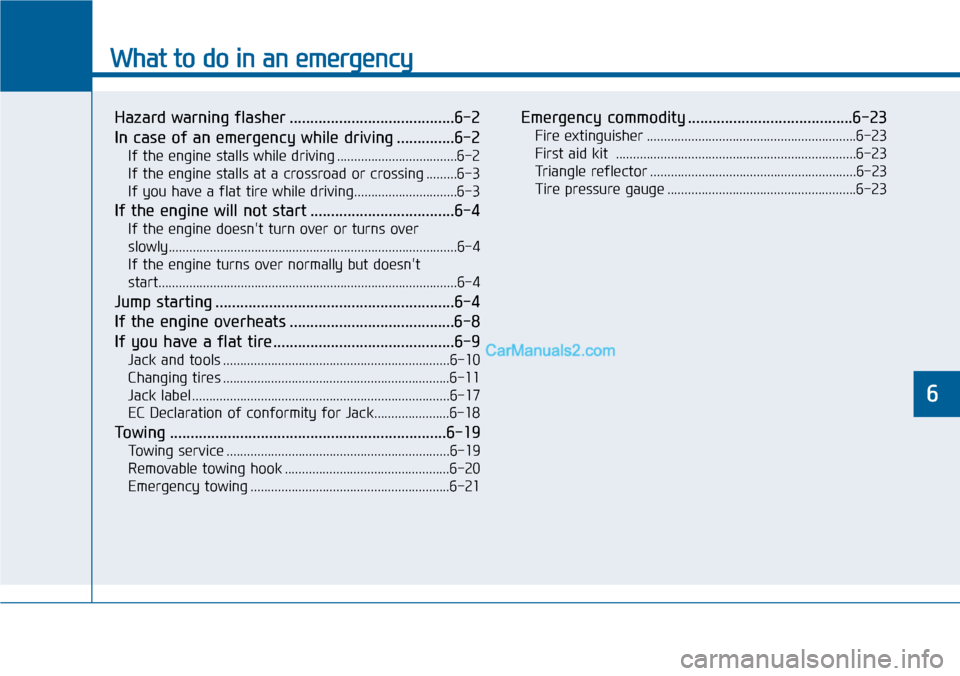
Hazard warning flasher ........................................6-2
In case of an emergency while driving ..............6-2
If the engine stalls while driving ...................................6-2
If the engine stalls at a crossroad or crossing .........6-3
If you have a flat tire while driving..............................6-3
If the engine will not start ...................................6-4
If the engine doesn't turn over or turns over
slowly....................................................................................6-4
If the engine turns over normally but doesn't
start.......................................................................................6-4
Jump starting ..........................................................6-4
If the engine overheats ........................................6-8
If you have a flat tire............................................6-9
Jack and tools ..................................................................6-10
Changing tires ..................................................................6-11
Jack label ...........................................................................6-17
EC Declaration of conformity for Jack......................6-18
To w i n g . . . . . . . . . . . . . . . . . . . . . . . . . . . . . . . . . . . . . . . . . . . . . . . . . . . . . . . . . . . . . . . . . . . 6 - 1 9
To w i n g s e r v i c e . . . . . . . . . . . . . . . . . . . . . . . . . . . . . . . . . . . . . . . . . . . . . . . . . . . . . . . . . . . . . . . . . 6 - 1 9
Removable towing hook ................................................6-20
Emergency towing ..........................................................6-21
Emergency commodity ........................................6-23
Fire extinguisher .............................................................6-23
First aid kit ......................................................................6-23
Tr i a n g l e r e f l e c t o r . . . . . . . . . . . . . . . . . . . . . . . . . . . . . . . . . . . . . . . . . . . . . . . . . . . . . . . . . . . . 6 - 2 3
Tire pressure gauge .......................................................6-23
6
Page 544 of 665
6-10
What to do in an emergency
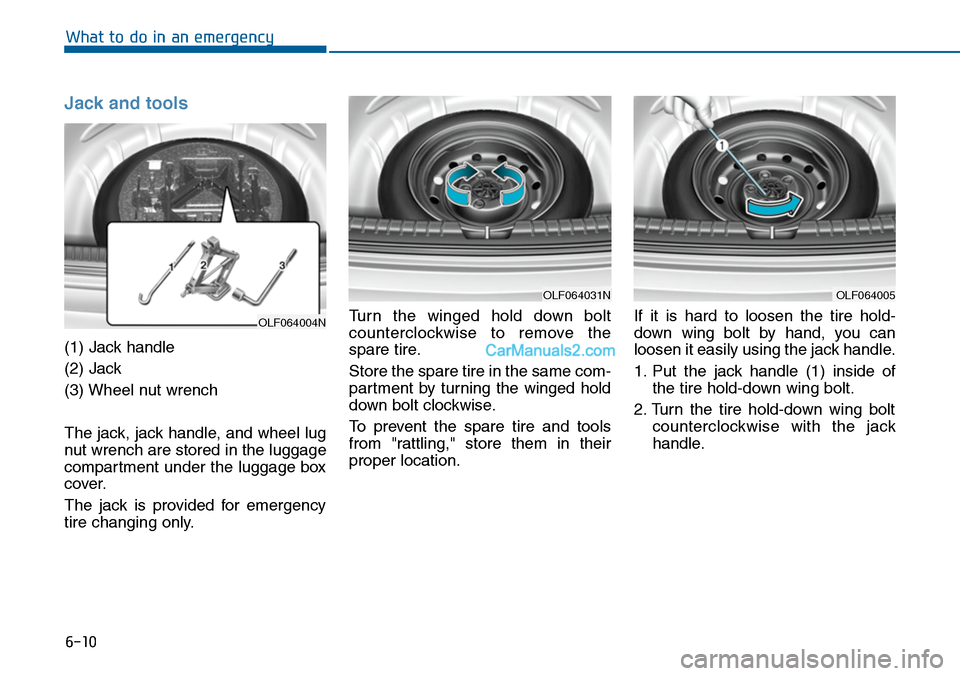
Jack and tools
(1) Jack handle
(2) Jack
(3) Wheel nut wrench
The jack, jack handle, and wheel lug
nut wrench are stored in the luggage
compartment under the luggage box
cover.
The jack is provided for emergency
tire changing only.
Tu r n t h e w i n g e d h o l d d o w n b o l t
counterclockwise to remove the
spare tire.
Store the spare tire in the same com-
partment by turning the winged hold
down bolt clockwise.
To prevent the spare tire and tools
from "rattling," store them in their
proper location.
If it is hard to loosen the tire hold-
down wing bolt by hand, you can
loosen it easily using the jack handle.
1. Put the jack handle (1) inside of
the tire hold-down wing bolt.
2. Turn the tire hold-down wing bolt
counterclockwise with the jack
handle.
OLF064004N
OLF064031NOLF064005
Page 545 of 665
6-11
What to do in an emergency
6
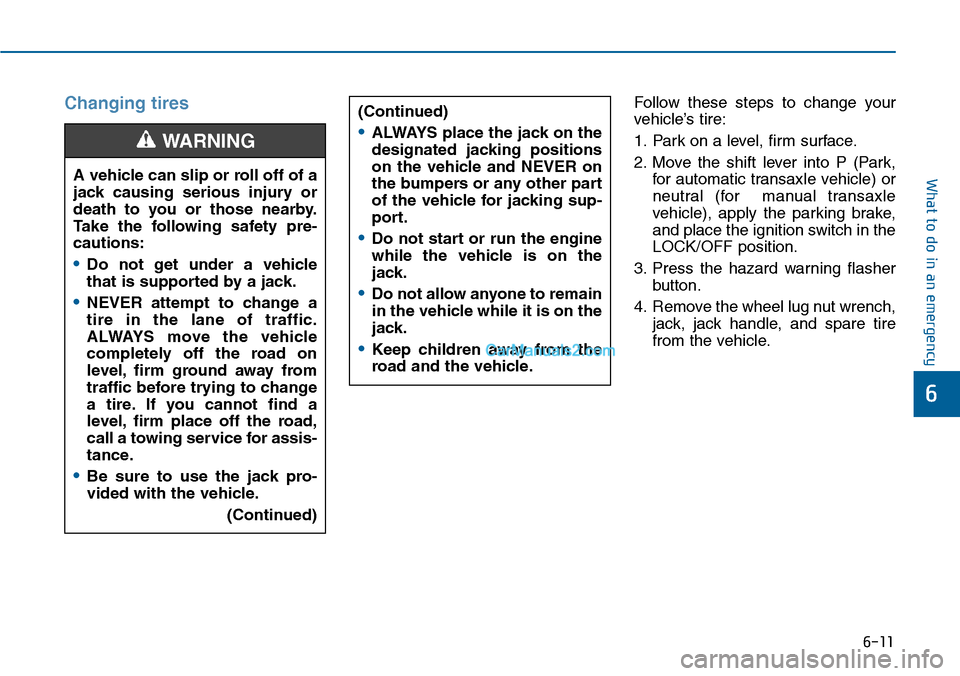
Changing tiresFollow these steps to change your
vehicle’s tire:
1. Park on a level, firm surface.
2. Move the shift lever into P (Park,
for automatic transaxle vehicle) or
neutral (for manual transaxle
vehicle), apply the parking brake,
and place the ignition switch in the
LOCK/OFF position.
3. Press the hazard warning flasher
button.
4. Remove the wheel lug nut wrench,
jack, jack handle, and spare tire
from the vehicle.
A vehicle can slip or roll off of a
jack causing serious injury or
death to you or those nearby.
Take the following safety pre-
cautions:
•Do not get under a vehicle
that is supported by a jack.
•NEVER attempt to change a
tire in the lane of traffic.
ALWAYS move the vehicle
completely off the road on
level, firm ground away from
traffic before trying to change
a tire. If you cannot find a
level, firm place off the road,
call a towing service for assis-
tance.
•Be sure to use the jack pro-
vided with the vehicle.
(Continued)
WARNING
(Continued)
•ALWAYS place the jack on the
designated jacking positions
on the vehicle and NEVER on
the bumpers or any other part
of the vehicle for jacking sup-
port.
•Do not start or run the engine
while the vehicle is on the
jack.
•Do not allow anyone to remain
in the vehicle while it is on the
jack.
•Keep children away from the
road and the vehicle.
Page 547 of 665
6-13
What to do in an emergency
6
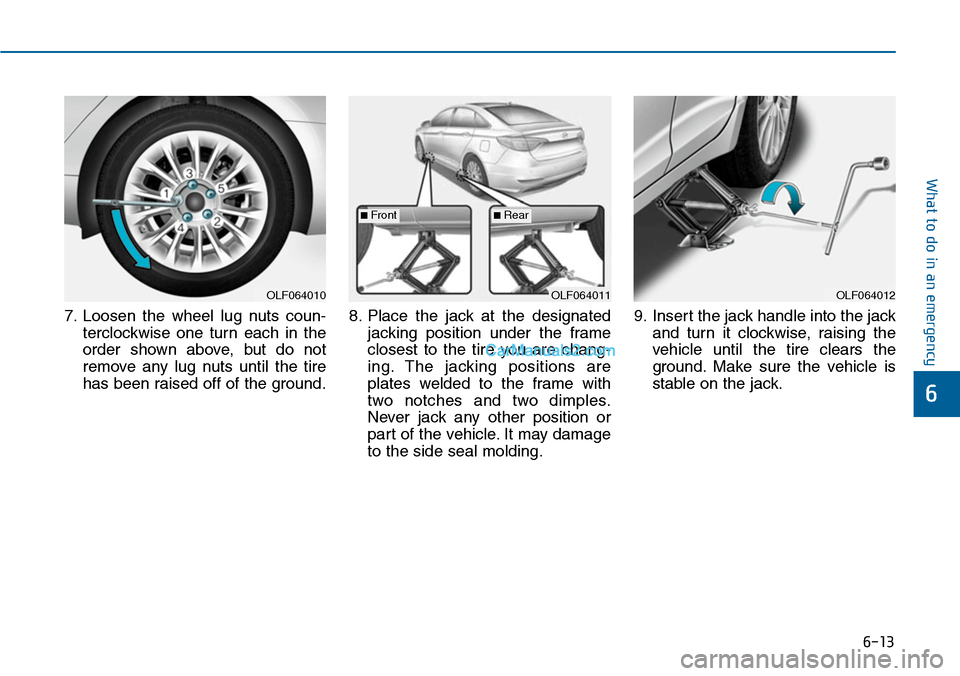
7. Loosen the wheel lug nuts coun-
terclockwise one turn each in the
order shown above, but do not
remove any lug nuts until the tire
has been raised off of the ground.
8. Place the jack at the designated
jacking position under the frame
closest to the tire you are chang-
ing. The jacking positions are
plates welded to the frame with
two notches and two dimples.
Never jack any other position or
part of the vehicle. It may damage
to the side seal molding.
9. Insert the jack handle into the jack
and turn it clockwise, raising the
vehicle until the tire clears the
ground. Make sure the vehicle is
stable on the jack.
OLF064012OLF064011OLF064010
■Front■Rear