snow Hyundai Sonata 2015 User Guide
[x] Cancel search | Manufacturer: HYUNDAI, Model Year: 2015, Model line: Sonata, Model: Hyundai Sonata 2015Pages: 603, PDF Size: 14.7 MB
Page 362 of 603
5-4
Driving your vehicle
Before Entering the Vehicle
• Be sure all windows, outside mir-ror(s), and outside lights are clean
and unobstructed.
Remove frost, snow, or ice.
Visually check the tires for uneven wear and damage.
Check under the vehicle for any sign of leaks.
Be sure there are no obstacles behind you if you intend to back up.
Before Starting
Make sure the hood, the trunk, andthe doors are securely closed and
locked.
Adjust the position of the seat and steering wheel.
Adjust the inside and outside rearview mirrors.
Verify all the lights work.
Fasten your seatbelt. Check that all passengers have fastened their
seatbelts.
Check the gauges and indicators in the instrument panel and the mes-
sages on the instrument display
when the ignition switch is in the
ON position.
Check that any items you are car- rying are stored properly or fas-
tened down securely.
CALIFORNIA PROPOSITION 65
WARNING
Engine exhaust and a wide vari-
ety of automobile components
including components found in
the interior furnishings in a
vehicle, contain or emit harmful
chemicals known to the State of
California to cause cancer and
birth defects and reproductive
harm. In addition, certain fluids
contained in vehicles and cer-
tain products of components
contain or emit chemicals
known to the State of California
to cause cancer and birth
defects or other reproductive
harm.WARNING
B B
E
EF
FO
O R
RE
E
D
D R
RI
IV
V I
IN
N G
G
Page 399 of 603
5-41
Driving your vehicle
5
ABS is an electronic braking system
that helps prevent a braking skid.
ABS allows the driver to steer and
brake at the same time.
Using ABS
To obtain the maximum benefit from
your ABS in an emergency situation,
do not attempt to modulate your
brake pressure and do not try to
pump your brakes. Depress your
brake pedal as hard as possible.
When you apply your brakes under
conditions which may lock the
wheels, you may hear sounds from
the brakes, or feel a corresponding
sensation in the brake pedal. This is
normal and it means your ABS is
active.
ABS does not reduce the time or dis-
tance it takes to stop the vehicle.
Always maintain a safe distance from
the vehicle in front of you.
ABS will not prevent a skid that
results from sudden changes in
direction, such as trying to take a
corner too fast or making a sudden
lane change. Always drive at a safe
speed for the road and weather con-
ditions.ABS cannot prevent a loss of stabili-
ty. Always steer moderately when
braking hard. Severe or sharp steer-
ing wheel movement can still cause
your vehicle to veer into oncoming
traffic or off the road.
On loose or uneven road surfaces,
operation of the anti-lock brake sys-
tem may result in a longer stopping
distance than for vehicles equipped
with a conventional brake system.
The ABS warning light ( ) will stay
on for several seconds after the igni-
tion switch is in the ON position.
During that time, the ABS will go
through self-diagnosis and the light
will go off if everything is normal. If
the light stays on, you may have a
problem with your ABS. Contact an
authorized HYUNDAI dealer as soon
as possible(Continued)
Drive your vehicle at reduced
speeds during the following
conditions:
Rough, gravel or snow-cov-
ered roads.
On roads where the road sur-
face is pitted or has different
surface height.
Tire chains are installed on
your vehicle.
The safety features of an ABS
or ESC equipped vehicle should
not be tested by high speed
driving or cornering. This could
endanger the safety of yourself
or others.
Page 403 of 603
5-45
Driving your vehicle
5
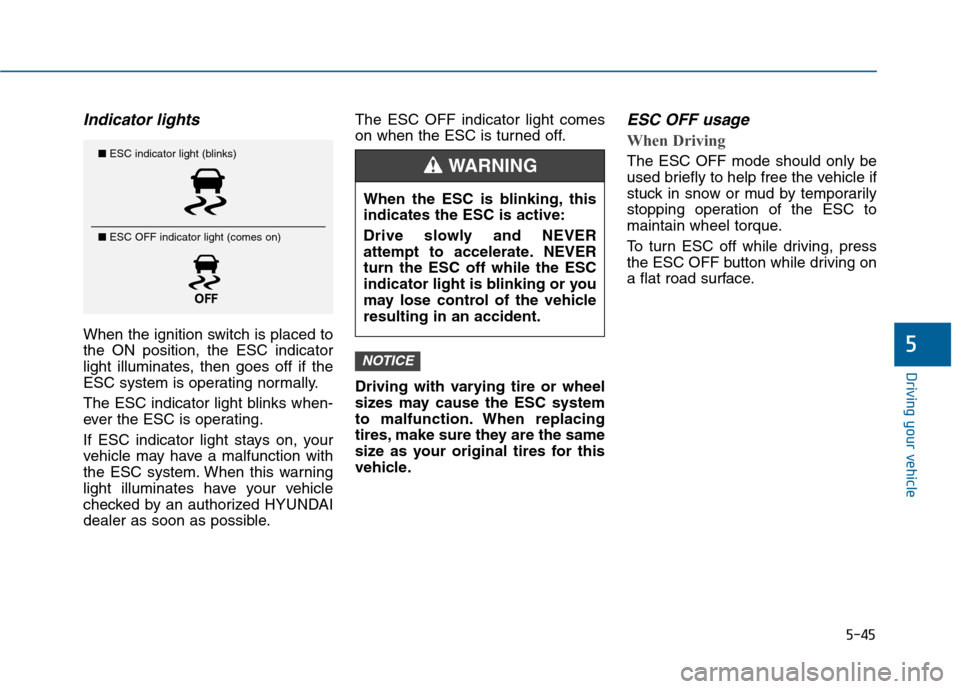
Indicator lights
When the ignition switch is placed to
the ON position, the ESC indicator
light illuminates, then goes off if the
ESC system is operating normally.
The ESC indicator light blinks when-
ever the ESC is operating.
If ESC indicator light stays on, your
vehicle may have a malfunction with
the ESC system. When this warning
light illuminates have your vehicle
checked by an authorized HYUNDAI
dealer as soon as possible.The ESC OFF indicator light comes
on when the ESC is turned off.
Driving with varying tire or wheel
sizes may cause the ESC system
to malfunction. When replacing
tires, make sure they are the same
size as your original tires for this
vehicle.
ESC OFF usage
When Driving
The ESC OFF mode should only be
used briefly to help free the vehicle if
stuck in snow or mud by temporarily
stopping operation of the ESC to
maintain wheel torque.
To turn ESC off while driving, press
the ESC OFF button while driving on
a flat road surface.
NOTICE
When the ESC is blinking, this
indicates the ESC is active:
Drive slowly and NEVER
attempt to accelerate. NEVER
turn the ESC off while the ESC
indicator light is blinking or you
may lose control of the vehicle
resulting in an accident.
WARNING ■
ESC indicator light (blinks)
■ ESC OFF indicator light (comes on)
Page 408 of 603
5-50
Driving your vehicle
Cruise Control Operation
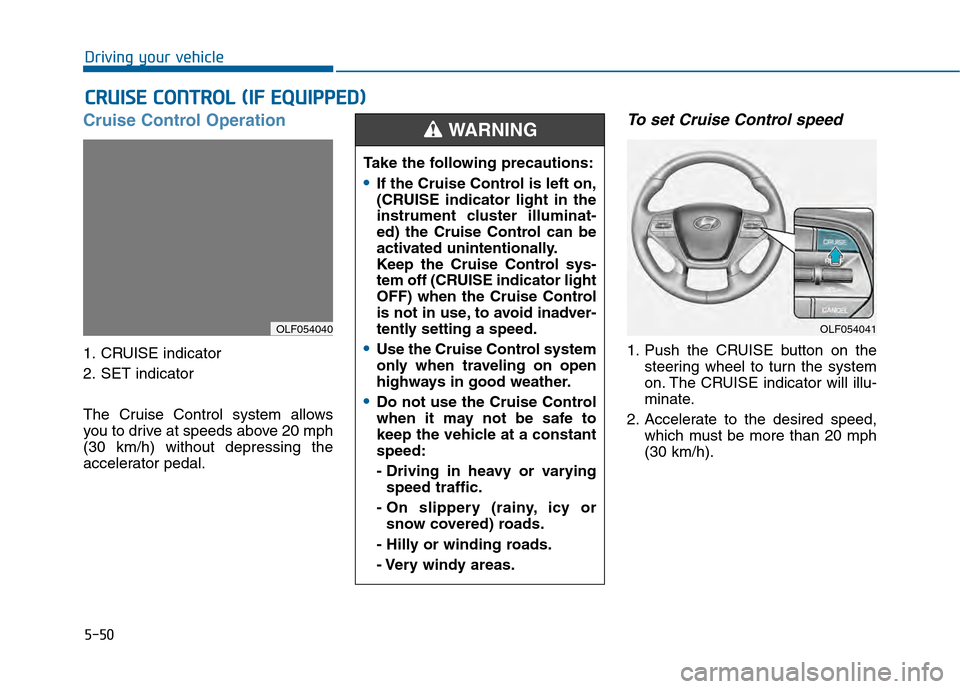
1. CRUISE indicator
2. SET indicator
The Cruise Control system allows
you to drive at speeds above 20 mph
(30 km/h) without depressing the
accelerator pedal.
To set Cruise Control speed
1. Push the CRUISE button on thesteering wheel to turn the system
on. The CRUISE indicator will illu-
minate.
2. Accelerate to the desired speed, which must be more than 20 mph
(30 km/h).
C CR
R U
U I
IS
S E
E
C
C O
O N
NT
TR
R O
O L
L
(
( I
IF
F
E
E Q
Q U
UI
IP
P P
PE
ED
D )
)
OLF054040
Take the following precautions:
If the Cruise Control is left on,
(CRUISE indicator light in the
instrument cluster illuminat-
ed) the Cruise Control can be
activated unintentionally.
Keep the Cruise Control sys-
tem off (CRUISE indicator light
OFF) when the Cruise Control
is not in use, to avoid inadver-
tently setting a speed.
Use the Cruise Control system
only when traveling on open
highways in good weather.
Do not use the Cruise Control
when it may not be safe to
keep the vehicle at a constant
speed:
- Driving in heavy or varying
speed traffic.
- On slippery (rainy, icy or snow covered) roads.
- Hilly or winding roads.
- Very windy areas.
WARNING
OLF054041
Page 412 of 603
5-54
Driving your vehicle
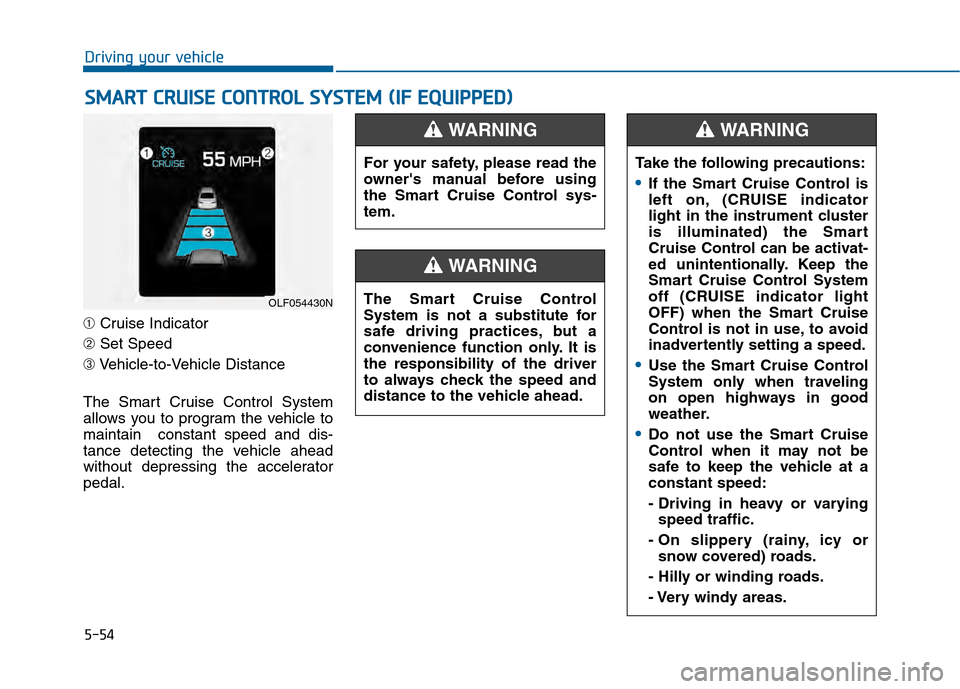
➀ Cruise Indicator
➁ Set Speed
➂ Vehicle-to-Vehicle Distance
The Smart Cruise Control System
allows you to program the vehicle to
maintain constant speed and dis-
tance detecting the vehicle ahead
without depressing the accelerator
pedal.
S S M
M A
AR
RT
T
C
C R
R U
U I
IS
S E
E
C
C O
O N
NT
TR
R O
O L
L
S
S Y
Y S
ST
T E
EM
M
(
( I
IF
F
E
E Q
Q U
UI
IP
P P
PE
ED
D )
)
OLF054430N
For your safety, please read the
owner's manual before using
the Smart Cruise Control sys-
tem.
WARNING
The Smart Cruise Control
System is not a substitute for
safe driving practices, but a
convenience function only. It is
the responsibility of the driver
to always check the speed and
distance to the vehicle ahead.
WARNING
Take the following precautions:
If the Smart Cruise Control is
left on, (CRUISE indicator
light in the instrument cluster
is illuminated) the Smart
Cruise Control can be activat-
ed unintentionally. Keep the
Smart Cruise Control System
off (CRUISE indicator light
OFF) when the Smart Cruise
Control is not in use, to avoid
inadvertently setting a speed.
Use the Smart Cruise Control
System only when traveling
on open highways in good
weather.
Do not use the Smart Cruise
Control when it may not be
safe to keep the vehicle at a
constant speed:
- Driving in heavy or varying
speed traffic.
- On slippery (rainy, icy or snow covered) roads.
- Hilly or winding roads.
- Very windy areas.
WARNING
Page 421 of 603
5-63
Driving your vehicle
5
Radar to Detect Distance to
the Vehicle Ahead
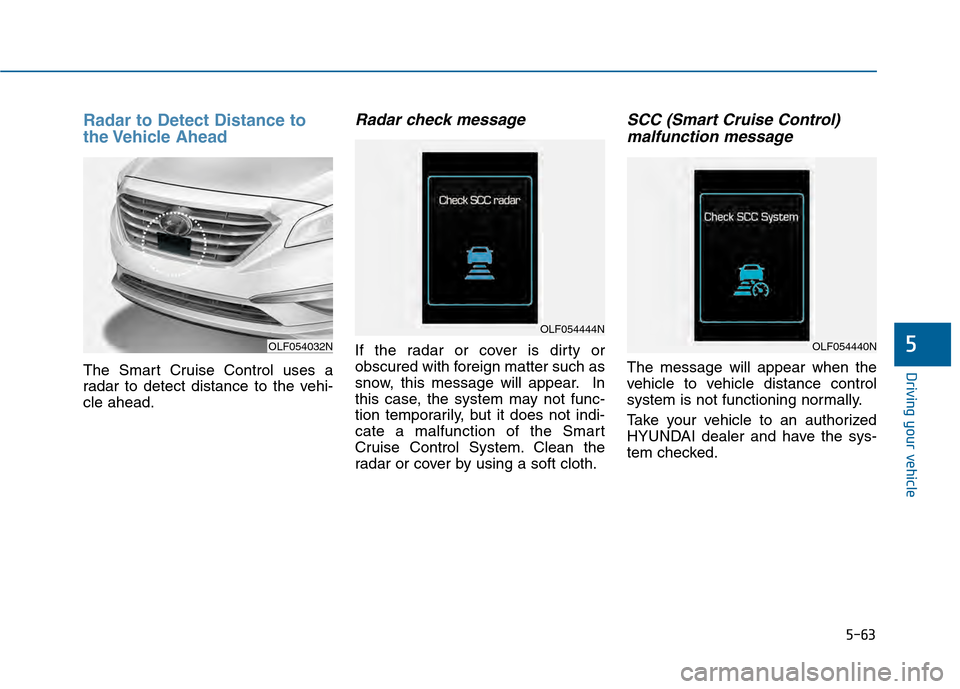
The Smart Cruise Control uses a
radar to detect distance to the vehi-
cle ahead.
Radar check message
If the radar or cover is dirty or
obscured with foreign matter such as
snow, this message will appear. In
this case, the system may not func-
tion temporarily, but it does not indi-
cate a malfunction of the Smart
Cruise Control System. Clean the
radar or cover by using a soft cloth.
SCC (Smart Cruise Control)malfunction message
The message will appear when the
vehicle to vehicle distance control
system is not functioning normally.
Take your vehicle to an authorized
HYUNDAI dealer and have the sys-
tem checked.
OLF054032N
OLF054444N
OLF054440N
Page 429 of 603
5-71
Driving your vehicle
5
Warning Light and Message
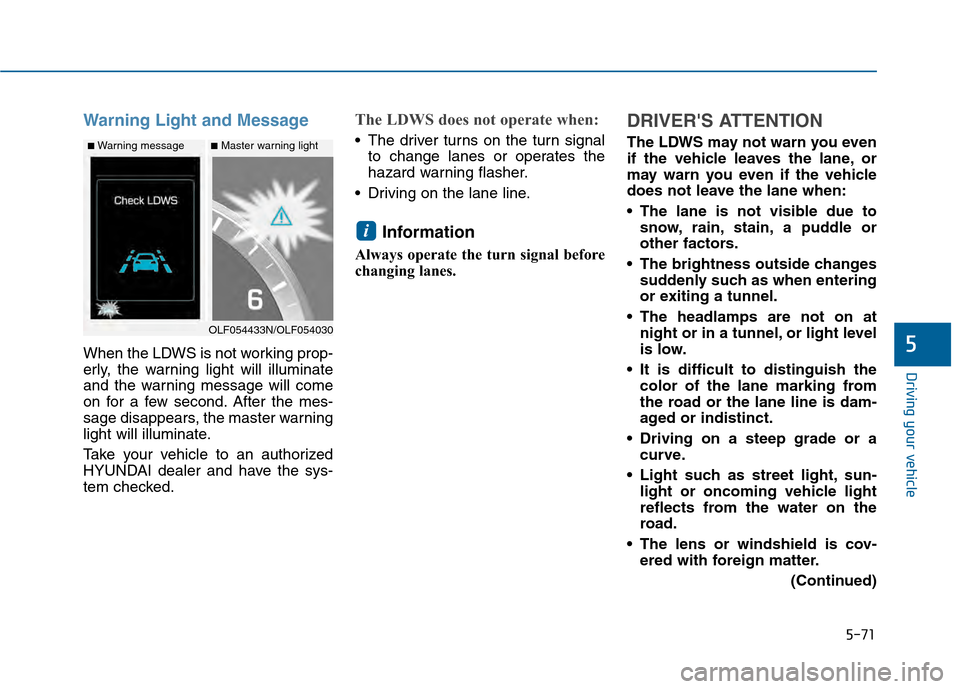
When the LDWS is not working prop-
erly, the warning light will illuminate
and the warning message will come
on for a few second. After the mes-
sage disappears, the master warning
light will illuminate.
Take your vehicle to an authorized
HYUNDAI dealer and have the sys-
tem checked.
The LDWS does not operate when:
The driver turns on the turn signalto change lanes or operates the
hazard warning flasher.
Driving on the lane line.
Information
Always operate the turn signal before
changing lanes.
DRIVER'S ATTENTION
The LDWS may not warn you even
if the vehicle leaves the lane, or
may warn you even if the vehicle
does not leave the lane when:
The lane is not visible due to snow, rain, stain, a puddle or
other factors.
The brightness outside changes suddenly such as when entering
or exiting a tunnel.
The headlamps are not on at night or in a tunnel, or light level
is low.
It is difficult to distinguish the color of the lane marking from
the road or the lane line is dam-
aged or indistinct.
Driving on a steep grade or a curve.
Light such as street light, sun- light or oncoming vehicle light
reflects from the water on the
road.
The lens or windshield is cov- ered with foreign matter.
(Continued)
i
OLF054433N/OLF054030
■Master warning light■Warning message
Page 430 of 603
5-72
Driving your vehicle
(Continued)
The camera cannot detect the lane because of fog, heavy rain,
or heavy snow.
The surrounding of the inside rear view mirror temperature is
high due to direct sun light.
The lane is very wide or narrow.
The windshield is fogged by humid air in the vehicle.
A shadow is on the lane line.
There is a mark that looks like a lane line.
There is a boundary structure, such as a concrete barrier.
The distance from the vehicle ahead is very short or the vehi-
cle ahead drives covering the
lane line.
The vehicle vibrates heavily due to road conditions.
The number of lanes increases or decreases or the lane lines
are crossing.
Putting something on the dash- board.
(Continued)(Continued)
Driving with the sun in front of
you.
Driving in areas under construc- tion.
There are more than two lane lines.
Page 432 of 603
5-74
Driving your vehicle
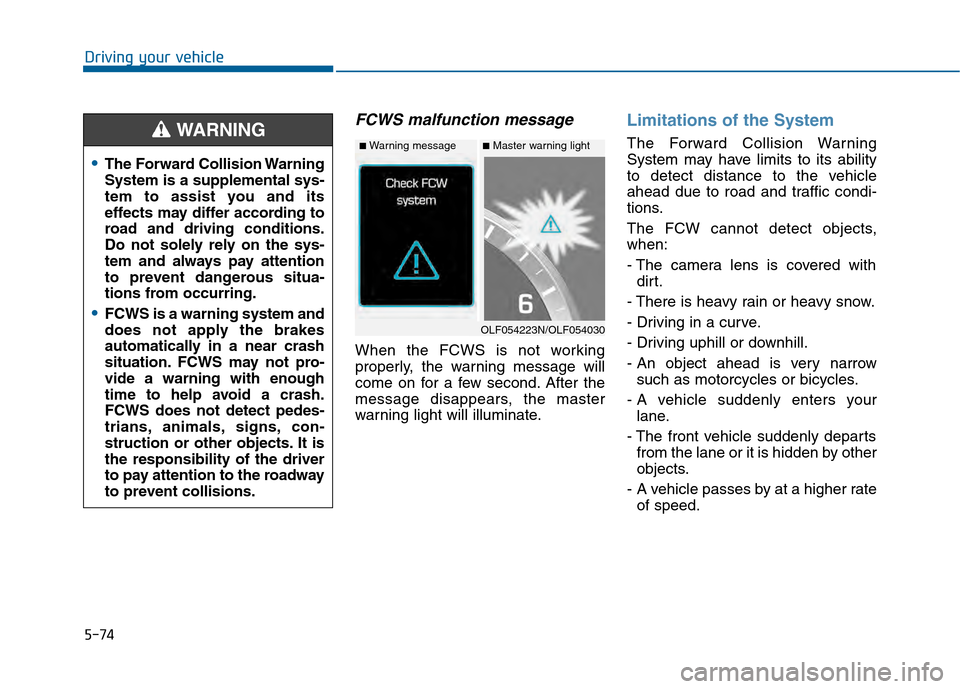
FCWS malfunction message
When the FCWS is not working
properly, the warning message will
come on for a few second. After the
message disappears, the master
warning light will illuminate.
Limitations of the System
The Forward Collision Warning
System may have limits to its ability
to detect distance to the vehicle
ahead due to road and traffic condi-
tions.
The FCW cannot detect objects,
when:
- The camera lens is covered withdirt.
- There is heavy rain or heavy snow.
- Driving in a curve.
- Driving uphill or downhill.
- An object ahead is very narrow such as motorcycles or bicycles.
- A vehicle suddenly enters your lane.
- The front vehicle suddenly departs from the lane or it is hidden by other
objects.
- A vehicle passes by at a higher rate of speed.
The Forward Collision Warning
System is a supplemental sys-
tem to assist you and its
effects may differ according to
road and driving conditions.
Do not solely rely on the sys-
tem and always pay attention
to prevent dangerous situa-
tions from occurring.
FCWS is a warning system and
does not apply the brakes
automatically in a near crash
situation. FCWS may not pro-
vide a warning with enough
time to help avoid a crash.
FCWS does not detect pedes-
trians, animals, signs, con-
struction or other objects. It is
the responsibility of the driver
to pay attention to the roadway
to prevent collisions.
WARNING
OLF054223N/OLF054030
■Master warning light■Warning message
Page 440 of 603
5-82
Driving your vehicle
The system may not work prop- erly if the bumper has been
replaced or if repair work has
been done near the radar.
The detection area differs according to the roads width. If
the road is narrow the system
may detect other vehicles in the
next lane. In addition, if the road
is very wide the system may not
detect other vehicles.
The system may turn off due to strong electromagnetic waves.
Non-operating condition
Outside rearview mirror may not
alert the driver when:
- The outside rearview mirror hous-ing is damaged or covered with
debris.
- The window is covered with debris.
- The windows are severely tinted.
DRIVER'S ATTENTION
The driver must be cautious in the
below situations for the system
may not detect other vehicles or
objects in certain circumstances.
- Curved roads, tollgates, etc.
- The surrounding of the radar is polluted with rain, snow, mud,
etc
- The rear bumper near the radar is covered or hidden with a for-
eign matter such as a sticker,
bumper guard, bicycle stand etc.
- The rear bumper is damaged or the radar is out of place.
- The height of the vehicle is altered such as when the trunk is
loaded with heavy objects, or
there is low tire pressure etc.
- Bad weather such as heavy rain or snow.
- A fixed object is near such as a guardrail, tunnel, human and ani-
mal etc.
(Continued)
NOTICE