heated Hyundai Sonata 2016 Owner's Manual
[x] Cancel search | Manufacturer: HYUNDAI, Model Year: 2016, Model line: Sonata, Model: Hyundai Sonata 2016Pages: 603, PDF Size: 16.3 MB
Page 13 of 603

F13F13
Accessing your vehicle .........................................3-4
Remote Key........................................................................\
.3-4
Smart Key ........................................................................\
....3-8
Immobilizer System .........................................................3-12
Door locks .............................................................3-14
Outside the Vehicle.........................................................3-14
Inside the Vehicle ............................................................3-15
Auto Door Lock/Unlock Features ...............................3-17
Child-Protector Rear Door locks ................................3-18
Theft-alarm system.............................................3-19
Driver position memory system .........................3-20
Storing Positions into Memory ....................................3-20
Easy Access Function ....................................................3-21
Steering wheel......................................................3-22
Electric Power Steering (EPS) .....................................3-22
Tilt Steering / Telescope Steering ..............................3-23
Heated Steering Wheel ..................................................3-23
Horn ........................................................................\
............3-24
Mirrors ...................................................................3-25
Inside Rearview Mirror ..................................................3-25
Outside Rearview Mirror ...............................................3-40
Reverse Parking Aid Function......................................3-43
Windows ................................................................3-44
Power Windows ...............................................................3-45
Panoramic sunroof ..............................................3-48
Sunshade ........................................................................\
...3-48
Sliding the Sunroof .........................................................3-49
Tilting the Sunroof .........................................................3-49
Closing the Sunroof........................................................3-50
To Reset the Sunroof.....................................................3-51
Exterior features .................................................3-52
Hood ........................................................................\
...........3-52
Trunk ........................................................................\
..........3-53
Smart Trunk ......................................................................3-\
56
Fuel Filler Door ................................................................3-59
Instrument cluster................................................3-63
Instrument Cluster Control............................................3-65
LCD Display Control ........................................................3-66
3Convenient features of your vehicle
Page 96 of 603

Convenient features of your vehicle
Accessing your vehicle .........................................3-4
Remote Key........................................................................\
.3-4
Smart Key ........................................................................\
....3-8
Immobilizer System .........................................................3-12
Door locks .............................................................3-14
Outside the Vehicle.........................................................3-14
Inside the Vehicle ............................................................3-15
Auto Door Lock/Unlock Features ...............................3-17
Child-Protector Rear Door locks ................................3-18
Theft-alarm system.............................................3-19
Driver position memory system .........................3-20
Storing Positions into Memory ....................................3-20
Easy Access Function ....................................................3-21
Steering wheel......................................................3-22
Electric Power Steering (EPS) .....................................3-22
Tilt Steering / Telescope Steering ..............................3-23
Heated Steering Wheel ..................................................3-23
Horn ........................................................................\
............3-24
Mirrors ...................................................................3-25
Inside Rearview Mirror ..................................................3-25
Outside Rearview Mirror ...............................................3-40
Reverse Parking Aid Function......................................3-43
Windows ................................................................3-44
Power Windows ...............................................................3-45
Panoramic sunroof ..............................................3-48
Sunshade ........................................................................\
...3-48
Sliding the Sunroof .........................................................3-49
Tilting the Sunroof .........................................................3-49
Closing the Sunroof........................................................3-50
To Reset the Sunroof.....................................................3-51
Exterior features .................................................3-52
Hood ........................................................................\
...........3-52
Trunk ........................................................................\
..........3-53
Smart Trunk ......................................................................3-\
56
Fuel Filler Door ................................................................3-59
Instrument cluster................................................3-63
Instrument Cluster Control............................................3-65
LCD Display Control ........................................................3-66
LCD Display ...........................................................3-71
LCD Modes ........................................................................\
3-71
Trip Computer Mode.......................................................3-72
Turn By Turn (TBT) Mode ............................................3-73
SCC/LDWS Mode .............................................................3-73
A/V Mode........................................................................\
..3-73
Information Mode ...........................................................3-74
User Settings Mode ........................................................3-76
Warning Messages..........................................................3-81
3
Page 118 of 603
3-23
Convenient features of your vehicle
3
Tilt Steering / Telescope Steering
Adjust the steering wheel so it points
toward your chest, not toward your
face. Make sure you can see the
instrument panel warning lights and
gauges. After adjusting, push the
steering wheel both up and down to
be certain it is locked in position.
Always adjust the position of the
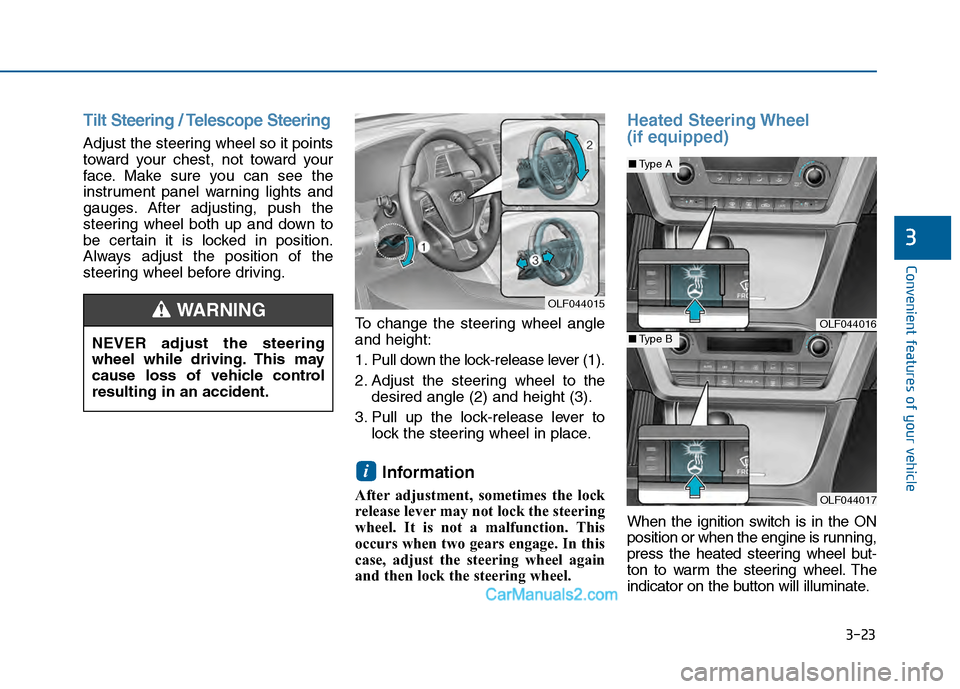
steering wheel before driving.To change the steering wheel angle
and height:
1. Pull down the lock-release lever (1).
2. Adjust the steering wheel to thedesired angle (2) and height (3).
3. Pull up the lock-release lever to lock the steering wheel in place.
Information
After adjustment, sometimes the lock
release lever may not lock the steering
wheel. It is not a malfunction. This
occurs when two gears engage. In this
case, adjust the steering wheel again
and then lock the steering wheel.
Heated Steering Wheel
(if equipped)
When the ignition switch is in the ON
position or when the engine is running,
press the heated steering wheel but-
ton to warm the steering wheel. The
indicator on the button will illuminate.
i
OLF044015
OLF044016
OLF044017
■Type A
■Type BNEVER adjust the steering
wheel while driving. This may
cause loss of vehicle control
resulting in an accident.
WARNING
Page 119 of 603
3-24
Convenient features of your vehicle
To turn the heated steering wheel off,
press the button again. The indicator
on the button will turn off.
The heated steering wheel will auto-
matically turn off after approximately
30 minutes.
Do not install any cover or acces-
sory on the steering wheel. The
cover or accessory could cause
damage to the heated steering
wheel system.
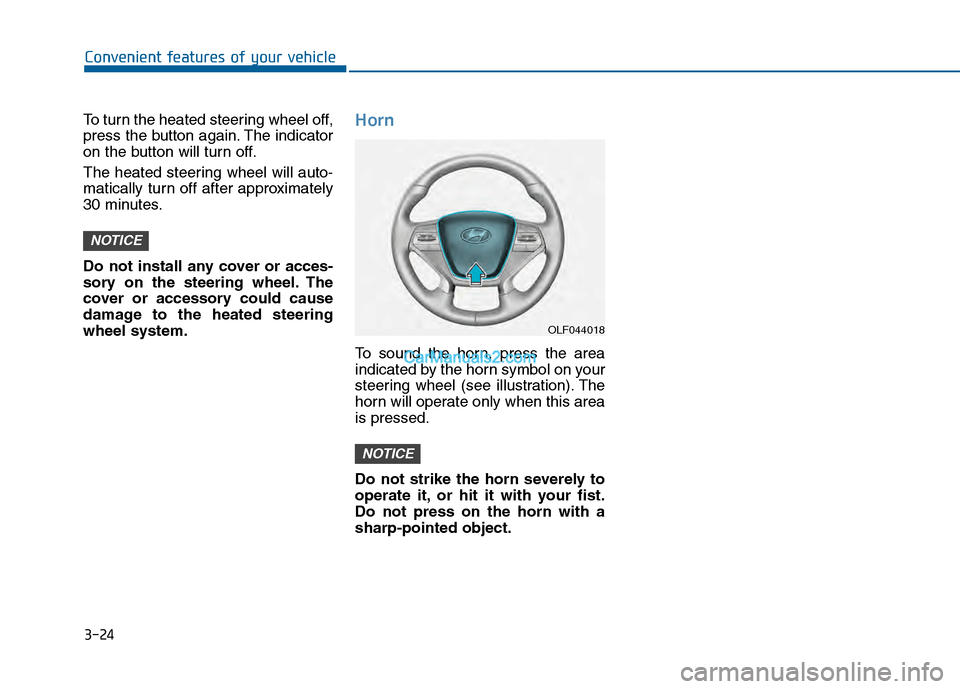
Horn
To sound the horn, press the area
indicated by the horn symbol on your
steering wheel (see illustration). The
horn will operate only when this area
is pressed.
Do not strike the horn severely to
operate it, or hit it with your fist.
Do not press on the horn with a
sharp-pointed object.
NOTICE
NOTICE
OLF044018
Page 162 of 603
3-67
Convenient features of your vehicle
3
Do not operate the engine within
the tachometer's RED ZONE. This
may cause severe engine damage.
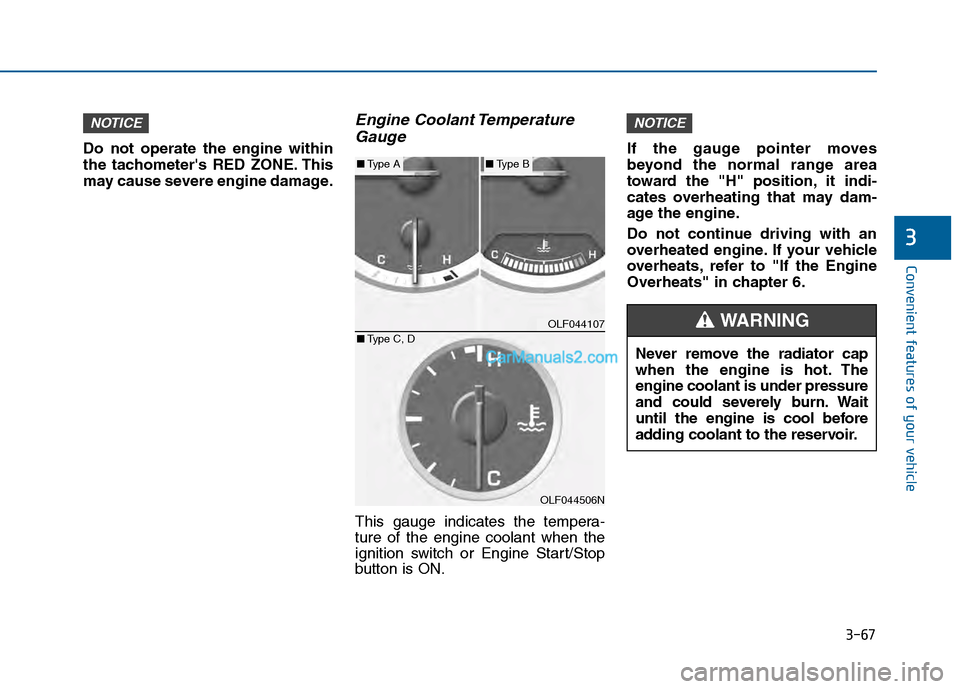
Engine Coolant TemperatureGauge
This gauge indicates the tempera-
ture of the engine coolant when the
ignition switch or Engine Start/Stop
button is ON. If the gauge pointer moves
beyond the normal range area
toward the "H" position, it indi-
cates overheating that may dam-
age the engine.
Do not continue driving with an
overheated engine. If your vehicle
overheats, refer to "If the Engine
Overheats" in chapter 6.
NOTICENOTICE
OLF044107
OLF044506N
■
Type A■Type B
■ Type C, D
Never remove the radiator cap
when the engine is hot. The
engine coolant is under pressure
and could severely burn. Wait
until the engine is cool before
adding coolant to the reservoir.
WARNING
Page 181 of 603
3-86
Convenient features of your vehicle
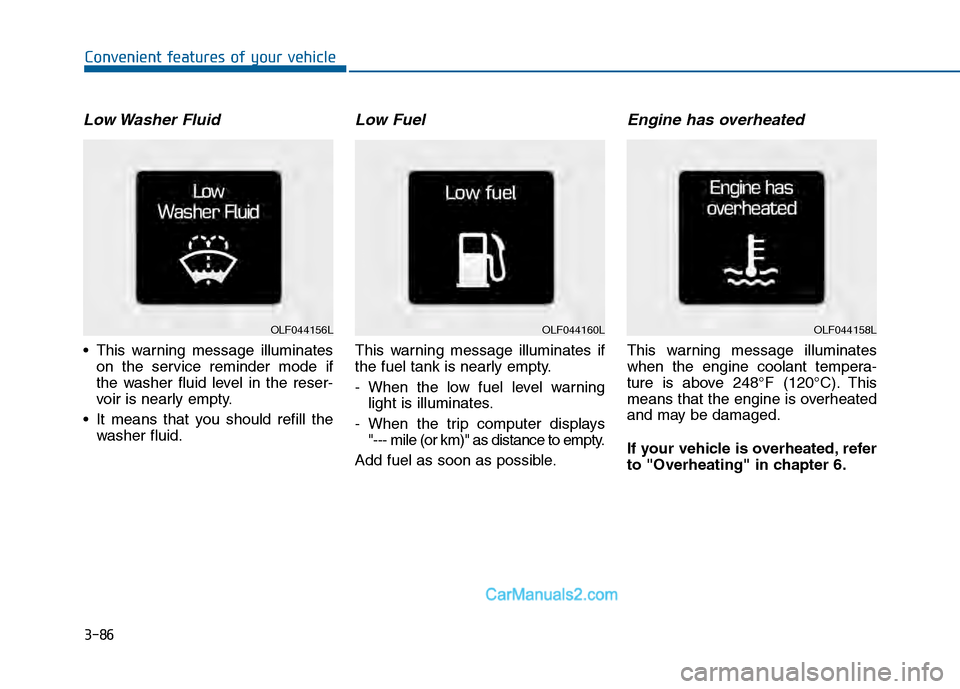
Low Washer Fluid
This warning message illuminateson the service reminder mode if
the washer fluid level in the reser-
voir is nearly empty.
It means that you should refill the washer fluid.
Low Fuel
This warning message illuminates if
the fuel tank is nearly empty.
- When the low fuel level warninglight is illuminates.
- When the trip computer displays "--- mile (or km)" as distance to empty.
Add fuel as soon as possible.
Engine has overheated
This warning message illuminates
when the engine coolant tempera-
ture is above 248°F (120°C). This
means that the engine is overheated
and may be damaged.
If your vehicle is overheated, refer
to "Overheating" in chapter 6.
OLF044156LOLF044160LOLF044158L
Page 224 of 603
3-129
Convenient features of your vehicle
3
Air intake control
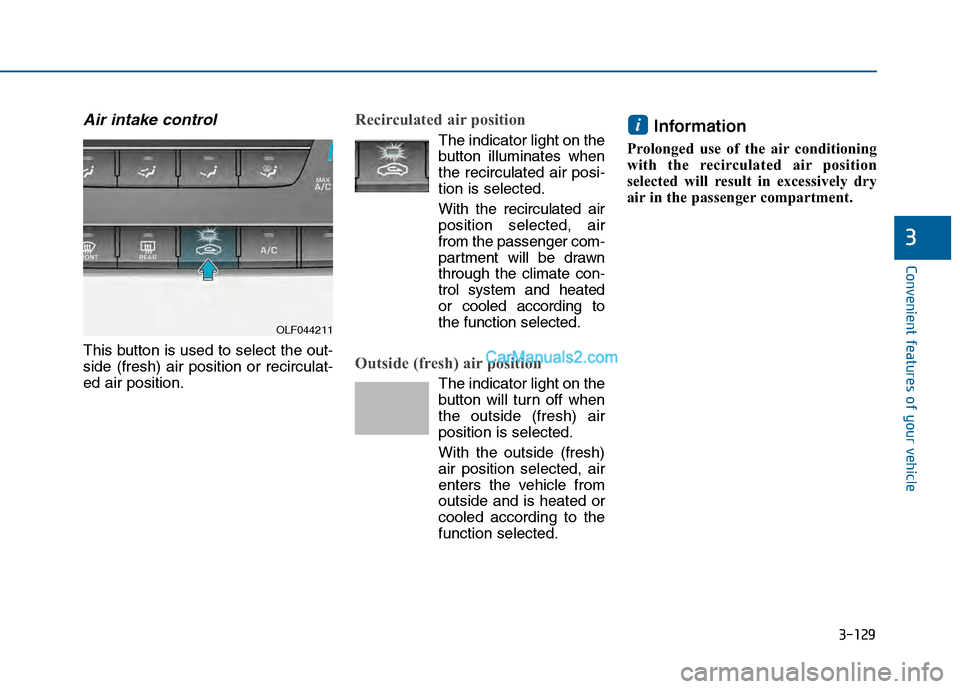
This button is used to select the out-
side (fresh) air position or recirculat-
ed air position.
Recirculated air position
The indicator light on the
button illuminates when
the recirculated air posi-
tion is selected.
With the recirculated air position selected, air
from the passenger com-
partment will be drawn
through the climate con-
trol system and heated
or cooled according to
the function selected.
Outside (fresh) air position
The indicator light on the
button will turn off when
the outside (fresh) air
position is selected.
With the outside (fresh)
air position selected, air
enters the vehicle from
outside and is heated or
cooled according to the
function selected.
Information
Prolonged use of the air conditioning
with the recirculated air position
selected will result in excessively dry
air in the passenger compartment.
i
OLF044211
Page 236 of 603
3-141
Convenient features of your vehicle
3
Adjusting the driver and passen-
ger side temperature individually
Press the "SYNC" button again to
operate the driver and passenger
side temperature individually. The
button indicator will turn off.
Temperature conversion
If the battery has been discharged or
disconnected, the temperature mode
display will reset to Fahrenheit.
To change the temperature unit from
°F to °C or °C to °F:
- On the instrument cluster, go toUser Settings Mode ➝ Other
Features ➝Temperature Unit.
- Press the AUTO button for 3 sec- onds while pressing the OFF button.
(Automatic climate control system)
Both the temperature unit on the
cluster LCD display and climate con-
trol screen will change.
Air intake control
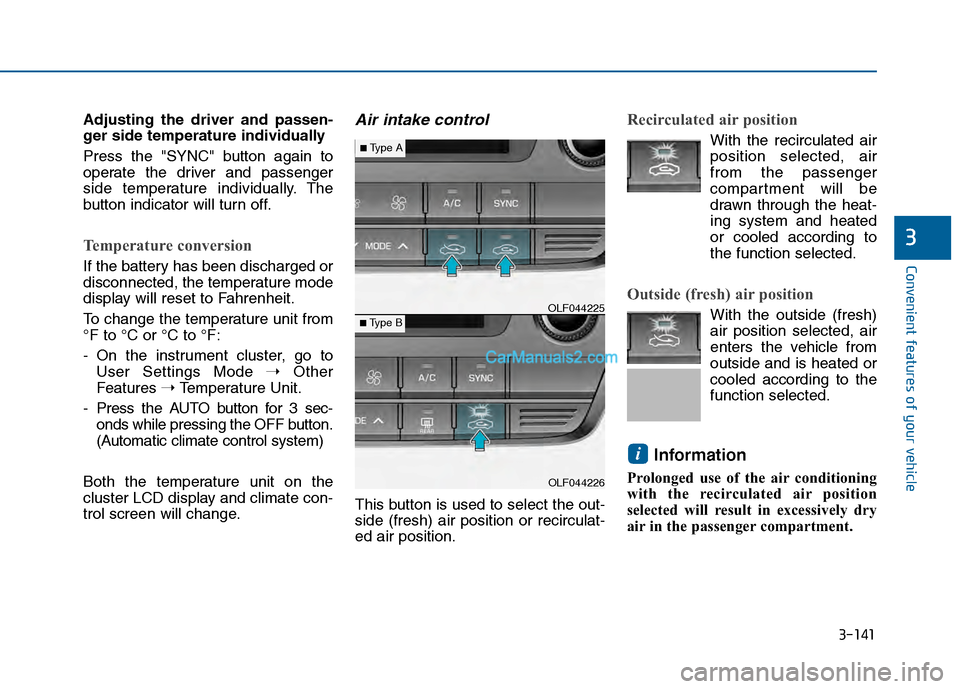
This button is used to select the out-
side (fresh) air position or recirculat-
ed air position.
Recirculated air position
With the recirculated air position selected, air
from the passenger
compartment will be
drawn through the heat-
ing system and heated
or cooled according to
the function selected.
Outside (fresh) air position
With the outside (fresh)
air position selected, air
enters the vehicle from
outside and is heated or
cooled according to the
function selected.
Information
Prolonged use of the air conditioning
with the recirculated air position
selected will result in excessively dry
air in the passenger compartment.
i
OLF044226
■Type B OLF044225
■Type A
Page 378 of 603
5-20
To hold the vehicle on a hill usethe foot brake or the parking
brake. If the vehicle is held by
applying the accelerator pedal
on a hill the clutch and trans-
mission will be overheated
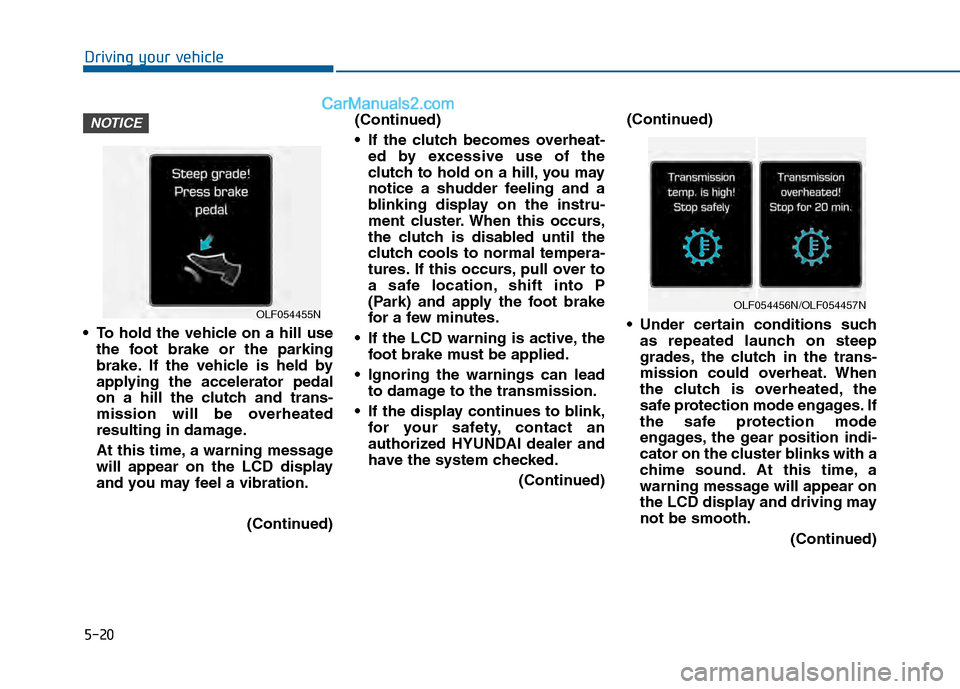
resulting in damage.
At this time, a warning message
will appear on the LCD display
and you may feel a vibration.
(Continued)(Continued)
If the clutch becomes overheat-
ed by excessive use of the
clutch to hold on a hill, you may
notice a shudder feeling and a
blinking display on the instru-
ment cluster. When this occurs,
the clutch is disabled until the
clutch cools to normal tempera-
tures. If this occurs, pull over to
a safe location, shift into P
(Park) and apply the foot brake
for a few minutes.
If the LCD warning is active, the foot brake must be applied.
Ignoring the warnings can lead to damage to the transmission.
If the display continues to blink, for your safety, contact an
authorized HYUNDAI dealer and
have the system checked.
(Continued)(Continued)
Under certain conditions such
as repeated launch on steep
grades, the clutch in the trans-
mission could overheat. When
the clutch is overheated, the
safe protection mode engages. If
the safe protection mode
engages, the gear position indi-
cator on the cluster blinks with a
chime sound. At this time, a
warning message will appear on
the LCD display and driving may
not be smooth.
(Continued)
NOTICE
Driving your vehicle
OLF054455NOLF054456N/OLF054457N
Page 391 of 603
5-33
Driving your vehicle
5
If the Parking Brake WarningLight is still on even though the
EPB has been released, have
your vehicle checked by an
authorized HYUNDAI dealer.
Do not drive your vehicle with the EPB applied. It may cause
excessive brake pad and brake
rotor wear.
When the EPB (Electric Parking
Brake) does not release:
Contact an authorized HYUNDAI
dealer by loading the vehicle on a
flatbed tow truck and have the sys-
tem checked.
EPB (Electric Parking Brake) may
be automatically applied when:
The EPB is overheated
Requested by other systems
The engine is turned off with theEPB applied
Information
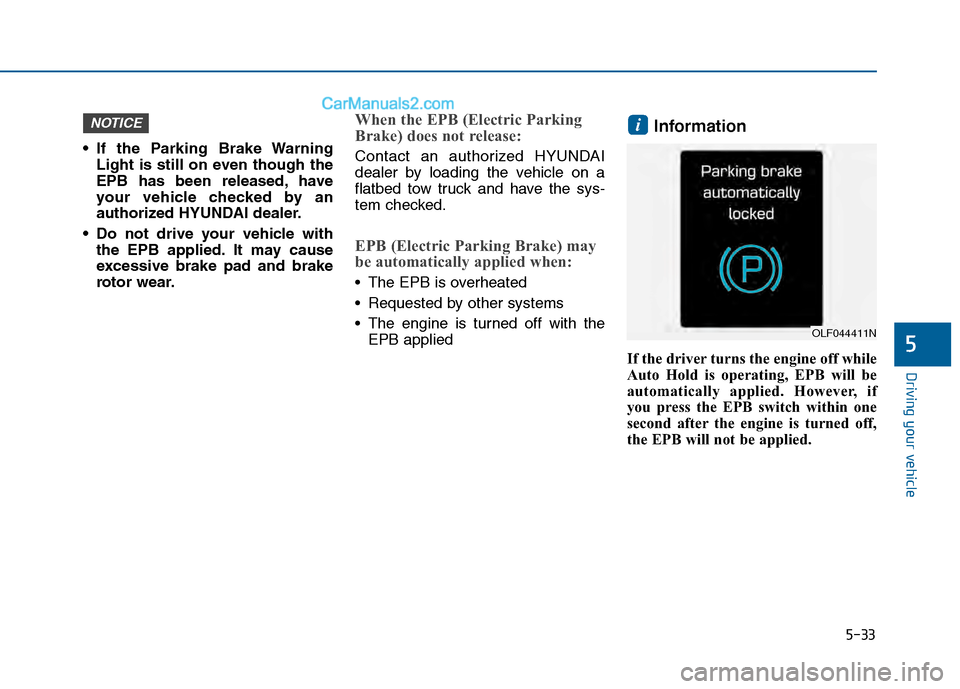
If the driver turns the engine off while
Auto Hold is operating, EPB will be
automatically applied. However, if
you press the EPB switch within one
second after the engine is turned off,
the EPB will not be applied.
iNOTICE
OLF044411N