warning Hyundai Sonata 2017 Manual Online
[x] Cancel search | Manufacturer: HYUNDAI, Model Year: 2017, Model line: Sonata, Model: Hyundai Sonata 2017Pages: 563, PDF Size: 17.7 MB
Page 149 of 563
3-64
Convenient features of your vehicle
Information
If the fuel filler door does not open
because ice has formed around it, tap
lightly or push on the door to break
the ice and release the door. Do not
pry on the door. If necessary, spray
around the door with an approved de-
icer fluid (do not use radiator anti-
freeze) or move the vehicle to a warm
place and allow the ice to melt.
Closing the fuel filler door
1. To install the fuel tank cap, turn itclockwise until it “clicks” one time.
2. Close the fuel filler door until it is latched securely.i
Gasoline is highly flammable
and explosive. Failure to follow
these guidelines may result in
SERIOUS INJURY or DEATH:
Read and follow all warnings
posted at the gas station.
Before refueling, note the
location of the Emergency
Gasoline Shut-Off, if available,
at the gas station.
Before touching the fuel noz-
zle, you should eliminate the
potential build-up of static
electricity by touching a metal
part of the vehicle, a safe dis-
tance away from the fuel filler
neck, nozzle, or other gas
source, with your bare hand.
Do not use cellular phones
while refueling. Electric cur-
rent and/or electronic interfer-
ence from cellular phones can
potentially ignite fuel vapors
and cause a fire.
(Continued)
WARNING
Page 152 of 563
3-67
Convenient features of your vehicle
3
I
IN
N S
ST
T R
R U
U M
M E
EN
N T
T
C
C L
LU
U S
ST
T E
ER
R
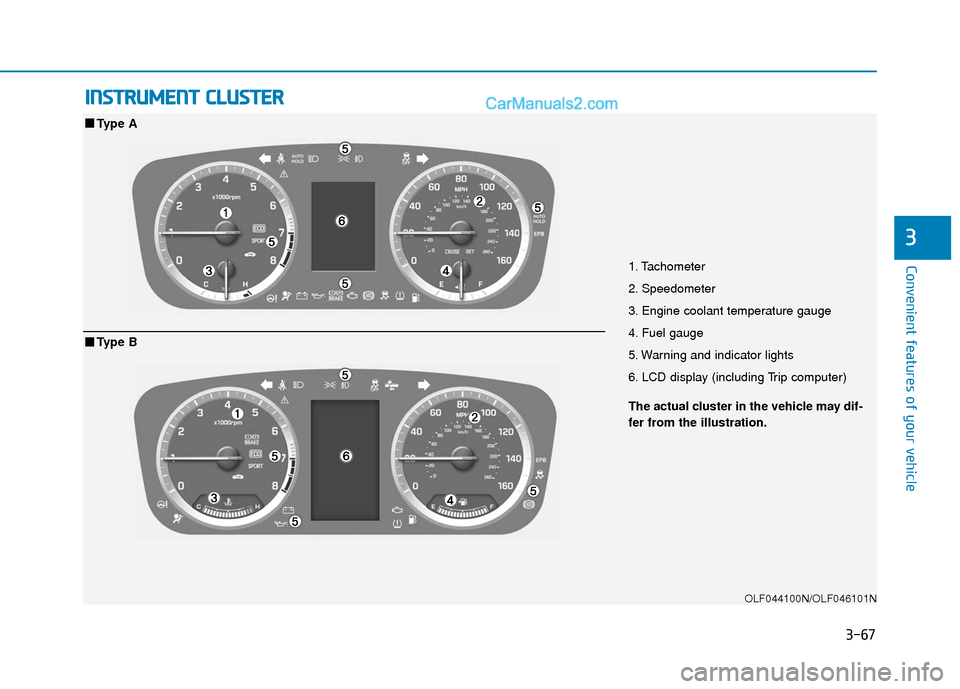
1. Tachometer
2. Speedometer
3. Engine coolant temperature gauge
4. Fuel gauge
5. Warning and indicator lights
6. LCD display (including Trip computer)
OLF044100N/OLF046101N
■ ■
Type A
The actual cluster in the vehicle may dif-
fer from the illustration.
■ ■Type B
Page 153 of 563
3-68
Convenient features of your vehicle
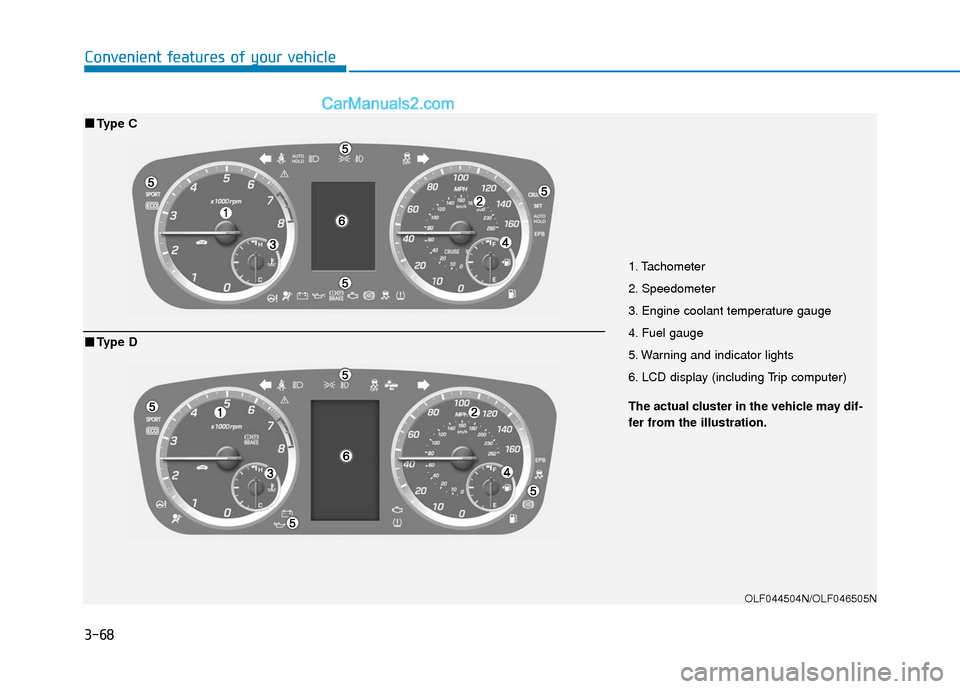
1. Tachometer
2. Speedometer
3. Engine coolant temperature gauge
4. Fuel gauge
5. Warning and indicator lights
6. LCD display (including Trip computer)
OLF044504N/OLF046505N
■ ■Type C
The actual cluster in the vehicle may dif-
fer from the illustration.
■ ■Type D
Page 156 of 563
3-71
Convenient features of your vehicle
3
Do not operate the engine within
the tachometer's RED ZONE. This
may cause severe engine damage.
Engine Coolant TemperatureGauge
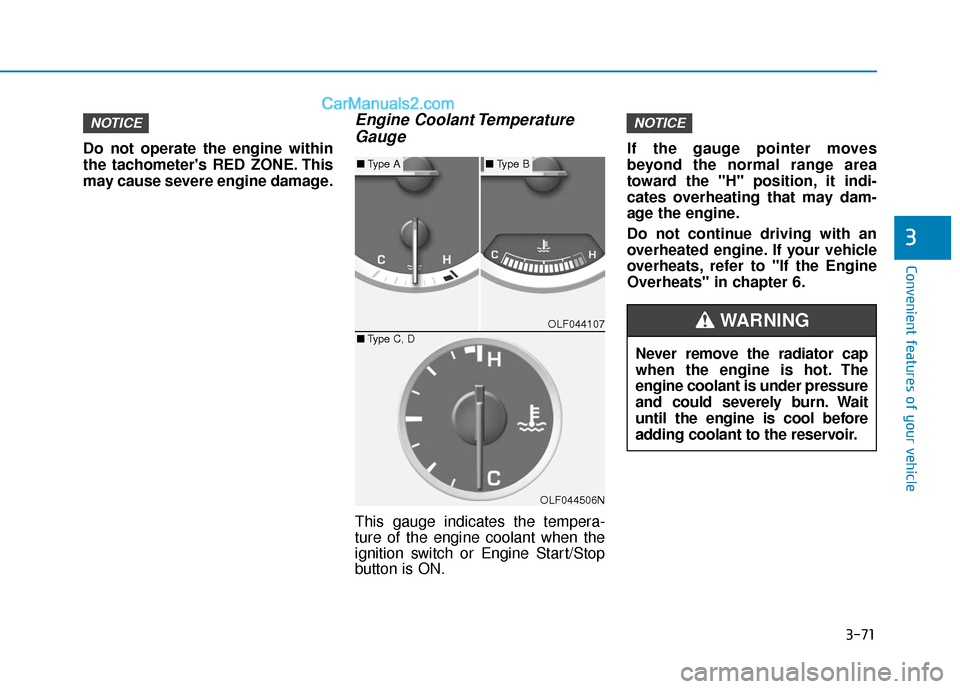
This gauge indicates the tempera-
ture of the engine coolant when the
ignition switch or Engine Start/Stop
button is ON. If the gauge pointer moves
beyond the normal range area
toward the "H" position, it indi-
cates overheating that may dam-
age the engine.
Do not continue driving with an
overheated engine. If your vehicle
overheats, refer to "If the Engine
Overheats" in chapter 6.
NOTICENOTICE
OLF044107
OLF044506N
■
Type A■Type B
■ Type C, D
Never remove the radiator cap
when the engine is hot. The
engine coolant is under pressure
and could severely burn. Wait
until the engine is cool before
adding coolant to the reservoir.
WARNING
Page 157 of 563
3-72
Convenient features of your vehicle
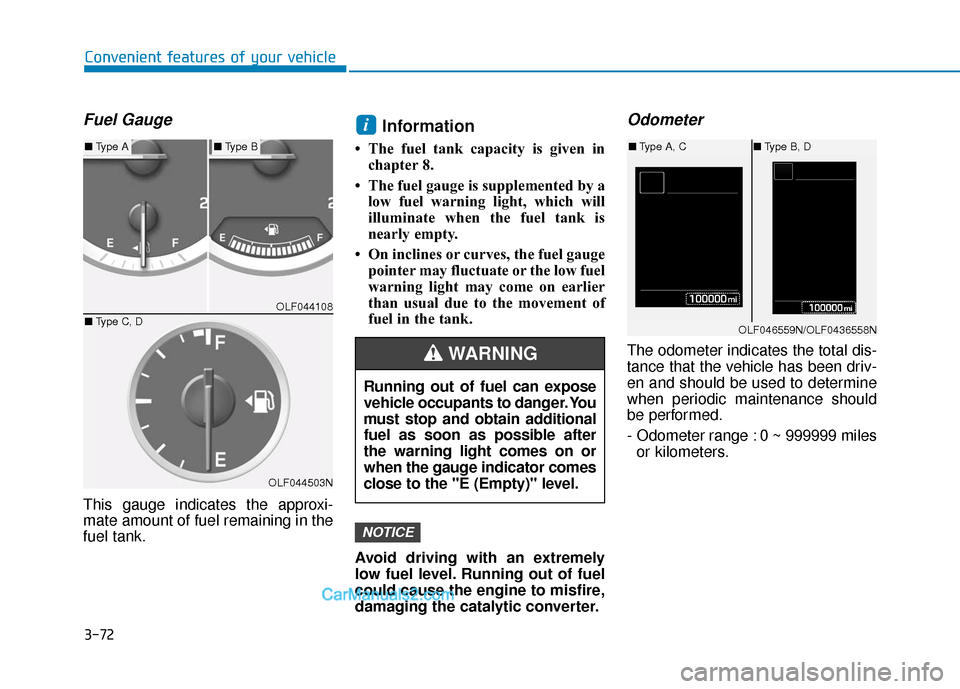
Fuel Gauge
This gauge indicates the approxi-
mate amount of fuel remaining in the
fuel tank.
Information
• The fuel tank capacity is given inchapter 8.
• The fuel gauge is supplemented by a low fuel warning light, which will
illuminate when the fuel tank is
nearly empty.
• On inclines or curves, the fuel gauge pointer may fluctuate or the low fuel
warning light may come on earlier
than usual due to the movement of
fuel in the tank.
Avoid driving with an extremely
low fuel level. Running out of fuel
could cause the engine to misfire,
damaging the catalytic converter.
Odometer
The odometer indicates the total dis-
tance that the vehicle has been driv-
en and should be used to determine
when periodic maintenance should
be performed.
- Odometer range : 0 ~ 999999 miles or kilometers.
NOTICE
i
OLF044108
OLF044503N
■ Type A■Type B
■ Type C, D
Running out of fuel can expose
vehicle occupants to danger. You
must stop and obtain additional
fuel as soon as possible after
the warning light comes on or
when the gauge indicator comes
close to the "E (Empty)" level.
WARNING
OLF046559N/OLF0436558N
■Type A, C ■Type B, D
Page 159 of 563
3-74
Convenient features of your vehicle
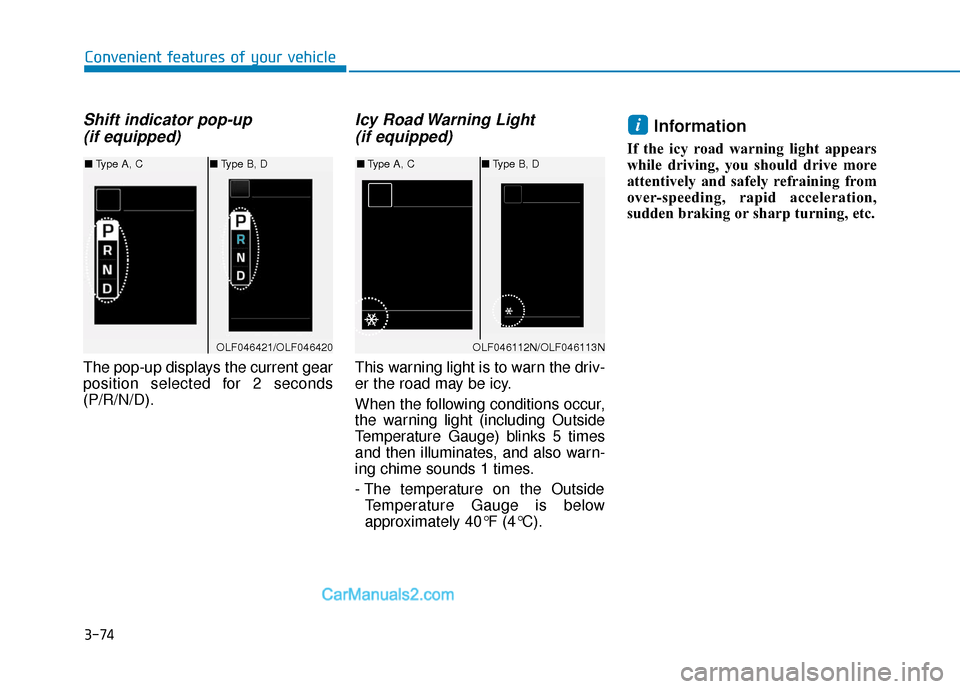
Shift indicator pop-up (if equipped)
The pop-up displays the current gear
position selected for 2 seconds
(P/R/N/D).
Icy Road Warning Light (if equipped)
This warning light is to warn the driv-
er the road may be icy.
When the following conditions occur,
the warning light (including Outside
Temperature Gauge) blinks 5 times
and then illuminates, and also warn-
ing chime sounds 1 times.
- The temperature on the Outside
Temperature Gauge is below
approximately 40°F (4°C).
Information
If the icy road warning light appears
while driving, you should drive more
attentively and safely refraining from
over-speeding, rapid acceleration,
sudden braking or sharp turning, etc.
i
OLF046421/OLF046420
■ Type A, C ■Type B, D
OLF046112N/OLF046113N
■Type A, C ■Type B, D
Page 160 of 563
3-75
Convenient features of your vehicle
3
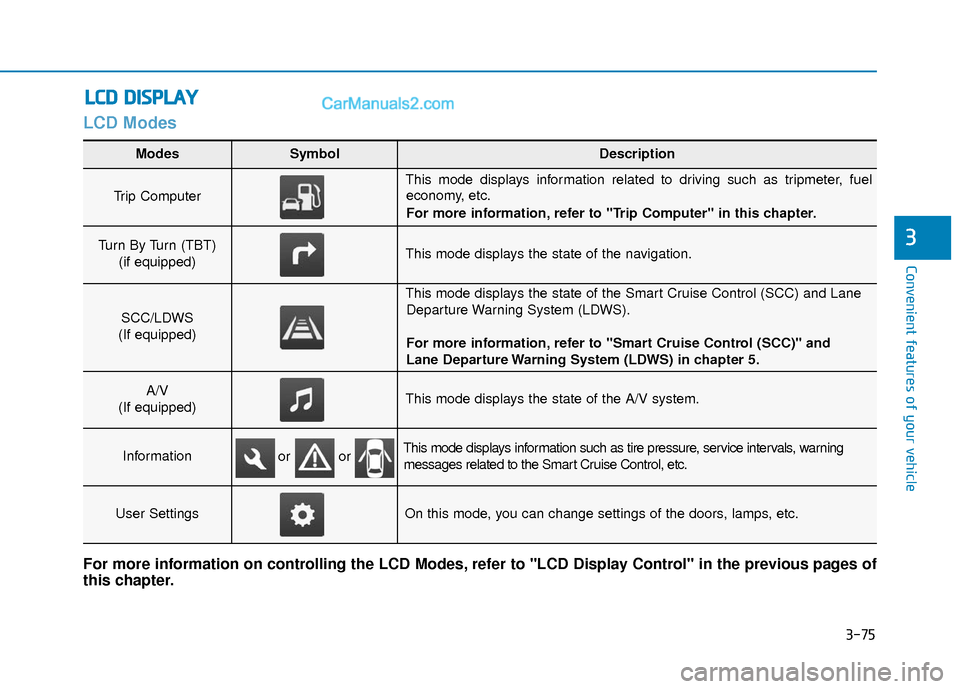
LCD Modes
L
LC
C D
D
D
D I
IS
S P
P L
LA
A Y
Y
Modes SymbolDescription
Trip Computer
This mode displays information related to driving such as tripmeter, fuel
economy, etc.
For more information, refer to "Trip Computer" in this chapter.
Turn By Turn (TBT)
(if equipped)This mode displays the state of the navigation.
SCC/LDWS
(If equipped)
This mode displays the state of the Smart Cruise Control (SCC) and Lane Departure Warning System (LDWS).
For more information, refer to "Smart Cruise Control (SCC)" and
Lane Departure Warning System (LDWS) in chapter 5.
A/V
(If equipped)This mode displays the state of the A/V system.
InformationThis mode displays information such as tire pressure, service intervals, warning messages related to the Smart Cruise Control, etc.
User SettingsOn this mode, you can change settings of the doors, lamps, etc.
For more information on controlling the LCD Modes, refer to "LCD Display Control" in the previous pages of
this chapter.
or or
Page 161 of 563
3-76
Convenient features of your vehicle
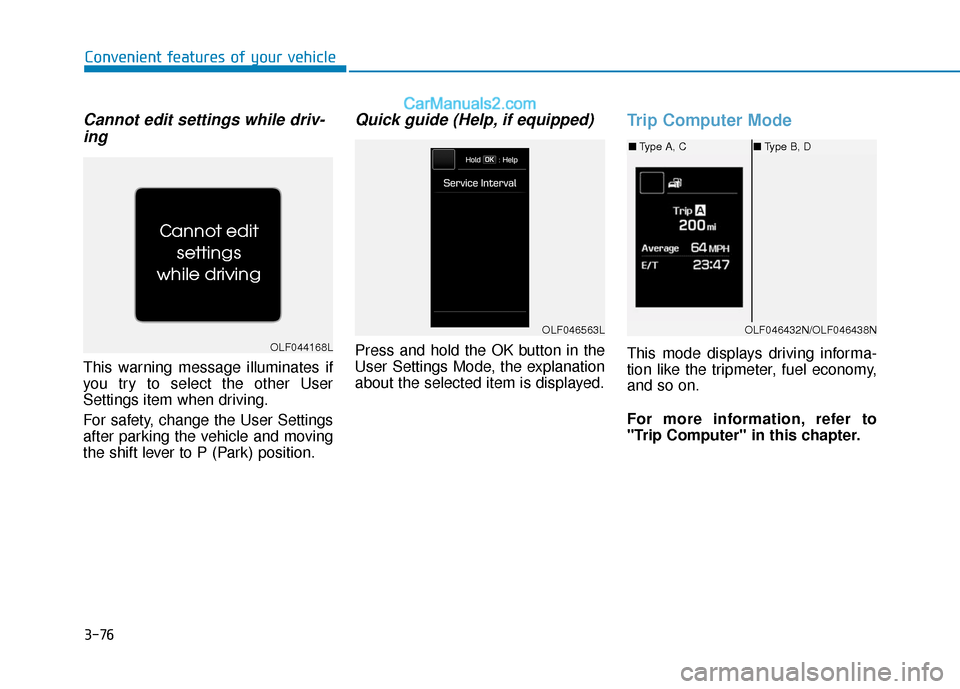
Cannot edit settings while driv-ing
This warning message illuminates if
you try to select the other User
Settings item when driving.
For safety, change the User Settings
after parking the vehicle and moving
the shift lever to P (Park) position.
Quick guide (Help, if equipped)
Press and hold the OK button in the
User Settings Mode, the explanation
about the selected item is displayed.
Trip Computer Mode
This mode displays driving informa-
tion like the tripmeter, fuel economy,
and so on.
For more information, refer to
"Trip Computer" in this chapter.OLF044168L
OLF046432N/OLF046438N
■ Type A, C ■Type B, D
OLF046563L
Page 162 of 563
3-77
Convenient features of your vehicle
3
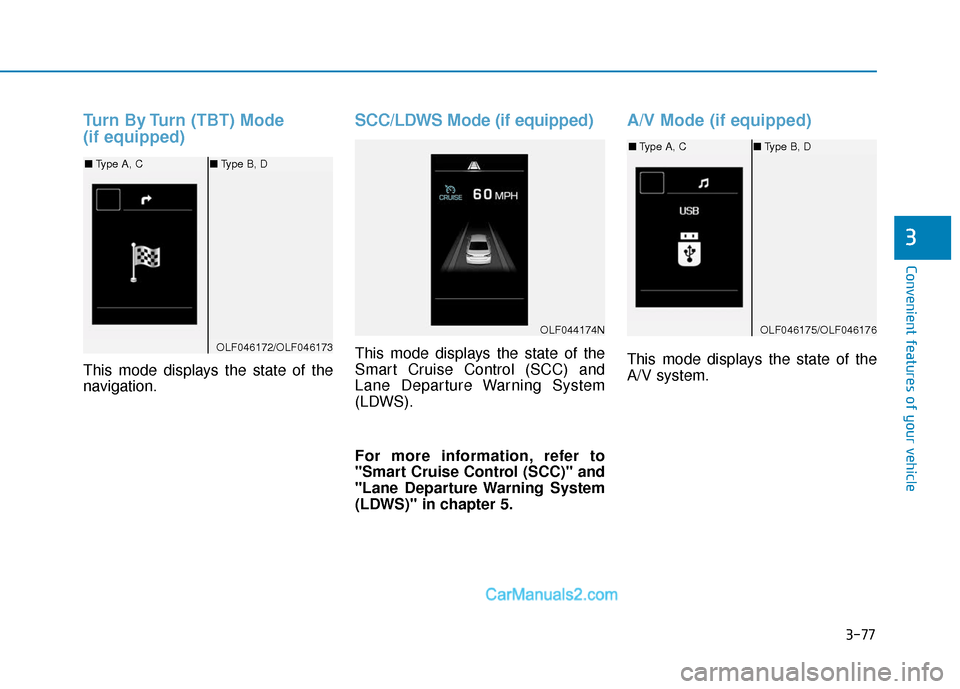
Turn By Turn (TBT) Mode
(if equipped)
This mode displays the state of the
navigation.
SCC/LDWS Mode (if equipped)
This mode displays the state of the
Smart Cruise Control (SCC) and
Lane Departure Warning System
(LDWS).
For more information, refer to
"Smart Cruise Control (SCC)" and
"Lane Departure Warning System
(LDWS)" in chapter 5.
A/V Mode (if equipped)
This mode displays the state of the
A/V system.
OLF044174N
OLF046172/OLF046173
■Type A, C ■Type B, D
OLF046175/OLF046176
■Type A, C ■Type B, D
Page 164 of 563
3-79
Convenient features of your vehicle
3
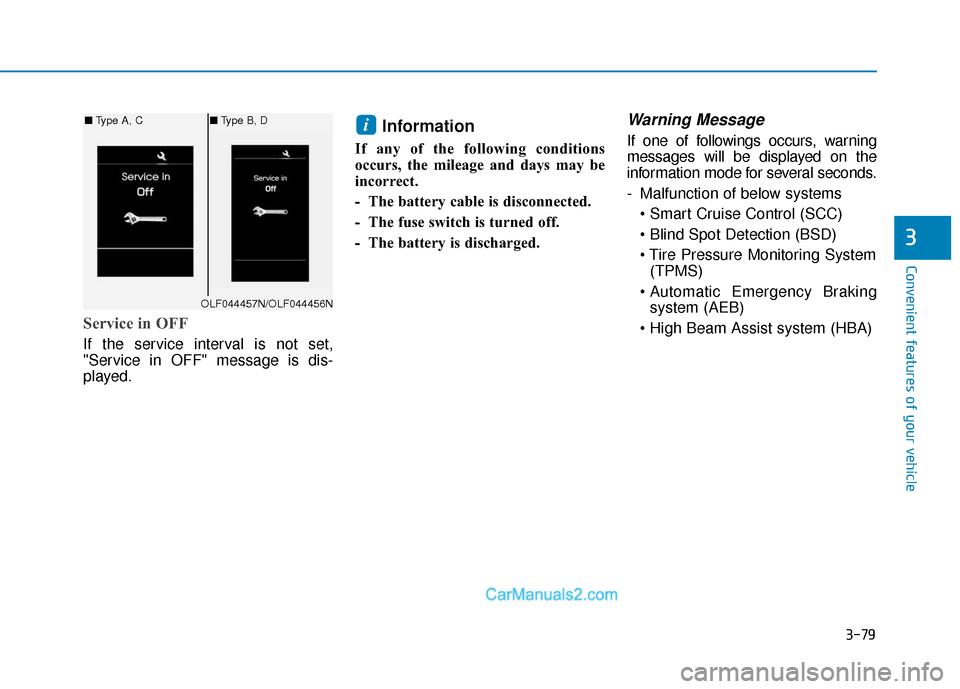
Service in OFF
If the service interval is not set,
"Service in OFF" message is dis-
played.
Information
If any of the following conditions
occurs, the mileage and days may be
incorrect.
- The battery cable is disconnected.
- The fuse switch is turned off.
- The battery is discharged.
Warning Message
If one of followings occurs, warning
messages will be displayed on the
information mode for several seconds.
- Malfunction of below systems
(TPMS)
system (AEB)
i
OLF044457N/OLF044456N
■ Type A, C ■Type B, D